Overview
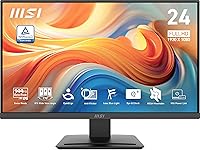
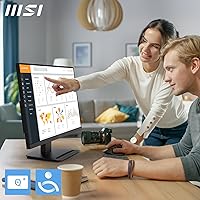
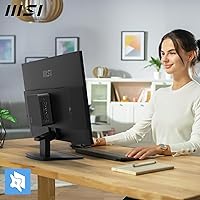
The MSI PRO MP243L E14 24-inch Monitor sits in an interesting spot in the budget display market — it's the kind of screen that punches above its weight without pretending to be something it isn't. The headline feature is a 144Hz refresh rate, which is genuinely rare at this price point and gives it a clear edge over the sea of 60Hz and 75Hz competitors. The four-sided slim bezel keeps the look clean and desk-friendly, and the TÜV-certified eye care adds a layer of credibility that generic no-name panels simply can't match. Just be clear-eyed going in: this is a solid everyday performer, not a tool for serious color work or competitive esports.
Features & Benefits
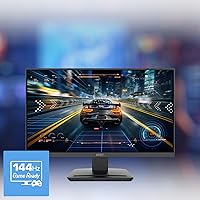
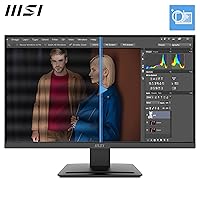
At 144Hz with a 1ms response time, the MP243L E14 handles fast motion noticeably better than the 60Hz panels most people are used to — scrolling feels crisper, and in-game movement looks far less blurry. Adaptive-Sync keeps tearing at bay regardless of whether you're running an AMD or NVIDIA card, which is a practical win. The IPS panel brings decent viewing angles and reasonably consistent colors, though don't expect calibration-level accuracy at this price — it handles productivity and casual gaming well, not professional photo editing. The dual HDMI and VGA inputs are a thoughtful touch, letting users hook up an older desktop alongside a newer laptop without needing adapters.
Best For
This 24-inch IPS display makes a lot of sense for students and remote workers who spend long hours in front of a screen and want something gentle on the eyes without sacrificing everyday image quality. It's also a solid pick for first-time 144Hz users — the jump from 60Hz is immediately obvious, and this MSI office monitor delivers that experience without a steep price tag. Multi-monitor desk setups benefit from the slim bezels and VESA compatibility, and the tilt adjustment covers the basics for ergonomic positioning. Small offices running a mix of older PCs and newer machines will genuinely appreciate having both HDMI and VGA on a single panel.
User Feedback
Most buyers highlight image clarity and color consistency as genuinely impressive for the price, and setup tends to draw consistent praise — the OSD is straightforward and most people have it running within minutes of unboxing. The eye-care features get mixed reactions: some users notice a real reduction in end-of-day eye strain, while others find the effect subtle at best. The most recurring criticism is limited ergonomic flexibility — there's no height adjustment or pivot, just tilt, which frustrates taller users or those with specific desk needs. Stand sturdiness comes up occasionally too. That said, buyers who compare it against similar-priced alternatives tend to land back on this one.
Pros
- 144Hz refresh rate at this price point is genuinely rare and makes a noticeable real-world difference in motion clarity.
- The IPS panel delivers better viewing angles and color consistency than cheaper TN alternatives in the same price range.
- TÜV-certified eye care credentials give this MSI office monitor more credibility than generic budget displays.
- Adaptive-Sync works across both AMD and NVIDIA GPUs, so you are not locked into one ecosystem.
- Built-in VGA input is a practical lifeline for users connecting older desktops or legacy office equipment.
- The four-sided slim bezel keeps desk setups looking tidy and works well in dual-monitor configurations.
- VESA mounting support adds real flexibility for wall mounts or monitor arms.
- MSI Eye-Q Check rest reminders are a quietly useful feature for people who lose track of screen time.
- Setup is fast and the on-screen display menu is straightforward, even for first-time monitor buyers.
- Matte screen coating handles ambient light well and reduces glare in bright room environments.
Cons
- No height adjustment or pivot means ergonomic positioning is limited to tilt only, which won't suit everyone.
- Stand stability has been flagged by some buyers as less rigid than expected for a desktop monitor.
- Color accuracy is adequate for everyday use but falls short for any serious creative or color-sensitive work.
- 1080p resolution on a 24-inch screen is perfectly fine for most uses, but noticeably softer than 1440p at close range.
- HDR Ready designation should not be confused with true HDR performance — the practical HDR effect is minimal.
- Only two input ports means users with multiple devices will need to swap cables manually.
- The eye-care features, while genuine, are subtle — buyers expecting dramatic eye strain relief may be underwhelmed.
- No USB hub or built-in audio means extra desk clutter if you rely on those conveniences from your monitor.
Ratings
Our AI-generated scores for the MSI PRO MP243L E14 24-inch Monitor were produced by analyzing thousands of verified global user reviews, with spam, bot submissions, and incentivized feedback actively filtered out before any scoring was applied. The ratings reflect a balanced synthesis of what real buyers praised and where they ran into genuine frustrations — nothing is softened to protect the product's image. Whether you are considering this 24-inch IPS display as a primary work monitor or a casual gaming screen, the breakdown below gives you an honest picture of where it earns its keep and where it falls short.
Value for Money
Refresh Rate Performance
Eye Care Effectiveness
Image Quality
Build Quality
Ergonomics
Setup & Usability
Connectivity
Gaming Performance
HDR Capability
Screen Uniformity
Color Accuracy
Noise & Stability
Suitable for:
The MSI PRO MP243L E14 24-inch Monitor is a strong fit for students, remote workers, and anyone building a practical home office setup on a budget. If you spend long hours at a desk and want a display that won't hammer your eyes by late afternoon, the combination of Anti-Flicker technology, Low Blue Light filtering, and TÜV certification makes this a more thoughtful choice than most panels at this price. Casual gamers stepping up from a 60Hz screen will immediately feel the difference that 144Hz brings — it's the kind of upgrade that's hard to go back from, without requiring a significant financial commitment. The dual HDMI and VGA inputs also make it a practical pick for small offices or home setups running a mix of older and newer hardware, removing the need for adapters or docking stations. VESA compatibility and tilt adjustment round out the practical appeal for anyone who wants clean cable management or wall-mounted monitor setups.
Not suitable for:
The MSI PRO MP243L E14 24-inch Monitor is not the right tool for anyone who depends on color accuracy for professional work — graphic designers, photographers, and video editors will quickly hit the limits of what an IPS panel at this price tier can deliver. The resolution caps at 1080p, so users who have grown accustomed to 1440p or 4K will likely find the image less sharp, especially on a 24-inch screen at close viewing distances. Ergonomics are another real limitation: there is no height adjustment, no pivot, and no swivel — only tilt, which may not cut it for taller users or those with specific posture needs. Hardcore competitive gamers who prioritize panel response and input lag above all else will find more specialized options worth the extra spend. If you routinely connect three or more devices simultaneously, the two-port input selection will also feel restrictive.
Specifications
- Screen Size: The panel measures 24 inches diagonally, offering a comfortable viewing area suited to standard desk distances of 50 to 70 cm.
- Panel Type: An IPS (In-Plane Switching) panel is used, which provides wider viewing angles and more consistent color reproduction compared to TN panels at a similar price.
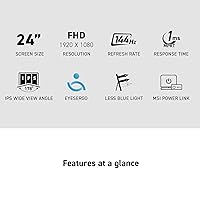
- Resolution: The display renders at 1920x1080 (Full HD), delivering a sharp and clear image for everyday productivity, web browsing, and casual gaming.
- Refresh Rate: A 144Hz refresh rate ensures noticeably smoother motion during gaming, fast video playback, and even quick document scrolling compared to standard 60Hz monitors.
- Response Time: The rated response time is 1ms, which helps reduce motion blur and ghosting during fast-paced on-screen content.
- Sync Technology: Adaptive-Sync support reduces screen tearing and stuttering across both AMD and NVIDIA graphics cards without requiring a brand-specific certification.
- HDR Support: The monitor is HDR Ready, meaning it can accept HDR signals, though its brightness and contrast specs limit the depth of the HDR effect in practice.
- Screen Surface: A matte anti-glare coating is applied to the display surface, reducing reflections from overhead lighting and windows in typical room environments.
- Connectivity: The monitor includes one HDMI port and one VGA (D-Sub) port, allowing connection to a wide range of both modern and legacy devices simultaneously.
- Eye Care: MSI EyesErgo technology combines Anti-Flicker and Low Blue Light filtering, both of which are TÜV Rheinland certified for reducing eye strain during extended use.
- Wellness Feature: The MSI Eye-Q Check feature monitors screen usage time and prompts the user to take a break, serving as a built-in reminder for healthier viewing habits.
- Bezel Design: A four-sided slim bezel frames the panel, minimizing visual distraction and making the monitor well-suited for side-by-side dual-monitor configurations.
- VESA Mounting: The monitor supports VESA wall mounting, giving users the flexibility to attach it to a monitor arm or wall bracket for a more ergonomic or space-saving setup.
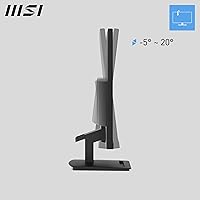
- Tilt Adjustment: The stand supports tilt adjustment, allowing users to angle the screen slightly up or down to reduce neck strain, though no height, pivot, or swivel adjustments are available.
- Dimensions: The monitor measures 21.34 x 15.65 x 7.13 inches with the stand attached, making it compact enough for standard and smaller desk setups.
- Weight: The unit weighs 9.5 pounds including the stand, which is typical for a 24-inch monitor and does not require special desk reinforcement.
- Aspect Ratio: The standard 16:9 widescreen aspect ratio is used, which is universally compatible with modern content, video formats, and operating system layouts.
- Color: The monitor is finished in black, with a clean and understated design that blends into most home office and workspace aesthetics without drawing attention.
Related Reviews
MSI PRO MP251W E2 24.5-inch Monitor
MSI Pro MP241X 24-inch Monitor
MSI Pro MP273AW 27-inch Monitor
MSI Modern MD2412PW 24-inch IPS Monitor
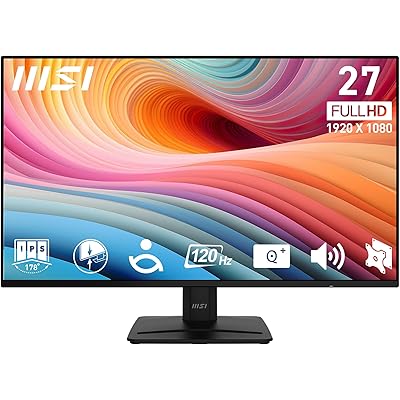
MSI PRO MP271A E2 27-inch Monitor
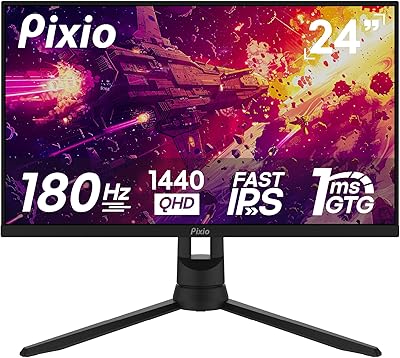
Pixio PX24Q Pro 24-inch Gaming Monitor
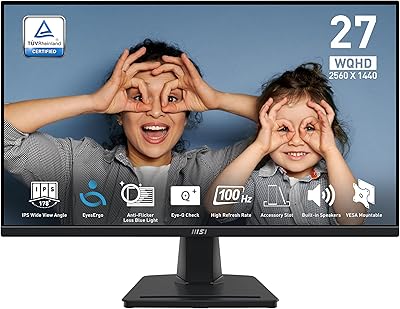
MSI PRO MP275Q 27-inch WQHD Monitor
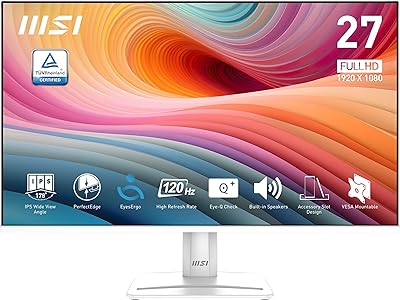
MSI PRO MP275W E2 27-inch Monitor
SANSUI ES-G25F6Q Pro 24.5-inch QHD Gaming Monitor