Overview

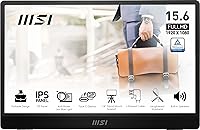
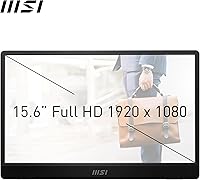
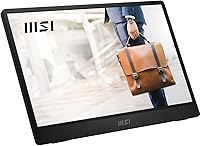
The MSI Pro MP161 E2 15.6″ Portable Monitor arrived in early 2024 as MSI's answer to a crowded mid-range portable display market — and it makes a strong first impression. Where cheaper alternatives cut corners with plastic shells and wobbly frames, this portable monitor opts for a metal gray chassis that feels genuinely sturdy in hand. At just 5.5mm thin and under a kilogram, it slots comfortably into the Pro lineup without pretending to be something it's not. It's a no-nonsense second screen built for people who actually move around, not just those who like the idea of it.

Features & Benefits

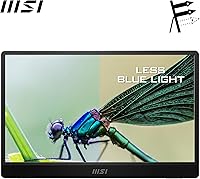
The 15.6-inch IPS panel is where this portable monitor earns its keep. IPS means real viewing angles and decent color accuracy — a meaningful step up from the TN panels that populate cheaper portable screens. Connecting via USB-C is genuinely convenient: one cable handles both power and video for most modern laptops, though older USB-C ports may only carry power and not display signal, so checking your laptop specs first is worth the effort. The mini-HDMI port adds console compatibility without needing an adapter. The Night Vision feature adjusts gamma in dark scenes rather than boosting brightness — practical for gaming. Built-in speakers exist, but treat them as a backup: they're thin and quiet.

Best For

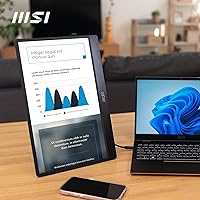
This travel-friendly display makes the most sense for remote workers and freelancers who need a reliable second screen without adding much to their bag. It's equally at home in a dorm room plugged into a PS5 or Xbox via mini-HDMI. Mac and Windows users running modern USB-C laptops will find the single-cable setup particularly low-friction. Students in design or media fields who care about color accuracy but can't justify a premium monitor will find the IPS panel more than adequate. It's also a solid upgrade pick for anyone currently using a cheap portable display who wants something that holds up to daily use.

User Feedback

With a 4.4-star average across roughly 180 ratings, the MSI MP161 E2 sits in comfortably positive territory — though that sample size warrants caution before drawing firm conclusions. Buyers consistently praise the display's clarity and how little fuss the USB-C connection involves straight out of the box. Portability and build quality come up repeatedly as genuine highlights. On the downside, a handful of users flag the included stand as basic — functional, but with minimal adjustment range. A few note the cable bundle could be more generous. Compatibility issues are rare but occasionally mentioned with older Android devices. Overall, the feedback paints a picture of a monitor that largely delivers on its core promise.

Pros

  • The IPS panel delivers honest color accuracy and wide viewing angles that budget TN-based rivals simply cannot match.
  • At under a kilogram and just 5.5mm thick, this portable monitor adds almost nothing to your daily carry.
  • USB-C single-cable connectivity makes hooking up to a modern laptop genuinely fast and tidy.
  • Mini-HDMI support means console users can connect a PS5 or Xbox without any extra adapters.
  • The metal build feels solid and premium rather than the hollow plastic common at this price point.
  • Night Vision mode subtly lifts shadow detail in dark content without washing out the overall image.
  • A 4.4-star average from real buyers signals consistent satisfaction with core performance and reliability.
  • Setup is largely plug-and-play across Mac, Windows, and compatible Android devices.
  • Full FHD 1080p resolution on a 15.6-inch screen gives a sharp, comfortable pixel density for productivity work.

Cons

  • Built-in speakers are quiet and thin — they work in a pinch but are no substitute for external audio.
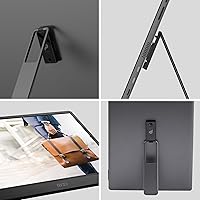
  • The included stand offers minimal tilt adjustment and no height control, limiting ergonomic flexibility.
  • USB-C display compatibility is not guaranteed on all laptops; older or budget USB-C ports may only carry power.
  • The glossy screen surface picks up reflections in bright environments, which can be distracting outdoors or near windows.
  • The cable bundle in the box is modest — buyers may need to source their own preferred USB-C or HDMI cables separately.
  • A handful of users report occasional compatibility friction with older Android smartphones over USB-C.
  • No built-in kickstand means you are entirely dependent on the included stand accessory for desk use.
  • With only around 180 ratings, long-term durability data is still limited compared to more established portable monitors.

Ratings

The scores below for the MSI Pro MP161 E2 15.6″ Portable Monitor were generated by AI after analyzing verified buyer reviews from global markets, with spam, bot-submitted, and incentivized feedback actively filtered out. Each category reflects the honest balance of what real users praised and where they ran into friction. Nothing is glossed over — the pain points carry just as much weight as the highlights.

Display Quality
84%
Buyers consistently note that the IPS panel produces colors that look natural and hold up well from off-angles — a meaningful advantage when sharing a screen with a colleague or watching content side-by-side. For a 15.6-inch portable at this price, the 1080p sharpness earns genuine praise in day-to-day productivity and media use.
The glossy surface draws repeated complaints in brighter environments, with reflections from windows or overhead lighting making extended work sessions uncomfortable. A few users also note the panel lacks the luminance headroom to truly punch through glare when used outdoors or in sunlit rooms.
Portability
91%
The sub-kilogram weight and 5.5mm slim profile are among the most praised aspects of this travel-friendly display — users frequently mention slipping it into a laptop bag alongside a 15-inch notebook without noticing much added bulk. Frequent travelers and commuters in particular highlight how effortless it is to pack and unpack daily.
A small number of users point out that without a proper protective sleeve or case in the box, the glossy screen is vulnerable to scratches during transit. The monitor's slim build also means there is limited room for port variety, which occasionally inconveniences users who need simultaneous connections.
Build Quality
78%
22%
The metal chassis sets this portable monitor apart from plastic-shelled rivals in the same category — users frequently comment that it feels premium and rigid rather than hollow or flexy when carried around. The matte metal finish resists fingerprints reasonably well and gives the unit a professional appearance on a desk.
Some users report that the hinge and stand mechanism feel less refined than the main body suggests, with a plasticky texture that undercuts the overall premium impression. A handful note minor flex near the display edges under moderate pressure, which raises some concern about long-term durability during frequent travel.
Ease of Setup
88%
Plug-and-play compatibility with both Mac and Windows is one of the most consistently praised aspects of the MSI MP161 E2 — users describe connecting it to a MacBook or Dell laptop via USB-C and having it recognized within seconds, no drivers needed. For non-technical buyers, this kind of zero-friction setup is a genuine selling point.
The experience becomes less smooth for users whose USB-C ports only carry power rather than display signal, creating confusion about why the screen stays blank. A subset of Android smartphone users also report needing to dig into their phone settings or troubleshoot compatibility before getting a stable image.
Stand & Ergonomics
52%
48%
The included stand does the basic job of propping the monitor upright on a flat surface, which is enough for short-term setups on a hotel desk or conference table. Users who treat this as a secondary screen used briefly and packed away again tend to find the stand acceptable for casual use.
For anyone planning to use this as a longer-term desk setup, the stand's limited tilt range and lack of height adjustment are a real source of frustration. Multiple reviewers specifically recommend budgeting for a third-party stand or VESA arm, which is a notable extra cost and inconvenience for what should be an included accessory.
USB-C Connectivity
83%
When the host device fully supports USB-C DisplayPort Alt Mode, the single-cable experience is genuinely clean — power and video over one cable, no adapters, no clutter on the desk. MacBook users in particular praise this as one of the most practical aspects of daily use with this portable monitor.
The confusion around USB-C capability is a recurring pain point: buyers assume any USB-C cable or port will work for video output, only to find their older laptop or phone does not support the required standard. MSI could do more in the packaging or documentation to set clearer expectations upfront.
Console Compatibility
79%
21%
The Mini-HDMI input gives PS5 and Xbox users a straightforward connection path without needing a separate HDMI adapter, which users in dorm or hotel setups find genuinely convenient. Gamers who use this as a travel gaming screen report solid image quality at 1080p with no major input lag complaints for casual play.
The Mini-HDMI cable is not always included in the retail box, which catches some buyers off guard and requires a separate purchase before they can use it with a console. Competitive gamers also note the lack of a high refresh rate as a limitation, since 60Hz is the ceiling here.
Speaker Quality
41%
59%
The built-in speakers at least cover basic use cases like video calls or low-volume background audio in a quiet room, which is better than having no audio output at all on a portable display. For users who simply need to hear a notification or follow a presentation, they serve their minimal purpose.
Buyer disappointment with speaker quality is among the most consistent negative themes in the feedback — the output is thin, quiet, and lacks any meaningful bass or volume headroom. Most reviewers who care about audio at all recommend defaulting to headphones or a Bluetooth speaker from day one rather than relying on the built-ins.
Value for Money
76%
24%
Positioned as a mid-range portable monitor, the MSI MP161 E2 delivers meaningful upgrades over sub-100-dollar alternatives — the IPS panel and metal build alone justify the price step-up for buyers who plan to use it daily. Users who previously owned cheaper portable displays frequently note they wish they had spent the extra money sooner.
A few buyers feel the accessory package — notably the stand and included cables — does not match the price expectation, making the overall out-of-box value feel slightly incomplete. Competition in this segment has tightened, and some users note that rival monitors now offer comparable specs with better stands or higher refresh rates at similar prices.
Night Vision Feature
63%
37%
Users who game in darker environments or watch a lot of high-contrast content find the Night Vision gamma adjustment genuinely useful for pulling out shadow detail without blowing out brighter areas of the image. It is a subtle but practical feature that works better than its marketing name might suggest.
A number of buyers dismiss Night Vision as a minor software toggle that does not meaningfully differentiate this portable monitor from competitors. Those who expected a more dramatic effect — or who hoped it would help with the glossy screen's glare in bright rooms — are usually left underwhelmed.
Color Accuracy
77%
23%
For students and creatives doing light photo editing or design work on the go, the IPS panel delivers color consistency that holds up reasonably well without calibration out of the box. Viewing angles are wide enough that colors do not shift noticeably when the screen is tilted or viewed slightly from the side.
Professional color work — particularly anything destined for print or broadcast — will expose the panel's limitations, as it does not cover a wide enough color gamut for demanding creative pipelines. Out-of-box calibration is decent but not precise, and buyers with critical color standards will likely want to run their own calibration profile.
Compatibility Range
72%
28%
Across Windows, macOS, and compatible Android devices, this travel-friendly display handles a broad range of daily use scenarios without requiring proprietary software or complicated configuration steps. Most buyers with modern hardware report a smooth experience across their primary devices.
The compatibility story becomes patchier at the edges — older laptops, budget Android phones, and some niche USB-C configurations generate a disproportionate share of the negative feedback. Buyers with mixed or older device ecosystems should verify USB-C DisplayPort support before purchasing.
Screen Brightness
66%
34%
Indoors in a reasonably controlled lighting environment, the panel brightness is adequate for comfortable extended viewing — most users working in offices, cafes, or hotel rooms report no issues with visibility during normal hours of use.
The brightness ceiling becomes a real limitation in sunlit or high-ambient-light conditions, particularly combined with the glossy panel surface. Users who hoped to use this portable monitor near windows or in outdoor settings frequently flag washed-out images and heavy reflections as dealbreakers.

Suitable for:

The MSI Pro MP161 E2 15.6″ Portable Monitor is a strong match for professionals who regularly work from different locations and need a dependable second screen without hauling extra weight. Freelancers, consultants, and remote employees who bounce between coffee shops, co-working spaces, and client offices will appreciate how easily this travel-friendly display slides into a laptop bag. Modern USB-C laptop users — whether on Mac or Windows — get the most friction-free experience, since a single cable handles both power and video on compatible machines. Console gamers looking for a compact screen for travel or dorm setups will find the mini-HDMI input genuinely useful for connecting a PS5 or Xbox without hunting for adapters. Students in design, photography, or video who need honest color accuracy on a portable IPS panel — without stepping up to a much pricier option — will find this display performs well above its price tier.

Not suitable for:

The MSI Pro MP161 E2 15.6″ Portable Monitor is not the right call for buyers who prioritize audio quality, as the built-in speakers are best described as functional rather than satisfying — anyone who watches a lot of video or plays audio-heavy content while traveling should plan to use headphones or a Bluetooth speaker. Users with older laptops sporting USB-C ports that carry power only and not display signal may run into compatibility headaches and need to rely on mini-HDMI instead, which adds cable complexity. Those who need precise color-critical work at a professional level — print production, broadcast grading — should look at higher-end portable displays with factory calibration and wider color gamut coverage. Buyers expecting a versatile, adjustable stand for ergonomic desk use will find the included stand basic and limited in positioning options. If a large screen size matters for comfort over long work sessions, a 15.6-inch panel is simply on the smaller side, and this portable monitor makes no effort to address that trade-off.

Specifications

  • Screen Size: The display measures 15.6 inches diagonally, offering a practical working area that balances portability with usability.
  • Resolution: Native resolution is 1920×1080 FHD, delivering a sharp pixel density well-suited to productivity, media, and casual gaming at this screen size.
  • Panel Type: An IPS panel is used, providing consistent color reproduction and wide viewing angles compared to TN alternatives in the same price range.
  • Aspect Ratio: The screen uses a standard 16:9 widescreen aspect ratio, compatible with the vast majority of video content and operating system layouts.
  • Screen Surface: The panel has a glossy surface finish, which enhances color vibrancy but can pick up reflections in bright ambient lighting conditions.
  • Thickness: The monitor body measures just 5.5mm at its slimmest point, making it one of the thinner options available in the 15.6-inch portable display category.
  • Weight: Total weight is 0.9kg (1.98 lbs), light enough to carry alongside a laptop without meaningfully adding to bag burden.
  • Dimensions: Physical dimensions are 0.7 × 14.26 × 9.17 inches (depth × width × height), fitting comfortably inside most 15-inch laptop sleeves or slim bags.
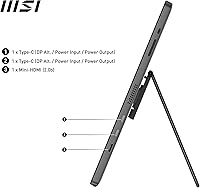
  • Video Inputs: Connectivity includes one USB Type-C port and one Mini-HDMI port, covering modern laptops, smartphones, and gaming consoles without requiring adapters.
  • USB-C Function: The USB-C port supports both display signal and power delivery on compatible host devices, enabling single-cable operation where the source device allows it.
  • Built-in Audio: Two integrated speakers are included for basic audio output during travel or casual use, though output volume and quality are limited by the slim chassis.
  • Night Vision: MSI's Night Vision feature applies a smart gamma adjustment to lift shadow detail in dark scenes, particularly useful during gaming or watching dark-toned content.
  • Color: The monitor is available in Metal Gray, featuring a brushed metal finish that contributes to its professional appearance and structural rigidity.
  • Build Material: The outer chassis uses a metal construction rather than plastic, improving perceived durability and resistance to flex during transport.
  • Brand Series: This monitor belongs to MSI's Pro lineup, which targets productivity-focused users rather than the company's gaming-oriented displays.
  • Model Number: The exact model designation is Pro MP161 E2, distinguishing it from earlier MSI portable monitor generations in the MP161 family.
  • Launch Date: The monitor became available in January 2024, making it a relatively recent addition to the mid-range portable display market.
  • Amazon Rating: As of the time of writing, the monitor holds a 4.4-out-of-5-star average based on approximately 179 customer ratings on Amazon.

Related Reviews
Dragon Touch S1 Pro 15.6-Inch 4K Portable Monitor

87%
94%
Display Quality
91%
Portability
88%
Gaming Performance
86%
Build Quality
62%
Audio Quality
More
Topmonitor P15.6/2.5K Portable Monitor 15.6-inch 2560×1680
86%
94%
Display Quality
90%
Portability/Size/Weight
91%
Color Accuracy
87%
Connectivity (USB-C, HDMI)
85%
Build Quality
More
Upperizon 15.6″ Portable Monitor
86%
88%
Display Quality
93%
Portability
85%
Color Accuracy
90%
Ease of Setup
92%
Connectivity
More
Westinghouse 15.6 Inch Portable Monitor
82%
88%
Display Quality
92%
Portability
86%
Connectivity Options
94%
Ease of Setup
80%
Build Quality
More
Acer PM161Q 15.6″ Portable Monitor
85%
93%
Portability
88%
Display Quality
85%
Gaming Performance
91%
Ease of Setup
86%
Build Quality
More
VILVA V156F1 15.6-inch Portable Monitor
69%
74%
Display Quality
61%
Portability
82%
Connectivity & Compatibility
67%
Build Quality
83%
Value for Money
More
ZSCMALLS 15.6″ 4K Portable Monitor
87%
91%
Display Quality
95%
Portability & Weight
89%
Color Accuracy
84%
HDR Performance
93%
Ease of Setup
More
InnoView INVPM406 15.6-inch Portable Monitor
75%
91%
Ease of Setup
83%
Display Clarity
78%
Portability & Build
62%
USB-C Compatibility
88%
Value for Money
More
HotYeah 15.6-inch Portable Monitor
86%
91%
Display Quality
95%
Portability & Weight
88%
Compatibility & Connectivity
89%
Ease of Use & Setup
60%
Speaker Quality
More
Verbatim 15.6″ Portable Touchscreen Monitor

68%
83%
Build Quality
78%
Display Quality
71%
Touch Performance
76%
Portability
86%
Connectivity
More

FAQ

It depends on your laptop. If your USB-C port supports DisplayPort Alt Mode (which most modern MacBooks and many Windows laptops do), one cable handles both video and power simultaneously. However, some USB-C ports — particularly on older or budget laptops — only carry power and cannot transmit a display signal. Always check your laptop's USB-C spec before assuming single-cable operation will work.

Yes, the Mini-HDMI port makes console connectivity straightforward. You will need a Mini-HDMI to full-size HDMI cable, which is not always included in the box, so factor that into your setup. The monitor accepts a standard 1080p signal without any fuss.

Honest answer: they are thin and quiet. They are fine for a quick video call or low-volume background audio, but they will not satisfy anyone who watches movies or plays games with audio as a priority. Pack a small Bluetooth speaker or use headphones if sound quality matters to you.

Yes, the MSI Pro MP161 E2 15.6″ Portable Monitor works well with M1, M2, and M3 MacBooks via USB-C. MacOS recognizes it without requiring any driver installation, and the single-cable connection is particularly clean with Apple hardware.

Night Vision is essentially a gamma curve adjustment that boosts the brightness of dark areas in an image without overexposing the rest of the scene. It is useful if you play games with a lot of shadowy environments or watch content that tends to look too dark. It is not AI processing or anything elaborate — think of it as a fine-tuned black level control you can toggle.

A basic stand is included, but it is minimalist by design. It offers limited tilt adjustment and no height control, which works fine for casual desk setups but may frustrate users who want ergonomic flexibility. If you plan to use this as a semi-permanent desk monitor, a third-party monitor arm or stand is worth considering.

It can, but compatibility is not guaranteed across all Android devices. Phones that support USB-C DisplayPort Alt Mode or Samsung DeX will generally work well. Older Android phones or those with basic USB-C charging-only ports will not output video. Check your phone's specs before counting on it.

Yes, glossy screens are inherently more reflective than matte alternatives. In a controlled indoor environment with lighting behind you, it is fine. Near a bright window or under harsh overhead lights, reflections can be distracting. If you work primarily outdoors or in variable lighting, this is worth factoring into your decision.

Generally, no. On Windows and macOS, this portable monitor is recognized as a standard display and works plug-and-play without any additional software. MSI does offer optional software utilities, but they are not required for basic operation.

The main practical differences are panel type and build quality. Many budget portable monitors in this size use TN panels, which have narrower viewing angles and weaker color accuracy. The IPS panel here produces noticeably better results when viewed from an angle or for color-sensitive work. The metal build also feels more durable than the plastic shells typical of lower-cost options, which matters if you are carrying it daily.

Where to Buy