Overview

The Prechen HD-24 24-Inch Touchscreen Monitor is a solid pick for anyone who wants touch capability without spending a fortune. It comes from Shenzhen Kenowa Electronics, a Chinese manufacturer you probably haven't heard of — but that's not unusual at this price tier. What you get is a slim, modern-looking display with a glossy IPS panel and an integrated stand that doesn't take up much desk space. Released in early 2024, it has already carved out a respectable spot in the monitor rankings. Think of it as an honest, no-frills entry into touch computing rather than a premium workstation display.
Features & Benefits

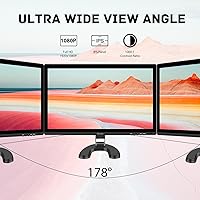
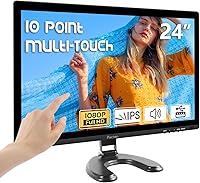
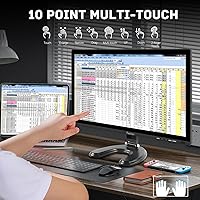
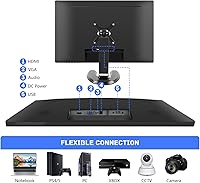
The IPS panel delivers Full HD resolution across a 24-inch screen, with 178-degree viewing angles that keep colors consistent whether you're sitting straight-on or off to the side. The capacitive touchscreen supports duplicate, extend, and second-screen display modes — useful for presentations and quick navigation tasks. At 75Hz, the refresh rate handles casual gaming and daily use without visible choppiness; competitive gamers will want more, but most users won't miss it. One key detail: touch functionality only activates when you connect the USB cable separately from your video input — easy to overlook during setup. HDMI, VGA, and VESA compatibility add practical flexibility.

Best For

This 24-inch touch display is a particularly good fit for home office setups where you occasionally need to tap through presentations, annotate PDFs, or interact with on-screen forms. Students and teachers running interactive lessons will appreciate the responsive touch layer without the steep cost of commercial education displays. Small businesses looking for a kiosk or POS setup will find the touch modes practical and easy to configure. Casual gamers after a decent visual experience on a budget will do fine here. It's less ideal if you need a height-adjustable stand, serious color grading accuracy, or refresh rates above 75Hz.

User Feedback

Buyers who have spent time with the Prechen HD-24 tend to highlight the touch response accuracy as a genuine strong point — it registers taps cleanly without much calibration needed. Color reproduction also earns positive mentions, especially given the price bracket. On the flip side, build quality is a recurring concern; the plastic chassis and stand feel lightweight, which some find fine for portability but others find underwhelming for a desk-bound monitor. The integrated speakers handle system sounds and light media, but don't expect much more from them. A handful of users encountered USB driver hiccups on Windows, though most resolved it with a manual driver install.

Pros

  • Touch response is accurate and consistent right out of the box with minimal calibration needed.
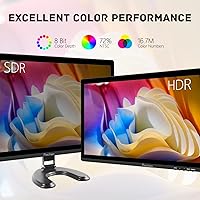
  • The IPS panel produces noticeably good colors for a budget-tier display.
  • 75Hz refresh rate keeps motion smooth enough for casual gaming and general use.
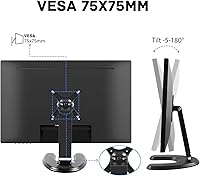
  • VESA compatibility gives you real flexibility to wall-mount or use a third-party arm.
  • Supporting HDMI and VGA means it connects easily to older and newer machines alike.
  • Duplicate, extend, and second-screen touch modes cover most everyday workflow needs.
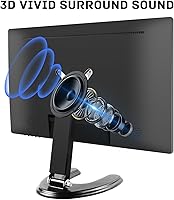
  • Built-in speakers handle basic system audio so you don't always need external ones.
  • Compact and lightweight enough to reposition or travel with without much hassle.
  • Setup is relatively straightforward for most users once the USB touch cable is connected.
  • Priced accessibly for buyers who want a touch-capable screen without a major investment.

Cons

  • Touch functionality only works when a separate USB cable is connected — easy to miss during initial setup.
  • The plastic chassis and stand feel lightweight in a way that can seem fragile over time.
  • Stand offers no height or tilt adjustment beyond the basic fixed angle.
  • Some Windows users have hit driver installation hurdles that require a manual fix to enable touch.
  • Built-in speakers are thin and low-volume — not reliable for media or calls in a noisy environment.
  • The glossy screen surface picks up reflections in bright rooms, which can be distracting.
  • No USB-C port limits compatibility with newer laptops that rely on it as a primary output.
  • Brand support and long-term warranty reliability are harder to gauge compared to established names.
  • Color accuracy, while decent, is not consistent enough for any serious creative or color-critical work.
  • At 75Hz, this 24-inch touch display will frustrate users who have already experienced higher refresh rates.

Ratings

The scores below reflect an AI-driven analysis of verified global buyer reviews for the Prechen HD-24 24-Inch Touchscreen Monitor, with spam, bot activity, and incentivized feedback actively filtered out to ensure the results represent genuine purchasing experiences. Ratings cover everything from display quality and touch accuracy to build durability and setup friction, giving you a transparent, balanced picture of where this monitor genuinely delivers and where real buyers have run into frustration.

Touch Responsiveness
83%
Most buyers are genuinely surprised by how accurately the capacitive layer registers taps and swipes at this price point. For tasks like navigating presentation slides, signing documents, or using touch-optimized apps on a Windows machine, users report the input feels snappy and reliable without noticeable lag.
A minority of users note that touch precision can drift slightly near the edges of the screen, especially after extended use without recalibration. On macOS setups, responsiveness is considerably less consistent due to limited driver support outside the Windows ecosystem.
Display Quality
78%
22%
The IPS panel produces colors that look noticeably richer and more consistent than what most buyers expected at this tier. Wide viewing angles mean that colleagues sitting beside you during a presentation or demo see essentially the same image quality as you do head-on.
The glossy screen surface is a recurring complaint in brighter rooms — reflections from windows or overhead lighting can wash out contrast significantly. Backlight uniformity also shows mild inconsistencies in darker scenes, which attentive users notice during movie playback.
Value for Money
81%
19%
Buyers consistently say the feature set — IPS touch panel, HDMI and VGA ports, VESA support, and built-in speakers all in one box — represents solid value relative to what comparable touch monitors from bigger brands typically cost. For home office upgrades or interactive kiosk builds on a budget, the pricing hits a practical sweet spot.
The value equation weakens somewhat if buyers factor in the potential cost of sourcing drivers manually or purchasing a separate monitor arm to compensate for the limited stand. A few longer-term owners also note that the perceived quality of materials doesn't hold up as well after daily use over many months.
Setup Experience
71%
29%
For most Windows 10 and 11 users, plugging in the HDMI and USB cables is enough to get the display and touch layer working within a few minutes. The monitor is straightforward to physically assemble, and the port labeling is clear enough that most buyers don't need to consult a manual.
The most common frustration at setup is discovering that touch input requires a separate USB connection — something many buyers don't realize until the touchscreen doesn't respond. A meaningful percentage of users also needed to track down and manually install drivers before touch functionality activated correctly.
Build Quality
62%
38%
The monitor's slim profile and relatively compact footprint work in its favor for users with limited desk space or those who want a clean, minimal aesthetic. At 11.62 pounds it stays put without being cumbersome to reposition when needed.
The plastic casing is a consistent point of criticism — it flexes slightly under pressure and doesn't inspire confidence in long-term durability. The stand in particular feels light and wobbly compared to similarly priced monitors from more established brands, which is noticeable every time you interact with the touchscreen.
Refresh Rate & Gaming
74%
26%
At 75Hz, this 24-inch touch display handles casual and single-player gaming without obvious motion blur or judder, which is a genuine step up from standard 60Hz panels. RPG, strategy, and simulation players tend to find it perfectly adequate for the genres they favor.
Anyone coming from a 144Hz or higher gaming monitor will immediately feel the difference, and there is no adaptive sync support to reduce tearing during more demanding gameplay. For fast-paced competitive titles, the refresh rate is a hard ceiling that limits the overall gaming experience.
Connectivity
76%
24%
Having both HDMI and VGA on the same monitor is genuinely useful — it means the display can connect to a modern laptop or gaming PC via HDMI while also working with an older desktop tower that only has VGA output. This flexibility makes it practical as a shared office monitor used across different machines.
The absence of a USB-C port is a real limitation as more laptops drop traditional video outputs entirely. With only one USB port dedicated to touch data, there is no expansion hub functionality, and users wanting to daisy-chain peripherals will need a separate hub.
Ergonomics & Adjustability
48%
52%
VESA compatibility partially saves the ergonomic story — buyers who invest in a third-party monitor arm gain full height, tilt, and rotation control, making the display genuinely versatile in those configurations. The monitor's weight makes it compatible with most standard arms without issue.
Out of the box, the fixed stand offers almost no meaningful adjustability, which is a significant drawback for users who rely on proper screen height for posture and comfort during long work sessions. There is no height raise, pivot, or meaningful tilt range, which stands out as a notable omission even for this price bracket.
Audio Quality
53%
47%
Built-in speakers cover the basics — system notification sounds, low-volume video calls, and background YouTube playback in a quiet room are all manageable. For users who simply want to avoid running a separate speaker cable across their desk, the integrated audio does that job adequately.
Maximum volume is low enough that background noise in a normal office or home environment can easily drown out audio. Bass response is essentially absent, and dialogue clarity in videos drops off noticeably at higher volumes, making external speakers a near-necessity for any serious media use.
Color Accuracy
69%
31%
For web browsing, productivity software, video streaming, and light photo viewing, the color reproduction looks pleasing and natural to the average user. IPS technology ensures that greens stay green and skin tones remain consistent even when viewers aren't sitting directly in front of the screen.
Factory calibration is inconsistent unit-to-unit, and some buyers report needing to manually adjust white balance or gamma to remove a slight cool or warm cast. This display is not remotely suitable for professional color grading or print-matching workflows where accuracy is critical.
Driver & Software Support
58%
42%
On Windows 10 and 11, the touch layer is often recognized natively as a HID-compliant device, meaning many users get up and running without ever thinking about drivers. When the automatic detection works, the experience is clean and hassle-free.
When auto-detection fails — which happens with enough regularity to be a pattern in buyer feedback — finding the correct driver requires digging through packaging inserts or contacting seller support, as there is no obvious manufacturer support portal. macOS compatibility is unreliable, and Linux support is essentially undocumented.
Mounting Flexibility
79%
21%
VESA compatibility opens up a wide range of installation scenarios — wall mounts, desk poles, and articulating arms all work, which is particularly valuable for kiosk or POS setups where the monitor needs to be positioned at a specific angle or height for customer-facing use.
The VESA hole pattern details are not prominently documented, which caused some buyers to order incompatible mounts before confirming specs. The stock stand must be removed before mounting, and the process requires basic tools that some buyers weren't prepared to have on hand.
Brand Reliability
55%
45%
The Prechen HD-24 has been on the market since early 2024 and has accumulated enough verified buyers to establish a genuine feedback record. Units that arrive without defects generally perform consistently over the short to medium term based on available owner reports.
Shenzhen Kenowa Electronics is a relatively unknown manufacturer with limited long-term reliability data and no well-established customer support infrastructure for international buyers. Warranty claims and post-purchase support are areas where buyers have reported difficulty compared to established monitor brands.
Screen Glare & Reflections
51%
49%
In a controlled lighting environment — a room with diffused overhead lighting and no direct window exposure — the glossy panel actually enhances perceived contrast and color depth, which some users specifically prefer over matte alternatives for photo viewing and video content.
In any workspace with significant ambient light, the glossy surface becomes a persistent nuisance, reflecting ceiling lights, windows, and even the user's own face back at them. Multiple buyers explicitly flagged this as something they wished they had considered more carefully before purchasing.

Suitable for:

The Prechen HD-24 24-Inch Touchscreen Monitor makes the most sense for buyers who want hands-on interaction with their screen but aren't ready to spend big-brand money to get it. Home office workers who regularly give presentations, walk through slideshows, or annotate documents on-screen will find the touch layer genuinely useful day-to-day. Teachers and students setting up an interactive second display for lessons or collaborative work will also get solid value here. Small businesses running a simple kiosk, point-of-sale terminal, or customer-facing display will appreciate how straightforward the touch setup is once the USB connection is sorted. Casual gamers who care more about smooth visuals at a fair price than chasing ultra-high frame rates will find the 75Hz IPS panel more than adequate for the titles they're playing.
Not suitable for:

The Prechen HD-24 24-Inch Touchscreen Monitor is not the right call for anyone who needs a display built to professional or semi-professional standards. Graphic designers, video editors, or photo retouchers who depend on precise color accuracy and consistent brightness should look at purpose-built panels from established brands. Competitive gamers who need 144Hz or higher refresh rates, adaptive sync, or low-latency input will find this monitor limiting pretty quickly. Buyers expecting an ergonomic, height-adjustable stand or a sturdy premium chassis may also be disappointed — the build is functional but clearly cost-conscious. If you rely on USB-C connectivity, this display doesn't offer it. And if audio quality matters to you, this is not a monitor to lean on for that — the built-in speakers are a convenience, not a feature worth banking on.
Specifications

  • Screen Size: The display measures 24 inches diagonally, providing a comfortable viewing area for both desk work and casual gaming.
  • Panel Type: Uses an IPS (In-Plane Switching) panel, which delivers consistent color accuracy and wide viewing angles compared to TN alternatives.
  • Resolution: Native resolution is 1920x1080 Full HD, producing clear text and detailed visuals across the 24-inch surface.
  • Aspect Ratio: Standard 16:9 widescreen aspect ratio, compatible with virtually all modern video content and operating system layouts.
  • Refresh Rate: Runs at 75Hz, offering smoother motion than a standard 60Hz panel for everyday tasks and casual gaming.
  • Viewing Angle: Supports up to 178 degrees of horizontal and vertical viewing angle, keeping colors stable when viewed off-center.
  • Touch Type: Capacitive touchscreen layer supports multi-touch input and works across duplicate, extend, and second-screen display modes.
  • Connectivity: Equipped with one HDMI port, one VGA port, and one USB port used to enable touch functionality when connected to a host device.
  • Screen Surface: Glossy screen finish enhances color vibrancy but may reflect ambient light in bright or window-facing environments.
  • Built-in Audio: Integrated stereo speakers are included for basic system audio output, removing the need for external speakers in low-demand scenarios.
  • VESA Support: VESA mount compatible, allowing the monitor to be attached to wall mounts or third-party monitor arms for flexible positioning.
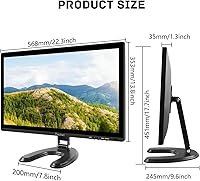
  • Dimensions: Physical dimensions are 1.18 x 13.77 x 21.65 inches (depth x height x width) with the stand attached.
  • Weight: The monitor weighs 11.62 pounds, making it manageable to reposition but not particularly lightweight for its size class.
  • Manufacturer: Produced by Shenzhen Kenowa Electronics Co., LTD, a Chinese consumer electronics manufacturer operating under the Prechen brand name.
  • Model Number: The official model identifier for this unit is HD-24, as listed in manufacturer documentation.
  • Release Date: First made available for purchase in January 2024, placing it among the newer entries in the budget touchscreen monitor segment.
  • Power Input: Powered via a dedicated DC port separate from the USB connection, which handles touch data only and does not supply power to the display.

Related Reviews
Dell D2421H 24-inch Full HD IPS Monitor
72%
82%
Image Quality
88%
Viewing Angles
41%
Refresh Rate & Gaming
38%
Ergonomics & Stand
74%
Build Quality
More
Dell S2421HS 24-Inch FHD IPS Monitor
82%
88%
Color Accuracy
91%
Viewing Angles
86%
Ergonomics & Stand
78%
Refresh Rate & Smoothness
83%
Value for Money
More
Philips 241V8LB 24-inch Full HD Monitor
78%
93%
Value for Money
86%
Image Clarity & Sharpness
88%
Contrast & Panel Performance
79%
Refresh Rate & Motion Smoothness
84%
Eye Comfort & Fatigue Reduction
More
Prechen HD-123 12.3-inch Bar Touchscreen Monitor
73%
81%
Display Quality
74%
Touch Responsiveness
68%
Connectivity & Setup
88%
AIDA64 Integration
76%
Value for Money
More
Dell SE2425HM 24-inch IPS Monitor
78%
88%
Image Clarity
91%
Eye Comfort
79%
Refresh Rate Performance
74%
Color Accuracy
52%
Connectivity
More
Dragolftie HD-190T 19-inch Touchscreen Monitor
67%
78%
Value for Money
67%
Touch Responsiveness
59%
Display Quality
52%
Glare & Screen Surface
71%
Setup & Connectivity
More
ViewSonic VA2447-MHU 24 Inch Full HD Monitor
85%
88%
Display Quality
91%
Eye Care Features
82%
Build Quality
90%
Connectivity Options
87%
Value for Money
More
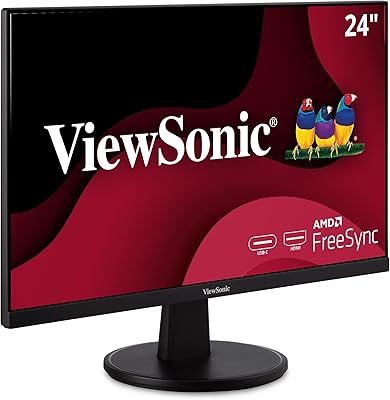
ViewSonic VA2409M 24-inch IPS Monitor
80%
88%
Image Quality
93%
Value for Money
91%
Eye Comfort
79%
Refresh Rate & Smoothness
48%
Stand & Ergonomics
More
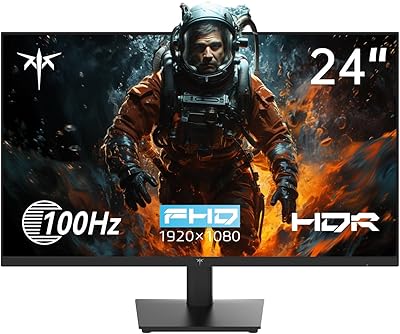
KTC H24V13 24-Inch FHD Gaming Monitor
74%
83%
Image Clarity
89%
Contrast & Black Levels
76%
Color Accuracy
74%
Gaming Performance
51%
HDR Experience
More
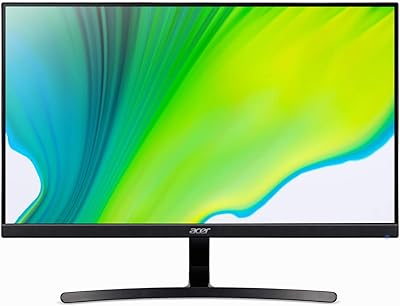
Acer K243Y 24-inch Full HD IPS Monitor
84%
91%
Value for Money
88%
Display Quality
80%
Performance for Gaming
86%
Color Accuracy
84%
Build Quality
More

FAQ

Not automatically — touch input requires a separate USB connection between the monitor and your computer. The HDMI or VGA cable handles the video signal, while the USB cable is what actually activates the touchscreen. Make sure both are connected before you start troubleshooting touch issues.

It can work with a MacBook using an HDMI adapter, since the display uses standard HDMI and VGA inputs. Touch functionality on macOS is more limited than on Windows, and driver support can be inconsistent depending on your macOS version. For straightforward plug-and-play touch use, Windows machines tend to work more reliably with this type of panel.

Windows 10 and 11 usually detect the touch layer automatically via USB, but some users have needed to install drivers manually to get full functionality. If your touch input isn't registering after connecting the USB cable, check the manufacturer's listing or packaging for a driver disc or download link. A quick driver install typically resolves the issue.

The included stand offers only a fixed position with minimal tilt adjustment — there is no height adjustment built in. If ergonomics matter to you, the VESA compatibility means you can swap the stand for a full-motion monitor arm that gives you much more control over positioning.

They're adequate for system sounds, video calls, and background music at low to moderate volume, but don't expect impressive audio quality or volume from them. If you plan to use this display for serious media watching or need clear audio in a noisy space, a pair of external speakers or headphones will serve you much better.

Yes — it supports extended display mode, which lets you spread your desktop across both screens. You can also use duplicate mode to mirror your laptop screen, or switch it to act as your only active display. All three modes are handled through your operating system's display settings once both cables are connected.

It can be. Glossy panels tend to reflect overhead lights and windows noticeably, which some users find distracting. If your workspace gets a lot of natural light, positioning the monitor away from direct window glare or using a monitor hood can help significantly.

It's a reasonable fit for a basic POS or kiosk display, particularly if you need touch input on a tight budget. The capacitive touchscreen is responsive enough for standard retail software, and the VESA mount compatibility makes it easy to install on a pole or wall bracket. Just make sure your POS system runs on Windows for the smoothest touch driver experience.

For casual and single-player gaming, the IPS panel looks quite good — colors are rich and viewing angles are forgiving. The 75Hz refresh rate keeps gameplay visually smooth for most genres. If you're playing fast-paced competitive titles where every millisecond counts, you'll probably want a higher-refresh-rate display designed for that purpose.

Warranty terms for smaller manufacturers like this can vary, so it's worth checking the specific coverage stated in the product listing before buying. Amazon's standard return window typically provides a safety net for initial defects. Long-term support and parts availability are harder to predict with newer brands, which is worth factoring in if longevity is a priority for your purchase.