


Overview

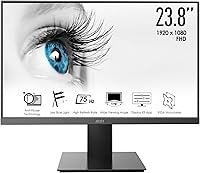
The MSI Pro MP241X 24-inch Monitor is MSI's straightforward answer to the growing demand for capable, no-fuss displays that don't require a serious investment. Built around a 23.8-inch VA panel at Full HD 1080p, this MSI office monitor sits squarely in the productivity camp — the Pro branding signals that clearly. It's not chasing the hardcore gaming crowd; it's aimed at people who spend their days in spreadsheets, browsers, and video calls. The clean, understated design fits quietly into most desk setups, and VESA mount support means you're not locked into the included stand if you prefer a monitor arm. In a crowded under-$100 segment, the MP241X holds its ground well.

Features & Benefits

The jump from 60Hz to a 75Hz refresh rate might sound modest on paper, but day-to-day it makes scrolling through long documents and websites noticeably smoother. The anti-glare coating is a genuine win for anyone working near a window — it cuts down reflections without washing out the image. The TÜV-certified blue light filter is worth calling out too; it's a hardware-level certification for eye protection that matters during long work sessions, not just a checkbox feature. Connectivity covers both HDMI and VGA, so whether you're plugging in a modern laptop or an older office desktop, you're covered without hunting for adapters. The 5ms response time handles everyday tasks well, but don't expect it to compete with purpose-built gaming displays.

Best For

This 24-inch display makes the most sense for home office workers and students who need a dependable screen without overcomplicating the purchase decision. If you're upgrading from a cramped laptop display or a decade-old monitor, the step up in screen real estate and image sharpness will feel substantial right away. Casual gamers who stick to slower-paced titles — strategy games, RPGs, indie games — will find it perfectly adequate. It also makes a strong case as a secondary screen in a dual-monitor setup, where keeping costs low per display matters. Small businesses outfitting multiple workstations on a tight budget will appreciate the per-unit value. It's a practical pick for buyers who know what they need and don't want to overpay for features they'll never use.

User Feedback

Buyers consistently praise the image clarity for the price and the straightforward setup — most report it's plug-and-play straight out of the box, which is exactly what you want at this level. The build quality earns solid marks, and the two-year manufacturer warranty adds reassurance that's frequently mentioned in positive reviews. On the flip side, the stand draws repeated criticism: it only tilts, with no height or swivel adjustment, which can be limiting for taller users or shared workstations. VA panels, including this one, can show some color shift at sharper viewing angles — worth knowing if you do color-sensitive work. A small number of buyers noted cosmetic damage on arrival, though that appears tied to packaging and shipping rather than the product itself.

Pros

  • Full HD 1080p on a 23.8-inch VA panel delivers sharp, clear visuals for everyday office and study use.
  • The 75Hz refresh rate makes scrolling and general navigation noticeably smoother than a standard 60Hz display.
  • TÜV-certified blue light reduction is a meaningful, hardware-backed feature for long daily work sessions.
  • Anti-glare coating holds up well in bright rooms, reducing eye strain without killing image vibrancy.
  • Both HDMI and VGA ports are included, covering a wide range of devices without needing extra adapters.
  • VESA mount compatibility gives you real flexibility to use a monitor arm or wall mount instead of the stock stand.
  • Setup is straightforward and fast — most buyers report it working immediately out of the box.
  • The two-year manufacturer warranty provides solid peace of mind at this price tier.
  • The understated, clean design fits into home office and professional workspaces without looking out of place.
  • Per-unit value is strong for small businesses or anyone equipping multiple workstations on a budget.

Cons

  • The stand only tilts — no height adjustment or swivel, which is a real ergonomic limitation for many users.
  • 250 nits of peak brightness is on the lower end, which can feel dim in very well-lit environments.
  • VA panel color shifting at wider viewing angles is noticeable, making side-by-side multi-user viewing less ideal.
  • The 5ms response time and 75Hz refresh rate are not competitive for fast-paced or competitive gaming.
  • No USB hub or built-in ports beyond HDMI and VGA means fewer connection options for peripherals.
  • Some buyers have reported minor cosmetic damage on arrival, suggesting packaging could be more protective.
  • Color accuracy out of the box may require manual calibration for anyone doing moderately color-sensitive work.
  • The MP241X lacks any on-screen display presets or software integration that more feature-rich monitors offer.

Ratings

The scores below reflect an AI-driven analysis of verified global user reviews for the MSI Pro MP241X 24-inch Monitor, with spam, bot-generated, and incentivized submissions actively filtered out to ensure the results represent genuine buyer experiences. Every category — from image quality to stand ergonomics — is scored to transparently reflect both what users genuinely appreciated and where real frustrations emerged. No score has been inflated to flatter the product; what you see here is an honest composite of thousands of real-world impressions.

Value for Money
88%
Buyers consistently flag the MP241X as one of the more honest purchases in the sub-$100 monitor space, noting that it delivers on its core promises without surprising them with obvious defects. Office workers and students in particular appreciate getting a name-brand, full-sized 1080p display at this price tier without sacrificing build integrity.
A handful of reviewers feel the value proposition weakens slightly when comparable panels from lesser-known brands offer similar specs at lower prices. Those who needed to purchase a monitor arm separately to compensate for the basic stand noted that the total cost climbed closer to mid-range territory.
Image Clarity
82%
18%
For productivity tasks — spreadsheets, documents, web browsing, and video calls — the Full HD 1080p image is clean and sharp, with text rendering that users describe as easy on the eyes during long sessions. Many buyers upgrading from older or lower-resolution displays report a meaningful and immediate improvement in daily comfort.
Users doing moderately detailed visual work occasionally note that the panel lacks the vibrancy and pop seen on IPS monitors at a similar price. The 250-nit brightness ceiling also draws criticism from those working in well-lit rooms, where the image can look flatter than expected.
Color Accuracy
63%
37%
For general content consumption — streaming, casual photo browsing, and office work — colors look natural and balanced enough that most everyday users have no real complaints. The panel handles skin tones and neutral office palettes reasonably well without requiring manual calibration for non-critical use.
VA panels are inherently prone to color shift at wider viewing angles, and this 24-inch display is no exception — off-axis viewing produces a noticeable drop in accuracy that bothers users who share their screen or work with multiple people. Anyone doing serious photo editing or color grading will find the output unreliable without significant profile adjustments.
Eye Comfort
84%
The combination of a TÜV-certified blue light filter and anti-glare coating is one of the most consistently praised aspects of this MSI office monitor, particularly among users who spend six or more hours daily in front of a screen. Remote workers and students regularly mention reduced headache frequency and less evening eye fatigue compared to their previous displays.
At 250 nits of peak brightness, the display can feel dim when the blue light reduction mode is layered on top in brighter environments, leading some users to toggle it off during daytime use. Those particularly sensitive to flicker should verify PWM behavior, as this is not officially specified and a small number of users flagged sensitivity-related discomfort.
Refresh Rate & Smoothness
74%
26%
The step from 60Hz to 75Hz is subtler than a spec sheet makes it sound, but buyers notice it most during extended scrolling sessions, making the experience feel less choppy and more natural throughout a workday. Casual gamers playing slower-paced titles report that the added smoothness is a welcome bonus without any extra cost.
Users who previously owned 144Hz or higher gaming monitors find 75Hz noticeably limiting and describe the experience as a clear downgrade for anything beyond basic desktop use. For fast-paced action or shooting games, the refresh rate is simply insufficient, and buyers in that category regularly express regret.
Response Time
67%
33%
For the everyday tasks this display is designed for — typing, video conferencing, media playback, and spreadsheet navigation — the 5ms response time is entirely invisible and causes zero practical issues. Buyers coming from older TN panels or laptop screens report no perceptible ghosting during typical office workflows.
In faster gaming scenarios, particularly in dark scenes where VA panels already struggle with black smearing, the 5ms rating does not hold up to scrutiny and trails behind what purpose-built gaming monitors can deliver. Competitive gamers who tested the MP241X for gaming specifically cited trailing artifacts as a dealbreaker.
Stand & Ergonomics
44%
56%
The stand is stable and holds the panel firmly without wobble during normal desktop use, which is a basic but important function it fulfills reliably. For buyers who immediately planned to use a VESA monitor arm, the stand's limitations are largely irrelevant, and the VESA compatibility is appreciated.
The stand is the most frequently criticized feature of the MP241X, and with good reason — tilt-only adjustment leaves taller users or those with specific posture needs without practical options. No height, swivel, or pivot movement means many buyers are forced to prop the monitor up on books or invest in a separate arm, adding cost and inconvenience.
Build Quality
78%
22%
The chassis feels solid relative to the price bracket, with minimal flex in the panel and a back housing that does not creak or feel hollow when adjusted. Buyers compare it favorably to competing displays at similar price points, noting that it does not feel cheap or fragile during day-to-day handling.
A recurring thread in user reviews describes minor cosmetic blemishes — scuffs, scratched bezels, or slightly misaligned panels — arriving fresh out of the box, suggesting inconsistent quality control or packaging that does not adequately protect the unit during transit. The plastic finish, while functional, also attracts fingerprints and dust more visibly than matte-finish alternatives.
Connectivity
81%
19%
Having both HDMI and VGA on a monitor in this segment is a practical win — it covers the full range of devices buyers actually use, from modern thin laptops via HDMI to older office desktops still running VGA outputs, all without requiring adapters right out of the box. Buyers setting up dual-display workstations found the port selection convenient for switching between two sources.
The absence of a DisplayPort connection is notable for users looking to drive the panel from a discrete GPU and take full advantage of even the 75Hz refresh rate with the best possible signal quality. There is also no USB hub of any kind, which feels like a missed opportunity for a desk-focused office monitor.
Setup & Installation
91%
Nearly universally praised for how fast and painless the out-of-box experience is — buyers report stand attachment, cable connection, and first power-on taking under ten minutes with no drivers or software required. First-time monitor buyers and less technically confident users specifically highlighted this as a source of genuine relief.
A small but consistent subset of reviewers encountered out-of-box defects — dead pixels or backlight issues — that required immediate return or warranty contact, dampening an otherwise smooth setup experience. The on-screen display menu navigation is also described as sluggish and unintuitive by users who needed to make brightness or color adjustments.
Anti-Glare Performance
77%
23%
The anti-glare coating performs well in typical indoor office environments with overhead fluorescent or LED lighting, noticeably reducing harsh reflections that would otherwise cause squinting and eye strain across an eight-hour workday. Home office users near windows during overcast or morning hours found it particularly effective.
In direct sunlight or very bright window-adjacent setups, the coating alone cannot fully offset the low peak brightness, leading to a washed-out appearance that forces users to reposition or add blinds. The coating also imparts a very slight haze to the image that some display-quality-conscious users find mildly irritating compared to glossy alternatives.
Warranty & Support
79%
21%
A two-year manufacturer warranty from MSI is meaningfully above average for a budget monitor, and buyers regularly cite it as a confidence booster that tipped their purchase decision. MSI's brand reputation in hardware lends added credibility to the warranty, making it feel more reliable than a no-name equivalent.
Some users who needed to act on the warranty reported that the claims process required more documentation and back-and-forth than expected, adding friction to what should be a straightforward experience. Response times from MSI support were also described as slower than ideal by a portion of affected reviewers.
VESA & Mounting Flexibility
83%
VESA compatibility is a standout practical feature at this price point, and users who paired the display with a budget monitor arm transformed it into a far more ergonomically versatile workstation setup without significant additional investment. Remote workers and dual-monitor power users appreciated this option more than any other secondary feature.
The VESA pattern size and screw specifications are not prominently advertised, leading some arm buyers to discover compatibility issues only after attempting installation. Additionally, because the stand is the weakest part of the overall package, the fact that a good experience may depend on buying an accessory feels like an incomplete out-of-box solution.

Suitable for:

The MSI Pro MP241X 24-inch Monitor is a strong fit for anyone who needs a reliable, full-sized display without overspending — and knows exactly what they're getting. Home office workers and students will find the 1080p VA panel more than adequate for documents, video calls, spreadsheets, and general browsing throughout the day. The TÜV-certified blue light reduction is a legitimate perk for people logging long hours at a desk, and the anti-glare coating helps in rooms where controlling lighting isn't always an option. First-time monitor buyers stepping up from a laptop screen will immediately appreciate the extra screen real estate and the plug-and-play simplicity. It also works well as a secondary display in a dual-monitor setup, where keeping cost per screen low is the priority, and VESA compatibility means you can pair it with a monitor arm if the basic stand doesn't meet your ergonomic needs.

Not suitable for:

The MSI Pro MP241X 24-inch Monitor is the wrong tool for anyone serious about competitive gaming or color-critical creative work. The 75Hz refresh rate and 5ms response time are comfortable for everyday tasks, but they fall well short of what fast-paced gaming demands — if you play shooters or action titles where every frame matters, you'll want a true gaming monitor with 144Hz or higher. Graphic designers, photographers, and video editors will likely find the color accuracy limiting; VA panels at this price point can shift noticeably at off-angles, and 250 nits of brightness is modest for color work in well-lit environments. The stand is another sticking point for users who care about ergonomics — it tilts, and that's it. No height adjustment, no swivel, no pivot means taller users or those with specific posture needs may find themselves working around the hardware rather than with it. If you're outfitting a professional creative studio or building a competitive gaming rig, this display will leave you wanting more.

Specifications

  • Screen Size: The display measures 23.8 inches diagonally, providing a comfortable full-sized viewing area for office work and general use.
  • Resolution: Native resolution is 1920 x 1080 (Full HD), delivering clear, sharp visuals suitable for everyday productivity tasks and casual media consumption.
  • Panel Type: Uses a VA (Vertical Alignment) panel, which offers better contrast and deeper blacks compared to TN panels at a similar price point.
  • Refresh Rate: Runs at 75Hz, providing smoother on-screen motion than a standard 60Hz display for both scrolling-heavy work and casual gaming.
  • Response Time: Rated at 5ms response time, which is adequate for everyday office use and slower-paced gaming but not suited to competitive fast-action titles.
  • Brightness: Peak brightness is 250 nits, which performs well in moderately lit rooms but may feel limited in very bright or sunlit environments.
  • Aspect Ratio: Standard 16:9 widescreen aspect ratio, compatible with virtually all modern video content, applications, and operating system layouts.
  • Anti-Glare: The screen features an anti-glare coating that diffuses ambient light reflections, reducing eye strain during extended use in lit workspaces.
  • Blue Light Filter: Equipped with a TÜV-certified blue light reduction feature, providing hardware-validated eye protection for users logging long hours at their desk.
  • Connectivity: Includes one HDMI port, one VGA port, and a DC power jack, covering both modern and legacy device connections without the need for adapters.
  • VESA Support: VESA mount compatible, allowing the panel to be paired with a third-party monitor arm or wall mount for more flexible ergonomic positioning.
  • Stand Adjustments: The included stand supports tilt adjustment only; height, swivel, and pivot adjustments are not available with the factory stand.
  • Dimensions: The monitor measures 19.94 x 24.69 x 4.80 inches with the stand attached, fitting comfortably on standard desks without dominating the workspace.
  • Weight: Total unit weight is 8.3 pounds including the stand, making it straightforward to reposition or mount without assistance.
  • Warranty: Backed by a 2-year manufacturer warranty from MSI, covering defects in materials and workmanship from the date of purchase.

Related Reviews
MSI PRO MP251W E2 24.5-inch Monitor
75%
88%
Value for Money
83%
Image Quality
86%
Refresh Rate & Motion
84%
Eye Comfort
81%
Design & Aesthetics
More
MSI PRO MP243L E14 24-inch Monitor
73%
91%
Value for Money
88%
Refresh Rate Performance
79%
Eye Care Effectiveness
76%
Image Quality
67%
Build Quality
More
MSI Pro MP273AW 27-inch Monitor
72%
81%
Image Quality
86%
Value for Money
74%
Build Quality
88%
Eye Comfort
79%
Refresh Rate & Smoothness
More
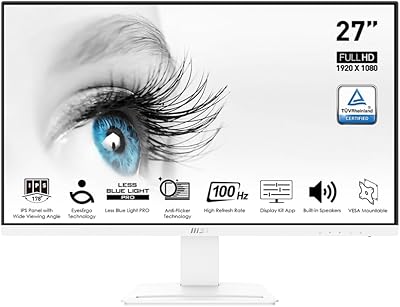
MSI Modern MD2412PW 24-inch IPS Monitor
70%
78%
Image Quality
74%
Build Quality
86%
Design & Aesthetics
81%
Refresh Rate & Smoothness
67%
Ergonomics & Adjustability
More
MSI PRO MP271A E2 27-inch Monitor
77%
91%
Value for Money
82%
Image Quality
88%
Eye Comfort
79%
Build Quality
47%
Stand & Ergonomics
More
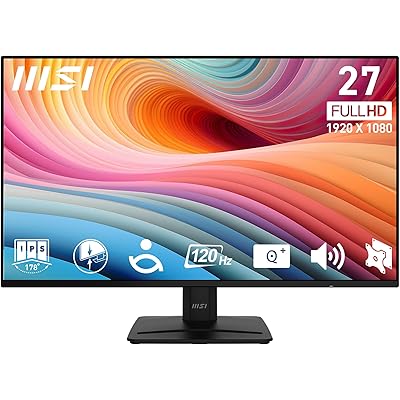
Pixio PX24Q Pro 24-inch Gaming Monitor
75%
91%
Value for Money
88%
Image Sharpness
86%
Refresh Rate Performance
83%
Color Accuracy
79%
Response Time
More
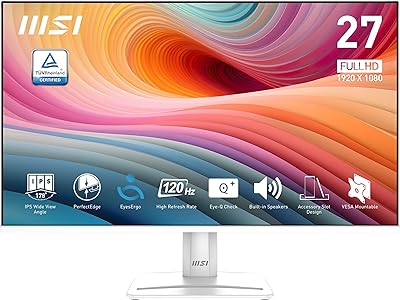
MSI PRO MP275Q 27-inch WQHD Monitor
75%
91%
Image Clarity & Resolution
84%
Color Accuracy & Gamut
88%
Eye Comfort & Fatigue Reduction
61%
Brightness & HDR Performance
79%
Refresh Rate & Responsiveness
More
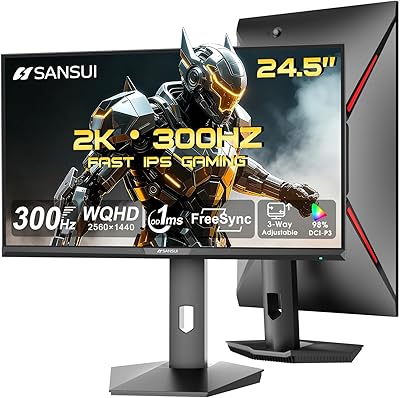
MSI PRO MP275W E2 27-inch Monitor
74%
83%
Value for Money
71%
Image Quality
88%
Refresh Rate & Smoothness
86%
Eye Comfort
79%
Build Quality & Design
More
SANSUI ES-G25F6Q Pro 24.5-inch QHD Gaming Monitor
78%
91%
Refresh Rate Performance
88%
Image Sharpness
79%
Color Accuracy
93%
Value for Money
76%
Motion Clarity
More
ZZA Z24A 24-Inch Curved Gaming Monitor
67%
83%
Image Quality
86%
Contrast & Black Levels
78%
Refresh Rate & Smoothness
61%
Motion Clarity
74%
Color Accuracy
More

FAQ

The MP241X connects via HDMI or VGA, so if your laptop only has USB-C ports, you will need a USB-C to HDMI adapter. These are widely available and inexpensive, and once connected the monitor works without any additional drivers or software.

Good news — the back of the panel is VESA compatible, so you can attach it to most standard monitor arms or wall mounts. Just remove the factory stand and follow the VESA mounting instructions for your arm. This is actually one of the better ways to improve ergonomics since the stock stand doesn't adjust for height.

It is, though modestly. Scrolling through long documents or web pages feels a bit smoother, and general desktop use has a slightly more responsive feel. That said, if you are coming from a high-refresh gaming monitor, the difference from the other direction is obvious — 75Hz is a step up from 60Hz, not a replacement for 144Hz.

It handles typical office lighting well and does a reasonable job of diffusing reflections. Sitting directly in front of a bright window will still cause some washout, but for standard home office or office environments with overhead lighting, the coating makes a noticeable difference in reducing eye fatigue over the course of a day.

The TÜV-certified eye care feature is a hardware-level design choice built into the panel, meaning it is always working passively to reduce blue light output. There are also on-screen menu options to adjust the display mode, but you do not need to configure anything for the baseline protection to be active.

Honestly, the stand is one of the weaker points of this monitor. It only supports tilt adjustment; there is no height, swivel, or pivot movement. If you need proper ergonomic positioning, pairing it with an aftermarket monitor arm via the VESA mount is the most practical solution. That said, for buyers who plan to wall-mount or arm-mount anyway, the basic stand is largely irrelevant.

This is not the ideal display for color-critical creative work. VA panels at this price tier can show some color shift when viewed at wider angles, and the factory calibration is tuned for general use rather than design accuracy. If color precision matters for your work, a panel with a higher color gamut coverage and factory calibration would serve you better.

Very easy — the MSI Pro MP241X 24-inch Monitor is a true plug-and-play display. Attach the stand, connect your HDMI or VGA cable, power it on, and it should be recognized by your computer automatically. Most buyers report having it up and running in under ten minutes with no driver installation needed.

For slower-paced games — RPGs, strategy titles, simulation games, and similar genres — it performs well and the image looks clean at 1080p. If you primarily play fast-paced shooters or competitive multiplayer games where reaction time matters, the 5ms response time and 75Hz cap will put you at a disadvantage compared to dedicated gaming monitors. Casual use is fine; competitive use is not what this display is built for.

MSI covers this display with a 2-year manufacturer warranty, so defects in materials or workmanship are handled directly through MSI support. It is worth registering your purchase on MSI's website shortly after buying to make any future warranty claim process smoother. Buyers generally report positive experiences with the warranty process, which adds meaningful confidence to the purchase.

Where to Buy