Overview

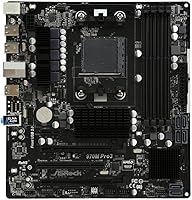
The ASRock 970M Pro3 Micro ATX Motherboard arrived at a time when AMD's AM3+ platform was still a practical choice for budget-conscious builders, and it still holds that same appeal today for anyone working with FX or Phenom II hardware. Built around the AMD 970 chipset, it hits a sensible middle ground — capable enough for real everyday use without pretending to be something it isn't. The MicroATX form factor keeps things compact, which matters if you're fitting this into a smaller case. Yes, AM3+ is a legacy platform, but for reviving an older rig or stretching a tight build budget, this ASRock board makes a lot of practical sense.

Features & Benefits

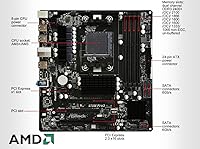
The 970M Pro3 gives you four DDR3 DIMM slots running in dual-channel mode, with support for up to 64GB of RAM — more headroom than most people using this platform will ever need. What stands out more practically is the six SATA3 ports with full RAID 0, 1, 5, and 10 support, which is genuinely generous at this price tier. Two PCIe 2.0 x16 slots are on board, though one runs at x4 electrically, so multi-GPU setups are limited in bandwidth. The AMD SB950 south bridge handles storage and peripherals reliably, and standard USB headers cover typical desktop connectivity needs without any surprises.

Best For

This MicroATX motherboard makes the most sense for builders who already own an AMD FX processor — an FX-8350, FX-6300, or similar — and need a dependable, no-frills foundation for a budget desktop build. It also suits home or small office setups where raw performance isn't the priority, but reliable daily operation is. If you're squeezing a compact PC into a tighter space without wanting to give up storage flexibility, this ASRock board covers that need well. Competitive gamers or anyone chasing modern performance should look elsewhere, but for value-focused builds on the AM3+ socket, it's a practical, honest choice.

User Feedback

Buyers consistently highlight easy installation and broad CPU compatibility as standout positives, with many noting that the board just works out of the box without fuss. Stable performance during everyday computing tasks comes up repeatedly, which is exactly what this kind of build demands. On the flip side, some users mention that overclocking headroom is modest at best, and a handful have flagged BIOS update navigation as less intuitive than competing boards. Long-term durability feedback is largely positive, though a small number of isolated reports mention component issues after extended use. Overall, most buyers feel the value for money is strong relative to other boards in this segment.

Pros

  • Six SATA3 ports with full RAID support is genuinely rare at this budget tier.
  • Broad AM3+/AM3 CPU compatibility means fewer headaches with existing hardware.
  • The MicroATX form factor fits comfortably in compact mid-tower and smaller cases.
  • Four DDR3 slots with dual-channel support gives solid memory flexibility for everyday builds.
  • Installation is consistently rated as straightforward, even by less experienced builders.
  • The AMD SB950 south bridge delivers stable storage and peripheral handling in daily use.
  • Long-term owners largely report reliable operation under normal desktop workloads.
  • Strong value for money compared to competing boards targeting the same platform.

Cons

  • BIOS navigation is dated and less intuitive than rival boards at similar prices.
  • Flashing BIOS updates is unnecessarily complicated without a fully working system already running.
  • The second PCIe x16 slot runs at x4 electrical, quietly limiting expansion card bandwidth.
  • No M.2 or NVMe support makes modern fast storage integration completely impossible.
  • VRM thermals become a concern under sustained high-CPU-load without directed case airflow.
  • Overclocking memory above DDR3-1866 is inconsistent and highly kit-dependent.
  • The printed manual lacks detail on key configuration scenarios and connector specifics.
  • A minority of users report component-level failures after two to three years of heavy use.

Ratings

The ASRock 970M Pro3 Micro ATX Motherboard has been evaluated using AI-driven analysis of verified global user reviews, with spam, bot-generated, and incentivized feedback actively filtered out. Scores reflect the honest consensus of real builders — from budget desktop revivals to compact home office rigs — capturing both what this board does well and where it falls short. Strengths and pain points are represented transparently so buyers can make a genuinely informed decision.
Value for Money
88%
Most buyers feel this board punches above its weight for the asking price, especially when paired with an FX-series chip on a tight budget. The combination of six SATA3 ports, dual PCIe slots, and RAID support at this price tier is hard to match among competing AM3+ options.
A small segment of buyers feel that slightly more expensive boards offer meaningfully better BIOS polish and VRM quality, making the value argument less clear-cut for anyone planning heavy workloads or extended overclocking sessions.
Compatibility & CPU Support
91%
The AM3+/AM3 socket covers a wide range of AMD processors, and users consistently report that the board recognizes FX-8000, FX-6000, and Phenom II chips without issues right out of the box. For builders working with existing hardware, this breadth of support is a genuine practical advantage.
AM3+ is an aging platform, and compatibility ends there — no upgrade path to newer AMD architectures exists. Buyers occasionally discover that certain older AM3 chips require a BIOS update before they are recognized, which can be inconvenient without a secondary supported CPU on hand.
Ease of Installation
86%
A recurring theme in user feedback is how straightforward the physical installation process is. The layout is sensible for a MicroATX board, connectors are reasonably labeled, and most builders report having the system posting without needing to consult the manual extensively.
The manual itself has been criticized as sparse, particularly around BIOS navigation and fan header configuration. First-time builders occasionally report confusion around the secondary PCIe slot's bandwidth limitations, which is not clearly communicated in the included documentation.
BIOS Usability
61%
39%
The BIOS covers all the fundamentals needed for standard builds — boot order, XMP-style memory profiles, and basic voltage adjustments are all accessible. For users who just want to set up a stable system and leave it alone, the BIOS does the job without requiring deep expertise.
Multiple users flag the BIOS interface as dated and less intuitive compared to competing boards in the same price range. Update procedures are particularly criticized, with some reporting that flashing updates without a working system already running is unnecessarily complicated.
Overclocking Headroom
54%
46%
Light overclocking on FX processors is possible, and some users report modest gains on air cooling without instability. For casual tweakers who just want a small frequency bump rather than a full push, the board can accommodate that without major issues.
Serious overclockers will find the VRM design and BIOS options limiting. Users pairing this board with power-hungry chips like the FX-9590 or pushing memory above DDR3-1866 frequently report throttling or instability, and the overclocking community largely considers this board unsuitable for aggressive tuning.
Storage Connectivity
89%
Six SATA3 ports is a standout feature at this price point, and builders with multiple drives — including those running NAS-style home setups with RAID 1 or RAID 5 arrays — consistently praise the flexibility this provides. The SB950 south bridge handles multi-drive configurations reliably in daily use.
There is no M.2 or NVMe support, which is expected given the board's era but still a hard limitation for anyone wanting to incorporate modern fast storage. Builders planning a hybrid SSD and HDD setup are fine, but the absence of any PCIe storage slot will frustrate those future-proofing their build.
Build Quality & Component Longevity
74%
26%
The majority of long-term owners report the board running without hardware failures for several years in standard use conditions. Capacitors and the PCB construction feel solid for the price, and thermal performance under normal desktop loads is uneventful.
A noticeable minority of users report component failures after two to three years of use, particularly around VRM components in systems running high-TDP processors continuously. This is not a widespread pattern, but it is consistent enough to be worth flagging for users planning always-on or near-continuous workloads.
Memory Performance
77%
23%
Dual-channel DDR3 operation is stable and well-implemented, and users filling all four slots to run 16GB or 32GB configurations report no meaningful compatibility headaches with standard non-ECC modules. The theoretical 64GB ceiling is a nice spec even if rarely reached on this platform.
Pushing memory speeds beyond DDR3-1600 in overclocked mode produces mixed results depending on the specific kit and CPU combination. Several users report that achieving stable DDR3-1866 or higher requires significant trial and error in the BIOS, and not all memory kits cooperate at advertised speeds.
Expansion Slot Layout
72%
28%
Having two PCIe x16 slots and a legacy PCI slot on a MicroATX board covers a practical range of use cases — sound cards, capture cards, and secondary GPUs can all coexist without fighting for space. The additional PCIe x1 slot adds further flexibility for Wi-Fi or USB expansion cards.
The second PCIe x16 slot running at only x4 electrical bandwidth is a meaningful limitation that catches some buyers off guard. Multi-GPU configurations are technically possible but bandwidth-constrained, and in practice most users treating this as a dual-GPU board will see compromised performance compared to a full x8/x8 setup.
Form Factor & Case Fit
83%
The MicroATX footprint makes this a versatile choice for builders working with mid-tower or smaller cases, without the footprint penalties of a full ATX board. Users building compact but capable home office systems consistently mention the size as a practical benefit for desk space management.
The compact layout does mean some tighter cases present minor cable management challenges around the SATA port cluster. A small number of users building in particularly slim MicroATX cases reported clearance issues with taller CPU coolers given the socket positioning relative to case constraints.
Thermal Management
69%
31%
Under typical desktop loads — browsing, office tasks, light gaming — the board runs cool and stable. Fan headers provide basic control, and the overall thermal design is adequate for the workloads the platform realistically handles day-to-day.
Under sustained high-CPU-load scenarios, VRM temperatures have been flagged in community testing as a concern, particularly without active airflow directed toward that area. The board offers no active VRM cooling, so case airflow planning matters more here than it might on pricier alternatives.
Onboard Audio Quality
63%
37%
For casual desktop audio — system sounds, video playback, voice calls — the onboard audio performs adequately without needing a separate sound card. Most home office users find it sufficient for their needs without any extra investment.
Audiophiles and gamers accustomed to dedicated audio hardware will notice clear limitations. Background noise and limited dynamic range come up in feedback from users who tried using the onboard audio for music production or competitive gaming, and most in that group ended up adding a discrete card.
Documentation & Support
58%
42%
ASRock's support page provides driver downloads and BIOS updates without much friction, and the product has been available long enough that community forums carry extensive troubleshooting knowledge accumulated over years of real-world use.
The included printed manual is thin and lacks detail on nuanced configuration scenarios. Official support response times have been criticized by some users dealing with warranty or technical queries, and the BIOS update documentation in particular leaves more to interpretation than buyers would prefer.

Suitable for:

The ASRock 970M Pro3 Micro ATX Motherboard is the right pick for builders who already own an AMD FX or Phenom II processor and need a reliable, compact foundation without overspending. If you're reviving an older desktop, replacing a failed board in an existing AM3+ build, or putting together a secondary home office machine on a lean budget, this board covers those scenarios confidently. The MicroATX size is a genuine advantage for anyone building in a smaller case where a full ATX board simply won't fit. Home and small office users who need stable everyday performance — document work, light media, basic browsing — will find the 970M Pro3 more than adequate for those demands. Builders who want flexible storage options, particularly those running multiple hard drives in a RAID array for local backups, will appreciate the six SATA3 ports that competing budget boards rarely match.

Not suitable for:

The ASRock 970M Pro3 Micro ATX Motherboard is a poor fit for anyone building a modern, forward-looking system from scratch — the AM3+ platform has no upgrade path to current AMD architectures, so buying into it today means accepting a hard ceiling on future CPU options. Serious overclockers should look elsewhere; the VRM design and BIOS toolset are not equipped for aggressive tuning, and pushing high-TDP processors like the FX-9590 to their limits risks thermal and stability issues over time. Gamers expecting to run a dual-GPU setup will be frustrated by the secondary PCIe slot's x4 electrical bandwidth limitation, which meaningfully constrains multi-card configurations. Anyone wanting to incorporate fast NVMe or M.2 storage is out of luck entirely, as this MicroATX motherboard has no provision for modern solid-state interfaces. Content creators, power users, or anyone running sustained heavy workloads continuously should budget for a platform that offers more robust power delivery and longer-term component headroom.
Specifications

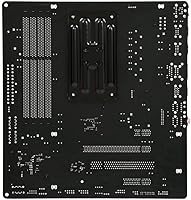
  • CPU Socket: Supports AMD AM3+ and AM3 processors, including the full FX-series and Phenom II lineup.
  • Chipset: Powered by the AMD 970 north bridge paired with the AMD SB950 south bridge for stable system-wide communication.
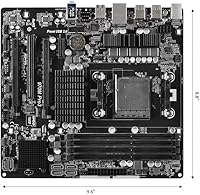
  • Form Factor: MicroATX layout measuring 13.8 x 10.5 x 2 inches, compatible with MicroATX and most standard ATX cases.
  • Memory Slots: Four DDR3 DIMM slots supporting dual-channel, non-ECC, unbuffered memory with a maximum capacity of 64GB.
  • Memory Speed: Officially supports DDR3-1333 and DDR3-1066 natively, with overclocked profiles up to DDR3-2400 depending on CPU and kit compatibility.
  • PCIe Slots: Two PCIe 2.0 x16 slots are present, with the primary running at full x16 bandwidth and the secondary operating at x4 electrical bandwidth.
  • Additional Slots: Includes one PCIe 2.0 x1 slot and one legacy PCI slot for older expansion cards or peripherals.
  • SATA Ports: Six SATA3 (6Gb/s) ports are provided, all managed through the SB950 south bridge for reliable throughput.
  • RAID Support: Supports RAID configurations 0, 1, 5, and 10 across the six SATA3 ports for flexible storage redundancy or performance setups.
  • Storage Interface: All storage connectivity is SATA-based; no M.2, U.2, or NVMe interface is available on this board.
  • USB Headers: Onboard USB headers support standard USB 2.0 and USB 3.0 front-panel connections for typical desktop case configurations.
  • Audio: Onboard audio is provided through a standard Realtek HD audio codec suitable for casual desktop and multimedia use.
  • LAN: Integrated Gigabit LAN enables standard wired network connectivity for home and office environments.
  • Power Connectors: Uses a standard 24-pin ATX main power connector and an 8-pin CPU power connector for processor power delivery.
  • Fan Headers: Multiple 4-pin and 3-pin fan headers are available for CPU cooler and chassis fan connections.
  • Board Weight: The board weighs approximately 2.19 pounds, consistent with standard MicroATX construction.
  • BIOS: Ships with ASRock's UEFI BIOS interface, with firmware updates available via ASRock's official support page.
  • OS Support: Compatible with Windows XP through Windows 8, and broadly functional under Linux distributions on the AM3+ platform.

Related Reviews
ASRock A520M Pro4 Micro ATX Motherboard
83%
92%
Value for Money
89%
Processor Compatibility
86%
Performance Stability
84%
Build Quality
88%
Ease of Setup
More
ASRock B550M-HDV Micro-ATX Motherboard
84%
88%
Performance
92%
Value for Money
85%
Overclocking Capability
84%
Build Quality
65%
USB Connectivity
More
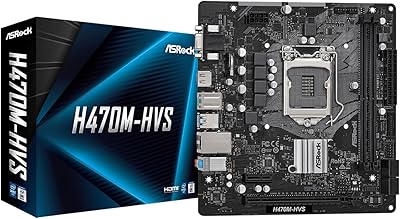
ASRock H470M-HVS Micro-ATX Motherboard
82%
87%
Value for Money
82%
Performance
90%
Ease of Installation
80%
Build Quality
83%
Connectivity
More
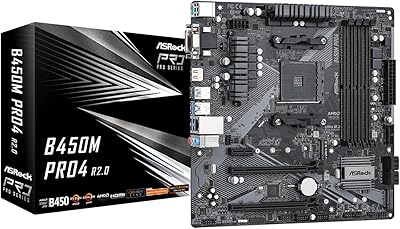
ASRock B450M PRO4 R2.0 Micro ATX Motherboard
87%
92%
Value for Money
88%
Performance
90%
Build Quality
87%
Compatibility with AMD Ryzen Processors
91%
Ease of Installation
More
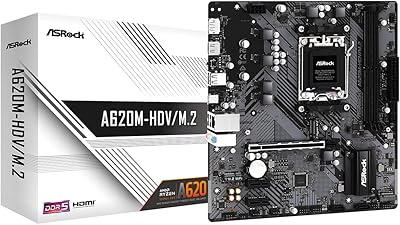
ASRock A620M-HDVM.2 Micro-ATX AM5 Motherboard
85%
89%
Value for Money
93%
Performance with Ryzen 7000 CPUs
85%
Ease of Setup and BIOS
88%
Build Quality and Durability
90%
Compatibility with DDR5
More
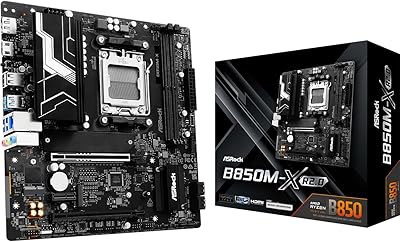
ASRock B850M-X R2.0 Micro-ATX Motherboard
86%
88%
Overall Performance
91%
Value for Money
90%
Ease of Installation
92%
Stability
89%
Compatibility with Ryzen 7000 Series
More
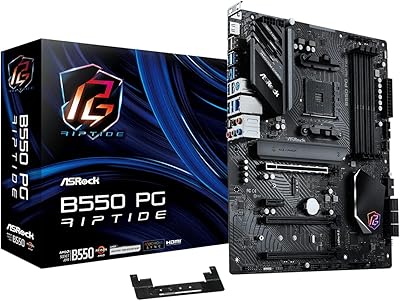
ASRock B550 PG Riptide ATX Motherboard
86%
89%
Performance
94%
Build Quality
88%
Ease of Installation
92%
Compatibility with Ryzen CPUs
85%
Expansion Options (PCIe, M.2)
More
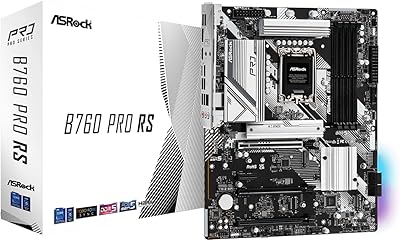
ASRock B760 Pro RS ATX Motherboard
80%
83%
Value for Money
88%
Feature Set
91%
CPU Compatibility
74%
Memory Performance
76%
VRM & Power Delivery
More
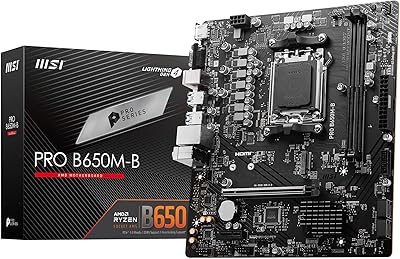
MSI PRO B650M-B Micro ATX Motherboard
83%
88%
Value for Money
91%
Ease of Setup
85%
Performance with DDR5
82%
Network Connectivity (2.5Gbps LAN)
87%
Expansion Options (PCIe/M.2)
More
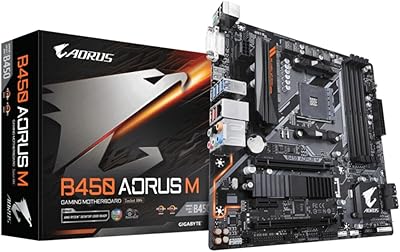
Gigabyte B450 AORUS M Micro ATX Motherboard
84%
91%
Value for Money
88%
Performance with Ryzen Processors
84%
RGB Lighting Customization
87%
Ease of Setup
82%
Display Options
More

FAQ

Yes, the FX-8350 is fully supported on the AM3+ socket and is actually one of the most popular processor pairings for this board. You should not need a BIOS update for it to be recognized out of the box, but updating to the latest firmware is always a good idea for stability.

Technically yes, but with an important caveat — the second PCIe x16 slot only runs at x4 electrical bandwidth rather than full x16. That limits the effective throughput for a second GPU significantly, so while two cards will fit physically, you won't get the performance you might expect from a true dual-GPU setup.

Yes, you can run 16GB without any issues — just use two matched 8GB DDR3 sticks in the recommended dual-channel slots. The board officially supports up to 64GB total, though in practice most builds on this platform top out at 16GB or 32GB.

It's manageable, but it's not the smoothest process compared to more modern boards. The most reliable method is using ASRock's Instant Flash utility from within the BIOS itself, which reads the update file directly from a USB drive. Just make sure you download the correct firmware version from ASRock's site and don't power off mid-flash.

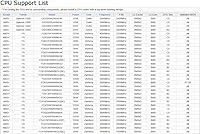
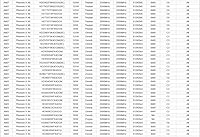
Phenom II processors on the original AM3 socket are supported — the board accepts both AM3 and AM3+ CPUs. That said, you may want to check ASRock's CPU compatibility list for your specific model, since some older AM3 chips require a particular BIOS version to be recognized correctly.

It's actually a solid fit for that use case. Six SATA3 ports with RAID 0, 1, 5, and 10 support gives you real flexibility for setting up a redundant drive array, and the SB950 south bridge handles multi-drive configurations reliably. Just keep in mind there's no M.2 or NVMe support if you wanted a fast boot drive alongside spinning disks.

It fits in any case that supports MicroATX or ATX form factors, which covers the vast majority of mid-towers and many compact cases. The 13.8 x 10.5 inch footprint is standard, so mounting should be straightforward with the included I/O shield.

That depends entirely on whether you already own an AM3+ processor. If you have an FX-series chip sitting around, this board lets you build a functional, stable desktop at a low cost. If you're starting from zero, it's worth considering whether putting money toward a more current platform makes more long-term sense, since there's no upgrade path beyond AM3+.

Natively, the board runs DDR3-1333 without any adjustments. Overclocked profiles up to DDR3-2400 are listed as supported, but achieving stable speeds above DDR3-1866 can be tricky and depends heavily on your specific memory kit and processor's memory controller. DDR3-1600 is the sweet spot where most builds run without issue.

For general desktop use, video playback, and voice calls, the onboard audio is perfectly adequate. For gaming where positional audio matters, or for any music listening beyond casual use, most users find a budget discrete sound card or a USB DAC makes a noticeable difference, since the onboard solution is functional but not particularly clean at higher volumes.

Where to Buy