Overview

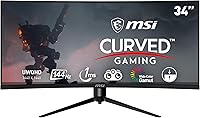
The MSI MAG342CQR 34″ Curved Gaming Monitor sits in a crowded but competitive segment — the mid-range ultrawide space where buyers want serious specs without flagship prices. Its most defining physical trait is the 1500R curved panel, which wraps noticeably around your field of view at a 21:9 aspect ratio. At 34 inches, the size feels substantial on a desk without being overwhelming. This MSI gaming display goes up against options from LG, AOC, and Samsung at similar price points, so the competition is real. On paper, the spec sheet looks strong. Whether that translates into consistent real-world performance and solid build quality is the more interesting question.

Features & Benefits

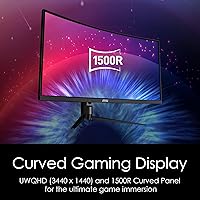
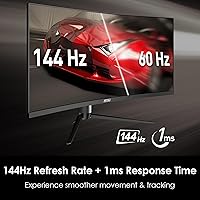
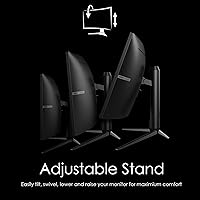
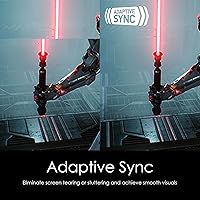
The UWQHD 3440x1440 resolution is where this ultrawide curved monitor genuinely earns its keep — open-world games like Cyberpunk or Elden Ring look markedly sharper compared to a 1080p ultrawide, and the extra horizontal space in strategy titles like Total War is hard to give up once you've experienced it. The 144Hz refresh rate keeps motion fluid during competitive play, and while the advertised 1ms response time is worth a caveat — it likely refers to MPRT rather than GtG — ghosting is manageable in practice. AMD FreeSync support is a real advantage for Radeon GPU owners, and the ergonomic stand covers tilt, swivel, height, and pivot adjustments.

Best For

This ultrawide curved monitor makes the most sense for PC gamers and multitaskers who want a single display that handles both immersive gameplay and productive work. RPG, simulation, and strategy players are the natural audience — genres where the extra horizontal real estate genuinely changes how you interact with the game world. It also suits anyone running an AMD GPU setup, since FreeSync works cleanly without additional configuration. One practical note: the 1500R curve is optimized for a sitting distance of roughly 60 to 80 centimeters, so deep desks or wall-mounted setups may not get the full benefit of that wrap effect.

User Feedback

Across over 1,300 ratings averaging 4.4 stars, the MAG342CQR earns consistent praise for color vibrancy and smoothness in fast-paced games, with many buyers highlighting strong value relative to what the panel delivers. That said, the feedback isn't without recurring concerns. Backlight bleed at the corners is a known characteristic of VA panels at this price tier — some units show more than others, which points to variance in panel consistency across production batches. Out-of-box color calibration gets mixed marks; most users find factory settings acceptable but report noticeable improvements after manual adjustment. The OSD menu works but isn't considered intuitive. Stand stability is generally fine, though a handful of users note minor wobble.

Pros

  • UWQHD 3440x1440 resolution delivers a sharp, detailed image that makes a real difference in immersive game worlds.
  • The 144Hz refresh rate keeps gameplay fluid and responsive across both competitive and single-player titles.
  • AMD FreeSync works reliably, eliminating screen tearing without needing extra configuration for Radeon users.
  • The 1500R curvature genuinely reduces eye movement fatigue during long gaming or work sessions.
  • Full ergonomic adjustability — tilt, swivel, height, and pivot — makes dialing in a comfortable setup straightforward.
  • The 21:9 aspect ratio gives a meaningful productivity boost when running multiple apps or browser windows side by side.
  • At this price tier, the MAG342CQR delivers ultrawide specs that would have cost significantly more just a few years ago.
  • Mystic Light RGB adds a polished aesthetic touch for users who care about desk setup lighting.
  • Build quality feels solid for the price, with the stand holding position reliably under normal use.
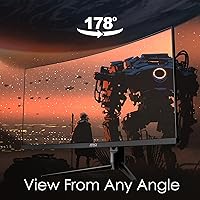
  • Wide viewing angles at 178 degrees horizontal and vertical mean the image holds up even slightly off-center.

Cons

  • Factory color calibration is inconsistent — most users will need to manually adjust settings after unboxing.
  • The 1ms response time is almost certainly MPRT, not GtG, so real pixel transitions are likely slower than advertised.
  • Backlight bleed at screen corners is a known issue on this panel type and varies noticeably unit to unit.
  • The OSD menu is functional but unintuitive, with a navigation layout that takes time to get comfortable with.
  • A single USB 3.0 port is the extent of the hub functionality, which feels limited for a monitor at this size.
  • Panel lottery is a real concern — some buyers report significantly better or worse units from the same production run.
  • At 300 nits brightness, the display can struggle in very bright ambient lighting environments.
  • Owners of Nvidia GPUs will not get official G-Sync certification, relying instead on unofficial FreeSync compatibility.
  • At 20.8 pounds, repositioning or mounting this display solo is more awkward than lighter alternatives.
  • The Mystic Light RGB, while visually appealing, adds no functional gaming benefit and cannot be fully disabled on all firmware versions.

Ratings

The scores below reflect an AI-driven analysis of verified global user reviews for the MSI MAG342CQR 34″ Curved Gaming Monitor, with spam, incentivized, and bot-generated feedback actively filtered out before scoring. Each category is rated independently based on real buyer experiences, capturing both the genuine strengths and the frustrations that repeat across thousands of honest assessments. Nothing has been smoothed over — where users consistently ran into issues, the scores reflect that.

Image Quality
83%
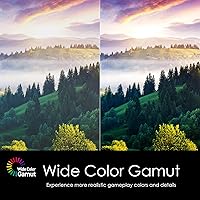
Buyers repeatedly highlight how much of an upgrade the UWQHD resolution feels coming from a 1080p ultrawide — fine textures in open-world RPGs and the layered detail in strategy game maps genuinely benefit from the extra pixel density. Color vibrancy gets consistent praise for punchy, engaging visuals straight out of the box.
Factory calibration leans oversaturated for some users, and without manual adjustment, color accuracy falls short of what the panel is actually capable of. Users doing any color-sensitive work report that out-of-box settings are not reliable enough without calibration.
Gaming Performance
87%
The 144Hz refresh rate makes a tangible difference in fast-paced titles — from FPS shooters to action RPGs, motion clarity holds up well and the experience feels genuinely fluid compared to 60Hz or even 75Hz panels. FreeSync integration runs cleanly for AMD users, removing tearing without configuration headaches.
The advertised 1ms response time is MPRT rather than GtG, meaning actual pixel transitions are slower than the headline number implies. A small but vocal group of competitive FPS players notices residual ghosting in very fast-motion scenes, particularly on dark backgrounds where VA panel weaknesses tend to surface.
Curvature & Immersion
89%
The 1500R curve is one of this monitor's most praised physical traits — at the right viewing distance, it genuinely wraps the peripheral field in a way that feels natural and reduces the need to scan across a flat panel. Long gaming sessions feel noticeably less tiring for users who sit roughly 60 to 80 centimeters away.
At greater viewing distances — deep desks or reclining setups — the curvature effect diminishes and the edges can appear slightly distorted. Users who primarily use the monitor for productivity at arm's length sometimes find the curve more distracting than immersive.
Build Quality
74%
26%
The overall chassis feels solid for the price tier, with minimal flex in the panel housing and a stand that locks adjustments firmly once positioned. Most buyers report no creaking or structural concerns after extended daily use.
The plastic finish picks up fingerprints and light scratches more readily than expected, and a portion of buyers notice minor assembly tolerances — small gaps in panel-to-bezel alignment that are not functionally problematic but visible on close inspection. It does not feel premium in hand.
Stand & Ergonomics
81%
19%
Having tilt, swivel, height, and pivot all available on a monitor at this price is genuinely useful — most competing displays in this range offer tilt only, so the full ergonomic range here is a practical advantage for users with varied desk setups or those who share a workstation.
A subset of users reports minor wobble when pressing the OSD buttons on the back of the panel, which can be mildly annoying during menu navigation. The stand base has a notable footprint that can feel intrusive on smaller or cluttered desks.
Panel Consistency
61%
39%
When buyers receive a well-binned unit, the panel performs reliably and maintains consistent brightness and color uniformity across the screen. Positive unit experiences are frequent enough to suggest the panel itself is capable of good output.
Panel lottery is a real concern here — backlight bleed severity, corner uniformity, and even slight color shift variation between units are recurring complaints across verified reviews. Some buyers have gone through two or three exchanges before receiving a unit they were satisfied with, which is a meaningful risk to factor in.
Connectivity
58%
42%
The inclusion of both DisplayPort and HDMI inputs covers the standard use cases well, and the USB 3.0 port adds at least minimal hub utility for users plugging in a mouse receiver or USB drive occasionally.
A single USB 3.0 port is the extent of the hub functionality, which feels thin for a 34-inch productivity-capable display. There is no USB-C input, which is an increasingly notable omission for users with modern laptops or peripherals that favor that connection type.
Color Accuracy
67%
33%
After manual calibration, the MAG342CQR delivers a respectable and visually pleasing image with warm, saturated tones that suit gaming and media consumption well. Users who invest time in calibration report being genuinely happy with the results.
Out-of-box accuracy is mediocre — greens and reds tend to run hot, and color temperature defaults are inconsistent with sRGB targets. For any work requiring accurate color reproduction, factory settings simply cannot be trusted without a hardware calibration tool.
Backlight Bleed
53%
47%
In bright gaming environments and well-lit scenes, backlight bleed is rarely visible or distracting — users playing colorful games in normally lit rooms report it is a non-issue for day-to-day use.
Dark cinematic content, horror games, or space-themed titles expose the bleed clearly, particularly at screen corners. Because severity varies per unit, there is no reliable way to know in advance how much bleed a given monitor will have before unboxing it.
OSD & Software
62%
38%
The Mystic Light software integrates reasonably well for users already in the MSI ecosystem, and the monitor's OSD covers all the essential settings including color presets, refresh rate options, and FreeSync toggles.
The OSD navigation layout is unintuitive — the joystick or button placement makes simple adjustments take longer than they should, and new users frequently mention needing to consult the manual just to find basic settings. The menu structure feels like it has not been updated in several years.
Value for Money
84%
At its price point, the combination of UWQHD resolution, 144Hz, FreeSync, and a fully adjustable stand is a genuinely strong package — buyers consistently mention that comparable ultrawide specs cost considerably more from competing brands. The overall feature-to-price ratio is one of its strongest selling points.
The value proposition takes a hit when panel consistency issues enter the picture — having to return or exchange a monitor erases the savings advantage quickly. If buyers land a strong unit, the value is excellent; if not, the process costs time and effort that higher-priced alternatives with better QC might avoid.
Ultrawide Productivity
79%
21%
Running two full-size application windows side by side at 3440x1440 works extremely well — code editors, spreadsheets, and browser windows all coexist comfortably without feeling cramped, and many users have replaced dual-monitor setups with this display.
The absence of USB-C and the limited port selection reduce its appeal as a pure productivity hub. Users who need display daisy-chaining or want to drive the monitor directly from a laptop over a single cable will find the connectivity options restrictive.
Response Time
64%
36%
For the majority of gaming genres — RPGs, strategy, simulation, and casual shooters — the motion handling is smooth enough that most users never notice a problem during normal play sessions at 144Hz.
The 1ms MPRT specification misleads buyers expecting GtG-class responsiveness. In back-to-back comparisons with IPS panels, competitive gamers can detect trailing on fast-moving objects, and dark transition smearing is a documented characteristic of the VA panel technology used here.
Setup Experience
77%
23%
Physical assembly is straightforward — the stand clicks together without tools and attaches to the panel securely in a few minutes. The included cable kit and quick-start documentation are clear enough that most users are up and running quickly.
Driver and software setup for Mystic Light RGB adds optional complexity that some users find unnecessary, and the initial color profile out of the box almost always requires adjustment before the image feels right. First impressions at power-on are not always representative of what the monitor can actually deliver.

Suitable for:

The MSI MAG342CQR 34″ Curved Gaming Monitor is a strong fit for PC gamers who want a genuinely immersive ultrawide experience without committing to a premium-tier price. The 21:9 aspect ratio and 1500R curvature make the biggest difference in genres where field of view and screen real estate matter most — think open-world RPGs, grand strategy titles, simulation games, and even productivity-heavy workflows where having multiple windows side by side replaces the need for a dual-monitor setup. AMD GPU users in particular get clean, tear-free performance thanks to native FreeSync support, which removes a common frustration without any workaround needed. The fully adjustable stand means it adapts to a wide range of desk heights and seating positions, which matters for anyone planning long sessions. If your desk has moderate depth — around 60 to 80 centimeters from screen to eyes — the curvature lands exactly where it should.

Not suitable for:

The MSI MAG342CQR 34″ Curved Gaming Monitor is not the right call for buyers who prioritize pixel-perfect color accuracy out of the box, since factory calibration tends to require manual adjustment to get the best results. Competitive FPS players who chase the lowest possible input lag should also think carefully — the advertised 1ms response time likely reflects MPRT rather than GtG, which means actual pixel transition speed may be slower than the spec implies. Users prone to backlight bleed sensitivity should be aware that VA panels at this price point are not immune to the issue, and consistency varies between individual units. Nvidia GPU users will not get certified G-Sync support, though FreeSync may work with some Nvidia cards in compatibility mode. Finally, anyone needing a monitor for color-critical creative work — photo editing, video grading — will want to look at IPS alternatives with factory-calibrated accuracy instead.

Specifications

  • Screen Size: The display measures 34 inches diagonally, providing a wide viewing area suited to ultrawide gaming and multitasking.
  • Resolution: Native resolution is 3440x1440 (UWQHD), offering significantly more detail and horizontal space than a standard 1080p ultrawide panel.
  • Aspect Ratio: The 21:9 aspect ratio delivers a panoramic field of view that is noticeably wider than the standard 16:9 format.
  • Panel Curvature: A 1500R curvature radius wraps the screen around the viewer's natural field of vision, designed for sitting distances of approximately 60–80cm.
  • Refresh Rate: The panel supports a maximum refresh rate of 144Hz, enabling smooth motion rendering in both competitive and single-player gaming scenarios.
  • Response Time: Advertised response time is 1ms, which reflects MPRT (Moving Picture Response Time) rather than GtG pixel transition speed.
  • Brightness: Peak brightness is rated at 300 nits, which is adequate for moderately lit environments but may be limiting in very bright rooms.
  • Viewing Angles: Horizontal and vertical viewing angles are both rated at 178 degrees, maintaining image quality across a wide range of off-axis positions.
  • Sync Technology: AMD FreeSync is natively supported to eliminate screen tearing; G-Sync compatibility may function on select Nvidia drivers but is not officially certified.
  • Ergonomics: The included stand supports tilt, swivel, height, and pivot adjustments, offering a broad range of positioning options for different desk and seating setups.
  • RGB Lighting: MSI Mystic Light RGB is built into the monitor's rear and base, allowing color customization through MSI's software ecosystem.
  • USB Connectivity: One USB 3.0 downstream port is available for peripheral connections, which is the extent of the built-in USB hub functionality.
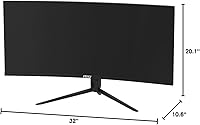
  • Dimensions: With the stand attached, the monitor measures approximately 32 x 20.1 x 10.6 inches (W x H x D).
  • Weight: The complete unit with stand weighs 20.8 pounds, which should be factored in when planning desk placement or VESA mount selection.
  • Power Input: The monitor accepts universal voltage input between 100 and 240 volts, making it compatible with power standards worldwide.
  • VESA Compatibility: The monitor supports VESA wall-mount patterns, allowing users to replace the stock stand with a third-party arm or wall bracket.
  • Color: The monitor is finished in black with subtle RGB accent lighting on the rear housing.
  • Model Identifier: The official model designation is Optix MAG342CQR, manufactured by MSI and first made available in January 2021.

Related Reviews
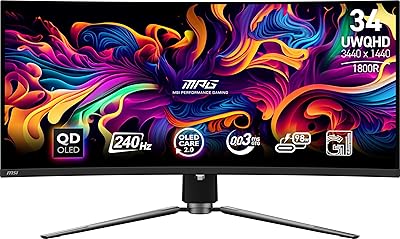
MSI MPG 341CQPX 34-inch Curved OLED Gaming Monitor
83%
94%
Display Quality
92%
Gaming Performance (240Hz)
89%
Color Accuracy
85%
Ease of Setup
80%
Software (Gaming Intelligence App)
More
Alienware AW3425DWM 34-inch Curved Gaming Monitor
82%
91%
Image Clarity & Sharpness
89%
Refresh Rate & Motion Performance
93%
Ultrawide Immersion
84%
Color Accuracy & Vibrancy
62%
HDR Performance
More
GIGABYTE GS34WQC 34″ Curved Gaming Monitor
83%
89%
Gaming Performance
91%
Color Accuracy
88%
Immersive Curved Design
84%
Build Quality
86%
Connectivity Options
More
Dell S3422DWG 34-inch Curved Gaming Monitor
83%
88%
Image Quality
84%
Refresh Rate & Smoothness
93%
Curvature & Immersion
54%
HDR Performance
91%
Build Quality & Design
More
Xiaomi 34-inch Curved Gaming Monitor G34WQi
84%
94%
Display Quality
91%
Gaming Performance
88%
Color Accuracy
82%
Build Quality
89%
Value for Money
More
Great voell Q34DB45 34-inch Curved Gaming Monitor
70%
84%
Value for Money
88%
Screen Size & Immersion
79%
Gaming Performance
72%
Image Quality
86%
Productivity & Multitasking
More
Raywego Q34DB45-1 34-inch Curved Gaming Monitor
72%
88%
Value for Money
84%
Gaming Performance
74%
Image Quality
51%
HDR Performance
67%
Build Quality
More
Pixio PXC348C Neo 34-inch Curved Gaming Monitor
74%
91%
Value for Money
88%
Refresh Rate Performance
84%
Panel Contrast & Black Levels
82%
Color Accuracy & Gamut
69%
Motion Clarity & Response
More
Westinghouse 34-Inch Curved Ultrawide Gaming Monitor
72%
84%
Value for Money
78%
Image Quality
81%
Refresh Rate & Motion
82%
Adaptive Sync
83%
Curve & Immersion
More
Acer Nitro EDA343CUR 34″ Curved Gaming Monitor

83%
94%
Display Quality
91%
Gaming Performance
72%
Build Quality
85%
Ease of Setup
80%
Ergonomics & Adjustability
More

FAQ

It is designed primarily with AMD FreeSync in mind, and that sync feature works reliably on Radeon cards out of the box. That said, many Nvidia users report FreeSync functioning in G-Sync Compatible mode on Pascal-generation and newer GPUs, though this is not officially certified by MSI and results can vary by driver version.

This is a fair thing to scrutinize. The 1ms figure refers to MPRT — Moving Picture Response Time — which is a motion blur reduction measurement, not the actual GtG pixel transition speed. Real GtG response on VA panels at this tier tends to be higher, typically in the 4–8ms range. In practice, ghosting is generally manageable during gameplay, but it is worth knowing what that spec actually represents.

Backlight bleed is a known characteristic of VA panels, and the MAG342CQR is not immune to it. Corner bleed is the most commonly reported issue, and the severity genuinely varies from unit to unit due to panel variance in production. For most gaming scenarios with bright or colorful content, it is rarely noticeable. Dark-scene heavy games or movies in a pitch-black room are where it becomes more visible.

Yes, driving 3440x1440 at high refresh rates demands a capable graphics card. A mid-range to upper-mid GPU — think Radeon RX 6700 XT or Nvidia RTX 3070 class — is a reasonable baseline for modern titles at high settings. For less demanding or older games, even mid-range cards will handle it well. You may need to reduce settings in graphically intensive AAA titles to consistently hit 144fps.

It handles productivity very well. The extra horizontal real estate at 21:9 is genuinely useful for running two applications side by side without feeling cramped, and it effectively replaces a dual-monitor setup for many users. Spreadsheets, coding environments, and video editing timelines all benefit from the wider canvas. Just keep in mind that factory color calibration may need adjustment if color accuracy matters for your work.

The stand is generally well-regarded and holds position reliably for everyday use. A small number of users have reported minor wobble when touching the screen or adjusting settings via the OSD buttons, but this is not a widespread complaint. The ergonomic range — covering tilt, swivel, height, and pivot — is one of the better feature sets at this price tier.

Yes, the monitor supports standard VESA mounting, so you can swap out the included stand for a monitor arm or wall bracket. This is a good option if you want to reclaim desk space or prefer the flexibility of an articulating arm, especially given the monitor's weight and footprint.

The MAG342CQR includes DisplayPort and HDMI inputs as its primary video connections, which covers the vast majority of modern GPU output options. DisplayPort is the recommended connection for achieving the full 144Hz refresh rate; some HDMI versions may cap bandwidth depending on the cable and source device.

It is almost entirely decorative. The RGB lighting on the rear housing creates ambient backglow on the wall behind your monitor, which some users enjoy as part of a desk setup aesthetic. It does not affect display performance in any way, and if you prefer a clean look, it can be turned off through MSI's software.

Factory settings are serviceable but not particularly accurate — colors can appear slightly oversaturated and contrast may feel overcooked straight out of the box. Most users who spend 20 to 30 minutes dialing in the color temperature, gamma, and saturation settings report a noticeably better and more balanced image. If you have a hardware colorimeter, a calibrated profile will get you closer to accurate results, though this monitor is not intended for professional color work.

Where to Buy