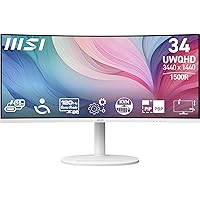
MSI Modern MD342CQPW 34-inch Ultrawide Monitor




Overview
The MSI Modern MD342CQPW 34-inch Ultrawide Monitor sits comfortably in the mid-range of the ultrawide market, targeting professionals who want more horizontal workspace without paying flagship prices. Its curved VA panel at UWQHD resolution is the real draw here — wide enough to keep multiple windows open side by side without things feeling cramped. The white finish is a nice touch for anyone tired of the all-black-everything desk aesthetic. This is a well-equipped monitor for the price, though like any mid-range pick, it comes with a couple of trade-offs worth knowing before you buy.
Features & Benefits
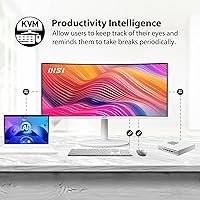
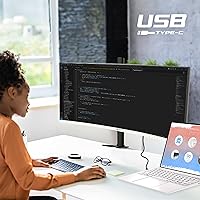
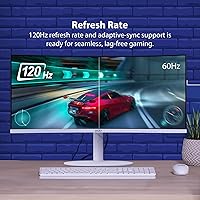
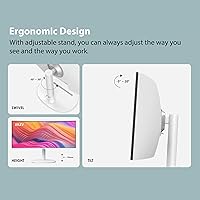
The 1800R curved display spans 34 inches at 3440x1440, giving you noticeably more screen than a standard widescreen without the depth feeling exaggerated at a normal desk distance. The 120Hz refresh rate with Adaptive-Sync keeps things smooth whether you're scrolling through spreadsheets or playing a casual game after hours. Where this MSI curved display really stands out, though, is the USB-C with 98W power delivery — plug in a compatible laptop with a single cable and you get video, data, and charging all at once. The built-in KVM switch adds another layer of practicality, letting you run two computers through one keyboard and mouse. The height-adjustable stand and eye-care features round out a genuinely practical package.
Best For
This ultrawide monitor makes the most sense for remote workers and hybrid professionals who need to keep a lot of windows open without constantly alt-tabbing. If you regularly work from a laptop, the single-cable USB-C setup alone could justify the purchase — it clears desk clutter and simplifies your workflow considerably. Light content creators and anyone who consumes a lot of media will appreciate the sharp UWQHD image. The white design also makes it a natural fit for minimalist home offices. Casual gamers who want something better than a basic 60Hz panel but don't need a dedicated gaming monitor will find the 120Hz and Adaptive-Sync more than adequate.
User Feedback
Across over 100 ratings, the MD342CQPW holds a 4.3 out of 5, and the pattern in reviews is fairly consistent. The clean white design gets a lot of praise — buyers say it genuinely changes how their desk looks. The single-cable USB-C setup is another recurring highlight, with users noting it replaced a dock or a tangle of adapters. On the critical side, a few reviewers point out that the VA panel, while punchy in contrast, shows its limits when viewed at an angle compared to IPS alternatives. The built-in speakers get a passing mention at best — they work, but nobody is replacing their audio setup with them. Overall satisfaction is solid, especially among productivity-first buyers.
Pros
- The 98W USB-C connection lets laptop users charge and display with a single cable, cutting desktop clutter significantly.
- A built-in KVM switch makes it easy to control two separate computers from one keyboard and mouse without extra hardware.
- The 34-inch UWQHD panel gives you noticeably more usable workspace than a standard 27-inch widescreen.
- 120Hz with Adaptive-Sync provides smooth, tear-free visuals whether you are scrolling spreadsheets or playing a casual game.
- The 1800R curve feels immersive at a normal desk distance without being disorienting during long work sessions.
- Anti-Flicker and Low Blue Light modes make extended screen time noticeably easier on the eyes over a full workday.
- The height-adjustable stand and VESA compatibility mean you can dial in your ergonomic setup without buying aftermarket gear.
- The white colorway stands out in a monitor market dominated by black and grey, and buyers consistently say it looks sharp on a desk.
- A 4.3-star average across over 100 real-world reviews suggests this ultrawide monitor reliably delivers on its core promises.
- The strong VA panel contrast makes dark scenes and rich visuals look punchy without the washed-out blacks you get on some IPS displays.
Cons
- Viewing angles are narrower than IPS alternatives, which can be noticeable when glancing at the screen from off-center.
- The built-in speakers are barely adequate for system sounds and not suitable for music, calls, or media without external audio.
- At 17.81 pounds, this MSI curved display is on the heavier side, making repositioning or mounting slightly more involved.
- Users who need professional-grade color accuracy for creative work will likely find the factory calibration insufficient without adjustments.
- The 120Hz refresh rate, while solid for productivity, falls behind the higher refresh options available on dedicated gaming panels.
- No USB-A hub ports beyond a single USB 3.0 connection limits peripheral expansion directly from the monitor.
- The white finish, while attractive, may show dust and smudges more visibly than a darker-colored display.
- Buyers running older laptops without USB-C will miss out on the single-cable setup that makes this ultrawide most convenient.
Ratings
Our AI-generated scores for the MSI Modern MD342CQPW 34-inch Ultrawide Monitor were produced by analyzing verified buyer reviews from multiple global markets, with spam, bot-generated feedback, and incentivized reviews actively filtered out before scoring. Each category reflects the honest consensus of real-world users — including both the aspects that consistently impressed and the friction points that came up repeatedly. The result is a transparent picture of where this ultrawide genuinely delivers and where it asks for compromise.
Display Quality
Connectivity & USB-C
KVM Functionality
Curvature & Ergonomics
Stand & Build
Refresh Rate & Gaming
Eye Comfort
Design & Aesthetics
Image Uniformity
Audio
Value for Money
Setup & Assembly
Viewing Angles
Suitable for:
The MSI Modern MD342CQPW 34-inch Ultrawide Monitor was clearly designed with productivity-focused users in mind, and it shows. Remote workers and hybrid professionals who constantly juggle multiple apps, browser tabs, or documents will immediately appreciate the extra horizontal space that a 34-inch UWQHD panel provides over a standard widescreen. Laptop users in particular get a lot of value here — the 98W USB-C power delivery means you can plug in a compatible laptop with a single cable and walk away with a fully charged machine, video output, and data transfer handled at once, no dock required. If you also switch between two computers at your desk, the built-in KVM switch is a practical feature that saves you from fumbling with extra peripherals. The white design makes it an easy fit for clean, minimalist home office setups, and light creative users who want sharper detail for photo editing or content consumption will find the UWQHD resolution genuinely useful day to day.
Not suitable for:
The MSI Modern MD342CQPW 34-inch Ultrawide Monitor is not the right pick for everyone, and it is worth being honest about where it falls short. Serious gamers who prioritize high refresh rates above everything else will likely find the 120Hz ceiling limiting compared to dedicated gaming monitors pushing 165Hz or higher, and the VA panel — while great for contrast — cannot fully compete with IPS in terms of color accuracy and wide viewing angles. Graphic designers, photographers, or video editors who need precise, wide-gamut color reproduction should look at panels with better factory calibration and broader color space coverage before committing. If you regularly share your screen with colleagues or clients from an off-angle position, the narrower viewing angles of the VA panel can be a daily frustration. The built-in speakers are also not a replacement for even a basic desktop speaker setup, so audio-focused buyers should budget for that separately.
Specifications
- Screen Size: The display measures 34 inches diagonally, offering a wide 21:9 aspect ratio that significantly expands horizontal workspace compared to standard 16:9 monitors.
- Panel Type: Uses a VA (Vertical Alignment) panel, which delivers strong contrast ratios and deep blacks, though with narrower viewing angles than IPS technology.
- Resolution: Native resolution is 3440x1440 (UWQHD), providing noticeably sharper detail than 1080p ultrawides at the same screen size.
- Refresh Rate: Supports a maximum refresh rate of 120Hz, suitable for smooth productivity use and casual gaming without screen tearing.
- Response Time: Rated at 1ms response time, helping to minimize motion blur during fast-moving content and gaming sessions.
- Curvature: Features an 1800R curvature, which creates a mild wrap-around effect that feels natural at typical desk viewing distances.
- USB-C Power: The USB-C port supports up to 98W power delivery, enough to charge most modern laptops while simultaneously transmitting video and data.
- Connectivity: Includes one HDMI port, one DisplayPort input, one USB-C port, and one USB 3.0 port for peripheral connectivity.
- KVM Switch: A built-in KVM switch allows one keyboard and mouse set to control two connected computers, switchable directly from the monitor.
- Sync Technology: Compatible with Adaptive-Sync (FreeSync), which dynamically matches the monitor refresh rate to the GPU output to reduce tearing and stuttering.
- Eye Care: Equipped with Anti-Flicker and Low Blue Light technologies designed to reduce eye strain and fatigue during extended viewing sessions.
- Stand Adjustments: The included stand supports height adjustment, allowing users to position the screen at a comfortable eye level without purchasing a separate arm.
- VESA Compatibility: The display is VESA mount compatible, giving users the option to attach it to a third-party monitor arm or wall mount if preferred.
- Built-in Audio: Integrated speakers are included for basic system audio output, though they are not intended as a primary audio solution.
- Dimensions: The monitor measures approximately 31.83 x 16.7 x 9.87 inches (W x H x D) with the stand attached.
- Weight: Total weight with stand is 17.81 pounds, which is typical for a 34-inch curved ultrawide in this category.
- Color Finish: Available in a White finish, which is less common in the monitor market and suits minimalist or light-themed desk setups.
- Surface Treatment: The screen uses a matte surface coating to reduce glare and reflections in brightly lit environments.
Related Reviews
MSI Modern MD2412PW 24-inch IPS Monitor
BenQ PD3420Q 34-inch Ultrawide Monitor
LG 34WQ650-W 34-inch UltraWide Monitor
LG 34UM68-P 34-inch UltraWide Monitor
ViewSonic VX3418-2K 34-Inch Ultrawide Gaming Monitor
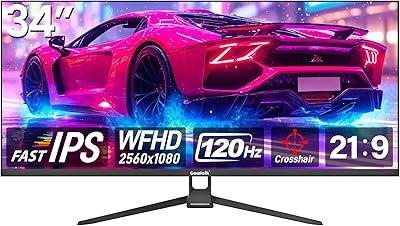
Gawfolk GF340H 34-inch Ultrawide Monitor
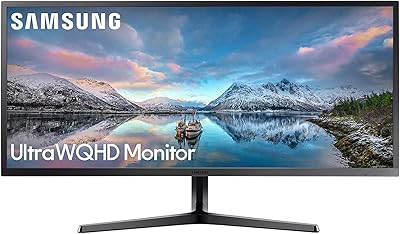
Samsung 34-Inch SJ55W Ultrawide Monitor

Westinghouse 34-Inch Curved Ultrawide Gaming Monitor

Raywego Q34DB45-1 34-inch Curved Gaming Monitor