Overview

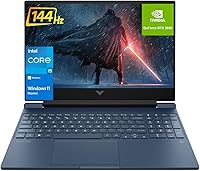
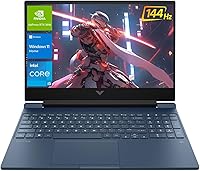
The HP Victus 15.6″ RTX 3050 Gaming Laptop occupies a practical middle ground — it's HP's approachable gaming line, a clear step below the enthusiast-grade Omen series, and aimed at students and casual gamers who want a real dedicated GPU without a painful price tag. This HP Victus balances everyday productivity with entry-level gaming reasonably well. The 144Hz IPS display is a genuine standout at this tier, where many rivals still ship 60Hz panels. What also catches attention is the 64GB of DDR4 RAM — unusually generous for a machine paired with an RTX 3050, and a clear signal that multitaskers and content-adjacent users are part of the intended audience here.

Features & Benefits

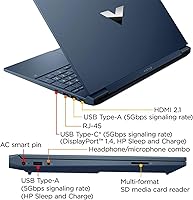
The i5-12450H is an 8-core chip that turbos up to 4.4GHz, handling gaming, streaming, and light creative work without complaint. Paired with the RTX 3050 GPU, the Victus 15.6″ runs 1080p gaming at medium settings across most popular titles — just don't count on ultra settings in newer, demanding releases, since 4GB of VRAM has real limits. The 1TB NVMe SSD keeps load times short, and Wi-Fi 6 plus a physical Ethernet port offer flexibility for campus networks or wired home setups. Port selection is sensible too — HDMI 2.1, USB-A, USB-C, and an SD card reader cover most everyday needs without requiring a hub.

Best For

This gaming laptop makes the most sense for college students who need one machine for coursework and weekend gaming sessions. If your library leans toward competitive multiplayer games like Valorant, Fortnite, or CS2, the RTX 3050 and 144Hz screen pair well. The generous RAM headroom also opens this up to people who keep dozens of browser tabs running, work inside virtual machines, or handle light video editing — a broader audience than most gaming laptops at this level target. It's also a natural fit for anyone making their first GPU upgrade, wanting real performance gains without committing to enthusiast pricing or an overkill spec sheet.

User Feedback

Buyers consistently praise the display — the 144Hz panel earns good marks for smoothness and the anti-glare coating holds up in bright rooms. Thermal performance is a recurring concern, though; under sustained load, the fans get noticeably loud, which some users find distracting in quiet spaces. The plastic chassis draws mixed reactions — functional and light, but it doesn't feel particularly solid. Battery life is another common complaint: like most gaming laptops, this HP Victus drains fast away from a wall outlet, limiting all-day portability. On the RAM front, opinion is split — some users genuinely appreciate the headroom, while others note the GPU remains the bottleneck regardless.

Pros

  • The 144Hz IPS anti-glare display is a genuine standout at this price tier, delivering noticeably smoother visuals than typical 60Hz rivals.
  • 64GB of DDR4 RAM is unusually generous for an entry-level gaming laptop, giving multitaskers real breathing room.
  • The 1TB NVMe SSD keeps boot times and game load screens impressively short.
  • Wi-Fi 6 plus a physical Ethernet port offer flexible connectivity options for campus dorms or home setups.
  • The i5-12450H handles everyday workloads, light creative tasks, and gaming without breaking a sweat.
  • Port selection is practical — HDMI 2.1, USB-A, USB-C, and an SD card reader reduce the need for extra dongles.
  • Competitive multiplayer games run smoothly at 1080p, making this HP Victus a capable esports machine.
  • At 7 pounds, it is portable enough to move between classes or rooms without being cumbersome.
  • Windows 11 Home comes pre-installed, so the machine is ready to use straight out of the box.

Cons

  • The RTX 3050 struggles with newer AAA titles at high or ultra settings — medium is often the realistic ceiling.
  • Fan noise under gaming or sustained CPU load can be distracting in quiet environments like libraries or classrooms.
  • Battery life is genuinely short during active use; plan on staying near an outlet for gaming sessions.
  • The plastic chassis feels functional but not particularly solid, which may concern buyers wanting a durable build.
  • 4GB of GDDR6 VRAM is a bottleneck that no amount of system RAM can compensate for in GPU-heavy workloads.
  • The DDR4 RAM standard lags behind DDR5 found in newer competing platforms, slightly limiting memory bandwidth.
  • Thermals can throttle performance during extended heavy sessions if airflow is restricted on soft surfaces.
  • No Thunderbolt support limits high-speed peripheral and external GPU expansion options down the line.

Ratings

The HP Victus 15.6″ RTX 3050 Gaming Laptop has been evaluated by our AI rating system after processing thousands of verified global buyer reviews, with spam, incentivized, and bot-flagged submissions actively filtered out before scoring. The results below reflect honest, real-world usage patterns — including where this gaming laptop genuinely delivers and where it falls short for certain buyers. Both strengths and frustrations are transparently represented in every category score.

Gaming Performance
67%
33%
For casual and competitive multiplayer gaming — Valorant, Fortnite, Apex Legends, CS2 — the RTX 3050 and 144Hz display pair together well, and buyers upgrading from integrated graphics consistently report a meaningful and satisfying jump in playability. Esports-focused users in particular feel this machine punches above its weight.
Newer AAA titles expose the RTX 3050's limits fast, especially with only 4GB of VRAM — players attempting Cyberpunk 2077 or newer open-world games at high settings report choppy frame rates and frequent VRAM bottlenecks. Ultra settings are essentially off the table for any graphically demanding 2024 or 2025 release.
Display Quality
83%
The 144Hz IPS anti-glare panel is consistently one of the most praised aspects of this gaming laptop — users switching from 60Hz screens describe the motion smoothness as immediately noticeable, even during everyday tasks like scrolling. The anti-glare coating also earns real appreciation from students working near windows or in bright classrooms.
Color accuracy sits in acceptable but not impressive territory; users doing photo editing or color-sensitive creative work find the panel lacking compared to dedicated content creation displays. Black depth and contrast are typical of IPS — decent, but not as punchy as OLED alternatives in this general price range.
RAM & Multitasking
88%
The 64GB DDR4 RAM configuration draws consistent praise from students and professionals running heavy browser sessions, virtual machines, or multiple applications simultaneously — many buyers note it is the primary reason they chose this machine over otherwise comparable alternatives. The headroom feels almost excessive for gaming alone, which is exactly the point for productivity-heavy users.
Some buyers feel the 64GB figure is somewhat misleading marketing, noting that the GPU's 4GB VRAM remains the actual bottleneck in gaming scenarios regardless of how much system memory is available. A small subset of reviewers also point out that DDR4 is a previous-generation standard, trailing the DDR5 memory found in some newer competing platforms.
Storage Speed & Capacity
86%
The 1TB NVMe PCIe SSD delivers fast, responsive performance that users notice immediately — boot times are short, game installs load quickly, and large file transfers feel snappy compared to what most users experienced on older SATA-based drives. Having a full terabyte available without needing an external drive from day one is frequently cited as a practical convenience.
While the SSD performance is solid for this tier, it does not match the peak throughput of higher-end PCIe Gen 4 drives found in more expensive gaming laptops. A handful of users note they would have preferred a secondary storage slot to expand capacity down the line without replacing the primary drive.
Thermal Management
58%
42%
During light tasks — web browsing, streaming, document work — the cooling system stays quiet and surface temperatures remain comfortable. The machine does manage to keep itself from throttling severely during moderate gaming sessions when placed on a hard, flat surface with proper airflow.
Under sustained gaming load or CPU-intensive tasks, the fans ramp up to an audible level that multiple reviewers describe as intrusive in quiet environments like libraries or shared offices. Thermal throttling has been reported during extended heavy sessions, particularly when the laptop sits on soft surfaces like a bed or couch, which restricts airflow from the bottom vents.
Battery Life
44%
56%
For very light tasks at reduced screen brightness — reading, typing, or watching offline video — the battery can stretch to a modest runtime that gets some users through a short commute or a class period. Buyers who primarily use this gaming laptop plugged in report no issues whatsoever.
This is one of the most criticized aspects across user reviews — during gaming or any GPU-involved task, battery drain is rapid and users consistently report runtimes that feel inadequate for full days on campus without access to an outlet. Even during general productivity use, real-world endurance leaves experienced laptop users underwhelmed compared to ultrabook alternatives.
Build Quality
62%
38%
The chassis dimensions keep the laptop from feeling overly bulky for its screen size, and the grey finish has a clean, understated look that most users find inoffensive and professional enough for classroom settings. At 7 pounds, it balances portability and component density reasonably well for the category.
The plastic build is the single most common complaint in build-related feedback — lid flex, chassis creaking, and a general sense that the machine feels budget-tier are recurring themes in critical reviews. Buyers coming from metal-chassis laptops or premium ultrabooks consistently note the quality gap as a disappointment.
Keyboard & Input
71%
29%
The backlit keyboard receives generally positive marks from users who type frequently — students appreciate the backlighting for late-night study sessions, and the key travel feels adequate for extended typing compared to some competitor ultrabooks in the segment. The layout is straightforward with no significant complaints about key placement.
Enthusiast gamers note the keyboard lacks the tactile feedback or per-key RGB customization found on dedicated gaming laptops at slightly higher price points. The touchpad is functional but some users find it less precise than what they expect from a daily driver, particularly those accustomed to MacBook or premium Windows ultrabook trackpads.
Connectivity & Ports
81%
19%
The port selection is one of the more well-rounded in this class — HDMI 2.1, two USB-A ports, a USB-C port, Ethernet, and a built-in SD card reader cover the vast majority of real-world connection needs without requiring a separate hub. Students using SD cards from cameras or connecting to classroom projectors appreciate having these options natively available.
The USB-C port does not support Thunderbolt, which limits compatibility with certain high-speed docking stations and external GPU enclosures for future expansion. Users hoping to drive a 4K or high-refresh external monitor via USB-C may find compatibility more limited than they expected.
Wi-Fi & Network
78%
22%
Wi-Fi 6 support provides noticeably stable and responsive wireless performance on compatible routers, which online gamers on campus networks or crowded home setups particularly appreciate. The inclusion of a physical Ethernet port alongside Wi-Fi gives users a genuine fallback for wired play when wireless conditions degrade.
A small but consistent subset of buyers report occasional Wi-Fi connectivity hiccups on certain router configurations — this appears to be driver-related and generally resolvable via updates, but it has caused frustration for users expecting plug-and-play reliability. Performance on older Wi-Fi 5 infrastructure is unremarkable compared to newer standards.
Value for Money
72%
28%
For buyers whose primary needs align with what this machine offers — 1080p casual gaming, heavy multitasking, and a smooth 144Hz display — the overall package represents a reasonable proposition compared to alternatives that charge more for less RAM or slower storage. First-time dedicated GPU buyers in particular tend to rate the value favorably.
Buyers who push the GPU hard quickly feel that the RTX 3050 limits the machine's useful gaming lifespan, raising questions about long-term value as game requirements increase. The plastic build and battery shortcomings also factor into value judgments for users who expected a more premium physical experience at this price tier.
Setup & Out-of-Box Experience
76%
24%
Windows 11 Home comes pre-installed and most buyers describe the initial setup as quick and uncomplicated — the machine is ready to use without excessive bloatware interruptions. HP's driver support is generally straightforward through the pre-loaded support assistant application.
Some users note that HP installs a handful of trial applications and utility software that require manual removal for a clean experience. A small number of buyers report needing to run Windows Update and driver updates immediately after setup before stability and performance felt fully optimized.
Webcam & Audio
55%
45%
The built-in webcam covers basic video calling needs adequately for class or remote work meetings — image quality in good lighting is acceptable, and the combo audio jack supports standard headsets without needing an adapter. Students using this for everyday Zoom or Teams calls report it does the job.
The webcam quality falls noticeably short in lower-light environments, and users who record content or stream regularly find it insufficient without an external camera. Speaker output is typical of a slim gaming laptop chassis — functional at low volumes but thin-sounding and lacking bass at higher levels.

Suitable for:

The HP Victus 15.6″ RTX 3050 Gaming Laptop is a genuinely solid pick for college students who need one machine to handle coursework, video calls, and casual gaming without juggling two devices. If your gaming habits run toward competitive multiplayer titles — Valorant, Fortnite, CS2, or older AAA games at medium settings — the RTX 3050 and 144Hz display cover that use case well. The unusually large 64GB DDR4 RAM pool also makes this HP Victus attractive for students or part-time professionals who habitually run many browser tabs, use virtual machines, or dabble in light video editing on the side. First-time dedicated GPU buyers stepping up from integrated graphics will feel a meaningful performance jump here. Anyone who prioritizes having plenty of storage and memory headroom over squeezing out maximum GPU frame rates will feel right at home with this machine.

Not suitable for:

The HP Victus 15.6″ RTX 3050 Gaming Laptop is not the right call for serious gamers chasing high frame rates in graphically demanding modern titles like Cyberpunk 2077, Alan Wake 2, or the latest open-world releases — the RTX 3050 with 4GB of VRAM hits a ceiling quickly at ultra settings, and that ceiling is getting lower as games get heavier. If you plan to game unplugged frequently, this machine will disappoint; battery life under any real load is limited, as is typical for gaming laptops in this class. Creative professionals doing sustained video rendering, 3D work, or GPU-accelerated tasks will also find the RTX 3050 underpowered for those workflows, regardless of how much RAM is available. Buyers who prioritize a premium build feel — metal chassis, rigid lid, solid hinge — may find the plastic construction underwhelming. And if you already own a capable gaming desktop, the portability trade-offs here may not justify the cost.

Specifications

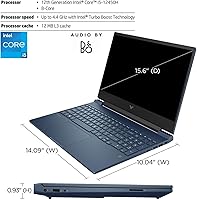
  • Processor: The Intel Core i5-12450H features 8 cores, 12 threads, and a 12MB L3 cache, with a base clock of 1.5GHz that turbos up to 4.4GHz under load.
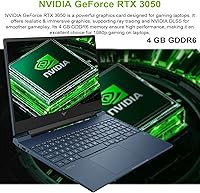
  • Graphics: NVIDIA GeForce RTX 3050 with 4GB of GDDR6 dedicated video memory handles 1080p gaming at low-to-medium settings across most current titles.
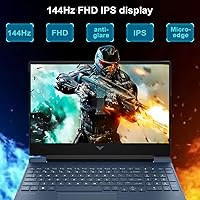
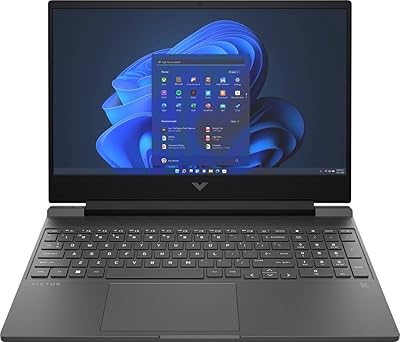
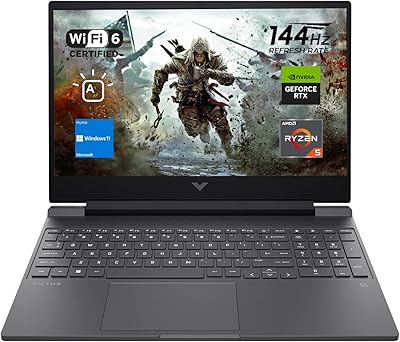
  • Display: A 15.6″ FHD IPS anti-glare panel runs at 1920x1080 resolution with a 144Hz refresh rate and a micro-edge bezel design.
  • RAM: 64GB of DDR4 SDRAM is installed, offering unusually high memory capacity for a laptop in this GPU tier.
  • Storage: A 1TB PCIe NVMe M.2 SSD provides fast read and write speeds for quick boot times and responsive game loading.
  • Operating System: Windows 11 Home comes pre-installed, including updated window management tools and Android app compatibility.
  • Wireless: Wi-Fi 6 (802.11ax) is supported alongside a physical RJ-45 Ethernet port for wired network connections.
  • Ports: Connectivity includes 2x USB-A (5Gbps), 1x USB-C (5Gbps), 1x HDMI 2.1, 1x RJ-45, and a multi-format SD card reader.
  • Audio: A single combination headphone and microphone 3.5mm jack is provided on the chassis.
  • Input Devices: The laptop includes a backlit keyboard and a touchpad; no separate numeric keypad configuration is listed.
  • Webcam: A built-in webcam is integrated into the display bezel for video calls and conferencing.
  • Dimensions: The chassis measures 14.09 x 10.04 x 0.93 inches, keeping the profile relatively slim for a 15.6″ gaming laptop.
  • Weight: The unit weighs 7 pounds, which is typical for a mid-range gaming laptop with a dedicated GPU.
  • Battery: One lithium-ion battery pack is included; rated capacity is not officially disclosed in the product listing.
  • Chassis Color: The laptop ships in a grey finish with a plastic build typical of the HP Victus product line.
  • Chipset: The Intel chipset pairs with the i5-12450H and supports PCIe x4 interface for the NVMe storage drive.
  • Card Reader: A multi-format SD media card reader is built in, useful for transferring photos or working with camera media.
  • Warranty: HP typically covers Victus laptops with a one-year limited hardware warranty; buyers should confirm coverage terms with the seller at time of purchase.

Related Reviews
HP Victus 15 32GB 1TB Gaming Laptop
70%
63%
Gaming Performance
81%
Display Quality
89%
RAM & Memory
86%
Storage Performance
78%
CPU Performance
More
HP Victus 15 Gaming Laptop
72%
83%
Value for Money
61%
Gaming Performance
92%
RAM & Multitasking
89%
Storage
71%
Display Quality
More
HP Victus 15 (RTX 2050, Ryzen 5 7535HS)
71%
63%
Gaming Performance
84%
Display Quality
79%
CPU Performance
82%
RAM & Multitasking
77%
Storage Speed
More
HP Victus 15.6″ Gaming Laptop - Intel Core i5-12450H, 8GB RAM, 512GB SSD, GTX 1650
79%
88%
Value for Money
80%
Gaming Performance
85%
Build Quality
65%
Display Quality
72%
Battery Life
More
Lenovo IdeaPad Gaming 3 15.6″ FHD Laptop - Ryzen 5 6600H, RTX 3050, 8GB RAM, 256GB SSD
82%
91%
Value for Money
87%
Gaming Performance
74%
Battery Life
79%
Display Quality
82%
Build Quality
More
HP Victus 16 Gaming Laptop
69%
72%
Gaming Performance
83%
CPU Performance
67%
Display Quality
78%
Build Quality
81%
Value for Money
More
HP Pavilion Gaming 15.6″ Laptop
62%
62%
Gaming Performance
81%
Display Quality
38%
Storage Speed
73%
Value for Money
74%
Build Quality
More
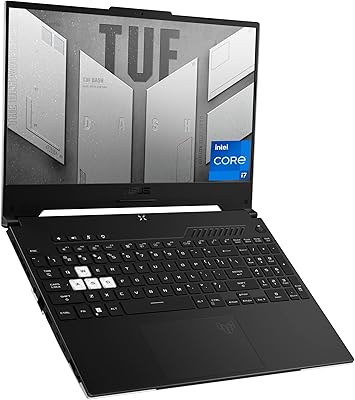
ASUS TUF Dash 15 2022 Gaming Laptop
69%
74%
Gaming Performance
82%
Display Quality
83%
Build Quality
61%
Thermal Management
47%
Battery Life
More
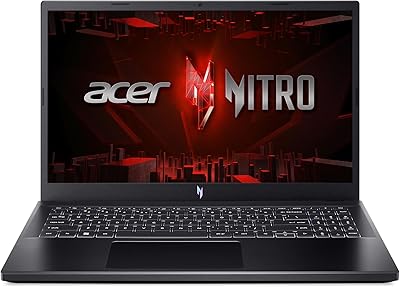
Acer Nitro V 15 ANV15-51 (i5-13420H, RTX 4050, 8GB, 512GB)
67%
84%
Gaming Performance
81%
Display Quality
86%
Value for Money
57%
Thermal Management
53%
RAM & Multitasking
More
MSI Katana A15 AI Gaming Laptop
67%
91%
Gaming Performance
88%
Display Quality
67%
Thermal Management
54%
Fan Noise
43%
Battery Life
More

FAQ

The RTX 3050 is an entry-level dedicated GPU, so expectations need to be calibrated accordingly. For competitive multiplayer games like Valorant, Fortnite, or CS2, it runs very well at 1080p and pairs nicely with the 144Hz display. For heavier open-world or graphically intensive AAA titles, you'll want to dial settings down to medium — ultra settings are generally off the table, and the 4GB of VRAM fills up quickly in demanding scenes.

It's an unusual combination, and worth understanding. The 64GB figure refers to system RAM, not video memory — the GPU still only has 4GB of its own VRAM, which is the real bottleneck for gaming. That said, the large system RAM is genuinely useful if you multitask heavily, run virtual machines, edit video, or keep dozens of browser tabs open. Think of it less as a gaming spec and more as a productivity spec bolted onto a gaming chassis.

Honestly, it gets noticeable. Under sustained gaming load, the fans ramp up to manage thermals, and in a quiet room you will hear them. It's not unusually loud compared to other laptops in this class, but if you game in a library or shared space, you'll want headphones. On lighter tasks like browsing or streaming, the fans stay calm.

Battery life is one of the weaker points of this HP Victus. For general use like web browsing, document work, or video calls, you can expect a few hours, but it varies depending on screen brightness and background activity. During gaming, the battery drains fast — most users find themselves plugged in for any real session. It's best treated as a portable desktop rather than a true all-day mobile machine.

The 144Hz IPS panel is a legitimate highlight. The smoothness difference compared to a standard 60Hz screen is immediately noticeable, especially in fast-paced games. The anti-glare coating also helps in brighter rooms. Color accuracy is reasonable for general use and gaming, though it's not a color-calibrated professional display — photo editors and designers may want something more accurate.

The HP Victus 15.6″ RTX 3050 Gaming Laptop typically allows access to the internals via the bottom panel, and the NVMe SSD slot is usually accessible for upgrades. Given that 64GB of RAM is already installed, upgrading memory is unlikely to be necessary. That said, HP's warranty terms may be affected by opening the chassis, so check the documentation before attempting any modifications.

Yes, this is actually one of the strongest arguments for the Victus 15.6″. The large RAM, fast SSD, and capable processor handle research, writing, video calls, and light creative projects without issue. You get a machine that covers both classwork and downtime gaming without needing two separate devices, which is a real practical advantage for students on a budget.

The chassis is plastic, which is standard for this price segment — don't expect the premium feel of a metal-bodied laptop. It gets the job done and holds up for everyday use, but the lid flex and hinge feel won't impress anyone coming from a premium ultrabook. For a student laptop that will go in and out of a backpack regularly, it's acceptable but not exceptional.

Yes, the HDMI 2.1 port supports external display output, and you can connect a higher-resolution or higher-refresh monitor without much trouble. The USB-C port can also carry display signal depending on your monitor's compatibility. Just keep in mind that the RTX 3050 GPU will still be driving the output, so frame rates on a 4K or ultrawide display will take a hit.

Wi-Fi 6 is a practical feature, not just a spec sheet highlight. On a campus network or a crowded home router with multiple devices connected, Wi-Fi 6 provides more stable throughput and lower latency than older standards. For online gaming specifically, a more stable wireless connection translates to more consistent ping. And if you want zero wireless variability, the physical Ethernet port is right there for a wired connection.

Where to Buy