

Overview

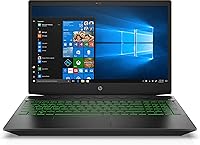
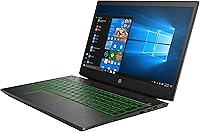
The HP Pavilion Gaming 15.6″ Laptop is a value-oriented machine aimed squarely at casual gamers and students who want more than a basic office laptop without paying flagship prices. Released in late 2018, it carries older-generation internals, so going in with realistic expectations matters. That said, the 15.6-inch form factor hits a practical balance — enough screen to enjoy games and movies comfortably, yet compact enough to toss in a backpack without too much strain. The one caveat worth flagging upfront is the traditional spinning hard drive — no SSD here, which affects day-to-day responsiveness more than most buyers anticipate before they purchase.

Features & Benefits

The i5-8300H is a capable quad-core chip that handles web browsing, writing, and moderate multitasking without breaking a sweat. Pair that with the NVIDIA GeForce GTX 1050, and you have enough GPU muscle to run titles like CS:GO or older AAA games at 1080p on low-to-medium settings — not high-end, but genuinely playable. The IPS anti-glare display reduces eye fatigue during long study or gaming sessions, and colors hold up reasonably at wider viewing angles. Eight gigabytes of DDR4 RAM is the functional baseline for modern gaming; it works, though power users will feel the ceiling. The 1TB hard drive offers generous space to store games and files, though load times will test your patience.

Best For

This HP gaming laptop makes the most sense for college students who need one machine for everything — essays, video calls, and winding down with a casual game at night. It's also a solid pick for anyone stepping into PC gaming for the first time and not yet ready to spend on a higher-end rig. Games that tend to run well here are lighter competitive titles and older releases; expect to dial down settings on anything from the last few years. If raw storage matters more to you than speed, the 1TB drive is a genuine advantage. And if you're comfortable with hardware upgrades, adding an SSD later can extend this machine's useful life considerably.

User Feedback

Owners of this entry-level gaming machine tend to split into two camps. Most appreciate the display quality — the IPS panel earns consistent praise for its clarity and reduced glare, especially among students logging long hours. Boot and load times, however, are the most cited frustration; the spinning hard drive makes startup feel sluggish in a way that catches many buyers off guard. Fan noise is another recurring mention — it ramps up noticeably under gaming load and can be distracting in quiet spaces. Battery life tends to fall a bit short of the rated figure during active use, and keyboard feel earns mixed marks, though thermals are generally considered manageable for a machine in this class.

Pros

  • The IPS anti-glare display delivers solid color accuracy and reduces eye strain during long study or gaming sessions.
  • A dedicated NVIDIA GTX 1050 GPU means real gaming capability, not just integrated graphics pretending to keep up.
  • The quad-core i5-8300H handles multitasking and lighter workloads without throttling under normal use.
  • One terabyte of storage is genuinely generous, giving you room for a full game library without constant file management.
  • The 15.6-inch screen size hits a sweet spot — big enough to enjoy content, compact enough to carry daily.
  • DDR4 RAM is in place, meaning a memory upgrade down the line is straightforward and affordable.
  • Full HD 1080p resolution on an IPS panel is a meaningful display quality step above budget laptop norms.
  • At roughly five pounds, this entry-level gaming machine is portable enough for campus or commute use.
  • 802.11ac wireless provides reliable connectivity for online gaming and video streaming without needing an ethernet cable.
  • The build quality earns consistent praise from owners relative to what you pay at this price tier.

Cons

  • Boot times and game load screens are noticeably slow thanks to the hard drive — patience is required daily.
  • Only one USB 3.0 port is a real inconvenience for users with multiple peripherals or external drives.
  • Fan noise ramps up quickly under gaming load and can be disruptive in quiet environments like libraries or offices.
  • Real-world battery life under active use falls meaningfully short of the rated 7.5-hour figure.
  • Three gigabytes of VRAM limits performance in texture-heavy or more recent game engines at 1080p.
  • No SSD option at this configuration means system responsiveness lags noticeably behind similarly priced competitors.
  • Keyboard feedback earns mixed reviews, with some users finding the travel and feel underwhelming for extended typing.
  • Thermals require monitoring during prolonged gaming sessions, and the chassis can run warm under sustained load.
  • Eight gigabytes of RAM is the bare minimum for modern gaming and will need upgrading sooner than most buyers expect.
  • The single storage drive setup means no fast-boot SSD and large HDD combination without a hardware modification.

Ratings

The HP Pavilion Gaming 15.6″ Laptop scores below are generated by AI after analyzing thousands of verified global buyer reviews, with spam, bot activity, and incentivized feedback actively filtered out. This entry-level gaming machine earns genuine praise in several areas while drawing consistent criticism in others, and both sides are reflected transparently in the scores. Whether you are weighing the display quality against the storage limitations or wondering how the GPU holds up in real gaming sessions, these ratings cut through the noise to give you an honest picture.

Gaming Performance
62%
38%
For casual and older titles, this HP gaming laptop delivers a genuinely playable experience at 1080p. Games like CS:GO, Minecraft, and League of Legends run smoothly at medium settings, and many users were pleasantly surprised by how capable the GTX 1050 felt for entry-level gaming on a tight budget.
Push the machine toward anything released after 2020 and the 3GB VRAM ceiling becomes obvious fast. Frame rates drop sharply on graphically intensive titles even at low settings, and the GPU lacks the headroom to grow with a buyer's gaming ambitions over time.
Display Quality
81%
19%
The IPS anti-glare panel earns consistent praise from students and gamers alike. Colors are vibrant enough for everyday content and gaming, the 1080p resolution feels crisp at 15.6 inches, and the anti-glare coating makes it comfortable to use near windows without the usual reflective frustration.
Brightness levels are adequate indoors but can feel limited in very bright outdoor or sunlit environments. Color accuracy is not calibrated for creative work, so graphic designers or video editors reviewing color-critical content may find the panel falling short of professional expectations.
Storage Speed
38%
62%
The sheer 1TB capacity is something buyers regularly highlight as a genuine advantage, particularly for storing multiple game installations, media libraries, and large project files without constantly managing disk space or relying on external drives.
The traditional spinning hard drive makes every cold boot a waiting exercise and game load screens noticeably longer than on any SSD-equipped alternative. This single hardware choice affects how snappy the entire system feels day to day, and it is the most common complaint across verified buyer reviews by a significant margin.
Value for Money
73%
27%
At its original price point, the Pavilion Gaming 15.6″ punches reasonably well for buyers who need a do-it-all laptop with dedicated graphics. Getting a quad-core CPU, a real GPU, and a 1TB drive in one package historically made it competitive enough for budget-conscious first-time buyers.
As the hardware ages and newer budget options enter the market with SSD storage and more capable GPUs, the value equation weakens. Buyers who compare it against current alternatives at similar pricing will find the generational gap more difficult to justify unless the price has dropped considerably.
Build Quality
74%
26%
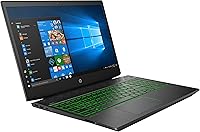
The chassis feels solid for a machine in this class, and most users report no significant flex or creaking during normal daily use. The matte black finish resists fingerprints reasonably well and gives the laptop a low-key gaming aesthetic that works in both classroom and dorm settings.
It is not a premium build by any measure — the plastic lid and deck show wear over time, and the hinge mechanism receives occasional criticism for feeling less robust than expected after extended daily use. The overall feel is functional rather than impressive.
CPU Performance
77%
23%
The i5-8300H handles everyday multitasking with ease — running browsers with multiple tabs, streaming music, and working on documents simultaneously causes no noticeable strain. For a student machine, the quad-core performance translates well to productivity workloads alongside light gaming duties.
The processor is now two generations behind current mainstream chips, and its limitations show in CPU-heavy workloads like video encoding or large code compilation tasks. Thermal throttling during sustained load is also a concern reported by users who push the machine for extended periods.
RAM Adequacy
58%
42%
8GB of DDR4 at 2400MHz covers the basics comfortably for browsing, office tasks, and casual gaming in titles that are not particularly memory hungry. Users playing older or lighter games report no RAM-related stuttering during normal sessions.
Modern gaming increasingly demands 16GB as a comfortable baseline, and running a game alongside Discord, a browser, and background apps simultaneously pushes this machine to its ceiling quickly. The good news is that upgrading is feasible, but out of the box it leaves less headroom than buyers often expect.
Battery Life
54%
46%
For light tasks like note-taking in class, browsing, and watching videos at moderate brightness, the battery delivers a reasonable stretch through a typical academic morning without needing a charger, which students find genuinely useful between lectures.
The rated 7.5 hours is an optimistic figure that most users do not see in practice. Under any gaming load, battery life drops to two or three hours, and the machine genuinely needs to be plugged in during gaming sessions, limiting where and how long you can play untethered.
Fan Noise
51%
49%
At idle and during light productivity work, the cooling system stays quiet and unobtrusive, making the laptop comfortable to use in shared spaces without drawing attention or distraction.
Under gaming load or CPU-intensive tasks, the fan spins up to a consistent and audible drone that multiple users flag as distracting in quiet settings. It is not unusually loud for a gaming laptop, but it is prominent enough to be noticeable and is a recurring theme in critical buyer reviews.
Thermal Management
57%
43%
For moderate workloads and shorter gaming sessions the thermals stay in an acceptable range, and the machine does not throttle aggressively under lighter gaming titles, keeping performance consistent enough for casual play.
Extended gaming sessions push temperatures toward uncomfortable levels, and the bottom of the chassis gets noticeably warm when placed on soft surfaces like a bed or couch. Users running demanding workloads for longer periods report occasional performance dips consistent with thermal throttling.
Keyboard & Trackpad
63%
37%
The keyboard layout is full-sized and comfortable enough for extended typing sessions, which students writing essays or reports in long stretches find adequate. Key travel is reasonable and the overall layout is intuitive without any unusual compromises.
Key feedback is described by many users as soft and lacking the tactile response that typists or gamers who prefer a punchier feel tend to want. The trackpad is functional but not particularly precise, and most users default to an external mouse for gaming almost immediately.
Port Selection
47%
53%
The inclusion of 802.11ac wireless means most users can connect to fast home or campus networks without needing a wired adapter, and the available ports cover basic peripheral needs for casual use.
Only one USB 3.0 port is a real limitation that buyers notice quickly when connecting a mouse, a USB drive, and headphones simultaneously. The overall port count feels sparse for a laptop in this size class, and users managing multiple peripherals will almost certainly need a USB hub.
Weight & Portability
71%
29%
At just under five pounds, this entry-level gaming machine sits in a manageable range for daily transport. Students carrying it alongside textbooks in a standard laptop backpack report it as acceptable rather than burdensome over a typical campus day.
It is not a lightweight machine by any modern standard, and users coming from thin-and-light laptops will feel the difference. The one-inch thickness also means it occupies meaningful space in a bag, which matters over long commutes or travel days.
Software & OS Experience
66%
34%
Windows 10 provides a familiar, broadly compatible environment that requires little adjustment for most users, and the pre-installed HP software covers basic diagnostics and support utilities without being actively intrusive.
Like most consumer laptops in this category, it ships with a layer of pre-installed trial software and HP-branded applications that many users remove immediately. The initial setup experience feels cluttered compared to a clean Windows installation, though it is a straightforward fix.

Suitable for:

The HP Pavilion Gaming 15.6″ Laptop is a practical choice for college students who need one machine that handles coursework, video calls, and casual gaming without carrying two separate devices. If your gaming diet leans toward less demanding titles — think League of Legends, Minecraft, older RPGs, or indie games — this machine runs them comfortably without demanding a premium budget. First-time PC gamers who are still figuring out what they actually want from a gaming laptop will find it a low-risk entry point with enough real GPU horsepower to get a genuine feel for PC gaming. Buyers who prioritize raw storage capacity will appreciate the full terabyte of space, which comfortably holds a library of games, documents, and media. It also suits tinkerers who plan to add an SSD or bump the RAM themselves, since those upgrades can meaningfully extend the laptop's useful lifespan at modest additional cost.

Not suitable for:

The HP Pavilion Gaming 15.6″ Laptop is a harder sell for anyone expecting to run modern AAA titles at high settings — the GTX 1050 simply was not designed for that workload, and the experience will disappoint. Power users who rely on snappy system performance for video editing, 3D rendering, or development workflows will quickly find the spinning hard drive and 8GB RAM ceiling frustrating. Competitive gamers who need consistent high frame rates, particularly in fast-paced shooters or open-world games released in recent years, should look at newer hardware with more VRAM and an SSD baseline. Anyone who travels frequently and needs all-day battery life away from an outlet may find the real-world runtime falls short of expectations under any meaningful load. If you are not comfortable with the idea of upgrading components yourself, the out-of-box configuration leaves limited runway for demanding use cases without that extra investment.

Specifications

  • Processor: Powered by an Intel Core i5-8300H quad-core processor running at 2.3GHz, capable of handling everyday multitasking and moderately demanding workloads.
  • Graphics: Features a dedicated NVIDIA GeForce GTX 1050 GPU with 3GB of VRAM, enabling 1080p gaming at low-to-medium settings in a wide range of titles.
  • Display: 15.6-inch Full HD IPS anti-glare WLED-backlit panel with a 1920x1080 resolution, offering decent color reproduction and reduced reflections under ambient light.
  • RAM: Comes with 8GB of DDR4 SDRAM running at 2400MHz, which covers everyday computing and casual gaming but sits near the minimum for modern demanding titles.
  • Storage: Includes a 1TB 7200RPM SATA hard disk drive, providing generous storage space though with notably slower read and write speeds compared to solid-state alternatives.
  • Operating System: Ships with Windows 10 pre-installed, offering broad software compatibility and familiarity for most home and student users.
  • Battery: Equipped with a built-in lithium polymer battery rated at up to 7.5 hours, though real-world gaming and high-load usage will reduce this figure considerably.
  • Wireless: Supports 802.11ac dual-band Wi-Fi, providing reliable wireless connectivity suitable for online gaming and high-bandwidth streaming.
  • Weight: Weighs approximately 4.84 pounds, making it portable enough for daily commutes and campus use without being unusually heavy for its size class.
  • Dimensions: Measures 14.37 x 10.1 x 1 inches, fitting comfortably in most standard laptop bags and backpacks designed for 15-inch devices.
  • USB Ports: Includes one USB 3.0 port for fast peripheral connectivity, alongside additional USB ports for standard accessories.
  • Optical Drive: Does not include an optical drive, reflecting the modern shift away from disc-based media in this form factor.
  • Memory Type: Uses DDR4 SDRAM, which is the current standard for consumer laptops and allows for straightforward memory upgrades if needed.
  • Graphics Memory: The dedicated GTX 1050 carries 3GB of GDDR5 VRAM, which is sufficient for older and lighter titles but limiting for texture-heavy modern games.
  • Chipset: Built on an NVIDIA chipset supporting the GTX 1050, with no reliance on integrated graphics for gaming tasks.
  • Screen Size: The 15.6-inch diagonal screen offers a practical balance between usability and portability, sitting comfortably in the mainstream laptop segment.
  • Color: Available in black, with a gaming-oriented chassis design that keeps the aesthetic functional without being overly aggressive.
  • Hard Drive Speed: The 1TB hard drive spins at 7200RPM via a Serial ATA interface, which is faster than 5400RPM budget drives but still significantly slower than any SSD.

Related Reviews
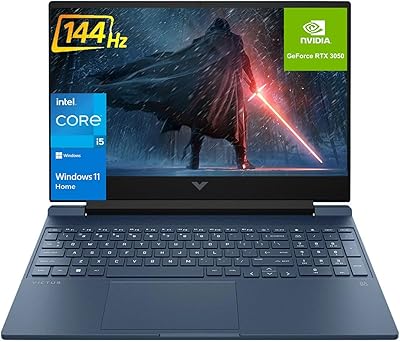
HP Victus 15.6″ RTX 3050 Gaming Laptop
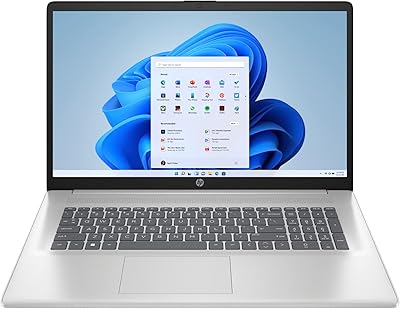
71%
67%
Gaming Performance
83%
Display Quality
88%
RAM & Multitasking
86%
Storage Speed & Capacity
58%
Thermal Management
More
HP Pavilion 15.6″ Laptop, AMD Ryzen 5 5500U, 16GB RAM, 512GB SSD
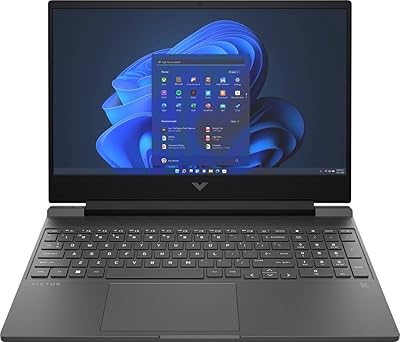
83%
87%
Overall Performance
91%
Display Quality
89%
Multitasking Efficiency
78%
Battery Life
85%
Build Quality
More
HP Victus 15.6″ Gaming Laptop - Intel Core i5-12450H, 8GB RAM, 512GB SSD, GTX 1650
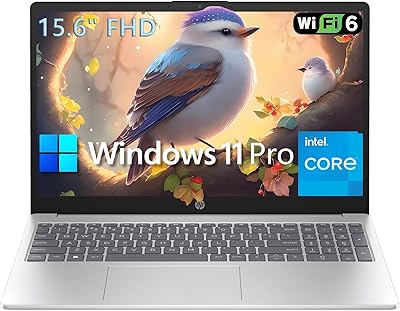
79%
88%
Value for Money
80%
Gaming Performance
85%
Build Quality
65%
Display Quality
72%
Battery Life
More
HP Victus 15 32GB 1TB Gaming Laptop
70%
63%
Gaming Performance
81%
Display Quality
89%
RAM & Memory
86%
Storage Performance
78%
CPU Performance
More
HP 15 Intel N100 16GB/256GB
77%
88%
Value for Money
83%
Everyday Performance
91%
RAM & Multitasking
67%
Display Quality
72%
Build Quality & Portability
More
HP Laptop 15-fc0099nr
71%
83%
Value for Money
71%
Performance
88%
Battery Life
61%
Display Quality
84%
Touchscreen Responsiveness
More
HP 15-DY1031WM 256GB 15.6″ Refurbished Laptop

67%
83%
Value for Money
88%
SSD Performance
74%
Everyday Performance
41%
Battery Life
53%
Display Quality
More
HP 15.6-inch Laptop 15-ef0021nr, Ryzen 3 3200U, 8GB RAM, 256GB SSD

82%
92%
Value for Money
85%
Performance
83%
Build Quality
89%
Portability
81%
Battery Life
More
HP 2020 15 15.6″ HD Touchscreen Laptop, Intel Core i5-1035G1, 16GB RAM, 512GB SSD
82%
89%
Performance
75%
Display Quality
90%
Portability
80%
Battery Life
85%
Build Quality
More
HP 15 G9 16GB 1TB Laptop
71%
88%
Value for Money
54%
Performance
83%
RAM & Multitasking
86%
Storage
74%
Display Quality
More

FAQ

The GTX 1050 can handle a solid range of games, but you need to set realistic expectations. Older and less demanding titles like CS:GO, Minecraft, or League of Legends run well. Newer, more graphically intensive games will require dropping settings to low or medium to get playable frame rates at 1080p, and some recent releases may struggle regardless of settings.

It is noticeable, particularly at boot and when launching games or large applications. Cold boot times can feel sluggish compared to any SSD-equipped machine, and game load screens take longer than most people are used to if they have had prior experience with SSD storage. It is manageable, but it is the single biggest quality-of-life limitation this machine has out of the box.

Yes, and honestly it is one of the best things you can do for this machine if you buy it. Adding a 2.5-inch SATA SSD or an M.2 NVMe drive — depending on which slot is available in your specific unit — will dramatically improve boot times and application responsiveness. It is a relatively straightforward upgrade for anyone comfortable opening a laptop.

Under sustained gaming load, the fan ramps up noticeably and produces a consistent hum that some users find distracting. In quiet environments like a library or bedroom at night it is audible enough to be worth mentioning. A pair of headphones largely negates the issue during gaming sessions, but it is something to be aware of.

It covers most use cases today, but it is tight for anything beyond casual gaming or standard productivity work. If you plan to game while running Discord, a browser, and background apps simultaneously, you may hit the ceiling sooner than expected. The good news is that upgrading to 16GB of DDR4 RAM is typically affordable and straightforward on this platform.

For lighter tasks like browsing, writing, or watching video, you can reasonably expect somewhere in the range of four to six hours depending on screen brightness and background processes. The rated 7.5 hours represents an optimistic best-case scenario. Gaming on battery will drain it much faster and is generally not recommended for performance reasons either.

Like most consumer Windows laptops, it ships with some pre-installed HP software and a handful of third-party trial applications. None of it is harmful, but a fresh Windows setup or a quick uninstall pass is worth doing if you want a cleaner experience from day one.

It holds up well for both. The IPS panel provides decent viewing angles and the anti-glare coating makes it comfortable to use near windows or under office lighting. Colors are not professionally calibrated, but for everyday content consumption, gaming, and document work, it is a solid screen for the price range.

Basic video editing and coding work fine, though anything involving heavy rendering, large project compilation, or 4K video processing will feel slow due to the HDD and the 8GB RAM ceiling. For light development work, web projects, or learning-level tasks, it is perfectly adequate. If video production is a primary use case, this machine is not the ideal fit.

It depends entirely on your expectations and budget. The hardware dates from 2018 and the GTX 1050 is two generations behind current entry-level GPUs, so you are not getting cutting-edge performance. For light gaming, student work, and general computing on a tight budget — especially if you can find it at a reduced price — it still does the job. Anyone wanting to play games released in the last two or three years at decent settings should look at more recent options.

Where to Buy