Overview

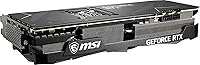
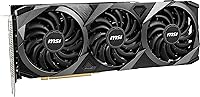
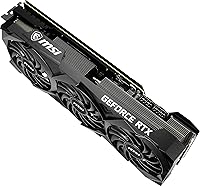
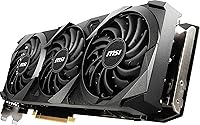
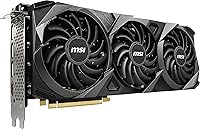
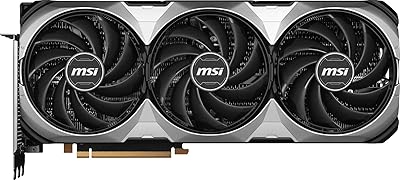
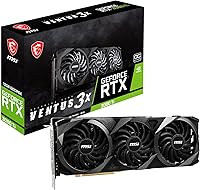
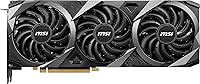
The MSI RTX 3080 Ti Ventus 3X GPU sits in an interesting spot: it carries the same powerful silicon as MSI's premium Gaming X Trio but strips away RGB lighting and luxury cooler aesthetics to bring the price down a notch. The Ventus line has always been MSI's pragmatic, performance-first tier — showmanship is optional here. At 12.7 inches long and occupying three slots, this card demands a large mid-tower or full-tower case; compact builds need not apply. With newer GPU generations now on shelves, buyers should weigh whether near-flagship Ampere performance still justifies the investment for their specific workload.
Features & Benefits

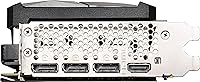
The 12GB GDDR6X frame buffer running across a 320-bit memory bus is the headline spec, and it translates to real staying power at 4K — you are unlikely to hit a VRAM ceiling in demanding modern titles. The Tri-Frozr 2 cooling system's standout trick is Zero Frozr mode: the three fans stop completely at idle, keeping your system near-silent when gaming is not happening. Under load, thermals stay controlled without excessive fan noise. Ampere's second-gen RT cores and DLSS support remain genuinely capable for ray-traced titles, and the four display outputs — including HDMI 2.1 — make multi-monitor or 8K configurations straightforward to wire up.

Best For

This Ventus 3X card makes the most sense for a specific kind of buyer: someone chasing top-tier 4K gaming or heavy GPU-accelerated creative work — video encoding, 3D rendering, AI image generation — without caring whether their GPU glows. It handles high-refresh 1440p with everything maxed just as comfortably. That said, you need the right case, since 12.7 inches is a genuine constraint, and the card pulls hard on the PSU under sustained load — a quality 850W power supply is a realistic minimum, not an upsell. Quiet-system builders will also value the passive idle behavior that keeps the rig silent during everyday desktop use.

User Feedback

Owners of the MSI Ventus 3080 Ti are broadly satisfied, with most citing consistent thermal performance and sturdy build quality as the recurring strengths. Long-term users report stable clocks across extended gaming sessions, which points to a well-tuned power and cooling balance out of the box. The most common criticism is predictable: card length causes fitment headaches in smaller cases, and the power draw is real — going in with a budget PSU is a mistake buyers occasionally learn the hard way. Value perception splits along purchase price lines, and driver stability is rarely flagged as a concern by verified long-term owners.

Pros

  • 12GB of GDDR6X memory keeps the Ventus 3080 Ti relevant for 4K gaming and VRAM-heavy creative workloads.
  • The Tri-Frozr 2 cooling system handles sustained loads without running loud, even during long sessions.
  • Zero Frozr mode stops the fans completely at idle, keeping your system silent during everyday desktop use.
  • Second-gen RT cores and DLSS support deliver a genuinely capable ray tracing experience in supported titles.
  • Four display outputs including HDMI 2.1 make multi-monitor and high-resolution setups straightforward to configure.
  • Build quality is solid throughout, with no reported flex or structural concerns from long-term owners.
  • Factory overclock arrives stable out of the box, no manual tuning required.
  • Driver stability is rarely flagged as a concern by verified owners, which matters for daily-use reliability.
  • NVLink support adds a niche but real option for multi-GPU configurations if your workload benefits from it.
  • Overall thermal performance consistently draws praise from buyers who have owned the card across multiple seasons.

Cons

  • At 12.7 inches, this triple-fan Ampere GPU simply will not fit in small or mid-compact cases.
  • Power draw under sustained load is substantial — budget PSU owners will run into problems quickly.
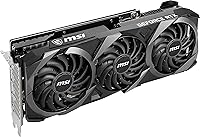
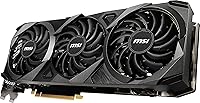
  • The Ventus shroud design is purely functional; buyers wanting a visually striking build will be disappointed.
  • Newer GPU architectures have launched since Ampere, which affects long-term value calculations at this price tier.
  • The factory overclock is modest at best and should not be a deciding factor in the purchase.
  • At nearly 4.4 pounds, the card can stress PCIe slots over time without a GPU support bracket.
  • Value perception divides buyers — those who find discounted stock feel satisfied, while full-price buyers are more conflicted.
  • No software bundle or meaningful MSI utility adds real value on top of the hardware itself.
  • Compact case owners consistently report fitment regret after purchase, making pre-buy case measurements essential.
  • High idle power draw compared to newer-generation cards means slightly elevated electricity costs over time.

Ratings

The scores below for the MSI RTX 3080 Ti Ventus 3X GPU were generated by our AI after analyzing verified owner reviews from multiple global markets, with spam, incentivized submissions, and bot activity actively filtered out. We weighted feedback from long-term owners more heavily than early impressions to reflect real sustained use. Both the card's genuine strengths and its recurring frustrations are reflected transparently in every category.
Gaming Performance
92%
Owners consistently report that this triple-fan Ampere GPU handles 4K gaming at high settings without breaking a sweat, with frame rates staying smooth even in GPU-punishing open-world titles. High-refresh 1440p gaming with everything maxed out is essentially effortless for this card.
A small number of users note that in the most extreme ray-tracing scenarios without DLSS enabled, frame rates can dip more than expected at 4K ultra settings. The performance ceiling, while high, is more visible now that newer GPU generations have launched.
Thermal Management
89%
The Tri-Frozr 2 cooling system earns consistent praise from owners who run the card during long gaming sessions — GPU temperatures stay well within safe limits even after several hours of continuous load. Users specifically appreciate that the card does not throttle under heat pressure.
In poorly ventilated cases or builds with restricted airflow, temperatures creep higher than expected and the fans spin up noticeably. A handful of users running the card in tight mid-tower setups recommend adding case fans to get the best thermal results.
Noise Levels
86%
Zero Frozr mode is a genuine quality-of-life feature — the card sits completely silent during web browsing, video streaming, or any light desktop task, which owners in quiet home office setups particularly appreciate. Under moderate gaming loads, the fan noise is described as a low, unobtrusive hum.
When the card is fully stressed — during GPU render jobs or in thermally demanding titles — fan noise becomes clearly audible, especially in open-air desk setups. It is not aggressive, but users expecting near-silence during heavy workloads will notice it.
Build Quality
88%
The card feels dense and well-constructed, with a sturdy backplate and a cooler shroud that shows no flex when handled. Long-term owners report no degradation in build integrity after extended use, which builds confidence for buyers planning a multi-year ownership cycle.
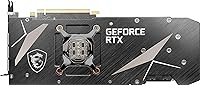
The Ventus shroud aesthetic is purely utilitarian — the plastic and finish quality, while solid, feel noticeably less premium compared to MSI's own Gaming X Trio. Buyers who leave their side panel off will find it visually underwhelming next to more elaborate cooler designs.
Cooling Efficiency
87%
The three-fan array distributes heat effectively across the heatsink, keeping junction and VRAM temperatures in a range that most owners consider healthy for long-term component longevity. The card rarely hits thermal limits even under GPU-intensive rendering workloads.
Compared to premium cooler designs like the Gaming X Trio, the Ventus solution runs a few degrees warmer under equivalent sustained loads. It is a minor gap, but enthusiasts who push manual overclocks will find the thermal headroom tighter than on MSI's flagship cooler variants.
4K Gaming Capability
91%
The 12GB GDDR6X frame buffer means the card handles high-resolution texture packs and VRAM-hungry games at 4K without hitting memory limits that plague smaller-buffer competitors. Owners report smooth gameplay across modern AAA titles at ultra settings with DLSS providing extra headroom.
In the most texture-heavy modded games or professional visualization workloads, some users report that 12GB, while generous, is becoming a tighter fit than it was at launch. Future-proofing at 4K ultra is strong but not indefinite as games grow more demanding.
Ray Tracing Performance
79%
21%
Second-gen RT cores deliver a meaningful step up in ray-tracing capability over the prior Turing generation, and owners running titles like Cyberpunk 2077 or Control with RT enabled find DLSS Quality mode keeps the experience playable and visually impressive.
With ray tracing fully enabled at 4K and DLSS off, frame rates drop sharply enough that most users end up relying on DLSS to make RT viable. Compared to current-generation GPU architectures, Ampere's raw RT throughput is showing its age in the most demanding RT titles.
DLSS Quality
88%
Owners who game in DLSS Quality mode consistently report that the upscaled image is difficult to distinguish from native rendering in motion, which effectively extends the card's performance ceiling considerably. Creative users also benefit from Tensor core acceleration in AI-powered tools.
DLSS is a software-dependent feature, so its benefit varies significantly by game support. Owners playing titles without DLSS integration see no uplift, and a subset of users find DLSS Performance mode introduces enough visual softness to prefer native rendering at lower settings instead.
Value for Money
67%
33%
Buyers who purchased this Ventus 3X card at a discount relative to the Gaming X Trio generally feel satisfied with the trade-off — same GPU, lower cost, simpler cooler. For buyers prioritizing raw performance per dollar over aesthetics, the value calculation works in their favor.
At or near launch pricing, the value proposition is genuinely debated in verified owner reviews. With newer-generation GPUs now available at comparable price points offering better efficiency and updated feature sets, the RTX 3080 Ti tier faces real pressure from above and below.
Power Efficiency
58%
42%
Under controlled workloads the card delivers competitive performance for its power envelope, and owners running it in well-matched systems with quality PSUs report stable sustained performance without throttling or power-limit-related issues.
This is one of the most power-hungry consumer GPUs in the Ampere lineup, and owners consistently flag that electricity costs are noticeably higher compared to more recent architectures. Several users regret not budgeting for a larger PSU upfront, as the card pushes budget units to their limits under gaming loads.
Case Compatibility
61%
39%
In full-tower and generously sized mid-tower cases, the card installs cleanly with no clearance issues, and owners building in spacious enclosures report a straightforward, no-compromise installation experience.
At 12.7 inches, fitment complaints are the single most recurring practical issue in user reviews. Buyers who did not verify their case's maximum GPU length before purchasing report significant frustration, and the triple-slot width eliminates the PCIe slots directly below it in most motherboards.
Driver Stability
84%
Long-term owners rarely flag NVIDIA driver stability as a concern, with most describing their experience as trouble-free across many months of daily use. The RTX 30-series platform is mature enough that driver-related issues are uncommon for typical gaming and creative workloads.
A small number of users report occasional driver timeout issues in specific game titles, though these are generally resolved through driver updates rather than being card-specific problems. Edge-case workloads combining gaming and GPU compute simultaneously are more likely to surface instability.
Creator Workload Performance
86%
Video editors and 3D artists consistently praise the card for GPU-accelerated rendering and encoding tasks, where the 12GB GDDR6X buffer and Ampere compute architecture translate to noticeably faster export times compared to mid-range alternatives.
For highly professional compute workflows involving very large datasets or multi-GPU tensor operations, the Ventus cooler and power delivery design show more strain than on premium variants. Some creators running 24-hour render farms report the card runs warmer than ideal under unrelenting sustained loads.
Aesthetics & Design
53%
47%
The clean, no-nonsense shroud design suits builders who prefer an understated look or run their system in a closed case where the GPU is never visible. The absence of RGB means there is nothing to configure or maintain on the lighting side.
For enthusiasts building showcase PCs with tempered glass panels, the Ventus design is one of the least visually interesting options in the RTX 3080 Ti segment. There is no RGB, no premium shroud material, and the overall aesthetic reads as functional rather than anything worth showing off.
Long-Term Reliability
83%
Verified owners who have used the card for a year or more report consistent performance with no degradation in clock stability or thermal behavior, suggesting the hardware holds up well through extended ownership cycles.
The card's significant weight raises occasional concern about PCIe slot stress over multi-year use without a support bracket, and a small number of long-term users report that fan bearing noise increases slightly after heavy accumulated runtime hours.

Suitable for:

The MSI RTX 3080 Ti Ventus 3X GPU is built for serious enthusiasts who want near-top-tier Ampere performance without paying a premium for aesthetics they will never see inside a closed case. It is an excellent fit for dedicated 4K gamers who run demanding titles at maximum settings and want a card with enough VRAM headroom to stay relevant for several more years. Content creators who depend on GPU acceleration for video rendering, 3D work, or AI-assisted tools will also find the 12GB frame buffer and Ampere compute pipeline genuinely useful day to day. Multi-monitor power users benefit from the flexible output configuration, which covers both high-refresh DisplayPort setups and modern HDMI 2.1 displays in one card. Anyone building inside a full-tower or large mid-tower with a robust power supply will find this triple-fan Ampere GPU slots in without compromise.
Not suitable for:

The MSI RTX 3080 Ti Ventus 3X GPU is a poor match for builders working with compact or mini-ITX cases, since the card stretches 12.7 inches and occupies three slots with no exceptions. Anyone running a power supply below 850 watts should hold off — this card pulls hard under sustained gaming or rendering loads, and an underpowered PSU is a real reliability risk, not just a spec mismatch. Buyers primarily gaming at 1080p will not come close to justifying what this card costs; a mid-range GPU would serve that resolution just as well for far less money. Shoppers chasing the absolute latest architecture should also look elsewhere, since newer GPU generations have since launched and may offer better performance-per-watt at comparable price points. If RGB lighting or a visually striking cooler shroud matters to you, the Ventus line deliberately skips all of that.
Specifications

  • GPU Chip: Powered by the NVIDIA GeForce RTX 3080 Ti, built on the Ampere architecture with second-gen RT cores and third-gen Tensor cores.
  • Video Memory: 12GB of GDDR6X memory provides substantial frame buffer capacity for 4K gaming and GPU-accelerated creative workloads.
  • Memory Interface: A 320-bit memory bus allows for high bandwidth data throughput, reducing bottlenecks when handling large textures or high-resolution assets.
  • Memory Speed: Memory operates at 19 Gbps, enabling fast data transfer between the GPU and its frame buffer under demanding conditions.
  • Cooling System: The Tri-Frozr 2 triple-fan cooler includes Zero Frozr technology, which stops all fans completely during light or idle workloads for silent operation.
  • Display Outputs: The card provides three DisplayPort 1.4a ports and one HDMI 2.1 port, supporting up to four simultaneous displays or an 8K single-display configuration.
  • Max Resolution: Officially supports output up to 7680x4320 (8K) when connected to a compatible display via the HDMI 2.1 port.
  • Card Length: The card measures 12.7 inches (approximately 323mm) in length, requiring a mid-tower or full-tower case with adequate GPU clearance.
  • Slot Width: Occupies 2.2 inches in width, making it a triple-slot card that will block the two PCIe slots directly beneath it in most motherboards.
  • Card Weight: Weighs approximately 4.39 pounds (roughly 2kg), which places meaningful stress on the PCIe slot and may benefit from a GPU support bracket.
  • Factory Overclock: Ships with a modest factory overclock applied out of the box, offering a small boost clock uplift over NVIDIA reference specifications without manual tuning.
  • NVLink Support: NVLink is supported, allowing two compatible RTX 30-series cards to be linked for specific workloads that benefit from combined GPU resources.
  • Architecture: Built on the NVIDIA Ampere architecture, which introduced significant improvements to ray tracing efficiency and AI-driven upscaling compared to the prior Turing generation.
  • Power Connector: Requires dual 8-pin PCIe power connectors, and MSI recommends a minimum 750W power supply, though real-world sustained loads push closer to an 850W practical minimum.
  • API Support: Supports DirectX 12 Ultimate, OpenGL 4.6, and Vulkan, covering the full range of modern game engines and professional rendering APIs.
  • Brand Line: Part of MSI's Ventus series, which focuses on clean aesthetics and reliable cooling performance without RGB lighting or premium shroud materials.
  • Item Model: Official model designation is GeForce RTX 3080 Ti VENTUS 3X 12G OC, as listed by MSI for warranty and support reference.

Related Reviews
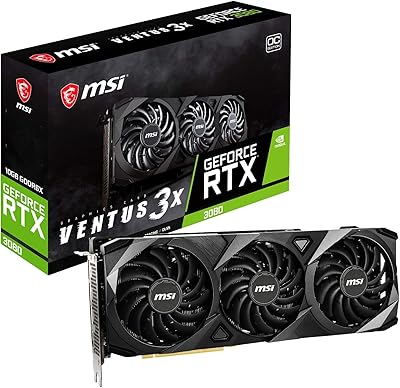
MSI RTX 3080 VENTUS 3X Graphics Card
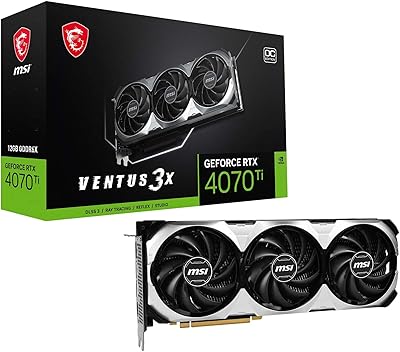
82%
91%
Gaming Performance
87%
Thermal Management
78%
Noise Levels
69%
VRAM Capacity
88%
Build Quality
More
MSI GeForce RTX 4070 Ti VENTUS 3X 12G OC
85%
94%
Gaming Performance
91%
4K Gaming Experience
88%
Cooling Efficiency
85%
Noise Levels Under Load
92%
Ray Tracing & AI Capabilities
More
MSI GeForce RTX 3070 Ti Ventus 3X 8G OC
88%
94%
Performance for 4K Gaming
91%
Cooling Efficiency
89%
Noise Levels
85%
Ease of Installation
88%
Build Quality
More
MSI RTX 4060 Ti Ventus 3X GPU
80%
83%
Gaming Performance
61%
VRAM Adequacy
86%
Thermal Management
84%
Noise Level
67%
Value for Money
More
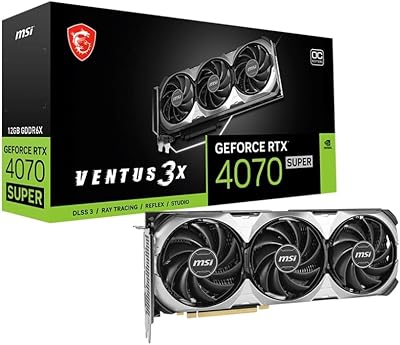
MSI GeForce RTX 4070 Super 12GB Ventus 3X OC
87%
94%
Gaming Performance
91%
Cooling Efficiency
89%
Thermal Performance
86%
Value for Money
90%
Noise Levels
More
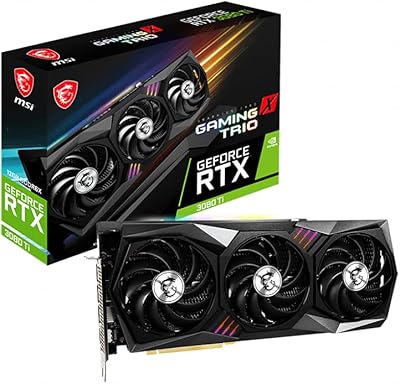
MSI GeForce RTX 3080 Ti Gaming X Trio 12G
86%
94%
Cooling Performance
92%
4K Gaming Performance
88%
Build Quality
91%
Noise Levels Under Load
85%
Installation and Setup
More
MSI GeForce RTX 4070 Ti Super 16GB Ventus 2X
89%
96%
Gaming Performance
94%
Rendering & Content Creation
91%
Thermals & Cooling
88%
Build Quality
85%
Power Efficiency
More
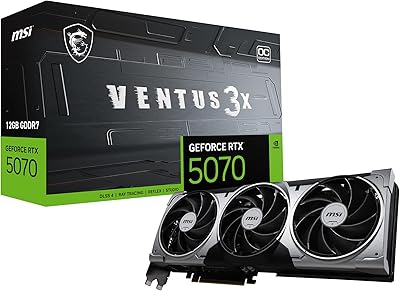
MSI RTX 5070 Ventus 3X OC 12GB
82%
88%
Gaming Performance
86%
Thermal Management
83%
Noise Levels
84%
Build Quality
79%
Value for Money
More
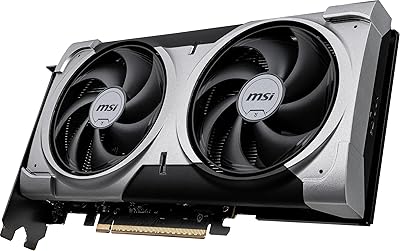
MSI GeForce RTX 4080 SUPER 16GB VENTUS 3X OC Graphics Card
84%
96%
Gaming Performance
91%
Cooling Efficiency
65%
Power Consumption
89%
Build Quality
94%
4K/8K Gaming Compatibility
More
MSI GeForce RTX 5060 Ti 16G VENTUS 2X OC Plus Graphics Card
87%
92%
Gaming Performance
89%
Cooling Efficiency
87%
Build Quality
91%
Compatibility with Modern Systems
88%
Price-to-Performance Ratio
More

FAQ

MSI lists 750W as the official minimum, but in practice that leaves very little headroom when the rest of your system is factored in. If your CPU is a modern high-performance chip, plan for an 850W power supply at minimum, and a quality 1000W unit if you want comfortable headroom for overclocking or future upgrades.

It depends on the specific case. The card is 12.7 inches long and takes up three slots, so you need to check your case's maximum GPU length specification before ordering. Most full-size ATX mid-towers handle it fine, but some mid-tower cases with drive cages near the front will be too tight. Measure first.

It depends on what you can get it for. If you find one at a meaningfully reduced price compared to current-generation alternatives, the 12GB GDDR6X frame buffer and raw Ampere performance still hold up well for 4K gaming and GPU compute tasks. At or near original launch pricing, newer options are likely more competitive on performance-per-watt.

Under sustained load the Tri-Frozr 2 cooling system runs audibly but not aggressively — most users describe it as a steady hum rather than a whine. The bigger surprise for many buyers is how quiet it is at idle thanks to Zero Frozr, which cuts the fans entirely when thermals allow. In a well-ventilated case, noise is generally not a complaint.

Yes, it is genuinely capable at 4K. In most demanding AAA titles you can expect strong performance at high or ultra settings. With DLSS enabled in supported games, frame rates climb further without a meaningful hit to visual quality. It is one of the stronger Ampere cards for 4K use specifically.

Both cards run the same RTX 3080 Ti chip, so GPU performance is essentially equivalent at stock. The Gaming X Trio has a more elaborate cooling solution, higher factory clock speeds, RGB lighting, and a premium shroud design. The Ventus line trades those extras for a lower price point and a cleaner, no-frills look. For most buyers the performance gap in real gaming is small.

Absolutely, and it is one of the stronger reasons to consider this card beyond gaming. The 12GB GDDR6X buffer handles large project files and high-resolution renders without running out of VRAM, and Ampere's Tensor cores accelerate AI-powered features in apps like DaVinci Resolve and Blender. For GPU-accelerated creative workflows, it performs very well.

Installation is straightforward: seat the card in your PCIe x16 slot, connect the two 8-pin power cables, and install the latest NVIDIA drivers from NVIDIA's website. MSI's own software is optional. The factory overclock is applied by default, so there is nothing extra to configure unless you want to push it further manually.

At 4.39 pounds it is a real concern over time. Without support, the weight can stress the PCIe slot and cause visible sag inside the case. A GPU support bracket is a practical addition and an inexpensive one. Some cases include a built-in bracket; if yours does not, third-party options are widely available and worth the small added cost.

No. The Ventus line is MSI's pragmatic, aesthetics-light tier, and RGB lighting is not part of the design. The shroud is clean and understated, which suits builds where the GPU is not visible through a side panel window, but if a light-up card matters to you, you would need to look at MSI's Gaming X Trio or SUPRIM variants instead.

Where to Buy