Overview

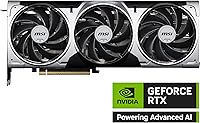
The MSI RTX 5070 Ventus 3X OC 12GB is MSI's straightforward, no-nonsense entry into the RTX 5070 lineup — the card you choose when you want Blackwell architecture without paying premium-tier prices for RGB lighting and extra cooling headroom you may never use. This Ventus 3X card sits a step below MSI's Gaming X Trio in the product hierarchy, but that gap is smaller than you might expect. It launched in February 2025 and has already earned over 115 ratings averaging 4.5 stars, a healthy early signal. DLSS 4 and Multi Frame Generation come standard with every Blackwell GPU, and those two features alone make the generational jump genuinely compelling for most buyers.
Features & Benefits

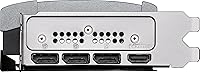
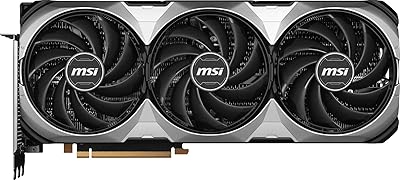
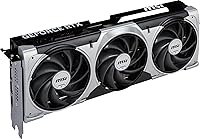
The cooling setup on this mid-range Blackwell card is genuinely well-considered. MSI's TORX Fan 5.0 system links fan blades with ring arcs to keep airflow stable under heavy sustained load — a real improvement over conventional blade designs at this price tier. Below the fans, a nickel-plated copper baseplate pulls heat away from both the GPU die and the GDDR7 memory, with square core heat pipes increasing contact surface area compared to traditional round pipes. A vented metal backplate adds structural rigidity and helps exhaust trapped heat. On connectivity, you get three DisplayPort 2.1a outputs and one HDMI 2.1b port, capable of driving up to 8K displays or multiple high-refresh monitors at once.

Best For

MSI's Ventus triple-fan GPU makes the most sense for 1440p high-refresh gamers who want strong AI-upscaling without needing to max every setting at 4K. It is also a practical pick for video editors and 3D artists — 12GB of fast GDDR7 provides breathing room for larger assets, and NVIDIA's NVENC encoder remains excellent for export speed. Case builders will appreciate that the Ventus cooler adds no unnecessary bulk compared to MSI's halo-tier designs. If your build has no room for RGB, this card's clean shroud won't clash with anything. Upgraders from RTX 30-series cards will notice a clear jump in both power efficiency and AI-assisted feature support.

User Feedback

Early buyers have responded positively to this mid-range Blackwell card — a top-100 best-seller rank in graphics cards alongside 115-plus reviews suggests it is landing with the right audience. Common praise centers on quiet operation under gaming loads and straightforward installation out of the box. On the downside, a handful of users have flagged driver instability, though that is a recurring pattern with any brand-new GPU generation and typically improves with subsequent driver updates. The comparison to the RTX 4070 Super comes up often; buyers weighing generational value should factor in the DLSS 4 advantages carefully. One consistent split in opinion: the absence of RGB is a win for minimalists and a drawback for those building a fully lit rig.

Pros

  • DLSS 4 with Multi Frame Generation delivers frame rate headroom that no last-gen card can replicate at 1440p.
  • The TORX Fan 5.0 cooling system keeps temperatures genuinely controlled during long gaming sessions.
  • 12GB of GDDR7 memory handles demanding textures and moderate creative workloads without constant bottlenecking.
  • NVENC encoder on Blackwell produces fast, high-quality video exports for content creators on a budget.
  • Three DisplayPort 2.1a outputs future-proof the card for high-refresh and multi-monitor setups for years ahead.
  • Clean, RGB-free shroud fits understated builds without clashing with a minimal aesthetic.
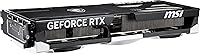
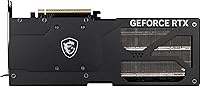
  • Metal backplate adds structural rigidity and helps manage heat on the PCB rear during heavy loads.
  • Upgraders from RTX 30-series cards will notice a clear improvement in both performance and power efficiency.
  • Strong early buyer reception — over 115 ratings averaging 4.5 stars suggests consistent real-world satisfaction.
  • Sits below MSI's premium models in price while sharing the same Blackwell GPU core and feature set.

Cons

  • Driver instability at launch is a real concern; early adopters in mixed game libraries reported occasional crashes.
  • The 192-bit bus width starts to show limits in native 4K workloads without relying on upscaling.
  • No RGB lighting at all — a meaningful drawback for anyone building a themed or illuminated rig.
  • DLSS 4 benefits are limited to supported titles, which covered a narrower game list than expected at launch.
  • Buyers with older 650W power supplies may face instability under peak GPU load.
  • The plastic shroud finish feels utilitarian compared to rivals at a comparable price point.
  • Card length requires clearance verification in compact mid-tower cases before purchase.
  • Professional AI and large local model workloads will hit the 12GB VRAM ceiling faster than expected.
  • Availability at launch was inconsistent, making it difficult to purchase at the recommended retail price.
  • Buyers prioritizing pure rasterization performance over AI features may find the generational price jump harder to justify.

Ratings

The MSI RTX 5070 Ventus 3X OC 12GB scores below are generated by AI after analyzing verified buyer reviews from global markets, with spam, bot-submitted, and incentivized feedback actively filtered out. This mid-range Blackwell card enters a competitive space, and the scores reflect both where it genuinely excels and where real buyers have run into friction. Strengths and pain points are weighted equally — nothing is glossed over.
Gaming Performance
88%
Users report strong frame rates at 1440p across demanding titles, with DLSS 4 and Multi Frame Generation adding meaningful headroom that older-generation cards simply cannot match. For high-refresh-rate gaming, the real-world experience at this tier is considered a genuine step up from the previous generation.
At native 4K without upscaling, a handful of users feel the 192-bit memory bus starts to show its limits in the most demanding open-world titles. Buyers expecting flagship-level rasterization at maximum settings across every game may come away slightly underwhelmed.
Thermal Management
86%
The TORX Fan 5.0 triple-fan setup keeps temperatures well controlled during extended gaming sessions, and users consistently note the card runs cooler than expected for its performance tier. The nickel-plated copper baseplate and square core heat pipes appear to make a measurable difference under sustained GPU load.
Under prolonged stress testing or in poorly ventilated cases, temperatures climb faster than on MSI's higher-end Ventus variants with larger heatsink mass. Builders with tight airflow configurations should account for this before assuming passive case ventilation will suffice.
Noise Levels
83%
Quiet operation under typical gaming loads is one of the most consistently praised aspects across buyer reviews. At moderate workloads, many users report the fans are nearly inaudible from a normal seating distance, which is a genuine quality-of-life benefit during long sessions.
When the GPU is pushed hard — particularly in GPU-limited 4K scenarios or extended rendering tasks — fan noise becomes noticeably present. It is not disruptive, but buyers expecting near-silence under all conditions may be surprised during heavy compute workloads.
Build Quality
84%
The metal backplate adds real structural integrity, and the card feels solid and well-assembled out of the box. Several buyers mention easy handling during installation, with nothing flexing or feeling cheap despite this being MSI's entry-level RTX 5070 model.
The shroud material is hard plastic with no premium texture treatment, which feels a step behind rivals at a similar price point. A few users noted the card feels slightly utilitarian compared to MSI's own Gaming X Trio, though functionality is unaffected.
Value for Money
79%
21%
Relative to the full RTX 5070 product stack, this Ventus card offers the most accessible entry into the Blackwell generation without paying for cooling or aesthetic features most buyers will not use. For upgraders from RTX 30-series cards, the generational performance and efficiency gains are tangible enough to justify the spend.
The comparison to the RTX 4070 Super is unavoidable — at launch pricing, some buyers feel the price gap requires careful scrutiny given that DLSS 4 benefits depend heavily on game support. Buyers not invested in NVIDIA's AI upscaling ecosystem may find the value proposition less clear-cut.
VRAM & Memory Bandwidth
81%
19%
12GB of GDDR7 on a 192-bit bus delivers meaningfully higher bandwidth than last-generation cards in this tier, which users in video editing and 3D work report noticing during large asset handling and viewport rendering. For 1440p gaming, the VRAM headroom feels comfortable even in texture-heavy titles.
The 192-bit bus width is a point of contention for buyers eyeing future-proofing at 4K, where bandwidth demands are expected to grow. Some power users doing heavy AI workloads or running large language models locally note this configuration is tighter than they would prefer.
Driver Stability
63%
37%
Most buyers report stable everyday gaming performance after the first few driver updates post-launch, and NVIDIA has a strong track record of resolving new-generation teething issues within a few months. For users on mainstream titles, day-to-day stability is generally acceptable.
Early adopter reviews flag driver-related crashes and occasional instability that is typical of any new GPU architecture at launch. Buyers who need a rock-solid production environment from day one should factor in that driver maturity on Blackwell was still catching up at the time of most early reviews.
Display Output Flexibility
91%
Three DisplayPort 2.1a ports and one HDMI 2.1b port is a genuinely future-proof output configuration. Users with multi-monitor setups or high-refresh 4K displays report no compatibility issues, and the support for 8K output is a meaningful spec for buyers planning long hardware lifecycles.
There is no USB-C or Thunderbolt output, which limits pairing with certain ultra-wide monitors or portable displays that rely on USB-C video input. This is a minor gap but worth knowing if your display setup depends on that connector type.
Installation & Compatibility
89%
Buyers across skill levels describe installation as smooth, with the card fitting standard ATX and mid-tower cases without clearance drama. At roughly three pounds and 15.2 inches in length, it is large but not the kind of card that requires case modification for most builds.
The card's length does require verification against smaller mid-tower cases, and a few buyers in compact builds found clearance tighter than anticipated. Power connector placement and cable routing can be awkward depending on the case layout, which is worth checking before purchase.
Aesthetics & Design
71%
29%
For buyers who actively avoid RGB lighting, the clean matte shroud is a genuine selling point — it fits understated, all-black builds without any visual noise. The metal backplate adds a finished look to the rear of the card that budget alternatives often skip.
There is no RGB whatsoever, which is a real drawback for buyers building lit rigs. The shroud design is functional but visually plain compared to competitors at a similar price, and some buyers feel the overall look is more workstation than gaming-focused.
AI Upscaling & DLSS 4
87%
DLSS 4 with Multi Frame Generation is the headline generational upgrade, and users in supported titles report the frame rate headroom it unlocks is substantial. For 1440p gamers in particular, the combination of native rendering and AI-assisted frames offers a competitive experience that last-gen cards cannot replicate.
The benefits are strictly limited to titles with DLSS 4 support, which at launch covered a narrower game library than buyers anticipated. Users who primarily play older titles or games without NVIDIA upscaling support will see little practical difference from this feature in their day-to-day library.
Power Efficiency
82%
18%
Users upgrading from RTX 30-series cards frequently note the improved performance-per-watt, with the Blackwell architecture delivering more output for comparable or lower power draw in everyday gaming. This translates to slightly lower electricity costs over time and reduced heat output in smaller cases.
At full boost, the card still demands a robust PSU — buyers with older 650W units may encounter instability under peak load. Power delivery headroom should be confirmed before purchase, particularly for systems that were not recently upgraded alongside the GPU.
Creator & Workstation Utility
77%
23%
NVENC on Blackwell remains one of the best hardware encoders available, and video editors report fast export times with good quality retention at high bitrates. The VRAM capacity handles moderately complex 3D scenes and multi-layer video projects without constant cache swapping.
For serious AI-assisted creative workloads or running large local models, the VRAM ceiling becomes a real constraint faster than users expect. Buyers whose workflow sits at the professional end of content creation may find this card adequate for now but limiting within a two-to-three year horizon.

Suitable for:

The MSI RTX 5070 Ventus 3X OC 12GB is the right call for 1440p gamers who want to push high refresh rates without paying flagship prices, especially those invested in NVIDIA's ecosystem where DLSS 4 and Multi Frame Generation can meaningfully extend the card's effective performance. Upgraders coming from RTX 30-series GPUs will notice the generational gap most sharply — better efficiency, faster GDDR7 memory, and AI upscaling features that older cards simply cannot access. Video editors and 3D artists working on moderate-complexity projects will appreciate the 12GB of fast memory and NVENC encoder performance for quicker exports without breaking the budget on a workstation-tier card. Builders prioritizing a clean, RGB-free aesthetic in mid-tower or compact ATX cases will find the Ventus cooler fits the bill without the bulk of MSI's premium models. If your priority is getting into the Blackwell generation at the most sensible entry point, this card makes a compelling case.
Not suitable for:

The MSI RTX 5070 Ventus 3X OC 12GB is not the right fit for buyers who need a plug-in-and-forget experience on day one — as with any first-wave GPU release, driver maturity was still catching up at launch, and early adopters in demanding or mixed-title libraries reported occasional instability. Hardcore 4K native gamers who refuse to lean on upscaling will bump into the constraints of the 192-bit memory bus sooner than they might expect, particularly in bandwidth-hungry open-world titles. Anyone building a fully illuminated RGB rig will find the plain Ventus shroud an awkward fit, since there is no lighting whatsoever to sync with a themed setup. Professional creators running large AI models locally, handling very high-resolution video projects, or working in GPU-accelerated applications that scale aggressively with VRAM will find 12GB a tighter ceiling than they would prefer within a two-to-three year window. Finally, buyers comparing this card purely on rasterization performance against last-generation options at lower price points should do that math carefully before committing.
Specifications

  • GPU Core: Powered by the NVIDIA GeForce RTX 5070 built on the Blackwell architecture, representing NVIDIA's latest generation of consumer graphics silicon.
  • VRAM: Equipped with 12GB of GDDR7 memory, offering significantly higher bandwidth compared to GDDR6X found in previous-generation cards at this tier.
  • Memory Bus: The 192-bit memory interface balances bandwidth and die cost, making it well-suited for 1440p workloads and upscaled 4K gaming.
  • Boost Clock: Factory overclocked to 2557 MHz boost, which is marginally above NVIDIA's reference specification for the RTX 5070.
  • Cooling System: Uses MSI's TORX Fan 5.0 triple-fan cooler, where interlocked fan blade rings work together to maintain stable, high-pressure airflow across the heatsink.
  • Baseplate: A nickel-plated copper baseplate sits directly beneath the GPU die and GDDR7 memory modules to capture and transfer heat rapidly.
  • Heat Pipes: Square-profile core heat pipes maximize surface contact with the baseplate, improving thermal transfer efficiency over conventional round heat pipe designs.
  • Backplate: A full-coverage metal backplate reinforces the PCB against sag and flex, with integrated ventilation cutouts to reduce trapped heat buildup.
  • Display Outputs: Provides three DisplayPort 2.1a ports and one HDMI 2.1b port, supporting up to four simultaneous displays including 8K and high-refresh-rate configurations.
  • Max Resolution: Supports output resolutions up to 7680x4320 (8K) across compatible DisplayPort 2.1a connections.
  • AI Upscaling: Supports DLSS 4 with Multi Frame Generation, NVIDIA's latest AI-driven upscaling and frame synthesis technology exclusive to Blackwell-generation hardware.
  • Card Dimensions: Measures approximately 15.2 inches in length and 8.5 inches in height, requiring clearance verification in compact and mid-tower cases before installation.
  • Card Weight: Weighs approximately 3 pounds, which is within the normal range for a triple-fan card and unlikely to cause slot stress in most standard motherboards.
  • RGB Lighting: The Ventus 3X carries no RGB lighting whatsoever, featuring a purely functional matte shroud design intended for understated builds.
  • Power Connector: Requires a standard 16-pin (12VHPWR) power connector, consistent with all current RTX 50-series cards; a minimum 700W PSU is broadly recommended.
  • Slot Width: Occupies a 2.5-slot footprint on the motherboard, leaving partial clearance for adjacent PCIe slots depending on the motherboard layout.
  • API Support: Supports DirectX 12 Ultimate, Vulkan, and OpenGL 4.6, ensuring broad compatibility across modern games and professional applications.
  • Video Encode: Includes NVIDIA's latest NVENC encoder hardware, which supports AV1, H.265, and H.264 encoding for fast, high-quality video export in creative applications.
  • Launch Date: First made available in February 2025 as part of NVIDIA's initial wave of Blackwell consumer GPU releases.
  • Series: Part of MSI's Ventus 3X OC lineup, which sits below the Gaming X Trio and Twin Frozr tiers in MSI's RTX 5070 product stack.

Related Reviews

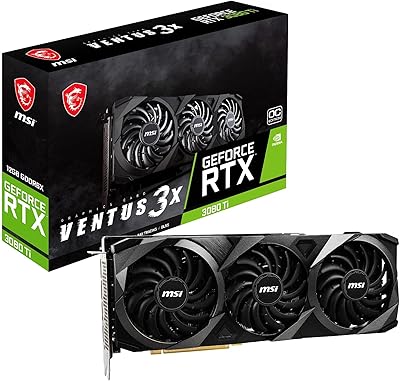
MSI GeForce RTX 3080 Ti VENTUS 3X 12GB OC
86%
96%
Gaming Performance
89%
Cooling Efficiency
94%
4K Gaming Support
88%
Build Quality
82%
Value for Money
More
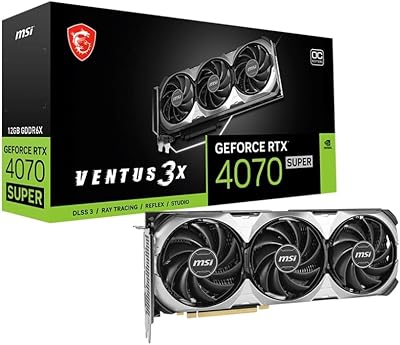
MSI GeForce RTX 4070 Super 12GB Ventus 3X OC
87%
94%
Gaming Performance
91%
Cooling Efficiency
89%
Thermal Performance
86%
Value for Money
90%
Noise Levels
More
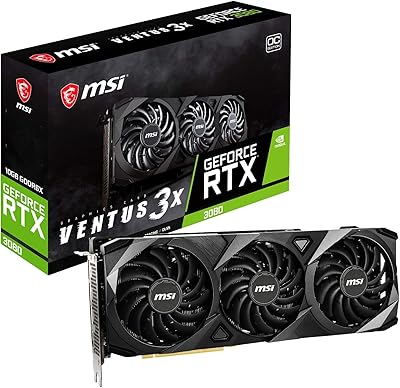
MSI GeForce RTX 3080 10GB VENTUS 3X OC
87%
92%
Performance in Gaming
89%
Cooling Efficiency
94%
4K Gaming Experience
88%
Build Quality
85%
Ease of Installation
More
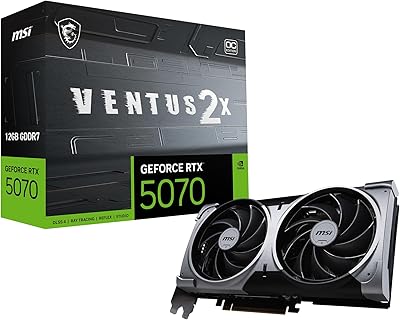
MSI GeForce RTX 5070 12G Ventus 2X OC
87%
94%
Gaming Performance (4K/8K)
91%
Cooling Efficiency
88%
Build Quality
85%
Setup/Installation Ease
92%
Value for Money
More
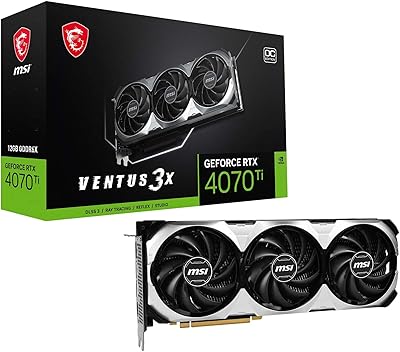
MSI GeForce RTX 4070 Ti VENTUS 3X 12G OC
85%
94%
Gaming Performance
91%
4K Gaming Experience
88%
Cooling Efficiency
85%
Noise Levels Under Load
92%
Ray Tracing & AI Capabilities
More
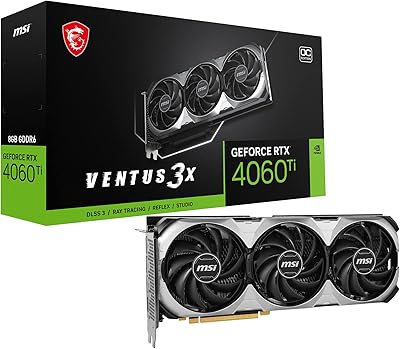
MSI GeForce RTX 4060 Ti VENTUS 3X 8G OC
88%
92%
Gaming Performance
90%
Cooling Efficiency
88%
Value for Money
89%
Noise Levels
85%
Build Quality
More
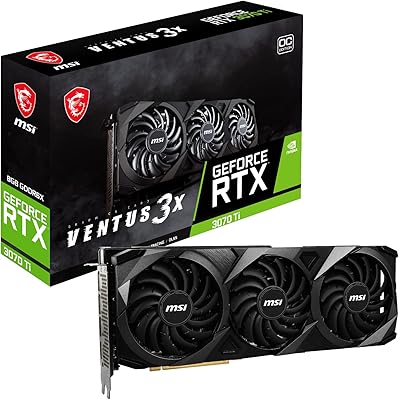
MSI GeForce RTX 3070 Ti Ventus 3X 8G OC
88%
94%
Performance for 4K Gaming
91%
Cooling Efficiency
89%
Noise Levels
85%
Ease of Installation
88%
Build Quality
More
MSI GeForce RTX 4080 SUPER 16GB VENTUS 3X OC Graphics Card
84%
96%
Gaming Performance
91%
Cooling Efficiency
65%
Power Consumption
89%
Build Quality
94%
4K/8K Gaming Compatibility
More
MSI GeForce RTX 3060 Ventus 2X 8GB OC
84%
89%
Performance at 1080p
75%
Gaming Performance at 1440p
92%
Cooling System (Noise & Effectiveness)
94%
Value for Money
85%
Installation & Setup
More
MSI GeForce RTX 4070 Ventus 2X 12G OC
86%
91%
Gaming Performance at 1440p
89%
Gaming Performance at 4K
94%
Cooling Efficiency
85%
Noise Levels
92%
Value for Money
More

FAQ

A 700W power supply is the practical minimum most builders recommend for this card paired with a modern mid-range CPU. If your system includes a power-hungry processor or extra drives and peripherals, bumping to 750W or 800W gives you a safer margin and avoids instability under peak load.

It fits the majority of standard mid-tower cases, but you need to verify your case's maximum GPU length clearance against the card's 15.2-inch length before buying. Compact or ITX builds will almost certainly have a problem, and even some mid-towers with front-mounted fans or drive cages can be tight. Always check your case spec sheet first.

If you are currently on a 4070 Super, the raw rasterization gains alone probably do not justify the cost difference. Where the newer card pulls ahead meaningfully is DLSS 4 Multi Frame Generation, better power efficiency, and GDDR7 bandwidth, all of which the 4070 Super cannot access regardless of drivers. If you are on an RTX 30-series card or older, the generational gap is much more convincing.

That depends entirely on your setup. The Ventus cooler has a plain matte shroud with zero lighting, so if your case has addressable RGB strips, fans, and RAM, this card will stand out as the dark component in an otherwise lit build. If that bothers you aesthetically, MSI's Gaming X Trio version of the RTX 5070 includes RGB and a more premium shroud, though it comes at a higher price.

By mid-2025 standards, driver stability on Blackwell has improved substantially from the rocky early launch window. Most users running mainstream game libraries report solid day-to-day stability now. That said, if you are on a very specific title or niche application that relies on cutting-edge GPU features, it is worth checking current driver release notes before assuming everything is fully ironed out.

Yes, the MSI RTX 5070 Ventus 3X OC 12GB handles multi-monitor setups well thanks to its three DisplayPort 2.1a outputs. Each port can independently negotiate its own refresh rate and resolution, so mixing a 144Hz 1440p monitor with a 60Hz secondary display is straightforward and requires no special configuration.
Under moderate gaming loads it is genuinely quiet — most users report barely noticing the fans from a normal seating distance. When the GPU is pushed hard in demanding titles or during rendering workloads, fan noise increases to an audible but not disruptive level. It is noticeably quieter than MSI's older dual-fan designs at comparable thermal loads.

It can run 4K gaming, particularly with DLSS 4 quality or balanced mode handling the upscaling work. At native 4K in the most demanding titles without upscaling, the 192-bit memory bus starts to show some constraint and frame rates drop more than they would on a card with wider bandwidth. Think of it as a very capable 1440p card that can handle 4K comfortably when DLSS is in the picture.

It handles moderate creative workloads quite well. The NVENC AV1 encoder is fast and produces good quality output for YouTube or streaming use, and 12GB of GDDR7 is enough headroom for most video editing timelines and mid-complexity 3D scenes. If your work involves very high-resolution footage, large texture sets, or GPU-accelerated AI tools that scale aggressively with VRAM, you may find 12GB becomes limiting sooner than expected.

Any motherboard with a PCIe x16 slot will work, including older PCIe 4.0 boards. The card is PCIe 5.0 compatible but is also fully backward compatible with PCIe 4.0 and 3.0 slots, with only marginal real-world performance differences between generations in gaming scenarios. No special BIOS settings or motherboard upgrades are required for basic operation.