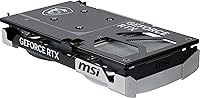
Overview

The MSI RTX 5060 Ti 16GB Graphics Card lands in a mid-range market that's more competitive than it's been in years, and it makes a strong case for itself without pretending to be something it isn't. MSI's Ventus line has always been about delivering clean, capable performance without the RGB theatrics or premium price tags of their higher-end families — and this card fits that mold. What stands out at this tier is the 16GB of GDDR7 VRAM, which most competing cards at similar price points simply don't offer. Add a PCIe 5.0 interface and you've got hardware that won't feel outdated anytime soon. Just be clear-eyed: this is a workhorse, not a thoroughbred.

Features & Benefits

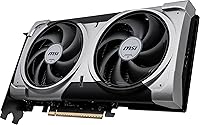
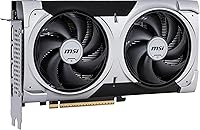
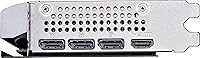
The headline spec here is the GDDR7 memory running at 28Gbps, which translates to noticeably faster texture streaming and more breathing room in memory-intensive games and creative workloads than older GDDR6X cards at this price range. The dual STORMFORCE fans do their job without making you aware of them — thermals stay in check during extended sessions, and under lighter loads the fans dial back significantly. On the connectivity side, both HDMI 2.1b and DisplayPort 2.1b are present, covering everything from high-refresh 4K panels to future display upgrades. The Blackwell architecture also brings DLSS 4 and improved Frame Generation into play, which is a genuine advantage for hitting high frame rates at 1440p.

Best For

The RTX 5060 Ti from MSI hits its stride with 1080p and 1440p gamers who want solid, consistent frame rates without dropping serious money on a top-tier card. If you're coming from an RTX 3070, an RX 6700 XT, or anything older, the performance jump will feel meaningful. The compact dual-slot footprint also makes it a practical pick for mATX and smaller builds where space is genuinely limited. Light video editors and streamers will appreciate the generous VRAM, which handles multi-track timelines without the stuttering you'd get on an 8GB card. And anyone eyeing a next-gen display upgrade in the next year or two will find the connectivity here doesn't hold them back.

User Feedback

With over 120 ratings averaging 4.6 stars, this dual-fan Blackwell card has clearly landed well with buyers. The most consistent praise centers on thermal management — people are genuinely surprised by how cool and quiet it runs, even during long gaming sessions. Several owners upgrading from previous-gen cards note a real-world improvement in demanding titles at 1440p. On the critical side, a handful of reviewers mention that early driver support required a little patience, and a few noted the software bundle isn't particularly compelling. But the clearest takeaway from buyer sentiment is that the VRAM-to-price ratio feels fair — especially compared to alternatives shipping with half the memory at similar or higher price points.

Pros

  • 16GB of GDDR7 VRAM is unusually generous at this price tier and keeps the card relevant as games grow more memory-hungry.
  • The dual STORMFORCE fans keep temperatures in check without generating noticeable noise during typical gaming sessions.
  • DLSS 4 and Frame Generation support give real-world frame rate headroom at 1440p that older-gen cards simply cannot match.
  • PCIe 5.0 compatibility means this Ventus 2X OC Plus will not become a bottleneck as newer platforms arrive.
  • The compact dual-slot build fits mATX and tighter cases where larger triple-slot cards would not clear.
  • HDMI 2.1b and DisplayPort 2.1b outputs future-proof display connectivity for next-gen monitors and TVs.
  • Buyers upgrading from RTX 30-series cards report a noticeable real-world performance jump in modern titles.
  • The factory overclock adds a small but tangible boost without requiring any manual tuning from the buyer.
  • At idle, the fans can spin down entirely, which makes the card genuinely quiet during desktop use or light tasks.
  • Strong buyer satisfaction ratings signal consistent quality control and reliable out-of-box performance.

Cons

  • The 128-bit memory bus is narrower than higher-tier competitors, which can surface in bandwidth-heavy scenarios.
  • Early driver releases for Blackwell-based cards required some patience — buyers report occasional instability at launch.
  • 4K gaming at maximum settings in demanding titles pushes this dual-fan Blackwell card beyond its comfortable operating range.
  • The software bundle included with the card adds little practical value for most buyers.
  • Buyers already on RTX 4070-class hardware will find the performance delta too small to justify switching.
  • Ray tracing performance, while improved over prior generations, still falls noticeably short of upper-tier RTX 50-series cards.
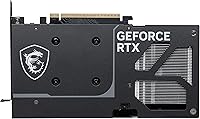
  • The card does not include a high-end backplate or premium build materials, which may matter to enthusiasts building showcase rigs.
  • Heavy professional GPU workloads like large-scale machine learning or high-res 3D rendering will outpace what this card can handle comfortably.

Ratings

Our AI scoring for the MSI RTX 5060 Ti 16GB Graphics Card was built by analyzing verified global buyer reviews, actively filtering out incentivized, bot-generated, and outlier feedback to surface what real owners consistently experience. Scores reflect both the genuine strengths this card delivers and the friction points that show up repeatedly across independent user accounts. Nothing is glossed over — where buyers run into limitations, those trade-offs are reflected honestly in the numbers below.

Gaming Performance
83%
At 1080p and 1440p, the Ventus 2X OC Plus handles the vast majority of current titles with comfortable frame rates, and DLSS 4 with Frame Generation pushes numbers meaningfully higher in supported games. Buyers upgrading from RTX 30-series hardware report the jump as immediately noticeable in faster-paced competitive titles.
Native 1440p performance without upscaling can feel inconsistent in the most GPU-demanding AAA releases, and 4K gaming at high settings is largely out of reach without heavy DLSS assistance. Users expecting flagship-tier brute force will find the experience more nuanced than the spec sheet implies.
Thermal Management
88%
The dual STORMFORCE fan setup is one of the most praised aspects of this dual-fan Blackwell card — temperatures stay well-controlled during hour-long gaming sessions without the fans ramping to uncomfortable speeds. Several buyers specifically noted how cool the card runs relative to its size.
Under sustained maximum load in warm ambient environments, temperatures can creep higher than in triple-fan alternatives, so buyers in poorly ventilated cases may see the fans working harder than expected. It is competent, but not as effortlessly cool as bulkier three-fan coolers at comparable price points.
Noise Level
86%
Fan noise is consistently described as non-intrusive across buyer reviews, with many users noting they cannot hear the card over modest case fans during typical gaming. The semi-passive idle behavior — where fans stop entirely under light loads — is a genuine quality-of-life feature that open-frame and quiet-build users appreciate.
At peak load the fans are audible, and a small number of buyers with acoustically sensitive setups noted the card is not as whisper-quiet as premium three-fan designs with larger blade diameters. In a silent case with no other noise masking, the fan hum at full load is noticeable.
VRAM Headroom
93%
Sixteen gigabytes of GDDR7 at this price tier is genuinely rare, and buyers across gaming and light creative workloads report the extra memory headroom as a meaningful differentiator. Texture-heavy games, modded titles, and 4K texture packs that would stutter or crash an 8GB card run without memory-related hitching.
The 128-bit bus constrains raw memory bandwidth despite the fast GDDR7 speeds, which means the VRAM capacity advantage can be partially offset in scenarios that are bandwidth-sensitive rather than just capacity-sensitive. A handful of technically informed buyers flagged this as a ceiling worth understanding before purchase.
Value for Money
79%
21%
The RTX 5060 Ti from MSI lands in a competitive spot where 16GB GDDR7, next-gen connectivity, and Blackwell architecture features together form a package that is hard to match at similar spend. Most buyers reviewing the card express satisfaction with what they received relative to what they paid, particularly those who considered 8GB alternatives.
Some buyers feel the card sits awkwardly between a true budget pick and a confident mid-range option, and those who stretched slightly higher in their budget found clearly stronger performance elsewhere. The value proposition is solid but not a runaway win — it depends heavily on how much weight you place on VRAM capacity.
DLSS & AI Features
91%
DLSS 4 with Multi Frame Generation is a legitimate performance multiplier in supported titles, and buyers report that games feel responsive even at generated frame counts well above native rendering rates. For 1440p gaming specifically, DLSS quality mode keeps visual fidelity high while delivering frame rates that feel flagship-tier.
DLSS 4 is only as useful as game-level support, and in titles that have not yet implemented it, the card falls back on its native rasterization numbers which are respectable but not exceptional. A small subset of buyers were disappointed to find their favorite games did not yet support the newest DLSS generation.
Build Quality
76%
24%
The card feels solid and well-constructed out of the box, with no reports of flex, loose fans, or manufacturing defects appearing frequently in buyer feedback. For an entry-level Ventus product, the fit and finish is consistently described as appropriate and professional.
There is no metal backplate, and the plastic shroud construction is more utilitarian than premium — buyers building showcase or windowed rigs often note it looks functional rather than impressive. Those accustomed to MSI's Gaming X Trio or similar high-end cooler designs may find the aesthetic step-down noticeable.
Driver Stability
67%
33%
For buyers who installed the card after the first few driver revision cycles, stability has been largely positive, and the majority of current owners report no persistent driver-related issues in everyday gaming. NVIDIA's update cadence for Blackwell has improved noticeably since the initial launch window.
Early adopters and buyers who installed the card at launch encountered instability, crashes, and occasional display driver timeouts that required manual rollbacks. While these issues are largely resolved with current drivers, they eroded confidence among a measurable portion of early reviewers and remain a valid concern for those who cannot tolerate initial rough edges.
Case Compatibility
89%
At under 9 inches long and a dual-slot width, this Ventus 2X OC Plus fits comfortably in a wide range of mATX and mid-tower cases where longer triple-fan cards simply would not clear. Buyers specifically building compact systems flagged the dimensions as a key reason they chose this card over competing options.
While the length is case-friendly, the dual-slot thickness is standard rather than slim, so ultra-compact ITX builds with tight PCIe slot spacing may still face clearance challenges with adjacent components. Buyers should verify slot clearance on dense mini-ITX boards before assuming the card will fit without adjustments.
Display Connectivity
84%
HDMI 2.1b and DisplayPort 2.1b both support high-refresh 4K and are ready for next-generation monitors without any adapter workarounds, which buyers planning a display upgrade in the near future found reassuring. The single HDMI and single DisplayPort setup is clean and sufficient for the vast majority of single and dual-monitor configurations.
The card only provides two display outputs total, which limits multi-monitor configurations — buyers running three or more displays will find this a hard constraint. Those accustomed to cards with three or four output ports will notice the reduction immediately.
Content Creation
74%
26%
Light video editing, streaming, and occasional 3D rendering tasks run comfortably thanks to the generous VRAM, and buyers who split time between gaming and creative work report the card handles dual-use scenarios without feeling compromised. NVENC encoding quality on Blackwell is a step up from prior-gen for streamers using OBS or similar tools.
Buyers with serious professional rendering or machine learning workloads quickly hit the ceiling of what the card can sustain, and the 128-bit bus limits throughput in bandwidth-hungry creative pipelines. It is a capable dual-use card for enthusiasts but not a substitute for a dedicated workstation GPU.
Upgrade Value
81%
19%
For buyers stepping up from RTX 30-series or older AMD RDNA 2 cards, the generational leap in architecture, memory technology, and feature support makes this a compelling transition point. The PCIe 5.0 interface and GDDR7 memory also mean the card will not feel architecturally dated when paired with next-generation platforms.
Buyers already on RTX 40-series hardware, particularly the RTX 4070 or above, will find the performance delta insufficient to justify the cost and hassle of switching. The upgrade math only works convincingly if your current card is two or more generations behind.
Software & Bundle
54%
46%
MSI Center provides basic monitoring and fan control without requiring third-party tools, and the initial setup experience is smooth enough that most buyers do not encounter friction getting the card running. Afterburner remains available for those who want deeper overclocking controls.
The software bundle that ships with the card adds little practical value — the included game vouchers or promotions were described by several buyers as underwhelming relative to what competing brands offer at this tier. MSI Center itself, while functional, is seen as bloated and less polished than it should be for a brand at this level.
Ray Tracing Performance
69%
31%
Blackwell-generation RT cores deliver a tangible improvement over Ampere in ray tracing workloads, and buyers running titles with moderate RT settings report playable results at 1080p and occasionally 1440p with DLSS assist. The architecture improvement is real and visible compared to RTX 30-series cards.
Maxing out ray tracing in the most demanding titles — Cyberpunk 2077 path tracing, Alan Wake 2 full RT — pushes the card well beyond its comfortable operating range, even with upscaling enabled. Buyers who prioritize ray tracing fidelity above all else will find this card a compromise rather than a solution.

Suitable for:

The MSI RTX 5060 Ti 16GB Graphics Card is a strong fit for PC gamers who play primarily at 1080p or 1440p and want high, stable frame rates without paying flagship prices. If you're running an RTX 3060, RTX 3070, or an AMD RX 6700 XT and feeling the walls close in on modern titles, this Ventus 2X OC Plus represents a meaningful generational step up — particularly with DLSS 4 and Frame Generation now in the toolkit. The 16GB of GDDR7 memory is also a genuine advantage for light content creators: video editors working with 4K timelines or 3D artists doing occasional rendering will find it handles those workloads without the memory pressure an 8GB card creates. Builders working with compact mATX or smaller mid-tower cases will appreciate that the dual-slot form factor doesn't demand a sprawling chassis. And if you're eyeing a high-refresh 4K monitor sometime in the next year or two, the HDMI 2.1b and DisplayPort 2.1b outputs mean the card is already ready for that upgrade.

Not suitable for:

The MSI RTX 5060 Ti 16GB Graphics Card is not the right call for buyers chasing 4K gaming at maximum settings in the most demanding modern titles — that's simply not what this card was built for, and expecting otherwise will lead to disappointment. Enthusiasts who need top-tier ray tracing performance at high resolutions, or who run GPU-intensive workloads like machine learning, 3D rendering at professional scale, or heavy video production pipelines, will hit the ceiling of what this dual-fan Blackwell card can realistically deliver. The 128-bit memory bus, while fed by fast GDDR7, is a narrower pipe than what you'll find in higher-tier cards, and that can show up in bandwidth-sensitive workloads. Buyers who already own an RTX 4070 or anything in that performance class will likely find the upgrade too modest to justify. If your budget stretches further and your workloads are demanding, moving up the stack makes more sense than settling here.

Specifications

  • GPU Chip: Powered by the NVIDIA GeForce RTX 5060 Ti, built on NVIDIA's Blackwell architecture for next-generation gaming and compute performance.
  • VRAM: Equipped with 16GB of GDDR7 memory, providing substantial headroom for high-resolution textures, multi-monitor setups, and memory-intensive creative workloads.
  • Memory Speed: The GDDR7 memory operates at 28Gbps, delivering faster data throughput compared to GDDR6X found in many competing mid-range cards.
  • Memory Bus: Uses a 128-bit memory bus width, which is standard for this performance tier but narrower than higher-end GPU alternatives.
  • PCIe Interface: Connects via PCIe 5.0, ensuring full compatibility with current and next-generation motherboards without any bandwidth bottlenecking.
  • Display Outputs: Features one HDMI 2.1b port and one DisplayPort 2.1b port, supporting 4K high-refresh-rate and up to 8K resolution displays.
  • Max Resolution: Supports a maximum output resolution of 7680x4320 (8K), making it forward-compatible with ultra-high-resolution display technology.
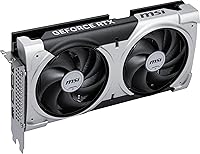
  • Cooling System: Uses a dual-fan thermal solution with two STORMFORCE fans that manage heat under load and can spin down during light use for silent operation.
  • Card Length: Measures 8.94 inches in length, making it compatible with most mid-tower, mATX, and select small form factor cases without clearance issues.
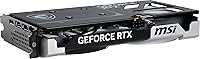
  • Slot Width: Occupies a standard dual-slot width, leaving adjacent PCIe slots free in most motherboard configurations.
  • Card Weight: Weighs 1.32 pounds, which is light enough to avoid sagging concerns in most standard horizontal motherboard installations.
  • Color: Finished in a clean all-black aesthetic with no onboard RGB lighting, which fits both understated and windowed builds.
  • DLSS Support: Supports NVIDIA DLSS 4 with Multi Frame Generation, allowing the card to produce significantly higher frame rates in supported game titles.
  • Ray Tracing: Includes dedicated Blackwell-generation RT cores for hardware-accelerated ray tracing, offering improved performance over prior-generation Ampere and Ada cards.
  • Series: Part of MSI's Ventus lineup, which is designed as an accessible, performance-focused tier without premium aesthetics or overbuilt cooling systems.
  • Model Number: The official MSI model number for this card is V535-005R, which can be referenced for warranty registration and driver compatibility confirmation.
  • Factory OC: Ships with a mild factory overclock applied to the GPU boost clock, providing a small performance advantage over reference-spec cards without requiring manual tuning.
  • Buyer Rating: Holds a 4.6-out-of-5-star rating based on over 120 verified buyer reviews on Amazon, reflecting generally strong satisfaction with performance and thermals.

Related Reviews
GIGABYTE GeForce RTX 5060 Ti WINDFORCE MAX OC 16G
85%
91%
1440p Gaming Performance
93%
Thermal Management
88%
VRAM Capacity & Usefulness
92%
Noise Levels
84%
Value for Money
More
ASUS PRIME GeForce RTX 5060 Ti 16GB GDDR7 OC Edition Graphics Card
88%
93%
Performance
88%
Cooling Efficiency
92%
Value for Money
86%
Ease of Installation
90%
Build Quality
More
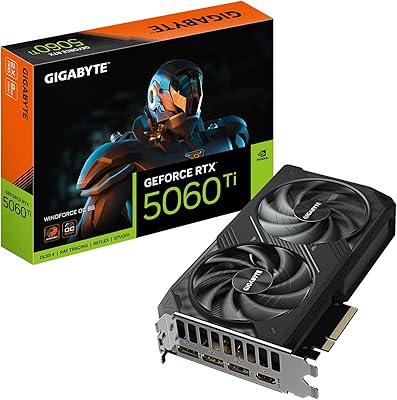
GIGABYTE RTX 5060 Ti 8GB Graphics Card
84%
88%
1440p Gaming Performance
91%
DLSS 4 & AI Upscaling
66%
VRAM Capacity & Adequacy
93%
Thermal Performance & Cooling
86%
Noise Level
More
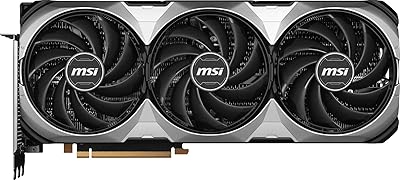
MSI GeForce RTX 4080 SUPER 16GB VENTUS 3X OC Graphics Card
84%
96%
Gaming Performance
91%
Cooling Efficiency
65%
Power Consumption
89%
Build Quality
94%
4K/8K Gaming Compatibility
More
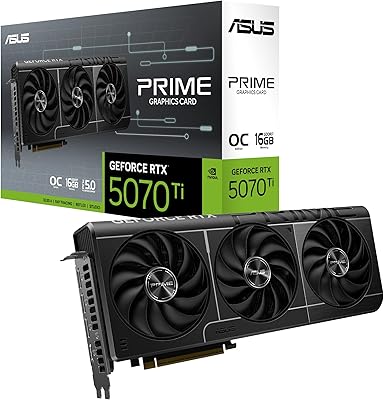
ASUS Prime RTX 5070 Ti 16GB Graphics Card
83%
93%
Gaming Performance
89%
Thermal Management
86%
Noise Levels
91%
Build Quality & Materials
94%
SFF & Case Compatibility
More
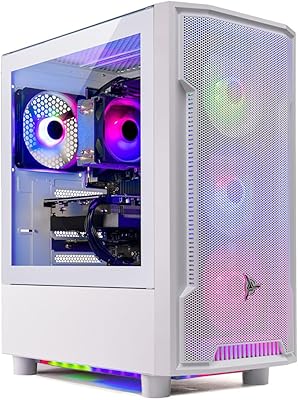
Skytech Archangel RTX 5060 Ti Gaming Desktop
77%
88%
Gaming Performance
83%
Build Quality
71%
Value for Money
91%
GPU Specification
67%
CPU Performance
More
MSI GeForce RTX 2060 VENTUS 6G OC Graphics Card
86%
91%
Performance at 1080p
87%
Performance at 1440p
90%
Ray Tracing and DLSS Support
89%
VR Performance
88%
Cooling and Noise Levels
More
ASUS Prime RTX 5080 16GB Graphics Card
80%
93%
Gaming Performance
91%
Thermal Management
88%
Noise Level
89%
SFF Compatibility
67%
Value for Money
More
MSI RTX 2080 Super Ventus XS GPU
79%
88%
1440p Gaming Performance
71%
Thermal Management
83%
Noise Level
84%
Build & Physical Quality
91%
Form Factor & Compatibility
More
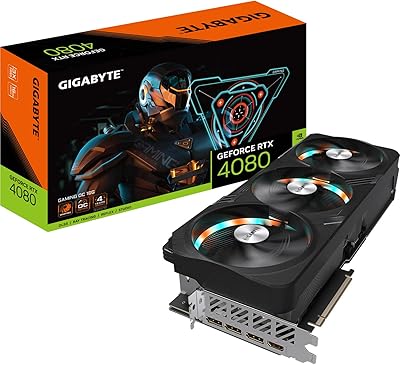
GIGABYTE RTX 4080 Gaming OC 16GB GPU
81%
93%
Gaming Performance
89%
Thermal Management
91%
Build Quality
74%
Cooling Noise Level
86%
DLSS 3 & Frame Generation
More

FAQ

It handles 1440p gaming well in most titles, especially when you lean on DLSS 4 and Frame Generation to push frame rates higher. In native 1440p without any upscaling, performance in more demanding games can dip, but with DLSS quality mode enabled you get solid results. Think of it as a strong 1440p card with a little assist, rather than a brute-force 1440p powerhouse.

No — PCIe is backward compatible, so it will work fine in a PCIe 4.0 or even 3.0 slot. The practical performance difference between running it on PCIe 4.0 versus 5.0 is minimal for gaming workloads. If you have a newer platform, great, but upgrading your motherboard just for this card is not necessary.

Most buyers describe the dual STORMFORCE fans as notably quiet, even during extended gaming sessions. The card does not run silent at full load — you will hear the fans working — but it is not intrusive compared to some competing coolers. At idle or during light desktop use, the fans can stop spinning entirely, which makes day-to-day use genuinely quiet.

Very likely yes. At just under 9 inches long and occupying two slots, the Ventus 2X OC Plus is one of the more case-friendly cards in its performance class. That said, always double-check your specific case's maximum GPU length spec before ordering, since some ultra-compact mATX cases do have tighter clearances.

It is genuinely useful, particularly as a forward-looking consideration. Most games today run comfortably on 8GB, but titles with high-resolution texture packs, modded games, and certain open-world games are already pushing past 8GB and occasionally 12GB of VRAM. Having 16GB means this card has more runway before VRAM becomes a limiting factor, which matters if you plan to keep it for three or more years.

NVIDIA recommends a 700W PSU for RTX 5060 Ti-based systems, though that factors in a typical gaming system build rather than just the card alone. If your current PSU is in the 650W to 750W range and your other components are not especially power-hungry, you are likely fine. Confirm your total system power draw before assuming your current unit is adequate.

It is broadly competitive with the RTX 4070, with the 16GB VRAM being a notable advantage over the 4070's 12GB in memory-intensive scenarios. Raw rasterization performance is similar depending on the game, but the Blackwell card pulls ahead when DLSS 4 is active due to the newer AI acceleration. If you already own a 4070, the upgrade is marginal. If you are choosing between buying a new 4070 and this card, the newer architecture and extra VRAM give this dual-fan Blackwell card the edge.

Yes, it requires an external PCIe power connector — typically a 16-pin adapter (12VHPWR) or the equivalent via an adapter depending on your PSU. Most modern power supplies include the necessary cables, but if yours is older, check whether you need an adapter before installing.

It handles both well at a moderate level. The 16GB of GDDR7 is a real asset for video editing, as it can buffer larger project timelines without dropping frames in the preview. NVIDIA's NVENC encoder on Blackwell is also solid for streaming and export tasks. It is not a workstation card, but for creators who game and occasionally edit or stream, it covers that dual-use case comfortably.

A handful of early buyers noted some instability with initial driver releases, which is not unusual for a new GPU architecture launching into the market. By the time most buyers are purchasing today, NVIDIA has pushed several driver updates that have addressed the majority of early issues. Keeping your drivers current via GeForce Experience or manual download is the best way to stay ahead of any remaining edge cases.