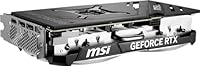
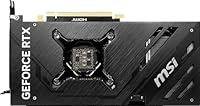
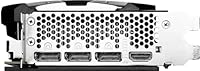
Overview

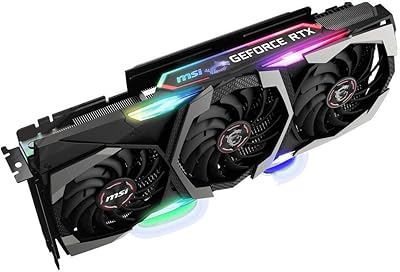
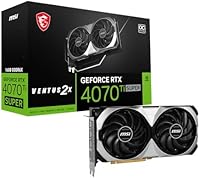
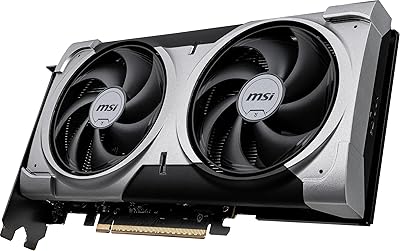
The MSI RTX 4070 Ti Super 16G GPU is MSI's lean, dual-fan answer to how much performance you can extract without paying a triple-fan flagship premium. Where heftier cards in the same tier pile on RGB lighting and oversized coolers, the VENTUS 2X card takes a different stance: compact, understated, and focused entirely on doing the work. Ada Lovelace as an architecture brings real generational gains — better ray-tracing efficiency, improved power delivery, and DLSS 3 support — all packed into this MSI dual-fan GPU without unnecessary bulk. If you want a capable workhorse rather than a showpiece, this card fits that brief well.

Features & Benefits

The RTX 4070 Ti Super pairs 16GB of GDDR6X memory with a 256-bit memory bus running at 21 Gbps — that combination gives you real headroom for 4K textures and VRAM-heavy workloads without hitting a wall. The 2655 MHz boost clock means solid out-of-box performance that most users won't feel the need to push further. Where this card genuinely earns its place is DLSS 3 Frame Generation: in supported titles, it can dramatically lift perceived framerates, making 4K gaming far more viable than raw numbers alone suggest. Three DisplayPort 1.4a outputs and one HDMI 2.1a give you flexible multi-monitor options, including 4K at 144Hz.

Best For

This VENTUS 2X card is a strong fit for a fairly specific kind of builder or gamer. Enthusiasts chasing high-refresh 1440p performance will find the headroom they need without the cost of a flagship tier. For 4K, it is absolutely capable — particularly when DLSS 3 is available in-game. Video editors and 3D artists will appreciate the 16GB VRAM buffer, which keeps complex projects from stalling the GPU mid-task. The dual-slot form factor is also worth noting: in cases where airflow or physical space is a constraint, the RTX 4070 Ti Super fits where bulkier triple-fan cards simply won't. Upgraders from older mid-range GPUs will notice the difference immediately.

User Feedback

Sitting at 4.8 stars from roughly 87 ratings, this MSI dual-fan GPU has a strong early reputation — though with a relatively modest review count, that number should be read as a positive trend rather than a settled consensus. The most consistent praise centers on quiet operation during extended gaming sessions and a straightforward installation experience. The 16GB VRAM gets regular mentions as a genuine differentiator at this tier. The honest caveat: a few buyers report that under sustained heavy workloads, temperatures climb higher than they would on a triple-fan card. On value, opinions split — those who prioritize compact efficiency feel the price is justified, while others expected more aggressive cooling given the cost.

Pros

  • 16GB of GDDR6X memory gives the RTX 4070 Ti Super more VRAM headroom than most competing cards at this tier.
  • DLSS 3 Frame Generation support makes 4K gaming genuinely practical in a wide range of supported titles.
  • The dual-slot design fits comfortably in mid-tower and airflow-constrained cases where bulkier cards struggle.
  • Out-of-box boost clocks are competitive enough that most users will never feel the need to overclock manually.
  • Quiet fan behavior during standard gaming workloads is a consistent highlight among real-world buyers.
  • Ada Lovelace architecture delivers meaningful ray-tracing efficiency improvements over previous-generation cards.
  • Three DisplayPort 1.4a outputs plus HDMI 2.1a give flexible options for high-refresh or multi-monitor setups.
  • Installation is straightforward, with no unusual compatibility surprises reported by buyers.
  • Early user satisfaction is strong, with a 4.8-star rating reflecting a reliable, well-built product.
  • The compact footprint and relatively low weight make handling and installation easier than heavier flagship models.

Cons

  • Under sustained heavy workloads, the dual-fan cooler runs warmer than triple-fan alternatives in the same performance class.
  • The premium price is hard to justify if you are not actively gaming at 1440p or 4K resolutions.
  • No RGB lighting or premium aesthetic details for buyers who care about build presentation.
  • DLSS 3 Frame Generation benefits are limited to supported titles — raw rasterization gains are more modest than the price implies.
  • With roughly 87 reviews at time of writing, the long-term reliability track record is still building.
  • Buyers in warm or poorly ventilated cases may need to monitor temperatures more carefully than with a triple-fan card.
  • MSI Afterburner tuning support, while generally solid, has occasionally shown inconsistent behavior with newer driver releases.
  • Value perception is divided — buyers who expected more aggressive cooling at this price point have expressed some disappointment.

Ratings

The scores below for the MSI RTX 4070 Ti Super 16G GPU were generated by our AI review engine after analyzing verified global buyer feedback, actively filtering out incentivized, bot-generated, and low-quality submissions to surface what real owners actually experience. This VENTUS 2X card earns strong marks in several key areas, but a few genuine pain points — particularly around thermal headroom and value perception — are reflected transparently in the scores where they matter.

Gaming Performance
91%
At 1440p, the RTX 4070 Ti Super delivers consistently high framerates even in GPU-demanding titles, and at 4K the combination of raw power and DLSS 3 Frame Generation keeps gameplay smooth in most modern games. Buyers upgrading from previous-generation mid-range cards describe the difference as immediately and noticeably impactful in day-to-day play.
In a small number of unoptimized or DLSS-unsupported titles at 4K maximum settings, framerates can dip into less comfortable territory. It does not match the absolute peak performance of the highest-tier cards in extended synthetic benchmarks, which matters to a specific subset of enthusiast buyers.
VRAM Capacity
93%
The 16GB GDDR6X buffer is one of the strongest arguments for this card at its tier, giving users meaningful headroom when running texture-heavy open-world games or high-resolution creative workloads like 4K video editing. Multiple buyers specifically noted that the VRAM capacity felt more future-proof than competing cards they had considered.
For users primarily gaming at 1080p or light 1440p, 16GB is well beyond what is needed, so that advantage does not translate into real-world gains for every buyer. Those doing extremely VRAM-intensive professional AI or simulation tasks may still find 16GB a ceiling rather than a ceiling-breaker.
Thermal Performance
68%
32%
During typical gaming sessions at moderate room temperatures, the VENTUS 2X cooler keeps the chip within safe operating ranges without aggressive fan behavior. Most buyers gaming in well-ventilated cases report thermal results that are perfectly acceptable for everyday use.
Under sustained, back-to-back heavy workloads — long rendering jobs, overnight gaming, or use in warm environments — temperatures climb noticeably higher than on triple-fan alternatives at the same chip tier. Buyers who push their hardware hard or live in warmer climates have flagged this as a genuine concern rather than a theoretical one.
Noise Level
82%
18%
For a dual-fan cooler, noise levels during regular gaming are more restrained than many buyers expected, with the card staying relatively unobtrusive during moderate workloads. Several reviewers noted they could barely hear it over standard case fans during typical 1440p gaming sessions.
When the card is under sustained load and fan speeds increase, the noise output rises more sharply than it would on a card with a larger triple-fan heatsink distributing the same thermal load. It is not disruptive, but it is noticeable in a quiet room during demanding scenes.
Build Quality
84%
The card feels solid and well-assembled, with no reported issues around PCB flex, connector fit, or physical defects from verified buyers. The dual-slot shroud is sturdy, and the lack of RGB components removes one potential long-term failure point.
The all-plastic shroud aesthetic feels functional rather than premium, especially given the price tier this card occupies. Buyers accustomed to metal backplates or brushed finishes on higher-end MSI models may find the VENTUS 2X construction underwhelming by comparison.
Value for Money
71%
29%
For buyers who specifically need the compact dual-slot form factor or who prioritize the 16GB VRAM buffer over cooling headroom, the price represents a reasonable trade at this performance tier. The out-of-box performance without any manual tuning also reduces the time investment typically required with more aggressive factory overclocks.
At its price point, the VENTUS 2X sits in premium territory where buyers naturally compare it to triple-fan alternatives offering better sustained cooling for similar or only slightly higher cost. A notable portion of reviewers felt the value proposition would be stronger if the cooler were more capable, or if the price were modestly lower.
Installation Ease
89%
The compact size and manageable weight make physical installation straightforward, with no reported clearance surprises in standard mid-tower and full-tower cases. Buyers with limited PC building experience described the process as easy and confidence-inspiring compared to larger, heavier flagship cards.
The power connector placement may require minor cable management adjustment in smaller cases, and some buyers with older PSUs needed adapter cables for the 16-pin connector. Neither issue is unusual for this class of GPU, but first-time builders should account for it.
Driver Stability
79%
21%
The vast majority of buyers report stable day-to-day operation with NVIDIA drivers across a wide range of games and applications. No widespread crashing or black-screen issues have surfaced in the verified review pool for this specific card variant.
A small number of users reported occasional inconsistencies between MSI Afterburner readings and actual GPU behavior after certain driver updates, which required reinstalling or rolling back software to restore accurate monitoring. These are infrequent but worth noting for users who rely heavily on software-side tuning.
DLSS 3 & Upscaling
92%
Ada Lovelace's DLSS 3 implementation, including Frame Generation, is one of the most tangible real-world advantages this architecture offers, particularly for 4K gaming where it can functionally double perceived framerates in supported titles. Buyers who use DLSS-capable games heavily report that it substantially raises their satisfaction with the card's 4K performance.
DLSS 3 benefits are entirely dependent on game support, and in titles that lack it the card must rely on raw rasterization performance alone. For buyers whose game library skews toward older or niche titles with limited DLSS support, the practical benefit is reduced compared to what the spec sheet implies.
Ray Tracing
83%
Ada Lovelace's second-generation RT cores handle ray tracing noticeably more efficiently than Ampere-based cards, making ray-traced visuals in titles like Cyberpunk 2077 and Alan Wake 2 genuinely playable at 1440p with DLSS assist. Buyers upgrading from RTX 30-series cards mention ray-traced performance as one of the clearest generational improvements.
At native 4K with ray tracing fully enabled and no upscaling assist, even this card struggles to maintain consistently high framerates in the most demanding ray-traced titles. Ray tracing remains a feature best enjoyed at 1440p or with DLSS active at 4K rather than as a native-resolution solution.
Form Factor & Fit
88%
The 9.5-inch length and dual-slot profile give this card genuine compatibility advantages in builds where space is limited, including popular mid-tower cases where longer triple-fan cards create clearance or airflow problems. Multiple buyers specifically chose this card over triple-fan alternatives because of case fit constraints.
The dual-slot design, while an advantage for compatibility, means the cooler has less physical surface area to dissipate heat — a trade-off that is most apparent in smaller cases with already restricted internal airflow. Buyers in compact builds should factor in additional case ventilation to compensate.
Display Connectivity
86%
Three DisplayPort 1.4a outputs alongside HDMI 2.1a cover virtually every monitor configuration buyers are likely to use, including triple-monitor setups and single high-refresh 4K displays. HDMI 2.1a is particularly useful for buyers who connect to a television as their primary display.
There is no USB-C display output, which some content creators or users with USB-C monitors would find convenient. While adapters solve this practically, it is a minor omission compared to some competing cards that include it natively at this price tier.
Overclocking Headroom
73%
27%
The factory boost clock of 2655 MHz is already well-tuned, and buyers who experiment with modest manual overclocking via Afterburner report stable additional gains without unusual instability. For most users, the out-of-box tuning is sufficient and requires no further adjustment.
The dual-fan cooler limits how aggressively you can push clocks before thermal throttling becomes a factor, meaning the overclocking ceiling is lower than on triple-fan variants of the same chip. Buyers who like to extract maximum performance through tuning will hit that ceiling earlier than they might expect.

Suitable for:

The MSI RTX 4070 Ti Super 16G GPU is a well-matched choice for enthusiast gamers who play at 1440p and want high, stable framerates in demanding titles without jumping to the most expensive tier on the market. It is equally compelling for 4K gaming when paired with DLSS 3-supported games, where Frame Generation can meaningfully close any raw performance gap. Content creators who work in video editing or 3D rendering will find the 16GB GDDR6X buffer a practical advantage — large enough to handle complex scenes and high-resolution timelines without the GPU becoming the bottleneck. Builders with mid-tower cases where physical space or airflow is limited will appreciate the dual-slot, compact footprint that many triple-fan alternatives simply cannot match. Anyone upgrading from a previous-generation mid-range card will notice a substantial and immediate improvement across both gaming and productivity workloads.

Not suitable for:

The MSI RTX 4070 Ti Super 16G GPU is not the right call for buyers who prioritize maximum sustained performance under heavy, prolonged loads — the dual-fan VENTUS 2X cooler is efficient for typical gaming sessions, but it can run noticeably warmer than triple-fan designs during extended benchmarking, rendering, or back-to-back gaming marathons in warm environments. If you want a visually striking build with RGB lighting and an imposing aesthetic, this card offers none of that — it is deliberately plain by design. Buyers who need absolute top-tier rasterization performance at 4K without relying on upscaling or AI-assisted frame generation may find that spending more on a higher-tier card better matches their expectations. Those on tight budgets should also weigh the premium price carefully against what mid-range alternatives can realistically deliver for their specific use case. If multi-monitor setups beyond three displays or niche professional GPU computing workloads are your priority, this card was not designed with those edge cases in mind.

Specifications

  • GPU Chipset: The card is built on the NVIDIA GeForce RTX 4070 Ti Super chip, part of NVIDIA's Ada Lovelace generation.
  • Architecture: Ada Lovelace architecture underpins the chip, bringing improved ray-tracing cores, Tensor cores, and DLSS 3 Frame Generation support.
  • VRAM: 16GB of GDDR6X memory provides ample headroom for 4K gaming textures, large game worlds, and memory-intensive creative workloads.
  • Memory Interface: The 256-bit memory bus allows fast data throughput between the GPU and its VRAM, supporting a memory bandwidth suited to high-resolution rendering.
  • Memory Speed: GDDR6X memory runs at 21 Gbps, enabling rapid texture streaming and reducing bottlenecks at higher resolutions.
  • Boost Clock: The factory boost clock reaches 2655 MHz out of the box, delivering competitive performance without requiring manual overclocking.
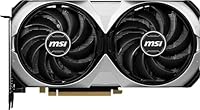
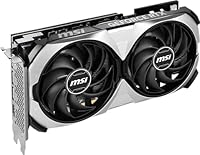
  • Cooler Design: A VENTUS 2X dual-fan cooler manages thermals across the card, prioritizing a compact dual-slot footprint over maximum airflow capacity.
  • Slot Profile: The card occupies a dual-slot profile, making it compatible with mid-tower and smaller cases where triple-slot cards may not fit.
  • Card Dimensions: Physical dimensions measure 9.5 x 4.9 inches, keeping the card compact relative to larger triple-fan alternatives in the same performance tier.
  • Weight: The card weighs 2.66 pounds, which is lighter than most premium triple-fan models and reduces strain on the PCIe slot during installation.
  • Display Outputs: Connectivity includes three DisplayPort 1.4a ports and one HDMI 2.1a port, supporting up to four simultaneous displays.
  • Max Resolution: The card supports up to 8K resolution at 60Hz over DisplayPort, or 4K at up to 144Hz for high-refresh gaming monitors.
  • DLSS Support: Full support for DLSS 3, including Frame Generation, allows compatible games to achieve significantly higher perceived framerates at 4K.
  • Ray Tracing: Dedicated second-generation RT cores on the Ada Lovelace chip handle real-time ray tracing more efficiently than the previous Ampere generation.
  • Color & Finish: The card ships in an all-black finish with no RGB lighting, suited to clean, understated build aesthetics.
  • Release Date: The VENTUS 2X model was first made available in January 2024, coinciding with the wider RTX 4070 Ti Super launch window.
  • Amazon Rating: The card holds a 4.8-out-of-5-star rating based on approximately 87 user ratings on Amazon at the time of review.
  • Series: This card belongs to MSI's VENTUS lineup, which positions itself as the practical, no-frills tier below MSI's Gaming X and SUPRIM series.

Related Reviews
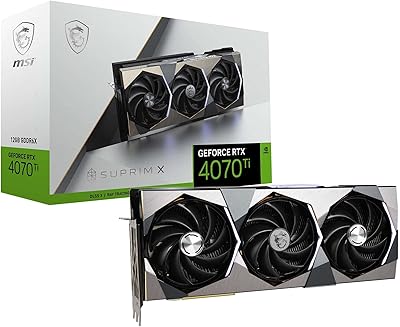
MSI RTX 4070 Ti SUPRIM X GPU
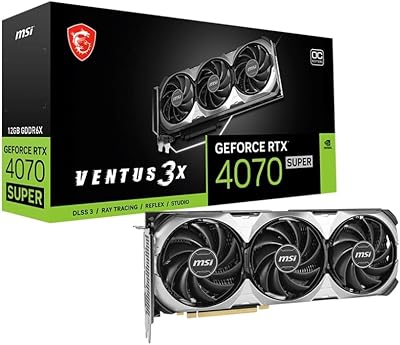
82%
94%
Thermal Performance
91%
Noise Level
88%
Gaming Performance
71%
VRAM Adequacy
93%
Build Quality
More
MSI RTX 4070 Super 12GB Graphics Card
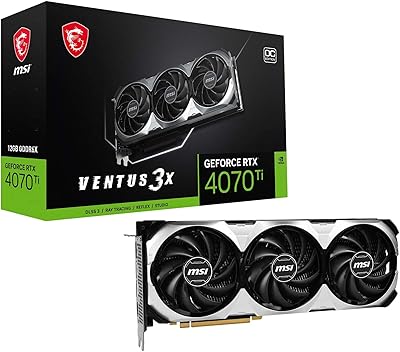
80%
91%
1440p Gaming Performance
88%
Thermal Management
86%
Noise Levels
67%
Value for Money
72%
VRAM & Memory Performance
More
MSI RTX 4070 Ti VENTUS 3X GPU
79%
93%
1440p Gaming Performance
71%
4K Gaming Capability
88%
Thermal Performance
87%
Noise Levels
66%
Value for Money
More
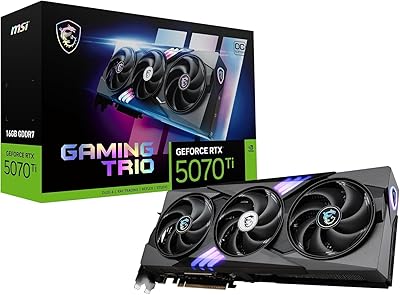
MSI GeForce RTX 5070 Ti 16G Gaming Trio OC Plus
84%
94%
Gaming Performance
89%
Cooling Efficiency
90%
Build Quality
87%
Value for Money
75%
Power Consumption
More
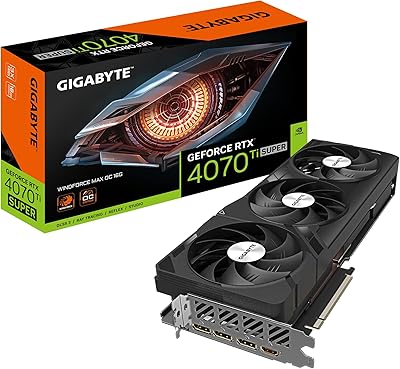
GIGABYTE GeForce RTX 4070 Ti Super WINDFORCE MAX OC 16GB
88%
94%
Gaming Performance
91%
Cooling Efficiency
92%
Ray Tracing & DLSS 3
93%
4K Gaming Capability
88%
Build Quality & Durability
More
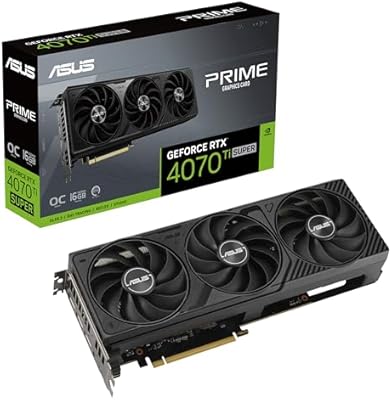
ASUS Prime GeForce RTX 4070 Ti Super OC Edition 16GB
87%
94%
Performance
89%
Cooling Efficiency
93%
Gaming Performance at 4K
91%
Ray Tracing Support
92%
DLSS 3 Technology
More
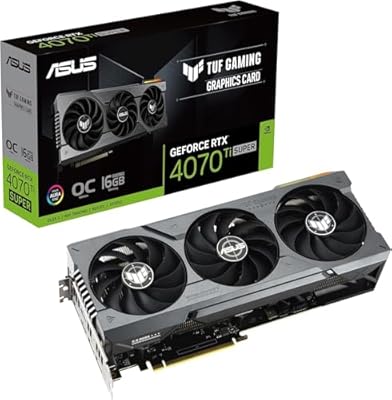
ASUS RTX 4070 Ti Super 16GB GPU
83%
91%
Gaming Performance
93%
Thermal Management
88%
Noise Level
94%
Build Quality
78%
DLSS 3 & Frame Generation
More
MSI GeForce RTX 5060 Ti 16G VENTUS 2X OC Plus Graphics Card
87%
92%
Gaming Performance
89%
Cooling Efficiency
87%
Build Quality
91%
Compatibility with Modern Systems
88%
Price-to-Performance Ratio
More
ZOTAC RTX 4070 Ti AMP AIRO Graphics Card
80%
91%
Gaming Performance
88%
Thermal Performance
86%
Noise Levels
89%
Build Quality
87%
Cooling Design
More
GIGABYTE RTX 4070 Super WINDFORCE OC GPU
80%
93%
1440p Gaming Performance
91%
Thermal Management
78%
Noise Levels
71%
4K Gaming Performance
88%
Build Quality
More

FAQ

The RTX 4070 Ti Super handles 4K well in most modern titles, particularly when DLSS 3 is available. In games that support Frame Generation, framerates can feel significantly smoother than raw numbers suggest. In a handful of very demanding titles without DLSS support, you may see dips below 60fps at max settings, but for the majority of games it is a capable 4K card.

Most users report that the dual-fan cooler stays fairly quiet during typical gaming workloads. It is not silent, but it is not obtrusive either. Under extended, heavy loads — like long rendering jobs or back-to-back gaming sessions — fan speeds rise noticeably more than they would on a triple-fan card, so keep that in mind if noise is a priority for you.

16GB puts this card well ahead of many competitors at this price tier, and for gaming purposes it is comfortably future-proof for the foreseeable future. Even VRAM-hungry titles that push past 8GB at 4K ultra settings will have plenty of room. For creative workloads like 3D rendering or AI image generation, 16GB is a practical baseline that handles most professional use cases without hitting a ceiling.

Compared to triple-fan versions of the same chip, the VENTUS 2X can run a few degrees warmer under sustained load due to its smaller cooler surface area. Under normal gaming conditions it stays within safe operating ranges, but if your case has restricted airflow or you live somewhere warm, it is worth ensuring decent case ventilation. A well-airflow case largely closes the gap.

NVIDIA recommends at least an 800W power supply for systems using the RTX 4070 Ti Super chip. In practice, a quality 750W unit can work in a modest system, but 850W gives you comfortable headroom, especially if you have a high-end CPU alongside it. Make sure your PSU has the appropriate 16-pin or 8-pin PCIe connectors required for this card.

Yes, the card uses a standard PCIe x16 interface and is fully backward compatible with PCIe 4.0 and even PCIe 3.0 slots. You will not lose meaningful performance on a PCIe 4.0 board compared to PCIe 5.0, as the bandwidth difference does not materially affect GPU performance at this level.

MSI Afterburner works with this card for monitoring temperatures, fan speeds, and clock behavior. Overclocking via Afterburner is also supported, though most users find the factory boost clock already performs well without any tuning. Occasionally newer driver updates can cause minor Afterburner display quirks, but these are typically resolved with software updates.

At 9.5 inches long and a dual-slot profile, it fits comfortably in the vast majority of mid-tower cases. It is noticeably easier to install than many triple-fan cards that stretch to 12 inches or more. Check your case specifications against the 9.5-inch length just to be safe, but for most standard mid-towers there is plenty of room.

Yes, the card has four display outputs in total — three DisplayPort 1.4a and one HDMI 2.1a — allowing you to drive up to four monitors simultaneously. For a triple-monitor gaming or productivity setup, you are fully covered without needing any adapters.

Upgrading from an RTX 3080 will give you a noticeable improvement, particularly in ray-tracing performance, DLSS 3 access, and VRAM headroom. Coming from a 3090 the jump is smaller in raw rasterization, but DLSS 3 Frame Generation and better efficiency per watt make it a meaningful step forward. If you are on anything older than a 3080, the difference will feel substantial in most workloads.

Where to Buy