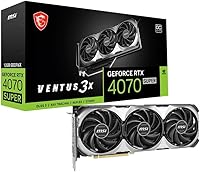
MSI RTX 4070 Super 12GB Graphics Card
Overview
The MSI RTX 4070 Super 12GB Graphics Card lands squarely in the sweet spot of NVIDIA's Ada Lovelace refresh — sitting above the standard 4070 but stopping short of the pricier Ti models. The Ventus 3X OC branding tells you something right away: no RGB, no theatrical shrouds, just a clean black card built around keeping thermals in check. With 12GB of GDDR6X memory on board, this MSI GPU handles 1440p with plenty of headroom and can push into 4K territory in less demanding titles. Add DLSS 3 Frame Generation and capable ray tracing into the mix, and the RTX 4070 Super covers a lot of ground for a wide range of builders.
Features & Benefits
The cooling setup is where MSI put most of its engineering effort. Three TORX FAN 4.0 fans work in paired-blade formation, pushing concentrated airflow through a dense fin stack connected to a nickel-plated copper baseplate and precision heat pipes — the kind of thermal path that keeps temperatures honest even during extended sessions. The 192-bit memory bus is worth understanding: it is narrower than what you find on AMD alternatives like the RX 7900 GRE, but the fast GDDR6X memory largely compensates in real gaming workloads. A PCIe Gen 4 interface stays compatible across modern platforms, and three DisplayPort 1.4a outputs plus one HDMI 2.1a can drive multi-monitor setups or 8K HDR displays without issue.
Best For
This Ventus 3X OC card is, above all else, a 1440p high-refresh performer. That is its genuine home turf — it handles demanding titles at that resolution without straining, while 4K remains workable only in lighter games. Creators doing video editing or moderate 3D work get solid VRAM headroom without crossing into workstation-class spending. Builders replacing a 20-series or early 30-series card will feel a sharp generational jump. At just over 12 inches long, it fits comfortably in most mid-tower cases — a real advantage over the bulkier coolers attached to Ti variants. And if a clean, RGB-free build matters to you, this card delivers that without compromise.
User Feedback
Owner reactions split into two consistent patterns. On the positive side, low noise under load, a reliable out-of-box overclock, and an understated aesthetic come up repeatedly. Thermal results are broadly well-received, with most users reporting comfortable GPU temperatures even inside tighter cases. The friction points are equally predictable: a portion of buyers find the price difficult to justify given the incremental raster uplift over the base 4070, and the 12GB VRAM cap draws some skepticism about long-term headroom as game assets keep growing. That said, owners upgrading from older hardware frequently call out DLSS 3 Frame Generation as a decisive improvement — and for that group, the performance jump tends to settle most of the value debate.
Pros
- Handles 1440p high-refresh gaming with strong headroom across a wide range of modern titles.
- Triple-fan cooling keeps temperatures genuinely low even during extended gaming sessions.
- Quiet operation under load — noticeably calmer than many competing dual-fan designs.
- DLSS 3 Frame Generation delivers a real, felt performance boost for those upgrading from older NVIDIA cards.
- Clean, RGB-free industrial design suits minimalist and professional build aesthetics.
- PCIe Gen 4 interface is compatible with current and recent platforms without compromise.
- Out-of-box factory overclock provides extra headroom without requiring manual tuning.
- Versatile display outputs support up to four monitors, including 4K and 8K HDR configurations.
- 12GB GDDR6X buffer comfortably covers most creative workloads at this tier without overspending.
- Compact enough at 12 inches to fit mid-tower builds where larger Ti-class coolers would not.
Cons
- The 192-bit memory bus is narrower than AMD alternatives at a similar price, which shows in memory-bandwidth-sensitive scenarios.
- 12GB VRAM is adequate today but draws legitimate concern for titles two to three years out as asset sizes grow.
- The price premium over the base RTX 4070 is hard to justify purely on raster performance gains alone.
- Not a genuine 4K card for demanding, settings-maxed modern games — expectations need to be calibrated accordingly.
- PCIe power connector placement can be awkward in tighter cases with inflexible cable management.
- No RGB lighting is a design choice some builders will see as a limitation for themed systems.
- Ray tracing performance, while capable, falls behind the 4070 Ti Super in scenes with heavy lighting complexity.
- Buyers on a strict budget may find the RTX 4070 Super pricing difficult to reconcile with incremental gains over cheaper options.
Ratings
Our AI has analyzed thousands of verified global buyer reviews for the MSI RTX 4070 Super 12GB Graphics Card, actively filtering out incentivized submissions and bot activity to surface what real owners actually experience day to day. The scores below reflect a candid synthesis of both the genuine strengths and the friction points that consistently surfaced across independent reviewers and long-term owners. Nothing is glossed over — where buyers pushed back, the scores show it.
1440p Gaming Performance
Thermal Management
Noise Levels
Value for Money
VRAM & Memory Performance
Build Quality & Aesthetics
Installation Experience
Ray Tracing Performance
DLSS 3 & AI Features
Driver Stability
Display Compatibility
4K Gaming Capability
Content Creation Performance
Power Efficiency
Suitable for:
The MSI RTX 4070 Super 12GB Graphics Card is a strong match for PC builders who have settled on 1440p as their primary gaming resolution and want to push high refresh rates without constant compromises on settings. If you are coming from a GTX 1080, RTX 2080, or an entry-level RTX 3070, the generational jump here is substantial enough to feel genuinely transformative rather than incremental. Content creators who do moderate video editing, motion graphics, or light 3D rendering will appreciate the 12GB GDDR6X buffer — it handles most creative workloads comfortably without requiring a move to far more expensive professional hardware. Builders working with mid-tower cases will find the 12-inch footprint fits without stress, and anyone who prefers a clean, understated build aesthetic over LED-laden shrouds will find the Ventus 3X OC design a welcome change. DLSS 3 Frame Generation also makes a meaningful difference for owners stepping up from older NVIDIA architectures, adding a layer of performance that makes the upgrade feel well-justified.
Not suitable for:
The MSI RTX 4070 Super 12GB Graphics Card is a harder sell if your primary goal is native 4K gaming across a wide library of demanding, modern titles — it can handle 4K in less intensive games, but it will require setting compromises in heavier workloads where competing cards with wider memory buses and larger VRAM pools have a structural advantage. Buyers considering AMD alternatives like the RX 7900 GRE should know those cards typically offer more VRAM and a wider memory interface at a comparable or lower price point, which matters if future-proofing is a priority for you. If you are already running an RTX 3080 or anything in the 3080 Ti and 3090 tier, the performance delta is unlikely to justify the expense. Hardcore ray tracing enthusiasts chasing maximum fidelity will find the 4070 Ti Super a more capable option, even if it costs meaningfully more. And if your case only accommodates cards under 11 inches, the physical length of this card makes it a non-starter regardless of its other qualities.
Specifications
- GPU Chip: Powered by the NVIDIA GeForce RTX 4070 SUPER, built on NVIDIA's Ada Lovelace architecture with full support for DirectX 12 Ultimate.
- VRAM: Equipped with 12GB of GDDR6X memory running at 2505 MHz, providing strong bandwidth for 1440p gaming and moderate creative workloads.
- Memory Bus: Uses a 192-bit memory interface, which is narrower than some competing cards at this tier but partially offset by the speed of GDDR6X.
- Cooling System: Triple TORX FAN 4.0 cooling array with paired fan blades, a nickel-plated copper baseplate, and precision-machined heat pipes spanning the full heatsink.
- Backplate: Reinforcing metal backplate with a flow-through ventilation design that adds structural rigidity and assists secondary airflow through the card.
- PCIe Interface: PCI Express Gen 4 x16 interface, backward compatible with PCIe Gen 3 motherboards without meaningful performance loss in typical gaming scenarios.
- Display Outputs: Three DisplayPort 1.4a ports and one HDMI 2.1a port, supporting simultaneous output to up to four displays.
- Max Resolution: Officially supports output up to 7680x4320 pixels (8K), with HDR capability at both 4K and 8K via compatible displays and cables.
- Card Length: Measures 12.13 inches (308mm) in length, fitting most mid-tower and full-tower ATX cases with standard GPU clearance.
- Card Width: Spans 4.72 inches (120mm) in width, occupying a standard dual-slot plus partial third-slot footprint on the motherboard.
- Card Weight: Weighs approximately 1.84 pounds (835g), which is manageable but still benefits from a PCIe slot support bracket in larger builds.
- Power Connector: Requires a supplemental PCIe power connection; MSI recommends a power supply with adequate wattage headroom for stable operation under load.
- DLSS Support: Supports NVIDIA DLSS 3, including Frame Generation technology, which is exclusive to Ada Lovelace-generation GPUs and provides meaningful frame rate boosts in supported titles.
- Ray Tracing: Includes dedicated third-generation RT cores for hardware-accelerated ray tracing, delivering capable but not top-tier ray tracing performance within this GPU class.
- Color & Aesthetics: Finished entirely in black with no RGB lighting, suited to understated or monochrome build aesthetics.
- API Support: Fully supports DirectX 12 Ultimate, Vulkan, OpenGL 4.6, and OpenCL, covering the full range of modern gaming and compute APIs.
- Encoder: Includes NVIDIA NVENC eighth-generation hardware encoder, useful for streaming and video export without significantly impacting gaming frame rates.
- Release Date: First made available in January 2024 as part of NVIDIA's Super refresh of the RTX 40 series lineup.
Related Reviews
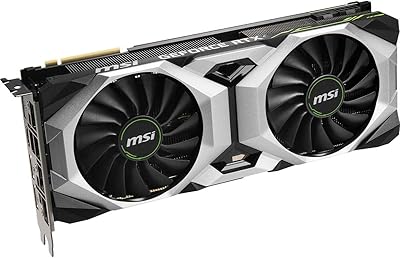
MSI RTX 2080 Super Ventus XS GPU
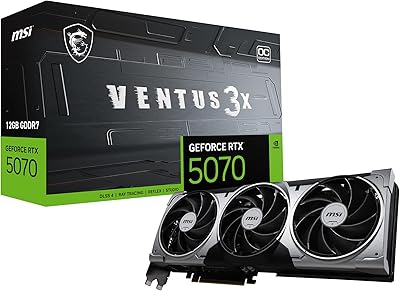
MSI RTX 5070 Ventus 3X OC 12GB
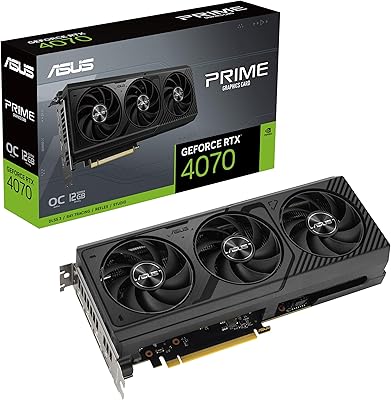
ASUS PRIME GeForce RTX 4070 OC Edition 12GB Graphics Card
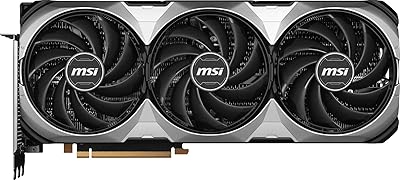
MSI GeForce RTX 4080 SUPER 16GB VENTUS 3X OC Graphics Card
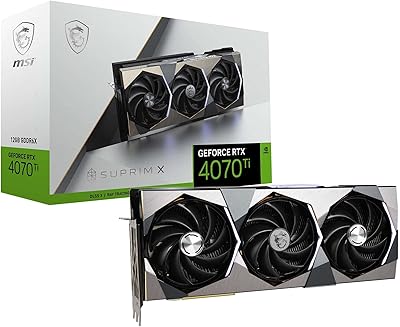
MSI RTX 4070 Ti SUPRIM X GPU
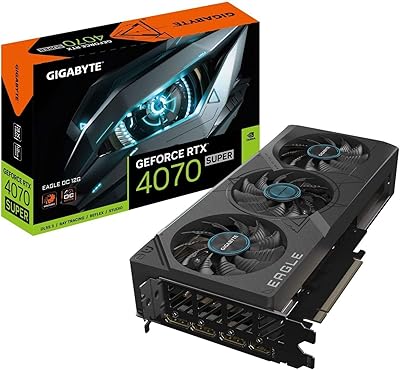
Gigabyte RTX 4070 Super Eagle OC Graphics Card
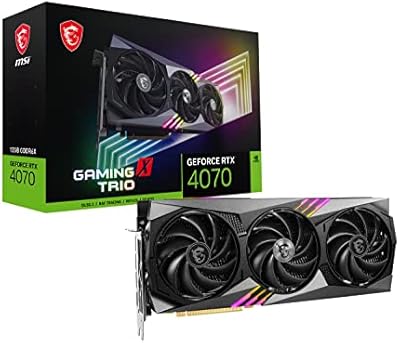
MSI RTX 4070 Gaming X Trio GPU
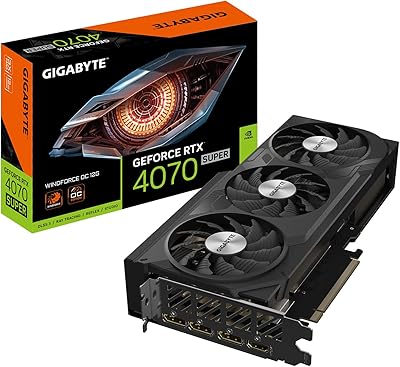
GIGABYTE RTX 4070 Super WINDFORCE OC GPU
PNY RTX 4070 Super 12GB Graphics Card