Overview

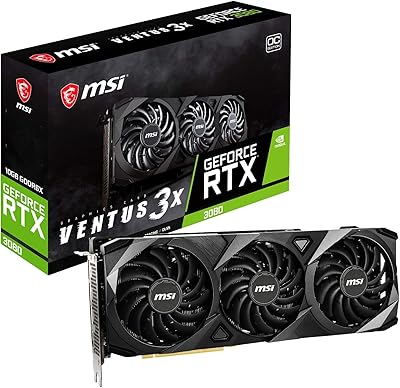
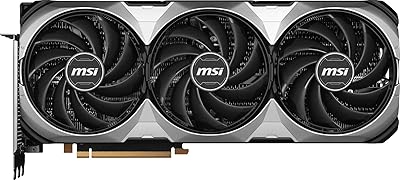
The MSI RTX 3070 Ti Ventus 3X GPU is MSI's workman answer to NVIDIA's RTX 3070 Ti — a card that sits comfortably above the standard 3070 in raw performance while stopping short of the 3080's price and power demands. The Ventus line has always prioritized function over flash: no RGB lighting, no aggressive shroud design, just a clean black exterior built around serious cooling hardware. Under the hood, you get 8GB of GDDR6X memory on a 256-bit bus, paired with a PCIe Gen 4 interface and a factory overclock that nudges the boost clock to 1800 MHz right out of the box — a small but real edge over reference speeds.

Features & Benefits

The Triple TORX Fan 3.0 cooling setup is where this triple-fan GPU separates itself from cheaper alternatives. Unlike standard axial fans, the TORX 3.0 design generates higher static pressure, pushing air more effectively through a dense heatsink fin stack. Complementing that is Zero Frozr technology, which keeps all three fans completely stopped during light tasks like browsing or video playback — a quiet PC is a genuinely pleasant PC. Precision-machined heat pipes run the full length of the heatsink, making solid contact across the surface to prevent hot spots. The custom PCB uses hardened circuits optimized for stability under sustained load, and memory bandwidth gets a boost from GDDR6X running at 1830 MHz, noticeably faster than standard GDDR6.

Best For

The MSI 3070 Ti is at its best as a 1440p gaming card. At that resolution, it handles high refresh rates in demanding titles without breaking a sweat, making it a strong match for anyone running a 144Hz or 165Hz monitor. It can push into 4K territory too, though buyers should set realistic expectations — medium-to-high settings in most titles, not maxed-out ultra across the board. The Ventus 3X card also appeals to creators who do occasional GPU-accelerated rendering or video encoding alongside gaming. And if you're moving up from a GTX 1080 or RTX 2070, the generational performance jump here is substantial enough to be immediately noticeable in everyday use.

User Feedback

With a 4.5-star average across 245 ratings, the reception for this Ventus 3X card leans clearly positive. Buyers consistently highlight cooling and low noise at idle as standout strengths — the Zero Frozr behavior in particular gets genuine appreciation from people who build quiet systems. Build quality earns praise too. The criticism that comes up most is the 8GB VRAM ceiling, which starts to pinch in a handful of modern titles at 4K ultra settings; it's a real limitation worth knowing about. A few buyers also mention double-checking PSU headroom before installing — a 750W unit is a sensible minimum here. A smaller group experimented with overclocking via MSI Afterburner and found modest but stable gains beyond the factory clock.

Pros

  • Cooling performance is genuinely strong — temperatures stay in check even during extended gaming sessions.
  • Zero Frozr keeps the fans completely silent during light use, which makes a real difference in a quiet build.
  • Factory overclock out of the box means no tuning required to get above-reference performance.
  • GDDR6X memory delivers noticeably faster bandwidth than standard GDDR6, benefiting texture-heavy workloads.
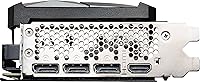
  • Four display outputs including HDMI 2.1 and three DisplayPort 1.4a connections support flexible multi-monitor setups.
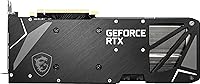
  • Build quality feels solid and durable — the custom PCB and hardened circuits are not just marketing language.
  • PCIe Gen 4 interface is forward-compatible, reducing the risk of this card becoming a bottleneck on newer platforms.
  • MSI Afterburner support gives enthusiasts a well-understood, stable tool for tweaking if they want to experiment.
  • The understated black design fits almost any build without clashing with other components.
  • At 1440p high refresh rates, this Ventus 3X card consistently delivers the performance its spec sheet promises.

Cons

  • 8GB VRAM is starting to feel tight in some modern titles at 4K ultra settings, limiting long-term headroom.
  • A 750W power supply is a practical minimum — buyers with older PSUs may face an unplanned extra cost.
  • No RGB lighting or premium shroud design for builders who care about visual customization.
  • Overclocking headroom beyond the factory boost clock is modest; do not expect dramatic manual frequency gains.
  • The card is physically large at over 12 inches in length, which can be a tight fit in smaller mid-tower cases.
  • Some buyers have reported needing to test display ports individually at first install — a minor but real annoyance.
  • No bundled software extras or game codes, which competing AIB partners sometimes include at a similar price.
  • Fans are audible under sustained full load — not loud, but not inaudible either at peak gaming workloads.

Ratings

The scores below reflect an AI-driven analysis of verified buyer reviews for the MSI RTX 3070 Ti Ventus 3X GPU, aggregated from global sources with spam, bot-generated, and incentivized feedback actively filtered out. This Ventus 3X card earns strong marks in several areas, but the analysis does not shy away from the real friction points buyers have reported. Both the highs and the genuine limitations are captured transparently in each category.

Gaming Performance
88%
At 1440p, this triple-fan GPU consistently delivers high frame rates in demanding titles, making it a reliable choice for gamers running 144Hz or 165Hz monitors. Buyers upgrading from older architectures report the generational jump feeling immediately tangible in everyday play.
At 4K ultra settings, performance in the most demanding modern titles can be inconsistent, and the 8GB VRAM ceiling is increasingly responsible for frame dips that are hard to tune around regardless of driver updates.
Thermal Performance
91%
The TORX Fan 3.0 cooling setup keeps GPU temperatures well within safe ranges even during extended sessions, and multiple buyers note the card rarely throttles under sustained gaming load. The precision heat pipe layout does its job without needing aggressive fan curves.
Under a truly heavy workload in a poorly ventilated case, temperatures can creep higher than expected, suggesting the cooling system works best when the rest of the build has adequate airflow rather than compensating for a cramped enclosure.
Noise Level
89%
Zero Frozr is a genuine quality-of-life feature — at idle and during light tasks the card is completely silent, which buyers building quiet home or office PCs particularly appreciate. Fan ramp-up under gaming load is gradual and not jarring.
At sustained full load the fans are audible, and while most buyers describe the sound as unremarkable, those sensitive to fan noise in an open desk setup may notice it during long gaming sessions without headphones.
VRAM Adequacy
63%
37%
For 1440p gaming and moderately demanding 4K titles, 8GB of GDDR6X is workable and the faster memory speed partially offsets raw capacity limitations compared to standard GDDR6 cards. Content creators doing light encoding work find it sufficient.
8GB is the most consistently cited frustration among buyers, particularly those targeting 4K ultra textures in newer open-world titles. This is not a hypothetical future problem — several games already expose the ceiling today, and the trend is not reversing.
Build Quality
87%
The card feels solid and purposeful in hand, with the custom PCB and hardened circuit design giving buyers confidence in long-term reliability. Several reviewers note the cooler shroud has no flex or cheap plastic feel despite the Ventus line's no-frills positioning.
The build prioritizes function over finish — there are no premium touches like a metal backplate on all versions, and the all-black utilitarian aesthetic, while clean, will not satisfy buyers who want a visually premium-looking card in a windowed case.
Cooling Efficiency
86%
The combination of TORX Fan 3.0 static-pressure fans and full-contact heat pipes means the card sheds heat efficiently without needing to spin fans aggressively. Buyers in warm climates report it holding steady temperatures that comparable reference-cooled cards cannot match.
The triple-slot form factor required to house this cooling solution means sacrificing adjacent PCIe slots in the motherboard, which is a real constraint for small form factor builds or systems with multiple expansion cards.
Overclocking Headroom
61%
39%
MSI Afterburner support is robust, and the factory overclock already gives buyers a head start above reference clocks. A portion of users report finding stable additional gains with modest voltage and frequency adjustments.
The Ventus line is not tuned for aggressive overclocking, and the gains available beyond the factory settings are described by most who tried as modest at best. Enthusiasts chasing silicon lottery wins will find this card a middling candidate.
Value for Money
74%
26%
For buyers targeting 1440p high-refresh-rate gaming, the MSI 3070 Ti delivers strong performance per dollar in its class, especially considering the above-reference factory clock and the quality of the thermal solution included at this price tier.
The 8GB VRAM constraint makes the long-term value proposition shakier than the raw benchmark numbers suggest, and buyers who stretch for this card expecting 4K ultra longevity may find themselves reconsidering sooner than expected as VRAM demands climb.
Installation Experience
79%
21%
The card installs without complication in most standard mid-tower builds, and the physical connectors are clearly laid out. Buyers generally report a straightforward plug-in experience with driver installation being quick and problem-free.
A small but consistent group of buyers report needing to individually test display ports after first install, with some ports appearing unresponsive until the card is reseated or a different cable is used — a minor but avoidable frustration on day one.
Driver Stability
83%
Running on NVIDIA's mature Ampere driver stack, the MSI 3070 Ti benefits from years of stability optimization. Buyers report very few crashes or driver-related issues in standard gaming configurations across a wide range of titles.
A handful of users report occasional issues following major NVIDIA driver updates, which is not unique to this card but is worth noting — keeping a known-stable driver version saved rather than auto-updating is practical advice for any Ampere-generation card.
Multi-Monitor Support
84%
Four display outputs including HDMI 2.1 and three DisplayPort 1.4a ports give buyers genuine flexibility for multi-monitor setups, and buyers running triple-screen configurations report no signal or bandwidth issues during everyday use.
While the port selection is generous, HDMI 2.1 support is limited to a single port, which matters for buyers wanting to run two high-refresh-rate HDMI displays simultaneously — they would need to mix connection types to achieve that.
Form Factor Fit
71%
29%
At 12 inches in length, the card fits comfortably in most standard mid-tower and full-tower cases, and the weight of 1.76 pounds is manageable without needing a GPU support bracket in most builds.
Compact mid-tower cases and anything smaller will likely need a clearance check before ordering, and the triple-slot width means adjacent motherboard slots are blocked — a genuine inconvenience for builds with sound cards or other PCIe accessories.
Idle Efficiency
88%
Zero Frozr keeps power consumption and fan activity both at zero during desktop use and light productivity tasks, which translates to a meaningfully quieter and cooler-running system during the many hours a PC is used outside of gaming.
While idle behavior is excellent, the card does not offer granular low-power state management beyond what NVIDIA's driver provides, so users who wanted deeper power-saving control in light GPU workloads have limited options beyond the default settings.
Aesthetic Design
58%
42%
The clean all-black shroud integrates unobtrusively into almost any build, and buyers who prefer a professional or stealth aesthetic specifically seek out the Ventus line for this reason — it does not demand visual attention in a windowed case.
The complete absence of RGB lighting or any design flourish is a dealbreaker for buyers who want their GPU to contribute to a themed or illuminated build, and unlike some competing cards there is no addressable header to work around this limitation.

Suitable for:

The MSI RTX 3070 Ti Ventus 3X GPU is a strong fit for PC gamers who have settled on 1440p as their target resolution and want to push high refresh rates without thermal anxiety. If you're running a 144Hz or 165Hz monitor and play a mix of competitive and AAA titles, this card handles that workload confidently and quietly. It also works well for casual 4K gaming where you're comfortable dialing settings to high rather than ultra — most mid-demand titles run fine at that resolution without hitting the card's limits. Builders who prioritize a clean, understated aesthetic will appreciate the no-RGB Ventus design, and the triple-fan cooling means you're not sacrificing thermals for that restraint. Those upgrading from GTX 1000-series or RTX 2000-series cards will feel an immediate and meaningful difference in both performance and efficiency. Content creators who do GPU-accelerated video encoding or light 3D rendering alongside gaming will also get solid utility from the GDDR6X bandwidth and NVIDIA's encoder quality.

Not suitable for:

The MSI RTX 3070 Ti Ventus 3X GPU is not the right call for buyers who want to max out every setting in the most demanding modern titles at 4K — the 8GB VRAM ceiling is a real constraint that is increasingly noticeable in games with large texture budgets. If 4K ultra performance is the primary goal, stepping up to a card with 10GB or more of VRAM will save frustration down the road. This triple-fan GPU also requires a capable power supply — running it on anything below 750W is asking for instability, so buyers with older or budget PSUs need to factor in that potential upgrade cost. Enthusiasts chasing maximum overclocking headroom will find the gains available here modest; this is not a card tuned for extreme frequency scaling. Finally, anyone who wants RGB lighting or a visually striking shroud as part of their build aesthetic should look at other RTX 3070 Ti variants — the Ventus line is deliberately plain, and that is unlikely to change with a third-party shroud.

Specifications

  • GPU Chip: The card is built on the NVIDIA GeForce RTX 3070 Ti silicon, based on the Ampere architecture.
  • VRAM: 8GB of GDDR6X memory provides faster bandwidth than standard GDDR6, beneficial for texture-heavy workloads.
  • Memory Bus: The 256-bit memory bus width supports efficient data throughput between the GPU and its onboard memory.
  • Memory Speed: Memory operates at 1830 MHz, which is the effective speed delivered by the factory overclock configuration.
  • Boost Clock: The factory-overclocked boost clock reaches 1800 MHz out of the box, above the NVIDIA reference specification.
  • Interface: The card uses a PCI Express Gen 4 interface, compatible with both PCIe 4.0 and backwards-compatible PCIe 3.0 motherboards.
  • Display Outputs: Connectivity includes three DisplayPort 1.4a ports and one HDMI 2.1 port, supporting up to four simultaneous displays.
  • Max Resolution: The card supports a maximum output resolution of 3840x2160 (4K UHD) across all display outputs.
  • Cooling System: A triple TORX Fan 3.0 setup generates high static pressure airflow through a large multi-heat-pipe heatsink.
  • Zero Frozr: MSI Zero Frozr technology halts all three fans completely during low-load operation to eliminate idle noise.
  • Heat Pipes: Precision-machined heat pipes maintain full surface contact across the heatsink to distribute heat evenly under load.
  • PCB Design: The custom PCB uses hardened circuit components and optimized trace routing for stability during sustained workloads.
  • Dimensions: The card measures 2.24 x 12.01 x 4.72 inches, making it a full-length triple-slot design.
  • Weight: The card weighs 1.76 pounds, which is typical for a triple-fan cooler of this class.
  • Color & Aesthetics: The shroud is solid black with no RGB lighting, fitting the utilitarian Ventus design philosophy.
  • OC Software: MSI Afterburner overclocking software is fully supported, allowing manual tuning of clocks, voltage, and fan curves.
  • Power Connector: The card requires external PCIe power connectors; a power supply of 750W or above is recommended for stable operation.
  • Amazon Rating: The card holds a 4.5 out of 5 star rating based on 245 verified customer ratings on Amazon.

Related Reviews
MSI RTX 3080 Ti Ventus 3X GPU
79%
92%
Gaming Performance
89%
Thermal Management
86%
Noise Levels
88%
Build Quality
87%
Cooling Efficiency
More
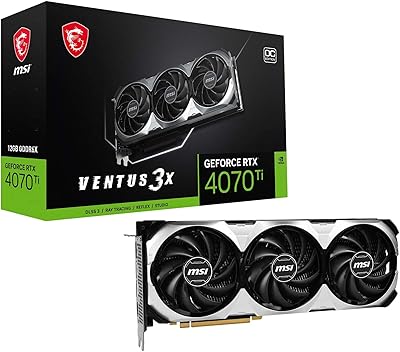
MSI RTX 4070 Ti VENTUS 3X GPU
79%
93%
1440p Gaming Performance
71%
4K Gaming Capability
88%
Thermal Performance
87%
Noise Levels
66%
Value for Money
More
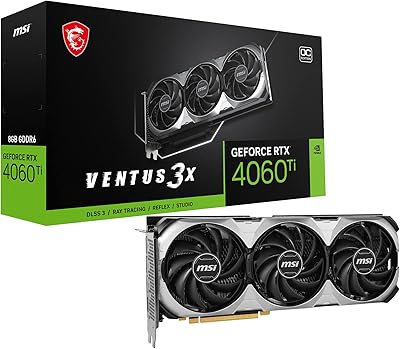
MSI RTX 4060 Ti Ventus 3X GPU
80%
83%
Gaming Performance
61%
VRAM Adequacy
86%
Thermal Management
84%
Noise Level
67%
Value for Money
More
MSI RTX 3080 VENTUS 3X Graphics Card
82%
91%
Gaming Performance
87%
Thermal Management
78%
Noise Levels
69%
VRAM Capacity
88%
Build Quality
More
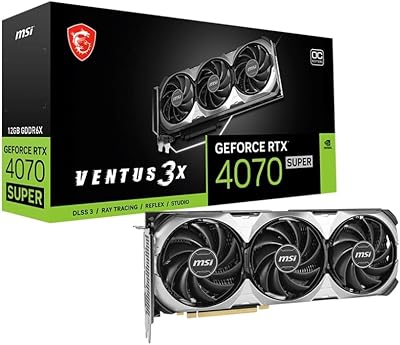
MSI RTX 4070 Super 12GB Graphics Card
80%
91%
1440p Gaming Performance
88%
Thermal Management
86%
Noise Levels
67%
Value for Money
72%
VRAM & Memory Performance
More
MSI RTX 3070 Ti 8GB Graphics Card
82%
91%
Gaming Performance
93%
Thermal Management
88%
Noise Levels
67%
VRAM Headroom
92%
Build Quality
More
MSI RTX 4070 Ti Super 16G GPU
83%
91%
Gaming Performance
93%
VRAM Capacity
68%
Thermal Performance
82%
Noise Level
84%
Build Quality
More
MSI RTX 5070 Ventus 3X OC 12GB
82%
88%
Gaming Performance
86%
Thermal Management
83%
Noise Levels
84%
Build Quality
79%
Value for Money
More
MSI GeForce RTX 4080 SUPER 16GB VENTUS 3X OC Graphics Card
84%
96%
Gaming Performance
91%
Cooling Efficiency
65%
Power Consumption
89%
Build Quality
94%
4K/8K Gaming Compatibility
More
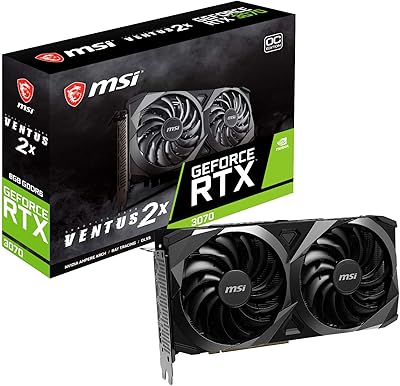
MSI RTX 3070 Ventus 2X OC GPU
79%
91%
1440p Gaming Performance
78%
Thermal Management
83%
Noise Level
62%
VRAM Adequacy
74%
Value for Money
More

FAQ

A 750W unit is the practical minimum for stable day-to-day use. If your system has a high-end CPU or multiple storage drives, leaning toward an 850W PSU gives you more comfortable headroom and avoids any instability under peak load.

It depends on your case. The card is just over 12 inches long, so you will want to check your case manufacturer's maximum GPU length spec before ordering. Most standard mid-towers support it, but compact or Mini-ITX builds are a different story.

Yes, this is genuinely where the Ventus 3X card shines. At 1440p you can expect high or maxed-out settings in most titles while hitting 100fps or above on a 144Hz or 165Hz monitor without much struggle.

It can, but with caveats. The MSI RTX 3070 Ti Ventus 3X GPU handles 4K well in moderately demanding titles at high settings, but the 8GB VRAM starts to feel constrained in the most texture-heavy games at ultra settings. Think of it as a capable 4K card for most games, not a guaranteed 4K ultra card for everything.

No. The Ventus line is intentionally plain — solid black shroud, no lighting whatsoever. If RGB is important to your build aesthetic, you will want to look at a different variant of the RTX 3070 Ti from MSI or another manufacturer.

At idle and light use it is completely silent thanks to Zero Frozr, which keeps the fans off entirely. Under a full gaming load the fans do spin up and are audible, but most buyers describe the noise as unremarkable — not loud enough to be distracting with headphones on.

Yes. PCIe Gen 4 is backwards compatible with PCIe 3.0 slots, so the card will install and function normally. You will not get the full Gen 4 bandwidth, but for gaming the real-world difference is negligible.

Absolutely. The card has four display outputs — three DisplayPort 1.4a and one HDMI 2.1 — so a three-monitor setup is straightforward, and connecting a fourth display is also supported.

MSI themselves note in the product listing that it is worth testing each port individually with different cables and source devices. Unplugging and reseating the card is also worth trying before assuming a fault. A port that appears dead sometimes just needs a firm reseat or a different cable to come to life.

The factory boost clock is already above reference, so there is some additional room available through MSI Afterburner, but do not expect dramatic gains. Buyers who have pushed the card manually report modest, stable increases — enough to notice in benchmarks but not a transformative uplift. If raw overclocking potential is a priority, the Ventus line is not specifically designed for that pursuit.

Where to Buy