Overview

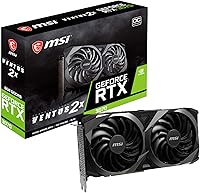
The MSI RTX 3070 Ventus 2X OC GPU is MSI's entry point into the RTX 3070 lineup — a dual-fan, dual-slot card built for enthusiasts who want strong performance without paying a premium for triple-fan overkill. It launched alongside the Gaming X Trio, and the gap between them is intentional: MSI's compact 3070 trades aggressive cooling headroom for a shorter 9.1-inch footprint that fits comfortably in mid and even some mini-tower cases. Built on NVIDIA's Ampere architecture, it brings real generational muscle — second-gen ray tracing, DLSS 2.0, and genuine 1440p capability — without pretending to be something it isn't.
Features & Benefits

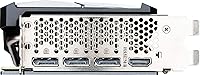
The Ventus 2X OC's 8GB GDDR6 memory runs across a 256-bit bus, which keeps bandwidth healthy enough for high-texture 1440p gaming without noticeable stuttering in most current titles. Cooling is handled by TORX Fan 3.0 technology, where alternating dispersion and traditional blades push airflow more efficiently, keeping the card quiet under sustained loads. The factory overclock adds a modest, stable bump to the boost clock — nothing dramatic, but consistent and requiring no manual tuning. Three DisplayPort 1.4a outputs plus HDMI 2.1 give you flexible multi-monitor options, and native DLSS 2.0 support delivers real frame rate headroom in supported titles through AI upscaling.

Best For

This dual-fan RTX 3070 is a natural fit for 1440p gaming builds where you want ultra or high settings in demanding titles without the added cost of MSI's higher-tier SKUs. Its 9.1-inch length clears most mid-tower clearances with room to spare, making it genuinely useful for SFF-adjacent builds where a triple-fan card won't physically fit. Content creators doing moderate video editing or Blender rendering will appreciate the CUDA core count and VRAM buffer. DLSS-heavy titles like Cyberpunk 2077 or Microsoft Flight Simulator scale particularly well here, and upgraders coming from GTX 10-series hardware will feel an immediate, substantial performance difference.

User Feedback

Across nearly 200 ratings and a 4.4-star average, owners consistently highlight low noise levels and straightforward installation as standout positives — several note the card running quietly even during extended sessions. Thermal performance earns good marks in open cases, though a handful of buyers in tighter enclosures report temperatures climbing more than expected under full load. On the critical side, enthusiasts wanting to push clocks hard find less headroom than the Gaming X Trio offers, and the 8GB VRAM ceiling is a legitimate long-term concern as newer titles push memory budgets harder. Most buyers report zero driver issues out of the box, with many citing it as a confident first GPU upgrade.

Pros

  • Handles 1440p ultra settings in most AAA titles without breaking a sweat.
  • The 9.1-inch dual-slot design fits mid-towers and smaller cases where triple-fan cards won't.
  • TORX Fan 3.0 cooling keeps noise levels impressively low during extended gaming sessions.
  • DLSS 2.0 support provides a substantial frame rate boost in a growing library of supported games.
  • Second-gen RT cores make ray tracing genuinely usable, not just a spec-sheet checkbox.
  • Installation is straightforward — owners consistently report zero driver headaches out of the box.
  • At just 2 pounds, the card puts minimal stress on PCIe slots and motherboard connectors.
  • Three DisplayPort 1.4a outputs plus HDMI 2.1 cover virtually any monitor or multi-display setup.
  • The factory OC delivers a stable, consistent boost without any manual tuning required.
  • Strong community of owners makes troubleshooting resources easy to find online.

Cons

  • 8GB VRAM is already showing strain in some texture-heavy modern titles and will only become more limiting over time.
  • Overclocking headroom is notably tighter than MSI's own Gaming X Trio variant.
  • Temperatures climb more than expected when installed in cases with restricted airflow or poor intake fans.
  • The factory overclock is modest enough that buyers hoping for a significant clock speed advantage over reference will be underwhelmed.
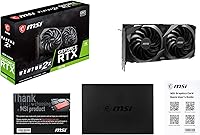
  • No bundled software or extras — you get the card and nothing else in the box.
  • Competing cards like the AMD RX 6800 offer more VRAM at a comparable price point, which matters for future-proofing.
  • The dual-fan cooler, while quiet in open builds, can ramp up noticeably under prolonged full GPU load in warm environments.
  • Not ideal for 4K gaming at high refresh rates — performance at that resolution is capable but not consistently smooth in demanding titles.

Ratings

The scores below for the MSI RTX 3070 Ventus 2X OC GPU were generated by our AI after analyzing verified owner reviews from global marketplaces, actively filtering out incentivized, bot-generated, and duplicate feedback to surface what real buyers actually experienced. This dual-fan RTX 3070 earns strong marks in several areas, but our analysis does not shy away from the friction points that a meaningful portion of owners flagged — both sides are reflected honestly in every category.
1440p Gaming Performance
91%
Owners running 1440p monitors consistently report smooth, high-frame-rate gameplay in demanding titles like Assassin's Creed Valhalla, Horizon Zero Dawn, and Cyberpunk 2077 with DLSS enabled. The Ampere architecture handles this resolution with enough headroom that most users never feel like they are chasing settings compromises.
A subset of owners pushing ultra-texture presets in the most VRAM-intensive modern titles do encounter occasional stutters as memory usage approaches the 8GB ceiling. It is not a dealbreaker at 1440p today, but it is a signal of where the card's ceiling sits.
Thermal Management
78%
22%
In well-ventilated mid-tower builds, the TORX Fan 3.0 dual-fan cooler keeps temperatures in a comfortable range during typical gaming sessions, with many owners reporting GPU temps that stay well within safe operating territory even after two or three hours of continuous play.
Owners with compact cases or limited front intake airflow report noticeably higher sustained temperatures under load, occasionally pushing into ranges that trigger thermal throttling. The dual-fan design simply has less cooling surface area than the triple-fan alternatives, and that trade-off shows up in constrained environments.
Noise Level
83%
The semi-passive fan behavior — where the fans stop completely at low or idle loads — is frequently praised by owners who use their systems for both work and gaming. During typical gaming sessions, noise levels are described as quiet enough to not require headphones to mask the sound.
Under sustained full-load conditions, such as extended rendering jobs or prolonged gaming at high ambient room temperatures, the fans spin up audibly enough that some users working in quiet home office environments find it slightly disruptive. It is not loud by GPU standards, but it is not whisper-quiet under pressure either.
VRAM Adequacy
62%
38%
For current 1440p gaming at high settings, and for moderate creative workloads like Premiere Pro GPU acceleration or mid-complexity Blender scenes, 8GB GDDR6 proves sufficient and genuinely capable today. Most owners purchasing for these use cases report no immediate frustration.
This is the category that divides owner sentiment most sharply. Several recent titles already consume close to or beyond 8GB at maximum texture settings, and the trajectory of game memory demands makes this ceiling a real long-term concern for buyers planning to keep the card for more than two or three years.
Value for Money
74%
26%
Owners who compared this dual-fan RTX 3070 against pricier triple-fan SKUs from MSI and ASUS generally feel they got strong performance per dollar, especially for 1440p gaming where the performance gap between this card and its more expensive siblings is relatively narrow in practice.
The value equation becomes less compelling when buyers consider alternatives like the AMD RX 6800, which offers more VRAM at a comparable price, or the RTX 3080, which provides a more future-resistant memory buffer for a moderate price premium. The Ventus 2X OC sits in a competitive market where its VRAM count is its most vulnerable spec.
Build Quality & Aesthetics
81%
19%
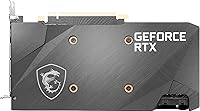
The card feels solid in hand, with a clean industrial aesthetic that fits well in builds without RGB-heavy themes. Owners appreciate the understated design, noting it does not look cheap despite being the entry-level MSI variant in the RTX 3070 family.
There is no RGB lighting on this model, which matters to a segment of builders who want their GPU to contribute to a lit interior aesthetic. A few owners also noted the backplate finish is more functional than premium compared to the Gaming X Trio.
Installation Ease
93%
First-time builders and experienced builders alike highlight how straightforward installation is — standard PCIe slot seating, two 8-pin power connectors, and done. The lighter dual-slot body makes handling and alignment easier than heavier triple-fan cards, which owners with smaller hands or tighter cases particularly appreciate.
A very small number of owners flagged minor fit issues with the power connector orientation in cases where the GPU sits close to a side panel, though this is more a case design issue than a fault of the card itself.
Driver Stability
88%
The vast majority of owners report plug-and-play driver installation with no stability issues across extended use periods. NVIDIA's driver ecosystem is mature enough that most users never encounter a crash or compatibility issue out of the box.
A small but vocal group of owners experienced driver-related issues after specific NVIDIA update packages, which is a platform-level issue rather than unique to this card. Rolling back to a stable driver version resolved problems for essentially everyone who reported them.
Overclocking Headroom
57%
43%
The factory OC delivers a stable, consistent boost above reference clock speeds without any manual tuning required, which suits the majority of buyers who want reliable out-of-box performance rather than a tuning project.
Enthusiasts who purchased this card expecting to push significant manual overclocks are frequently disappointed by the limited thermal and power delivery headroom compared to the Gaming X Trio. The Ventus 2X OC was not designed for aggressive overclocking, and that ceiling becomes apparent quickly when users start experimenting with clock offsets.
4K Gaming Capability
68%
32%
MSI's compact 3070 is capable of 4K gaming at medium-to-high settings in many current titles, and DLSS Performance mode makes 4K output genuinely smooth in supported games. For buyers who occasionally want to output to a 4K display rather than play natively at high refresh rates, it covers that use case adequately.
Native 4K at high or ultra settings in the most demanding titles is where the card shows its limits, with frame rates dropping below comfortable thresholds in games like Cyberpunk 2077 or Red Dead Redemption 2 without DLSS assistance. Buyers whose primary goal is 4K high-refresh gaming should look higher up the stack.
Ray Tracing Performance
71%
29%
Ray tracing performance is strong enough to be genuinely usable — not just a checkbox feature — especially when paired with DLSS 2.0 to recover frame rates. Games like Control and Metro Exodus with ray tracing enabled run at acceptable frame rates at 1440p when DLSS is active.
Enabling ray tracing without DLSS at 1440p pushes the card hard and results in frame rates that feel sluggish in the most visually complex scenes. It is a feature best used selectively or in tandem with DLSS rather than as an always-on setting.
Multi-Monitor Support
86%
Four display outputs — three DisplayPort 1.4a and one HDMI 2.1 — cover virtually any multi-monitor configuration a home user or content creator would reasonably want. Owners running triple-monitor productivity setups report no issues with detection or stability across different display brands.
Running three or four displays simultaneously in gaming scenarios does add VRAM pressure, which compounds the existing 8GB limitation faster than single-screen use. Multi-monitor gaming specifically is where the VRAM budget gets consumed most aggressively.
Case Compatibility
89%
At 9.1 inches long and a true dual-slot width, this card fits in a broader range of cases than almost any competing RTX 3070 variant. Owners who specifically chose it for SFF-adjacent builds or tighter mid-towers report it clearing clearance requirements with room to spare.
The 4.8-inch height means buyers with very old or budget cases with non-standard bracket spacing should measure before purchasing, though in practice this affects very few modern cases.
DLSS & Upscaling Quality
87%
DLSS 2.0 support is one of the genuinely compelling reasons to choose this card over AMD alternatives at a similar price. Owners regularly report that Quality mode DLSS is visually indistinguishable from native resolution in supported titles, unlocking smooth frame rates that the card could not achieve natively.
DLSS benefits are limited to supported titles, and the list — while growing — still leaves many games outside its scope. Buyers who primarily play older titles or games without DLSS support will see no practical benefit from this feature.

Suitable for:

The MSI RTX 3070 Ventus 2X OC GPU is a strong match for PC builders who want genuine 1440p gaming performance without committing to a larger, pricier triple-fan card. If your case has a tight GPU clearance or you're working with a mid-tower that rewards a shorter, lighter card, the 9.1-inch dual-slot body is a practical advantage that larger RTX 3070 SKUs simply can't offer. Gamers who lean heavily on DLSS 2.0 in titles like Cyberpunk 2077, Microsoft Flight Simulator, or Control will get real frame rate returns from the Ampere architecture here. It also makes sense for creators doing moderate video editing or occasional 3D rendering work, where the CUDA core count and 8GB GDDR6 buffer pull their weight without requiring a workstation-class card. Anyone stepping up from a GTX 1070, 1080, or an RX 5700-series card will feel the performance difference immediately and clearly.
Not suitable for:

The MSI RTX 3070 Ventus 2X OC GPU is not the right pick for buyers chasing maximum overclocking potential — the thermal headroom and power delivery simply aren't built for it, and the Gaming X Trio exists precisely for that crowd. Competitive 4K players who want sustained high frame rates in graphically demanding titles will find 8GB of VRAM increasingly limiting as modern games push memory budgets well past that threshold. If you're building a system intended to last five or more years at the high end, that VRAM ceiling is a genuine long-term concern worth weighing honestly. Buyers in very compact or poorly ventilated cases should also proceed carefully, as several owners report elevated temperatures when airflow is restricted. And if raw benchmark rankings are your priority over value, AMD's RX 6800 and NVIDIA's own RTX 3080 offer meaningfully higher performance for those willing to stretch the budget.
Specifications

  • GPU Chip: Powered by the NVIDIA GeForce RTX 3070 on the Ampere architecture, featuring second-generation RT cores and third-generation Tensor cores.
  • CUDA Cores: Includes 5888 CUDA cores, providing strong parallel processing capacity for gaming, rendering, and compute workloads.
  • VRAM: Equipped with 8GB of GDDR6 memory running at 1.73 GHz across a 256-bit memory interface.
  • Memory Bandwidth: The 256-bit bus delivers approximately 448 GB/s of memory bandwidth, keeping pace with demanding 1440p textures and assets.
  • Display Outputs: Features three DisplayPort 1.4a ports and one HDMI 2.1 port, supporting up to four simultaneous displays.
  • Max Resolution: Supports digital output up to 7680x4320 (8K) at 60Hz over compatible DisplayPort or HDMI connections.
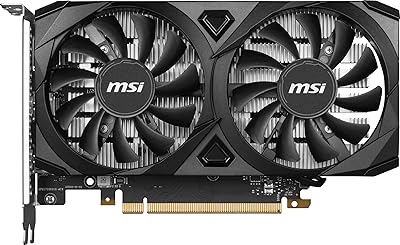
  • Cooling System: Uses MSI TORX Fan 3.0 dual-fan cooling with alternating dispersion and traditional fan blades for improved airflow efficiency and reduced noise.
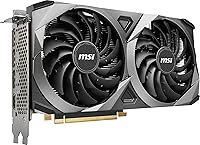
  • Card Dimensions: Measures 9.1 inches long, 4.8 inches tall, and 2.1 inches wide, occupying a standard dual-slot profile.
  • Card Weight: Weighs approximately 2 pounds, placing minimal mechanical stress on the PCIe slot during installation.
  • Slot Width: Occupies exactly two expansion slots, leaving the adjacent slot free for other components.
  • Factory OC: Ships with a factory overclocked boost clock above the RTX 3070 reference specification, tuned for stability rather than maximum headroom.
  • Ray Tracing: Supports real-time ray tracing via second-generation RT cores, enabling hardware-accelerated lighting, shadows, and reflections in supported titles.
  • DLSS Support: Compatible with DLSS 2.0, NVIDIA's AI-based upscaling technology that boosts effective frame rates with minimal visual quality loss.
  • API Support: Supports DirectX 12 Ultimate, Vulkan, and OpenGL 4.6, covering the full range of modern game and application graphics APIs.
  • Power Connector: Requires two 8-pin PCIe power connectors and a recommended system power supply of at least 650W.
  • PCIe Interface: Connects via a PCIe 4.0 x16 slot and is backward compatible with PCIe 3.0 motherboards without performance penalty in most workloads.
  • User Rating: Holds a 4.4 out of 5 star average rating based on nearly 200 verified owner ratings on Amazon.

Related Reviews
MSI GeForce RTX 4070 Ventus 2X 12G OC
86%
91%
Gaming Performance at 1440p
89%
Gaming Performance at 4K
94%
Cooling Efficiency
85%
Noise Levels
92%
Value for Money
More
MSI RTX 3060 Ventus 2X 8GB Graphics Card
75%
88%
1080p Gaming Performance
67%
1440p Gaming Performance
54%
VRAM Adequacy
58%
Memory Bandwidth
91%
DLSS Performance
More
MSI RTX 5070 Ventus 2X Graphics Card
82%
88%
Gaming Performance
84%
Thermal Management
86%
Noise Levels
91%
Build Quality
78%
DLSS 4 & AI Features
More
MSI RTX 3050 Ventus 2X 8GB GPU
74%
73%
1080p Gaming Performance
66%
Value for Money
81%
Thermal Performance
84%
Noise Level
77%
Build Quality
More
MSI RTX 3070 Ti Ventus 3X GPU
79%
88%
Gaming Performance
91%
Thermal Performance
89%
Noise Level
63%
VRAM Adequacy
87%
Build Quality
More
MSI RTX 3050 Ventus 2X Graphics Card
76%
71%
1080p Gaming Performance
48%
Memory Bandwidth
93%
Installation Ease
79%
Thermal Management
88%
Noise Level
More
MSI RTX 4060 Ventus 2X Graphics Card
82%
88%
1080p Gaming Performance
83%
Thermal Management
91%
Noise Level
71%
1440p Gaming Performance
63%
VRAM Adequacy
More
MSI GeForce RTX 5060 Ti 16G VENTUS 2X OC Plus Graphics Card
87%
92%
Gaming Performance
89%
Cooling Efficiency
87%
Build Quality
91%
Compatibility with Modern Systems
88%
Price-to-Performance Ratio
More
MSI RTX 3080 VENTUS 3X Graphics Card
82%
91%
Gaming Performance
87%
Thermal Management
78%
Noise Levels
69%
VRAM Capacity
88%
Build Quality
More
MSI GeForce RTX 2060 VENTUS 6G OC Graphics Card
86%
91%
Performance at 1080p
87%
Performance at 1440p
90%
Ray Tracing and DLSS Support
89%
VR Performance
88%
Cooling and Noise Levels
More

FAQ

It genuinely is. The Ventus 2X OC handles 1440p at high or ultra settings in the vast majority of current AAA titles without serious frame rate issues. Where you will feel pressure is in particularly VRAM-heavy titles at maximum texture settings, but for typical 1440p gaming it performs exactly as the tier promises.

Quieter than most dual-fan cards at this performance level. The TORX Fan 3.0 setup keeps noise well-managed during normal gaming sessions, and the fans stay off entirely at low loads. In sustained heavy workloads like long rendering jobs, you will hear them spin up, but owners consistently describe the sound as tolerable rather than intrusive.

Almost certainly yes. At 9.1 inches long and a standard dual-slot width, this dual-fan RTX 3070 clears GPU clearance requirements in virtually every full mid-tower and most compact mid-towers. Check your case specifications, but most cases with a stated GPU clearance of 280mm or more will have no issue.

NVIDIA recommends a minimum 650W PSU for systems running the RTX 3070. If your build includes a power-hungry CPU or multiple storage drives, a 750W unit gives you a comfortable buffer. The card uses two standard 8-pin PCIe connectors.

The Gaming X Trio runs cooler and has more overclocking headroom thanks to its triple-fan design and beefier power delivery. The Ventus 2X OC trails it slightly in sustained peak performance but costs less and fits in cases where the larger card physically cannot. For most buyers who are not pushing manual overclocks, the real-world gaming difference is relatively small.

It works well for moderate creative workloads. The 8GB GDDR6 buffer and 5888 CUDA cores handle DaVinci Resolve, Premiere Pro GPU acceleration, and Blender Cycles rendering with solid results. Where you will hit limits is in professional-grade 4K or 8K editing pipelines that demand more VRAM, or in heavyweight simulation work better suited to Quadro-class hardware.

Honestly, it is a fair concern. Some current titles are already pushing past 8GB at maximum texture settings, and that trend is unlikely to reverse. For 1440p gaming at high settings rather than ultra, 8GB holds up fine today. But if you are planning to keep this card for four or five years and want to stay at maximum quality settings, the VRAM ceiling is a genuine long-term trade-off worth acknowledging.

Yes. With three DisplayPort 1.4a outputs and one HDMI 2.1 port, MSI's compact 3070 can drive up to four displays simultaneously. Triple-monitor gaming and wide productivity setups are both well within its capabilities.

Installation is about as straightforward as GPU installation gets. The dual-slot design means you remove the matching bracket covers, seat the card in the PCIe x16 slot, connect the two 8-pin power cables, and secure the bracket screw. Most first-time builders report it going smoothly, and there are no proprietary connectors or unusual steps involved.

A handful of owners have flagged higher-than-expected temperatures when the card is installed in cases with limited intake airflow. In a well-ventilated mid-tower with decent case fans, temperatures stay reasonable. If your case is on the compact or airflow-restricted side, adding a front intake fan before installing this card is a worthwhile precaution.

Where to Buy