Overview

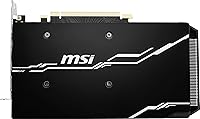
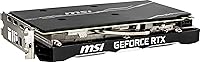
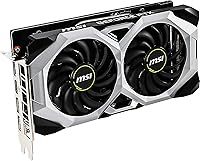
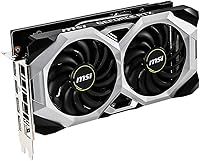
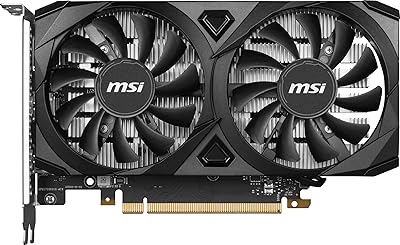
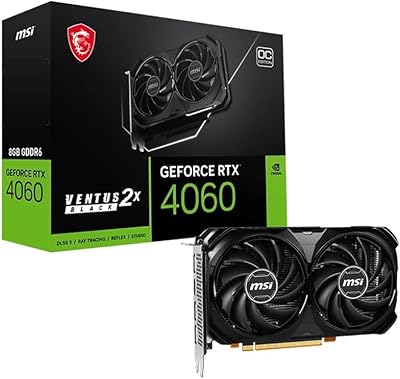
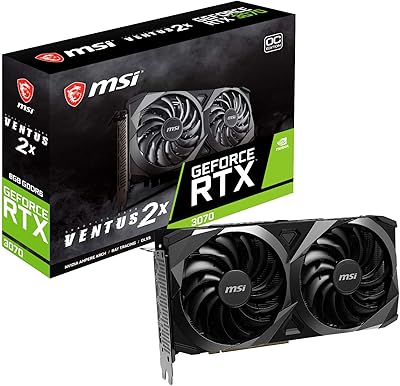
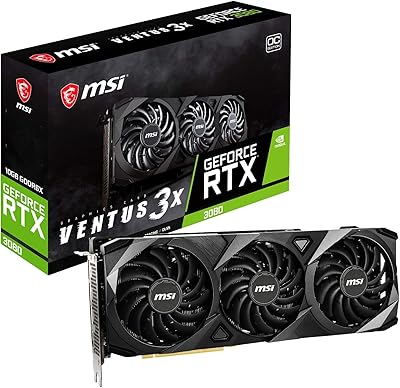
The MSI GeForce RTX 2060 VENTUS 6G OC Graphics Card delivers solid performance for gamers seeking an affordable, yet capable GPU. Equipped with 6GB of GDDR6 memory and NVIDIA’s Turing architecture, this card offers a smooth experience in modern titles. Its ray tracing and VR-ready features allow users to enjoy next-gen visuals and immersive virtual reality experiences. While it isn’t the top-tier GPU, the VENTUS 6G OC model provides excellent value for 1080p and 1440p gaming, striking a balance between performance and price for a wide range of users.
Features & Benefits

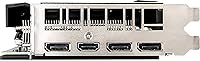
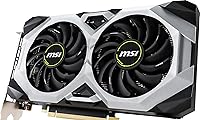
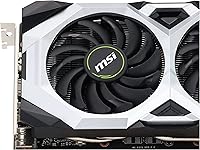
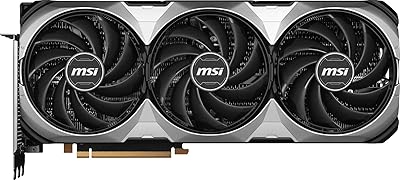
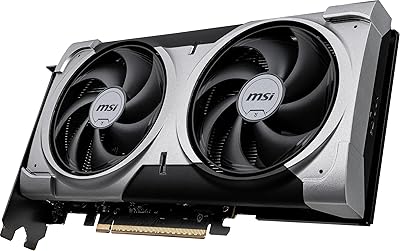
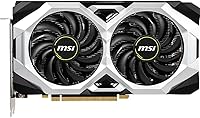
The VENTUS 6G OC model packs impressive features for its price range. With a boost clock of 1710 MHz and 6GB of GDDR6 memory, it handles most games and VR experiences with ease. Support for ray tracing and NVIDIA’s DLSS technology enhances graphics, delivering realistic lighting and improved performance in demanding titles. Multiple output options, including DisplayPort and HDMI, offer flexibility for connecting various monitors. Its efficient dual-fan cooling system ensures quiet operation, making it a reliable choice for long gaming sessions or heavy graphical workloads.

Best For

This graphics card is ideal for gamers who want to upgrade their systems without overspending. It provides excellent performance for those focused on 1080p and 1440p gaming without sacrificing quality. PC enthusiasts seeking VR compatibility and ray-traced visuals will find it suitable for modern titles at mid-range settings. Users upgrading from older GPUs like the GTX 1060 or 1070 will see a noticeable improvement. Moreover, it is well-suited for those in the $300-$400 price range who value performance, efficiency, and future-proofing for the next few years.

User Feedback

The VENTUS 6G OC model receives positive feedback for its strong performance in popular games like Cyberpunk 2077 and Call of Duty. Many users highlight its quiet cooling solution, which ensures minimal noise during extended gaming sessions. Some also mention that it’s a substantial upgrade for those moving from older GPUs, providing noticeable improvements in frame rates and overall visual quality. However, a few users note that while it excels at 1080p and 1440p, it can struggle with demanding 4K resolutions, particularly in the most graphically intensive titles.

Pros

  • Offers solid 1080p and 1440p gaming performance for a mid-range price.
  • Ray tracing and DLSS support enhance graphics and improve performance in modern games.
  • The dual-fan cooling system keeps temperatures under control, even during demanding sessions.
  • Great value for gamers upgrading from older mid-range cards like the GTX 1060 or 1070.
  • VR-ready, providing smooth experiences in a wide range of virtual reality applications.
  • Boost clock of 1710 MHz helps achieve higher frame rates in more demanding titles.
  • Efficient power consumption for mid-range gaming PCs, making it easy to integrate into existing builds.

Cons

  • Struggles with 4K gaming, especially in the most demanding titles with high settings.
  • Can become noisy under heavy load, which might be an issue for users seeking ultra-quiet setups.
  • Larger size may cause installation challenges in smaller cases or compact builds.
  • Not the best option for users who need top-tier performance at ultra settings or for 4K gaming.
  • Limited future-proofing for extreme settings or next-gen titles at high resolutions.
  • While efficient, it can still get hot when pushed to its limits, requiring good case ventilation.

Ratings

After analyzing verified user feedback from various sources worldwide, the scores for the MSI GeForce RTX 2060 VENTUS 6G OC Graphics Card reflect a balanced view of its strengths and weaknesses. The analysis takes into account reviews from multiple languages and platforms, ensuring a diverse perspective while filtering out spam, incentivized, and low-quality reviews. Both the impressive performance in mid-range gaming and some limitations for 4K gaming are well-represented in the scores.
Performance at 1080p
91%
Many users praise the strong performance of this graphics card at 1080p, delivering smooth frame rates in demanding games. The 6GB of GDDR6 memory and boost clock of 1710 MHz allow for a fluid gaming experience, even at high settings. It's especially noted for maintaining solid FPS in titles like Cyberpunk 2077 and Call of Duty.
However, a few users report occasional stuttering in certain graphically intense titles when settings are pushed too high. Although it handles 1080p well, some gamers wish for even higher performance in more demanding titles, especially at ultra settings.
Performance at 1440p
87%
This graphics card impresses at 1440p, offering a balance of performance and visuals for mid-range gaming. Users are pleased with its ability to handle most modern titles at high settings, providing smooth frame rates and a good overall experience for the price range.
While it's solid at 1440p, some users feel that the performance can drop below ideal in more graphically demanding games, especially when enabling ray tracing. In these cases, some adjustments to settings may be necessary for smoother gameplay.
Ray Tracing and DLSS Support
90%
The support for ray tracing and DLSS is one of the standout features, with many buyers highlighting the enhanced lighting and visual effects in supported games. Ray tracing delivers more realistic reflections and shadows, while DLSS boosts frame rates without compromising image quality, making this model future-proof for many upcoming titles.
Despite the impressive features, a few users mention that enabling both ray tracing and DLSS can still push this card to its limits in certain graphically intense games. Some also feel that performance drops noticeably at higher resolutions, making it less ideal for users prioritizing ultra-graphics settings.
VR Performance
89%
Users appreciate the VR-readiness of this card, with many reporting immersive and smooth experiences in virtual reality environments. The 6GB of GDDR6 memory and Turing architecture ensure minimal latency and smooth performance, allowing for an enjoyable VR experience in many titles.
However, some users do note that while the VR performance is strong, it may struggle in more demanding VR applications or at higher settings. Users who expect flawless performance in the latest VR titles may find it slightly lacking compared to higher-end models.
Cooling and Noise Levels
88%
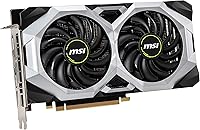
This model is often praised for its efficient cooling system, with users highlighting the dual-fan setup that ensures good thermal management during extended gaming sessions. The fans are generally quiet, even under load, contributing to a pleasant gaming environment without distracting noise.
However, a few buyers report that the cooling can become louder during intensive gaming, especially in longer sessions or more demanding games. While not excessively noisy, some would prefer a quieter experience during heavy loads or when the card runs at higher temperatures.
Build Quality
85%
The build quality of the card is solid, with users commenting on its sturdy construction. The dual-fan cooling solution is particularly appreciated for its durability and ability to keep the card running smoothly without excessive heat build-up. It's a well-constructed model that fits well into most PC builds.
Despite the generally good build quality, a few users note that the card can feel a bit bulky for smaller PC cases. Its size may cause installation issues in more compact builds, requiring careful consideration of available space inside the case.
Power Efficiency
83%
Many users appreciate the card's power efficiency relative to its performance, with the 12V power requirement being manageable for most mid-range power supplies. It's a solid option for users who want good performance without pushing their system's power limits.
However, some users feel that the card's power consumption could be more efficient, especially during extended gaming sessions. A few users have mentioned that the card can draw more power than expected, which may require a higher-wattage PSU to avoid potential system instability.
Value for Money
92%
The value for money offered by this graphics card is consistently praised, with many buyers highlighting its strong performance in mid-range gaming at an affordable price. The ability to handle 1080p and 1440p gaming smoothly at a price point under $400 makes it a great option for budget-conscious gamers who want high-quality visuals without breaking the bank.
While it offers excellent performance for its price, some users feel that it might not offer the best value for those looking for extreme performance at 4K or ultra-settings. In these cases, a more expensive card may be a better long-term investment.
4K Gaming Performance
65%
35%
For users attempting casual 4K gaming, this card offers a decent experience with lower settings, and it can still manage a number of less demanding titles at this resolution.
However, many users find that the card struggles significantly at 4K resolution, particularly in graphically demanding titles. The performance drops noticeably when pushing settings to ultra, and some users feel the card is not suitable for a consistent 4K gaming experience.
Setup and Installation
91%
Installation is straightforward, with most users mentioning that the card fits easily into their systems and doesn't require additional setup beyond the standard installation process. The drivers are also easy to install, and the card works well with a variety of systems.
Some users have noted minor installation issues in compact PC cases, where the size of the card may lead to cramped installations. Additionally, some users experienced initial driver compatibility issues, though these were generally resolved with updates.
Compatibility with Older GPUs
90%
For users upgrading from older mid-range cards, like the GTX 1060 or 1070, this card offers a significant boost in performance. Many users have reported that the upgrade has led to smoother gaming experiences and improved visual fidelity in modern titles.
However, a few users mention that the upgrade experience may not feel as dramatic for those coming from higher-end previous models or GPUs with similar architecture. Users who were hoping for a significant performance leap may find the improvements less noticeable.
Customer Support and Warranty
82%
18%
Customer support is generally seen as responsive, with users reporting helpful interactions when troubleshooting or seeking warranty support. The warranty coverage provides peace of mind for buyers concerned about long-term reliability.
Some buyers have reported slow response times or less satisfactory support experiences. Additionally, a few users felt that the warranty process could be smoother and more transparent, especially when dealing with issues like RMA requests.

Suitable for:

The MSI GeForce RTX 2060 VENTUS 6G OC Graphics Card is an excellent choice for gamers looking for solid 1080p and 1440p performance at an affordable price. It is particularly suitable for budget-conscious users who want to enjoy high-quality gaming experiences without the premium cost of top-end graphics cards. Enthusiasts upgrading from older mid-range GPUs, such as the GTX 1060 or 1070, will also find this device provides a noticeable performance boost, especially in demanding titles like Cyberpunk 2077 and Call of Duty. Additionally, users interested in VR gaming will appreciate its VR-readiness and smooth performance in many virtual reality applications. With good cooling and manageable power requirements, it's a great option for those with mid-range gaming PCs who want an efficient, high-performance upgrade.
Not suitable for:

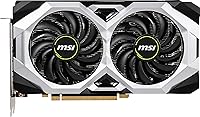
However, this graphics card may not be ideal for users looking to push their system to handle 4K gaming or ultra-high settings in the most demanding titles. While it delivers solid performance at 1080p and 1440p, users seeking consistent 4K gameplay may find it lacking, as the card struggles with higher resolutions, especially when ray tracing is enabled. Those expecting flawless VR performance at ultra settings or the highest graphics fidelity in 4K will likely need to consider a higher-end model. Additionally, users with smaller PC cases might face installation challenges due to the card's size, and the cooling can get a bit noisy under heavy loads, making it less suitable for ultra-quiet setups.

Specifications

  • GPU Model: NVIDIA GeForce RTX 2060 with Turing architecture provides enhanced graphical performance and efficiency.
  • Memory: 6GB GDDR6 memory ensures smooth performance in modern games and VR applications.
  • Boost Clock: Offers a boost clock speed of 1710 MHz for improved frame rates in demanding games.
  • Memory Interface: 192-bit memory interface provides effective bandwidth for high-resolution gaming and multitasking.
  • Ray Tracing: Supports real-time ray tracing for realistic lighting, reflections, and shadows in supported games.
  • DLSS Support: NVIDIA's DLSS technology enhances performance by using AI-driven image upscaling for smoother gameplay.
  • VR-Ready: This card is VR-compatible, providing an immersive experience for virtual reality gaming.
  • Outputs: Includes 3x DisplayPort 1.4a and 1x HDMI 2.0b for flexible monitor connectivity.
  • Max Resolution: Supports a maximum resolution of 7680x4320 for ultra-high-definition displays.
  • Cooling Solution: Dual-fan cooling system helps maintain low temperatures during heavy gaming sessions.
  • Power Requirements: Requires a 12V power connection from a compatible PSU, typically 500W or higher.
  • Dimensions: Measures 9.1 x 1.7 x 5 inches, fitting into most mid-to-large form factor cases.
  • Architecture: Built on NVIDIA's Turing architecture for better efficiency and advanced graphics features.
  • PCIe Version: Compatible with PCIe 3.0 x16 slots for high-speed data transfer between the GPU and motherboard.
  • Cooling Fans: Equipped with dual fans that provide effective heat dissipation to reduce thermal throttling.
  • Memory Bandwidth: Supports a memory bandwidth of 336 GB/s, ensuring quick data transfer for demanding applications.
  • Software Support: Compatible with NVIDIA’s GeForce Experience software for easy driver updates and optimization.
  • Compatibility: Works with most modern gaming PCs and motherboards featuring a PCIe x16 slot.
  • Display Support: Supports multiple monitor setups through its DisplayPort and HDMI outputs.

FAQ

This graphics card offers solid performance for 1080p and 1440p gaming, thanks to its 6GB GDDR6 memory and Turing architecture. It supports ray tracing and DLSS for more realistic lighting and higher frame rates, making it a great option for mid-range gaming setups.

To install this graphics card, first ensure your PC case has enough space, as the card is 9.1 inches long. Insert the card into a compatible PCIe x16 slot on your motherboard, connect the power cables, and secure it with screws. Once installed, install the latest drivers from NVIDIA’s website or via GeForce Experience to optimize performance.

Yes, this graphics card is VR-ready and delivers smooth performance in VR applications. Its 6GB of GDDR6 memory and ray-tracing support make it capable of rendering immersive virtual environments with good frame rates, making it a great choice for VR enthusiasts.

The MSI GeForce RTX 2060 VENTUS 6G OC performs well in demanding games like Cyberpunk 2077, providing smooth gameplay at 1080p and 1440p with settings adjusted to medium-high. However, at higher resolutions like 4K, it may struggle to maintain high frame rates in ultra settings.

Yes, the MSI GeForce RTX 2060 supports real-time ray tracing, which enhances the lighting, shadows, and reflections in supported games. This feature, combined with DLSS technology, helps improve visual fidelity without sacrificing performance.

This card requires a 12V power connection, typically from a 500W or higher power supply, depending on the rest of your system. Ensure your PSU has the necessary connectors, including an 8-pin PCIe connector, to power the GPU efficiently.

Yes, the MSI GeForce RTX 2060 is compatible with most systems that have a PCIe x16 slot. However, make sure your motherboard supports PCIe 3.0 and that your PSU meets the required wattage for optimal performance.

The MSI RTX 2060 features a dual-fan cooling system that helps maintain temperatures during heavy gaming sessions. While users report it operates quietly in most scenarios, the fans can get louder under extreme loads, such as during sustained gaming at high settings.

While the MSI GeForce RTX 2060 is great for 1080p and 1440p gaming, it struggles with 4K gaming in demanding titles. You may need to lower graphics settings to achieve smoother performance, as this card isn't optimized for the highest resolutions in ultra settings.

If the card runs hot, ensure your PC case has good airflow and that the cooling fans are clean and functioning. If temperatures remain high, consider adding extra case fans or improving the ventilation around the GPU to prevent overheating.