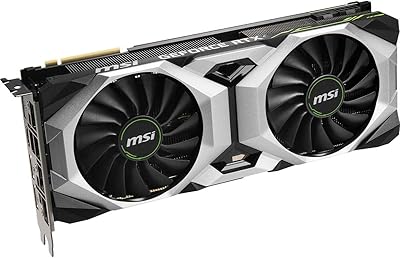
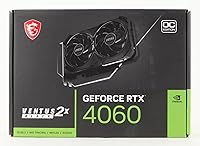
MSI RTX 4060 Ventus 2X Graphics Card

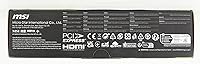

Overview
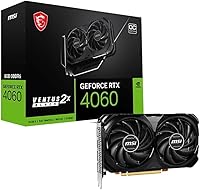
The MSI RTX 4060 Ventus 2X Graphics Card sits at an interesting spot in the RTX 4060 lineup — it's the no-frills option that skips RGB lighting and premium trimmings in favor of just getting the job done. MSI kept the design compact and dual-slot, which makes it a practical fit for mid-tower and smaller cases where longer cards create real headaches. Against competitors like the RX 7600 and the pricier RTX 4060 Ti, this Ventus 2X holds its own at 1080p, though anyone expecting 4K gaming without compromise will need to look higher up the stack.
Features & Benefits
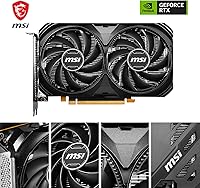
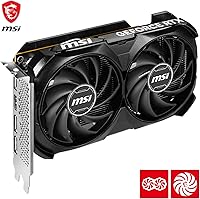
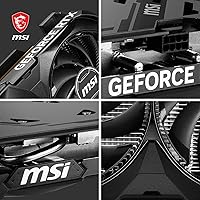
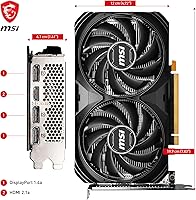
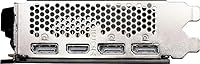
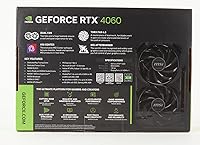
The cooling setup on the RTX 4060 Ventus is where MSI put most of its engineering effort. The dual TORX 4.0 fans use a paired-blade approach that channels air more directly into the heatsink rather than just spinning and hoping for the best. Buyers consistently notice how quiet it runs — the Zero Frozr feature cuts the fans entirely at low temperatures, so during web browsing or light tasks, you hear nothing. Three DisplayPort 1.4a ports and an HDMI 2.1a output cover high-refresh monitors and HDR TVs alike. The 8GB of GDDR6 handles 1080p and most 1440p scenarios comfortably, though VRAM headroom becomes a real conversation at higher resolutions with demanding texture packs.
Best For
This MSI card punches well above its weight for anyone upgrading from older mid-range hardware — think GTX 1060, RX 580, or early RTX 20-series cards. The generational difference in performance and efficiency is noticeable from day one. Its compact footprint also makes it a smart choice for smaller form factor builds where fitting a triple-fan card simply is not an option. If you are a 1080p gamer chasing high frame rates in AAA titles, this is a strong fit. Streamers and home-office users also benefit from the silent idle behavior during calls or editing sessions — the card knows when to step back and stay quiet.
User Feedback
Owners of the RTX 4060 Ventus generally report a positive experience, with low noise levels and manageable temperatures cited most often. Installation gets frequent praise too — the card's modest size and weight make it easy to handle even in cramped cases, and the reinforced backplate feels solid rather than flimsy. Where opinions split is on VRAM: 8GB is genuinely adequate for most 1080p gaming today, but users running heavily modded titles or pushing 1440p at maximum settings have run into real limits. Some buyers also compare the Ventus 2X against AMD's RX 7600 at a similar price point. Most land on satisfied, but 1440p ultra players should weigh those limitations carefully before committing.
Pros
- Silent at idle thanks to Zero Frozr — genuinely no fan noise during light desktop use or streaming.
- Compact dual-slot footprint fits easily into smaller cases where larger cards simply will not go.
- Runs noticeably cool under sustained gaming loads based on widespread user reports.
- Meaningful performance leap for anyone upgrading from GTX 10-series or early RTX 20-series hardware.
- Four display outputs including HDMI 2.1a cover high-refresh monitors and modern HDR TVs without adapters.
- Build quality feels solid — the reinforced backplate does not flex or feel cheap in hand.
- Easy to install even for first-time builders given its manageable size and weight.
- Strong 1080p frame rates in modern AAA titles, including at high and ultra presets.
- NVIDIA ecosystem perks like DLSS 3 and Frame Generation add practical value beyond raw rasterization performance.
- Consistently ranks among the top-selling cards in its category, reflecting broad buyer satisfaction.
Cons
- 8GB VRAM creates real bottlenecks in texture-heavy games or heavily modded titles at 1440p and above.
- The 128-bit memory bus is narrower than competing cards at similar price points, limiting memory bandwidth.
- No RGB lighting at all — buyers who care about aesthetics inside a windowed case get nothing here.
- AMD RX 7600 offers genuine competition at a comparable price, and some benchmarks favor the AMD card in rasterization.
- Users who want to future-proof for the next three to four years may find 8GB VRAM ages poorly.
- A small number of users have reported driver-related instability, though this is not unique to this card.
- The performance gap over an RTX 3060 Ti is narrower than the generational gap might suggest, disappointing some upgraders.
- No factory overclock headroom is dramatic — the OC variant offers only a modest boost over reference clocks.
Ratings
The MSI RTX 4060 Ventus 2X Graphics Card earns its scores from an AI-driven analysis of verified global buyer reviews, with spam, bot-generated entries, and incentivized feedback actively filtered out before any scoring was applied. The results reflect what real owners consistently reported across thousands of purchases — covering both the aspects that impressed and the trade-offs that frustrated. Strengths and pain points are represented equally, so you get an honest picture rather than a polished one.
1080p Gaming Performance
Thermal Management
Noise Level
1440p Gaming Performance
VRAM Adequacy
Build Quality
Value for Money
Installation Ease
Multi-Monitor Support
Driver Stability
Ray Tracing Performance
DLSS & AI Features
Streaming & Encoding
Form Factor Compatibility
Suitable for:
The MSI RTX 4060 Ventus 2X Graphics Card is a strong pick for mainstream PC gamers who want reliable 1080p performance without overcomplicating their build or their budget. If you are coming from a GTX 1060, RX 580, or an early RTX 20-series card, the performance difference is substantial enough to feel genuinely worthwhile. The compact dual-slot design is a practical asset for anyone working with a mid-tower or smaller case, where fitting a longer triple-fan card simply is not realistic. Streamers and home-office users will also appreciate how quietly this Ventus 2X operates at idle — it is genuinely silent when not under load, which matters during calls, light editing, or late-night sessions. Casual content creators who need smooth video playback and light editing alongside gaming will find it covers those bases without needing a workstation-class card.
Not suitable for:
The MSI RTX 4060 Ventus 2X Graphics Card is not the right tool if your primary goal is 4K gaming at high settings — the GPU can output to a 4K display, but maintaining smooth, high-fidelity frame rates in demanding titles is a different story. Serious 1440p players who prefer cranking textures and effects to maximum should also think carefully, as the 8GB VRAM ceiling has caused real frustration for users in texture-heavy or heavily modded games. If you are a competitive professional creator working with large video projects, 3D rendering, or machine learning tasks, this card lacks the raw memory and compute headroom you need. Buyers who already own a mid-range RTX 30-series card like an RTX 3060 Ti or 3070 may also find the real-world upgrade gap smaller than expected, making the investment harder to justify. Anyone who wants future-proofing for the next several GPU generations should probably consider stepping up to the RTX 4060 Ti or an AMD alternative with more VRAM.
Specifications
- GPU: Powered by the NVIDIA GeForce RTX 4060 graphics processor built on NVIDIA's Ada Lovelace architecture.
- VRAM: Equipped with 8GB of GDDR6 memory for handling textures, frame buffers, and game assets at 1080p and 1440p resolutions.
- Memory Bus: Uses a 128-bit memory interface, which is narrower than some competing cards in the same price tier.
- Display Outputs: Offers three DisplayPort 1.4a ports and one HDMI 2.1a port, supporting up to four simultaneous displays.
- Display Support: Compatible with 4K and 8K HDR-capable monitors and televisions via HDMI 2.1a output.
- PCIe Interface: Connects via PCI Express Gen 4, ensuring compatibility with modern motherboards while remaining backward compatible with Gen 3 slots.
- Cooling System: Dual TORX FAN 4.0 fans with a paired-blade design draw air through a dedicated heatsink for sustained thermal performance.
- Zero Frozr: Fans stop spinning completely during low-load or idle conditions, resulting in complete silence outside of active gaming sessions.
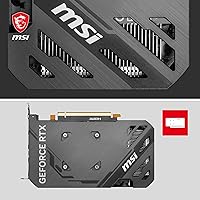
- Backplate: Features a reinforced metal backplate with flow-through ventilation cutouts that improve rear airflow and add structural rigidity.
- Card Length: Measures 7.83 inches in length, making it compatible with compact mid-tower and smaller PC cases.
- Card Height: Stands 4.72 inches tall, fitting within standard dual-slot expansion bay configurations.
- Slot Width: Occupies two expansion slots on the motherboard, preserving space for other components in multi-card or dense builds.
- Card Weight: Weighs 1.2 pounds, light enough that additional GPU support brackets are typically unnecessary.
- Power Connector: Requires a single 8-pin PCIe power connector, with a typical board power draw around 115W under load.
- API Support: Fully supports DirectX 12 Ultimate, OpenGL 4.6, and Vulkan, covering all major modern game rendering pipelines.
- NVIDIA Features: Supports DLSS 3 with Frame Generation, NVIDIA Reflex, and hardware-accelerated ray tracing via dedicated RT cores.
- Encoder: Includes NVIDIA NVENC hardware encoder, which offloads streaming and video encoding from the CPU for smoother multitasking.
- Brand & Model: Manufactured by MSI under the Ventus 2X Black OC product line, model number V516-004R.
- Market Rank: Holds a Best Sellers Rank of #208 in Computer Graphics Cards on Amazon as of the product listing date.
- Release Date: First made available for purchase on June 29, 2023, placing it within NVIDIA's RTX 40-series launch window.
Related Reviews
MSI RTX 3050 Ventus 2X Graphics Card
MSI RTX 3070 Ventus 2X OC GPU
MSI RTX 5060 Ti 16GB Graphics Card
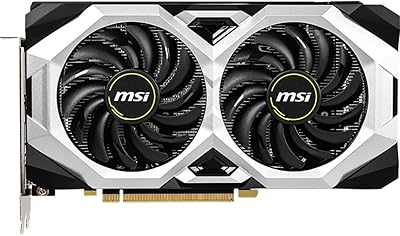
MSI GeForce RTX 2060 VENTUS 6G OC Graphics Card
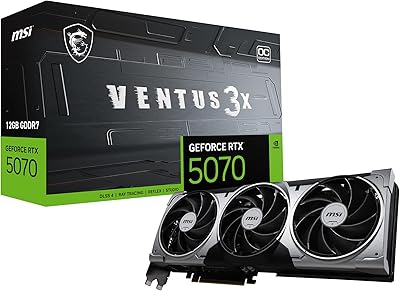
MSI RTX 5070 Ventus 3X OC 12GB
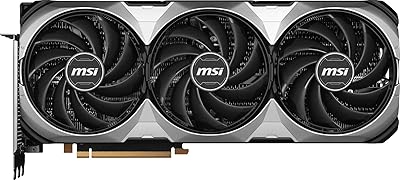
MSI GeForce RTX 4080 SUPER 16GB VENTUS 3X OC Graphics Card
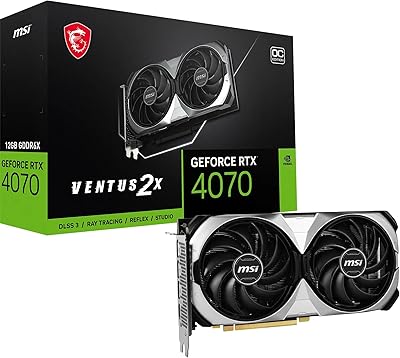
MSI GeForce RTX 4070 Ventus 2X 12G OC
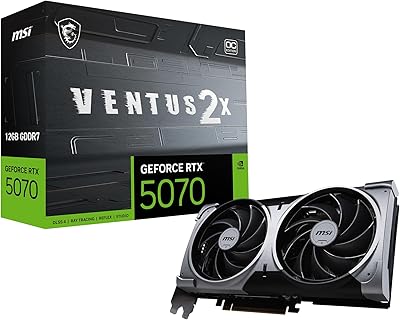
MSI RTX 5070 Ventus 2X Graphics Card
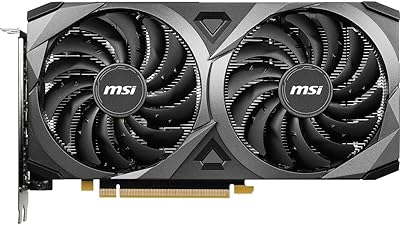
MSI RTX 3060 Ventus 2X 8GB Graphics Card