Overview

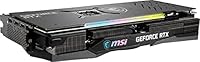
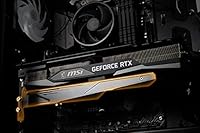
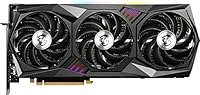
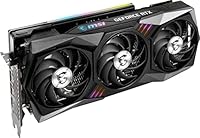
The MSI RTX 3070 Ti 8GB Graphics Card is MSI's premium take on NVIDIA's Ampere-powered chip, and the Gaming X Trio variant sits clearly above reference designs thanks to its beefed-up cooling and factory overclock. Ampere brought real gains in ray-tracing throughput and overall efficiency over the previous Turing generation, and those advantages still hold up in modern titles. The defining physical characteristic here is the TRI FROZR 2 cooling system — three fans, a dense heatsink array, and a triple-slot presence that makes an immediate impression. Realistically, this is a card built around 1440p at high settings, though it handles 4K respectably in many titles. On today's market, new or secondhand, it remains a serious contender.
Features & Benefits

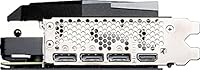
The TRI FROZR 2 thermal system, paired with TORX Fan 3.0 blades, keeps temperatures well managed during long gaming sessions, and the semi-passive idle mode means zero fan noise when the card isn't under load — a genuinely appreciated touch. Under sustained load, acoustic levels stay reasonable for the performance tier. The 8GB of GDDR6X memory runs at 19 Gbps across a 256-bit bus, giving this RTX 3070 Ti strong bandwidth for texture-heavy workloads, though 8GB can feel tight in a handful of 2024 titles pushed to 4K ultra. The factory overclock runs stable out of the box, with MSI Afterburner available for those who want to push further. Three DisplayPort 1.4a outputs and one HDMI 2.1 round out a versatile display setup. NVLink is present but largely academic for most users.

Best For

The Gaming X Trio is the right card for 1440p enthusiasts who want AAA titles running at high or ultra settings with consistently strong frame rates — that's its wheelhouse. Content creators doing light video editing or 3D rendering will also benefit from hardware ray-tracing and DLSS support. If you're stepping up from a GTX 10-series or an early RTX 20-series card, the jump in performance is substantial. Size, though, is a real consideration: at 12.7 inches long and three slots wide, MSI's triple-fan card needs a mid-tower or full-tower case with proper clearance, so measure before you buy. Users who prioritize quiet operation will find the acoustic performance punches well above what the specs might suggest.

User Feedback

Sitting at 4.6 stars across more than 360 ratings, MSI's triple-fan card draws consistently strong approval. The praise most buyers keep returning to involves build quality and thermals — many note that temperatures stay controlled through extended sessions and that the card runs quieter than they anticipated. A recurring observation is that the out-of-box overclock holds stable over months of use without needing manual tuning. The most common practical concern is physical size, with several reviewers flagging that they had to verify case clearance before installation. On the downside, a small number of users mention NVIDIA driver hiccups, though these appear to be software-level rather than hardware issues. A handful also acknowledge that 8GB of VRAM can feel limiting in the most demanding 4K scenarios — an honest caveat worth factoring into your decision.

Pros

  • The TRI FROZR 2 cooling system keeps temperatures genuinely low during extended gaming sessions.
  • Semi-passive fan mode means the card runs completely silent when idling or doing light work.
  • GDDR6X memory at 19 Gbps delivers strong bandwidth for texture-heavy games at 1440p.
  • The factory overclock is stable and holds up over months of daily use without manual tuning.
  • Three DisplayPort 1.4a outputs and one HDMI 2.1 make multi-monitor and high-refresh setups easy.
  • MSI Afterburner compatibility gives enthusiasts meaningful headroom to push the GPU further.
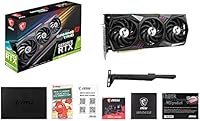
  • Build quality feels premium and durable, with a reinforced PCIe bracket reducing sag risk.
  • Ray-tracing and DLSS performance land in a sweet spot for 1440p gaming without needing to babysit settings.
  • Strong 4.6-star rating across hundreds of verified buyers reflects consistently reliable real-world performance.

Cons

  • At over 12 inches long and three slots wide, this RTX 3070 Ti demands a spacious case with verified GPU clearance.
  • 8GB of VRAM starts to feel limiting in some 2024 titles when pushing 4K ultra texture settings.
  • The card's weight can cause noticeable sag without a GPU support bracket, which is sold separately.
  • A small number of users have reported NVIDIA driver conflicts, though these are software-side rather than hardware failures.
  • NVLink support is present but practically useless, as modern games and APIs have dropped meaningful multi-GPU support.
  • Power delivery requirements mean budget or older PSUs may need an upgrade before installation.
  • Availability at launch pricing has been inconsistent, making value comparisons against newer-generation cards harder to pin down.
  • No USB-C or VirtualLink output, which limits compatibility with certain VR headsets that rely on that connection.

Ratings

The scores below for the MSI RTX 3070 Ti 8GB Graphics Card were generated by our AI review engine after analyzing verified global buyer feedback, actively filtering out incentivized, duplicate, and bot-generated submissions to surface what real owners genuinely experienced. The results reflect both the card's considerable strengths and its honest limitations, so you get an accurate picture rather than a polished sales narrative. Whether the Gaming X Trio earns a place in your next build or falls short of your specific needs, these ratings are designed to give you the clearest signal possible.
Gaming Performance
91%
At 1440p, this RTX 3070 Ti consistently delivers high and ultra settings across demanding AAA titles with frame rates that feel smooth and responsive in practice. Buyers upgrading from older Turing or Pascal cards frequently describe the jump as the largest single-component improvement they have ever made to their rig.
At native 4K with maximum texture settings, some newer titles push the card harder than buyers anticipated, occasionally requiring setting reductions to maintain stable frame rates. The performance gap versus an RTX 3080 becomes more noticeable as resolution climbs toward 4K.
Thermal Management
93%
The TRI FROZR 2 cooling system earns consistent praise from users who run demanding workloads for hours at a stretch — GPU core temperatures hold well within safe ranges even during extended gaming marathons. Many buyers specifically mention that the card runs cooler than they expected given its performance tier.
The triple-fan heatsink that makes these temperatures possible is physically large and adds real weight to the card, which complicates installation in tighter builds. A small number of users noted that fan spin-up from semi-passive mode can produce a brief, slightly abrupt noise spike before settling into a stable acoustic profile.
Noise Levels
88%
Semi-passive mode is a feature buyers genuinely appreciate — the card sits completely silent during desktop use, light browsing, or any scenario where GPU load stays low, making it unobtrusive in open-frame or living room builds. Under moderate gaming loads, the acoustic profile is described by most users as a soft, non-intrusive hum.
Under sustained heavy load — particularly during long sessions in GPU-intensive titles — the fans do spin up to audible levels, which sensitive users in quiet environments may notice. It is not a loud card by any measure, but those expecting near-silence at full throttle may need to manage expectations.
VRAM Headroom
67%
33%
For 1440p gaming across the overwhelming majority of current titles, 8GB of GDDR6X memory remains sufficient and the high bandwidth of the 256-bit GDDR6X interface helps the card punch above its raw capacity in many workloads. Buyers running 1440p competitive or mid-range 4K scenes report no VRAM-related issues in their day-to-day use.
A growing number of 2024 titles with high-resolution texture packs are beginning to breach 8GB at 4K ultra settings, causing stuttering or forcing texture quality reductions. Buyers with a long upgrade cycle who plan to keep this card for several years should factor in that VRAM constraints will become more frequent over time.
Build Quality
92%
The physical construction of MSI's triple-fan card leaves a strong impression — the heatsink assembly feels dense and precisely finished, and the reinforced PCIe bracket reduces the flex that plagues lighter, cheaper GPU designs. Users frequently mention that it looks and feels like a product built to last, not just to spec-sheet well.
The card's substantial weight means that without a support bracket, PCIe slot stress is a realistic concern over years of use, particularly in systems subject to vibration or frequent transport. This is not a flaw in the build itself, but rather a consequence of the card's mass that requires a small additional accessory investment.
Cooling Design Size
61%
39%
The oversized heatsink and triple-fan configuration are directly responsible for the excellent thermal and acoustic results, and buyers who knew what they were getting into appreciate the engineering trade-off. In a full-tower or spacious mid-tower, installation is straightforward and the card fits without drama.
At 12.7 inches long and occupying three expansion slots, this is one area that generates the most buyer friction in reviews — a meaningful number of users had to verify case compatibility after purchase or discovered their existing case was too small. The size also blocks adjacent motherboard slots, which limits expandability in some builds.
Factory Overclock Stability
89%
The out-of-box overclock holds stable under sustained real-world gaming conditions, and buyers who have owned the card for a year or more report no degradation or instability tied to the factory clock speeds. This is the kind of reassurance that matters for users who want performance without tinkering.
For buyers hoping to push well beyond the factory overclock, headroom varies from unit to unit — silicon lottery applies here as it does with any GPU. A small number of users report hitting thermal limits sooner than expected when applying aggressive manual overclocks on top of the already elevated factory settings.
Driver Stability
74%
26%
The vast majority of users report a plug-and-play experience with NVIDIA drivers, with the card recognized immediately and performing as expected without manual intervention. Long-term owners generally describe the driver experience as stable and consistent across Windows versions.
A minority of buyers mention encountering driver-related issues — occasional crashes, black screens on wake from sleep, or conflicts with specific game engines — that required clean driver reinstallation to resolve. These appear to be NVIDIA platform-level issues rather than anything specific to MSI's implementation, but they are worth noting for buyers with less tolerance for troubleshooting.
Ray Tracing Performance
81%
19%
Hardware ray tracing on the Ampere architecture is a genuine step up from the first RTX generation, and at 1440p with DLSS enabled, buyers running ray-traced titles describe image quality improvements that feel meaningful rather than cosmetic. The combination of RT cores and DLSS 2 makes demanding visual settings accessible without destroying frame rates.
Native 4K ray tracing without DLSS is a stretch for this GPU, with frame rates in heavily ray-traced scenes dropping into ranges that many buyers find uncomfortable for fast-paced gameplay. Ray tracing at high resolutions remains the card's most demanding use case, and managing expectations here is important.
DLSS Support
87%
DLSS 2 support is well-implemented and covers a wide library of compatible titles, delivering a tangible frame rate boost at 1440p and 4K while preserving image clarity that buyers describe as nearly indistinguishable from native in most scenes. For buyers who game in supported titles, it meaningfully extends the card's effective performance ceiling.
The card does not support DLSS 3 Frame Generation, which is exclusive to RTX 40-series hardware — buyers who prioritize access to the latest NVIDIA upscaling features should account for this. In titles that have not yet added DLSS support, buyers are left relying on native rendering or AMD FSR as an alternative.
Display Connectivity
86%
Three DisplayPort 1.4a outputs and one HDMI 2.1 port cover virtually every monitor and TV setup a buyer is likely to run, including high-refresh 1440p displays, 4K gaming monitors, and even 8K-capable screens. The HDMI 2.1 port is a practical advantage for buyers connecting to modern televisions for couch gaming.
The absence of a USB-C or VirtualLink port limits compatibility with certain older VR headsets that relied on that connection standard, and buyers looking to drive more than four simultaneous displays will hit a hard limit. These are niche concerns, but worth flagging for users with specific multi-display or VR setups.
Value for Money
77%
23%
At its current market price point, the Gaming X Trio delivers premium cooling engineering and factory overclocking in a package that outperforms reference designs without requiring any post-purchase tuning investment. Buyers who prioritize acoustic and thermal quality tend to feel the price premium is justified relative to cheaper RTX 3070 Ti variants.
With newer generation GPUs now available at overlapping price points and offering architectural improvements alongside more VRAM, the value proposition of this RTX 3070 Ti is harder to argue on pure specs alone. Buyers who shop on performance-per-dollar metrics may find newer alternatives more compelling depending on their target resolution.
Installation Experience
79%
21%
For builders working in a compatible case, installation is described as physically straightforward — the card slots in cleanly, connectors are accessible, and the BIOS detects it without fuss in virtually all reported cases. MSI's documentation and software setup are described as clear by most users.
The card's weight and length make physical installation slightly more awkward than lighter alternatives, particularly when trying to simultaneously seat the PCIe connector and secure the bracket in a cramped build. Several buyers also recommend installing a GPU sag bracket immediately rather than waiting, which adds a small extra step to the setup process.
Long-Term Reliability
84%
Buyers who have owned the Gaming X Trio for one to two years report no significant degradation in performance or stability, and the quality of the heatsink and fan assembly suggests it is built for a long service life. The robust factory overclock holding steady over extended ownership periods adds to confidence in the card's durability.
A small number of users report fan bearing noise developing after extended use at high RPM, though this appears in a minority of units rather than as a widespread pattern. As with any GPU, long-term reliability over a five-plus year horizon remains an open question that current owner data cannot yet fully answer.

Suitable for:

The MSI RTX 3070 Ti 8GB Graphics Card is an excellent match for PC gamers who have settled on 1440p as their target resolution and want to play demanding AAA titles at high or ultra settings without constantly fighting frame rate drops. Enthusiasts upgrading from a GTX 1070, 1080, or an RTX 2070 will feel a dramatic performance jump that makes the investment feel genuinely worthwhile. It also holds up for content creators who do light video editing, some 3D rendering, or need solid DLSS and hardware ray-tracing support without stepping into workstation-tier hardware. The TRI FROZR 2 cooling design makes it a particularly smart pick for anyone who cares about sustained quiet operation during long sessions. As long as your case is a mid-tower or full-tower with adequate GPU clearance — the card runs over 12 inches long — and your power supply is up to the task, this RTX 3070 Ti slots into a high-performance build with very little fuss.
Not suitable for:

Buyers planning to run the most texture-heavy games at 4K ultra settings should think carefully before committing to the MSI RTX 3070 Ti 8GB Graphics Card, because 8GB of VRAM is increasingly a bottleneck in that specific scenario in 2024 titles. If your primary goal is pushing 4K with maximum texture quality and no compromises, a card with 12GB or more of VRAM will serve you better in the long run. Compact build enthusiasts using mini-ITX or smaller micro-ATX cases should also look elsewhere — MSI's triple-fan card is physically large and heavy, and squeezing it into a tight chassis is often impossible without case modifications. Budget-conscious buyers hunting for the most performance-per-dollar in today's GPU market may also find newer generation options more appealing, since the landscape has shifted since this card launched. Finally, anyone who was counting on NVLink for a dual-GPU setup will find that modern game and software support for that configuration has effectively dried up.

Specifications

  • GPU Chip: Powered by the NVIDIA GeForce RTX 3070 Ti, built on the Ampere architecture with dedicated ray-tracing and tensor cores.
  • VRAM: Equipped with 8GB of GDDR6X memory, offering faster bandwidth than standard GDDR6 for more demanding rendering workloads.
  • Memory Interface: Uses a 256-bit memory bus, providing a solid data pipeline between the GPU and its VRAM.
  • Memory Speed: GDDR6X memory operates at 19 Gbps effective speed, translating to approximately 608 GB/s of total memory bandwidth.
  • Cooling System: The TRI FROZR 2 thermal solution features three TORX Fan 3.0 fans with alternating blade designs to improve focused airflow through the heatsink.
  • Fan Behavior: Semi-passive fan mode allows all three fans to stop completely during low-load or idle conditions, keeping the system silent when GPU temperatures are low.
  • Slot Width: The card occupies three expansion slots, so adjacent PCIe slots in the motherboard will be blocked after installation.
  • Dimensions: Measures 12.7 inches long, 5.1 inches tall, and 2.2 inches wide, making case clearance verification essential before purchase.
  • Weight: The card weighs 3.18 pounds, which is substantial enough that a GPU support bracket is recommended to prevent PCIe slot stress over time.
  • Display Outputs: Offers three DisplayPort 1.4a ports and one HDMI 2.1 port, supporting up to four simultaneous displays.
  • Max Resolution: Capable of driving displays up to 7680 x 4320 (8K) resolution via DisplayPort or HDMI 2.1.
  • HDMI Version: The single HDMI 2.1 output supports 4K at 120Hz and 8K at 60Hz, as well as Variable Refresh Rate (VRR) on compatible displays.
  • API Support: Supports DirectX 12 Ultimate, Vulkan, and OpenGL 4.6, ensuring compatibility with all current game engines and creative applications.
  • NVLink: An NVLink connector is present on the card, though practical multi-GPU support in current games and software is extremely limited.
  • Power Connector: Requires a 12V power connection; MSI recommends a power supply of at least 750W for stable operation in a full system.
  • PCIe Interface: Connects to the motherboard via a PCIe 4.0 x16 slot and is also backward compatible with PCIe 3.0 systems.
  • Overclock: Ships with a factory overclock above NVIDIA reference boost clocks, and is fully compatible with MSI Afterburner for further manual tuning.
  • Brand & Model: Manufactured by MSI under the model designation RTX 3070 Ti Gaming X Trio 8G, released to market in June 2021.

Related Reviews
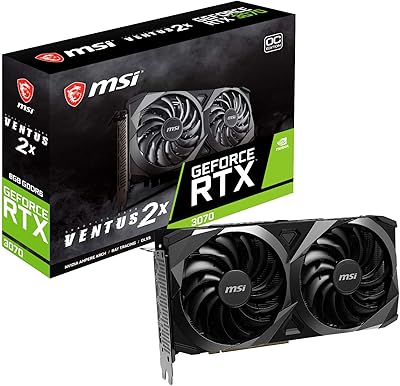
MSI RTX 3070 Ventus 2X OC GPU
79%
91%
1440p Gaming Performance
78%
Thermal Management
83%
Noise Level
62%
VRAM Adequacy
74%
Value for Money
More
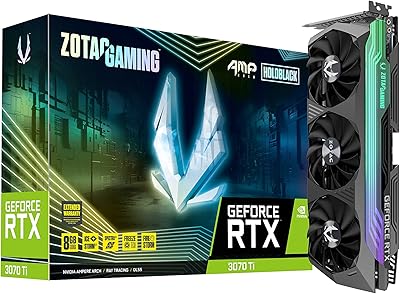
ZOTAC GeForce RTX 3070 Ti AMP Holo Graphics Card
81%
88%
Gaming Performance
91%
Cooling Efficiency
86%
Noise Levels
93%
Build Quality
84%
Thermal Management
More
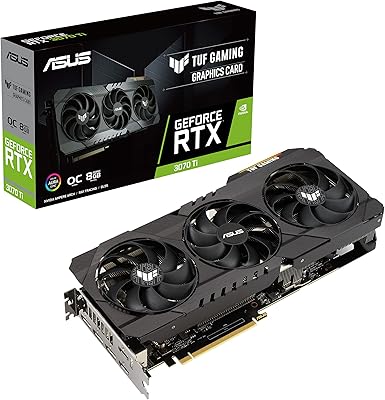
ASUS TUF RTX 3070 Ti Graphics Card
80%
88%
Gaming Performance
91%
Thermal Management
93%
Noise Levels
89%
Build Quality
61%
VRAM Capacity
More
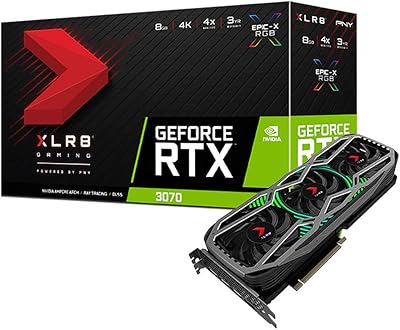
PNY GeForce RTX 3070 8GB Graphics Card
79%
91%
1440p Gaming Performance
88%
Thermal Management
86%
Noise Levels
63%
VRAM Adequacy
78%
Ray Tracing Performance
More
MSI RTX 2080 Super Ventus XS GPU
79%
88%
1440p Gaming Performance
71%
Thermal Management
83%
Noise Level
84%
Build & Physical Quality
91%
Form Factor & Compatibility
More
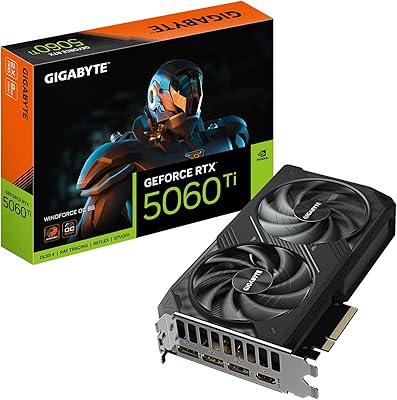
GIGABYTE RTX 5060 Ti 8GB Graphics Card
84%
88%
1440p Gaming Performance
91%
DLSS 4 & AI Upscaling
66%
VRAM Capacity & Adequacy
93%
Thermal Performance & Cooling
86%
Noise Level
More
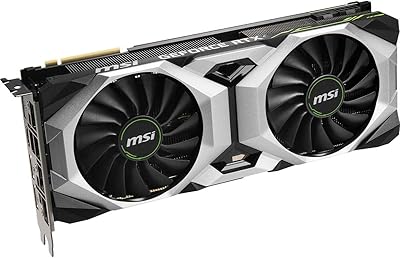
Gigabyte RTX 4060 Ti Eagle OC GPU
82%
83%
Gaming Performance
88%
Thermal Management
84%
Noise Level
86%
DLSS 3 & Frame Generation
61%
VRAM & Memory
More
GIGABYTE GeForce RTX 4060 Ti Gaming OC 8GB Graphics Card
86%
92%
Performance
88%
Cooling Efficiency
89%
Value for Money
85%
Build Quality
91%
Ease of Setup
More
MSI RTX 4060 Ventus 2X Graphics Card

82%
88%
1080p Gaming Performance
83%
Thermal Management
91%
Noise Level
71%
1440p Gaming Performance
63%
VRAM Adequacy
More
Gigabyte RTX 4060 Ti 8GB Graphics Card
79%
91%
1080p Gaming Performance
74%
1440p Gaming Performance
58%
VRAM Adequacy
88%
Thermal Performance
86%
Acoustic Profile
More

FAQ

MSI recommends at least a 750W power supply for a complete system built around this GPU. If your rig includes a high-end CPU or multiple storage drives, erring toward 850W gives you comfortable headroom and keeps the PSU from running near its limit under sustained gaming load.

It depends on your specific case. The Gaming X Trio measures 12.7 inches in length, which clears most mid-towers, but you should check your case manufacturer's maximum GPU length spec before buying. Also keep in mind it takes up three expansion slots, so plan accordingly if you have add-in cards nearby.

Yes, genuinely. At 1440p with high or ultra settings, this RTX 3070 Ti handles the vast majority of AAA titles with strong, consistent frame rates. It is not the newest silicon available, but the performance gap between it and more recent mid-range cards is narrower than the generational numbering might imply.

Under sustained gaming load the fans do spin up and produce audible noise, but most users describe it as a moderate hum rather than anything intrusive. At idle or during light desktop use, the semi-passive mode kicks in and the fans stop entirely, making the card completely silent in those conditions.

For most titles at 4K with high settings, 8GB is workable. Where it starts to show strain is in a handful of recent games that use very high-resolution texture packs at ultra settings — you may need to dial textures back a notch to avoid stuttering. For 1440p gaming, 8GB remains comfortable across virtually every game available today.

Yes. The card uses a PCIe 4.0 x16 interface but is backward compatible with PCIe 3.0 slots. You will see a marginal bandwidth difference in theory, but in real gaming workloads the practical performance impact is negligible.

It does. DLSS 2 is supported across a wide library of compatible games, and dedicated RT cores handle ray-tracing workloads in supported titles. Ray tracing at 1440p with DLSS enabled delivers a solid balance of visual quality and frame rate for most Ampere-generation use cases.

Up to four displays simultaneously, using the three DisplayPort 1.4a outputs and the single HDMI 2.1 port. If you only need one or two screens, the HDMI 2.1 port is particularly useful for connecting to a modern TV or a display that supports 4K at high refresh rates.

Based on user feedback across hundreds of reviews, the out-of-box overclock on the Gaming X Trio has proven stable over extended use without reported thermal or reliability issues. The TRI FROZR 2 cooling system is well-matched to handle the additional heat load that the overclock introduces.

It is worth considering one. At just over three pounds, the card is on the heavier side, and over time that weight can put stress on the PCIe slot if the card is not supported. Many builders add an inexpensive adjustable support bracket as a precaution, particularly in cases where vibration from fans could gradually worsen any sag.

Where to Buy