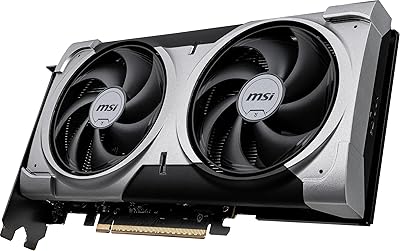
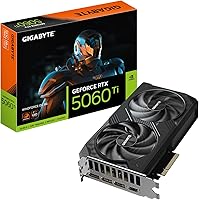
GIGABYTE RTX 5060 Ti 8GB Graphics Card


Overview
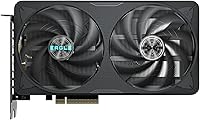
The GIGABYTE RTX 5060 Ti 8GB Graphics Card is GIGABYTE's Blackwell-generation mid-range offering, built for mainstream gamers who want a genuine generational step without spending flagship money. The dual-fan cooler keeps things running efficiently under sustained load — important for long gaming sessions where thermal throttling kills performance consistency. There's an ongoing community debate about the 8GB GDDR7 memory, and it's worth addressing directly: for 1080p and most 1440p workloads, it handles itself well, but texture-heavy titles at ultra settings can push its limits. PCIe 5.0 support is a forward-looking bonus, though most users will run it on PCIe 4.0 boards without any real-world penalty. Think of this as a strong 1440p card, not a 4K solution.
Features & Benefits
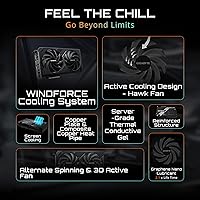
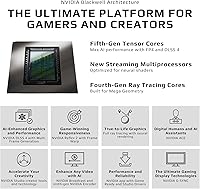
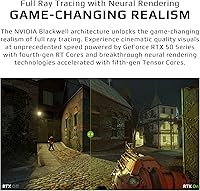
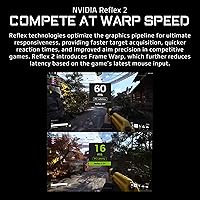
The Blackwell architecture brings real efficiency gains over the prior generation — better rasterization, lower power draw at comparable performance levels, and tensor cores that actually matter once you're using DLSS 4. That AI upscaling tech, specifically Multi Frame Generation, can dramatically boost frame rates in supported titles like Cyberpunk 2077 or Alan Wake 2 at 1440p. The 8GB GDDR7 running at 28 Gbps is faster than the GDDR6 found on competing cards, which meaningfully offsets the 128-bit bus width. The dual-fan cooler uses alternate-spin fans and composite heat pipes — practical engineering that keeps temperatures in check during extended sessions. At just over 8 inches long and occupying two slots, it fits cases where larger cards simply won't.
Best For
This mid-range GPU makes most sense for 1080p and 1440p gamers looking to escape aging 30-series hardware. If you're still running an RTX 3060 or 3070, the generational jump in both raw performance and AI-assisted frame generation is substantial enough to justify the move. Small form factor builders will appreciate the compact footprint — no fighting with a triple-fan card in a tight ITX case. Light content creators doing video editing or running AI-accelerated workflows will also find the Blackwell tensor cores genuinely useful. The one buyer this card isn't ideal for is someone who regularly plays memory-intensive titles at ultra settings and refuses to compromise — they'd be better served by a 16GB option.
User Feedback
Across over 700 ratings, the consensus is positive, with buyers frequently praising how quiet and cool the card runs under gaming load, and how straightforward installation tends to be. The value proposition resonates with most reviewers. Where criticism appears is predictable: a portion of buyers report occasional texture pop-in or stuttering in demanding open-world games at ultra settings — a direct consequence of the 8GB ceiling. A few users mention that those upgrading from older motherboards should verify PCIe slot compatibility, though the card runs without issue on PCIe 4.0. Lower ratings mostly center on VRAM limitations rather than hardware defects, which is something of a quiet vote of confidence in the overall build quality.
Pros
- Delivers genuinely smooth 1440p gaming in demanding titles when paired with a high-refresh monitor.
- DLSS 4 Multi Frame Generation produces a dramatic fps uplift in supported games that feels like a much pricier card.
- The dual-fan cooler keeps temperatures well under control during long gaming sessions without becoming intrusive.
- Compact 8.19-inch length fits a wide range of cases, including small form factor builds where most GPUs will not.
- GDDR7 memory at 28 Gbps runs noticeably faster than the GDDR6 found on many competing mid-range cards.
- PCIe 5.0 support adds forward compatibility without requiring buyers to upgrade their motherboard right now.
- Installation is straightforward — no unusual clearance problems reported across most standard mid-tower cases.
- Strong upgrade path from RTX 30-series hardware, with real architectural improvements beyond just clock speed bumps.
- Near-silent operation at idle and light loads makes it comfortable for mixed gaming and productivity use.
- A 4.6-star average across over 700 verified ratings reflects a consistently positive ownership experience.
Cons
- 8GB VRAM causes texture pop-in and stuttering in some demanding open-world titles pushed to ultra settings.
- The 128-bit memory bus is a bandwidth limitation that becomes noticeable at higher resolutions and settings.
- DLSS 4 benefits are irrelevant in older or niche titles outside NVIDIA's supported game list.
- Buyers upgrading from RTX 3080 or 3090 cards may actually lose VRAM capacity in the process.
- The plastic shroud looks and feels less premium than competing cards at a similar price point.
- Early driver quirks on the new Blackwell architecture have affected stability in specific titles for some users.
- Not a practical choice for 4K gaming despite the display output spec suggesting otherwise.
- Power supply compatibility should be verified in advance, as some budget PSUs may require an adapter.
- In very compact ITX cases with poor airflow, fan ramp-up under sustained load becomes more audible.
- The value case weakens if your game library is heavy on VRAM-intensive titles that regularly exceed 8GB.
Ratings
The GIGABYTE RTX 5060 Ti 8GB Graphics Card earns an overall strong reception from the community, with our AI-driven scoring system analyzing hundreds of verified global purchases while actively filtering out incentivized and bot-generated submissions. Scores across all categories reflect the honest distribution of buyer sentiment — the genuine strengths land high, and the real friction points are scored without softening. Whether you are considering this mid-range GPU for a 1440p gaming rig or a compact build upgrade, the breakdown below gives you a clear, unvarnished picture.
1440p Gaming Performance
DLSS 4 & AI Upscaling
VRAM Capacity & Adequacy
Thermal Performance & Cooling
Noise Level
Build Quality & Physical Design
Installation & Compatibility
Small Form Factor Suitability
1080p Gaming Performance
Value for Money
Driver Stability & Software
Display Output Versatility
Content Creation & Productivity
Upgrade Impact from RTX 30 Series
Suitable for:
The GIGABYTE RTX 5060 Ti 8GB Graphics Card is the right call for gamers who play at 1080p or 1440p and want a meaningful step up from aging RTX 30-series hardware without stretching into flagship territory. If you primarily run popular titles like Cyberpunk 2077, Elden Ring, or Call of Duty at high settings on a 144Hz or 165Hz monitor, this card delivers the frame rates to actually use that display properly. It is also a strong fit for PC builders working with compact mid-tower or small form factor cases, where the sub-9-inch dual-slot footprint solves a real physical constraint that larger triple-fan cards cannot. Upgraders coming from RTX 3060 or 3070 hardware will feel the architectural difference immediately, and gaining access to DLSS 4 with Multi Frame Generation adds a layer of performance headroom that the prior generation simply could not offer. Light content creators who do occasional video editing or run AI-accelerated tools alongside gaming will also find the Blackwell tensor cores genuinely useful in day-to-day workflows.
Not suitable for:
The GIGABYTE RTX 5060 Ti 8GB Graphics Card is a harder sell for buyers who regularly play texture-heavy open-world games at ultra settings and refuse to dial anything back, because the 8GB GDDR7 ceiling is a real constraint in titles like Microsoft Flight Simulator or Hogwarts Legacy pushed to maximum. Anyone targeting native 4K gaming should look elsewhere — the spec sheet lists an 8K output resolution, but that is a display connector capability, not a practical gaming target for this card at any acceptable frame rate. Professional content creators working with large 4K or 6K video timelines, complex VFX compositions, or heavy AI model inference will find 8GB of VRAM limiting in ways that will show up regularly in production work. Buyers upgrading from high-end 30-series cards like the RTX 3080 or 3090 may also be disappointed, since those cards shipped with 10GB or 12GB of VRAM and the raw performance delta may not justify the trade-off. If raw VRAM headroom for future titles is your primary concern, a competing 16GB option at a higher price point is the more defensible long-term purchase.
Specifications
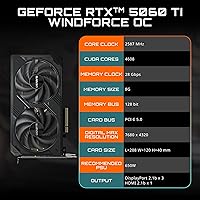
- GPU Architecture: Built on the NVIDIA Blackwell architecture, offering improved rasterization efficiency and AI-driven rendering capabilities over the prior Ada Lovelace generation.
- VRAM: Equipped with 8GB of GDDR7 memory, providing faster bandwidth per pin compared to GDDR6 found on many competing mid-range cards.
- Memory Bus: Uses a 128-bit memory interface, which is standard for this performance tier but narrower than higher-end cards in the RTX 50 lineup.
- Memory Speed: Memory operates at 28 Gbps, partially compensating for the 128-bit bus width through raw throughput speed.
- PCIe Interface: Connects via PCIe 5.0 x16, though the card is fully backward compatible and operates without performance loss on PCIe 4.0 motherboards.
- AI Upscaling: Supports DLSS 4 with Multi Frame Generation, NVIDIA's latest AI-based frame synthesis technology available exclusively on Blackwell-generation hardware.
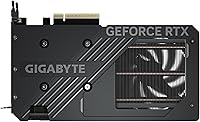
- Cooling System: Uses a dual-fan cooler with alternate-spin fan technology and composite heat pipes designed to reduce hotspots and maintain stable core temperatures under sustained load.
- Card Length: Measures 8.19 inches (approximately 208mm) in length, making it compatible with a wide range of mid-tower and small form factor cases.
- Slot Width: Occupies two expansion slots, leaving adjacent slots free in most standard ATX and mATX motherboard configurations.
- Card Weight: Weighs 1.74 pounds, which is relatively light for a dual-fan cooler card and reduces stress on the PCIe slot during transport.
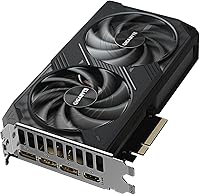
- Display Outputs: Provides DisplayPort and HDMI outputs, supporting connectivity to monitors, TVs, and multi-display setups without requiring adapters for most common use cases.
- Max Resolution: Capable of driving displays up to 7680x4320 (8K) resolution via its output ports, though this reflects connector capability rather than a practical gaming target.
- Model Number: The official GIGABYTE model identifier is GV-N506TWF2OC-8GD, useful for verifying compatibility, warranty registration, and driver downloads.
- Performance Tier: Ranked #216 in Computer Graphics Cards on Amazon, reflecting strong sales volume consistent with a mainstream mid-range product at launch.
- User Rating: Holds a 4.6-out-of-5-star average across 714 verified ratings, indicating a high overall satisfaction rate among verified purchasers.
- Power Connector: Requires an external PCIe power connector; buyers should verify their power supply unit has sufficient wattage and the correct connector type before purchasing.
- Series: Part of the RTX 5060 Ti product family, positioned as a mainstream-tier card within NVIDIA's Blackwell consumer GPU lineup launched in 2025.
- Manufacturer: Designed and produced by GIGABYTE Technology, a Taiwanese hardware manufacturer with an established track record in discrete graphics card production.
Related Reviews
Gigabyte RTX 4060 Ti Eagle OC GPU

GIGABYTE GeForce RTX 4060 Ti Gaming OC 8GB Graphics Card
GIGABYTE GeForce RTX 5060 Ti WINDFORCE MAX OC 16G
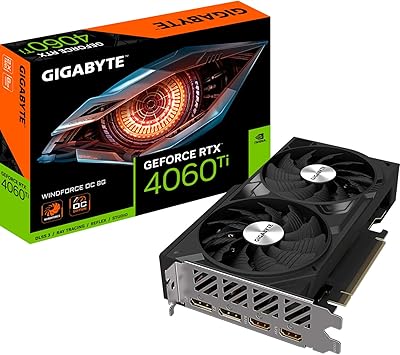
Gigabyte RTX 4060 Ti 8GB Graphics Card
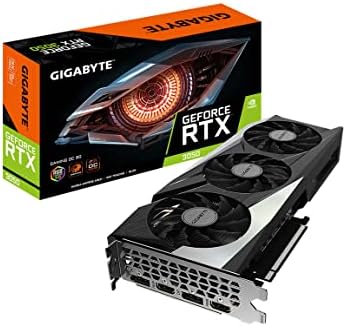
GIGABYTE GeForce RTX 3050 Gaming OC 8GB Graphics Card
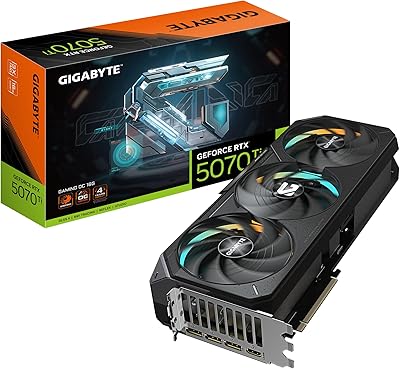
GIGABYTE GeForce RTX 5070 Ti Gaming OC 16G
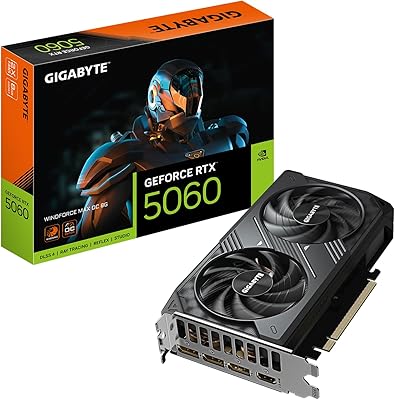
GIGABYTE RTX 5060 WINDFORCE OC 8GB GPU
Gigabyte AORUS RTX 3080 Ti Graphics Card
ZOTAC GeForce RTX 3070 Ti AMP Holo Graphics Card