Overview

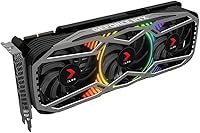
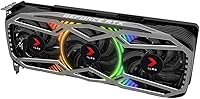
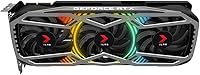
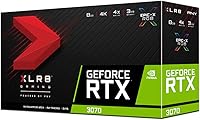
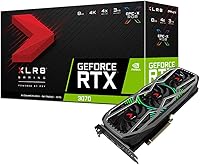
The PNY GeForce RTX 3070 8GB Graphics Card sits firmly in the upper tier of NVIDIA's Ampere lineup, built for gamers who want serious 1440p performance without stepping into flagship pricing territory. PNY doesn't get the same spotlight as ASUS or MSI, but they've been a steady NVIDIA board partner for years, and the XLR8 Gaming Revel shows they're not simply rebadging reference designs. The triple-fan cooler is a real differentiator here — it runs quieter and cooler than blower-style cards. Ray tracing and rasterization performance are both strong for this GPU class. One honest caveat worth flagging early: the 8GB VRAM ceiling is starting to show strain in some newer titles, and that's a factor worth weighing carefully.
Features & Benefits

The jump from Turing to Ampere is where this RTX 3070 from PNY earns its keep. DLSS 2.0 support makes a meaningful real-world difference — in titles like Cyberpunk 2077 or Control, you get near-native image quality at a fraction of the raw rendering cost, which is how the card punches above its CUDA core count in ray-traced scenes. The 1725MHz boost clock keeps frame rates consistent in demanding AAA titles without needing aggressive manual overclocking. The triple-fan cooling handles sustained loads well, staying below 80°C even in extended sessions. PCIe 4.0 connectivity adds some forward-compatibility headroom, and the DisplayPort plus HDMI outputs cover everything from high-refresh 1440p monitors to living room 4K displays.

Best For

This triple-fan Ampere card makes the most sense for 1440p high-refresh gaming — that's where it genuinely shines, hitting well over 100fps in most modern titles at Ultra settings. If you're still on a GTX 1080 or RTX 2070, the generational improvement feels substantial rather than marginal. It also holds its own for moderate creative workloads: Premiere Pro and DaVinci Resolve both benefit from GPU acceleration, though heavy 3D rendering pipelines may want more VRAM headroom long-term. Builders who care about aesthetics will appreciate the RGB without paying the ASUS ROG or Gigabyte Aorus premium. A PCIe 4.0 board helps, but it runs just fine on PCIe 3.0 systems as well.

User Feedback

Across its 273 ratings, the XLR8 Gaming Revel earns consistent praise for thermal performance and how quietly it handles heat under sustained load — buyers coming from older single-fan or blower cards are often genuinely surprised. Installation is reported as straightforward, and the RGB draws real compliments. The recurring friction point is VRAM: players pushing texture-heavy settings in titles like Alan Wake 2 or Hogwarts Legacy at 1440p start noticing memory saturation in ways that weren't an issue a couple of years ago. It's not a dealbreaker for most current games, but it's worth acknowledging. PNY's customer support receives a more lukewarm reception than brands like ASUS — RMA handling and response times appear inconsistent based on buyer accounts, which is a fair concern to weigh.

Pros

  • Excellent 1440p gaming performance across demanding AAA titles at high to ultra settings.
  • Triple-fan cooling keeps temperatures well-managed and noise levels impressively low under sustained load.
  • DLSS 2.0 support delivers a real, tangible boost in ray-traced titles without a steep visual quality trade-off.
  • The XLR8 Gaming Revel offers premium RGB aesthetics at a lower price premium than top-tier branded alternatives.
  • PCIe 4.0 interface provides solid forward-compatibility headroom for modern platform builds.
  • Installation is straightforward, with a plug-and-play experience that most buyers report as hassle-free.
  • NVIDIA GeForce Experience adds genuine utility for game optimization, driver management, and clip capture.
  • A meaningful generational upgrade for anyone coming from GTX 10-series or RTX 20-series hardware.
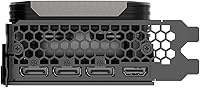
  • DisplayPort and HDMI outputs cover a wide range of monitor setups without needing adapters.

Cons

  • 8GB GDDR6 VRAM is increasingly stretched in newer titles at high texture settings, particularly at 1440p and above.
  • PNY customer support has received mixed feedback, with RMA response times lagging behind larger board partners.
  • No USB-C or VirtualLink output limits compatibility with certain VR headsets and newer display types.
  • Requires two 8-pin power connectors, which can be a constraint in budget or smaller PSU builds.
  • PNY's software ecosystem for RGB customization is less polished and feature-rich than ASUS Aura or MSI Mystic Light.
  • The 11.57-inch card length may cause clearance issues in compact mid-tower or ITX cases.
  • Resale value tends to trail behind more recognized brands like ASUS, Gigabyte, or EVGA on the secondary market.
  • No factory overclocked headroom advantage over competing XLR8 variants justifies a price premium in all configurations.

Ratings

Our AI rating engine analyzed verified global buyer reviews for the PNY GeForce RTX 3070 8GB Graphics Card, actively filtering out incentivized, duplicate, and bot-generated submissions to surface what real users actually experienced. The scores below reflect a balanced synthesis of both the genuine strengths and the honest frustrations buyers reported — nothing is glossed over. From thermal performance to long-term VRAM headroom, every category is scored on what matters most to the people who actually use this card day to day.

1440p Gaming Performance
91%
At 1440p, the XLR8 Gaming Revel is genuinely outstanding for its class — buyers running titles like Cyberpunk 2077, Red Dead Redemption 2, and Elden Ring at high settings report smooth, consistent frame rates well above 60fps, often pushing into the 80–120fps range. DLSS 2.0 support compounds this advantage significantly in supported games.
A handful of users note that the most texture-intensive scenes in cutting-edge titles can produce brief stutters, likely tied to VRAM saturation rather than raw GPU throughput. It's not a chronic issue at 1440p, but it does surface occasionally in the most demanding 2023–2024 releases.
Thermal Management
88%
The triple-fan cooler is one of the clearest strengths buyers call out unprompted — GPU core temperatures routinely stay below 78°C even during extended gaming sessions of two hours or more. Compared to dual-fan or blower-style alternatives, the thermal headroom here is meaningfully better.
In very warm ambient environments or small cases with limited airflow, temperatures can creep closer to 83–85°C, where the fans audibly spin up to compensate. It's still within safe operating range, but buyers in hot climates or with poorly ventilated cases noticed it more than those in cooler setups.
Noise Levels
86%
Multiple buyers specifically highlighted how quiet this card runs compared to their previous GPU, especially during light gaming or desktop use where the fans can enter a near-silent semi-passive mode. Even under full load, the fan noise stays at a low background hum rather than an intrusive whine.
Under sustained, maximum-stress workloads — like extended rendering jobs or furmark-style stress tests — the fans do ramp up to a more noticeable level. It's not objectionable, but users who are particularly sensitive to fan noise in a quiet room will notice the difference between light load and peak load.
VRAM Adequacy
63%
37%
For the majority of games released before 2023, 8GB GDDR6 at 448 GB/s bandwidth is sufficient at 1440p on high settings, and buyers who game on a fixed library of older titles rarely run into issues. The fast memory speed helps the card manage the available 8GB more efficiently than some older 8GB configurations.
This is the category where real-world buyer frustration is most concentrated. Games like Hogwarts Legacy and Forza Horizon 5 at high texture presets push consistently against the 8GB ceiling, causing noticeable stuttering or forcing players to dial back texture settings below what the GPU itself could otherwise render. For a forward-looking purchase, this is a genuine concern.
Ray Tracing Performance
78%
22%
The jump from first-generation Turing RT cores to Ampere's second-generation hardware makes a real difference — this triple-fan Ampere card handles ray tracing in titles like Control or Metro Exodus Enhanced Edition at 1440p with DLSS enabled at a playable and visually impressive level that its RTX 20-series predecessors simply couldn't match.
Without DLSS as a crutch, native-resolution ray tracing at 1440p in heavily RT-dependent titles is taxing enough to push frame rates into uncomfortable territory. Buyers who expected fully maxed ray tracing without DLSS were often disappointed, especially in newer titles where RT implementations are more demanding.
Build & Physical Quality
89%
The card feels robust and well-assembled out of the box — buyers consistently describe a solid backplate, well-secured fans, and no flex in the PCB during installation. For a brand that doesn't always get credit for premium construction, the XLR8 Gaming Revel feels closer to the ASUS or MSI tier than its price might suggest.
A small number of buyers reported minor cosmetic issues like uneven RGB diffusion across the fan shroud or slight backplate alignment inconsistencies. These are aesthetic rather than functional concerns, but for builders who care about the visual finish in a windowed case, it's worth inspecting closely on arrival.
RGB Lighting
82%
18%
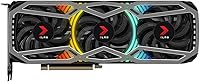
The Epic-X RGB implementation looks genuinely attractive in a build — the lighting is bright, evenly distributed across the shroud, and buyers with windowed cases regularly call it one of the better-looking cards they've owned at this price point. The color accuracy and glow quality are well above what budget AIB cards typically offer.
PNY's companion RGB software is functional but noticeably less capable than the ecosystems offered by ASUS, MSI, or Gigabyte. Syncing it with other RGB components in the system requires manual workarounds, and the app itself has been described as unintuitive by more than a few buyers who expected a polished experience.
Installation Ease
93%
Installation is consistently described as one of the smoothest experiences buyers have had with a discrete GPU — the card slots in cleanly, the dual 8-pin connectors are accessible without awkward cable routing in most mid-tower cases, and driver installation via GeForce Experience is straightforward even for first-time builders.
The 11.57-inch length caught a few buyers off guard when fitting the card in compact or older mid-tower cases. It's not an unusual length for this GPU class, but buyers who didn't verify case clearance ahead of time found the fit tighter than expected, occasionally requiring bracket or drive bay removal.
Value for Money
71%
29%
When this card is priced competitively relative to other RTX 3070 AIB variants, buyers who prioritize thermal performance and aesthetics without paying the ASUS ROG or Gigabyte Aorus premium find real value here. The cooling quality relative to cost is a recurring positive in buyer assessments.
At its full listed price, some buyers feel the 8GB VRAM ceiling and PNY's comparatively weaker brand support infrastructure make this RTX 3070 from PNY a harder sell against newer-generation mid-range cards that have entered the market. The value calculus has shifted as the RTX 30-series has aged.
4K Gaming Capability
67%
33%
With DLSS Quality mode active, this card can push playable frame rates in many 4K titles — buyers who use it primarily at 4K in less demanding games or with DLSS enabled report a surprisingly capable experience for a card not officially marketed as a 4K flagship.
Native 4K without DLSS is where the combination of raw GPU throughput and 8GB VRAM work against the card simultaneously. Buyers who purchased primarily for 4K gaming without fully understanding the DLSS dependency were frequently disappointed by the performance compromises required to maintain smooth gameplay.
Driver Stability
77%
23%
The vast majority of buyers report no driver-related issues after initial setup — NVIDIA's GeForce drivers are mature and well-tested for the RTX 3070 at this point, and routine updates via GeForce Experience have been described as painless and consistent.
A subset of buyers — primarily those on older or budget motherboards — reported occasional driver timeout or black screen events that required clean reinstalls to resolve. These issues appear to be system-configuration-specific rather than a flaw in the card itself, but they did generate genuine frustration in affected users.
Content Creation Use
74%
26%
For video editors and moderate 3D artists, the CUDA core count and NVENC encoder acceleration make a real difference in export times in Premiere Pro and DaVinci Resolve. Buyers who do creative work alongside gaming found the card more capable as a dual-purpose workhorse than they initially expected.
Professional users working with 4K+ multi-layer timelines or complex 3D scenes in software like Blender or Houdini will find the 8GB VRAM ceiling a recurring bottleneck. It's adequate for hobbyist or semi-professional creative work, but falls noticeably short for demanding production pipelines.
Brand Confidence
69%
31%
Buyers who researched PNY before purchasing generally came away reassured — the brand has a long, legitimate history as an NVIDIA board partner, and the three-year warranty coverage is on par with the rest of the industry. Most buyers had no issues that required support contact at all.
Among buyers who did need to contact PNY for warranty or RMA support, feedback was noticeably more mixed than for brands like ASUS or Gigabyte — slower response times and less intuitive RMA processes were common complaints. For a product at this price tier, buyers reasonably expect a more polished post-sale experience.
Multi-Monitor Support
81%
19%
The combination of DisplayPort and HDMI outputs covers the most common dual and triple monitor configurations without adapters, and buyers running two-screen productivity setups alongside gaming found the outputs reliable and stable across different display types and refresh rates.
The lack of a USB-C or VirtualLink port is a notable omission for buyers who want to connect certain newer VR headsets or USB-C displays directly. It's not a dealbreaker for most, but it does limit flexibility at the margins for buyers with specific connectivity requirements.

Suitable for:

The PNY GeForce RTX 3070 8GB Graphics Card is a strong fit for PC gamers who have settled on 1440p as their primary resolution and want consistently high frame rates in demanding AAA titles without compromise. If you're running a GTX 1070, 1080, or even an RTX 2070, the generational leap in both raw rasterization and ray tracing performance will feel substantial and immediately noticeable. Builders on a tighter brand budget who still want a polished, triple-fan card with solid RGB will find this RTX 3070 from PNY delivers aesthetics and thermals that rival pricier alternatives. Moderate content creators — those doing video editing in Premiere Pro or light 3D work in Blender — will also benefit from the GPU acceleration without needing to invest in a workstation-class card. It also fits nicely into PCIe 4.0 builds where future-proofing the platform matters.
Not suitable for:

The PNY GeForce RTX 3070 8GB Graphics Card is a harder sell for anyone planning to push native 4K gaming at maximum texture settings in the most demanding modern titles — the 8GB VRAM ceiling is increasingly a real constraint in that scenario, not a theoretical one. Competitive players who prioritize esports titles at ultra-high refresh rates above 240Hz will likely find better price-to-performance value further down the product stack. Professional 3D artists, machine learning engineers, or video producers working with large assets and high-resolution timelines need more VRAM headroom than this card offers — a step up to 10GB, 12GB, or more is a practical necessity for those workflows. Buyers who place heavy weight on brand-name customer support and established RMA reputations may also want to consider alternatives, as PNY's post-sale service record is noticeably less consistent than larger partners. Finally, anyone already on an RTX 3080 or newer has no meaningful reason to consider a lateral move to this triple-fan Ampere card.
Specifications

  • GPU: Built on the NVIDIA GeForce RTX 3070 chip using the second-generation Ampere architecture.
  • CUDA Cores: Equipped with 5888 CUDA cores to handle parallel processing tasks across gaming and compute workloads.
  • Base Clock: Runs at a base clock speed of 1500 MHz under standard operating conditions.
  • Boost Clock: Automatically boosts up to 1725 MHz during demanding workloads without manual overclocking.
  • VRAM: Features 8GB of GDDR6 on-board memory across a 256-bit memory interface.
  • Memory Bandwidth: Delivers up to 448 GB/s of memory bandwidth to support high-resolution texture and asset throughput.
  • Memory Speed: GDDR6 memory operates at an effective speed of 19 Gbps.
  • PCIe Interface: Uses a PCI Express 4.0 x16 interface for maximum bandwidth compatibility with modern motherboards.
  • Display Outputs: Provides DisplayPort and HDMI outputs to support multi-monitor configurations and high-resolution displays.
  • Max Resolution: Supports a maximum display resolution of 7680x4320 (8K) via compatible outputs.
  • Power Connectors: Requires two 8-pin PCIe power connectors from the system power supply unit.
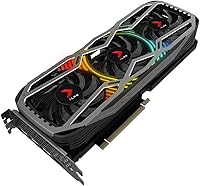
  • Cooling System: Uses a triple-fan Epic-X RGB cooler designed to reduce thermal load and operating noise during sustained use.
  • Dimensions: Measures 11.57 x 4.41 x 2.2 inches, occupying a dual-slot footprint with extended length.
  • Weight: Weighs approximately 2.2 pounds, which is typical for a triple-fan AIB card in this class.
  • Model Number: Manufacturer model number is VCG30708TFXPPB for cross-referencing compatibility and warranty purposes.
  • API Support: Supports DirectX 12 Ultimate, OpenGL 4.6, and Vulkan for broad game and application compatibility.
  • Ray Tracing: Includes dedicated second-generation RT cores for hardware-accelerated ray tracing in supported titles.
  • DLSS Support: Compatible with NVIDIA DLSS 2.0, which uses AI-based upscaling to boost frame rates with minimal visual quality loss.
  • Availability Date: First made available for purchase on October 29, 2020.
  • Manufacturer: Designed and distributed by PNY Technologies under the XLR8 Gaming product line.

Related Reviews
MSI GeForce RTX 3070 Ventus 2X OC 8GB GDDR6 Graphics Card
86%
88%
Gaming Performance (1440p/4K)
85%
Ray Tracing and AI Features
91%
Cooling Efficiency
86%
Build Quality
80%
Installation and Setup
More
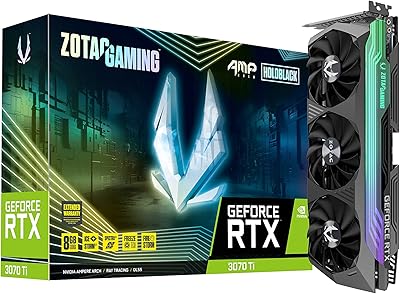
ZOTAC GeForce RTX 3070 Ti AMP Holo Graphics Card
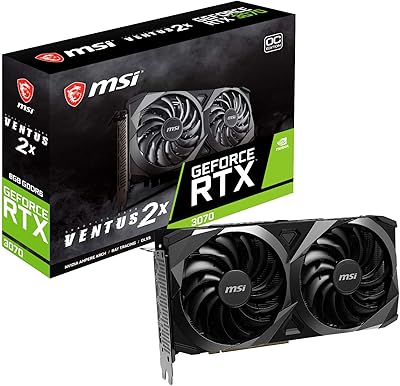
81%
88%
Gaming Performance
91%
Cooling Efficiency
86%
Noise Levels
93%
Build Quality
84%
Thermal Management
More
ASUS ROG Strix RTX 3070 V2 OC Graphics Card
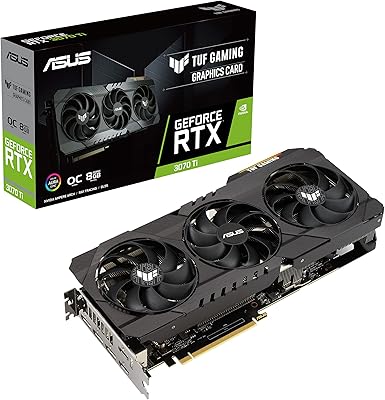
81%
88%
Gaming Performance
93%
Thermal Management
91%
Noise Levels
94%
Build Quality
86%
DLSS & Ray Tracing
More
ASUS TUF Gaming NVIDIA GeForce RTX 3070 Ti OC Edition Graphics Card 8GB GDDR6X
87%
92%
Performance
88%
Cooling Efficiency
94%
Build Quality & Durability
90%
Value for Money
76%
Thermals (Under Load)
More
MSI GeForce RTX 2080 Super 8GB GDDR6 Graphics Card
87%
94%
Performance
89%
Cooling Efficiency
91%
4K Gaming Experience
92%
Ray Tracing Capability
87%
VR Compatibility
More
GIGABYTE GeForce RTX 3050 Gaming OC 8GB Graphics Card
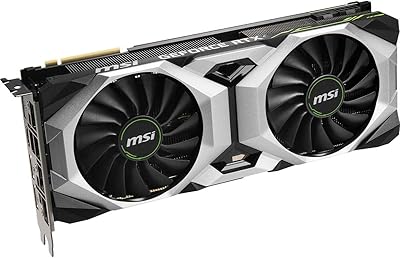
84%
91%
Value for Money
88%
Gaming Performance (1080p)
89%
Cooling Efficiency
84%
Build Quality
86%
Noise Level
More
MSI RTX 4060 Ventus 2X Graphics Card
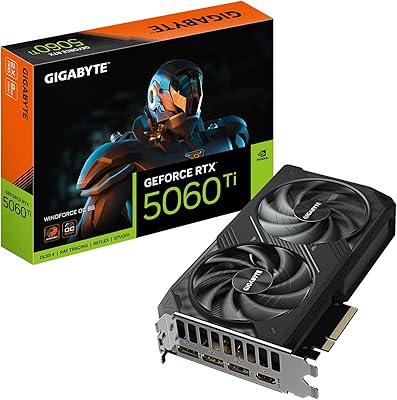
82%
88%
1080p Gaming Performance
83%
Thermal Management
91%
Noise Level
71%
1440p Gaming Performance
63%
VRAM Adequacy
More
EVGA GeForce RTX 2070 XC Gaming 8GB GDDR6 Graphics Card
85%
91%
Gaming Performance
88%
Cooling Efficiency
75%
Ease of Installation
78%
Power Consumption
85%
Build Quality
More
Gigabyte RTX 4060 Ti Eagle OC GPU
82%
83%
Gaming Performance
88%
Thermal Management
84%
Noise Level
86%
DLSS 3 & Frame Generation
61%
VRAM & Memory
More
GIGABYTE RTX 5060 Ti 8GB Graphics Card
84%
88%
1440p Gaming Performance
91%
DLSS 4 & AI Upscaling
66%
VRAM Capacity & Adequacy
93%
Thermal Performance & Cooling
86%
Noise Level
More

FAQ

For most games at 1440p on medium-to-high texture settings, 8GB holds up reasonably well. Where it starts to show strain is in titles like Alan Wake 2 or Hogwarts Legacy with textures maxed out, or when running at 4K with high-res texture packs. It's not a crisis, but if you're planning to push the absolute limits of the latest releases for the next several years, it's a real consideration worth factoring in.

NVIDIA recommends at least a 650W PSU for an RTX 3070 system, though 750W gives you a more comfortable headroom if your CPU is power-hungry or you plan to add more components. The card itself draws around 220W under full load, so don't cut corners on the PSU — it's not worth the instability risk.

At 11.57 inches long, this is not a small card. Most standard mid-tower cases can accommodate it, but compact or budget cases can be tight. Check your case's listed maximum GPU length before purchasing — ideally you want at least 12 inches of clearance to avoid a stressful installation.

Yes, it does. PCIe 4.0 is backward-compatible with PCIe 3.0 slots, so the card will function normally in older systems. You won't fully utilize the extra bandwidth headroom that PCIe 4.0 offers, but in practice the real-world gaming performance difference between PCIe 3.0 and 4.0 for a GPU at this tier is negligible.

Quieter than most people expect, honestly. Under sustained gaming loads, the three fans spin up but stay at a comfortable background hum rather than a noticeable whine. Multiple buyers have specifically called out the low noise levels as a pleasant surprise, especially compared to older two-fan or blower designs.

Yes, PNY includes their own software for RGB customization, though it's worth being upfront that the app is more functional than polished. If you're used to ASUS Aura Sync or MSI Mystic Light, PNY's tool feels a step behind in terms of features and interface quality. The lighting looks great in practice — getting it configured exactly the way you want just takes a bit more patience.

At 1440p, the XLR8 Gaming Revel holds its own in most titles and the gap to the RTX 3080 is real but not dramatic — typically in the range of 10 to 15 percent faster frame rates for the 3080. The more meaningful difference shows up at 4K and in VRAM-heavy scenarios, where the 3080's 10GB starts pulling away noticeably. For a dedicated 1440p setup, the RTX 3070 from PNY is the smarter value.

PNY is a legitimate and long-standing NVIDIA board partner — they're simply less marketed than ASUS or Gigabyte. Their GPU warranty is typically three years, which is on par with the industry standard. The honest caveat is that their customer support and RMA process has received more inconsistent feedback than the bigger players, so keep your purchase receipt and documentation in order just in case.

Yes, the RTX 3070 has more than enough GPU horsepower to drive popular VR headsets like the Meta Quest 2 or Valve Index via link cable. The connection is handled through the DisplayPort output. One limitation worth knowing: there is no USB-C or VirtualLink port on this card, so headsets that rely on that connection type will need a standard DisplayPort route instead.

For most creative workflows — 1080p or 4K timeline editing in Premiere Pro, color grading in DaVinci Resolve, or moderate 3D work in Blender — this triple-fan Ampere card handles the load well and GPU acceleration makes a real difference in export times. The main limitation for professional use is the 8GB VRAM, which can become a bottleneck if you're regularly working with large multi-layer projects or heavy visual effects at high resolutions.

Where to Buy