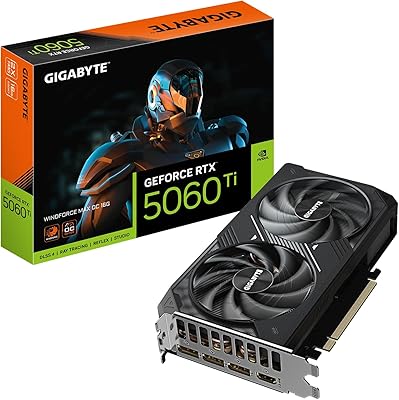
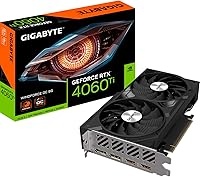
Gigabyte RTX 4060 Ti 8GB Graphics Card


Overview
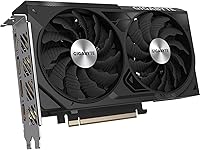
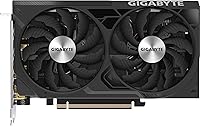
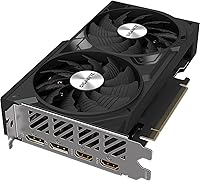
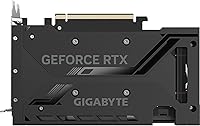
The Gigabyte RTX 4060 Ti 8GB Graphics Card sits inside NVIDIA's Ada Lovelace generation — the same architecture found in cards costing significantly more — which means real engineering improvements in rasterization and ray tracing, not just a generational rebadge. It targets 1080p and 1440p gamers who want current-gen features without paying flagship prices. Gigabyte pairs it with their WINDFORCE dual-fan cooler, a practical thermal solution featuring 90mm fans and three direct-contact heat pipes. One thing worth stating upfront: the 128-bit memory bus is narrower than previous mid-range standards, and while NVIDIA's compression helps, that is a real architectural tradeoff to understand before buying. The compact dual-slot profile is a genuine advantage for builders working with tighter cases.
Features & Benefits
DLSS 3 Frame Generation is the headline capability here, and in supported titles it can deliver a substantial fps boost — but it requires game-level implementation, and the slight input latency tradeoff is real, so competitive players should factor that in. The factory-overclocked 2550MHz boost clock and 4352 CUDA cores give the WINDFORCE OC card a measurable edge over the baseline RTX 4060 Ti in sustained workloads. The alternately spinning fan design genuinely reduces turbulence and keeps acoustics manageable under load. Four outputs — two HDMI 2.1a and two DisplayPort 1.4a — handle everything from a high-refresh monitor to a multi-display desk setup. A 500W PSU requirement means most existing mid-range systems won't need an expensive power supply upgrade.
Best For
This mid-range Ada Lovelace GPU is most at home driving 1080p high-refresh-rate gaming — consistent 144fps and beyond in competitive titles like CS2 or Apex Legends, and strong performance in AAA games with DLSS Quality mode active. At 1440p it holds up well, though you will want to rely on DLSS rather than native rendering in the most demanding titles. Content creators using DaVinci Resolve or Premiere will appreciate NVIDIA Studio driver support and the Ada generation's improved hardware encoder. The dual-slot footprint is a meaningful advantage for SFF and compact ATX builds where larger cards simply won't fit. Upgraders coming from a GTX 10-series or RTX 20-series card will notice a clear jump in both efficiency and feature availability.
User Feedback
Buyers have given this Gigabyte RTX 4060 Ti consistently high marks, with praise concentrated around quiet thermals and how straightforward the installation experience tends to be out of the box. The concern that surfaces repeatedly — and it is worth taking seriously — is the 8GB VRAM ceiling. In texture-heavy titles at 1440p, that limit can produce stuttering or force quality compromises, and that is a legitimate long-term consideration. A handful of users noted minor driver issues early on, though most reported these resolved through standard updates. On value, sentiment is divided: those upgrading from older hardware generally feel the performance jump justifies the cost, while buyers cross-shopping AMD alternatives at a comparable price point tend to be more cautious in their overall assessment.
Pros
- Handles 1080p high-refresh-rate gaming with plenty of headroom in both competitive and AAA titles.
- DLSS 3 Frame Generation delivers a substantial fps boost in supported games without a GPU hardware upgrade.
- The WINDFORCE cooling system keeps temperatures in check and stays impressively quiet under sustained load.
- Dual HDMI 2.1a and dual DisplayPort 1.4a outputs cover multi-monitor and high-refresh setups without adapters.
- A 500W PSU requirement means most existing mid-range builds need no additional hardware investment.
- The compact dual-slot design fits cases where larger triple-slot cards physically cannot.
- Ada Lovelace hardware encoder is a meaningful upgrade for creators exporting video in Premiere or Resolve.
- Factory overclock gives a real, if modest, performance edge over the reference-clocked variant.
- Ray tracing at 1080p medium settings is genuinely playable in several well-optimized titles.
- Buyers upgrading from GTX 10- or RTX 20-series cards report a clear and satisfying generational improvement.
Cons
- 8GB of VRAM is already a limiting factor in some texture-heavy titles at 1440p with maximum settings.
- The 128-bit memory bus creates a bandwidth ceiling that no software update or driver tweak can fully overcome.
- DLSS 3 Frame Generation only works in a limited and slowly growing list of supported games.
- Frame Generation introduces measurable input latency, making it a poor fit for high-stakes competitive play.
- Native 1440p performance without DLSS lags behind wider-bus competitors at a comparable price point.
- The VRAM limitation is likely to worsen as game engines and texture budgets grow over the next two to three years.
- Some early buyers reported driver instability out of the box, requiring updates before stable operation.
- Value perception suffers when directly compared to AMD alternatives offering more memory bandwidth at similar pricing.
- No performance gain for users already on an RTX 3080 or higher; the upgrade path does not make financial sense.
- Ray tracing at 1440p requires aggressive DLSS reliance to stay at smooth frame rates in most demanding titles.
Ratings
The Gigabyte RTX 4060 Ti 8GB Graphics Card scores below were generated by our AI engine after processing verified global buyer reviews, actively filtering out incentivized, bot-submitted, and duplicate feedback to surface what real owners actually experience. Across more than a dozen evaluation categories, both the genuine strengths and the recurring frustrations of this mid-range Ada Lovelace GPU are reflected without whitewashing either side.
1080p Gaming Performance
1440p Gaming Performance
VRAM Adequacy
Thermal Performance
Acoustic Profile
DLSS 3 Effectiveness
Ray Tracing Capability
Build Quality & Design
Installation Experience
Driver Stability
Content Creation Performance
Connectivity & Display Support
Power Efficiency
Value for Money
Suitable for:
The Gigabyte RTX 4060 Ti 8GB Graphics Card is a strong fit for 1080p gamers who prioritize high frame rates — if you want consistent performance above 144fps in competitive titles like CS2, Valorant, or Apex Legends, this card handles that workload comfortably without breaking a sweat. It also works well at 1440p for players who are willing to use DLSS Quality mode rather than demanding fully native rendering in every title. Content creators working in DaVinci Resolve or Adobe Premiere will find the Ada Lovelace encoder and NVIDIA Studio driver ecosystem genuinely useful for faster export times and stable creative workflows. Builders working with SFF or compact ATX cases will appreciate the dual-slot form factor, since many competing cards at this performance tier are triple-slot designs that simply won't physically fit. Anyone upgrading from a GTX 1070, 1080, or RTX 2070 will notice a real and meaningful improvement across gaming, rendering, and power efficiency.
Not suitable for:
The Gigabyte RTX 4060 Ti 8GB Graphics Card is harder to recommend if your primary goal is native 4K gaming or pushing maximum texture quality in the most demanding modern titles — the 8GB VRAM ceiling and 128-bit memory bus are genuine architectural constraints that will surface as stuttering or forced quality reductions in memory-hungry games, and that problem is likely to become more pronounced over time as titles grow more demanding. Buyers who already own an RTX 3080 or RX 6800 XT will find the performance delta too small to justify the cost of switching. If you play mostly in competitive multiplayer titles at 1080p on an older GPU like a GTX 1060 and already hit playable frame rates, the upgrade math may not work in your favor either. Users who play outside the DLSS 3 supported game library and rely entirely on native rendering will also see less of a difference compared to the prior generation than the spec sheet might suggest. Finally, anyone running a system with a sub-400W power supply or an older PCIe 3.0 platform may face additional friction getting the most from this card.
Specifications
- GPU Architecture: Built on NVIDIA's Ada Lovelace architecture, which brings improved rasterization efficiency, hardware ray tracing, and support for DLSS 3 Frame Generation compared to the previous Ampere generation.
- CUDA Cores: Equipped with 4352 CUDA cores, providing the parallel processing capacity needed for modern gaming workloads and GPU-accelerated creative applications.
- Boost Clock: Factory overclocked to a 2550MHz boost clock, which runs slightly higher than the reference RTX 4060 Ti specification for marginally better sustained performance.
- VRAM: Features 8GB of GDDR6 memory running at an effective speed of 18000MHz, suitable for 1080p and moderate 1440p workloads in current titles.
- Memory Bus: Uses a 128-bit memory bus, which is narrower than previous mid-range generations and relies on NVIDIA's compression technology to maintain effective memory bandwidth.
- Memory Bandwidth: Delivers approximately 272GB/s of memory bandwidth, a figure that reflects the 128-bit bus width and is a key consideration for texture-heavy or high-resolution use cases.
- Cooling System: The WINDFORCE cooling solution uses two 90mm fans with alternately spinning blades to reduce airflow turbulence, paired with three composite copper heat pipes in direct contact with the GPU die.
- Display Outputs: Provides four physical outputs: two HDMI 2.1a ports and two DisplayPort 1.4a ports, supporting multi-monitor configurations and resolutions up to 7680x4320 pixels.
- PCIe Interface: Connects via a PCI-E 4.0 x16 slot and is backward compatible with PCIe 3.0 motherboards, though operating on PCIe 3.0 may result in a minor bandwidth reduction.
- Power Requirement: NVIDIA recommends a minimum 500W system power supply, and the card draws power through a standard 16-pin (or adapter-compatible) connector depending on the board configuration.
- API Support: Fully supports DirectX 12 Ultimate and OpenGL 4.6, covering hardware-accelerated ray tracing, variable rate shading, mesh shaders, and sampler feedback for modern game engines.
- Key Technologies: Supports DLSS 3 (including Frame Generation), DLSS 2, Ray Tracing, NVIDIA Reflex, GeForce Experience, and the full NVIDIA Studio application suite for creative workflows.
- Form Factor: Occupies two expansion slots with physical dimensions of 7.91 x 4.72 x 1.61 inches, making it compatible with compact ATX and many SFF cases that cannot accommodate triple-slot designs.
- Card Weight: Weighs approximately 1.12 pounds, which is relatively light for a discrete graphics card and reduces stress on the PCIe slot during transport or in vertical-mounted configurations.
- Voltage Range: Rated for 100–240V input, meaning it will function correctly with standard power supplies across different regional electrical standards without modification.
- Max Resolution: Officially supports a maximum display resolution of 7680x4320 pixels (8K), provided the connected display and cable support the required bandwidth at that resolution.
- Brand & Series: Manufactured by Gigabyte under the model designation GV-N406TWF2OC-8GD, part of their WINDFORCE OC product line for the NVIDIA GeForce RTX 4060 Ti.
Related Reviews
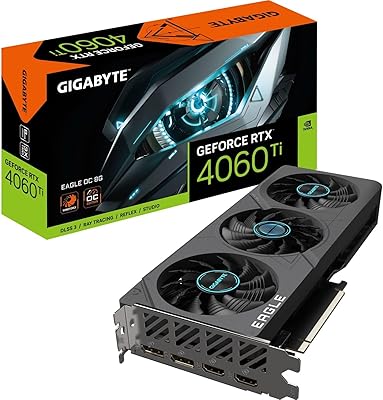
Gigabyte RTX 4060 Ti Eagle OC GPU

GIGABYTE GeForce RTX 4060 Ti Gaming OC 8GB Graphics Card
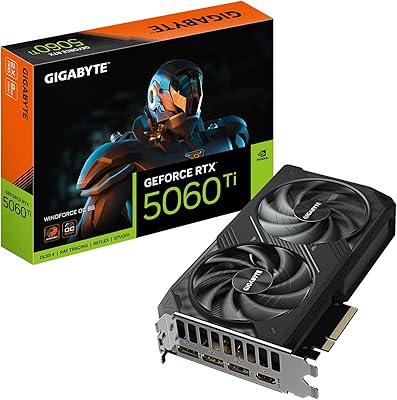
GIGABYTE RTX 5060 Ti 8GB Graphics Card
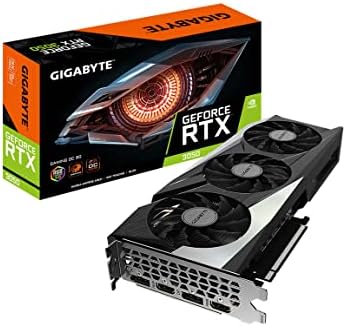
GIGABYTE GeForce RTX 3050 Gaming OC 8GB Graphics Card
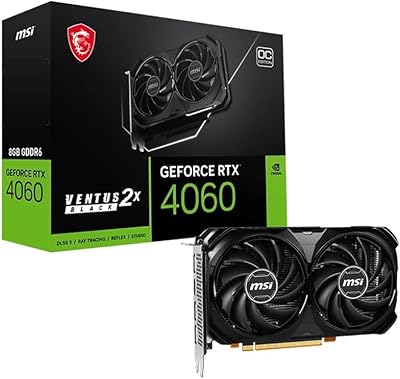
MSI RTX 4060 Ventus 2X Graphics Card
Gigabyte AORUS RTX 3080 Ti Graphics Card
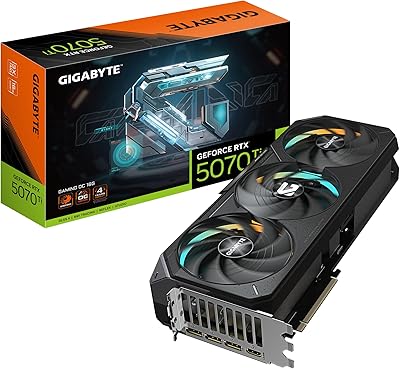
GIGABYTE GeForce RTX 5070 Ti Gaming OC 16G
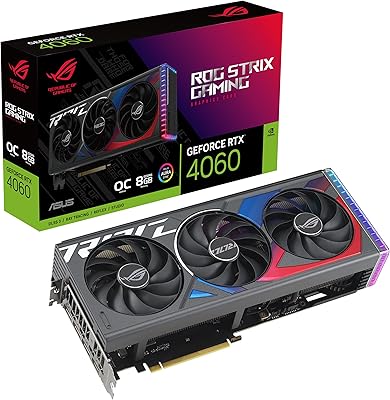
ASUS ROG Strix GeForce RTX 4060 OC Edition 8GB Graphics Card
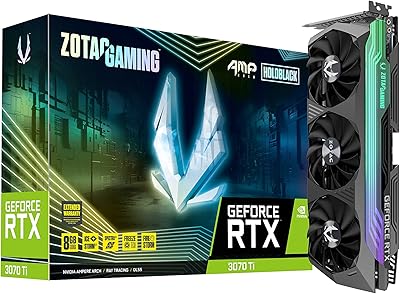
ZOTAC GeForce RTX 3070 Ti AMP Holo Graphics Card