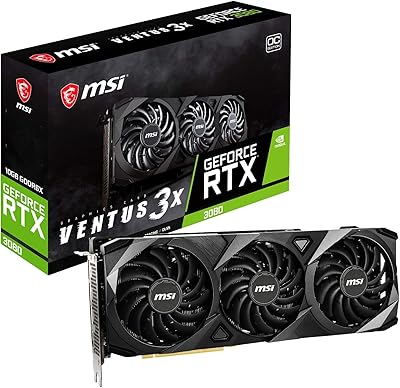
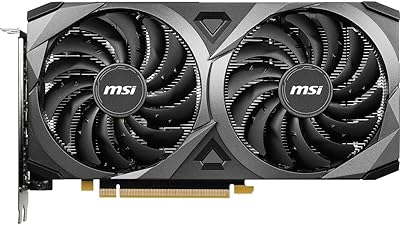
Overview

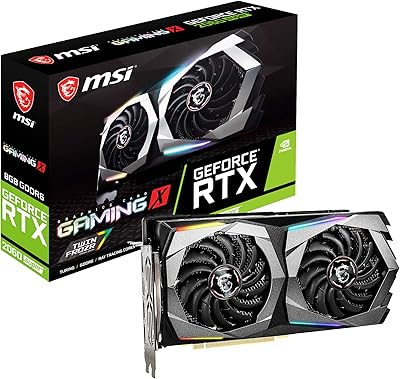
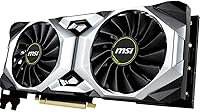
The MSI RTX 2080 Super Ventus XS GPU is MSI's factory-overclocked take on NVIDIA's Turing architecture, aimed at serious gamers who want meaningful horsepower without a card that dominates every cubic inch of their case. It sits above the standard RTX 2080 and below the 2080 Ti — a sweet spot that still holds up for demanding workloads. Turing brings real-time ray tracing and DLSS support to the table, which are practical advantages, not just marketing checkboxes. The dual-fan Ventus XS cooler keeps the footprint unusually compact for this performance tier. Among 150 verified buyers, it holds a 4.4 out of 5 rating — a grounded signal of consistent satisfaction rather than outlier enthusiasm.
Features & Benefits

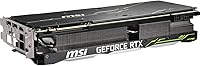
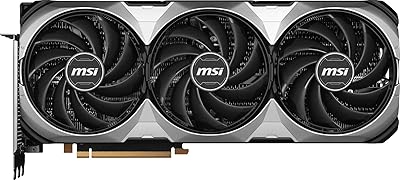
The 8GB of GDDR6 memory running across a 256-bit memory bus gives this overclocked GPU enough bandwidth to handle high-resolution textures without stuttering in modern, VRAM-hungry titles. The factory boost clock of 1830 MHz means you get a few extra frames per second straight out of the box compared to reference cards — no manual tuning required. Three DisplayPort 1.4 outputs alongside an HDMI 2.0b port make multi-monitor setups straightforward, and NVLink support is there for enthusiasts considering dual-card configurations. The Torx Fan 2.0 cooler uses a mix of traditional and dispersion blades to push airflow more efficiently, keeping temperatures reasonable during extended sessions. At just over 10 inches long, it slots into cases where triple-fan alternatives simply will not fit.

Best For

This Ventus XS card finds its natural home driving a 1440p high-refresh-rate monitor — titles like Cyberpunk 2077, Horizon Zero Dawn, and Control run well at this resolution without constantly pushing the GPU to its ceiling. Gamers curious about ray tracing can explore it here, though it is worth being upfront: RT effects will cost you frames, and you will likely need DLSS to compensate in heavier scenes. Builders working with compact or mid-tower cases will appreciate the shorter card length, which removes a common compatibility headache. Light content creation workflows — Blender renders, DaVinci Resolve exports, After Effects previews — are also within reach. If you are coming from a GTX 1080 or earlier, the performance gap is substantial enough to feel like a proper generational jump.

User Feedback

Across roughly 150 reviews, the RTX 2080 Super from MSI earns consistent marks for strong 1440p performance and quieter fan noise than buyers anticipated — several noted it ran noticeably calmer than previous cards they had owned. Installation gets mentioned repeatedly as smooth and uncomplicated. On the flip side, a recurring theme is heat buildup under prolonged load in cases with restricted airflow; if your build has limited ventilation, that is worth sorting out beforehand. MSI Afterburner integration draws mostly positive remarks, with a handful of users flagging occasional driver hiccups that resolved after updates. The compact dimensions come up often as a practical win, not just a spec footnote. With 150 ratings, the sample is solid but not vast — the overall picture is encouraging, though individual results will vary.

Pros

  • Hits a genuine sweet spot for 1440p gaming, handling demanding titles with headroom to spare.
  • Factory overclock means better out-of-the-box frame rates without any manual tuning.
  • Compact 10-inch length fits cases where longer triple-fan cards simply will not go.
  • Three DisplayPort 1.4 outputs make multi-monitor setups easy to configure.
  • DLSS support provides a practical way to recover frame rates when ray tracing is enabled.
  • Torx Fan 2.0 cooler runs quieter than many buyers expect for a card at this performance level.
  • MSI Afterburner compatibility gives enthusiasts full control over clocks, voltages, and fan curves.
  • NVLink support is available for users who want to explore dual-card configurations.
  • Straightforward installation process — most buyers report it as hassle-free from box to first boot.
  • Solid 4.4-star rating across 150 verified buyers reflects consistent real-world satisfaction.

Cons

  • Previous-generation Turing architecture means newer cards offer better efficiency and more modern features.
  • 8GB VRAM is beginning to feel tight in some heavily modded or high-resolution texture scenarios.
  • Ray tracing performance requires DLSS assistance to stay playable — standalone RT headroom is limited.
  • Runs noticeably warm under sustained load in cases with restricted airflow or poor ventilation.
  • No hardware AV1 encoding support, which matters for streamers and video creators on modern workflows.
  • Pricing at launch was steep for a previous-gen card, and used market alternatives can complicate the value calculation.
  • Dual-fan cooling, while compact, cannot match the sustained thermal headroom of larger triple-fan designs.
  • Occasional driver hiccups have been reported by a subset of users, requiring attention after Windows updates.

Ratings

Our scores for the MSI RTX 2080 Super Ventus XS GPU were generated by AI after systematically analyzing verified buyer reviews from multiple global markets, with spam, bot activity, and incentivized feedback actively filtered out. The result is an honest, balanced picture of what real owners consistently praise — and where this overclocked GPU genuinely falls short. Both the strengths and the friction points are reflected openly so you can make a confident, well-informed decision.
1440p Gaming Performance
88%
Owners consistently report smooth, high-frame-rate experiences in demanding titles at 1440p — games like Horizon Zero Dawn, Cyberpunk 2077 at medium-high settings, and Control run without the GPU feeling like it is constantly at its ceiling. The factory overclock gives a small but tangible edge that shows up in sustained gameplay sessions.
At maximum quality settings in the most demanding modern titles, frame rates can dip into less comfortable territory, requiring some settings trade-offs. Users pushing ultra-wide 1440p resolutions report the card working noticeably harder than those on standard 16:9 panels.
Thermal Management
71%
29%
In well-ventilated mid-tower builds with proper intake and exhaust fans, the dual Torx Fan 2.0 cooler keeps temperatures in a comfortable range during typical gaming sessions. Several owners note the card runs cooler than their previous single or dual-fan GPUs under equivalent workloads.
Under sustained full load — extended render jobs, back-to-back benchmark runs, or warm ambient environments — temperatures creep into the high 80s Celsius. Owners in compact or poorly airflow-managed cases report noticeably warmer operation, and the dual-fan design has less thermal headroom than longer triple-fan competitors at this performance tier.
Noise Level
83%
Quieter-than-expected operation is one of the most frequently mentioned surprises in buyer feedback. During casual gaming and moderate workloads, the fans stay subdued enough that many users say they forget the card is working hard at all. The Torx Fan 2.0 blade design genuinely reduces turbulence noise compared to older cooler generations.
Push the card hard for extended periods and the fan ramp-up becomes clearly audible, particularly in open-frame or side-panel cases without sound dampening. A handful of reviewers noted the fans produce a faint coil whine under certain load conditions, though this appears to be unit-specific rather than a universal issue.
Build & Physical Quality
84%
The card feels solid and well-assembled out of the box, with a sturdy backplate and a cooler shroud that does not flex or creak. Owners frequently describe the installation process as hassle-free, noting the card seats cleanly into both standard ATX and some compact builds without requiring force or adapter gymnastics.
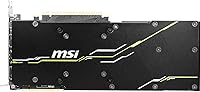
The plastic shroud, while functional, does not feel as premium as the heavier metal designs found on higher-end MSI Gaming X Trio variants. For buyers who care about aesthetics or use open-frame cases where the card is always visible, the Ventus XS appearance can feel understated compared to its price point.
Form Factor & Compatibility
91%
The 10.1-inch length is genuinely appreciated by builders working with cases that cap GPU clearance around 10.5 to 11 inches — a common limitation in many popular mid-tower designs. Owners who previously struggled to fit triple-fan cards repeatedly highlight this as the deciding factor in their purchase.
While compact by RTX 2080 Super standards, the card still occupies 2.5 expansion slots in practice due to the cooler height, which can crowd adjacent slots. Users with very dense ITX builds should still verify physical clearances rather than assuming the shorter length automatically solves all compatibility concerns.
Ray Tracing Capability
67%
33%
Ray tracing works and is accessible on this card — owners who enable it in lighter implementations, such as reflections in Control or shadow rendering in Minecraft RTX, report it looks visually impressive and adds a meaningful atmosphere to supported games. DLSS integration alongside RT makes the feature more practically usable than the raw RT scores alone suggest.
Enabling full ray tracing without DLSS assistance drops frame rates sharply in heavier titles, making native-resolution RT gaming at 1440p a genuine compromise. This is a previous-generation RT implementation, and users coming from newer Ampere or Ada cards will notice the gap in RT efficiency relatively quickly.
DLSS Performance
82%
18%
DLSS provides a meaningful frame rate recovery mechanism, especially when ray tracing is active — owners note that flipping DLSS to Quality mode in supported titles largely restores the visual fidelity they would expect while recouping a significant chunk of lost performance. For DLSS-supported games, it acts as a practical safety net.
DLSS 2.0 and later improvements are locked to supported titles only, and the feature is irrelevant for the large portion of the game library that has not implemented it. Some users also note that DLSS at Performance mode introduces visible softness that is distracting on sharp 1440p panels.
VRAM Adequacy
73%
27%
For the majority of 1440p gaming scenarios, 8GB of GDDR6 memory holds up well — texture streaming stays smooth in most current titles, and users running standard graphics settings report no perceptible hitching or VRAM-related stutters during typical play sessions.
In heavily modded games, 4K texture pack installations, or a growing number of modern titles that push past 8GB under high settings, the VRAM ceiling becomes a real constraint. Owners who have returned to this card after trying newer games note that the memory headroom feels tighter than it did at launch, and this issue will only grow over time.
Display Output Flexibility
89%
Three DisplayPort 1.4 ports plus one HDMI 2.0b give owners genuine multi-monitor flexibility without needing adapters for most common setups. Users running a triple-monitor gaming rig or a dual-monitor desk paired with a living room TV report the output configuration covers their needs without any unusual workarounds.
The HDMI port is version 2.0b rather than 2.1, which means 4K 120Hz output to compatible TVs is not supported over HDMI — users wanting that for console-style couch gaming on a recent display will need to use DisplayPort or consider a newer card. This limitation is not a dealbreaker for most PC desk setups but matters for hybrid TV-connected builds.
Software & Driver Experience
77%
23%
MSI Afterburner compatibility is broadly praised by enthusiast owners who want hands-on control over fan curves, clock offsets, and voltage tuning without third-party conflicts. For users who simply install and play, the standard NVIDIA driver experience is familiar, stable, and well-documented.
A recurring thread in user feedback involves minor driver instability following Windows major updates, occasionally requiring a clean driver reinstall to resolve. A smaller subset of users also reported initial MSI Afterburner configuration issues that required community forum guidance rather than a straightforward out-of-box solution.
Upgrade Value
74%
26%
For owners coming from a GTX 1070, 1080, or any earlier generation, the real-world performance gap is large enough to feel like a substantial quality-of-life improvement in both gaming and GPU-accelerated creative work. The Turing feature set — RT cores, Tensor cores, NVENC encoder improvements — adds capabilities that were entirely absent on Pascal hardware.
Compared to what current-generation cards offer at competitive price points, the value proposition of this Turing-era card weakens considerably. Buyers upgrading from a GTX 1080 Ti in particular should weigh the performance delta carefully, as the gain is less dramatic than the generational marketing implied at the time of the RTX 2080 Super launch.
Creative Workload Performance
79%
21%
For hobbyist and semi-professional workloads — Blender Cycles rendering, DaVinci Resolve color grading, and After Effects GPU previews — the card handles tasks comfortably and noticeably outpaces older CUDA-capable hardware. Owners doing occasional video exports or 3D visualization work find it adequately capable without investing in dedicated workstation hardware.
The 8GB VRAM limit starts showing its edges in complex 3D scenes with high-resolution textures or multi-layer 4K video timelines with heavy effects stacks. Professional users or those whose creative projects are growing in scope should consider whether the memory headroom will still be sufficient 18 months from now.
NVLink & Multi-GPU Support
54%
46%
NVLink support exists and technically works for the small audience of users who want to experiment with dual-GPU rendering in specific applications like Blender or V-Ray, where multi-GPU scaling is still supported and meaningful.
Game SLI support has been almost entirely dropped by NVIDIA and game developers, making NVLink a largely academic specification for gaming buyers. The vast majority of owners will never use this feature, and its presence should not factor into the purchase decision for anyone outside a narrow professional rendering use case.
Installation Experience
92%
Easy installation is one of the most consistently mentioned positives in the user review pool. The card seats cleanly into standard PCIe x16 slots, the power connector layout is accessible, and the shorter length removes the clearance anxiety that comes with bulkier alternatives. Most owners report being up and running within minutes.
Users with older cases that have a stubborn GPU retention latch or very tight power supply cable routing reported minor frustrations during seating. These are edge cases tied to specific case designs rather than anything inherent to the card itself, but worth a mention for those working in older or heavily populated builds.

Suitable for:

The MSI RTX 2080 Super Ventus XS GPU is a strong match for PC gamers who have settled on a 1440p high-refresh-rate monitor as their primary display and want a card that handles demanding titles without constant compromises on settings. If you are upgrading from a GTX 1080 or anything older, the performance jump is substantial enough to genuinely change how modern games feel — not just a marginal bump. Builders working with mid-tower or compact cases will find the shorter dual-fan design a practical advantage over bulkier triple-fan alternatives that can create real clearance headaches. Ray tracing enthusiasts on a budget will get access to the feature on this card, though expectations should stay realistic about the frame rate cost in RT-heavy scenes. Light creative workloads — think Blender projects, video exports, or motion graphics previews — are also well within reach for users who need GPU compute power without investing in a dedicated workstation card.
Not suitable for:

The MSI RTX 2080 Super Ventus XS GPU is a harder sell for anyone building a future-focused system today, since newer GPU generations offer meaningfully better performance-per-dollar and features like hardware-accelerated AV1 encoding that Turing simply does not have. Competitive esports players targeting very high frame rates at 1080p will find the card overpowered for that use case and the price harder to justify against less expensive options. Buyers hoping to run ray tracing at 4K with settings fully cranked will hit a wall quickly — this is not the right card for that scenario, and no amount of DLSS will fully close that gap. Users in warm climates or with poorly ventilated cases should be cautious, as the dual-fan cooler does struggle under sustained full load when ambient airflow is limited. Anyone needing more than 8GB of VRAM for heavily modded games or high-resolution texture packs may also find this card showing its age sooner than expected.
Specifications

  • GPU Chip: Powered by the NVIDIA GeForce RTX 2080 Super, built on the Turing architecture with dedicated RT and Tensor cores.
  • VRAM: 8GB of GDDR6 memory provides fast bandwidth for high-resolution textures and memory-intensive gaming workloads.
  • Memory Interface: A 256-bit memory bus allows substantial data throughput between the GPU and its onboard memory.
  • Memory Speed: Onboard memory operates at an effective speed of 15.5 GHz, supporting rapid frame buffer reads and writes.
  • Boost Clock: The factory overclock pushes the boost clock to 1830 MHz, exceeding NVIDIA's reference specification out of the box.
  • Display Outputs: Three DisplayPort 1.4 ports and one HDMI 2.0b port support up to four simultaneous displays at high resolutions.
  • Max Resolution: Capable of driving displays up to 7680 x 4320 (8K), though gaming at that resolution is not a primary use case for this tier.
  • Cooler Type: Dual Torx Fan 2.0 cooler uses a combination of traditional and dispersion blades to improve airflow efficiency under load.
  • Card Dimensions: The card measures 10.1 x 5 x 2 inches, making it notably shorter than many competing triple-fan RTX 2080 Super designs.
  • Card Weight: At 2.12 pounds, the card is substantial but not unusually heavy for its performance class.
  • NVLink: NVLink support is included, allowing two compatible cards to be paired in a dual-GPU configuration for supported workloads.
  • API Support: Supports DirectX 12 Ultimate, Vulkan, and OpenGL 4.6, covering all major modern game and application rendering APIs.
  • Ray Tracing: Dedicated RT cores enable real-time ray tracing in supported titles, though performance varies and DLSS is often recommended alongside it.
  • DLSS Support: DLSS (Deep Learning Super Sampling) uses onboard Tensor cores to upscale lower-resolution frames, helping recover frame rates in demanding scenes.
  • Power Connector: Requires two 8-pin PCIe power connectors; the recommended system power supply is at least 650W.
  • PCIe Interface: Connects via a PCIe 3.0 x16 slot, which is fully compatible with PCIe 4.0 motherboards running at backward-compatible speeds.
  • Release Date: This card was first made available in September 2019 as part of NVIDIA's refreshed Turing Super lineup.
  • Buyer Rating: Holds a 4.4 out of 5 rating based on 150 verified Amazon purchases, reflecting broadly positive real-world ownership experiences.

Related Reviews
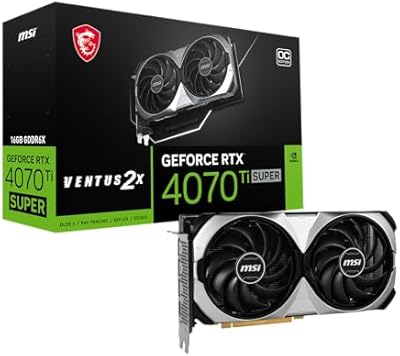
MSI RTX 4070 Ti Super 16G GPU
83%
91%
Gaming Performance
93%
VRAM Capacity
68%
Thermal Performance
82%
Noise Level
84%
Build Quality
More
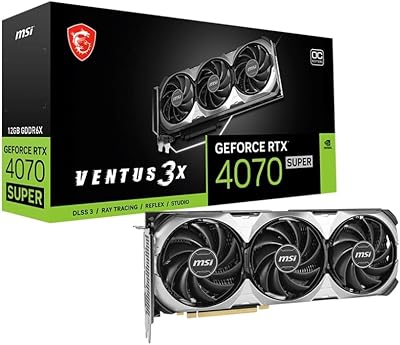
MSI RTX 4070 Super 12GB Graphics Card
80%
91%
1440p Gaming Performance
88%
Thermal Management
86%
Noise Levels
67%
Value for Money
72%
VRAM & Memory Performance
More
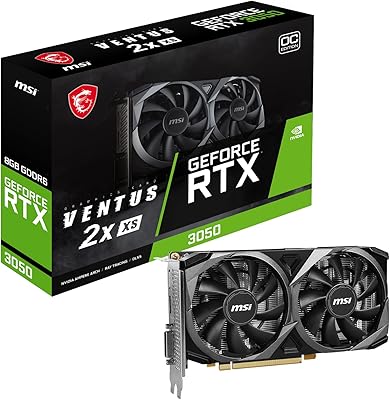
MSI RTX 3050 Ventus 2X 8GB GPU
74%
73%
1080p Gaming Performance
66%
Value for Money
81%
Thermal Performance
84%
Noise Level
77%
Build Quality
More
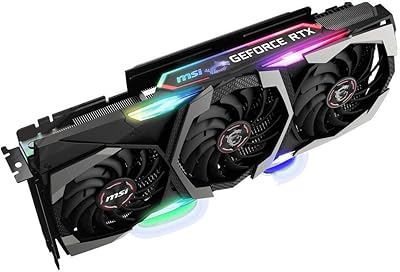
MSI GeForce RTX 4080 SUPER 16GB VENTUS 3X OC Graphics Card
84%
96%
Gaming Performance
91%
Cooling Efficiency
65%
Power Consumption
89%
Build Quality
94%
4K/8K Gaming Compatibility
More
MSI RTX 3080 VENTUS 3X Graphics Card
82%
91%
Gaming Performance
87%
Thermal Management
78%
Noise Levels
69%
VRAM Capacity
88%
Build Quality
More
MSI RTX 3060 Ventus 2X 8GB Graphics Card
75%
88%
1080p Gaming Performance
67%
1440p Gaming Performance
54%
VRAM Adequacy
58%
Memory Bandwidth
91%
DLSS Performance
More
MSI GeForce RTX 2060 Super Gaming X 8GB
84%
93%
Gaming Performance (1080p/1440p)
90%
Cooling Efficiency
88%
Build Quality & Durability
92%
Noise Levels
84%
RGB Lighting Customization
More
MSI GeForce RTX 2080 Ti Gaming X Trio
87%
94%
Gaming Performance
91%
Ray Tracing Quality
88%
Thermals and Cooling
90%
Build Quality
65%
Noise Level Under Load
More
MSI RTX 5070 Ventus 2X Graphics Card
82%
88%
Gaming Performance
84%
Thermal Management
86%
Noise Levels
91%
Build Quality
78%
DLSS 4 & AI Features
More
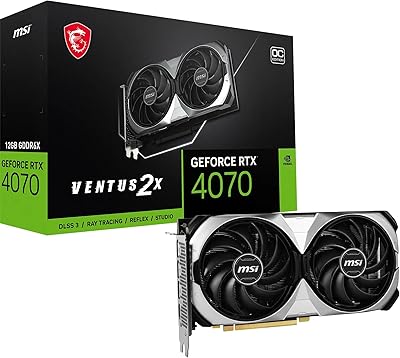
MSI GeForce RTX 4070 Ventus 2X 12G OC
86%
91%
Gaming Performance at 1440p
89%
Gaming Performance at 4K
94%
Cooling Efficiency
85%
Noise Levels
92%
Value for Money
More

FAQ

In most cases, yes. At just over 10 inches long, the Ventus XS design is shorter than many competing RTX 2080 Super cards, which frequently stretch to 11 or 12 inches. That said, always check your specific case's maximum GPU length spec before buying — some budget mid-towers have tight clearances near the front panel.

MSI recommends a minimum 650W power supply for this card. It draws two 8-pin PCIe connectors, so make sure your PSU has those available. If you are running a high-core-count CPU alongside it, bumping to 750W gives you comfortable headroom and is worth the modest extra cost.

That depends heavily on your budget and what you are upgrading from. If you are coming from a GTX 1070 or 1080, the performance jump is real and noticeable, especially at 1440p. If you are comparing it to current-generation options at similar price points, newer cards generally offer better efficiency, more VRAM headroom, and updated feature sets like AV1 encoding. Buy it at the right price and it still delivers — just go in with eyes open about its age.

Ray tracing works, but it is not a free lunch at this tier. In lighter RT implementations — like ambient occlusion or reflections in titles such as Control or Metro Exodus — you can get playable frame rates at 1440p with DLSS enabled. Turning on full path tracing or heavy RT effects in more demanding titles will push the card hard, and you will likely need to dial back other settings to compensate. It is a taste of RT, not an unlimited pass.

Yes, within reason. The RTX 2080 Super from MSI handles Blender GPU rendering, DaVinci Resolve acceleration, and After Effects GPU effects quite well for hobbyists and semi-professional workflows. The 8GB of VRAM is sufficient for most projects at 1080p and 1440p. If you are regularly cutting 4K RAW footage with complex node graphs or rendering detailed 3D scenes professionally, a dedicated workstation card would serve you better long term.

Most owners report it is quieter than they expected. The dual Torx Fan 2.0 cooler does a reasonable job keeping noise down during typical gaming sessions. Under extended heavy load — think long render jobs or benchmarking runs — fan noise increases noticeably, but it does not reach the distracting levels some other coolers can hit. Good case airflow helps keep the fans from working harder than necessary.

Yes. Being an NVIDIA card, it fully supports G-Sync and G-Sync Compatible displays over both DisplayPort and HDMI. If you already have a FreeSync monitor, NVIDIA has certified many of those as G-Sync Compatible as well, so it is worth checking NVIDIA's list for your specific display.

Only if your case airflow is poor. The dual-fan cooler handles normal gaming loads without trouble, but under sustained maximum load in a cramped or poorly ventilated case, temperatures can climb into the high 80s Celsius, which is within safe limits but warmer than ideal. Make sure your case has at least one intake and one exhaust fan, and avoid routing cables directly across the GPU's intake area. With decent airflow, most owners report comfortable operating temperatures.

Yes. This overclocked GPU has three DisplayPort 1.4 outputs and one HDMI 2.0b port, giving you four physical connections. NVIDIA supports driving up to four displays simultaneously, so a three-monitor desk setup plus a living room TV connection is entirely doable without a hub or adapter.

Yes, MSI Afterburner works well with this card and is actually one of the more convenient aspects of going with an MSI board. You can manually adjust clock offsets, voltage curves, and fan speed profiles, or just use it to monitor temps and usage in real time. A small number of users have reported occasional software hiccups after Windows updates, but these are generally resolved by reinstalling or updating Afterburner to the latest version.

Where to Buy