Overview

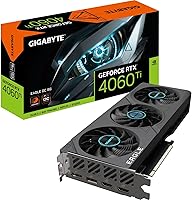
The Gigabyte RTX 4060 Ti Eagle OC GPU sits in a competitive mid-range bracket, aimed squarely at gamers who want modern-generation performance without paying flagship prices. Gigabyte's Eagle OC line distinguishes itself from reference cards through a factory overclock and a beefier cooling solution, making it a more practical choice than a bare-bones board partner offering. Built on NVIDIA's Ada Lovelace architecture, this RTX 4060 Ti variant benefits from significantly improved power efficiency over Ampere predecessors — which matters for thermals and electricity bills alike. At 1080p it performs confidently, and 1440p is workable with DLSS active. The 8GB VRAM ceiling is a legitimate concern, though it's unlikely to bottleneck most buyers in this segment today.
Features & Benefits

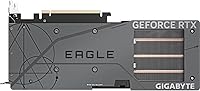
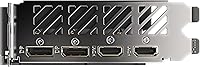
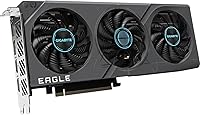
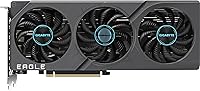
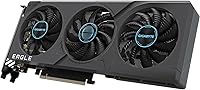
Gigabyte's Windforce cooling setup — three 80mm fans backed by composite heat pipes — keeps the card running well below thermal throttle limits during extended gaming sessions, typically hovering around 70–72°C under sustained load. That's quiet enough you'll rarely notice it over game audio. The 2550 MHz boost clock delivers a noticeable uptick over stock 4060 Ti speeds, translating to a handful of extra frames in GPU-bound scenarios. Where this Eagle OC card really stands out is DLSS 3 with Frame Generation — in supported titles, it can nearly double perceived frame rates at 1440p. Four display outputs and a compact 10.71-inch footprint round out a well-considered package.

Best For

This RTX 4060 Ti variant is built for competitive 1080p players above all else — think titles like Valorant, CS2, or Apex Legends where pushing past 144 fps consistently is the goal. It also handles 1440p gaming well in less demanding open-world titles, especially when DLSS is active. Content creators using DaVinci Resolve, Premiere, or NVIDIA Studio-certified apps will find the Ada architecture's encoder meaningfully faster than older cards. The compact dual-slot design fits cleanly in mid-tower and even smaller ITX cases. If you're upgrading from a 20-series or early 30-series card, the generational leap in efficiency and ray tracing capability will feel genuinely substantial.

User Feedback

Across its 141 ratings, Gigabyte's mid-range Ada contender holds a solid 4.5-star average, and the praise follows a clear pattern: buyers are consistently happy with cooling and acoustics, noting the card stays composed during marathon sessions. Installation tends to go smoothly, with the dual-slot body fitting standard mid-tower cases without issues. Where feedback gets more measured is around the 8GB framebuffer — a growing number of owners flag stutters in texture-heavy titles at higher resolutions. DLSS 3 wins over most buyers in supported games, but those playing older or less-optimized titles see limited benefit. A handful of users also note that competing AMD cards offer more VRAM at a similar price, which is fair context worth weighing.

Pros

  • Windforce triple-fan cooling keeps temperatures in check during long gaming sessions without getting loud.
  • The factory overclock delivers a real, if modest, frame rate advantage over stock 4060 Ti cards.
  • DLSS 3 with Frame Generation can nearly double perceived frame rates in supported titles at 1440p.
  • Four video outputs — two HDMI 2.1a and two DisplayPort 1.4a — handle multi-monitor setups with ease.
  • Ada Lovelace architecture brings dramatically better power efficiency compared to previous-generation Ampere cards.
  • The compact dual-slot design fits cleanly in mid-tower and smaller cases without major clearance issues.
  • Ray tracing performance is noticeably stronger than what older mid-range cards could manage at playable frame rates.
  • Holds a 4.5-star average across verified buyers, with consistent praise for build quality and thermals.
  • NVIDIA Studio driver support makes this Eagle OC card a capable tool for video editing and 3D work.
  • PCIe 4.0 interface and 18 Gbps GDDR6 ensure the card is not bottlenecked by bandwidth on modern platforms.

Cons

  • 8GB of VRAM is already a limitation in some 2024 titles at higher resolutions and texture settings.
  • The 128-bit memory bus is narrow for the price tier, restricting raw memory bandwidth compared to older flagships.
  • DLSS 3 Frame Generation benefits are largely absent in the substantial library of non-supported titles.
  • Competing AMD cards at a similar price offer significantly more VRAM, which is a real trade-off to consider.
  • Native 4K gaming is not a realistic target — performance drops off sharply without aggressive upscaling.
  • Buyers upgrading from a high-end 30-series card will find the generational improvement underwhelming.
  • No 16GB VRAM option exists in this product line, unlike some rival mid-range offerings.
  • Frame Generation introduces a small amount of input latency that sensitive competitive players may notice.
  • The mid-range pricing puts pressure on its value case given where the GPU market has moved recently.

Ratings

The Gigabyte RTX 4060 Ti Eagle OC GPU earns an overall strong reception from buyers worldwide, and these scores reflect AI analysis of verified purchase reviews globally — with spam, bot activity, and incentivized feedback actively filtered out. Ratings span everything from raw gaming performance to thermal behavior and long-term value, capturing both the genuine strengths and the real frustrations owners report after extended use.
Gaming Performance
83%
At 1080p, this Eagle OC card consistently delivers triple-digit frame rates in competitive titles, and owners upgrading from older Ampere or Turing cards report a clearly noticeable jump in smoothness. DLSS 3 support amplifies perceived performance significantly in supported games, making 1440p genuinely viable for many players.
Native 1440p performance without DLSS in demanding open-world titles can feel underwhelming for the price tier, and a handful of reviewers noted that in GPU-bound scenarios at max settings, the card occasionally fell short of expectations set by pre-launch benchmarks.
Thermal Management
88%
The Windforce triple-fan setup earns consistent praise from owners who run long gaming sessions — GPU temperatures typically settle in the low-to-mid 70s Celsius under full load, which is well within a comfortable and stable range. The copper heat pipe contact design appears to handle heat dissipation efficiently even in tighter cases.
A small number of buyers in warmer climates or poorly ventilated cases reported temperatures climbing closer to 80°C, suggesting the cooling headroom shrinks in less-than-ideal airflow environments. The card does not throttle in these scenarios, but sustained high temps over months of use are a reasonable long-term concern.
Noise Level
84%
Under light workloads and at desktop, the fans stop entirely thanks to zero RPM mode, making this RTX 4060 Ti variant effectively silent when it is not being pushed. During gaming, most owners describe fan noise as present but unobtrusive — audible but not louder than typical in-game audio.
Under extended, maxed-out stress loads — particularly during benchmark runs or prolonged GPU-intensive rendering — the fans spin up to a level that some buyers in quiet rooms found more noticeable than they expected. It is not loud by GPU standards, but it is not whisper-quiet either.
DLSS 3 & Frame Generation
86%
Owners who play in the growing library of DLSS 3-supported titles describe the Frame Generation uplift as one of the most convincing selling points of the whole Ada generation, with 1440p frame rates jumping dramatically without a proportional hit to visual quality. For those titles, the experience feels meaningfully more fluid.
Buyers who primarily play older titles or games outside NVIDIA's DLSS 3 support list see little to no benefit from this feature, and a few expressed frustration that the game library still feels selective. The subtle input latency introduced by Frame Generation is also a genuine concern for fast-paced competitive players.
VRAM & Memory
61%
39%
For the majority of current 1080p gaming scenarios and moderate 1440p workloads, the 8GB pool holds up without obvious issues, and the 18 Gbps GDDR6 speed helps compensate for the narrower 128-bit bus in bandwidth-sensitive situations. Owners running competitive titles or older open-world games report no VRAM-related problems.
This is the most polarizing aspect of Gigabyte's mid-range Ada contender — a measurable portion of reviewers flagged texture stutters and frame time spikes in newer, more VRAM-hungry titles at 1440p and above. The 128-bit bus further compounds concerns for buyers who expect this card to handle high-resolution gaming comfortably over a multi-year ownership period.
Build Quality
87%
The physical construction of the card draws consistent compliments — buyers describe the shroud and backplate as feeling solid and premium relative to competing cards at this price level. The low 1.41-pound weight also means it sits securely in a standard PCIe slot without putting undue stress on the motherboard.
A couple of owners noted that the plastic fan shroud, while sturdy-feeling, has a slightly hollow quality under close inspection compared to Gigabyte's higher-tier Gaming OC line. Nothing structural, but buyers expecting flagship-level materials may find the finish marginally utilitarian.
Form Factor & Fit
91%
At 10.71 inches and a dual-slot profile, this card fits cleanly into the vast majority of mid-tower builds without requiring any case modifications, and several owners in mATX builds confirmed it cleared their cases with room to spare. The manageable size is a genuine advantage over some competing cards that balloon to 340mm or more.
For those building in very compact ITX cases with strict GPU length limits under 270mm, the card's length still requires careful measurement before purchasing. It is not a problem for most builds, but it is not truly SFF-friendly without case-specific research.
Connectivity & Display Output
89%
Four video outputs — two HDMI 2.1a and two DisplayPort 1.4a — give buyers strong flexibility for multi-monitor setups, and HDMI 2.1a in particular means the card is ready for high-refresh 4K displays down the line. Owners running dual-monitor productivity setups appreciated having options across both port types.
A small number of buyers noted that the absence of a USB-C or Thunderbolt video output is a minor inconvenience for those with newer portable monitors or certain docking configurations. It is a niche concern but worth flagging for buyers building flexible or hybrid workstation setups.
Ray Tracing Performance
74%
26%
Compared to second-generation RT cores in previous Ampere cards, Ada Lovelace's third-generation RT cores deliver a noticeably better ray tracing experience, and owners using DLSS 3 alongside ray tracing in supported titles report playable and attractive results. For casual ray tracing use, the improvement over last-gen mid-range cards is real.
Native, unassisted ray tracing at high settings and 1440p pushes the card toward frame rates that most buyers would find uncomfortable without DLSS. Enthusiasts hoping to run demanding titles like Cyberpunk 2077 with full ray tracing at high quality settings will find themselves leaning heavily on upscaling to compensate.
Installation Experience
92%
The vast majority of verified buyers report a completely smooth installation process — the card seated cleanly, driver installation via GeForce Experience was straightforward, and no hardware conflicts were flagged. First-time GPU upgraders in particular appreciated how plug-and-play the experience felt.
A very small handful of users encountered driver-related hiccups on initial setup, though these were typically resolved by a clean driver install. No systematic hardware installation issues were reported across the review base, making this an isolated rather than structural concern.
Content Creation Performance
81%
19%
Buyers using NVIDIA Studio-supported applications — particularly DaVinci Resolve and Premiere Pro — praise the Ada-generation NVENC encoder for meaningfully faster export times compared to older mid-range Ampere cards. The CUDA core count and driver maturity make this card a capable choice for creators who also game.
For heavier workloads like complex 3D rendering in Blender or large-scale video projects at 4K, the 8GB VRAM ceiling becomes a more tangible bottleneck than it does in gaming. Professional creators with demanding pipelines may find themselves frequently bumping against memory limits.
Power Efficiency
88%
Owners upgrading from RTX 20-series or older AMD cards consistently comment on how much more manageable the power draw is — running capable gaming performance on a 550W PSU is a real-world benefit that saves both money and noise from the PSU fan. The efficiency-per-frame ratio of Ada Lovelace is genuinely impressive at this tier.
While the card is efficient by modern standards, buyers expecting dramatically lower power consumption than its direct mid-range competitors may find the savings incremental rather than transformative in practice. It is not a card that will stress a quality 550W supply, but it is not unusually frugal either.
Value for Money
68%
32%
For buyers who play primarily at 1080p in competitive titles and want DLSS 3 plus Ada-generation features baked in, this Eagle OC card delivers a coherent package that is hard to fault on pure use-case alignment. The factory overclock and quality cooling add tangible value over a basic reference-style board.
The value equation becomes harder to defend when competing AMD options at similar pricing offer 12GB or 16GB of VRAM, and several reviewers explicitly cited this comparison when rating value below expectations. Buyers who scrutinize price-per-frame will find the numbers tighter than the original launch positioning suggested.

Suitable for:

The Gigabyte RTX 4060 Ti Eagle OC GPU is an excellent fit for gamers who primarily play at 1080p and want reliable, high-refresh-rate performance in competitive titles — think consistent 144+ fps in games like CS2, Valorant, or Apex Legends without needing to dial settings down. It also covers 1440p gaming comfortably when DLSS is available, making it a smart pick for players who own a 1440p monitor but aren't yet ready to spend flagship money. Upgraders stepping up from a GTX 1080, RTX 2070, or similarly aged card will notice a real, tangible improvement in both raw performance and power draw. The compact 10.71-inch form factor makes it genuinely case-friendly, so small-to-mid-tower builders won't have to plan around it. Content creators working within NVIDIA's Studio ecosystem — video editors, 3D artists, and streamers — will also benefit from Ada's improved encoder and driver maturity without stretching into workstation-tier spending.
Not suitable for:

The Gigabyte RTX 4060 Ti Eagle OC GPU is harder to recommend if your ambitions sit firmly at native 4K gaming across a wide variety of titles, since the 8GB framebuffer starts showing strain at that resolution with modern, texture-heavy games. Players who favor open-world titles with aggressive texture packs — games like Hogwarts Legacy or Alan Wake 2 at ultra settings — may run into VRAM-related stutters sooner than they'd like, particularly as more titles push past the 8GB threshold. If you're already running a mid-to-high-end 30-series card like an RTX 3080, the performance delta here won't justify the expense. Buyers on the AMD side of the fence should also note that competing cards at a comparable price point offer meaningfully more VRAM, which can matter for future-proofing. Finally, anyone building a workstation that demands professional-grade compute throughput or ECC memory support should be looking at an entirely different product category.
Specifications

  • GPU Chip: Powered by the NVIDIA GeForce RTX 4060 Ti, built on the Ada Lovelace architecture for improved efficiency and ray tracing throughput over prior generations.
  • VRAM: Equipped with 8GB of GDDR6 memory running at 18 Gbps, sufficient for most 1080p and 1440p gaming workloads under current titles.
  • Memory Bus: Operates on a 128-bit memory bus, which keeps bandwidth narrower than older high-end cards but is offset by the improved cache design in Ada Lovelace.
  • Boost Clock: Factory overclocked to a boost clock of 2550 MHz, nudging performance beyond NVIDIA's reference specification out of the box.
  • Cooling System: Uses Gigabyte's Windforce cooling solution with three 80mm fans, composite copper heat pipes, and a copper plate in direct contact with the GPU die.
  • Display Outputs: Provides four video outputs: two HDMI 2.1a ports and two DisplayPort 1.4a ports, supporting up to four simultaneous displays.
  • Card Length: Measures 10.71 inches in length, making it compatible with most mid-tower and many compact PC cases without requiring special accommodation.
  • Slot Width: Occupies two expansion slots, keeping the footprint manageable and leaving adjacent PCIe slots accessible in most standard motherboard layouts.
  • Interface: Connects via a PCIe 4.0 x16 slot and is backward compatible with PCIe 3.0 motherboards, though at reduced theoretical bandwidth.
  • Max Resolution: Officially supports output up to 7680x4320 pixels (8K), though real-time gaming at that resolution is beyond the card's practical performance range.
  • DirectX Support: Fully supports DirectX 12 Ultimate, enabling hardware ray tracing, mesh shaders, and variable rate shading in compatible game titles.
  • DLSS Version: Supports NVIDIA DLSS 3, including Frame Generation technology, which can substantially increase perceived frame rates in titles that implement it.
  • Ray Tracing: Includes dedicated third-generation RT cores that deliver noticeably faster ray tracing performance compared to the second-generation cores found in Ampere cards.
  • HDCP Support: Supports HDCP 2.3, ensuring compatibility with encrypted high-definition content playback across connected displays.
  • Card Weight: Weighs approximately 1.41 pounds, which is light enough that no additional GPU support bracket is strictly necessary in most builds.
  • Dimensions: Physical dimensions are 10.71 x 4.53 x 1.61 inches, fitting comfortably in standard mid-tower and many compact form factor cases.
  • Power Connector: Requires a standard PCIe power connector from the PSU; a 550W or greater power supply is recommended for stable operation.
  • VR Support: Certified as VR Ready, meeting the bandwidth and latency requirements of current consumer virtual reality headsets.

Related Reviews

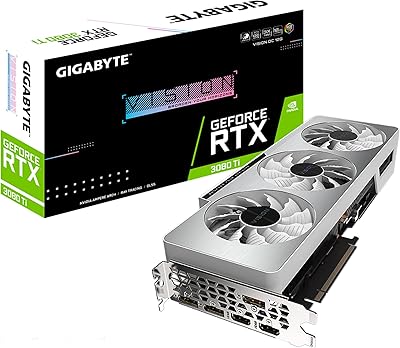
GIGABYTE GeForce RTX 4060 Ti Gaming OC 8GB Graphics Card
86%
92%
Performance
88%
Cooling Efficiency
89%
Value for Money
85%
Build Quality
91%
Ease of Setup
More
Gigabyte NVIDIA GeForce RTX 4060 Ti WINDFORCE OC 8GB Graphics Card
86%
90%
Gaming Performance
92%
Value for Money
89%
Ray Tracing & DLSS
88%
Cooling & Noise
85%
Installation & Setup
More
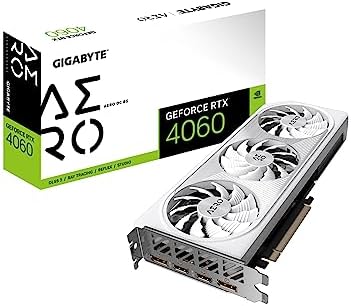
GIGABYTE GeForce RTX 4060 AERO OC 8GB Graphics Card
82%
88%
1080p Gaming Performance
63%
1440p Capability
91%
Thermal Performance
89%
Noise Level
61%
VRAM Headroom
More
GIGABYTE RTX 3080 Ti Vision OC GPU
79%
91%
Thermal Performance
88%
Noise Level
86%
4K Gaming Performance
83%
Ray Tracing Capability
84%
DLSS Quality
More
Gigabyte GeForce RTX 4070 Super Eagle OC 12GB
88%
94%
Gaming Performance
91%
Content Creation Performance
92%
Ray Tracing & Visual Quality
88%
Cooling Efficiency
86%
Noise Levels
More
PNY RTX 4060 Ti 8GB Graphics Card
79%
91%
Gaming Performance at 1080p
74%
Gaming Performance at 1440p
58%
VRAM & Memory Headroom
84%
Thermal Performance
88%
DLSS 3 & AI Features
More
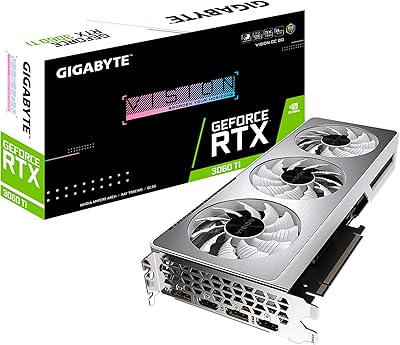
GIGABYTE RTX 3060 Ti Vision OC GPU
78%
86%
Gaming Performance
83%
Thermal Management
77%
Noise Level
89%
Build Quality
93%
Aesthetic Design
More
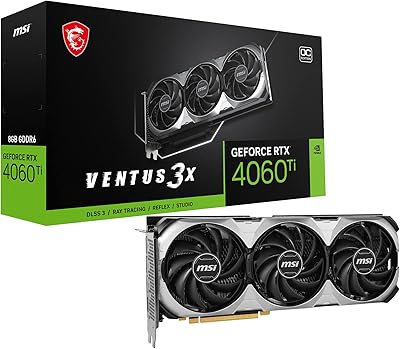
MSI RTX 4060 Ti Ventus 3X GPU
80%
83%
Gaming Performance
61%
VRAM Adequacy
86%
Thermal Management
84%
Noise Level
67%
Value for Money
More
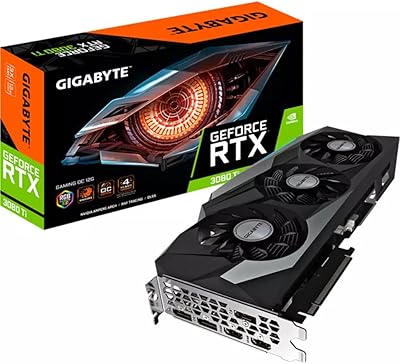
Gigabyte RTX 3080 Ti Gaming OC Graphics Card
78%
93%
4K Gaming Performance
88%
Thermal Management
84%
Ray Tracing Capability
91%
DLSS & AI Upscaling
79%
Cooling Noise Level
More
GIGABYTE RTX 3060 Ti Gaming OC GPU
78%
88%
Gaming Performance
91%
Thermal Performance
86%
Noise Level
67%
Ray Tracing Capability
72%
VRAM Adequacy
More

FAQ

It handles 1440p well in a lot of titles, but the honest answer depends on what you play. In competitive games and less graphically intense open-world titles, you can hit very playable frame rates. In demanding games like Cyberpunk 2077 or Alan Wake 2 at high settings and native 1440p, you may want to lean on DLSS Quality mode to keep performance where you want it. Think of it as a strong 1440p card with DLSS on, rather than a native 1440p powerhouse.

Most owners report it stays quiet enough to not be distracting during normal gaming. Under sustained full load — say, a lengthy session in a demanding open-world game — the fans spin up audibly but never reach the point where you'd call it disruptive. At idle or in light workloads, the fans can stop entirely thanks to the zero RPM mode, which is a nice touch for desktop use.

In most titles today at 1080p and 1440p with standard settings, 8GB holds up fine. The concern is more forward-looking — a growing number of titles are pushing texture packages that flirt with or exceed 8GB, and at higher resolutions with maxed-out settings, you may notice some stuttering. For competitive gaming or titles from a couple of years ago, it is a non-issue. If you plan to run the latest graphically intensive games at ultra settings for the next several years, the limitation is worth factoring into your decision.

Gigabyte recommends at least a 550W power supply for this card, and that is realistic advice rather than conservative padding. The RTX 4060 Ti is notably efficient for its performance tier, with a TDP well below older high-end cards, so a quality 550W or 650W unit from a reputable brand will give you comfortable headroom without going overboard.

At 10.71 inches long and occupying two expansion slots, this Eagle OC card fits in the vast majority of standard mid-tower cases with no issues. If you are building in a compact mini-ITX or micro-ATX case, double-check your case's maximum GPU length spec — but even then, many smaller cases accommodate up to 11 or 12 inches. The dual-slot profile also means you won't sacrifice neighboring slots on most motherboards.

Yes, it is backward compatible with PCIe 3.0 slots. You will see a marginal reduction in theoretical bandwidth, but in practice this does not produce a meaningful performance difference for gaming at the resolution this card targets. If you are running an older platform like an Intel 8th or 9th Gen board, you can slot this card in and it will work without issue.

Frame Generation is an NVIDIA feature exclusive to Ada Lovelace cards that uses AI to generate entirely new frames between rendered ones, essentially doubling the frame count the game outputs to your display. In supported titles, the effect on perceived smoothness is genuinely impressive — games that ran at 60 fps can feel much closer to 120 fps. The trade-off is a slight increase in latency, which is worth knowing about if you play fast-paced competitive games where response time matters.

Absolutely — this RTX 4060 Ti variant has four video outputs in total, so running two or even three monitors simultaneously is fully supported. Both the HDMI 2.1a and DisplayPort 1.4a ports can handle 144Hz and beyond at 1080p and 1440p. HDMI 2.1a in particular supports 4K at 144Hz, so if you ever upgrade your display, the connectivity is already there.

It does a solid job on both fronts. The Ada Lovelace architecture includes a significantly improved NVENC encoder, which is excellent for streaming and hardware-accelerated video exports. NVIDIA Studio driver support means creative applications like DaVinci Resolve, Premiere Pro, and Blender are well-optimized. It is not a professional workstation card, but for a creator who also games, it is a practical dual-purpose choice.

The main AMD competition at this price tier typically offers more VRAM — 12GB or 16GB in some cases — which is a legitimate advantage for future-proofing and high-resolution texture work. Where this card pulls ahead is in DLSS 3 support, the NVENC encoder quality for streaming and content creation, and generally better driver stability. If raw VRAM headroom is your priority, AMD deserves a look. If you value the NVIDIA software ecosystem or rely on CUDA-based applications, this Eagle OC card makes a more compelling case.

Where to Buy