Overview

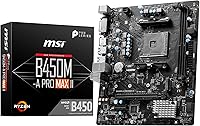
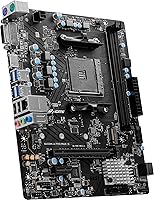
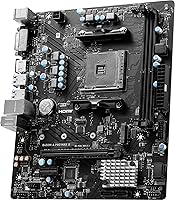
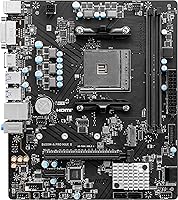
The MSI B450M-A Pro Max II Motherboard sits in a comfortable spot for builders who want a capable AM4 foundation without spending more than they need to. The Micro-ATX form factor keeps things compact — a good fit for mid-tower and smaller cases — without stripping out connections most builders actually use. AMD's B450 chipset is a mature platform at this point, and that works in your favor: driver support is rock-solid, compatible CPUs are plentiful and affordable, and the ecosystem is well understood. This MSI B450 board supports Ryzen processors from the 1000 through the 5000 series. Just go in knowing it's a value-tier option, not a performance-first flagship.

Features & Benefits

The headline spec for most buyers is DDR4 memory support reaching up to 4133MHz with overclocking — practically speaking, that headroom helps in memory-sensitive games and creative workloads even if you are not a hardcore overclocker. The PCIe 3.0 x16 slot handles current-generation GPUs without issue, though it will not push bleeding-edge cards to their theoretical ceiling. Where this AM4 budget board genuinely earns its keep is the M.2 Gen3 slot — NVMe storage at that interface is a real-world speed jump over traditional SATA drives for OS loads and large file transfers. The onboard 2.5 Gigabit LAN is a meaningful step up from standard gigabit for anyone streaming or moving large files across a home network.

Best For

This Micro-ATX motherboard is a natural fit for first-time builders pairing a Ryzen 5 or Ryzen 7 chip with a mid-range GPU — the kind of build where you want solid fundamentals without paying for features you will not use. It is also a smart pick if you are upgrading from an older AM4 system and already have DDR4 RAM on hand, since you can carry that memory over without buying anything new. The AM4 ecosystem is mature enough that second-hand Ryzen CPUs are easy to find at fair prices, which extends the value story considerably. Just temper expectations around heavy overclocking — this board suits everyday computing and light gaming, not sustained multi-core pushes on power-hungry processors.

User Feedback

Buyers who have spent time with this AM4 budget board tend to highlight two things right away: BIOS navigation is intuitive even for newcomers, and the board posts reliably without the headaches that sometimes plague cheaper options. Day-to-day stability gets mentioned often — people running it for months report no unexplained crashes or quirks. That said, there is a consistent thread of concern around VRM thermals when running higher-end Ryzen chips under sustained load; if you plan to pair this board with a 12-core or 16-core processor, you will want active airflow directed across those phases. A smaller number of buyers flagged thin packaging and the absence of Wi-Fi as disappointments, though neither is unusual at this price point.

Pros

  • Broad Ryzen compatibility spanning five CPU generations makes it easy to pair with whatever AM4 chip fits your budget.
  • The Micro-ATX footprint works well in a wide range of mid-tower and compact cases without feeling cramped.
  • Onboard 2.5G LAN is a meaningful real-world upgrade over standard gigabit for home networks.
  • The M.2 Gen3 slot enables fast NVMe storage without needing a separate adapter or riser card.
  • BIOS navigation is beginner-friendly, with a clean layout that most first-time builders can work through confidently.
  • DDR4 memory support up to 4133MHz with OC gives mild tuning headroom for performance-minded users.
  • AM4 is a proven, stable platform — firmware is mature and driver support is rock-solid.
  • Board posts reliably and consistently, which is not always guaranteed at this price point.
  • Up to 64GB DDR4 capacity leaves plenty of room to expand RAM as workloads grow.
  • MSI has a solid track record of delivering BIOS updates for B450 boards, extending useful life.

Cons

  • VRM thermals become a real concern when pairing this board with high-core-count Ryzen 9 processors under load.
  • No integrated Wi-Fi means wireless users must budget for an add-in card or USB adapter.
  • PCIe 3.0 rather than PCIe 4.0 puts a ceiling on bandwidth for the fastest current-generation GPUs and NVMe drives.
  • Only a single M.2 slot limits storage expansion options for users who want multiple fast drives.
  • Packaging has been flagged by some buyers as flimsy, raising minor concerns about shipping damage.
  • Overclocking support exists on paper, but real-world headroom is modest — do not expect enthusiast-level tuning results.
  • The board lacks USB 3.2 Gen 2 headers, which could frustrate builders with newer front-panel I/O.
  • No onboard RGB or headers for LED strips, which matters to builders focused on a lit aesthetic.
  • Limited fan headers may require a splitter for builds with more than two or three cooling fans.

Ratings

The scores below reflect AI-driven analysis of verified global user reviews for the MSI B450M-A Pro Max II Motherboard, with spam, bot activity, and incentivized feedback actively filtered out before scoring. Each category captures both the genuine strengths buyers praised and the real frustrations they reported, giving you an honest picture before you commit. No score has been softened — where this AM4 budget board falls short, the numbers say so plainly.

Value for Money
88%
Buyers consistently feel they got more than they paid for at this price tier, particularly when stacking it against similarly priced B450 alternatives. The inclusion of 2.5G LAN and an M.2 Gen3 slot at this cost stands out as genuine over-delivery for budget builders.
A handful of users noted that spending just a little more opens up B550 options with PCIe 4.0 support, which makes the value calculation less clear-cut for buyers not strictly constrained by budget.
Build Quality
74%
26%
The board feels solid on the workbench and slots and headers are well-positioned for a Micro-ATX layout. Most buyers report no physical defects out of the box, and the PCIe slot retention mechanism holds GPUs securely without flex.
The capacitor and VRM heatsink quality reflects the price — there is minimal thermal mass protecting the power delivery components, which becomes apparent under prolonged CPU stress. A few buyers also flagged inconsistent packaging that left the board poorly protected during shipping.
BIOS Experience
86%
MSI Click BIOS 5 is one of the cleaner BIOS interfaces available at this price point, and first-time builders frequently called it out as approachable and logically laid out. XMP profile activation is a two-click process, and fan curve controls are visual and easy to understand.
Some experienced users noted that advanced overclocking menus are shallower than what you get on higher-end MSI boards, and a small number of buyers encountered edge cases where BIOS updates briefly introduced instability before a subsequent patch resolved them.
CPU Compatibility
83%
Supporting Ryzen chips from the 1000 through 5000 series is a real practical advantage — buyers repurposing older AM4 hardware or hunting for used CPUs have a wide field to work with. The ecosystem maturity means most processors are well-tested and pairing options are predictable.
Ryzen 5000 support requires a BIOS update on many units, and buyers without an older CPU on hand to perform that update can get stuck. This is a known B450 limitation, but it catches enough first-time builders off guard to be worth flagging clearly.
VRM & Power Delivery
54%
46%
For Ryzen 5 and Ryzen 7 builds running everyday workloads or light gaming, the power delivery holds up fine and temperatures stay manageable with basic case airflow. Builders using mid-range chips report no throttling or instability under normal conditions.
Pair this board with a Ryzen 9 processor or run extended CPU-intensive tasks like video encoding or 3D rendering, and VRM temperatures climb to uncomfortable levels without active airflow directed at the board. This is the single biggest hardware limitation and the one most likely to affect long-term reliability in demanding setups.
Memory Performance
79%
21%
DDR4 support up to 4133MHz with overclocking gives buyers meaningful headroom beyond standard rated speeds, and XMP profiles load cleanly for most tested kits in the 3200 to 3600MHz range. Real-world gaming and productivity tasks benefit noticeably from faster memory on the AM4 platform.
Kits above 3600MHz can require manual sub-timing adjustments to run stably, which is not beginner-friendly territory. The two-slot layout also means you lose dual-channel flexibility if you start with a single DIMM and forget to plan ahead.
Storage Options
71%
29%
The M.2 Gen3 slot gives builders access to fast NVMe storage without any add-in card, and four SATA ports provide enough connectivity for multi-drive setups combining an SSD with a mechanical storage drive. NVMe boot times on this board are consistent with what the interface promises.
A single M.2 slot is the ceiling, which limits builders who want two fast NVMe drives without falling back to SATA. Power users who anticipated more expansion found this restrictive once their storage needs grew beyond the initial build.
Networking
91%
Onboard 2.5G LAN is a standout feature at this price, giving wired users noticeably better throughput for large file transfers, NAS access, and lag-sensitive applications compared to standard gigabit boards. Buyers with 2.5G-capable routers or switches noticed the difference immediately.
There is no Wi-Fi included, which means wireless users must add a card or USB adapter — an extra cost and complexity that some buyers only realized after purchase. For anyone building in a room without easy Ethernet access, this is a genuine inconvenience.
Ease of Installation
84%
The physical layout is clean for a Micro-ATX board, with the 24-pin and CPU power connectors placed in logical positions that keep cable routing manageable. First-time builders frequently noted the installation process was faster and less confusing than they expected.
The manual, while adequate, glosses over BIOS update requirements for Ryzen 5000 compatibility, which left some buyers confused mid-build. Header labeling on the board itself is small and can be hard to read in a dimly lit case without a flashlight.
Overclocking Capability
61%
39%
B450 does support CPU and memory overclocking, and casual tuners can squeeze modest gains from Ryzen 5 or 7 chips with the right cooling in place. Memory overclocking in particular is accessible through the BIOS without needing deep technical knowledge.
The VRM headroom puts a firm ceiling on how far CPU overclocks can realistically go, and enthusiasts coming from higher-end platforms will find the experience underwhelming. This board is not designed with sustained overclocking in mind, and treating it as an OC platform leads to frustration.
Thermal Management
63%
37%
Under moderate loads with standard case airflow, board temperatures stay within acceptable ranges and do not interfere with system stability. The Micro-ATX layout leaves enough room around key components for air to circulate if the case is reasonably ventilated.
There is no dedicated heatsink on the VRM phases, which means heat management relies heavily on ambient airflow rather than active dissipation. Compact builds with limited airflow and high-wattage CPUs are the scenario most likely to expose this weakness during extended sessions.
I/O Connectivity
68%
32%
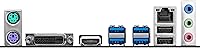
The rear I/O covers the essentials well — USB 3.2 Gen 1 ports, audio jacks, HDMI and VGA outputs for APU users, and the 2.5G LAN port. For a home office or gaming rig with standard peripheral needs, nothing critical is missing.
There are no USB-C ports on the rear panel, which is an increasingly common expectation even at mid-range price points. Builders with USB-C peripherals or newer front-panel I/O headers may find the connectivity options feel dated compared to B550 alternatives.
Long-Term Reliability
77%
23%
The B450 platform has years of firmware maturity behind it, and MSI has maintained BIOS support well beyond what some competitors offered at this tier. Buyers running mid-range Ryzen configs report stable, consistent behavior over months and years of daily use.
The long-term outlook gets murkier for users pushing the board harder than it was designed for, particularly with high-core-count CPUs. A few buyers reported premature component fatigue after extended high-load usage, though this correlates strongly with inappropriate CPU pairings.
Packaging & Unboxing
58%
42%
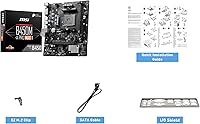
The included accessories cover the basics — SATA cables and I/O shield are present and functional. For buyers who just want to get building, the essentials are there without a lot of unnecessary extras inflating the cost.
Multiple buyers flagged that the outer packaging is thin and offers limited protection during transit, with some boards arriving with bent pins or minor cosmetic damage. For a product where physical integrity is critical, the packaging feels underdimensioned relative to the risk.

Suitable for:

The MSI B450M-A Pro Max II Motherboard is a strong match for builders who want a dependable AM4 foundation without paying for features they will never use. It is particularly well-suited to first-time builders picking up a Ryzen 5 or Ryzen 7 processor and a mid-range GPU — the kind of setup where you want things to just work out of the box. Budget-conscious upgraders who already own DDR4 memory sticks and an AM4 CPU will find this Micro-ATX motherboard an especially efficient choice, since it lets them carry over existing hardware rather than starting fresh. The onboard 2.5G LAN is a quiet but genuine win for home office workers and anyone who regularly transfers large files or streams media over a wired connection. AM4 is a mature ecosystem at this point, which means used Ryzen chips are affordable and the firmware is stable and well-tested — both real advantages for anyone building on a tight budget.

Not suitable for:

The MSI B450M-A Pro Max II Motherboard is not the right pick for builders who plan to run power-hungry processors like a Ryzen 9 under sustained workloads, as the VRM configuration is not designed to handle that kind of thermal demand comfortably over long sessions. Enthusiast overclockers chasing maximum memory frequencies or CPU headroom will also find this AM4 budget board too limiting — it supports overclocking in principle, but it is not built to push boundaries aggressively. Anyone who needs integrated Wi-Fi should look elsewhere, since wireless connectivity is absent here and would require an add-in card. Builders targeting high-end creative workloads, 3D rendering, or competitive content production who need the absolute most from their platform will be better served by a B550 or X570 board with stronger power delivery and PCIe 4.0 support. Finally, if your case only accepts full ATX boards, this Micro-ATX motherboard simply will not fit.

Specifications

  • Form Factor: Micro-ATX (mATX) layout measuring 9.29 x 7.87 inches, compatible with most mid-tower and compact ATX cases.
  • CPU Socket: AMD AM4 socket supporting Ryzen 1000, 2000, 3000, 4000, and 5000 series processors, including G-Series APUs.
  • Chipset: AMD B450 chipset, a proven mid-range platform offering solid feature coverage without the cost of higher-end X570 boards.
  • Memory Type: DDR4 dual-channel memory with support for speeds up to 4133MHz via overclocking across two DIMM slots.
  • Max Memory: Supports up to 64GB of DDR4 RAM in total across both memory slots combined.
  • PCIe Slot: One full-length PCIe 3.0 x16 slot for discrete graphics cards, operating at full x16 bandwidth.
  • M.2 Storage: One M.2 slot supporting PCIe Gen3 x4 NVMe drives, enabling significantly faster storage than traditional SATA SSDs.
  • LAN: Onboard 2.5 Gigabit Ethernet provides up to 2.5x the throughput of standard gigabit networking without additional hardware.
  • USB Ports: Rear I/O includes a combination of USB 3.2 Gen 1 (Type-A) and USB 2.0 ports for peripherals and storage devices.
  • Video Output: Rear panel includes HDMI and VGA outputs for use with compatible AMD Ryzen G-Series APUs that include integrated graphics.
  • Audio: Integrated Realtek audio codec delivers multi-channel HD audio output via standard 3.5mm jacks on the rear I/O panel.
  • SATA Ports: Four SATA 6Gb/s ports are available for connecting traditional hard drives or SATA-based solid state drives.
  • Dimensions: Physical dimensions measure 9.29 x 7.87 x 2.36 inches, keeping the board footprint compact without removing core connectivity.
  • Weight: The board weighs 1.06 pounds bare, which is typical for a Micro-ATX motherboard of this feature tier.
  • BIOS: MSI Click BIOS 5 interface provides an accessible graphical BIOS with XMP profile support and overclocking adjustment options.
  • Power Connectors: Requires a standard 24-pin ATX main power connector and an 8-pin EPS CPU power connector from the power supply.
  • Fan Headers: Includes CPU fan and system fan headers for connecting cooling hardware directly to the board for speed control.
  • Manufacturer: Designed and produced by MSI (Micro-Star International), a Taiwan-based hardware manufacturer with an established presence in the motherboard market.
  • Model Number: Official model designation is B450M-A PRO MAX II, distinguishing it from the original Pro Max revision released earlier.
  • Platform: Built exclusively for the AMD AM4 DDR4 ecosystem; it is not compatible with Intel processors or DDR5 memory modules.

Related Reviews
MSI B450M PRO-VDH Max Motherboard
85%
91%
Value for Money
88%
Performance
94%
Ease of Installation
85%
Overclocking Capability
82%
Build Quality
More
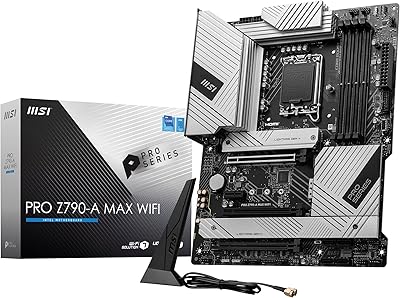
MSI PRO Z790-A MAX WiFi
83%
88%
Build Quality
91%
VRM & Power Delivery
86%
Memory Overclocking
77%
BIOS Experience
93%
Wireless Connectivity
More
MSI B450M Bazooka V2 Motherboard
85%
91%
Value for Money
88%
Performance
86%
Build Quality
92%
Compatibility with AMD Ryzen CPUs
90%
Ease of Installation
More
MSI B550-A PRO V1 ATX Motherboard
79%
91%
Value for Money
86%
Build Quality
88%
BIOS Experience
84%
CPU Compatibility
83%
Memory Compatibility
More
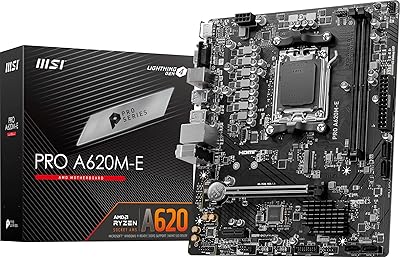
MSI PRO A620M-E mATX Motherboard
70%
88%
Value for Money
91%
Stability & Reliability
93%
Ease of Installation
84%
BIOS Experience
87%
CPU Compatibility & Longevity
More
MSI PRO Z690-A DDR4 ATX Motherboard
79%
84%
Build Quality
88%
Value for Money
81%
BIOS Experience
79%
Thermal Management
83%
Storage Expandability
More
MSI A520M-A PRO V1 AM4 Motherboard
74%
91%
Value for Money
88%
Ease of Installation
74%
CPU Compatibility
78%
Build Quality
81%
BIOS Experience
More
MSI PRO B650M-A WiFi V1 Motherboard
79%
88%
Value for Money
91%
BIOS & Setup Experience
86%
Memory Compatibility & OC
84%
Thermal Management
72%
Connectivity & I/O
More
MSI PRO B650M-P V1 Micro-ATX Motherboard
82%
89%
Value for Money
91%
BIOS & Software
84%
Build Quality
67%
VRM & Power Delivery
92%
Storage Performance
More
MSI PRO B550M-VC WiFi
83%
91%
Value for Money
86%
Build Quality
89%
Wireless Connectivity
74%
CPU Power Delivery
88%
BIOS Experience
More

FAQ

In most cases, you will need to update the BIOS before a Ryzen 5000 chip is recognized. If you do not have an older compatible CPU to perform the update yourself, MSI offers a BIOS Flashback-style recovery option, but the safest approach is to confirm the board ships with a firmware version that already supports your CPU. Check the sticker on the box or MSI's product page for the shipped BIOS version before buying.

Technically yes, the socket is compatible, but it is not advisable for sustained workloads. The VRM on this Micro-ATX motherboard is tuned for mid-range processors and can run hot under the kind of continuous load a 12-core chip generates. For a Ryzen 9 build, you would be better served by a board with beefier power delivery.

There is one M.2 slot, and it supports PCIe Gen3 x4 NVMe drives. SATA M.2 drives may also be supported depending on the specific drive, but you should verify compatibility with MSI's QVL list. One slot is limiting if you plan to run multiple fast drives, so plan your storage layout accordingly.

It is a solid choice for light to moderate gaming builds paired with a Ryzen 5 or Ryzen 7 processor and a mid-range GPU. The PCIe 3.0 x16 slot handles current graphics cards without bottlenecking them in any meaningful way for typical gaming resolutions. If you are chasing maximum frame rates in demanding titles, a B550 platform with PCIe 4.0 support would give you more headroom.

No, there is no onboard Wi-Fi. You would need to add a PCIe Wi-Fi card or use a USB wireless adapter if you want wireless connectivity. For most desktop builds on a wired network this is not an issue, but it is worth factoring in if you are building in a room without easy Ethernet access.

This AM4 budget board supports up to 64GB of DDR4 RAM across its two DIMM slots, so two 32GB modules at maximum. For most gaming and home office use cases, 16GB to 32GB is more than enough, and the two-slot layout keeps things simple.

In most cases, yes. Standard DDR4 DIMMs are compatible, and if your existing sticks are on MSI's memory compatibility list, you can expect them to run at their rated speeds with an XMP profile enabled in the BIOS. Very high-frequency kits above 3600MHz may need some manual tuning to run stably, which is normal behavior for B450 boards.

Yes, the rear I/O panel includes both an HDMI port and a VGA port, which work when you are using a Ryzen G-Series APU with integrated Radeon graphics. If you are using a standard Ryzen CPU without integrated graphics, you will need a dedicated GPU — these outputs will not function in that scenario.

MSI's Click BIOS 5 is one of the more approachable BIOS interfaces available at this price point. It has a graphical layout, drag-and-drop fan control, and clear labeling for common settings. Most first-time builders report getting through initial setup and XMP profile selection without needing to consult tutorials extensively.

It depends on your goals. If you are building a budget-friendly Ryzen 5000 system or repurposing AM4 components, B450 is still a practical and cost-effective platform. The firmware is mature, the ecosystem is well-supported, and compatible CPUs are affordable on the used market. Where it falls short is PCIe 4.0 support and some of the bandwidth features found on B550 — so if future-proofing is a priority, spending a bit more for a B550 board is worth considering.

Where to Buy