Overview

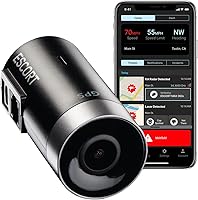
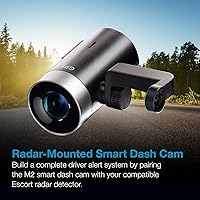
The Escort M2 Smart Dash Cam sits in a crowded market but carves out a specific niche: it is built for drivers already invested in the Escort ecosystem, or those who want more than a basic recorder. As a standalone unit, it handles daily documentation competently. Pair it with a compatible Escort radar detector, though, and the whole setup becomes considerably more capable — shared alerts, integrated controls, and a unified app experience. At its price point, buyers reasonably expect solid build quality, reliable connectivity, and an app that actually works. On most of those fronts, this dash cam delivers, with a few caveats worth knowing before you buy.

Features & Benefits

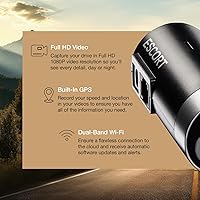
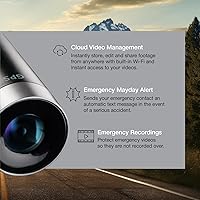
The footage this smart camera produces is clear enough for real-world purposes — reading license plates in daylight is no issue, and the automatic exposure adjustment handles transitions between bright and shaded road stretches reasonably well. Low-light performance is decent but not exceptional; if night recording is your top priority, some competitors offer higher resolution options. Where this dash cam genuinely stands out is its connected feature set. The built-in GPS embeds speed and location into every clip, which matters when dealing with insurers. The Drive Smarter app lets you pull footage remotely, and the Mayday emergency alert — which auto-texts a contact after a hard impact — is a quietly valuable safety addition.

Best For

The Escort M2 is a natural fit for anyone already running a compatible Escort radar detector — the pairing gives you a genuinely integrated safety setup rather than two separate devices doing their own thing. Beyond that core use case, it appeals to rideshare and commuters who want passive, always-on incident documentation without managing footage manually. Cloud access and remote viewing are particularly useful for people who park in shared lots or unfamiliar areas. One important note: parking mode requires a hardwire installation kit sold separately, which adds both cost and setup time. Factor that in if parking protection is high on your list.

User Feedback

Among verified buyers, the app experience draws consistent praise — most find it intuitive, and GPS accuracy in particular gets called out positively. Detector pairing, for those using compatible units, tends to work as advertised. The most common frustration, by some margin, is the parking mode setup: buyers who did not realize a separate hardwire kit was needed often feel caught off guard by the added expense. A smaller number of reviewers note that Wi-Fi syncing can lag on congested networks. Mount stability earns generally positive marks, though a handful of users in high-vibration vehicles reported occasional loosening over time. Overall, owner satisfaction skews solidly positive.

Pros

  • GPS embeds speed and location data into every clip, which is genuinely useful when dealing with insurance claims.
  • The Drive Smarter app is well-designed and lets you access footage remotely without pulling a memory card.
  • Mayday emergency alert automatically notifies a contact after a serious impact — a practical safety net for solo drivers.
  • Pairs tightly with compatible Escort detectors for a unified alert and monitoring experience.
  • Dual-band Wi-Fi keeps firmware updated automatically, so you rarely have to think about maintenance.
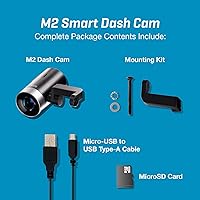
  • Continuous loop recording with 16GB of included storage means it is ready to use right out of the box.
  • Community-sourced hazard alerts via the Drive Smarter app add a useful layer of real-time road awareness.
  • Magnetic mount makes installation and removal quick without leaving a cluttered windshield setup.
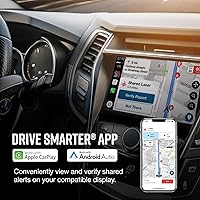
  • Apple CarPlay and Android Auto compatibility lets you interact with alerts on your vehicle display.
  • Compact, understated form factor sits discreetly on the windshield without obstructing the driver view.

Cons

  • Parking mode requires a separate hardwire kit that many buyers do not realize is not included.
  • Without a compatible Escort detector, the price is hard to justify against similarly priced standalone competitors.
  • No built-in screen means all settings and footage review depend entirely on your smartphone and app availability.
  • Night video performance is adequate but falls short of higher-resolution cameras built specifically for low-light conditions.
  • Wi-Fi syncing can lag on congested networks, making remote access slower than expected in some environments.
  • The Mayday alert and parking features lean heavily on a consistent mobile and data connection to work reliably.
  • Some users in high-vibration vehicles report the magnetic mount can loosen gradually over time.
  • The 16GB included card fills quickly for drivers who rack up long daily mileage without frequent offloading.
  • Setup complexity increases meaningfully if you want the full feature set, including hardwiring and detector pairing.
  • Buyers outside the Escort ecosystem effectively pay a premium for integration benefits they cannot use.

Ratings

The Escort M2 Smart Dash Cam earned its overall score through AI analysis of verified global buyer reviews, with spam, bot-generated, and incentivized feedback actively filtered out before scoring. Ratings reflect the full picture — where this smart camera genuinely delivers and where real-world experience falls short of expectations. Both strengths and recurring frustrations are weighted transparently across every category below.

Video Clarity
74%
26%
In daylight conditions, footage is sharp enough to read plates at reasonable distance and capture lane-level detail across a wide field — exactly what most drivers need for insurance documentation. The automatic exposure adjustment handles transitions between bright stretches and shaded underpasses without manual intervention.
Low-light and nighttime performance is where the gap becomes noticeable compared to higher-resolution rivals. Buyers who commute in the early morning or drive frequently after dark tend to feel the 1080p ceiling more acutely, with fine details like distant plates becoming harder to confirm.
App Experience
83%
The Drive Smarter app draws consistent praise for being genuinely intuitive — users can pull up recent clips, check GPS-tagged footage, and manage settings without needing a manual. For commuters who want to verify an incident quickly from their phone, the remote access workflow feels well thought out.
Wi-Fi syncing speed is inconsistent, and a number of users report delays when trying to access footage on congested home or office networks. The app is also the only way to interact with the camera at all, so any app glitch or phone issue creates a full dead-end.
GPS Accuracy
88%
GPS performance earns some of the strongest positive feedback in the entire review pool. Speed and location data embed accurately into clips, and users who have used footage in insurance claims specifically call out how useful the timestamped route data is when reconstructing what happened.
A small number of users report a brief lag at startup before GPS lock is acquired, which means the very first few minutes of a drive may lack accurate location data. This is a minor issue in practice but worth noting if you frequently make very short trips.
Detector Integration
91%
For drivers already running a compatible Escort radar detector, the integration is the standout feature — alerts from the detector feed into the Drive Smarter app, and the two devices operate as a unified system rather than two separate units doing their own thing. Buyers in this group consistently rate the pairing experience highly.
The integration benefit is entirely dependent on owning a supported Escort detector, and that list is specific. Drivers with older or unsupported models find this feature completely unavailable, which shifts the value equation significantly for anyone shopping outside that ecosystem.
Parking Mode
57%
43%
When properly set up with a hardwire kit, the collision-triggered parking recording works reliably — users in shared lots and urban environments report catching bumps and scrapes they would otherwise have missed entirely. The footage protection on triggered clips is consistent and dependable.
The hardwire requirement is the most cited frustration in the entire review pool, with many buyers surprised to find parking protection is not functional out of the box. The additional cost of the kit plus professional installation turns what sounds like an included feature into a meaningful extra expense.
Emergency Mayday Alert
82%
18%
Buyers who drive alone or cover long highway distances single out the Mayday alert as a genuinely valuable safety feature. The automatic SMS to a designated contact after a serious impact works as described, and the simultaneous clip-locking ensures the footage is preserved without any manual action required.
The alert depends on having a paired phone with active mobile data in the vehicle, which limits its reliability in rural areas or tunnels with poor signal. Some users also note that the impact sensitivity threshold occasionally triggers on very rough road surfaces rather than actual collisions.
Build Quality
76%
24%
The physical construction feels solid for its size, and the magnetic mount is strong enough for normal highway and city driving without rattling or shifting. The compact form factor keeps the windshield footprint minimal, which matters for drivers who want the camera to stay discreet.
Users in trucks or older vehicles with harsher suspensions report that the magnetic mount can drift or loosen gradually after extended use on rough roads. The unit itself shows no major durability complaints, but the mount system is the weakest link for higher-vibration applications.
Setup & Installation
69%
31%
Basic setup — mounting the camera and connecting to the app — is straightforward enough that most buyers complete it without consulting instructions. The magnetic mount makes physical installation genuinely quick, and the app pairing process is guided clearly.
Setup complexity rises steeply once you factor in hardwiring for parking mode, configuring the Drive Smarter account, and pairing a compatible detector if applicable. For buyers expecting a simple plug-and-play experience, the full feature activation involves more steps than the packaging implies.
Community Alerts
71%
29%
The shared alerts feature via Drive Smarter adds a crowd-sourced hazard and speed trap notification layer that regular commuters find genuinely useful over time. The network effect means alert coverage improves in areas with larger user populations.
Alert quality and density depend heavily on how many users are active in your driving area, making the feature noticeably weaker in rural or lower-density regions. It is a nice addition but should be treated as a bonus rather than a core reason to choose this camera.
Night Vision
63%
37%
The automatic night mode adjustment does produce usable footage in well-lit urban environments — street lights and headlights give the sensor enough to work with for documenting incidents at intersections or parking garages.
True low-light performance on unlit rural roads is where the camera struggles, producing footage that is noticeably softer and noisier than daytime clips. Buyers who do a lot of night driving on poorly lit routes will likely find this limiting compared to cameras with dedicated night-optimized sensors.
Cloud Management
72%
28%
Remote video access and automatic cloud syncing make managing footage far more convenient than older SD-card-only cameras. Drivers who want to quickly pull a clip after a minor incident without stopping to remove the card appreciate how the system handles it.
Cloud functionality is only as reliable as the Wi-Fi connection and Escort server availability — users report that syncing delays or app disconnections occasionally leave footage inaccessible when needed quickly. There is no offline management option that bypasses the app entirely.
Value for Money
62%
38%
For buyers who own a compatible Escort detector and actively use the full feature set — GPS logging, cloud access, Mayday, and community alerts — the price feels justified by the breadth of what the system delivers as a unified platform.
Without an Escort detector in the mix, the value calculation becomes difficult to defend. Comparable standalone recording quality and GPS features are available elsewhere at lower cost, and the premium here is largely paying for ecosystem access that not all buyers can use.
Footage Accessibility
78%
22%
The ability to review, download, and share clips directly from the Drive Smarter app — without ever pulling the SD card — is a practical improvement over camera setups that require physical media access. Incident clips that are auto-protected are easy to locate within the app.
App-only access means a broken phone, a drained battery, or an app update issue can block you from reaching footage at exactly the moment you need it. A basic onboard playback option would eliminate this dependency but is simply not available here.
Voice Announcements
67%
33%
Audible alerts for recording status and clip protection give drivers basic feedback without requiring them to glance at a screen or phone, which is a practical safety consideration during active driving.
Several users find the voice announcements too frequent or too loud in the default configuration, particularly the notifications for automatic clip protection during bumpy roads. Customization options for alert volume and frequency through the app are limited.

Suitable for:

The Escort M2 Smart Dash Cam is purpose-built for drivers who already own or plan to own a compatible Escort radar detector, since that pairing unlocks the full value of the platform — integrated alerts, unified app control, and a genuinely cohesive in-car safety setup. Beyond that core audience, it works well for daily commuters and rideshare drivers who want continuous, hands-off incident documentation without ever touching the camera. The built-in GPS is a practical asset for anyone who anticipates needing footage for insurance purposes, since speed and location data are embedded in every clip automatically. Safety-minded solo drivers or those who regularly take long highway trips will appreciate the Mayday emergency alert, which sends an automatic text to a designated contact after a hard impact — a low-effort but potentially high-value feature. The Drive Smarter app adds remote video access and cloud management that suits anyone who prefers handling their footage from a phone rather than pulling a memory card.

Not suitable for:

Buyers who do not own a compatible Escort detector should think carefully before committing, because the Escort M2 Smart Dash Cam delivers noticeably less value as a standalone unit at its price point — competitors offer similar or better recording specs for less money if ecosystem integration is not a factor. Drivers who prioritize raw video resolution above all else may find the 1080p output limiting; the market now has options at higher resolutions, and if capturing fine detail at night is critical to you, those alternatives are worth a look. Anyone expecting parking protection out of the box will be caught short — this camera requires a separately purchased hardwire kit to enable that feature, which adds installation complexity and extra cost that is easy to miss before buying. Users who prefer a fully self-contained device with a built-in screen will also find this smart camera frustrating, since all footage review and settings management run through the app. If you park in areas with poor or inconsistent mobile connectivity, the cloud sync and remote access features become far less reliable.

Specifications

  • Video Resolution: Records in 1080p Full HD, which is sufficient for reading license plates and documenting incidents in typical daylight conditions.
  • Field of View: Wide 140-degree lens captures a broad view of the road ahead, covering multiple lanes simultaneously.
  • Dimensions: The camera body measures 3.39 x 1.38 x 1.38 inches, keeping the windshield footprint compact and unobtrusive.
  • Weight: At 8.1 oz, the unit is lightweight enough that the magnetic mount holds it securely without strain.
  • Connectivity: Dual-band Wi-Fi and Bluetooth allow cloud syncing, remote footage access, and automatic firmware updates via the Drive Smarter app.
  • GPS: Built-in GPS records speed and location data directly into video files, providing verifiable context for insurance or legal documentation.
  • Included Storage: Ships with a 16GB micro SD card supporting continuous loop recording, which overwrites the oldest footage when the card fills.
  • Mount Type: Uses a magnetic mount for tool-free attachment and removal, making it easy to transfer between vehicles.
  • Parking Mode: Collision-triggered parking recording is supported but requires a separately purchased hardwire installation kit not included in the box.
  • Emergency Alert: Mayday feature detects serious impacts and automatically sends an SMS notification to a pre-configured emergency contact.
  • App Compatibility: Drive Smarter app is available for both iOS and Android and serves as the primary interface for settings, playback, and cloud management.
  • Display: There is no built-in screen; all footage review, clip management, and camera configuration is handled through the smartphone app.
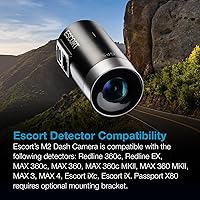
  • Detector Compatibility: Integrates with Escort Redline 360c, MAX 360c, MAX 360, MAX 3, Escort iX, and Escort iXC radar detectors for shared alerts and unified control.
  • CarPlay & Auto: Compatible with Apple CarPlay and Android Auto, allowing alert interaction and route viewing directly on a supported vehicle display.
  • Recording Mode: Operates in continuous loop recording, automatically protecting incident clips and manually saved emergency recordings from being overwritten.
  • Color: Available in black, designed to blend into the windshield area without drawing attention inside or outside the vehicle.
  • Voice Alerts: Provides audible voice announcements for key events such as recording status changes and when footage has been protected.
  • Power Source: Powered via the vehicle through the included cable; parking mode requires a dedicated hardwire connection to a constant power source.

Related Reviews
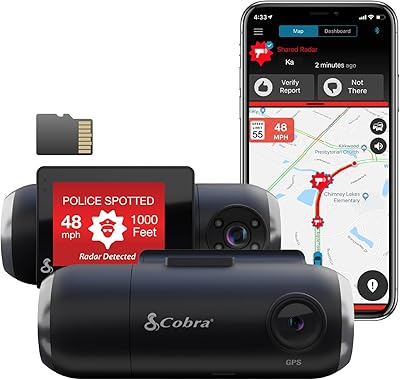
Cobra SC 201 Smart Dash Cam
85%
88%
Video Quality
85%
Real-Time Alerts
92%
Ease of Setup
90%
Night Vision
75%
Connectivity and App Experience
More
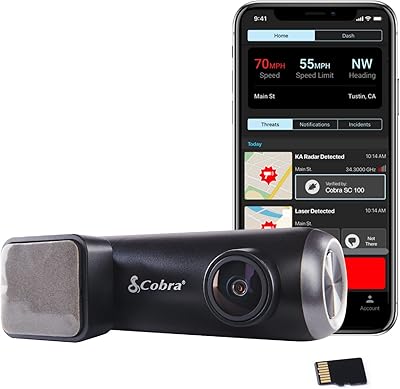
Cobra SC 100 Dash Cam
64%
88%
Ease of Installation
67%
Video Quality
52%
App Experience
79%
GPS Accuracy
61%
Community Alerts
More
Garmin Dash Cam 67W 1440p Dash Camera
75%
88%
Video Quality
83%
Wide-Angle Coverage
81%
Build Quality & Design
61%
Parking Mode Reliability
54%
Cloud Storage & Vault
More
Garmin Dash Cam Live 1440p LTE Camera
78%
83%
Live Connectivity
86%
Video Quality
71%
Parking Guard
81%
App Experience
61%
Value for Money
More
GKU D700 4K Dual Dash Cam
76%
88%
Daytime Video Quality
67%
Night Vision Performance
74%
Rear Camera Coverage
83%
Touchscreen Usability
81%
GPS Accuracy
More
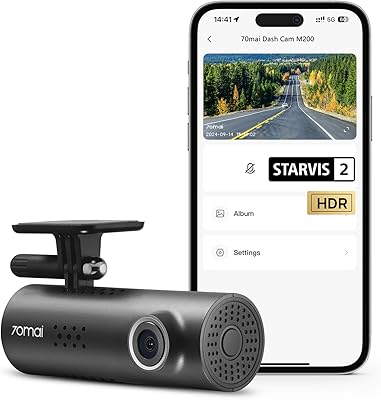
70mai M200 Front Dash Cam
78%
88%
Night Vision Quality
79%
Video Clarity (Daytime)
91%
Value for Money
86%
Ease of Setup
71%
App Experience
More
ssontong A18W 4K Dual Dash Cam
75%
88%
Video Clarity
74%
Night Vision
66%
App Experience
91%
Value for Money
53%
Parking Mode
More
Nextbase 320XR Front and Rear Dash Cam
71%
84%
Ease of Installation
78%
Video Quality (Day)
53%
Night Vision Performance
67%
Parking Mode Reliability
89%
Mount System
More
OVAMAN K400 Dash Cam
83%
88%
Video Clarity
91%
Field of View Coverage
72%
Night Performance
65%
App Connectivity
95%
Ease of Installation
More
70mai M310 Dash Cam
70mai M310 Dash Cam
78%
88%
Daytime Image Quality
67%
Night Vision & Low-Light
91%
Value for Money
58%
Parking Mode
74%
App & Wireless Experience
More

FAQ

No, the Escort M2 Smart Dash Cam works as a standalone camera without any detector. That said, if you do not own a compatible Escort detector, you are paying for integration features you cannot use, which makes the price harder to justify against standalone competitors at the same level.

No, and this catches a lot of buyers off guard. The parking mode feature requires a hardwire installation kit that connects the camera to a constant power source in your vehicle — that kit is sold separately. Factor in the added cost and the fact that installation typically involves routing a wire through the interior trim.

When the camera detects a significant impact, it automatically sends a text message to a contact you have pre-set in the Drive Smarter app. It also locks the footage from that incident so it cannot be overwritten. You do need a paired phone with mobile data nearby for the SMS to go through.

Yes, that is one of the more practical features here. Once the camera connects to Wi-Fi, you can access and download clips directly through the Drive Smarter app on your phone. It is not always instant — syncing speed depends on your network conditions — but it is much more convenient than physically removing the card.

For the most common use cases — capturing a rear-end collision, recording a traffic dispute, or documenting a hit-and-run in a parking lot — 1080p is generally sufficient. Where higher resolution becomes more relevant is when you need to read plates at distance or in poor lighting. If night-time clarity is your top priority, it is worth comparing this camera against 4K alternatives before deciding.

The compatible models are the Redline 360c, Redline Ex, MAX 360c, MAX 360, MAX 3, Escort iXC, and Escort iX. The Passport X80 can also work but requires an optional mounting bracket. If you have a different Escort model not on that list, check with Escort directly before assuming compatibility.

No, there is no built-in display. Everything — playback, settings, clip management — is handled through the Drive Smarter app on your phone. This keeps the unit small and clean-looking on your windshield, but it does mean you are dependent on your smartphone and the app functioning properly.

Most users find it holds well under normal driving conditions. A smaller number of owners with high-vibration vehicles, such as trucks or older cars with rough suspensions, have reported occasional loosening after extended use. It is worth checking the mount periodically if you drive on rough roads regularly.

The dual-band Wi-Fi is primarily designed for syncing footage to the cloud and downloading clips when your phone is nearby — not as a live-streaming connection during driving. Automatic firmware updates also happen over Wi-Fi when the camera is connected. For real-time features like community alerts, the Drive Smarter app uses your phone data connection rather than the camera Wi-Fi directly.

No. The camera automatically protects clips that involve a detected impact, and you can also manually lock footage using the emergency recording button. Protected clips are kept separate from the continuous loop and will not be erased when the card fills up. Just keep in mind that the card has a finite amount of protected storage, so clearing old locked clips periodically is good practice.