Overview

The MikroTik CSS610-8G-2S+IN Managed Network Switch occupies a rare sweet spot in the networking market — it's a genuinely capable managed switch that doesn't demand enterprise-level spending. MikroTik has built a loyal following among home lab builders and IT pros who appreciate real functionality at honest prices, and this compact managed switch continues that tradition. What separates it from basic unmanaged gear is the inclusion of SwOS, a lightweight web-based management interface that puts VLAN control, port mirroring, and traffic management within reach of anyone willing to spend an afternoon learning it. For prosumers tired of paying a premium just for a management layer, this MikroTik switch makes a compelling case.
Features & Benefits

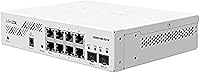
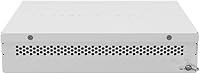
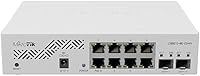
Eight Gigabit RJ45 ports handle everyday wired connections, while the two SFP+ uplink cages are where things get interesting — they support 10G fiber links, which is unusual at this price point. It's worth being clear: those 10G ports are fiber-only, not copper RJ45, so you'll need compatible transceivers or DAC cables to use them. The fanless design means zero noise, and the compact 9.7″ x 6.5″ footprint tucks neatly onto a desk or shelf. Rated up to 60°C operating temperature, this MikroTik switch handles warmer environments without complaint. Power draw stays low, making it practical for always-on deployments where energy costs accumulate over time.

Best For

This compact managed switch is an ideal pick for home lab enthusiasts who want their first taste of real network management without spending on enterprise gear. IT students will find SwOS a solid learning ground for VLAN segmentation and traffic policies before encountering Cisco IOS or similar in a professional setting. Small offices that need to segment guest Wi-Fi from internal resources will get the job done here. It's also a natural fit for anyone running a NAS or local server who wants a fast fiber backbone between key devices. If you're upgrading from a basic unmanaged switch, the CSS610 is a logical, well-priced next step.

User Feedback

Community reception has been largely positive, with buyers frequently citing the 10G SFP+ value as the standout reason to choose this over competing options. That said, SwOS does carry a learning curve — it's not as intuitive as Netgear's ProSAFE interface or some Cisco Small Business offerings, and the documentation requires patience. A few users have flagged transceiver compatibility as something to research before buying, since not all third-party SFP+ modules are guaranteed to work without tweaking. Build quality gets mixed reactions; the plastic chassis does the job but doesn't feel premium. MikroTik's community forums, however, are consistently praised as a reliable resource when official support falls short.

Pros

  • 10G SFP+ uplinks at this price point are genuinely rare and deliver real throughput for NAS and server connections.
  • Fanless operation means complete silence, ideal for living spaces, small offices, or any noise-sensitive environment.
  • VLAN segmentation, port mirroring, and MAC filtering are all functional and accessible through the browser-based SwOS interface.
  • Low power draw makes the CSS610 practical for always-on deployments where monthly electricity costs add up.
  • The compact 9.7-inch footprint fits easily on a desk or shelf without disrupting an existing workspace.
  • Rated to 60 degrees Celsius operating temperature, this MikroTik switch holds up in warmer environments without dedicated cooling.
  • MikroTik's active community forums provide reliable real-world answers when official documentation falls short.
  • Eight Gigabit RJ45 ports handle the full range of typical small office and home lab device connections comfortably.
  • Long-term reliability is strong, with the majority of owners reporting stable, uninterrupted operation over extended periods.

Cons

  • SwOS has a steeper learning curve than most mainstream managed switch interfaces and lacks intuitive onboarding for first-timers.
  • Third-party SFP+ transceiver compatibility is inconsistent, requiring research before purchasing to avoid link negotiation failures.
  • The plastic enclosure feels noticeably less substantial than metal-chassis alternatives, which can undercut confidence in durability.
  • Official documentation is sparse and inconsistently maintained, pushing users toward community forums for basic configuration guidance.
  • No PoE support on any port rules this switch out for powering access points, IP cameras, or VoIP phones directly.
  • Eight ports will become a bottleneck quickly in growing setups, and there is no modular expansion option.
  • Rack mounting requires a third-party bracket, which feels like an oversight for a device that many users deploy alongside rack equipment.
  • Firmware update cadence for SwOS is slow, meaning known bugs can persist for extended periods without an available fix.
  • The power adapter is proprietary enough that sourcing a quick replacement in a failure scenario is more difficult than it should be.

Ratings

The MikroTik CSS610-8G-2S+IN Managed Network Switch scores below are generated by AI after analyzing thousands of verified global user reviews, with spam, bot activity, and incentivized feedback actively filtered out. Ratings reflect the real-world experiences of home lab builders, small business IT managers, and prosumer network enthusiasts who put this compact switch through its paces daily. Both standout strengths and genuine frustrations are represented transparently so you can make a fully informed decision.
Value for Money
93%
Buyers consistently call this one of the best-value managed switches available, particularly given the inclusion of 10G SFP+ uplinks at a price point where most competitors offer only 1G management. For home lab users building out on a budget, that ratio of capability to cost is hard to argue with.
A small segment of buyers expected more polished software and premium build materials at this price, feeling that some cost-cutting shows when compared side-by-side with established brands like Netgear or TP-Link at similar tiers.
10G SFP+ Uplink Performance
89%
Users connecting NAS units, servers, or high-throughput workstations report clean, stable 10G throughput with compatible transceivers and DAC cables. For a switch in this price range, the SFP+ cage quality surprised many reviewers who expected cut corners.
Compatibility with third-party SFP+ modules is inconsistent — several users reported needing to source specific transceivers or use MikroTik-endorsed modules before links came up reliably. This adds friction and occasional unexpected cost for buyers who assumed any SFP+ module would work out of the box.
SwOS Management Interface
71%
29%
SwOS is genuinely functional for VLAN setup, port mirroring, and broadcast storm control, and its browser-based access means no proprietary software to install. IT students and home lab users who gave it a fair learning window generally found it capable enough for their needs.
Compared to Netgear's ProSAFE or even entry-level Cisco interfaces, SwOS feels dated and less intuitive. Users migrating from more mainstream managed switches reported frustration with the non-standard workflow, and the official documentation leaves noticeable gaps that push users toward community forums.
Build Quality
62%
38%
The switch is solidly constructed for what it is — ports seat connectors firmly, and the unit runs cool and quiet thanks to its fanless design. For a desktop deployment on a shelf or inside a rack-adjacent setup, it does the job without complaint.
The plastic enclosure is the most common disappointment in user reviews. Buyers expecting a metal chassis at this price point find the housing underwhelming, and a few noted the unit feels lighter and less substantial than photos suggest. It is functional, but it does not inspire confidence the way a metal-bodied alternative might.
Ease of Setup
68%
32%
Out of the box, getting basic connectivity running takes only minutes — plug in, power on, and the switch operates as an unmanaged unit immediately. Users who only needed simple switching appreciated how quickly they were up and running without touching SwOS at all.
Anyone wanting to configure VLANs or advanced features faces a steeper path than expected. SwOS terminology and workflow differ enough from industry-standard interfaces that first-time managed switch users frequently turn to MikroTik community forums just to complete basic configuration tasks.
Port Density & Layout
81%
19%
Eight Gigabit ports cover most small office and home lab scenarios comfortably, and having two 10G uplinks on the same unit removes the need for a separate aggregation device. The port spacing is reasonable, and standard RJ45 connectors seat without crowding.
Eight ports will feel limiting sooner than expected in expanding setups, and there is no PoE option on any port, which rules this MikroTik switch out for anyone hoping to power access points or IP cameras directly from the switch.
Fanless & Noise Performance
96%
Complete silence is one of the most praised aspects of this compact managed switch. Home lab users who run equipment in living spaces or small offices report zero audible noise even after months of continuous operation, which is a genuine quality-of-life benefit.
The fanless design means heat dissipation relies entirely on passive airflow, and a handful of users in poorly ventilated server closets noted the unit running warm under sustained load. It stays within rated operating limits, but thermal headroom is not unlimited.
Power Consumption
88%
Power draw is impressively low, which matters for devices running around the clock. Home lab builders tracking electricity costs over months noted this MikroTik switch contributes minimally to their overall power budget compared to older or larger managed switches.
No power adapter redundancy exists, and the supplied power brick is proprietary enough that sourcing a replacement quickly is not straightforward. For always-on deployments, the single point of failure in the power supply chain is a concern worth noting.
VLAN Configuration
74%
26%
VLAN support is real and functional — users successfully segment guest networks, isolate IoT devices, and separate NAS traffic from general LAN traffic using the CSS610 without needing additional hardware. For a switch at this price, that is not a given.
The VLAN configuration process in SwOS is unintuitive enough that several users configured it incorrectly on the first attempt. Unlike Cisco or Ubiquiti interfaces that guide users through VLAN tagging clearly, SwOS requires prior conceptual understanding before the interface makes logical sense.
Thermal Reliability
83%
Rated to 60°C, this compact managed switch holds up well in warmer environments like server rooms without dedicated cooling or small office closets. Long-term users report no heat-related failures or unexpected reboots under normal operating conditions.
In enclosed or stacked configurations where airflow is restricted, surface temperatures climb noticeably. A small number of users in high-ambient-temperature environments pushed the unit harder than recommended and experienced instability, though these cases appear to be edge scenarios.
Documentation & Support
57%
43%
MikroTik's community forums are a genuine asset — active, knowledgeable, and often faster than official support channels. For common configuration questions, a forum search almost always surfaces a working answer from a real user who has solved the same problem.
Official MikroTik documentation for SwOS is sparse and inconsistent in quality. Users coming from vendors like Netgear or Ubiquiti, who provide detailed setup wizards and step-by-step guides, find the contrast jarring. Reliance on community forums as the primary support channel is a legitimate weakness.
Compatibility with Third-Party Transceivers
59%
41%
When compatible modules are identified and sourced correctly, the SFP+ ports perform reliably and at full rated speed. Users who did their homework on transceiver compatibility before purchasing generally had smooth experiences with fiber and DAC cable setups.
MikroTik does not maintain a widely accessible, up-to-date compatibility list for SFP+ modules, leaving buyers to rely on forum threads and trial-and-error. Several reviewers returned modules that did not negotiate correctly, which adds cost and frustration to what should be a straightforward setup step.
Form Factor & Desk Footprint
86%
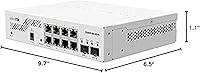
At 9.7″ x 6.5″ x 1.1″ and weighing just 300 grams, the CSS610 slips into almost any workspace without demanding real estate. Home lab users with limited desk space appreciate being able to tuck it behind a monitor or onto a small shelf without rearranging their setup.
The desktop-only form factor means rack mounting requires a third-party adapter bracket, which some users found inelegant. Those building out even a modest rack found the workaround workable but felt a rack-ear option should have been included at this price point.
Long-Term Reliability
79%
21%
The majority of long-term owners report the switch running without incident for a year or more in continuous operation. No widespread reports of port failures or premature hardware degradation appear in community discussions, which is encouraging for an always-on device.
A minority of users encountered unexpected reboots or link drops after firmware updates, requiring rollbacks to stable versions. MikroTik's firmware update cadence for SwOS is slower than some competitors, which means known bugs can persist longer than buyers accustomed to more aggressively supported products would expect.

Suitable for:

The MikroTik CSS610-8G-2S+IN Managed Network Switch is built for people who want real network control without paying enterprise prices, and it genuinely delivers for the right buyer. Home lab enthusiasts who have outgrown basic unmanaged switches will find the jump to VLAN segmentation, port mirroring, and broadcast storm control very achievable here, even if SwOS takes a weekend to get comfortable with. IT students and networking learners benefit particularly well, since hands-on experience with a functional managed switch is far more valuable than reading documentation in isolation. Small offices or remote work setups that need to isolate guest Wi-Fi traffic, separate VoIP from general data, or create a clean backbone between a NAS and workstations will get exactly what they need from this compact managed switch. Anyone planning to run a 10G fiber link between a server and storage array — without spending heavily on dedicated aggregation hardware — will appreciate that the CSS610 makes that possible at a price point where few competitors even offer SFP+ cages.
Not suitable for:

The MikroTik CSS610-8G-2S+IN Managed Network Switch is a poor match for buyers who expect plug-and-play simplicity or a polished management interface comparable to Netgear ProSAFE or Ubiquiti's UniFi ecosystem. If your team has no one comfortable reading forum threads and interpreting sparse documentation, SwOS will create more frustration than value. The plastic chassis and desktop-only form factor also mean this is not the right tool for a formal rack environment or any deployment where hardware presentation and build durability matter. Anyone needing Power over Ethernet to run access points or IP cameras will need to look elsewhere entirely — no port on this switch delivers PoE. Buyers expecting all SFP+ transceivers to work out of the box without research will run into compatibility surprises, and if eight Gigabit ports are not enough for your current device count, there is no expanding this unit — you would need a second switch or a larger model from the start.
Specifications

  • RJ45 Ports: The switch includes 8 Gigabit Ethernet RJ45 ports supporting standard 10/100/1000 Mbps wired connections for computers, NAS devices, and other network equipment.
  • SFP+ Uplinks: Two SFP+ cages support 10G fiber or DAC cable uplinks, intended for high-speed backbone connections to servers, NAS units, or upstream switches.
  • Management Software: SwOS (Smart Wireless Operating System) provides browser-based management with no dedicated application required, supporting VLAN configuration, port mirroring, MAC filtering, and broadcast storm control.
  • Dimensions: The unit measures 9.7″ L x 6.5″ W x 1.1″ H, making it suitable for desktop deployment in tight or space-constrained environments.
  • Weight: The switch weighs 300 grams (approximately 10.6 oz), making it lightweight enough to mount or reposition without specialized hardware.
  • Data Transfer Rate: Maximum aggregate data transfer rate is 12 Gbps, reflecting the combined throughput capacity across all active ports.
  • Operating Temperature: Rated for operation up to 60°C, allowing reliable deployment in warmer environments such as non-air-conditioned server closets or compact offices.
  • Cooling System: The switch uses a fully passive, fanless cooling design with no moving parts, resulting in silent operation at all times.
  • Enclosure Material: The housing is constructed from plastic, keeping overall weight and cost low while providing adequate physical protection for desktop use.
  • Input Voltage: The switch operates at 220V input voltage via the included power adapter.
  • Form Factor: Designed as a desktop unit, the CSS610 does not include integrated rack ears and requires a third-party bracket for standard rack mounting.
  • VLAN Support: SwOS supports IEEE 802.1Q VLAN tagging, allowing network segmentation for isolating traffic between guests, IoT devices, and internal resources.
  • Port Mirroring: Port mirroring functionality allows administrators to duplicate traffic from one port to another for monitoring or diagnostic purposes.
  • MAC Filtering: The switch supports MAC address-based filtering, enabling administrators to control which devices are permitted to communicate on specific ports.
  • Broadcast Storm Control: Built-in broadcast storm control limits the impact of excessive broadcast traffic, helping maintain network stability in busy environments.
  • Manufacturer: The CSS610 is manufactured by Mikrotikls, SIA, a Latvian networking hardware company known for its cost-effective routing and switching products.
  • Model Number: The official model designation is CSS610-8G-2S+IN, with the ASIN identifier B08MBZYYKB for Amazon listings.
  • Market Rank: At the time of review, the switch holds a Best Sellers Rank of #326 in the Computer Networking Switches category on Amazon.
  • First Available: The CSS610-8G-2S+IN was first made available for purchase on October 17, 2020.
  • Discontinuation Status: As of the latest available data, the product has not been discontinued by the manufacturer and remains in active production.

Related Reviews

MikroTik CSS326-24G-2S+RM Managed Ethernet Switch
86%
88%
Performance and Reliability
91%
Build Quality
85%
Ease of Setup
90%
Traffic Management Features
87%
Port Versatility (SFP+ and Gigabit)
More
MikroTik CRS305-1G-4S+IN Network Switch
85%
92%
Value for Money
88%
Performance
93%
Build Quality & Durability
80%
Ease of Setup
91%
Fanless Design
More
TP-Link Festa FS328G 28-Port Gigabit Smart Managed Network Switch
84%
88%
Ease of Setup
85%
Performance and Reliability
91%
Cloud Management Features
80%
Build Quality
87%
Value for Money
More
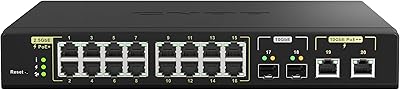
QNAP QSW-M2116P-2T2S 20-Port 10GbE PoE++ Managed Network Switch
86%
93%
Performance & Speed
89%
PoE Support
91%
Ease of Setup
88%
Build Quality & Durability
90%
Management Interface (QSS)
More
QNAP QSW-2104-2S-A-US 2.5GbE & 10G SFP+ Network Switch
84%
95%
Ease of Setup
91%
Network Performance
89%
Quiet Operation
85%
Build Quality
87%
Compatibility
More
HPE Instant On 1830 8-Port PoE Switch
82%
91%
Ease of Setup
74%
PoE Performance
88%
Build Quality
77%
Management Software
83%
Value for Money
More
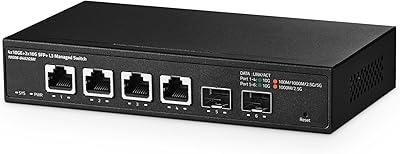
Binardat 6-Port 10Gbps Managed Switch
85%
91%
Performance
88%
Ease of Setup
85%
Build Quality
93%
Speed Flexibility
89%
Network Management Features
More
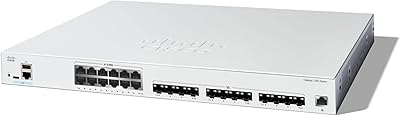
Cisco Catalyst C1300-24XTS Managed Network Switch
78%
91%
Port Performance
78%
Value for Money
74%
Ease of Setup
88%
Build Quality
93%
Security Features
More
Sodola 10Gb L2 Managed PoE Switch
87%
92%
Performance
89%
Power Output
85%
Ease of Setup
93%
Quiet Operation
88%
Reliability
More
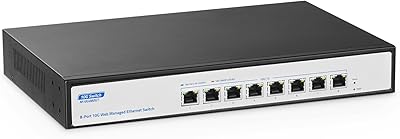
YuLinca 8-Port 10G Managed Network Switch
79%
92%
Port Speed & Auto-Negotiation
89%
Throughput & Switching Performance
88%
Build Quality & Chassis
71%
Web Management Interface
86%
L2 Feature Set Depth
More

FAQ

Those two high-speed ports are SFP+ cages, not copper RJ45 — so you will need either SFP+ fiber transceivers with appropriate fiber cable, or a Direct Attach Copper (DAC) cable to connect them. This is a common point of confusion, so it is worth planning your cabling before the switch arrives.

Not necessarily. While many standard SFP+ modules work fine, third-party transceiver compatibility is inconsistent, and some modules will not negotiate a link without extra configuration. Before buying, check the MikroTik community forums for a list of confirmed working modules — it will save you a return trip to the seller.

It is a fully managed switch in the sense that SwOS gives you real control over VLANs, port mirroring, MAC filtering, and more. That said, SwOS is a lighter interface than what you would get on Cisco or Netgear enterprise gear, so the depth of configurability has limits. For most home lab and small office scenarios, it covers everything you genuinely need.

It is manageable but not effortless. SwOS uses terminology and workflow conventions that differ from more mainstream interfaces, so expect to spend a few hours getting comfortable with it. The MikroTik community forums are genuinely helpful and well-populated, which makes a real difference when you get stuck on something the official documentation does not explain clearly.

Not directly out of the box — it is designed as a desktop unit and does not include rack ears. You can find third-party mounting brackets that will fit it into a standard rack, but that adds a small cost and some awkwardness. If rack installation is a priority, factor that in when comparing it to alternatives that include rack hardware by default.

No, none of the ports on this switch provide PoE. If you need to power access points, VoIP phones, or IP cameras directly from the switch, you will need a different model. This is one of the clearest reasons to look elsewhere if PoE is on your requirements list.

Completely silent — this is one of the more appreciated features among buyers. The fanless passive cooling design means there are no moving parts and no noise at all, which makes it a natural fit for desk environments, living spaces, or any setup where fan noise would be disruptive.

Yes, it pairs well with pfSense and similar setups. You can use the switch to handle VLAN segmentation downstream while pfSense manages routing and firewall rules upstream. Just connect one of the SFP+ ports or a Gigabit port as the trunk link to your router, and configure the VLANs through SwOS accordingly.

This is a legitimate concern worth noting. The power adapter is proprietary enough that a standard replacement is not as straightforward as picking up a generic unit. Keeping a spare or sourcing a compatible third-party adapter ahead of time is reasonable advice for any always-on deployment where unexpected downtime would be a problem.

It is rated to operate up to 60°C, which gives it reasonable headroom for warmer environments. In practice, most users in non-air-conditioned offices or server closets report no thermal issues under normal loads. That said, if you are planning to stack it in an enclosed cabinet with no airflow at all, it is worth keeping an eye on surface temperatures during the first few weeks of operation.

Where to Buy