Overview

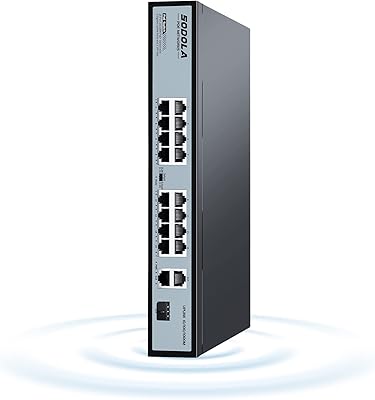
The SODOLA SL520S 6-Port 10G Managed PoE Switch occupies an interesting niche: it brings together 10GBase-T PoE ports, an SFP+ uplink, and genuine L2 management in a metal enclosure small enough to sit on a desk or mount on a wall. That combination is genuinely rare at this price tier. SODOLA isn’t a household name, but that’s increasingly irrelevant in networking hardware — buyers in home labs and small offices are comfortable trading brand prestige for capable specs. This is a feature-rich switch worth serious consideration, though a few practical trade-offs deserve honest attention before you commit.
Features & Benefits

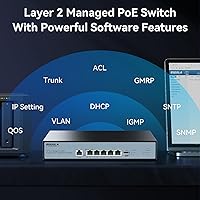
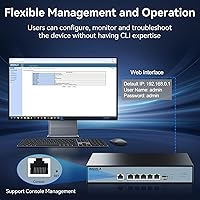
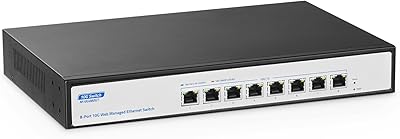
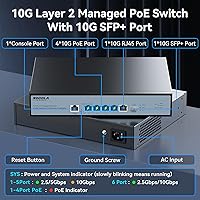
The port layout is where this 10G PoE switch earns its keep. Four 10GBase-T PoE ports handle your powered devices, one 10GBase-T port serves as a standard uplink, and the SFP+ slot lets you tie in fiber or a DAC cable to a NAS or core router. Port 1 stands apart with 90W IEEE 802.3bt support — enough to run a power-hungry PTZ camera or a Wi-Fi 7 access point at full draw. Ports 2 through 4 cap at 30W each, so a total 150W PoE budget means you can’t max out every port simultaneously. The L2 management suite — VLAN, LACP, RSTP, SNMP — is genuinely useful for network segmentation. Setup does require assigning an IPv4 address first before the web interface becomes accessible, which trips up some first-timers.

Best For

This desktop 10Gbps switch is purpose-built for people who need real throughput without building out a full rack. Home lab users moving past gigabit will appreciate having four high-speed PoE ports and an SFP+ uplink in one compact box. Small studios or offices powering a mix of IP cameras, wireless access points, and VoIP handsets will find the flexible PoE tiers genuinely practical. If you’re running a 10G-capable NAS or a media server that pushes large files constantly, the bandwidth ceiling here removes the bottlenecks you’ve been living with. The quiet fan also makes it appropriate for noise-sensitive spaces — a home office, a media room, or anywhere a loud switch would be unwelcome. Just don’t plan on sliding it into a rack.

User Feedback

Across more than 250 ratings, the SODOLA managed switch has settled at a strong 4.4-star average, and the consistent themes in buyer reviews are throughput performance, surprisingly quiet operation, and solid value compared to pricier alternatives. Buyers frequently mention that the fan barely registers during light use. On the criticism side, the web management interface has a learning curve — particularly the IPv4 address assignment step required before you can log in. A few buyers also noted that the wall-mount kit isn’t included in the box, which is a minor but real inconvenience. Longer-term reliability reports are mostly positive, with users noting stable operation and manageable heat during extended use. Overall, the feedback reads as genuinely satisfied, with caveats that apply mostly to users new to managed switches.

Pros

  • Port 1 delivers up to 90W of PoE output, enough to handle demanding devices like PTZ cameras or high-end wireless access points.
  • The 10G SFP+ uplink port adds flexible connectivity options, including fiber or DAC cable runs to a NAS or core router.
  • Full L2 management with VLAN, LACP, RSTP, and SNMP support gives home lab users real tools for network segmentation.
  • The variable-speed fan runs near-silently during light loads, making it a comfortable fit for living rooms and quiet work spaces.
  • A solid metal enclosure gives the switch a sturdy, premium feel that stands out at this price point.
  • Desktop and wall-mount compatibility offers flexible placement without requiring any rack infrastructure.
  • Buyers consistently report strong real-world throughput performance that delivers on the 10Gbps promise.
  • The one-year warranty backed by lifetime after-sales support adds meaningful peace of mind for a lesser-known brand.
  • At its price tier, the combination of PoE, SFP+, and managed features is genuinely difficult to match with established brands.

Cons

  • The wall-mount kit is not included in the box, which is an annoying omission given the product is marketed partly as a wall-mount switch.
  • Initial setup requires manually configuring an IPv4 address before the web management interface can be accessed — a friction point for less experienced users.
  • The total 150W PoE budget means you cannot run every port at maximum draw simultaneously, requiring careful power planning.
  • The web management interface has a noticeable learning curve compared to more polished platforms from established networking brands.
  • No 1U rack mounting support limits this switch to desktop or wall-mount environments only.
  • Only six ports total, which may feel restrictive for setups that are likely to expand.
  • Ports 2 through 4 are capped at 30W each, so they cannot power newer high-wattage PoE devices that require bt-class output.
  • SODOLA’s long-term firmware update track record is less established than major networking brands, which may concern buyers planning multi-year deployments.
  • Documentation and setup guides are reported by some buyers as sparse or unclear, extending the initial configuration process.

Ratings

The scores below for the SODOLA SL520S 6-Port 10G Managed PoE Switch were generated by our AI engine after analyzing hundreds of verified global buyer reviews, actively filtering out incentivized, bot-generated, and duplicate submissions to surface what real users consistently experience. Both the genuine strengths and the recurring frustrations are reflected here without smoothing over the rough edges.
Throughput Performance
91%
Buyers moving from gigabit setups consistently report that the full 10Gbps throughput delivers exactly what it promises — large NAS transfers, 4K video editing across the network, and high-bandwidth surveillance feeds all run without the bottlenecks users experienced before. Real-world speed tests cited in reviews closely match theoretical maximums.
A small number of users noted occasional inconsistency when all four PoE ports were simultaneously under heavy load, suggesting the switch prioritizes power delivery in ways that can briefly affect data throughput on lower-priority ports during peak demand.
PoE Power Delivery
83%
The 90W output on port 1 is a standout feature that buyers running high-draw devices genuinely appreciate — powering PTZ cameras, Wi-Fi 7 access points, and even some industrial PoE devices without needing a separate injector is a real convenience. The tiered PoE approach gives users flexibility for mixed deployments.
The 150W total shared budget becomes a real constraint once you start filling all four ports with anything above low-draw devices. Users who expected to run four 30W devices simultaneously alongside port 1 at full load quickly discovered they had to plan their power allocation carefully or accept throttled output.
Setup & Initial Configuration
61%
39%
Once the initial IPv4 address assignment is completed and the web interface is accessible, most users describe the experience as straightforward enough for anyone with basic networking knowledge. The browser-based dashboard loads reliably and covers the essential configuration tasks without requiring any third-party software.
The mandatory IPv4 address assignment step before the web interface becomes accessible trips up a meaningful proportion of buyers, particularly those coming from unmanaged switches or consumer routers. Documentation is sparse, and several reviewers spent significant time troubleshooting what turned out to be this single prerequisite step.
Web Management Interface
67%
33%
The interface covers all the L2 management essentials — VLAN creation, LACP bonding, RSTP configuration, SNMP setup — and buyers who have used similar budget managed switches find the layout reasonably logical once they orient themselves. For home lab users experimenting with network segmentation, it provides genuine hands-on capability.
Compared to the polished interfaces from established networking brands, the UI feels dated and occasionally unintuitive, particularly around VLAN tagging workflows. Several users reported that error messages are vague and that finding specific settings requires trial and error rather than obvious navigation paths.
Noise Level
88%
The variable-speed fan is one of the most consistently praised aspects across buyer reviews. During typical home office or light lab use, multiple users describe it as effectively silent — a meaningful distinction from competitors that run loud fans constantly regardless of load. It makes the switch genuinely viable for living rooms and bedrooms.
Under sustained heavy PoE load, particularly when port 1 is delivering near its 90W ceiling, the fan does ramp up to an audible level. It never approaches the disruptive noise of enterprise hardware, but buyers expecting total silence under all conditions may be mildly surprised during peak workloads.
Build Quality
79%
21%
The all-metal chassis gives the switch a noticeably more premium feel than plastic-bodied competitors in the same price range. Buyers frequently comment that it feels solid on a desk and inspires more confidence than they expected for the price, with ports that feel properly reinforced and a finish that resists scuffs during installation.
A few longer-term users noted that the chassis runs warm during extended high-load operation, and while no failures were reported, the thermal performance of the enclosure under continuous maximum PoE draw leaves less margin than some buyers would prefer for 24/7 deployment scenarios.
Value for Money
86%
Across the buyer pool, the value proposition is one of the most frequently cited positives. Getting four 10GBase-T PoE ports, an SFP+ uplink, and genuine L2 management in a single unit at this price tier is difficult to match with name-brand alternatives, and buyers upgrading from 1G setups feel the performance jump justifies the spend comfortably.
The value calculation shifts slightly for buyers who discover post-purchase that the wall-mount kit is sold separately, or for those who need more than six ports and face additional costs to expand. It remains good value for the right use case, but less compelling for buyers who misjudge their actual requirements.
Port Count & Flexibility
63%
37%
The mix of four PoE copper ports, one uplink copper port, and one SFP+ slot is well thought out for a small deployment — it covers the most common home lab and small office scenarios without unnecessary redundancy. The SFP+ slot in particular adds meaningful flexibility for users with fiber runs or DAC cable connections to a NAS.
Six ports is a hard ceiling that buyers outgrow faster than they anticipate, especially in home lab environments where device counts tend to creep upward over time. There is no expansion option, and the absence of any additional uplink redundancy is a notable gap for users who want basic failover capability.
Mounting & Physical Installation
71%
29%
The compact footprint works well on a crowded desk, and the wall-mount capability is genuinely useful for users who want to tuck the switch out of sight in a wiring closet or behind a TV mount. The unit is light enough that a single person can comfortably manage both positioning and cable connections during installation.
The wall-mount kit not being included in the box is a consistent complaint, especially since wall mounting is highlighted as a feature. The lack of 1U rack support also limits the switch to non-rack environments entirely, which rules it out for anyone with existing rack infrastructure regardless of available space.
L2 Feature Completeness
77%
23%
For a switch at this price point, the L2 feature set is impressively broad. VLAN segmentation, LACP link aggregation, RSTP loop prevention, SNMP monitoring, and Multicast management together cover the vast majority of what a home lab user or small office network administrator actually needs on a day-to-day basis.
The absence of Layer 3 routing capability means users who eventually need inter-VLAN routing will require an additional device. Some advanced SNMP configuration options are also limited compared to enterprise alternatives, which matters to buyers wanting deep integration with network monitoring platforms like PRTG or Zabbix.
Long-term Reliability
74%
26%
The majority of longer-term users report stable, uninterrupted operation across months of continuous use, with no spontaneous reboots or port degradation noted in the most detailed reviews. The thermal management under moderate loads appears adequate, and the hardware has not exhibited the early failure patterns sometimes seen with budget networking gear.
SODOLA’s firmware update history is not well documented publicly, and buyers planning multi-year deployments have legitimate questions about whether security patches and feature updates will be issued consistently. The brand’s shorter market history means the long-term reliability picture is still forming compared to established names.
Warranty & Support
72%
28%
The one-year warranty paired with a lifetime after-sales support commitment is a reassuring offer for a lesser-known brand, and several users reported responsive interactions with the technical support team when troubleshooting initial setup issues. The lifetime support pledge in particular stands out as an unusual commitment at this price level.
Support response times can vary, and the quality of guidance depends heavily on the specific technician responding. A handful of buyers noted that support documentation and knowledge base resources online are thin, meaning users who prefer self-service troubleshooting may find themselves without sufficient reference material.
Compatibility
81%
19%
The switch plays well with a wide range of PoE-powered devices — IP cameras from major brands, enterprise-grade wireless access points, VoIP handsets, and standard network printers all connected without negotiation issues in user-reported experiences. The copper 10GBase-T ports also interoperate cleanly with existing Cat6A cabling infrastructure.
SFP+ transceiver compatibility with third-party optics is not guaranteed, and a small number of users reported that certain off-brand transceivers were not recognized reliably. Buyers planning to use fiber connections should verify transceiver compatibility before assuming all standard SFP+ modules will work without issue.
Packaging & Unboxing
68%
32%
The unit arrives well protected and in good condition in the vast majority of reported cases. The physical hardware itself is presented cleanly, and buyers generally feel the box contents match what was advertised without any obvious missing accessories beyond the wall-mount kit.
The included documentation is minimal and does not adequately prepare first-time managed switch users for the IPv4 configuration prerequisite. The absence of the wall-mount kit from the box is the most commonly cited unboxing disappointment, and there is no quick-start card that addresses the most common setup stumbling block head-on.

Suitable for:

The SODOLA SL520S 6-Port 10G Managed PoE Switch was clearly designed with a specific buyer in mind, and if you fit the profile, it punches well above its price class. Home lab enthusiasts who have outgrown gigabit speeds and want 10G throughout their setup without committing to a full rack enclosure will find this a practical, space-conscious solution. It also suits small offices or studios running a mix of PoE-dependent gear — think IP security cameras, Wi-Fi 6E or Wi-Fi 7 access points, and VoIP handsets — all powered and managed from one compact box. If you have a 10G-capable NAS or a media server that regularly pushes large video files across the network, the bandwidth ceiling here removes a bottleneck that a standard gigabit switch simply cannot. The L2 management suite makes it especially appealing for network hobbyists who want to experiment with VLANs and traffic segmentation without paying enterprise prices, and the quiet fan behavior makes it a realistic fit for noise-sensitive environments like home offices or living rooms.
Not suitable for:

Buyers who need more than six ports, or who expect to grow their device count quickly, will find the SODOLA SL520S 6-Port 10G Managed PoE Switch limiting sooner than expected. This switch has no 1U rack support, so anyone building out a proper server rack or structured wiring cabinet needs to look elsewhere. The 150W total PoE budget also matters more than the per-port numbers suggest — if you intend to run multiple high-draw devices simultaneously, you will hit the ceiling before all ports are saturated. Users who are entirely new to managed switches may find the initial setup frustrating, particularly the requirement to manually assign an IPv4 address before the web interface becomes accessible. IT administrators who require advanced features like Layer 3 routing, robust QoS policies, or enterprise-grade CLI management will also find this switch underequipped for their needs.

Specifications

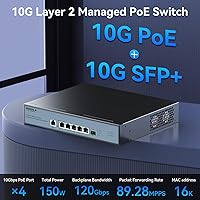
  • Port Layout: The switch includes four 10GBase-T PoE ports, one 10GBase-T uplink port, and one 10G SFP+ port, for a total of six ports.
  • PoE Standard: Port 1 complies with IEEE 802.3bt and delivers up to 90W; ports 2 through 4 comply with IEEE 802.3af/at and deliver up to 30W each.
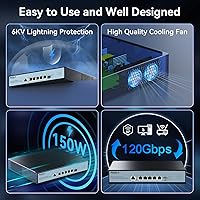
  • Total PoE Budget: The combined PoE power budget across all active ports is 150W, which limits simultaneous full-power delivery across all four PoE ports.
  • Switch Type: This is a Layer 2 managed switch with a web-based graphical interface for configuration and monitoring.
  • Management Features: Supported protocols and features include VLAN, LACP, SNMP, RSTP, DHCP, HTTP, and Multicast management.
  • Data Rate: All ports operate at 10 Gigabits per second, providing full 10G throughput across both copper and fiber connections.
  • SFP+ Uplink: The single SFP+ slot accepts standard 10G SFP+ transceivers or DAC cables for fiber or direct-attach copper uplink connections.
  • Cooling System: An intelligent variable-speed fan adjusts its speed dynamically based on internal temperature and power load, reducing noise during low-demand periods.
  • Mounting Options: The unit supports desktop placement and wall mounting; the wall-mount hardware kit is not included in the box and must be sourced separately.
  • Rack Compatibility: This switch is not designed for 1U rack installation and cannot be mounted in a standard server rack enclosure.
  • Enclosure Material: The outer chassis is constructed from metal, contributing to structural durability and passive heat dissipation.
  • Dimensions: The packaged unit measures 16.1 x 10.91 x 3.66 inches, reflecting a compact desktop footprint suitable for tight spaces.
  • Weight: The unit weighs 4.97 pounds, making it manageable for both desktop placement and wall-mount installation.
  • Color: The switch ships in a matte black finish that blends easily into home office and AV equipment environments.
  • Warranty: SODOLA provides a one-year limited product warranty along with a commitment to lifetime after-sales technical support.
  • Setup Requirement: Initial access to the web management interface requires that the switch be assigned an IPv4 address first; IPv6-only network configurations are not supported for initial login.
  • Compatible Devices: The switch is compatible with PoE-powered cameras, desktop computers, laptops, printers, routers, and other standard network devices.
  • Date Available: This product was first made available for purchase in October 2024.

Related Reviews
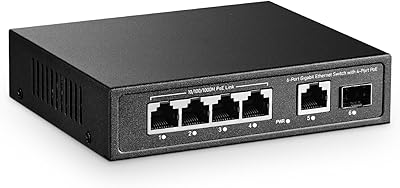
YuLinca 6-Port Gigabit PoE Switch with 4 PoE+ Ports
87%
95%
Ease of Installation
88%
PoE Functionality
91%
Build Quality
87%
Performance and Speed
94%
Fanless Operation (Noise)
More
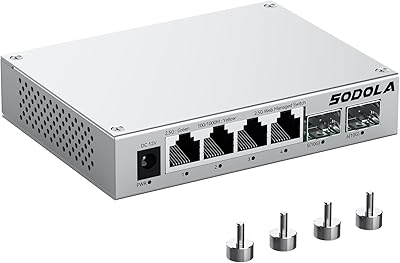
Sodola SL902-SWTG124AS 6-Port 2.5G Managed Switch
80%
91%
Value for Money
88%
Build Quality
83%
Web Management Interface
87%
Port Performance
58%
Advanced Feature Depth
More
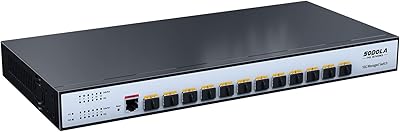
Sodola SL-SWTG3C12F 12-Port 10G SFP+ Managed Switch
81%
91%
Value for Money
88%
Feature Depth
86%
Port Design & Flexibility
89%
Network Performance
79%
Web Management Interface
More
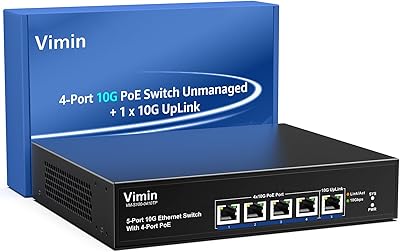
VIMIN 4-Port 10G PoE Switch with 10G Uplink
87%
92%
Performance & Speed
88%
Ease of Setup
90%
Build Quality & Durability
85%
Power over Ethernet (PoE) Capability
89%
Compatibility with Devices
More
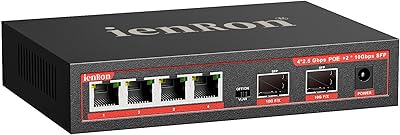
ienRon 6-Port 2.5Gb PoE Switch with 2-Port 10Gb SFP+
85%
86%
Performance
91%
Ease of Setup
88%
PoE Power Delivery
84%
Build Quality
93%
Fanless Operation
More
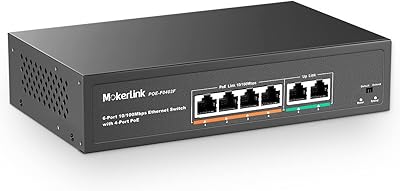
MokerLink 6-Port 78W PoE+ Network Switch
83%
96%
Ease of Setup
78%
PoE Compatibility
88%
Build Quality
93%
Value for Money
61%
Port Speed & Throughput
More
YuLinca 8-Port 10G Managed Network Switch
79%
92%
Port Speed & Auto-Negotiation
89%
Throughput & Switching Performance
88%
Build Quality & Chassis
71%
Web Management Interface
86%
L2 Feature Set Depth
More
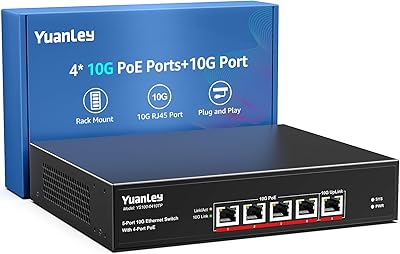
YuanLey YS100-0410TP 5-Port 10G PoE Switch
79%
91%
Value for Money
94%
Ease of Setup
78%
PoE Performance
88%
Multi-Gig Speed Performance
83%
Build Quality
More
Real HD 8-Port 120W PoE+ Unmanaged Switch
79%
96%
Ease of Setup
91%
PoE Reliability
84%
Build Quality
52%
Port Speed & Throughput
88%
Power Budget
More
Sodola SL-S0181P-200W 16-Port PoE Network Switch
78%
94%
Ease of Setup
88%
PoE Power Delivery
82%
Build Quality
61%
Port Speed & Bandwidth
79%
Extend Mode Performance
More

FAQ

It works entirely through a standard web browser — no proprietary software or app required. You log into the switch’s IP address just like you would a router admin page, and all the VLAN, SNMP, and LACP settings are handled from there. Just make sure you assign a static IPv4 address to the switch before your first login, as the interface won’t be accessible without it.

You cannot skip it. The web management interface is only reachable once the switch has a valid IPv4 address on your network. If you plug it in and try to access it straight away without setting that address, the login page simply won’t load. It only takes a minute to sort out, but it catches a lot of first-time users off guard, so it’s worth knowing upfront.

Yes, port 1 is the right choice for any high-draw PoE device. It supports up to 90W under the IEEE 802.3bt standard, which comfortably covers even the most power-hungry Wi-Fi 7 access points currently available. Ports 2 through 4 top out at 30W each, so reserve port 1 for anything that needs the extra headroom.

The total PoE budget is 150W shared across all four ports, so running every port at its maximum rated draw simultaneously isn’t possible. The switch will prioritize power delivery based on port number if demand exceeds the budget, meaning lower-numbered ports typically get priority. For mixed deployments — say a high-power camera on port 1 and standard APs on ports 2 and 3 — you’ll likely stay well within budget without any issues.

The wall-mount kit is not included in the box. The switch itself supports wall mounting, but you’ll need to source the compatible mounting hardware separately. It’s a minor frustration given that wall mounting is a featured selling point, so factor that in before purchase if you plan to mount it.

No, this switch does not support 1U rack mounting. It’s designed strictly for desktop surfaces or wall installation. If a rack mount is a firm requirement for your setup, you’ll need to look at a different product category entirely.

Under light to moderate load, the fan is barely audible — most users describe it as near-silent during everyday use. The fan only ramps up meaningfully when the switch is under heavy PoE load and generating significant heat. For a living room or bedroom setup with typical traffic, noise is unlikely to be a problem.

It should work with standard 10G SFP+ DAC cables and single-mode or multi-mode fiber transceivers. That said, compatibility with third-party optics can vary on any switch, so if you already own a specific transceiver, it’s worth checking whether other users have confirmed compatibility in reviews or forums before assuming it will work out of the box.

It depends on your patience level and willingness to read up a bit. The web interface isn’t the most polished around, and the initial IPv4 setup step can feel cryptic if you’ve never configured a managed switch before. That said, once you’re past initial setup, the core features like basic VLAN creation are fairly approachable. If you’re brand new to networking concepts altogether, expect a learning curve of a few hours rather than a few minutes.

Longer-term user feedback is generally positive. Most buyers report stable operation over extended periods without unexpected reboots or port failures. Heat management appears adequate for normal home and small-office workloads, though like any compact high-speed switch, it will run warm under sustained heavy load. The metal enclosure helps with passive heat dissipation, and the fan does its job keeping temperatures in check during peak use.