Overview

The Binardat 6-Port 10G L3 Managed Switch occupies a genuinely useful niche — it brings L3 routing capabilities normally locked behind enterprise price tags into a compact metal chassis that fits on a desk or mounts flat against a wall. At 168×94×32mm and under two pounds, this compact L3 switch is physically unobtrusive. Binardat isn't a well-known brand, but over 560 verified ratings at 4.3 stars and a top-250 ranking in its category suggest buyers are walking away satisfied. One caveat worth stating plainly: the built-in fan runs at around 40 decibels, which is noticeable in a quiet room — plan to tuck it inside a cabinet or enclosed chassis to soften that.
Features & Benefits

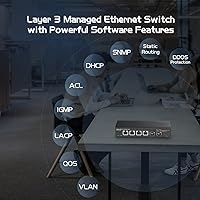
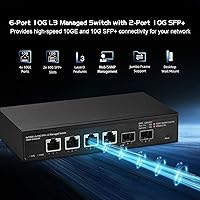
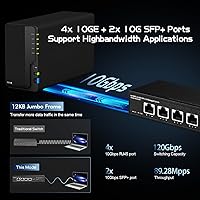
The four RJ45 ports on this 10G managed switch auto-negotiate across five speeds — 100Mbps through 10Gbps — so you won't hit compatibility headaches mixing older gear with newer multi-gig NICs or WiFi 6 access points. The two SFP+ slots add flexibility for fiber uplinks or DAC cable connections to servers and NAS units, though no modules ship in the box. Non-blocking 120Gbps switching means every port can push full line rate at once, and 12KB jumbo frame support keeps large NAS transfers from choking. The L3 suite covers OSPF, BGP4, VLAN, LACP, and ACL — most home lab users will live on static routes and VLANs, but the deeper routing protocols are genuinely functional if your use case calls for them.

Best For

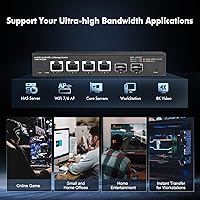
This compact L3 switch is best suited for home lab builders running a NAS, workstation, and a server or two over 10G links, where port count is tight and every connection needs to pull full speed. Small content studios moving large video files between editing machines and shared storage will feel the difference immediately. If you're deploying WiFi 6 or 6E APs and need a 10G-capable backhaul without a full rack setup, the Binardat switch handles that cleanly. IT students looking for real L3 hands-on experience will also find it a worthwhile training tool. The small footprint makes it practical anywhere desk or wall space is limited.

User Feedback

Most buyers highlight consistent 10G throughput and the reliable web interface as standout positives, with many noting that multi-speed compatibility across different NICs and access points worked without fuss. The recurring complaint, and it comes up often enough to take seriously, is fan noise — persistent at around 40dB and best managed by housing the unit inside a chassis or cabinet. A real setup friction point: DAC cables require manually enabling DAC support in the web UI under port configuration, which catches people off-guard if they skip the documentation. SFP+ module compatibility is also worth watching — off-brand or secondhand modules occasionally fail to register, so buying new modules from established brands is the safer call.

Pros

  • All four RJ45 ports auto-negotiate across five speeds, making it easy to mix 1G, 2.5G, and 10G devices on the same switch.
  • Non-blocking 120Gbps switching fabric means no port has to wait — every connection can run at full speed simultaneously.
  • The L3 feature set includes VLAN, QoS, LACP, ACL, and routing protocols that go well beyond what most switches in this price range offer.
  • Two SFP+ slots allow fiber uplinks or DAC connections to servers and NAS units, adding real flexibility for more advanced builds.
  • Jumbo frame support up to 12KB keeps large NAS file transfers and storage traffic running efficiently without fragmentation overhead.
  • The all-metal chassis feels solid and durable, and the compact footprint fits easily on a desk or mounts flush to a wall.
  • Over 560 buyer ratings averaging 4.3 stars provides meaningful real-world confidence for a lesser-known brand.
  • Built-in surge and ESD protection adds a layer of hardware safety that is easy to overlook but genuinely useful in variable power environments.
  • The web management interface is consistently praised by users as straightforward once initial setup is complete.

Cons

  • The built-in fan runs continuously at roughly 40dB — fine in a wiring closet, but distracting in a quiet home office or bedroom setup.
  • DAC cable support is not enabled by default and requires a manual configuration step in the web UI that is easy to miss.
  • SFP+ module compatibility can be unreliable with off-brand or used optics; budget extra for reputable new modules to avoid recognition issues.
  • Only six ports total, which limits scalability — anyone expecting to grow their network beyond a handful of devices will need a second switch quickly.
  • Binardat has limited brand presence outside of Amazon, so finding community forums, third-party guides, or local support resources takes more effort.
  • The external DC power adapter adds cable clutter and is a weaker point compared to switches with internal power supplies.
  • Advanced routing protocols like BGP4 and OSPF are listed but offer no practical value to most buyers, creating an impression of complexity that may intimidate newcomers.
  • No PoE support, so anyone hoping to power access points or IP cameras directly from this compact L3 switch will need a separate PoE injector or switch.

Ratings

The scores below were generated by our AI engine after analyzing hundreds of verified buyer reviews for the Binardat 6-Port 10G L3 Managed Switch from global marketplaces, with spam, incentivized, and bot-flagged submissions actively filtered out. Our model weighs both the frequency and the specificity of feedback, so a handful of detailed critical reviews carry real weight alongside volumes of praise. The result is a transparent, balanced scorecard that reflects what real users consistently experience — the highs and the friction points alike.
10G Port Performance
91%
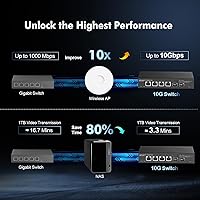
Users building 10G home labs report that all four RJ45 ports consistently hit line-rate throughput when paired with proper Cat6A cabling and compatible NICs. Large NAS transfers and inter-server traffic that previously took minutes at gigabit speeds drop to seconds, which is exactly what buyers in this segment are after.
A small number of users noted that achieving stable 10G over copper requires careful attention to cable quality — anything below Cat6A at longer runs introduces link instability. This is a cabling constraint rather than a switch defect, but it can surprise buyers who assume any modern Ethernet cable will suffice.
Multi-Speed Compatibility
88%
The auto-negotiation across five speeds — 100M through 10G — is one of the most consistently praised traits. Buyers running mixed environments with older gigabit devices, 2.5G access points, and new 10G workstations report that every device connected cleanly without manual speed overrides.
A few users noticed occasional auto-negotiation hesitation when connecting certain older NICs, requiring a manual speed lock on the web interface to stabilize the link. It is not a widespread problem, but it adds a small configuration step that should not be necessary on a managed switch at this tier.
L3 Feature Depth
84%
For a switch in this price range, the routing feature set is genuinely impressive. Home lab users and IT students praised the ability to configure VLANs, static routes, and inter-VLAN routing without needing a separate router, which simplifies lab topologies considerably and reduces total hardware spend.
The depth of the feature set can feel overwhelming for buyers who only need basic switching. BGP4 and OSPF are present but carry no documentation tailored to home users, and the web UI organization requires some trial-and-error before more advanced features become intuitive.
Value for Money
89%
Across the review base, the price-to-feature ratio is the single most cited reason for purchase satisfaction. Buyers consistently note that comparable L3 10G switching from established enterprise brands costs several times more, making this compact L3 switch a genuinely accessible entry point for prosumer and small office use.
A portion of buyers factor in the hidden cost of purchasing quality SFP+ modules or DAC cables separately, which can add meaningfully to the total outlay. Those who budget only for the switch itself occasionally feel the real cost was undersold.
Web Management Interface
77%
23%
Most users describe the web UI as functional and logically organized once you learn where things live. Common tasks like VLAN setup, port mirroring, and link aggregation are accessible without requiring CLI access, which is a meaningful advantage for buyers who prefer a graphical workflow.
The interface has a dated visual design and lacks the polish of enterprise-grade management platforms. Navigation between advanced settings like OSPF configuration or ACL rule management requires multiple menu layers, and there is no dark mode or responsive layout for mobile browser access.
SFP+ Module Compatibility
66%
34%
When using brand-new modules from reputable vendors, the SFP+ slots work reliably for both SR and LR fiber uplinks. Several users running 10G fiber between a NAS and a server in a home lab reported stable, full-speed connections after selecting compatible new optics.
Off-brand, used, or pulled modules have a noticeably inconsistent recognition rate, which is a real pain point for budget-conscious buyers trying to repurpose existing optics. The switch requires a specific workaround to enable DAC cable support — it must be manually toggled in the web UI under port configuration — and this step is not documented prominently enough to prevent confusion.
Fan Noise Level
43%
57%
In server rooms, utility closets, or enclosed network cabinets, the fan is essentially a non-issue. Buyers who planned for chassis installation from the start report no complaints, and the active cooling does its job of keeping the unit thermally stable under sustained load.
For home office or living space deployments, the approximately 40dB constant fan hum is the most cited negative across the entire review base. It is audible on a quiet desk, and unlike some competitors this switch offers no fanless or low-noise mode, making environment placement a genuine constraint rather than a minor inconvenience.
Build Quality
82%
18%
The all-metal chassis earns consistent praise for feeling solid and well-constructed relative to the price. Buyers who have handled budget plastic switches note that this 10G managed switch feels noticeably more durable, with tight panel fitment and no flex in the housing under normal handling.
The external power adapter is the one physical aspect that feels below the overall build standard — it is a lightweight brick that adds cable clutter and lacks the tidiness of an internal PSU. A few users also noted that the LED indicators, while functional, are not particularly bright in well-lit rooms.
Setup & Initial Configuration
71%
29%
Users with prior managed switch experience report a straightforward onboarding process — connecting to the default IP, setting a password, and configuring basic VLANs typically takes under 30 minutes. The web UI provides enough guidance for moderately experienced users to get operational quickly.
Complete beginners to managed networking frequently mention a steep initial learning curve, particularly around IP addressing requirements to access the management interface. The included documentation is minimal, and the DAC cable activation quirk is not flagged anywhere in the setup guide, leading to frustrated troubleshooting sessions.
Thermal Management
74%
26%
Under sustained 10G loads across multiple ports, the switch maintains stable operating temperatures without throttling or unexpected reboots. The combination of the metal chassis and active fan cooling keeps the internals well within the 0–40°C operating spec even in warmer equipment closets.
The rated upper operating temperature of 40°C is on the conservative side — buyers in warm climates or poorly ventilated spaces have noted that the unit runs quite warm to the touch even under moderate loads, suggesting the thermal headroom is tighter than the spec sheet implies.
Physical Footprint
86%
At 168×94×32mm and under two pounds, the switch fits easily in tight spaces where a traditional rack-mount unit simply would not go. Users mounting it behind a monitor, on a wall bracket, or inside a small home lab rack extension praised how little real estate it consumes.
The wall-mount hardware included in the box works, but the mounting points are close together, which limits stability on surfaces with irregular textures. A couple of users also noted that the power adapter cable is relatively short, which can complicate placement when the nearest outlet is not immediately adjacent.
Brand Reliability & Trust
72%
28%
A recurring theme in positive reviews is that initial skepticism about an unfamiliar brand dissolved after weeks or months of stable, problem-free operation. The Binardat switch has accumulated enough verified reviews at a strong average rating to provide meaningful social proof for cautious first-time buyers.
Binardat lacks the community ecosystem, third-party documentation, and accessible customer support infrastructure of established networking brands. Buyers who run into edge-case firmware issues or need warranty service report that resolution paths are less clear and slower than they would expect from a Netgear or TP-Link equivalent.
Surge & ESD Protection
78%
22%
The built-in surge protection — covering differential and common mode spikes as well as electrostatic discharge — is a feature most buyers in this segment do not think to ask for, but several users in areas with unstable power cited it as a deciding factor. It adds a layer of hardware longevity assurance that cheaper unmanaged switches rarely offer.
The protection ratings, while documented, are not independently certified or verified by any third-party standard mentioned in the product materials. Buyers in genuinely high-risk electrical environments may want supplemental protection rather than relying solely on the onboard circuitry.
Jumbo Frame & NAS Performance
83%
Users running NAS devices over direct 10G connections reported that enabling 9K or 12K jumbo frames produced a noticeable improvement in sustained sequential transfer speeds, particularly for large media files and backup workflows. The 12Mbit packet buffer handles burst traffic during multi-client NAS access without visible stuttering.
Jumbo frame configuration requires all devices on the relevant path to match frame sizes, and the web UI provides no wizard or validation to catch mismatches. A few users experienced intermittent connectivity after enabling jumbo frames without updating their NIC and OS settings to match, leading to confusing troubleshooting sessions.

Suitable for:

The Binardat 6-Port 10G L3 Managed Switch is a strong fit for home lab enthusiasts who want to run a proper 10G network between a NAS, a server, and a high-end workstation without spending on a rack-mounted enterprise unit. Content creators and small studios moving large video or RAW image files between machines will notice real, tangible speed gains over a standard gigabit setup. It also works well as a core switch in a WiFi 6 or 6E deployment, where multi-gig access points need a backhaul switch that won't bottleneck them. IT students and self-taught network engineers will find the L3 feature set — including VLAN segmentation, static routing, and even OSPF — genuinely useful for hands-on learning in a lab environment. Anyone working in a tight space who needs a capable managed switch without a full rack will appreciate the compact metal chassis that sits flat on a desk or mounts to a wall.
Not suitable for:

Buyers expecting plug-and-play simplicity may find the Binardat 6-Port 10G L3 Managed Switch more involved than anticipated — DAC cable support, for instance, requires manually enabling a setting in the web interface, and SFP+ module compatibility can be hit-or-miss with off-brand or used optics. Anyone planning to place this switch in an open, quiet area like a home office desk should know the built-in fan runs at around 40dB continuously, which is not disruptive in a server room but is noticeable in a silent room. Buyers who need more than six ports will quickly outgrow this unit, as there is no expansion capability. Large businesses or production environments that require vendor-backed support contracts, certified hardware, or enterprise-grade SLAs should look at established names like Cisco or MikroTik at higher price points. Finally, casual home users who only need to connect a few everyday devices at standard gigabit speeds will find the management features unnecessary and the 10G infrastructure investment hard to justify.

Specifications

  • RJ45 Ports: Four copper RJ45 ports each auto-negotiate across 100Mbps, 1G, 2.5G, 5G, and 10G speeds, accommodating a wide mix of devices without manual configuration.
  • SFP+ Slots: Two 10G SFP+ slots support SR, LR, LRM, ER, and ZR optical modules as well as DAC cables, though no modules are included in the box.
  • Switching Capacity: The non-blocking switching fabric delivers 120Gbps total throughput, meaning all six ports can operate simultaneously at full line rate without contention.
  • Forwarding Rate: Packet forwarding runs at 89.28 million packets per second, ensuring low-latency handling even under heavy multi-device traffic loads.
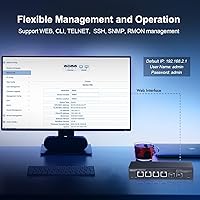
  • Management Layer: The switch operates at Layer 3 with a web-based management interface, supporting static routing, OSPF, RIP, BGP4, DHCP server, ACL, QoS, VLAN, LACP, and STP/RSTP/MSTP.
  • Jumbo Frames: Jumbo frame support extends up to 12KB, which reduces CPU overhead during large file transfers between NAS units and servers.
  • Packet Buffer: A 12Mbit shared packet buffer helps absorb short traffic bursts and reduces frame drops during periods of congestion across ports.
  • MAC Table: The MAC address table holds up to 16,000 entries with auto-learning, sufficient for complex home lab and small office topologies.
  • Dimensions: The chassis measures 168 x 94 x 32mm, making it compact enough for desktop placement or wall mounting in space-constrained environments.
  • Weight: The unit weighs 1.76 pounds, light enough to wall-mount securely using the included hardware without structural concerns.
  • Construction: The outer shell is formed from metal, providing rigidity and passive heat dissipation to complement the active cooling fan.
  • Cooling: A built-in active cooling fan maintains operating temperatures; noise output is approximately 40dB, which is audible in quiet environments.
  • Power Supply: The switch is powered by an external DC 12V/2A adapter, with a maximum input current of 1A and no internal power supply unit.
  • Operating Temp: Rated for continuous operation between 0°C and 40°C, suitable for typical indoor environments but not industrial or unheated spaces.
  • Surge Protection: Built-in surge protection covers differential mode up to ±1KV and common mode up to ±2KV, with ESD protection rated at contact ±6KV and air ±8KV.
  • Mounting Options: Supports both flat desktop placement and wall mounting, giving users flexibility in how and where the unit is installed.
  • Cable Requirements: 10G RJ45 operation requires Cat6A or better UTP cabling up to 100m; 2.5G and 5G speeds work with standard Cat6 up to 100m.
  • Network Standards: Compliant with IEEE 802.3ae (10G), IEEE 802.3bz (2.5G/5G), IEEE 802.3ab (1G), IEEE 802.3az (Energy Efficient Ethernet), and IEEE 802.3x (Flow Control).

Related Reviews
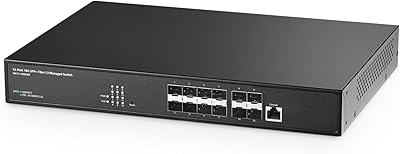
Binardat 10G12-1200GSM 12-Port Managed Switch
75%
91%
Value for Money
88%
Feature Depth
74%
Setup & Usability
71%
SFP Module Compatibility
82%
Build Quality
More
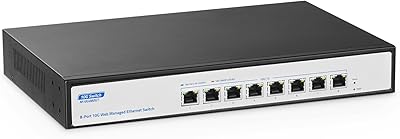
YuLinca 8-Port 10G Managed Network Switch
79%
92%
Port Speed & Auto-Negotiation
89%
Throughput & Switching Performance
88%
Build Quality & Chassis
71%
Web Management Interface
86%
L2 Feature Set Depth
More
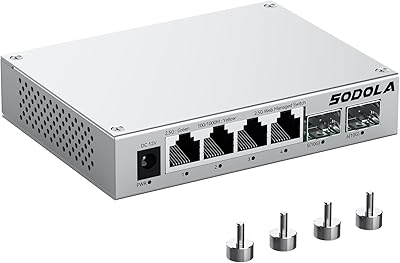
Sodola SL902-SWTG124AS 6-Port 2.5G Managed Switch
80%
91%
Value for Money
88%
Build Quality
83%
Web Management Interface
87%
Port Performance
58%
Advanced Feature Depth
More
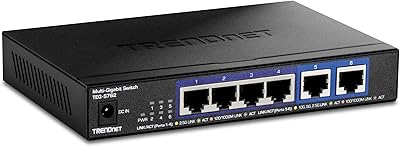
TRENDnet TEG-S762 6-Port 10G Network Switch
83%
88%
Value for Money
94%
Ease of Setup
83%
Port Configuration
81%
Build Quality
67%
Thermal Management
More
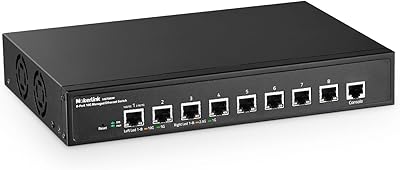
MokerLink 8-Port 10G Managed Ethernet Switch
80%
91%
Throughput Performance
88%
Value for Money
93%
Feature Depth
74%
Web Interface Usability
86%
Build Quality
More
Vimin 6-Port 2.5G/10G Unmanaged Network Switch
79%
94%
Ease of Setup
86%
Network Performance
83%
Value for Money
88%
Port Configuration
67%
Thermal Management
More
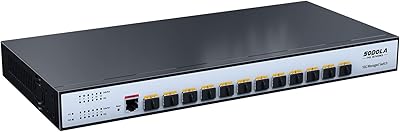
Sodola 12 Port 10G SFP+ Smart Managed Switch
82%
89%
Performance
85%
Ease of Setup
88%
Reliability
91%
Connectivity
80%
Security Features
More
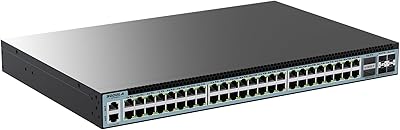
Sodola 48-Port 2.5GbE L3 Managed Switch
71%
94%
Port Density & Speed
91%
Value for Money
88%
Uplink Flexibility
86%
Layer 3 Feature Set
52%
Ease of Setup
More
YuanLey YS24040GSM 28-Port Managed Switch
76%
93%
Value for Money
89%
Feature Depth
96%
Noise & Cooling
67%
Management Interface
51%
Documentation Quality
More
XikeStor SKS8300 16-Port 2.5G L3 Managed Switch
73%
88%
Value for Money
91%
Port Configuration
83%
Layer 3 Routing Capability
89%
Switching Performance
62%
Web Interface Usability
More

FAQ

Yes, for full 10Gbps performance over copper you need Cat6A or better cabling up to 100 meters. Standard Cat6 will get you 2.5G or 5G speeds at typical home run lengths, which is still a meaningful improvement over gigabit if you are not ready to re-run cables.

No modules are included in the box — the two SFP+ slots are open and ready, but you will need to source your own SR, LR, or DAC cables depending on your use case. For short runs between nearby devices, a DAC cable is the most cost-effective option.

This is a known quirk with this compact L3 switch. DAC support is not enabled by default, so you need to log into the web interface, navigate to Switch Config, then Port Config, then Port 10G Mode, and toggle DAC support on. Once enabled, DAC cables register reliably.

Honestly, it is noticeable. At around 40dB it is not obnoxiously loud, but in a quiet room you will hear a constant low hum. If your desk is the intended home, consider placing it inside a small enclosure or a network cabinet to muffle the sound. In a utility room or closet, it is a non-issue.

Yes, the RJ45 ports auto-negotiate at 2.5G natively, so connecting a multi-gig AP is straightforward — no manual speed configuration needed. This is actually one of the more practical use cases for this switch in a modern home network.

Yes, the built-in DHCP server feature lets it hand out IP addresses to devices on your network or on specific VLANs. This is useful in a lab or small office setup where you want the switch to handle addressing without relying on a separate router.

It depends on your willingness to learn. The web UI is reasonably well laid out, and basic tasks like setting up VLANs or static routes are manageable with some reading. That said, this is not a plug-and-play device — if you have no experience with managed switches at all, expect a learning curve of a few hours before things feel comfortable.

Brand-new modules from established names tend to work without issues, while off-brand, used, or refurbished optics are more hit-or-miss according to user reports. If a module fails to register, the manufacturer recommends trying a new 10G module from a reputable vendor rather than troubleshooting older optics.

It can handle small office duties well — VLAN segmentation, ACL rules, QoS, and link aggregation are all there. The main practical limits are the six-port count and the lack of vendor support contracts. For a very small office where you need fast local throughput and basic managed features without enterprise pricing, this compact L3 switch is a reasonable fit.

No, there is no Power over Ethernet support on any port. If you need to power APs or cameras directly from the switch, you will need to add a separate PoE injector or replace this unit with a PoE-capable switch. This is a meaningful limitation for anyone building a wireless access point deployment.