Overview

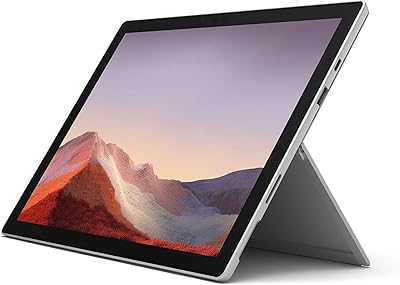
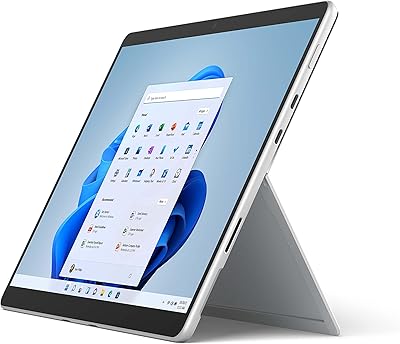
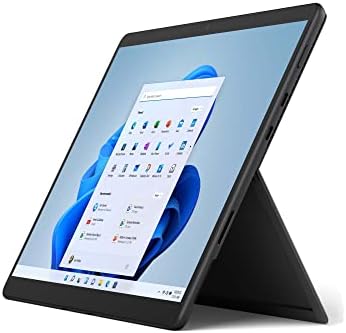
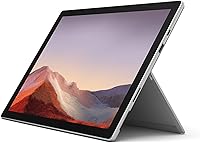
The Microsoft Surface Pro 7 – 12.3″ – Intel Core i3 – 4GB RAM – 128GB SSD is a versatile 2-in-1 device that combines the functionality of a laptop and a tablet. With its 12.3-inch PixelSense touchscreen, it supports precise pen input, making it ideal for both work and creative tasks. This Surface Pro features an Intel Core i3 processor, 4GB of RAM, and a 128GB SSD, offering reliable performance for everyday use. Weighing just 1.7 pounds, this lightweight tablet-laptop hybrid is perfect for users on the go. Plus, its impressive battery life of up to 10.5 hours makes it a solid choice for long, uninterrupted use.
Features & Benefits

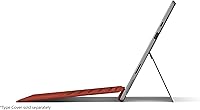
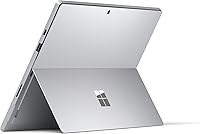
The Surface Pro 7 offers an adaptable design that can be used as a tablet, laptop, or in studio mode, providing users with ultimate flexibility. Equipped with an Intel Core i3 processor, it delivers fast performance for daily tasks, including browsing, document editing, and media consumption. The inclusion of both USB-A and USB-C ports enhances connectivity options, while the improved graphics enable smoother visuals for basic gaming or multitasking. Additionally, its quick charging feature (80% in just an hour) ensures that you can stay powered up in no time, allowing for extended work and play sessions without interruptions.

Best For

This tablet-laptop hybrid is perfect for those who need a portable, versatile device that can handle both productivity and entertainment. It's particularly well-suited for students or professionals who need a compact, lightweight solution for note-taking, presentations, and casual browsing. Those who enjoy drawing or designing will appreciate the precision of the touchscreen and pen input. Its premium build and high-quality display make it an excellent option for users who value a solid, all-in-one device that seamlessly transitions between different modes, from work to play, without compromise.

User Feedback

The Surface Pro 7 has received mostly positive reviews, with users highlighting its portability and lightweight design as standout features. Many appreciate the sharp, responsive touchscreen, especially when paired with the pen input for drawing and note-taking. However, some users note that the 4GB of RAM can be limiting for heavy multitasking, particularly when running multiple applications simultaneously. The battery life is generally praised, with most users reporting around 8-10 hours of usage, though power users may find themselves charging more frequently. Overall, it’s a solid, reliable device for those seeking versatility and convenience in a compact package.

Pros

  • This 2-in-1 device is highly portable, weighing just 1.7 pounds, making it ideal for users on the go.
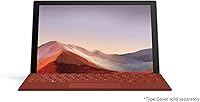
  • The 12.3-inch PixelSense touchscreen offers vibrant colors and sharp details, making it great for media consumption and creative work.
  • Its versatility in laptop, tablet, and studio modes makes it suitable for both professional and personal use.
  • Users appreciate the quick charging feature, with 80% charge in just one hour, reducing downtime during busy workdays.
  • This Surface Pro offers up to 10.5 hours of battery life, which is sufficient for all-day work or study sessions.
  • The Intel Core i3 processor ensures smooth performance for everyday tasks like browsing, document editing, and media streaming.

Cons

  • The 4GB of RAM may limit performance for users who need to run multiple heavy applications simultaneously.
  • Some users find the lack of a dedicated GPU a drawback for tasks like gaming or graphic design.
  • This device may not provide enough storage for users with large file collections, given its 128GB SSD.
  • The device can become warm during prolonged use, which may be uncomfortable during extended working sessions.
  • While compact, the keyboard and screen size might feel cramped for users who need more real estate for productivity.
  • The Surface Pro 7's base model might not be powerful enough for power users or those requiring advanced multitasking capabilities.

Ratings

After analyzing verified user reviews worldwide, across multiple languages and platforms, we provide this comprehensive overview of the Microsoft Surface Pro 7 – 12.3″ – Intel Core i3 – 4GB RAM – 128GB SSD. Only authentic, high-quality feedback informed the results, filtering out spam, bot, or incentivized reviews. While this device excels in portability and versatility, some limitations, such as performance for heavy multitasking, are also noted by users. Both the strengths and pain points are reflected in these scores, offering a balanced view for potential buyers.

Portability & Weight
94%
Many buyers appreciate how easy it is to carry this device around due to its lightweight design. At just 1.7 pounds, it fits seamlessly into daily routines, making it ideal for commuters, students, or those always on the go. The compact size doesn't sacrifice performance, making it a top choice for users who value portability without compromising functionality.
However, some users find that the lightweight build, while convenient, can feel a bit fragile at times. A few have mentioned concerns about the overall durability, particularly with heavy usage or frequent handling, though these issues are less common among most owners.
Battery Life
88%
The long battery life of up to 10.5 hours is frequently praised by users who rely on this device for a full day's work, study, or entertainment. This makes it an excellent option for professionals and students who need an all-day, unplugged experience. Quick charging capabilities (80% in one hour) are also a bonus for those in a rush.
While many users are satisfied with the battery life, a small group has noted that it can drain faster during intensive tasks or when using power-hungry apps. Some also mention that the device can be a bit power-hungry when the screen brightness is turned up, slightly reducing battery longevity in those cases.
Display Quality
91%
The 12.3-inch PixelSense touchscreen offers a crisp and vibrant display that users consistently highlight. With sharp details and vivid colors, it makes watching videos, reading, or creating content a delightful experience. Additionally, the screen's support for pen input is a great asset for those who enjoy sketching or taking handwritten notes.
Despite the overall positive feedback, some users have mentioned that the display can suffer from reflections in bright environments or under direct sunlight. While not a dealbreaker for most, it's something to consider for those who frequently work outdoors or in well-lit spaces.
Build Quality
90%
Users are generally impressed with the premium build quality of this device. The solid construction and high-quality materials give it a sleek, professional feel. Its versatility in switching between laptop, tablet, and studio modes is facilitated by its sturdy design, which adds to its long-lasting appeal.
Some buyers have pointed out that the Surface Pro 7 feels a bit slippery in certain configurations, especially when used in tablet mode. This can lead to occasional discomfort when handling the device for extended periods, though many have resolved it with cases or grips.
Performance (General Use)
80%
20%
For everyday tasks like browsing, office work, and media consumption, this device delivers a solid performance. Users appreciate the responsiveness of the Intel Core i3 processor combined with 4GB of RAM, making it well-suited for light to moderate computing tasks. It's quick enough for most basic needs and provides an efficient multitasking experience in a lightweight package.
However, users with more demanding requirements, such as heavy multitasking or running more resource-intensive applications, have mentioned that the 4GB of RAM can be a limiting factor. This can result in slower performance or occasional lag, especially when switching between multiple apps or working with large files.
Port Selection & Connectivity
86%
The Surface Pro 7 comes with a well-rounded selection of ports, including USB-A and USB-C, which users find very convenient. This versatile connectivity allows for easy connection to a variety of devices like external monitors, USB drives, and peripherals. The inclusion of both traditional and modern ports ensures broad compatibility for different use cases.
Some users feel that the lack of a full-sized USB-C port or additional ports limits flexibility, especially for those who need to connect multiple devices simultaneously. Although the combination of USB-A and USB-C works for most, it may not be ideal for heavy users with specific connection needs.
Touchscreen & Pen Input
89%
The touchscreen is responsive and accurate, with many users enjoying the smooth interaction. Additionally, the pen input functionality is a standout feature for those who need to take notes or create digital artwork. The pen is recognized as precise and fluid, providing a great experience for creatives and professionals alike.
A few users have reported occasional issues with the pen's responsiveness or Bluetooth connectivity. While most find it works well, the pen input can be finicky at times, especially when used in extreme angles or with certain applications, which may disrupt the overall experience for some.
Multitasking Performance
72%
28%
For users who primarily use the device for light multitasking, such as working with office documents or browsing, this Surface Pro offers solid performance. Many users appreciate how smoothly it handles smaller tasks in parallel, such as writing emails or watching videos while working on documents.
However, the 4GB of RAM can be a significant limitation for heavier multitasking. Users trying to run multiple applications or work with larger files often report slowdowns and occasional lag, especially when more demanding software is in use. This can make the device less suitable for power users or those who need to keep many apps running simultaneously.
Value for Money
85%
Many users find this 2-in-1 device to be a great value, considering its performance, design, and versatility. For those looking for a portable tablet-laptop hybrid with reliable performance for everyday tasks, it offers a well-rounded package at a competitive price. It’s seen as an excellent option for students and professionals who need flexibility without breaking the bank.
Some buyers feel that the price is a bit high compared to similar devices with more powerful specs. While it’s a good value for those seeking a lightweight device, the performance limitations, especially with multitasking, leave some wondering if they could get better performance for the same price from other options.
Software Experience (Windows 10)
82%
18%
The device runs Windows 10 Home, which offers a familiar, smooth, and stable operating system for a wide variety of tasks. Users enjoy the flexibility of a full OS with the convenience of a tablet, making it easy to switch between work and entertainment. The integration of touch features with Windows 10 is also appreciated.
A few users have mentioned that Windows 10 can sometimes feel a bit sluggish or buggy, especially after extended use. Some users have experienced occasional software crashes or slower boot times, which can be a minor irritation but not a widespread issue.
Charging Speed
92%
Quick charging is a standout feature for this device. Many users appreciate being able to charge up to 80% in just one hour, which makes it incredibly convenient for users who need to get back to work quickly. This rapid charging speed is especially useful for those who are constantly on the move and need their device ready in a short amount of time.
While the charging speed is generally well-received, some users have expressed concerns about the power brick being somewhat bulky. This can make it less portable for some users who want to carry as little as possible while traveling.
Fan Noise & Heat Management
77%
23%
The device manages heat well under normal conditions, providing a generally quiet experience during everyday use. Users who engage in light tasks appreciate that the fan is barely noticeable, ensuring a more pleasant environment without distractions.
However, when under heavy load, some users report that the device can become a bit warm, and the fan noise increases. This can be distracting, especially for users who work in quiet environments or use the device for intensive tasks that push its limits.

Suitable for:

The Microsoft Surface Pro 7 – 12.3″ – Intel Core i3 – 4GB RAM – 128GB SSD is an excellent choice for users who need a portable, versatile device. It's especially suited for professionals and students who require a lightweight laptop-tablet hybrid that is easy to carry and offers a good balance between performance and portability. The device’s 12.3-inch PixelSense touchscreen is a great fit for those who work on digital sketches, take notes, or need a responsive screen for everyday tasks. Furthermore, those who need a device with long battery life for travel or extended work sessions will appreciate the up to 10.5 hours of battery life, as it suits users who value efficiency and flexibility.
Not suitable for:

However, the Surface Pro 7 may not be the best option for users who require intensive multitasking or need a device with higher processing power. With only 4GB of RAM, it struggles to handle heavy workloads or multiple demanding applications running simultaneously, which could be limiting for power users, graphic designers, or anyone working with large datasets or resource-heavy software. Additionally, while it excels in portability, its lightweight build might not be ideal for those who need a more robust or durable machine for frequent heavy use. Users who need more than just basic office tasks might find that the performance limitations hinder their productivity in more demanding environments.

Specifications

  • Display: 12.3-inch PixelSense touchscreen with vibrant color and high resolution, supporting pen input for drawing and note-taking.
  • Processor: Powered by an Intel Core i3 processor, providing a balance of performance for everyday tasks and light computing.
  • Memory: 4GB of RAM, suitable for light multitasking, web browsing, and productivity tasks but may limit performance under heavier loads.
  • Storage: 128GB SSD for fast boot times and data access, though users may need external storage for larger files.
  • Graphics: Intel UHD Graphics, capable of handling casual gaming, media consumption, and light creative tasks, but not suited for high-end gaming or 3D rendering.
  • Battery Life: Up to 10.5 hours of battery life under typical usage, ideal for day-long work or study sessions without frequent recharging.
  • Charging Speed: Quick charging feature, allowing the device to reach 80% charge in about one hour.
  • Weight: Lightweight design at just 1.7 pounds, making it easy to carry and use as a portable laptop or tablet.
  • Operating System: Windows 10 Home, providing access to a wide range of software and services typically available on desktop computers.
  • Ports: Equipped with both USB-A and USB-C ports, allowing for versatile connectivity with various peripherals and external devices.
  • Connectivity: Supports Wi-Fi 6 and Bluetooth 5.0, ensuring fast wireless connections and compatibility with the latest devices.
  • Camera: Front and rear cameras for video conferencing, photo capture, and scanning, with 1080p HD video support.
  • Audio: Stereo speakers with Dolby Audio for clear and immersive sound, suitable for media consumption and video calls.
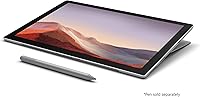
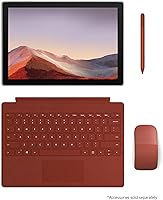
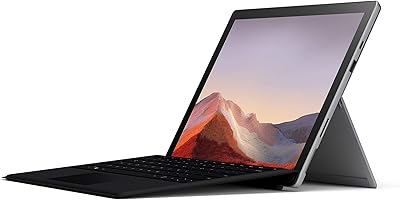
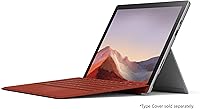
  • Form Factor: 2-in-1 tablet and laptop hybrid with a detachable keyboard (sold separately) for versatile usage in laptop, tablet, and studio modes.
  • Security: Includes a Windows Hello facial recognition camera for secure and fast login.
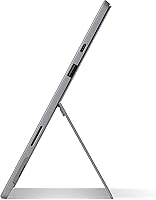
  • Dimensions: Measures 11.5 x 7.9 x 0.33 inches, offering a compact footprint that's easy to carry in most bags.
  • External Storage Support: Supports external storage via USB-A and USB-C ports for expanding storage needs beyond the built-in 128GB SSD.
  • Pen Input: Supports Surface Pen input (sold separately), ideal for sketching, note-taking, and other creative work.

FAQ

This 2-in-1 device is great for users who need a portable, lightweight laptop-tablet hybrid. It’s ideal for students, professionals, and creatives who require flexibility for work, drawing, or entertainment on the go.

The 12.3-inch PixelSense touchscreen offers vibrant, sharp visuals, making it excellent for media consumption and creative work. It also supports pen input for drawing and note-taking, providing a highly interactive experience.

The Intel Core i3 processor and 4GB of RAM are sufficient for light to moderate tasks such as browsing, word processing, and media streaming. However, heavy multitaskers may notice some lag when running multiple demanding applications simultaneously.

The Surface Pro 7 offers up to 10.5 hours of battery life, which is great for day-long work or study sessions. Most users report 8-10 hours under normal usage, which includes web browsing, media consumption, and light productivity tasks.

While the Surface Pro 7 has improved graphics with Intel UHD Graphics, it is not designed for demanding gaming. Casual or older games should run fine, but it struggles with graphically intensive titles.

Yes, this device comes with USB-A and USB-C ports, which provide flexible connectivity for external devices like keyboards, mice, external storage, or display monitors. This makes it easy to expand its functionality.

The Surface Pro 7 boasts a premium build with a solid aluminum body, providing durability while keeping it lightweight at just 1.7 pounds. The design feels sturdy and premium, which adds to its value as a portable device.

The Surface Pro 7 charges quickly, reaching 80% in just one hour, which is particularly useful for users who need a fast recharge during breaks or short stops in their workday.

The 4GB RAM in the Surface Pro 7 can be a limitation if you need to run multiple heavy programs at once, such as video editing software or large datasets. For such tasks, you might experience slower performance or lag.

No, the Surface Pro 7 does not come with a keyboard included. You will need to purchase the Surface Type Cover separately if you need a physical keyboard for typing and productivity tasks.