Overview
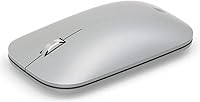
The Microsoft Surface Mobile Mouse is a compact, cable-free option built around one idea: get out of your way while you work on the go. No dongle, no fuss — it pairs directly over Bluetooth, which keeps your USB ports free and your bag lighter. The silver finish looks polished without being flashy, and the sculpted profile sits comfortably in hand during a long flight or a coffee shop sprint. Microsoft's BlueTrack optical sensor is one of those features you stop noticing quickly, in a good way — it tracks reliably on wood, fabric, and even most glass surfaces without hesitation.
Features & Benefits
What makes this Bluetooth mouse genuinely practical for daily use comes down to a few well-executed details. Bluetooth pairing means no receiver eating up a port — a real relief on ultrabooks with one or two USB-C slots to spare. The scroll wheel feels precise and well-damped, better suited for document navigation than budget alternatives. Battery life is where this mouse earns real credibility: running on two included AAA batteries, it can last close to a year under typical office use — though heavier users will see that number drop. At 5.4 oz, it disappears into any laptop bag without adding noticeable bulk.
Best For
This travel mouse is a natural fit for people who spend a lot of time working outside a fixed desk — think consultants, frequent flyers, or remote workers who rotate between cafes, co-working spaces, and hotel rooms. It pairs well with Surface laptops and other Windows machines without any driver drama. Port-conscious users will appreciate keeping every slot open. That said, it is tuned for browsing, writing, and presentation work rather than precision graphics or gaming. Hand size matters too: average to small hands will find the fit comfortable, but larger hands may feel cramped after extended sessions.
User Feedback
Across more than 6,700 ratings, the Surface Mobile Mouse holds a 4.6 out of 5 — a solid score that reflects consistent real-world satisfaction. Buyers regularly mention how clean and reliable the Bluetooth connection feels, and many are surprised by how long the batteries actually last. Build quality and the silver finish also draw frequent compliments. On the flip side, a handful of users with larger hands find the compact body a bit tight for long sessions — worth knowing before buying. A small number also report occasional reconnection hiccups after the mouse sits idle, though this appears more intermittent than systemic. Overall buyer sentiment leans strongly positive.
Pros
- No USB dongle required — Bluetooth pairing keeps all your laptop ports free and available.
- BlueTrack sensor tracks reliably on wood, fabric, and most textured surfaces without skipping.
- Battery life under typical office use is genuinely impressive, often lasting many months per set.
- Weighing just 5.4 oz, this Bluetooth mouse barely adds anything to a packed travel bag.
- Clean, professional silver finish looks at home in boardrooms and coffee shops alike.
- Scroll wheel feels precise and well-damped — noticeably better than budget travel alternatives.
- Setup on Windows 10 and later takes under a minute with no drivers or software needed.
- A 4.6 out of 5 rating across thousands of verified buyers reflects consistent real-world satisfaction.
- Clicks are quiet enough for shared office spaces, libraries, and open-plan work environments.
Cons
- No side buttons or programmable shortcuts — navigation-heavy workflows will feel limited fast.
- Occasional Bluetooth reconnection delays after idle periods can interrupt back-to-back meeting flows.
- Compact body causes palm fatigue for users with larger hands during extended daily sessions.
- No adjustable DPI settings, making precise cursor control for creative or detail work difficult.
- macOS compatibility exists but feels unpolished compared to the native Windows experience.
- Fingerprints accumulate visibly on the silver finish, requiring frequent wiping to keep it looking clean.
- Two AAA batteries add weight and ongoing cost that USB-C rechargeable alternatives avoid entirely.
- No horizontal scroll wheel support, which limits comfort when navigating wide spreadsheets or timelines.
Ratings
The Microsoft Surface Mobile Mouse earned its scores through AI-driven analysis of thousands of verified global purchases, with spam, bot-generated, and incentivized reviews actively filtered out before scoring. Each category below reflects what real buyers consistently praised or flagged across diverse use cases — from daily office commutes to cross-country travel setups. Both the strengths and the friction points are represented honestly, so you can make a confident call before buying.
Bluetooth Connectivity
Battery Life
Portability & Size
Tracking Performance
Ergonomics & Comfort
Build Quality & Materials
Scroll Wheel
Setup & Ease of Use
Value for Money
Compatibility
Click Feel & Button Response
Noise Level
Aesthetic Design
Suitable for:
The Microsoft Surface Mobile Mouse was built with a specific type of user in mind, and it delivers best when that user shows up. If you spend a meaningful chunk of your week working from laptops in airports, hotel lobbies, co-working spaces, or client offices, this travel mouse removes friction in ways you will notice quickly — no dongle to misplace, no port to sacrifice, and a battery you will likely forget about for months at a time. It is an especially natural fit for Surface laptop and Surface Pro owners, where Bluetooth pairing is nearly instant and the overall experience feels cohesive. Office workers who handle a steady diet of email, documents, spreadsheets, and browser-based tools will find it more than capable for that kind of workload. Those with average or smaller hands will appreciate the sculpted body during medium-length sessions, and anyone who values a clean, minimal desk setup will like that there is simply nothing extra to plug in.
Not suitable for:
The Microsoft Surface Mobile Mouse is a focused tool, and that focus comes with clear trade-offs that matter depending on how you work. Users with large hands should approach this one carefully — the compact dimensions that make it so travel-friendly can translate into genuine discomfort after extended daily use, and no amount of grip adjustment fully resolves that. Anyone expecting a feature-rich peripheral — adjustable DPI, programmable side buttons, fast-charging via USB-C — will find the spec sheet disappointingly bare for the price. Graphic designers, photo editors, or anyone who needs fine cursor precision for detailed creative work should look elsewhere; the BlueTrack sensor is solid for general use but was not engineered for high-resolution precision tasks. macOS users will find the experience functional but rough around the edges, with pairing behavior that lacks the polish Windows users get. And if you are a heavy daily user who logs many hours on a mouse, battery life will fall well short of the advertised ceiling, turning a supposed convenience into a recurring chore.
Specifications
- Brand: Manufactured and sold by Microsoft under their hardware peripherals lineup.
- Model Number: The official model identifier is KGY-00001, used for warranty and support purposes.
- Connectivity: Connects via Bluetooth only — no USB dongle or receiver is required or included.
- Sensor Type: Uses Microsoft BlueTrack optical technology, which tracks reliably on most surface types including fabric and glass.
- Dimensions: Measures 5.3 x 3.48 x 1.42 inches (length x width x height) in its standard resting position.
- Weight: Weighs approximately 5.4 oz, keeping it light enough to carry daily without noticeable bag bulk.
- Battery Type: Powered by 2 AAA batteries, which are included in the box at the time of purchase.
- Battery Life: Rated for up to 12 months of use under typical light-to-moderate office usage patterns.
- Compatible OS: Officially supported on Windows 10 and later versions; macOS functionality exists but is not officially optimized.
- Compatible Hardware: Designed for use with laptops and PCs, with particularly smooth pairing on Microsoft Surface devices.
- Scroll Wheel: Features an enhanced scroll wheel tuned for smooth, controlled vertical scrolling without horizontal tilt capability.
- Button Count: Includes left click, right click, and a clickable scroll wheel — three inputs total with no additional programmable buttons.
- Color Options: Available in multiple colors including Silver, reviewed here, as well as additional color variants sold separately.
- Design Style: Features a sculpted ergonomic body suited for right or left-handed use with average to smaller hand sizes.
- Power Source: Battery-powered only — there is no wired mode, rechargeable battery, or USB-C charging option.
- BSR Ranking: Ranked #561 in the Computer Mice category on Amazon at the time of this review.
- User Rating: Holds a 4.6 out of 5 star average based on over 6,700 verified purchase ratings globally.
- Availability: Currently listed as not discontinued by the manufacturer, meaning it remains an active product in Microsoft's lineup.
Related Reviews
Microsoft Surface Earbuds
Microsoft Arc Mouse
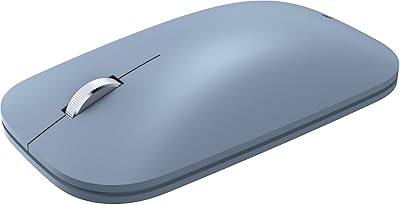
Incase Modern Mobile Wireless Mouse
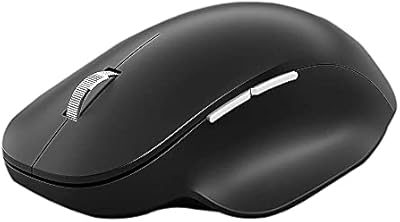
Microsoft Bluetooth Ergonomic Mouse
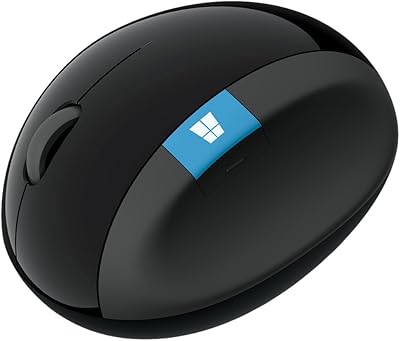
Microsoft Sculpt Ergonomic Mouse
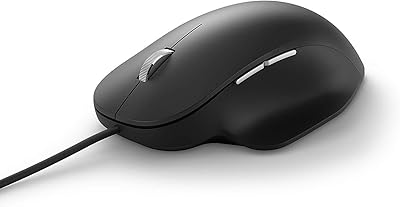
Microsoft Ergonomic Wired Mouse
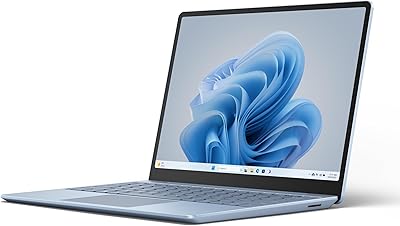
Microsoft Surface Laptop Go 3 Notebook
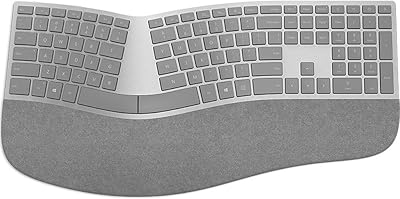
Microsoft Surface Ergonomic Wireless Keyboard
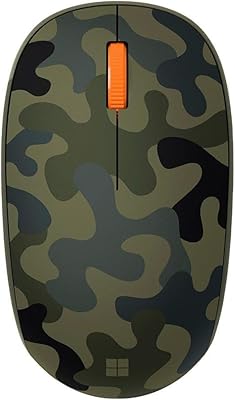
Microsoft Bluetooth Mouse