Overview
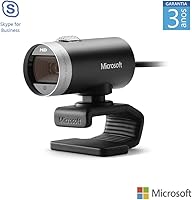
The Microsoft LifeCam Cinema has been around since 2012, and the fact that it still sells steadily says something about its reputation. This isn't a webcam chasing trends — it was built for one job: making you look and sound decent on a video call, and it does that reliably. The high-precision glass lens is a genuine differentiator at this price tier; most competitors at lower price points use plastic lenses that produce noticeably softer images. Plug it in via USB and it works — no driver drama, no software hoops. It's compact enough to sit on a laptop lid without feeling intrusive, and the build quality reflects its mid-range positioning well.
Features & Benefits
This webcam captures video at 1280x720 with TrueColor technology handling brightness and color balance automatically, so you don't end up looking washed out in a dim home office. The glass lens produces noticeably crisper footage than a cheap plastic alternative, and the 73-degree field of view frames a natural, undistorted picture. Auto-focus handles everything from close-up shots to a few feet back without any fussing. The built-in noise-cancelling microphone is uni-directional, meaning it focuses on your voice rather than picking up keyboard hum or a nearby fan. A six-foot USB cable gives you enough reach for most desk configurations without being excessive.
Best For
Microsoft's mid-range webcam makes the most sense for remote workers who spend several hours a day on Teams or Zoom and want a straightforward upgrade from a grainy built-in laptop camera. If you work in a reasonably lit room and just need to look professional without tweaking settings constantly, this webcam handles that without complaint. It's also a natural fit for anyone already deep in the Microsoft ecosystem — setup takes about thirty seconds. That said, if you plan to stream, record content, or frequently work in low light, you may outgrow its 720p ceiling sooner than expected. For focused video calling, though, it covers the basics confidently.
User Feedback
Across more than a thousand ratings, the LifeCam Cinema holds a 4.3 out of 5 — solid for a webcam that has been on the market this long. Buyers consistently highlight image sharpness and natural color reproduction, especially compared to their previous built-in cameras. The microphone earns credit for reducing background noise, though it won't eliminate everything in a genuinely loud environment. On the critical side, a recurring concern is that 720p feels dated when competitors now offer 1080p at comparable prices. A handful of macOS users note that the support documentation hasn't kept pace with newer OS versions. Long-term owners, however, tend to report that the hardware holds up well over time.
Pros
- Glass element lens delivers noticeably sharper images than plastic-lens webcams at lower price points.
- Plug-and-play USB setup works immediately on Windows with no drivers or companion software needed.
- TrueColor technology handles brightness and color balance automatically in well-lit environments.
- Built-in noise-cancelling mic reduces keyboard clicks and fan hum without any configuration.
- Compact, lightweight design sits securely on laptops, desktop monitors, and older CRT screens alike.
- Universal mounting clip works reliably across a wide range of monitor types and thicknesses.
- Long-term owners consistently report that build quality holds up well over several years of daily use.
- Auto-focus handles the range from close-up to distance smoothly, with minimal hunting lag during calls.
- Six-foot USB cable provides enough reach for most standard desk configurations without an extension.
Cons
- 720p resolution feels dated as 1080p becomes the standard expectation at this price tier.
- macOS compatibility documentation is years out of date, creating setup uncertainty for Mac users.
- Low-light performance degrades quickly without supplemental lighting, producing grainy and unflattering footage.
- Fixed, non-detachable cable means a single point of failure requires replacing the entire unit.
- Auto-correction can overcorrect in mixed lighting, producing an artificial warmth that counters manual lighting setups.
- Noise cancellation reduces background sound but will not satisfy anyone working in genuinely loud environments.
- 73-degree field of view is too narrow for multi-person setups or whiteboard-inclusive presentations.
- The clip mechanism can loosen gradually on thinner laptop lids, causing slow camera drift during long sessions.
Ratings
The Microsoft LifeCam Cinema earns its place as one of the more enduring mid-range webcams on the market, and these scores reflect exactly that — a product with genuine strengths and some honest limitations. Our AI has analyzed thousands of verified global buyer reviews, actively filtering out incentivized and bot-generated feedback, to surface what real daily users actually experience. Both the highlights and the frustrations are reflected here without sugarcoating.
Image Sharpness
Video Resolution
Color Accuracy
Microphone Quality
Low-Light Performance
Build Quality & Durability
Ease of Setup
Auto-Focus Performance
Field of View
Mounting Flexibility
Cable Length & Management
Compatibility & Software
Value for Money
Suitable for:
The Microsoft LifeCam Cinema is a practical, no-fuss choice for remote workers who spend the bulk of their day on video calls and simply need to look and sound professional without managing complicated software. If you are currently relying on a built-in laptop camera — the kind that makes you look like a grainy ghost in dimly lit meeting rooms — this webcam delivers a noticeable and immediate improvement in image clarity and color accuracy. It works especially well for people in moderately lit home offices where TrueColor's automatic adjustments can do their job without fighting against extreme lighting conditions. Windows users in particular get a frictionless experience: plug it in, and every major conferencing platform recognizes it instantly. It also suits buyers who value brand accountability — knowing there is a recognizable company behind the hardware matters when you are depending on it for daily professional appearances.
Not suitable for:
If your priority is staying current with video quality standards, the Microsoft LifeCam Cinema will likely leave you wanting more within a year or two. The webcam market has moved decisively toward 1080p as a baseline, and several well-regarded competitors now offer that resolution at a comparable price, which makes the 720p ceiling here a harder pill to swallow for anyone doing their research thoroughly. Content creators, streamers, or anyone recording video for anything beyond internal meetings should look elsewhere — this webcam was never designed for that use case and will not perform like one. Mac users should also approach with caution: the official compatibility documentation stops at a macOS version that is years behind current releases, and while it often works in practice, there are no guarantees and no updated support resources to lean on if something goes wrong. Anyone working in a dim environment without supplemental lighting will also find that the automatic image correction has real limits, producing grainy, unflattering footage that no amount of adjustment fully fixes.
Specifications
- Video Resolution: Records and streams motion video at 1280x720 pixels (720p HD) at up to 30 frames per second.
- Still Image: Captures still photos at up to 5 megapixels (2880x1620 pixels, interpolated from the native sensor).
- Sensor: Uses a CMOS image sensor with TrueColor technology for automatic brightness and color balance adjustment.
- Lens: High-precision glass element lens, which produces sharper and more accurate images than standard plastic webcam lenses.
- Field of View: 73-degree diagonal field of view, providing a natural, undistorted frame suitable for single-person desk setups.
- Auto-Focus: Continuous auto-focus operates across a range from 6 inches to infinity, with a digital zoom up to 4x.
- Microphone: Integrated uni-directional noise-cancelling digital microphone designed to reduce ambient background sounds during calls.
- Connectivity: Connects via USB 2.0 High Speed; no drivers or additional software are required on supported operating systems.
- Cable Length: Fixed, non-detachable USB cable measuring 72 inches (approximately 6 feet or 1829 millimeters) in length.
- Dimensions: Physical body measures 2.2 x 1.81 x 1.58 inches, making it compact enough for standard laptop lid or monitor mounting.
- Weight: Weighs 3.36 ounces, light enough that it does not add meaningful strain to laptop displays or monitor tops.
- Mounting Base: Universal clip-and-base attachment is compatible with desktop monitors, laptop lids, LCD flat panels, and CRT screens.
- Rotation: The mounting base supports 360-degree horizontal rotation, allowing flexible repositioning without removing the clip.
- OS Compatibility: Officially supports Microsoft Windows 7, 8, 8.1, 10, and 11, as well as macOS versions 10.7 through 10.10.
- Color: Available in black with a matte plastic finish across the housing and mounting base.
- Model Number: Manufacturer model number is H5D-00013, sold under the Microsoft LifeCam product line.
- Platform Support: Compatible with major video conferencing platforms including Microsoft Teams, Zoom, Google Meet, and Skype.
- Image Adjustments: Supports digital pan, tilt, and 4x zoom, plus automatic image adjustment with a manual override option.
Related Reviews
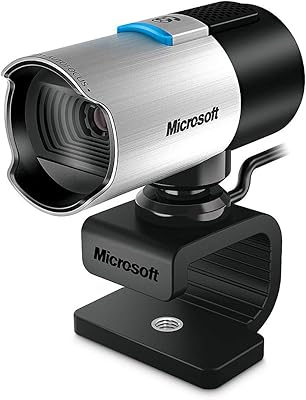
Microsoft LifeCam Studio
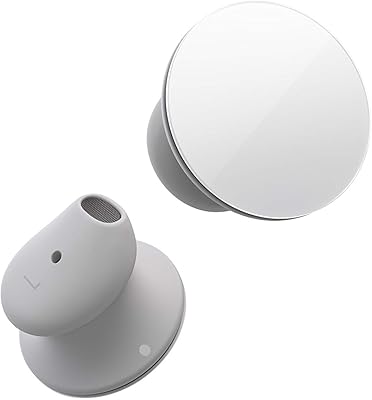
Microsoft Surface Earbuds
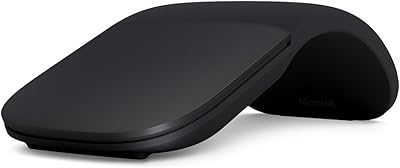
Microsoft Arc Mouse
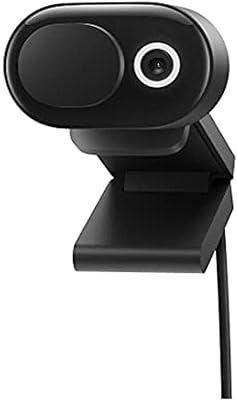
Microsoft Modern Webcam
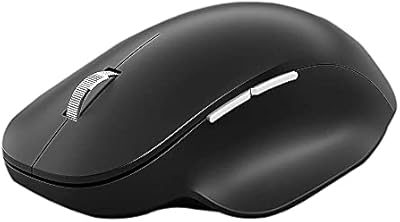
Microsoft Bluetooth Ergonomic Mouse
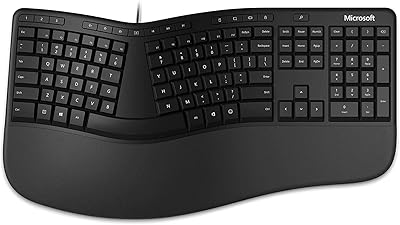
Microsoft Ergonomic Keyboard for Business Wired

Microsoft Sculpt Ergonomic Mouse
Microsoft Natural Keyboard Elite Ergonomic Keyboard
Microsoft Designer Compact Bluetooth Keyboard