Overview

The Microsoft Natural Keyboard Elite Ergonomic Keyboard is one of those office peripherals that has quietly earned its place on desks for nearly two decades — and that kind of staying power says something. Built around a split-key ergonomic layout, it was designed for people who spend serious time typing: office workers, writers, administrative staff, anyone who has felt that dull ache creeping into their wrists by mid-afternoon. The white finish gives it a clean, understated look that suits a traditional workstation without demanding attention. Just be clear on what this is: a comfort-focused workhorse, not a mechanical enthusiast's board or a gaming peripheral. It does one job and does it consistently.
Features & Benefits

The core appeal of this ergonomic keyboard comes down to how it positions your hands while you type. The split layout angles the keys outward so your wrists sit in a more natural position, reducing the strain that accumulates over a long workday. Dedicated multimedia keys sit at the top of the board, giving you playback controls without interrupting your flow — no hunting through taskbars. The enhanced F-keys can be configured for frequently used commands, which saves real time if you live inside the same applications all day. Connectivity covers both USB and PS/2, so it works with modern machines and older setups alike. At just over two pounds, it sits solidly on the desk without feeling bulky.

Best For

The Natural Keyboard Elite makes the most sense for dedicated office typists — people whose jobs keep them at a keyboard for five, six, seven hours a day. If you have been putting off switching to an ergonomic layout because you worry about disrupting your rhythm, this Microsoft keyboard is a reasonable starting point: the split is noticeable but not extreme, and most users adapt within a couple of weeks. It is also one of the few keyboards still offering PS/2 connectivity, which matters if you are running older hardware or a specialized workstation. If you want something flashy with backlighting and macros, look elsewhere. But if you want reliable daily comfort from a brand with a long track record, this fits the brief.

User Feedback

With a 3.9-star average across more than 600 ratings, reception for this ergonomic keyboard lands in honest, mixed-positive territory. Long-term users frequently mention that it outlasted several cheaper alternatives — some report using the same unit for five or more years without issues. Build quality and connection reliability come up repeatedly as genuine strengths. On the other side, the most common frustration is the adjustment period: people switching from a flat keyboard often report slower speeds for the first week or two, which can feel disruptive during a busy stretch. A handful of buyers also flag that the white casing attracts grime over time and can be tricky to keep looking clean. Solid overall, but go in with realistic expectations.

Pros

  • The split ergonomic layout noticeably reduces wrist strain during long typing sessions.
  • Dual USB and PS/2 connectivity makes it compatible with both modern and legacy desktop systems.
  • Dedicated multimedia controls let you manage audio and video without breaking your workflow.
  • Build quality is consistently praised by long-term users, with many reporting years of reliable use.
  • Enhanced F-key shortcuts add genuine productivity value for users who work inside the same apps daily.
  • The full-size QWERTY layout means there is no relearning key positions — only the angle changes.
  • At just over two pounds, this ergonomic keyboard is sturdy without feeling cumbersome on the desk.
  • Microsoft's long track record with this design offers reassurance that the ergonomics are well thought out.
  • Over 600 user ratings provide a solid, trustworthy picture of real-world performance over time.

Cons

  • The split-key layout comes with a genuine adjustment period that can slow typing speed for one to two weeks.
  • The white casing attracts grime easily and can be difficult to keep looking clean over time.
  • No wireless option means you are always dealing with a cable, which can clutter a tidy desk setup.
  • Membrane key feel will disappoint anyone who prefers the tactile feedback of mechanical switches.
  • No backlighting makes it impractical for low-light or dim office environments.
  • The 18-inch width is a real space concern for smaller desks or multi-monitor setups with limited room.
  • The ergonomic angle is fixed, offering no tenting or wrist-pivot adjustments for users with specific needs.
  • Software customization options are limited compared to more modern productivity keyboards on the market.
  • The white finish can yellow noticeably over several years, making the keyboard look worn before it actually is.

Ratings

The scores below are generated by our AI engine after analyzing verified global user reviews for the Microsoft Natural Keyboard Elite Ergonomic Keyboard, with spam, incentivized posts, and bot activity actively filtered out before any scoring is applied. Each category reflects the honest distribution of real buyer sentiment — strengths where they genuinely exist, and frustrations where they consistently surface. Nothing is smoothed over to make the product look better than it actually performs in daily use.

Ergonomic Comfort
83%
Users who stick with the split layout consistently report meaningful relief from wrist and forearm fatigue, especially those who type for five or more hours a day. Office workers dealing with early repetitive strain symptoms frequently credit this keyboard with helping them get through long workdays more comfortably.
The ergonomic angle is fixed, which means users with more acute wrist positioning needs — particularly those managing diagnosed RSI — sometimes find it falls short of what a more advanced tented design would offer. It helps, but it is not a one-size-fits-all ergonomic solution.
Typing Experience
71%
29%
The membrane key feel is quiet and consistent enough for a shared office environment, and the standard key travel gives it a familiar, non-intimidating character for everyday document work. Most users coming from a basic flat keyboard find the transition to the key feel itself quite smooth.
Anyone who has used a mechanical keyboard will find the feedback here noticeably mushy and unsatisfying. The lack of tactile click or audible confirmation means fast typists sometimes feel disconnected from their keystrokes, which becomes apparent during longer writing sessions.
Adjustment Period
58%
42%
For users who commit to the learning curve, the split layout eventually becomes second nature, and many report that going back to a flat keyboard afterward feels awkward — a sign that the ergonomic positioning has genuinely retraining their muscle memory for the better.
The first one to two weeks on this ergonomic keyboard are consistently flagged as disruptive in user feedback. Typing speeds drop, errors increase, and anyone under deadline pressure during the transition period tends to find it genuinely stressful rather than gradual and manageable.
Build Quality
79%
21%
Long-term ownership stories are common in the review base — users regularly report four, five, or even seven years of daily use without mechanical failure. The keyboard feels solid underhand, with minimal flex in the chassis even under heavy-handed typists.
The white ABS plastic, while sturdy, is prone to surface scratching over time and does not age as gracefully as darker materials. Some users also note that individual keycaps can develop a slightly greasy worn sheen after extended use, which affects both feel and appearance.
Multimedia Controls
74%
26%
The dedicated playback and volume keys at the top of the board are genuinely useful for anyone who listens to music or watches video during work hours. Not having to alt-tab out of a document just to pause a track is a small convenience that adds up meaningfully across a full workday.
The multimedia controls are Windows-centric and do not map reliably on non-Windows systems. A few users also note that the buttons feel slightly cheaper in terms of tactile feedback compared to the main key area, giving the impression they were added as an afterthought rather than engineered with the same care.
Connectivity & Compatibility
86%
The dual USB and PS/2 connectivity is a practical advantage that almost no competing keyboard still offers. For IT professionals managing legacy hardware or users running older workstations, having both options available out of the box removes a compatibility headache entirely.
There is no wireless option whatsoever, which is an increasingly common expectation in modern office setups. The cable, while functional, adds desk clutter and limits placement flexibility — a real drawback for anyone trying to maintain a clean, minimal workstation.
F-Key Shortcuts
68%
32%
The enhanced F-key layer adds a layer of productivity for users who rely heavily on application shortcuts, particularly those working in spreadsheet-heavy roles or document management systems where custom key bindings save real time across the day.
Configuring the enhanced F-key shortcuts requires Microsoft's own software, and users on non-Microsoft ecosystems or those who have upgraded to newer Windows versions sometimes run into compatibility friction. The customization ceiling is also fairly low compared to what modern productivity keyboards offer.
Desk Footprint
66%
34%
At 18 inches wide, the Natural Keyboard Elite fits comfortably on a standard full-size desk without feeling oversized, and the 2.1-pound weight means it stays planted without needing adhesive pads or a heavy base.
For users with smaller desks, dual-monitor setups, or those who keep a lot of peripherals on their workspace, 18 inches is a real space commitment. The absence of a compact or tenkeyless variant means there is no way to get the ergonomic benefits in a smaller form factor.
Design & Aesthetics
54%
46%
The clean white finish looks professional and neutral enough to blend into most office environments without drawing attention, which is exactly what a utility-focused keyboard should do. It reads as unfussy and purposeful rather than dated.
The white casing yellows visibly over time, especially in sunlit offices, and dirt shows up against it almost immediately. After a couple of years of real-world use, the keyboard can look noticeably tired even if it is functioning perfectly, which is a real frustration given its durability.
Ease of Setup
91%
Plug-in and it works — there is genuinely no setup friction with this keyboard on a Windows PC. USB plug-and-play recognition is instant, and the vast majority of users report having it fully operational within thirty seconds of unboxing.
While basic functionality is plug-and-play, unlocking the full F-key customization layer requires downloading Microsoft's software, which is an extra step that some users find unnecessarily fiddly, particularly when the software's interface has not kept pace with modern OS design standards.
Value for Money
61%
39%
Given the keyboard's proven longevity — with many users reporting four-plus years of daily use — the cost-per-year of ownership works out reasonably well for buyers who keep peripherals for the long haul. The Microsoft brand name also carries a level of after-sales trust that generic alternatives cannot match.
At its current price point, the Natural Keyboard Elite sits in a bracket where competing ergonomic keyboards offer wireless connectivity, mechanical switches, and more advanced wrist support. Buyers who compare specs objectively will find it difficult to justify the cost against newer alternatives with more features.
Cleaning & Maintenance
57%
43%
The keyboard's relatively standard membrane construction makes it easy enough to wipe down and blow out with compressed air. Keys do not trap debris as aggressively as some mechanical boards, which simplifies routine cleaning.
The white surface is a maintenance burden — it shows every speck of dust and every fingerprint oil mark, requiring more frequent cleaning than a darker keyboard. The split layout also creates an unusual central gap that accumulates crumbs and debris in a spot that is harder to reach than a standard flat board.
Longevity
82%
18%
The review base is filled with accounts of this Microsoft keyboard lasting well beyond the expected lifespan of a typical office peripheral. Multiple reviewers specifically mention replacing it only after five or more years, and only due to circumstantial reasons rather than mechanical failure.
While the mechanics hold up well, the cosmetic aging — yellowing plastic, worn keycap legends, and surface scratches — can make the keyboard look considerably older than it functions. For aesthetics-conscious users, the visual wear may prompt a replacement before the keyboard actually needs one.

Suitable for:

The Microsoft Natural Keyboard Elite Ergonomic Keyboard is a strong match for anyone who spends the majority of their workday at a desk and has started noticing discomfort in their wrists, forearms, or shoulders. Office professionals — accountants, writers, administrators, customer service staff — who clock five or more hours of typing daily will likely feel a real difference after the initial adjustment period. It also works well for first-time ergonomic keyboard buyers who want a gentle introduction to the split-key format without committing to something radically unconventional. If your setup includes an older desktop with a PS/2 port, the dual connectivity is a practical bonus that very few modern keyboards still offer. Home office workers who prioritize function and long-term comfort over aesthetics or flashy features will find this a reliable, no-drama daily driver.

Not suitable for:

The Microsoft Natural Keyboard Elite Ergonomic Keyboard is not the right pick for buyers expecting a modern typing experience with tactile mechanical switches, per-key backlighting, or wireless connectivity. Gamers will find it especially unsuitable — the layout, key response, and feature set are built entirely around productivity, not fast-paced gameplay. Anyone who touch-types at high speed and cannot afford a slowdown during an adjustment period at work may also struggle, since switching to the split layout genuinely disrupts muscle memory for the first week or two. Design-conscious buyers will likely be put off by the plain white casing, which can yellow with age and shows dirt more readily than darker alternatives. If you are looking for a compact board that conserves desk space, the 18-inch width rules it out immediately.

Specifications

  • Brand: Manufactured by Microsoft, a long-established name in PC peripherals and productivity hardware.
  • Model: Microsoft Natural Keyboard Elite, model number A11-00337.
  • Layout: Full-size QWERTY split ergonomic layout designed to reduce wrist pronation during extended typing.
  • Dimensions: The keyboard measures 18 x 8 x 2.2 inches, giving it a standard full-size desktop footprint.
  • Weight: The unit weighs 2.1 pounds, light enough to reposition easily but stable enough to stay put during use.
  • Connectivity: Connects to a PC via either USB or PS/2, providing compatibility with both modern and legacy desktop systems.
  • Included Cable: A USB cable is included in the box for out-of-the-box connectivity without additional purchases.
  • Key Type: Membrane-style keys with standard travel distance, tuned for quiet, comfortable office typing rather than tactile feedback.
  • Special Features: Equipped with dedicated multimedia playback controls and enhanced F-key shortcuts for customizable productivity commands.
  • Color: Available in a white finish intended to complement traditional desktop workstation aesthetics.
  • Recommended Use: Designed primarily for office and productivity use, including extended document work, data entry, and general desktop computing.
  • OS Compatibility: Compatible with Windows-based PC systems; PS/2 and USB connectivity support a broad range of desktop configurations.
  • Language: The keyboard ships in an English QWERTY layout configuration.
  • User Rating: Holds a 3.9-out-of-5-star average rating based on 609 customer ratings on Amazon.
  • Market Rank: Ranked #1,552 in the Computer Keyboards category on Amazon at the time of evaluation.
  • First Available: This model has been available for purchase since December 2005, reflecting a long and established market presence.
  • Discontinued: The manufacturer has confirmed this product is not discontinued and remains in active production.
  • Style: Sold in retail packaging as a standalone unit, not part of a bundle or OEM configuration.

Related Reviews
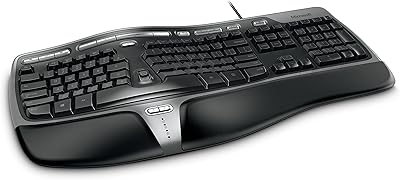
Microsoft Natural Ergonomic Keyboard 4000
76%
88%
Ergonomic Design
83%
Wrist Comfort
58%
Typing Feel
67%
Value for Money
91%
Long-term Durability
More
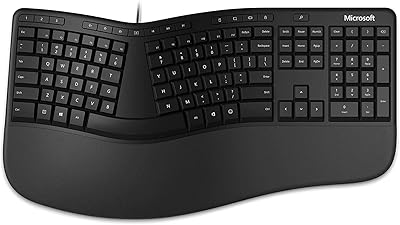
Microsoft Ergonomic Keyboard for Business Wired
77%
88%
Ergonomic Comfort
83%
Build Quality
79%
Typing Feel
86%
Wrist & Posture Support
67%
Shortcut Keys
More
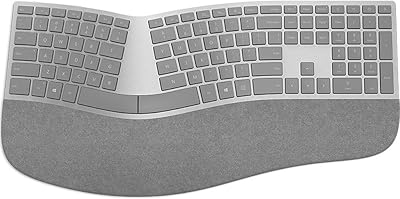
Microsoft Surface Ergonomic Wireless Keyboard
72%
88%
Ergonomic Design
84%
Build Quality
91%
Palm Rest Comfort
73%
Typing Experience
76%
Bluetooth Connectivity
More
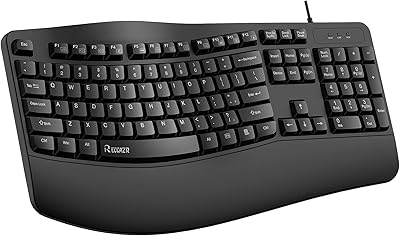
RECCAZR Ergonomic Wired Keyboard
74%
78%
Ergonomic Comfort
74%
Wrist Rest Quality
66%
Typing Feel
61%
Build Quality
81%
Spill Resistance
More
Arteck HW315
Arteck HW315
74%
83%
Ergonomic Comfort
74%
Wrist Rest Quality
61%
Typing Feel & Key Travel
92%
Battery Life
81%
Wireless Connectivity
More
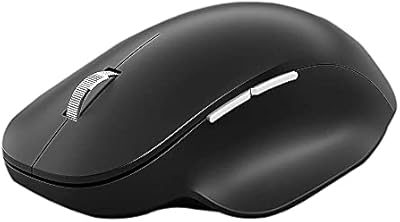
Microsoft Bluetooth Ergonomic Mouse
81%
88%
Ergonomic Comfort
83%
Build Quality
91%
Scroll Wheel
89%
Battery Life
72%
Bluetooth Connectivity
More
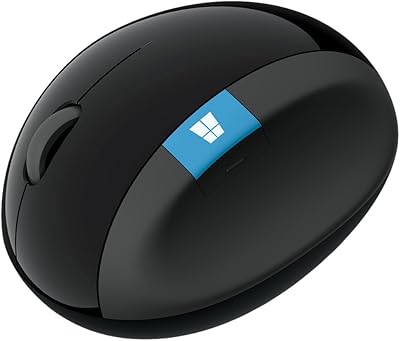
Microsoft Sculpt Ergonomic Mouse
73%
88%
Ergonomic Design
83%
Wrist Comfort
51%
Scroll Wheel
84%
Wireless Reliability
79%
Battery Life
More
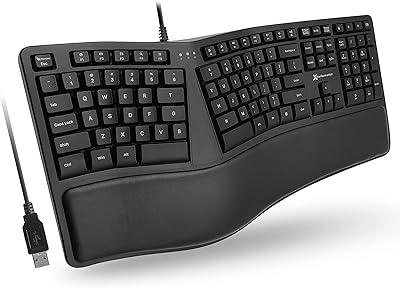
X9 Performance X9ERGOKEY Ergonomic Split Keyboard
77%
83%
Ergonomic Comfort
67%
Wrist Rest Quality
61%
Key Feel & Typing Experience
58%
Build Quality & Durability
88%
Layout & Key Coverage
More
QUASIO Wave Keys Ergonomic Wireless Keyboard with Wrist Rest
75%
83%
Ergonomic Comfort
71%
Wrist Rest Quality
67%
Typing Feel & Key Travel
86%
Wireless Reliability
81%
Mac & Windows Compatibility
More
Microsoft Designer Compact Bluetooth Keyboard
78%
78%
Build Quality
72%
Typing Experience
69%
Bluetooth Connectivity
93%
Battery Life
81%
Multi-Device Pairing
More

FAQ

Most people find the adjustment takes one to two weeks of regular use. Your typing speed may dip noticeably at first, especially if you have been using a flat keyboard for years. It is worth pushing through — the majority of users report that the adjustment becomes natural fairly quickly, and the reduction in wrist discomfort tends to make it worthwhile.

Yes, the Natural Keyboard Elite connects via standard USB and is recognized as a plug-and-play device on modern Windows systems including Windows 10 and Windows 11. No special drivers are required for basic functionality, though some enhanced F-key features may work better with Microsoft's keyboard software installed.

Technically the keyboard will connect and type on a Mac, but it is not designed or optimized for macOS. Key labeling, modifier key positions, and F-key shortcuts are all built around Windows conventions, so Mac users are likely to find the experience frustrating without significant remapping.

No, this keyboard is wired only. It connects via USB or PS/2, and there is no Bluetooth or RF wireless option available for this model. If a cable-free setup is important to you, you will need to look at a different product entirely.

USB is the standard connection for most modern desktops and laptops. PS/2 is an older round-pin port found on some legacy desktops and specialized workstations. If your PC has both, either will work fine — USB is generally the more convenient choice. The PS/2 option is mainly useful if your system does not have available USB ports or requires PS/2 for BIOS-level input.

The ergonomic angle on this Microsoft keyboard is fixed by design. Unlike some higher-end ergonomic boards that allow tenting or split-angle adjustment, this model offers a preset key curvature. It works well for most users, but people with very specific wrist positioning needs may find it limiting.

The white casing shows dirt readily, so regular maintenance is a good idea. Power down or unplug the keyboard first, then use a slightly damp microfiber cloth for the outer surfaces. Compressed air works well for clearing debris between keys. Avoid liquid cleaners that could seep under the keys or bleach-based products that may discolor the plastic over time.

This is one of the more commonly mentioned drawbacks in user feedback. White ABS plastic does tend to yellow over time, especially with prolonged exposure to sunlight or UV light. Keeping the keyboard away from direct sunlight and cleaning it regularly can slow the process, but some degree of discoloration is likely over several years of heavy use.

The split ergonomic layout is specifically designed to reduce the wrist pronation that contributes to repetitive strain injuries, so it can be helpful for people managing early-stage discomfort. That said, no keyboard is a medical solution on its own. If you are dealing with significant carpal tunnel symptoms, it is worth consulting a health professional alongside making any ergonomic changes to your workstation.

Replacement keycaps specifically designed for this ergonomic keyboard are not widely available through standard retail channels, as the split layout uses non-standard key shapes and spacing. In practice, most users simply replace the whole keyboard when a key fails, which is one argument for its generally durable build — you want it to outlast that concern entirely.

Where to Buy