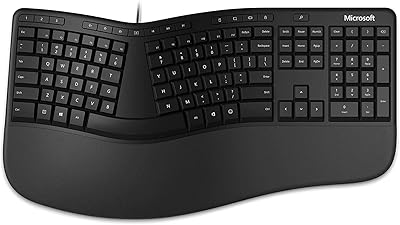
Microsoft Designer Compact Bluetooth Keyboard

Overview
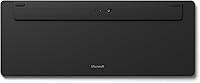
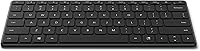
The Microsoft Designer Compact Bluetooth Keyboard is Microsoft's answer to the growing demand for clean, minimal desk setups that don't sacrifice everyday functionality. At under 0.4 inches thin, this compact wireless keyboard sits almost flush with your desk surface — easy to pack up, easy to carry. It supports multi-device pairing for up to three Bluetooth connections, so switching between your desktop and a tablet is just one button press. Batteries come included, and Microsoft claims a lifespan of up to 36 months, which means replacements are rarely a concern. It's a practical, well-priced daily driver for anyone tired of cable clutter.
Features & Benefits
What stands out about this Designer keyboard in day-to-day use is how each feature ties back to keeping things simple. Device switching works through dedicated Bluetooth keys, so if you use a work laptop alongside a personal desktop, you can move between them without re-pairing. The expressive input key is a surprisingly handy shortcut — tap it and a panel of emojis and symbols appears instantly, no alt-code hunting required. The compact footprint naturally positions your mouse closer to center, which reduces shoulder strain over long sessions. Running on standard replaceable batteries rather than a built-in cell also means no charging cable to manage.
Best For
This compact wireless keyboard is a strong fit for home office users who want a tidier workspace without a significant investment. The three-device pairing is particularly useful if your desk holds a monitor connected to both a work and personal machine — no need for two keyboards. Frequent travelers will appreciate the slim profile; at under 0.4 inches thick, it disappears into most laptop bags. Worth noting for cross-platform shoppers: official compatibility covers Windows 10 and 8.1. Mac users can get it running, but those who rely heavily on macOS function keys should test it before fully committing to this as their primary keyboard.
User Feedback
Buyers respond well to Microsoft's slim Bluetooth keyboard overall — the matte finish and quiet typing experience come up often in positive reviews. Battery longevity is a recurring highlight, with multiple users reporting months of continuous use before needing to swap the included cells. On the downside, a segment of buyers have experienced occasional Bluetooth dropouts after the keyboard sits idle, requiring a manual reconnect to resume. Mac users frequently flag limited function key support as a friction point. The typing feel earns solid marks for a membrane-style board, though anyone coming from a mechanical keyboard should adjust expectations going in — it is comfortable, not punchy.
Pros
- Connects to up to three Bluetooth devices, making multi-machine setups much easier to manage.
- Battery life is rated at up to 36 months, and real users back that claim with months of trouble-free use.
- The slim 0.38-inch profile makes this compact wireless keyboard genuinely easy to travel with.
- A quiet typing feel is well-suited for shared offices or open-plan workspaces.
- The expressive input key gives fast access to emojis and symbols without memorizing alt codes.
- Compact footprint naturally brings the mouse closer to center, which can reduce shoulder fatigue.
- Batteries are included out of the box, so setup is immediate with no charging wait.
- Clean matte design pairs well with modern monitors and minimal desk aesthetics.
- Wireless range of up to 33 feet gives flexibility beyond the immediate desk area.
Cons
- Occasional Bluetooth disconnections after idle periods require manual reconnection, which can interrupt workflow.
- Mac users face limited function key support and may need workarounds for common macOS shortcuts.
- The membrane key feel will disappoint anyone coming from a mechanical or high-end scissor-switch keyboard.
- No numpad means it is not practical for users who do heavy numerical data entry.
- The compact layout removes some keys that touch typists rely on, requiring an adjustment period.
- No rechargeable battery means ongoing cost of replacements, even if infrequent.
- Single-color backlight offers minimal customization compared to competitors at similar price points.
- Official compatibility is listed only for Windows 10 and 8.1, leaving some uncertainty for Windows 11 and Linux users.
Ratings
The scores below for the Microsoft Designer Compact Bluetooth Keyboard were generated by our AI system after analyzing verified buyer reviews from around the world, with spam, bot activity, and incentivized feedback actively filtered out. Each category reflects the honest balance of what real users praised and what genuinely frustrated them — nothing is glossed over. Whether this compact wireless keyboard fits your workflow or falls short depends on factors this breakdown makes clear.
Build Quality
Typing Experience
Bluetooth Connectivity
Battery Life
Multi-Device Pairing
Portability
Mac Compatibility
Design & Aesthetics
Value for Money
Key Spacing & Layout
Noise Level
Setup & Ease of Use
Backlight
Suitable for:
The Microsoft Designer Compact Bluetooth Keyboard is a smart pick for home office workers who want a cleaner, less cluttered desk without giving up day-to-day productivity. If you regularly juggle two or three devices — say, a work laptop, a personal desktop, and a tablet — the three-device pairing means one keyboard handles all of them with a quick button press. Travelers and commuters will appreciate the ultra-thin profile, since it slips into a bag without adding meaningful bulk. Windows users in particular will get the most out of it, as the key layout and function row are optimized for Windows 10 and 8.1 environments. Anyone who prioritizes long battery life and hates managing charging cables will find the replaceable-battery setup genuinely refreshing compared to rechargeable alternatives.
Not suitable for:
Buyers who spend long hours writing or coding and demand a satisfying keystroke response should know upfront that this is a low-profile membrane board — it is quiet and serviceable, but it will not satisfy anyone accustomed to mechanical switches. Mac users should also approach with some caution, as macOS function key support is limited and certain shortcuts may not map cleanly without workarounds. Those who need a numpad for spreadsheet-heavy work will need to look elsewhere, since the compact layout omits it entirely. Gamers or power users who rely on advanced macro support, per-key RGB lighting, or ultra-fast polling rates will find this Designer keyboard simply was not built for those demands. If Bluetooth stability is critical in your environment and you cannot tolerate occasional reconnection prompts after idle periods, a wired or USB-dongle alternative would be a safer choice.
Specifications
- Brand: Manufactured and sold by Microsoft under its Designer peripheral line.
- Connectivity: Connects via Bluetooth wireless technology with no USB dongle required.
- Multi-Device: Supports pairing with up to 3 devices simultaneously, switchable via dedicated keys.
- Dimensions: Measures 11.18″ long by 4.36″ wide by 0.38″ thin for an ultra-slim footprint.
- Weight: Weighs 15.2 ounces including the batteries installed in the keyboard.
- Battery Type: Powered by 4 Lithium Metal batteries, which are included in the box.
- Battery Life: Microsoft rates battery life at up to 36 months under typical usage conditions.
- Wireless Range: Maintains a reliable Bluetooth connection at distances of up to 33 feet from the paired device.
- Key Type: Features low-profile membrane keys with optimized spacing for quiet, comfortable typing.
- Backlight: Includes single-color keyboard backlighting for improved visibility in low-light conditions.
- Special Key: Includes a dedicated expressive input key for fast access to emojis and symbols.
- Compatibility: Officially compatible with Microsoft Windows 10 and Windows 8.1 operating systems.
- Layout: Compact standalone layout without a numpad, designed to minimize desk space usage.
- Color: Available in Matte Black finish, with a Glacier color variant also offered separately.
- Power Source: Battery-powered with no built-in rechargeable cell, eliminating the need for a charging cable.
Related Reviews
iClever BK20 Bluetooth Keyboard
Microsoft Bluetooth Ergonomic Mouse
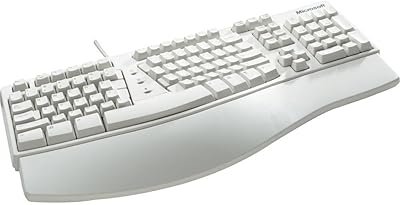
Microsoft Natural Keyboard Elite Ergonomic Keyboard
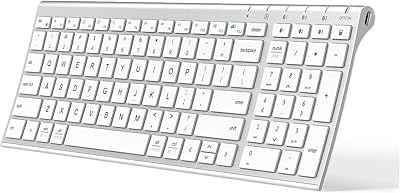
iClever BK10 Bluetooth Keyboard
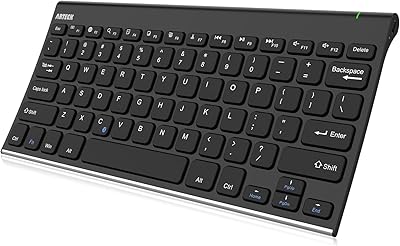
Arteck HB086 Bluetooth Keyboard
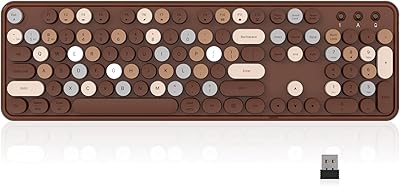
Links9+ Retro Typewriter Wireless Keyboard
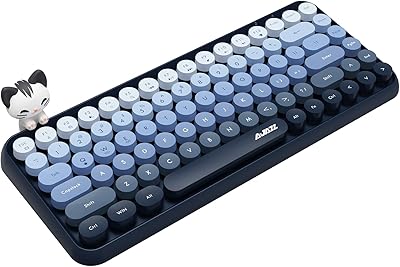
FELICON 308i Wireless Bluetooth Keyboard
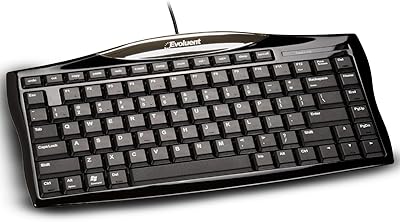
Evoluent EKB Compact Wired Keyboard
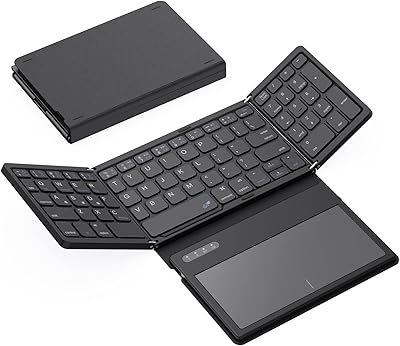
GEODMAER Foldable Bluetooth Keyboard