


Overview

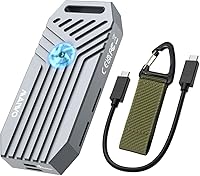
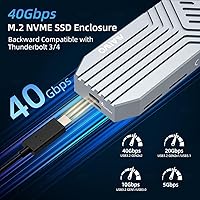
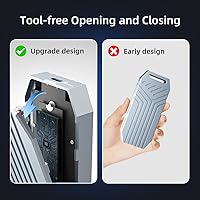
The MAIWO USB4 40Gbps M.2 NVMe SSD Enclosure sits in a sweet spot of the external storage market — priced accessibly enough for enthusiasts but built with hardware that serious users will actually respect. Powered by the ASM2464PD controller chip, this USB4 enclosure delivers genuine 40Gbps bandwidth rather than the throttled real-world speeds you often get from USB 3.2 Gen 2 alternatives. The aluminum alloy shell immediately sets it apart from the flimsy plastic enclosures cluttering this category; it feels solid in hand without being heavy. Installation requires no tools at all, which makes it approachable for first-timers while still offering the performance headroom that power users demand.

Features & Benefits

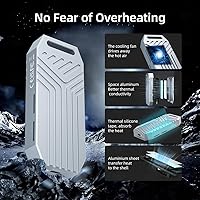
The ASM2464PD chip is the real story here. Unlike cheaper controllers that advertise 40Gbps but struggle to hold those speeds under load, this chip sustains throughput during long sequential transfers — exactly what matters when you are moving a 50GB video project or cloning a drive. The built-in active cooling fan addresses one of the most frustrating limitations of passive enclosures: thermal throttling mid-transfer. It does produce a faint hum, so if you work in complete silence, that is worth knowing upfront. Backward compatibility is broad — plug it into a USB 3.0 port and it still works, just at lower speeds. No SATA support whatsoever, so double-check your drive before buying.

Best For

This USB4 enclosure makes the most sense for people who already have a USB4 or Thunderbolt 4 host — think recent MacBook Pros, high-end Windows laptops, or desktop add-in cards. Video editors and photographers will get the most obvious benefit, since large file transfers that used to take minutes drop considerably. It is also a practical choice for anyone who has just swapped out a laptop SSD and wants to put the old drive to use rather than let it collect dust. Developers running large build environments or virtual machines from an external drive will appreciate the consistent bandwidth. If your machine only has USB 3.2, the MAIWO enclosure still works — you just will not see 40Gbps.

User Feedback

Buyers consistently highlight how quickly the NVMe enclosure reaches full speed after plugging in — no driver installs, no fuss. Build quality earns genuine praise; the aluminum shell feels more substantial than the price might suggest. The fan comes up often in reviews. Most users find the noise negligible during normal use, though a few note it is more audible in quiet rooms during extended transfers. Some buyers mention the included cable is short, and users on older USB-C hosts were surprised to see speeds capped well below 40Gbps — a host limitation, not an enclosure flaw. Long-term reliability feedback is largely positive, with no widespread firmware issues reported so far.

Pros

  • The ASM2464PD controller delivers consistent 40Gbps throughput that holds up during long, sustained transfers — not just peak bursts.
  • Tool-free installation is genuinely straightforward; most users report having a drive seated and running within a few minutes.
  • The aluminum alloy shell feels solid and well-finished, punching above its price bracket in perceived quality.
  • An active cooling fan combined with passive heatsink grooves gives this NVMe enclosure a meaningful thermal advantage over fanless competitors.
  • Broad backward compatibility means it works across Thunderbolt 3, Thunderbolt 4, USB4, and even older USB 3.0 hosts.
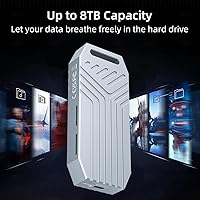
  • Supports NVMe drives up to 8TB, leaving plenty of headroom as high-capacity M.2 options become more affordable.
  • No driver installation required on Windows, macOS, or Linux — plug in and it is recognized instantly.
  • At its price point, few USB4 enclosures offer active cooling alongside a reputable controller chip.
  • The SSD retention mechanism keeps the drive firmly in place, eliminating the wobble common in cheaper designs.

Cons

  • The included cable is short, which can be awkward depending on your desk layout and port placement.
  • Full 40Gbps speed is only achievable on USB4 or Thunderbolt-capable hosts — slower ports significantly limit real-world performance.
  • The built-in fan produces an audible hum that may bother users in very quiet environments during extended transfers.
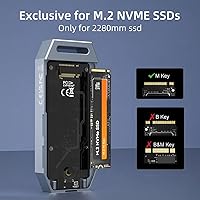
  • Only 2280 M-key NVMe drives are supported — shorter form factors like 2242 or 2260 are not compatible.
  • SATA M.2 drives are completely unsupported, a detail that catches some buyers off guard at checkout.
  • No USB-A adapter or alternate cable is included in the box, so older desktop users may need an extra accessory.
  • The enclosure is on the larger and heavier side compared to some slim passive alternatives, making it less pocketable.
  • A single USB-C port means there is no pass-through charging or daisy-chaining option for cable-conscious setups.

Ratings

The scores below reflect an AI-driven analysis of verified global buyer reviews for the MAIWO USB4 40Gbps M.2 NVMe SSD Enclosure, with spam, bot-generated, and incentivized feedback actively filtered out to preserve accuracy. This NVMe enclosure earns strong marks in several key areas while showing real, documented weaknesses that prospective buyers deserve to know about. Both the highlights and the pain points are reflected transparently — no category has been inflated or softened.

Transfer Speed Performance
91%
Users with Thunderbolt 4 and USB4 hosts consistently report sequential read speeds that rival what they see from internal drives, with large video file transfers completing noticeably faster than on their previous USB 3.2 enclosures. The ASM2464PD controller earns specific praise for holding speeds steady throughout a transfer rather than spiking early and dropping off.
Buyers who plug this into a standard USB-C or USB 3.2 port are sometimes disappointed to find speeds capped well below 40Gbps — a host limitation, not an enclosure flaw, but one that catches people off guard when they did not check their port spec before purchasing.
Thermal Management
88%
The combination of an active cooling fan and aluminum heatsink grooves keeps drive temperatures stable during hour-long backup sessions and large file transfers, which is where fanless enclosures tend to throttle and slow down. Buyers who push sustained workloads — cloning drives, moving RAW video archives — specifically note the absence of mid-transfer slowdowns.
A small number of users report the fan spinning up even during light use, which feels unnecessary for casual file access. In a handful of cases, buyers noted the fan produced a slight rattle after extended use, though this does not appear to be a widespread pattern.
Build Quality
84%
The aluminum alloy shell routinely surprises buyers who expect a flimsy product at this price point — it feels dense and well-fitted when handled, with no flex or hollow spots. Several reviewers note that it looks and feels closer to an enclosure costing twice as much, which is a meaningful differentiator in this segment.
Closer inspection reveals that some fit-and-finish details, like the seam alignment and port cutout precision, are not quite at the level of premium enclosure brands. A few buyers noticed minor surface scuffs straight out of the box, suggesting quality control is solid but not perfect.
Fan Noise
67%
33%
For the majority of users in typical home office or desk environments, the fan noise blends into the ambient background and does not become a distraction during normal work. Several buyers specifically mention being relieved that the fan is quieter than they feared based on reviews they had read before purchasing.
In quiet rooms — recording environments, libraries, or late-night setups — the persistent hum is noticeable enough to be annoying, and a handful of buyers wish there were a silent or low-speed mode. This is one of the most polarizing aspects of the enclosure and deserves honest consideration before buying.
Ease of Installation
93%
The tool-free design genuinely delivers — most buyers report sliding their NVMe drive in and having the enclosure recognized by their OS in under five minutes, with no driver downloads or configuration steps involved. The SSD retention holder keeps the drive securely seated without the fiddly screws that make some enclosures frustrating to assemble.
A small number of users found the retention mechanism slightly stiff on first use, requiring more force than expected to click the drive into place, which felt risky on an expensive SSD. The enclosure also only supports 2280-length drives, so buyers with 2242 or 2260 drives will run into a dead end.
Compatibility Breadth
79%
21%
The backward compatibility across Thunderbolt 3, Thunderbolt 4, USB4, USB 3.1, and USB 3.0 means this NVMe enclosure can connect to almost any machine made in the last decade, which is genuinely useful for users who move between different computers or ecosystems regularly. Mac, Windows, and Linux all recognize the drive natively without any setup.
The 40Gbps speed ceiling is only reachable on a subset of those compatible ports, and the product marketing does not make this nuance obvious enough, leading to frustration among buyers who assumed any USB-C connection would deliver full speed. SATA M.2 drives are completely unsupported, which causes a meaningful number of returns from buyers who did not verify their drive protocol beforehand.
Cable & Accessories
58%
42%
The included USB4 cable works reliably for users whose host port is within arm's reach of where they place the enclosure, and buyers generally confirm it supports the full 40Gbps rated speed without needing an upgrade.
The cable is on the shorter side, which limits desk placement flexibility and forces some users to buy a longer replacement almost immediately. No USB-A adapter is included, leaving buyers with older desktop setups needing an additional purchase before they can use the enclosure at all.
Value for Money
86%
At its price point, finding an active-cooled USB4 enclosure with the ASM2464PD chip and a solid aluminum build is genuinely unusual — most competitors at this tier use cheaper controllers or passive cooling only. Buyers who did their homework before purchasing consistently feel they got more than they paid for.
Users who bought this without a USB4 or Thunderbolt host, or without checking their drive type first, frequently feel they overpaid for a device that underperforms in their specific setup. For those users, a cheaper USB 3.2 enclosure would have served them just as well at a lower cost.
Long-Term Reliability
77%
23%
Most buyers who have used this NVMe enclosure for six months or more report no firmware glitches, connectivity drops, or degraded performance over time, which suggests the ASM2464PD controller is stable under real-world conditions. There is no significant pattern of early failures in the feedback analyzed.
The product has only been available since mid-2024, which means truly long-term durability data — beyond one to two years — does not yet exist. A small cluster of buyers mention the fan as a potential long-term wear point, given that moving parts in compact enclosures can degrade faster than the solid-state components around them.
Portability
62%
38%
The enclosure is compact enough to slip into a laptop bag or backpack side pocket, and the aluminum build means it can handle being tossed around in transit without concern about cracking or deforming.
At 9.5 ounces and over six inches tall, the MAIWO enclosure is noticeably bulkier and heavier than slim passive alternatives designed for portability-first use cases. Buyers who prioritize a pocket-friendly form factor will find this enclosure more desk-oriented than truly portable.
OS Driver Experience
92%
Plug-and-play behavior is consistent across Windows, macOS, and Linux — buyers report zero cases of needing to hunt for a driver package or reboot after first connection, which makes it especially low-friction for users who switch between operating systems regularly.
A narrow subset of users on older Windows 7 and 8 installs reported occasional device recognition delays, though these appear tied to aging system USB stacks rather than the enclosure firmware itself. No meaningful driver issues have been reported on current OS versions.
Thermal Throttle Resistance
83%
Buyers who specifically tested sustained workloads — multi-gigabyte continuous writes, drive cloning operations lasting 30 to 60 minutes — report that speeds remained stable without the mid-transfer dips that are common in passive enclosures under load. The active fan clearly earns its place in these demanding scenarios.
Under ambient temperatures above room temperature — such as in a warm vehicle or direct sunlight — a few users noted that even the active cooling struggled to fully prevent any slowdown during very long sessions. This is an edge case, but worth noting for users in hot climates.
Aesthetics & Finish
74%
26%
The brushed silver aluminum finish looks clean and professional on a desk, and several buyers mention it fits in visually with premium laptop setups and monitors in a way that plastic enclosures simply do not. The low-profile branding keeps it understated.
The design is functional rather than distinctive — it will not turn heads, and the silver finish shows fingerprints and smudges with regular handling. Buyers who want a more refined or color-matched accessory for a specific desk aesthetic may find the options limited.

Suitable for:

The MAIWO USB4 40Gbps M.2 NVMe SSD Enclosure is built for users who have the right host hardware to unlock its full potential — specifically anyone running a machine with a USB4 or Thunderbolt 3/4 port, such as a recent MacBook Pro, a modern Windows ultrabook, or a desktop with a USB4 add-in card. Video editors and photographers who routinely shuttle large raw files or multi-gigabyte project folders between workstations will find the sustained 40Gbps throughput meaningfully faster than anything a USB 3.2 enclosure can offer. It is also a smart pick for developers who want to run a fast external scratch disk or boot into a secondary OS without the sluggishness of a traditional portable drive. If you have recently swapped out an NVMe SSD during a laptop upgrade, this enclosure gives that old drive a practical second life rather than letting it sit in a drawer. Power users who want premium-tier transfer speeds without paying a premium-tier price will find this NVMe enclosure lands in a comfortable spot.

Not suitable for:

The MAIWO USB4 40Gbps M.2 NVMe SSD Enclosure is a poor fit for anyone whose laptop or desktop only has standard USB-C or USB 3.2 ports — the hardware will physically connect, but speeds will be capped far below 40Gbps, making the performance advantage essentially irrelevant. Buyers planning to use a SATA M.2 drive should look elsewhere entirely, since this enclosure supports NVMe protocol only and will not recognize an NGFF or mSATA drive under any circumstances. If you work in a quiet recording studio or a library-style environment, the built-in cooling fan — while not loud — may be a genuine distraction during extended transfers. The included USB cable is on the shorter side, which can be limiting in certain desk setups where the host port is not close at hand. Anyone looking for a multi-drive or RAID solution will also need to shop elsewhere, as this is strictly a single-drive enclosure.

Specifications

  • Interface: Connects via USB4 Type-C, supporting transfer rates up to 40Gbps on compatible USB4 and Thunderbolt 3/4 hosts.
  • Controller Chip: Built around the ASM2464PD controller, which is purpose-designed for sustained high-bandwidth NVMe-over-USB4 workloads.
  • PCIe Generation: Operates over a PCIe 4.0 lane internally, allowing it to fully utilize fast modern NVMe drives without creating a bottleneck.
  • Drive Compatibility: Accepts M.2 NVMe 2280 M-key drives only; SATA, NGFF, and mSATA M.2 drives are not supported.
  • Max Capacity: Supports NVMe drives up to 8TB in capacity, covering current and near-future consumer drive sizes.
  • Protocol Support: Compatible with Thunderbolt 3, Thunderbolt 4, USB4, USB 3.1, USB 3.0, and USB 2.0 host ports, with speeds varying by host.
  • Cooling System: Combines an active built-in cooling fan with passive aluminum heatsink grooves along the outer shell for dual thermal management.
  • Shell Material: Machined from aluminum alloy, which contributes to both structural rigidity and passive heat dissipation during operation.
  • Dimensions: Measures 4.13″ long by 2.2″ wide by 6.14″ tall, making it larger than slim passive enclosures in this category.
  • Weight: Weighs 9.5 ounces, reflecting the solid aluminum construction rather than a lightweight plastic build.
  • Installation: Tool-free design uses a slide-and-lock SSD retention holder; no screwdriver or additional hardware is needed to seat a drive.
  • OS Support: Works natively with Windows 7, 8, 8.1, and 10, macOS, and Linux without requiring any third-party drivers.
  • Color/Finish: Ships in a silver brushed-aluminum finish that gives it a clean, professional appearance on a desk or in a bag.
  • Data Transfer Rate: Rated at up to 40 Gigabits per second, achievable only when connected to a USB4 or Thunderbolt 3/4-capable host.
  • Brand: Manufactured and sold by MAIWO, a storage accessories brand with a range of external enclosures and docking products.
  • Market Rank: Ranked #112 in the Amazon Enclosures category at time of listing, indicating solid sales traction in a competitive segment.
  • Release Date: First made available on Amazon on August 31, 2024, placing it among the earlier consumer USB4 enclosures using the ASM2464PD chip.

Related Reviews

Cable Matters USB4 40Gbps M.2 NVMe Enclosure
80%
88%
Data Transfer Performance
83%
Build Quality & Materials
79%
Thermal Management & Cooling
91%
Portability & Form Factor
74%
Compatibility Range
More
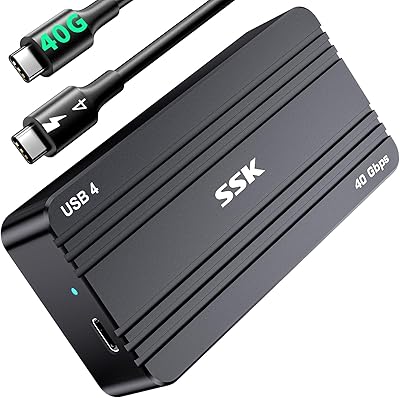
SSK HE-C401 M.2 NVMe SSD Enclosure

79%
78%
Transfer Speed Performance
88%
Build Quality
69%
Compatibility
74%
Ease of Setup
71%
Thermal Management
More
GRAUGEAR G-M2U4-40G-F USB4 NVMe SSD Enclosure
71%
88%
Thermal Performance
83%
Transfer Speed
91%
Build Quality
54%
Setup & Ease of Use
72%
Compatibility
More
V VCOM 40Gbps M.2 NVMe SSD Enclosure
82%
88%
Transfer Speed Performance
91%
Build Quality
89%
Value for Money
72%
Compatibility Range
58%
Out-of-Box Completeness
More
StarLinker 40Gbps M.2 NVMe SSD Enclosure 8TB
87%
94%
Performance
89%
Build Quality
92%
Transfer Speed
90%
Ease of Setup
88%
Portability
More
Inateck FE2028 M.2 NVMe SSD Enclosure
79%
88%
Transfer Speed
84%
Build Quality
62%
Compatibility
93%
Installation Ease
72%
Thermal Management
More
Satechi ST-EU4NPM USB4 M.2 NVMe SSD Enclosure
81%
86%
Transfer Speed Performance
91%
Build Quality & Materials
93%
Installation & Setup Ease
74%
Thermal Management
54%
Included Accessories & Cable
More
Inateck FE2029 M.2 NVMe SSD Enclosure
82%
88%
Transfer Speed
91%
Build Quality
83%
Thermal Management
94%
Ease of Installation
67%
Drive Compatibility
More
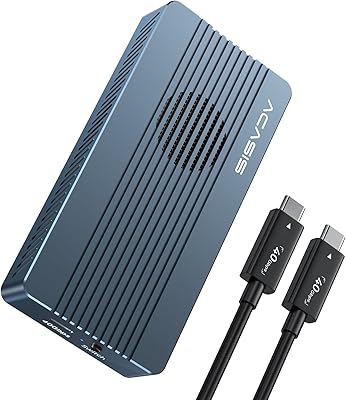
ACASIS TBU405 Pro M.2 NVMe SSD Enclosure
72%
83%
Transfer Speed
78%
Thermal Management
71%
Build Quality
67%
Compatibility
91%
Portability
More
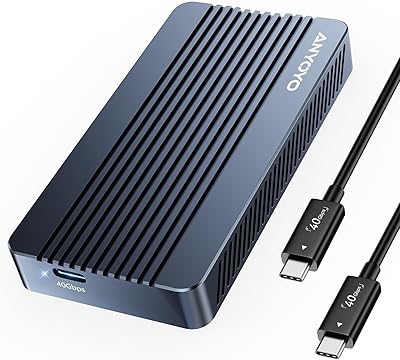
ANYOYO TBU405M1 40Gbps M.2 NVMe SSD Enclosure
81%
91%
Transfer Speed Performance
74%
Host Compatibility
88%
Build Quality
82%
Thermal Management
93%
Installation Ease
More

FAQ

If your MacBook Pro has a Thunderbolt 3 or Thunderbolt 4 port — which most models from 2016 onward do — yes, you should be able to hit full 40Gbps speeds. Just make sure you are using a high-quality USB4 or Thunderbolt-rated cable, as a generic USB-C cable can quietly limit your bandwidth without any obvious error message.

No, and this is probably the most important thing to confirm before purchasing. This NVMe enclosure only supports the NVMe protocol — SATA M.2 drives, whether labeled NGFF or otherwise, will not be recognized. Check your drive's label or spec sheet for the word NVMe before ordering.

Most users describe it as a faint, low-pitched hum rather than an intrusive noise. In a normal home office or workspace it tends to blend into the background. That said, if you regularly record audio or work in a very quiet room, you will likely notice it during extended transfers, so that is worth factoring in.

No drivers needed. Plug the enclosure into your computer, and your operating system will recognize it as an external storage device within seconds. This applies to Windows 7 through 10, macOS, and most Linux distributions.

On a USB 3.2 Gen 2 port, you are capped at around 10Gbps regardless of what the enclosure is rated for — so you will not see 40Gbps. The MAIWO USB4 40Gbps M.2 NVMe SSD Enclosure will still function correctly and outperform a standard portable drive, but the full speed advantage only materializes on USB4 or Thunderbolt hosts.

No, the retention mechanism is designed specifically for the 2280 form factor. If your drive is shorter, it will not be secured properly and could move around inside the enclosure, which is not safe for long-term use.

Based on consistent user feedback, the build quality exceeds expectations for the price. The aluminum feels dense and the seams are tight — it does not flex or creak when handled. It is not machined to the same tolerance as a flagship brand product, but it holds up well in everyday use.

Yes, in most cases. Both macOS (on Apple Silicon and Intel Macs with the right settings) and Windows 10/11 support booting from external NVMe drives over USB4 or Thunderbolt. The enclosure itself does not add any restrictions, though your specific machine's firmware settings may need to be adjusted to allow external boot.

Yes, all current Apple Silicon MacBooks include Thunderbolt 4 ports, which are fully compatible with this USB4 enclosure. You will get the full 40Gbps bandwidth without any additional configuration.

The active fan combined with the aluminum shell does a solid job of keeping temperatures in check during sustained workloads. Users who have run hour-long transfers report that the drive stays warm but does not throttle. The dual cooling approach — active fan plus passive heatsink grooves — is specifically why this enclosure handles sustained loads better than fanless alternatives.