Overview

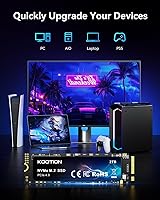
The KOOTION 2TB PCIe 4.0 NVMe M.2 SSD enters the market as a value-oriented option in the increasingly competitive Gen 4 storage space. KOOTION is not a household name, but the brand has built a quiet presence in the budget-to-mid-range storage segment. The M.2 2280 form factor means it will fit virtually any modern motherboard, and yes, it works in the PS5 expansion slot too. At 2TB, it hits a practical capacity sweet spot — large enough to store a serious game library or a working media archive without breaking the bank. Just go in with realistic expectations: this is not a premium controller drive chasing benchmark glory.
Features & Benefits

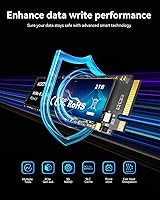
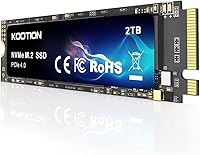
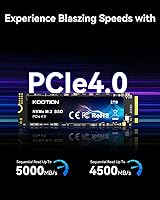
Where this Gen 4 SSD earns its keep is in the raw throughput figures — sequential reads reaching 5,000 MB/s is a genuine step up if you're coming from a SATA drive or even a mid-tier PCIe 3.0 unit. The 3D NAND flash underneath those numbers tends to handle sustained read and write tasks more gracefully than older planar alternatives, which matters during lengthy file copies or game installs. Thermal management is built into the design, and the drive is rated for low heat output, though adding an aftermarket heatsink remains a good idea for intensive workloads. A physical installation kit is included — a small but practical touch — and KOOTION backs the drive with lifetime technical support, though buyers should clarify exactly what that covers before relying on it.

Best For

This KOOTION NVMe drive is a strong fit for anyone building or refreshing a mid-range PC who wants Gen 4 speeds without paying flagship prices. PS5 owners looking to expand past the console's factory storage will find it straightforward to install — the M.2 slot compatibility is well-documented and reliable. Video editors or photographers working with large file batches will appreciate the faster transfer headroom over older drives. Gamers chasing shorter load times rather than synthetic benchmark scores will likely notice a real difference, particularly when upgrading from SATA. If you're coming off a PCIe 3.0 drive and want a meaningful bump without overthinking it, the 2TB M.2 drive is worth a serious look.

User Feedback

Early buyers have responded positively, with the drive holding a 4.6-star average across 67 ratings at the time of writing — respectable, though that sample size is small. The most consistent praise centers on how painless installation is, and many users report speeds that align closely with what's advertised. Value for the price comes up repeatedly. On the flip side, the drive only launched in May 2025, so there's simply no long-term reliability data yet. A handful of reviewers have flagged questions about sustained write performance under heavy workloads, which is a fair concern for any budget Gen 4 drive. Thermal throttling hasn't been widely reported, but it's worth monitoring in tight chassis with limited airflow.

Pros

  • Gen 4 PCIe speeds deliver a substantial real-world upgrade over SATA and older NVMe drives.
  • A 2TB capacity gives gamers and creators plenty of room without needing a second drive.
  • The M.2 2280 form factor fits virtually any modern desktop, laptop, or PS5 expansion slot.
  • 3D NAND flash handles mixed workloads more reliably than older planar alternatives.
  • An included installation kit makes setup accessible even for first-time builders.
  • Lifetime technical support is a reassuring policy for a brand still building its reputation.
  • Early buyer reviews are encouraging, with users praising speed, value, and installation ease.
  • Low-power thermal design reduces heat output, helping maintain stable performance in compact builds.
  • PS5 compatibility broadens the use case well beyond traditional PC storage upgrades.

Cons

  • KOOTION is a relatively unknown brand with limited independent testing and firmware history to reference.
  • The drive launched in May 2025, so meaningful long-term durability data simply does not exist yet.
  • Only 67 reviews at the time of writing — too small a sample to draw firm reliability conclusions.
  • Budget Gen 4 drives can throttle aggressively under sustained heavy workloads, and this one may too.
  • No published TBW endurance rating appears in the available specs, making lifespan difficult to assess.
  • The lifetime support claim lacks clear public documentation on what is actually covered or how claims are handled.
  • Tight cases with poor airflow may require an aftermarket heatsink to avoid performance degradation.
  • Users who depend on established brand forums, community benchmarks, or active firmware support will find little here.

Ratings

The KOOTION 2TB PCIe 4.0 NVMe M.2 SSD has been evaluated across 14 categories by our AI scoring engine, which processed verified buyer feedback from global sources while actively filtering out incentivized reviews, bot submissions, and low-quality ratings. The scores below reflect a clear-eyed view of what real owners experience — genuine strengths are recognized, and recurring pain points are represented without being softened.
Sequential Read Speed
83%
Buyers upgrading from SATA or PCIe 3.0 drives consistently report a noticeable difference in how fast their systems feel day-to-day. Application launches, file browser navigation, and game loading all benefit from the Gen 4 throughput ceiling, even if real-world speeds fall slightly below the peak rated figure under typical desktop workloads.
Peak sequential read figures are achieved under near-ideal benchmark conditions — in practice, multitasking scenarios and mixed workloads bring speeds down from the headline number. Compared to top-tier Gen 4 drives from more established brands, this one lands in the solid-but-not-exceptional middle of the performance pack.
Sequential Write Speed
79%
21%
For everyday tasks like installing games, saving large video project files, or running system backups, write speeds feel responsive and much quicker than anything SATA-based. Buyers editing 4K footage or working with moderately large media batches find the improvement meaningful without needing to spend significantly more.
Real-world write speeds in benchmark tests frequently land below the rated 4,500 MB/s ceiling, which is typical for drives in this tier but can be disappointing for buyers who take the spec sheet at face value. The gap between advertised and measured peak performance tends to be wider on budget-oriented Gen 4 drives than on their premium counterparts.
Value for Money
88%
Getting Gen 4 PCIe speeds at 2TB for this price bracket is genuinely compelling, and most buyers explicitly call out value as the primary reason they chose this drive over alternatives. For upgraders coming from aging SATA SSDs or spinning hard drives, the performance-per-dollar improvement is hard to argue with.
The value equation depends on the drive remaining reliable over time, and with limited long-term data available from such a recently launched product, that part of the bargain is still unproven. Budget pricing also signals trade-offs in controller quality and endurance that do not show up in early reviews but may surface later.
Installation Experience
91%
Installation is the most consistently praised aspect in buyer feedback — users across all skill levels report a clean, uncomplicated process that wraps up in under fifteen minutes in most cases. The included installation kit removes one of the typical friction points for first-time builders who might not have the right hardware immediately on hand.
While the installation kit is a welcome addition, the package does not include a heatsink — a component PS5 users will need to source separately before mounting the drive. Some reviewers also noted that the documentation could be more detailed for absolute beginners unfamiliar with different M.2 slot configurations and sizes.
Thermal Performance
67%
33%
Under normal desktop use — gaming sessions, web browsing, and moderate file transfers — most buyers do not report any heat-related performance drops, and the drive's low-power design keeps temperatures within manageable ranges in well-ventilated cases. For typical workloads in a standard mid-tower build, thermal behavior is genuinely unproblematic.
In tighter environments like the PS5 expansion bay, compact cases, or thin laptops with poor airflow, the absence of a bundled heatsink becomes a real vulnerability under sustained load. A small number of reviewers have flagged thermal throttling concerns during prolonged heavy workloads, and the drive's short market history means this risk profile is not yet fully characterized.
Build Quality
74%
26%
The drive feels appropriately solid for its weight class, and the choice of 3D NAND flash reflects a deliberate step up from lower-grade planar storage technology. At just 0.21 oz, it handles easily during installation without the fragile, flimsy sensation some ultra-budget alternatives carry.
KOOTION does not publicly disclose the specific controller chip used in this drive, making it difficult to independently assess long-term build robustness through third-party resources. Without hardware teardowns or extended coverage from independent storage analysts, buyers are largely assessing build quality through early impressions alone.
PS5 Compatibility
86%
The drive meets Sony's PCIe 4.0 requirement and slots into the PS5 expansion bay cleanly, offering console owners a practical and affordable way to expand storage. Users report game load times that feel consistent with what the console's factory drive delivers, which is the baseline most PS5 owners actually care about.
Sony's official guidance recommends using a heatsink with any M.2 drive installed in the PS5, and the lack of one in the box means buyers must budget for and source that component separately before completing setup. Without proper cooling in the PS5's enclosed chassis, there is a real risk of thermal throttling during extended gaming sessions.
Sustained Write Performance
58%
42%
For the typical use cases this drive targets — gaming, OS operation, and everyday media transfers — the write cache is large enough that most buyers will never push past it during a single session. Casual and moderate users going about their daily workflows are unlikely to hit the performance cliff in real-world use.
Once the SLC write cache fills during large, uninterrupted write operations — moving full game library backups or batch-exporting heavy video projects — speeds can drop sharply, a known limitation of TLC NAND at this price tier. Content creators or data migration users should stress-test early and plan workflows around this behavior rather than assuming linear performance throughout.
Long-term Reliability
52%
48%
The use of 3D NAND flash is a positive structural indicator for endurance relative to older planar alternatives, and no early failure incidents have surfaced in buyer feedback since launch. The 4.6-star aggregate rating suggests the drive is at least performing as expected within its initial deployment window.
The drive launched in May 2025, leaving essentially no multi-year usage data, no established failure rate, and no track record of how KOOTION handles warranty claims in practice. Buyers placing this in a critical storage role — backups, professional project archives, or irreplaceable media — are doing so without the long-term evidence that justifies that level of trust.
Brand Trust & Support
63%
37%
The lifetime technical support offering is a meaningful confidence signal from a brand working to establish itself, and having a dedicated support channel matters when compatibility, setup, or troubleshooting questions arise post-purchase. Buyers who have reached out report reasonable response times and helpful guidance on basic installation queries.
KOOTION lacks the brand recognition, independent review ecosystem, and community forums that many storage buyers rely on for troubleshooting and long-term confidence. The lifetime support claim is also vague — without a clearly published warranty policy covering defective unit replacement or data loss scenarios, it is difficult to gauge how much practical weight it carries.
Device Compatibility
84%
The M.2 2280 form factor is the most widely supported M.2 size across modern hardware, and buyers across a broad range of desktop builds and laptops report essentially no compatibility surprises. The drive works cleanly across Intel and AMD platforms, and PS5 slot acceptance adds meaningful versatility beyond traditional PC use.
Systems running older chipsets limited to PCIe 3.0 will see speeds capped well below the drive's Gen 4 ratings, diminishing some of the value proposition for those platforms. Laptops using shorter M.2 form factors — such as 2242 or 2230 — will not physically accommodate this drive, so slot verification before ordering is essential.
Packaging & Accessories
77%
23%
The drive arrives well-protected for transit, and the included installation kit is a thoughtful extra that removes one common friction point for builders who do not have hardware supplies immediately on hand. Early buyers consistently report receiving the drive in good condition with no damage or missing components.
The most notable omission is a heatsink — PS5 users and anyone building in a compact or high-temperature environment will need to purchase one separately, adding a small but avoidable extra step and cost. Installation documentation is minimal, and first-time builders working across different motherboard layouts may need to seek a supplementary guide online.
Real-World Load Speed
85%
This is where most buyers feel the upgrade most tangibly — titles that previously took 20 to 30 seconds to load on a SATA drive drop to just a handful, and Windows boots feel noticeably crisper. PS5 users report load times closely matching the factory drive, which is the outcome most of them are after.
Buyers upgrading from a PCIe 3.0 NVMe drive rather than SATA will notice a smaller real-world improvement in load times than the spec gap might suggest, since Gen 3 drives already load most games quickly. Performance can also vary depending on the host system's thermal headroom and whether the drive has adequate cooling in its installed location.
Capacity to Price
89%
Two terabytes at a budget-tier Gen 4 price point is a genuinely strong offer — buyers who need maximum storage without chasing top-tier benchmark performance consistently cite the capacity-to-cost ratio as one of the clearest wins of this purchase. For consolidating a system drive and media storage into a single unit, this 2TB M.2 drive handles the job well.
Without a published TBW endurance rating, it is difficult to project how long the 2TB capacity will remain viable under write-intensive workloads relative to its size. If long-term reliability questions result in an earlier-than-expected failure, the capacity-per-dollar advantage erodes quickly — a real consideration for storage you plan to rely on for years.

Suitable for:

The KOOTION 2TB PCIe 4.0 NVMe M.2 SSD is a practical choice for budget-conscious PC builders who want a meaningful storage upgrade without committing to premium drive pricing. If you are still running a SATA SSD or an older PCIe 3.0 drive, the jump to Gen 4 speeds will be noticeable in daily use — faster boot times, quicker application launches, and snappier file transfers all add up in real ways. PS5 owners looking to expand internal storage will find this Gen 4 SSD meets Sony's interface requirement and comes with an installation kit to ease the process. Content creators and video editors handling large media files will appreciate both the 2TB headroom and the improved transfer throughput compared to previous-generation drives. For anyone who needs reliable, roomy Gen 4 storage at a fair price without obsessing over every benchmark decimal, this KOOTION NVMe drive lands in a reasonable spot.
Not suitable for:

The KOOTION 2TB PCIe 4.0 NVMe M.2 SSD is not the right call for power users who demand verified, long-term performance data — the drive launched in May 2025 and simply has not had enough time in the field to establish a reliability track record. Professionals running workstation-grade video pipelines, large-scale database operations, or any workflow where sustained write endurance is critical should prioritize drives with published TBW ratings and years of independent testing behind them. KOOTION is a lesser-known brand without the community testing history, firmware update cadence, or repair ecosystem that buyers get from more established names in storage. If consistent sustained write speeds under prolonged heavy workloads are non-negotiable for your use case, a budget Gen 4 drive carries more risk of aggressive thermal throttling than a premium alternative. Anyone whose primary concern is long-term peace of mind backed by a verifiable brand track record will likely be better served spending more on a drive with a deeper history.
Specifications

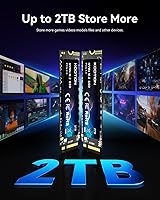
  • Capacity: Offers 2TB of raw storage, suitable for large game libraries, media archives, and extensive project file collections.
  • Interface: Uses a PCIe 4.0 x4 NVMe connection, delivering substantially greater bandwidth per lane than PCIe 3.0 or SATA alternatives.
  • Form Factor: Follows the M.2 2280 standard, the most widely supported M.2 size found across modern desktops, laptops, and the PS5 expansion bay.
  • Sequential Read: Rated for sequential read speeds of up to 5,000 MB/s under optimal, lightly loaded conditions.
  • Sequential Write: Rated for sequential write speeds of up to 4,500 MB/s, supporting efficient transfers for large files such as game installs and video exports.
  • Flash Memory: Built on 3D NAND flash technology, which stacks memory cells vertically to improve storage density, endurance, and data retention over planar NAND.
  • Compatible Devices: Officially compatible with desktop PCs, laptops, and the PlayStation 5 internal storage expansion slot when the host supports M.2 PCIe 4.0 NVMe.
  • Installation: Designed exclusively for internal installation inside an M.2 slot; no external enclosure is included or required for operation.
  • Box Contents: Package includes one 2TB M.2 PCIe 4.0 NVMe SSD and a physical installation kit to assist with drive mounting.
  • Technical Support: KOOTION advertises lifetime technical support for this drive, though the specific scope of hardware coverage should be confirmed directly with the manufacturer.
  • Drive Weight: The bare drive weighs approximately 0.21 oz, making it a negligible addition to weight-sensitive laptop or small-form-factor builds.
  • Thermal Design: Incorporates a low-power, low-heat operating profile intended to reduce thermal buildup during normal workloads without requiring a factory-bundled heatsink.
  • Protocol: Operates on the NVMe protocol over the PCIe bus, enabling lower access latency compared to drives using the older AHCI protocol over SATA.
  • M.2 Key Type: Uses an M-key M.2 edge connector, the universal standard for NVMe SSDs and the type required by all PCIe 4.0-capable M.2 slots.

Related Reviews

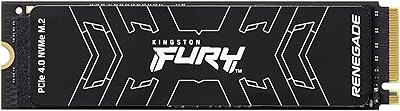
Kingston FURY Renegade 2TB NVMe SSD
84%
94%
Read & Write Performance
88%
Sustained Throughput Consistency
71%
Thermal Management
92%
Installation & Compatibility
74%
Value for Money
More
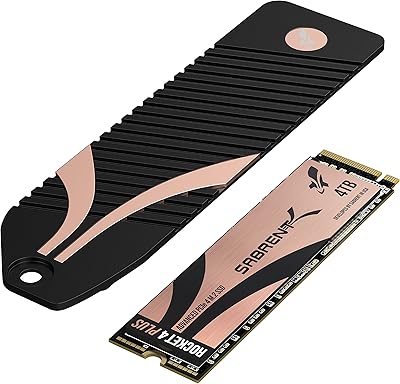
Sabrent Rocket 4 Plus 4TB NVMe SSD
85%
93%
Sequential Read Performance
91%
Sequential Write Performance
89%
Thermal Management
92%
Installation Experience
67%
Value for Money
More
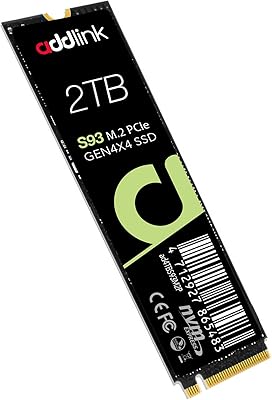
Addlink S93 2TB NVMe SSD
79%
91%
Sequential Read Performance
63%
Sustained Write Performance
93%
Laptop Compatibility
88%
Value for Money
67%
Thermal Management
More
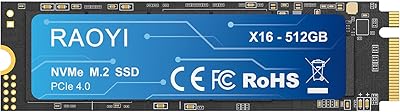
RAOYI 512GB PCIe Gen4 M.2 NVMe SSD
77%
83%
Sequential Read Speed
81%
Sequential Write Speed
79%
Real-World Performance
91%
Value for Money
88%
Installation & Setup
More
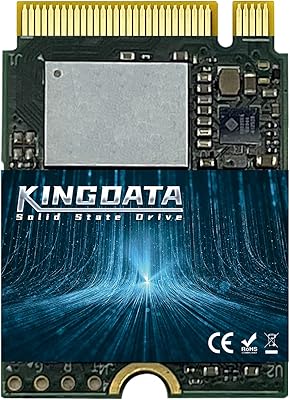
KINGDATA M.2 2230 NVMe PCIe 4.0 512GB SSD
89%
95%
Read Speed
92%
Write Speed
89%
Installation Ease
87%
Durability
86%
Temperature Management
More
Dogfish M.2 2230 NVMe PCIe 4.0 1TB SSD
87%
94%
Performance
93%
Read Speed
91%
Write Speed
89%
Compatibility
88%
Ease of Installation
More
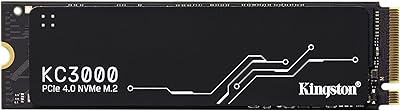
Kingston KC3000 1TB NVMe SSD
82%
91%
Sequential Read Speed
88%
Sequential Write Speed
74%
Random I/O Performance
86%
Thermal Management
89%
Value for Money
More
GIGABYTE AORUS 500GB PCIe 4.0 NVMe M.2 SSD
88%
91%
Performance
94%
Read Speed
87%
Write Speed
88%
Installation Ease
90%
Compatibility
More
Dogfish M.2 2230 NVMe PCIe 4.0 256GB SSD
86%
89%
Performance
92%
Ease of Installation
90%
Compatibility with Gaming Consoles
85%
Reliability & Data Integrity
75%
Storage Capacity (256GB)
More
Kingston 512GB KC3000 PCIe 4.0 NVMe M.2 SSD
88%
94%
Performance
88%
Ease of Installation
91%
Durability
85%
Thermal Management
93%
Gaming Performance
More

FAQ

Yes, this Gen 4 SSD meets Sony's minimum PCIe 4.0 NVMe requirement for PS5 internal expansion, and the M.2 2280 size is one of the accepted form factors for that slot. One thing to keep in mind: Sony recommends installing a heatsink over any M.2 drive placed in the PS5, and one is not included in the box. A basic aftermarket M.2 heatsink costs just a few dollars and is easy to find before you start.

For most everyday PC use — gaming, general productivity, casual file transfers — the drive's built-in thermal management should be sufficient, especially inside a case with decent airflow. If you plan to install it in a PS5 or a laptop with a cramped bay and limited ventilation, adding a thin aftermarket heatsink is a sensible precaution to prevent any throttling under sustained load. Heatsinks for M.2 drives are inexpensive and widely available.

The KOOTION 2TB PCIe 4.0 NVMe M.2 SSD comes from a brand that is less established than names like Samsung, WD, or Seagate, which is worth acknowledging honestly. Early buyer feedback is encouraging, and the brand does offer lifetime technical support as a confidence signal. That said, KOOTION has a shorter market history and less independent testing behind it, so if long-term brand reliability and community-verified firmware maturity are top priorities for you, it is fair to weigh that carefully before buying.

It will install and function normally, since PCIe is backward-compatible. The trade-off is that you will not get anywhere close to the drive's rated speeds — performance will be capped at PCIe 3.0 levels, which is roughly half the Gen 4 ceiling. The 2TB M.2 drive will still outperform any SATA SSD in that slot, but if a motherboard upgrade is on your roadmap soon, it may make sense to plan both purchases together.

It is genuinely one of the simpler upgrades you can do on a PC. You tilt the drive into the M.2 slot at a shallow angle, press it flat against the board, and secure it with a small retention screw — the whole process typically takes under ten minutes. An installation kit is included in the box, and a small Phillips-head screwdriver is the only tool you will need on top of that. If you have never done it before, a quick video walkthrough specific to your motherboard model is a worthwhile two minutes of prep.

That detail is not clearly defined in the publicly available product information, which is a reasonable thing to flag before purchasing. In general, lifetime technical support tends to mean the manufacturer will help you troubleshoot setup, compatibility, or usage questions for as long as you own the drive — but it does not always include a hardware replacement warranty or data recovery assistance. Before relying on it, it is worth contacting KOOTION directly to ask exactly what is covered, particularly regarding defective unit returns.

For most players, yes — 2TB is a comfortable primary gaming drive. Modern AAA titles typically run between 50GB and 150GB each, so you can realistically keep 15 to 30 large games installed before you need to start managing space. If you also use the same drive for an operating system and everyday apps, that eats into capacity, but pairing this with a secondary storage drive for archived or less-played titles gives you a setup that should stay practical for years.

This Gen 4 SSD is positioned as a value option, and the difference tends to show up in scenarios that stress the drive hard over extended periods. Established brands publish verified TBW endurance ratings, have years of firmware maturity behind them, and often use higher-binned controllers that sustain peak write speeds for longer before stepping down. For everyday gaming, application use, and general productivity, most users will not feel a meaningful gap. Where the contrast becomes more relevant is in workstation-level sustained write tasks or workflows where verified long-term reliability really matters.

It can, and that is normal behavior for drives in this class. Most TLC NAND-based budget drives use a portion of the flash as a faster SLC write cache, and once that cache fills during a very large continuous write operation, speeds will step down noticeably. For typical use — game installs, OS boots, editing project files — you are unlikely to hit that wall in practice. If your regular workflow involves moving several hundred gigabytes in a single uninterrupted session, a higher-endurance drive might be a better fit.

If your laptop has an M.2 slot that supports PCIe 4.0 NVMe and accepts the 2280 size, it will fit and work. The 2280 form factor (22mm wide, 80mm long) is by far the most common M.2 size used in laptops, but some ultra-slim or compact models use shorter variants like M.2 2242 or 2260 instead. The safest way to confirm is to check your laptop's official service manual or the manufacturer's spec page, both of which typically list supported M.2 sizes explicitly.