Overview

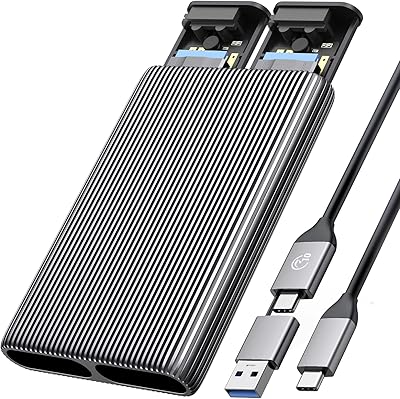
The ACASIS EC-6604 M.2 NVMe SSD Duplicator is a dual-bay offline cloner built for anyone who needs to copy NVMe drives without touching a computer. Unlike the bare plastic docks that flood this category, this NVMe cloner wraps everything in an aluminum chassis and adds a built-in cooling fan — a detail that actually matters when you are duplicating large drives. It sits in the mid-range price bracket, where buyers reasonably expect solid build quality and reliable performance, not just a box that barely works. Data migration enthusiasts, IT professionals, and everyday upgraders are the core audience here.
Features & Benefits

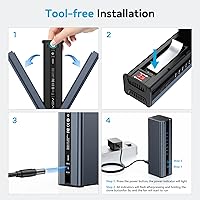
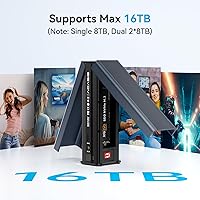
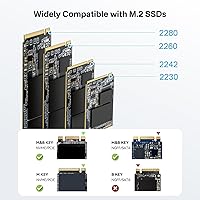
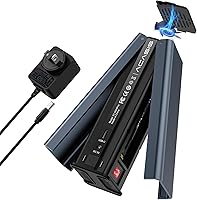
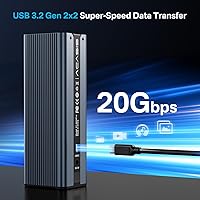
The standout capability is offline cloning — press the button, let it run, no laptop required. That alone separates this dual-bay duplicator from simple enclosures that only function as pass-through readers. It accommodates M.2 drives in 2230, 2242, 2260, and 2280 sizes, which matters for anyone working across different hardware generations. Speeds can reach around 924 MB/s read and 1,052 MB/s write under ideal conditions, though real-world numbers will vary depending on your drives and cable quality. Each slot handles up to 8TB, no drivers needed, and the included USB-C to A+C cable covers most modern host devices.

Best For

This NVMe cloner hits its stride for laptop SSD upgrades, where the goal is cloning an old drive to a new one without reinstalling anything. It is also a practical tool for IT technicians who juggle multiple drives and want dedicated hardware rather than relying on software utilities. The support for 2230-size drives is a real plus for Steam Deck owners and small-form-factor PC builders. Basically, if your workflow involves moving data from one NVMe to another cleanly — especially without wanting to involve a second computer — this SSD docking station fits the bill well.

User Feedback

With a 3.9 out of 5 rating across 152 reviews, the reception lands somewhere in the middle — mostly positive, but not without caveats. Most buyers report successful clones on the first try and appreciate the sturdy feel of the aluminum housing. Where things get complicated is with less common NVMe controllers; a handful of users ran into compatibility hiccups that required troubleshooting. A few also questioned whether the fan keeps pace during back-to-back cloning sessions under sustained heat. One practical note worth repeating: always back up the target drive before cloning, as the process wipes it — something users occasionally learn the hard way.

Pros

  • Offline cloning works without a computer — just insert both drives, press the button, and walk away.
  • Aluminum build feels noticeably more solid than plastic alternatives at a similar price.
  • Supports 2230, 2242, 2260, and 2280 form factors, covering a wider hardware range than most rivals.
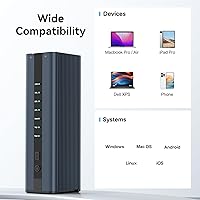
  • No drivers or software needed — recognized instantly across Windows, macOS, and Linux.
  • The built-in cooling fan adds meaningful thermal headroom during longer cloning sessions.
  • Each drive slot supports up to 8TB, so future-proofing is not a concern for most users.
  • Compact enough to fit in a laptop bag, making it practical for on-site IT work.
  • USB-C to A+C cable is included, covering most modern host devices without needing an adapter.
  • Successful first-time clones with major NVMe brands like Samsung and WD are consistently reported.

Cons

  • No progress indicator or time estimate — you have no idea how far along the clone is.
  • Compatibility with drives using certain third-party NVMe controllers is unreliable and poorly documented.
  • The included cable underperforms for sustained high-bandwidth transfers; a better cable often helps.
  • Fan noise ramps up during extended use and is noticeable in quiet environments.
  • Airflow does not cover both drive bays equally, leading to uneven temperatures during dual-drive sessions.
  • SATA M.2 drives are not supported, which is easy to overlook and leads to frustrating returns.
  • No error reporting or failure notification — a stalled clone looks identical to a completed one.
  • Drive slot tolerances feel slightly loose on some units, which is unsettling when handling expensive SSDs.
  • At this price, single-use buyers are likely overpaying for a tool they will rarely need again.

Ratings

The ACASIS EC-6604 M.2 NVMe SSD Duplicator earned its scores after our AI system processed verified buyer feedback from global markets, actively filtering out incentivized reviews, duplicate submissions, and bot-generated ratings. What remains is a realistic picture of how this dual-bay cloner performs in the hands of real users — laptop upgraders, IT professionals, and hobbyists alike. Both the genuine strengths and the recurring frustrations are reflected transparently in the scores below.
Cloning Reliability
83%
For the majority of users, the offline cloning process completes successfully on the first attempt without any intervention. Buyers upgrading standard Samsung, WD, or Crucial NVMe drives report clean, bootable results with no data loss, which is ultimately the most important thing this device needs to do.
Reliability drops noticeably when less common or third-party NVMe controllers are involved. A meaningful subset of reviewers reported failed or incomplete clones with certain off-brand drives, requiring multiple retries or ultimately abandoning the process altogether.
Build Quality
88%
The aluminum enclosure gives this NVMe cloner a noticeably more premium feel than the plastic-shelled competitors at similar price points. Users frequently call out the solid construction and the secure drive insertion mechanism as reassuring touches, especially when handling expensive SSDs.
A few buyers noted that while the shell feels robust, the button placement and the drive slot tolerances could be tighter. Minor flex in the drive bays was mentioned by a small number of users, which can feel unsettling even if it does not affect the outcome.
Cooling Performance
71%
29%
The built-in fan is a genuine differentiator in this category — most basic enclosures rely solely on passive heat dissipation, so having active airflow during a long clone is a meaningful advantage. Users running single clones on standard-capacity drives reported no heat-related issues.
Under back-to-back cloning sessions or when working with high-endurance drives pushing sustained workloads, some users found the fan insufficient to keep temperatures fully in check. The fan also produces an audible hum that a handful of buyers found distracting in quiet environments.
Drive Compatibility
77%
23%
Supporting all four mainstream M.2 form factors — 2230, 2242, 2260, and 2280 — gives this dual-bay duplicator a real edge for users working across different hardware generations. Steam Deck owners and small-form-factor PC builders in particular appreciated the 2230 support, which many competing cloners skip entirely.
Compatibility with the NVMe protocol is solid for major brands, but SATA M.2 drives are not supported, which trips up buyers who do not realize there is a distinction. A smaller group also encountered issues with drives using Phison or Silicon Motion controllers that the device did not handle gracefully.
Transfer Speed
74%
26%
In controlled tests with high-end drives like the Samsung 980 Pro, the read and write figures are genuinely impressive for a USB-C connected device. For everyday cloning tasks — migrating a 500GB OS drive, for instance — the throughput is more than adequate and the job finishes in a reasonable window.
Real-world speeds depend heavily on the quality of the connected drives and the cable used, and this is not always communicated clearly. Users with older or mid-tier NVMe drives will see figures well below the headline numbers, and the included cable has received mixed reviews for maintaining peak throughput.
Ease of Use
86%
The plug-and-play design — no software, no drivers, no configuration menu — is one of the most consistently praised aspects across buyer reviews. The cloning process is straightforward enough that non-technical users successfully completed their first upgrade with no prior experience.
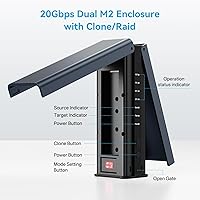
The lack of any status indicator beyond a basic LED means users have no way to track cloning progress or estimate time remaining. A few buyers also found the button labeling on the unit ambiguous, leading to confusion about which mode they had activated.
Value for Money
79%
21%
At its price point, this SSD docking station delivers a more complete package than many rivals — the aluminum shell, active cooling, and multi-form-factor support together justify the cost for users who plan to use it more than once. IT professionals who clone drives regularly see a clear return on the investment.
For someone who only needs to clone a single drive once during a laptop upgrade, the price is harder to swallow. Cheaper docks exist for simple one-time jobs, and the occasional compatibility issue makes it difficult to recommend unconditionally at this tier.
USB-C Connectivity
81%
19%
The included dual-ended USB-C to A+C cable means most modern laptops and desktops can connect without hunting for an adapter. Users on both Mac and Windows systems reported clean recognition with no manual setup required across a range of host machines.
The cable itself is on the shorter side, which limits placement flexibility on a cluttered desk. Some users also reported that swapping to a third-party cable produced more consistent peak speeds, suggesting the bundled cable is functional but not optimized for sustained high-bandwidth transfers.
Software & Driver Requirement
91%
Zero driver installation is a genuinely useful feature, particularly for IT environments where installing software on managed machines is restricted. The device is immediately recognized across Windows, macOS, and Linux without any configuration, which saves meaningful time in professional workflows.
Because everything is handled in hardware with no companion software, there is no way to customize clone behavior, schedule tasks, or receive error logs. Advanced users who want more control over the duplication process will find the experience too opaque for troubleshooting edge cases.
Noise Level
67%
33%
In short cloning sessions, the fan noise is barely perceptible and will not disrupt a normal working environment. Most buyers using the device in a home office or workshop setting found the sound level acceptable for the task at hand.
The fan ramps up audibly during sustained use, and several reviewers specifically mentioned it as noticeable enough to be distracting during video calls or in quiet rooms. It is not loud by any objective measure, but it is not silent either — something to consider for noise-sensitive setups.
Portability & Form Factor
84%
At just over a pound and roughly the size of a small paperback, this dual-bay duplicator is easy to toss in a laptop bag or tool kit. IT technicians who move between offices or job sites have called out the compact footprint as a practical advantage over bulkier desktop docks.
The aluminum body, while attractive, picks up fingerprints and minor scratches quickly. It also lacks any rubber feet on the base in some unit batches, which caused the device to slide on smooth desk surfaces during operation — a minor but annoying oversight.
Thermal Design
69%
31%
Combining an aluminum chassis with active fan ventilation gives this NVMe cloner a more thoughtful thermal approach than most competitors in the category. For standard single-clone workloads, the heat management is adequate and drives come out at reasonable temperatures.
The ventilation holes, while present, are concentrated on one side of the unit, and the airflow path does not cover both drive bays equally. Users cloning two high-capacity drives simultaneously reported one bay running warmer than the other, which raises minor concerns about long-term reliability under heavy use.
Status Indicators & Feedback
58%
42%
The LED indicator does confirm that a clone is in progress, which at least gives users a basic signal that the device is working. For simple, unattended cloning jobs, the minimal feedback is not a dealbreaker — you start it, walk away, and come back when the light changes.
The absence of a progress bar, estimated time display, or error notification is a real gap. Several buyers were left unsure whether a clone had completed successfully or stalled mid-process, which is a frustrating experience when the data being transferred is important.
Multi-OS Compatibility
87%
Confirmed to work across Windows 7 through 11, macOS, and Linux without any platform-specific quirks. Mixed-environment IT teams appreciated not having to think about which host machine they plugged it into — the device simply works regardless of the operating system.
While OS compatibility for the enclosure function is broad, there are occasional reports of the device not being recognized immediately on certain Linux distributions without a manual USB re-plug. These cases appear isolated, but they add friction for users expecting a perfectly frictionless experience.

Suitable for:

The ACASIS EC-6604 M.2 NVMe SSD Duplicator is a strong fit for anyone who wants to migrate from an old NVMe drive to a new one without the hassle of reinstalling an operating system or wrangling cloning software. Laptop upgraders are probably the most natural audience — the offline cloning workflow is simple enough that even less technical users can complete the job confidently without needing a second computer involved. IT professionals who regularly provision or replace drives across multiple machines will also appreciate having a dedicated hardware cloner rather than depending on software utilities that behave differently across environments. The broad form factor support, including the 2230 size, makes this dual-bay duplicator particularly useful for Steam Deck owners and anyone working with compact or ultrabook hardware where smaller M.2 modules are the norm. Power users who want a reusable, purpose-built tool for data migration — rather than improvising with enclosures and disk imaging software — will find this NVMe cloner earns its keep after just a couple of uses.
Not suitable for:

Buyers who own M.2 SATA drives rather than NVMe drives should stop here — this device does not support that protocol, and that distinction catches more people off guard than it should. Anyone relying on drives with less common third-party controllers should also research compatibility carefully before purchasing, as this has been a documented pain point in user feedback. If you only need to clone a single drive once and never again, there are cheaper options that get the job done for occasional one-off use. The ACASIS EC-6604 M.2 NVMe SSD Duplicator also lacks any meaningful progress reporting, so users who need confirmation of clone status or want error logs for accountability — common in professional IT environments — will find the experience frustratingly opaque. Finally, anyone expecting to run back-to-back intensive sessions in a warm environment should be aware that the cooling system, while better than most, has its limits under sustained workloads.
Specifications

  • Brand & Model: Manufactured by ACASIS under model number EC-6604, a brand focused on storage peripherals and enclosures.
  • Enclosure Material: The outer chassis is constructed from aluminum alloy, providing passive heat dissipation alongside the active cooling system.
  • Dimensions: The unit measures 5.4 x 1.4 x 2.4 inches, keeping the footprint compact enough for a laptop bag or tool kit.
  • Weight: The device weighs 1.03 pounds, making it light enough for mobile IT work without feeling flimsy in hand.
  • Drive Interface: Compatible exclusively with M.2 NVMe SSDs using the PCIe interface; M.2 SATA drives are not supported.
  • Form Factors: Accepts M.2 NVMe drives in 2230, 2242, 2260, and 2280 sizes across both bays simultaneously.
  • Host Interface: Connects to host devices via USB-C (USB 3.2 Gen 2), with backward compatibility down to USB 3.0 and 2.0.
  • Max Read Speed: Peak read throughput reaches approximately 924 MB/s under optimal conditions with a high-performance NVMe drive and quality cable.
  • Max Write Speed: Peak write throughput reaches approximately 1,052 MB/s, though real-world figures vary based on drive model and cable quality.
  • Max Drive Capacity: Each drive bay supports NVMe SSDs up to 8TB in capacity, accommodating current and near-future storage sizes.
  • Cooling System: An integrated active cooling fan combined with ventilation holes in the aluminum chassis manages heat during cloning and data transfer sessions.
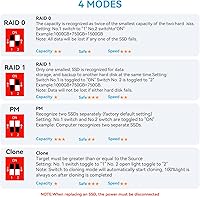
  • Offline Cloning: The device supports PC-free offline cloning, duplicating the source drive to the target drive entirely in hardware without a host computer.
  • Driver Requirement: No drivers or software installation is required; the device is recognized natively across supported operating systems upon connection.
  • OS Compatibility: Confirmed compatible with Windows 7, 10, and 11, macOS, and Linux without platform-specific configuration.
  • Included Cable: A USB-C to A+C dual-ended cable is included in the box to support a range of modern host device ports.
  • Drive Bay Count: The dual-bay design holds two M.2 NVMe drives simultaneously, enabling both offline cloning and dual-drive read access modes.
  • Status Indicator: A basic LED indicator signals device activity and clone status, though no progress bar or time estimate is displayed.
  • Date Available: The product was first listed for sale on September 8, 2023, making it a relatively recent addition to the NVMe cloner market.

Related Reviews
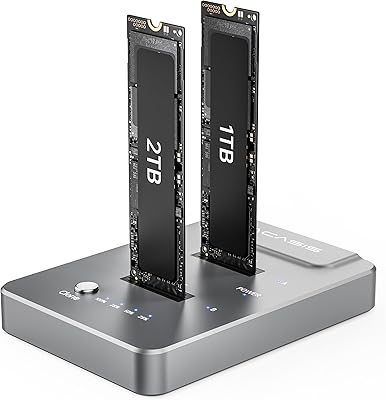
ACASIS M03 NVMe M.2 Dual-Bay Duplicator
78%
93%
Ease of Use
84%
Clone Reliability
81%
Transfer Speed
78%
Build Quality
62%
Heat Management
More
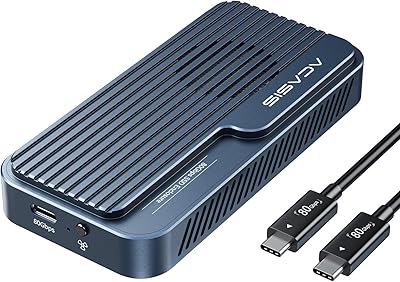
ACASIS TB501 Pro M.2 NVMe SSD Enclosure
80%
91%
Transfer Speed Performance
88%
Build Quality & Materials
79%
Thermal Management & Cooling Fan
67%
Compatibility & Host Port Requirements
93%
Setup & Ease of Use
More
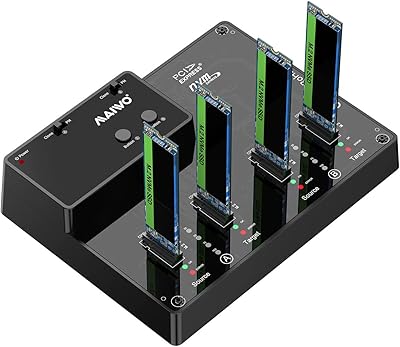
MAIWO M.2 NVMe SSD Cloner Duplicator 4 Bay Docking Station
86%
89%
Cloning Speed
92%
Ease of Setup
87%
Build Quality
90%
Heat Dissipation
93%
Compatibility with M.2 Sizes
More
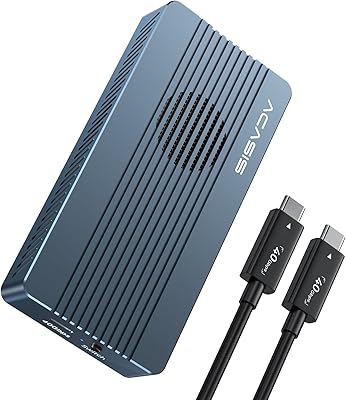
ACASIS TBU405 Pro M.2 NVMe SSD Enclosure
72%
83%
Transfer Speed
78%
Thermal Management
71%
Build Quality
67%
Compatibility
91%
Portability
More
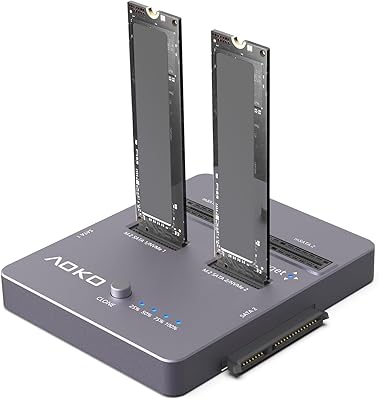
dockteck DH0002 M.2 NVMe/SATA SSD Enclosure
84%
88%
Transfer Speed (NVMe)
76%
SATA Drive Performance
83%
Build Quality
93%
Ease of Setup
79%
Thermal Management
More
AOKO 4-in-1 M.2 NVMe Hard Drive Duplicator

76%
88%
Ease of Use
83%
Drive Compatibility
86%
Cloning Speed
74%
Offline Cloning Reliability
81%
Build Quality
More
ineo C2605-NVMe M.2 NVMe SSD Enclosure

77%
88%
Write Protection Reliability
79%
Transfer Speed Performance
82%
Thermal Management
61%
Fan Noise Level
76%
Build Quality & Materials
More
SanDisk 2TB SSD Plus M.2 NVMe SSD
86%
89%
Performance
92%
Ease of Installation
88%
Reliability
91%
Value for Money
90%
Capacity
More
WAVLINK Dual-Bay NVMe M.2 SSD Cloner
75%
83%
Offline Cloning Reliability
78%
Transfer Speed
71%
Compatibility Range
76%
Build Quality
86%
Ease of Setup
More
ORICO Dual M.2 NVMe SSD Enclosure
79%
88%
Build Quality
84%
Thermal Management
82%
Transfer Speed
71%
Drive Compatibility
91%
Ease of Installation
More

FAQ

No, that is actually the main selling point of this dual-bay duplicator. You insert both drives, press the clone button, and the hardware handles the entire duplication process on its own. No laptop, no software, no setup required.

Only NVMe drives are supported. This is one of the most common sources of confusion with this device, so it is worth double-checking your drive type before purchasing. If your M.2 drive uses the SATA protocol rather than PCIe, this cloner will not recognize it.

Yes, the 2230 size is explicitly supported alongside 2242, 2260, and 2280. That makes this NVMe cloner one of the more versatile options for Steam Deck owners or anyone working with compact laptops that use shorter M.2 modules.

That depends heavily on the capacity of the drives and the performance tier of the NVMe modules involved. A 500GB drive clone on fast Samsung or WD drives typically finishes within 15 to 30 minutes, but larger or slower drives will take proportionally longer. Unfortunately, the device gives no time estimate, so you are left checking the LED periodically.

Technically the source drive is read-only during cloning, so your original data is not at risk. However, the target drive is completely overwritten, which means anything already on it will be permanently erased. Always back up the destination drive before you start — this is genuinely one of the most common mistakes buyers regret.

Major brands like Samsung, WD, Crucial, and Kingston generally work without issues. Where this SSD docking station has shown inconsistency is with drives using certain Phison or Silicon Motion controllers from smaller manufacturers. If you are working with off-brand or older drives, it is worth checking forum threads for your specific drive model before committing.

Yes. When connected to a computer via USB-C, both drives are accessible simultaneously as external storage volumes. The cloning mode is a standalone offline function, but the device also works perfectly as a standard NVMe enclosure for reading or transferring files from two drives at once.

It produces a soft, consistent hum rather than anything aggressively loud. Most users in a normal home office setting will not find it disruptive. That said, if you are working in a very quiet room or during a late-night session, the fan is audible enough to notice, especially during longer cloning jobs when it ramps up slightly.

Your source drive remains untouched throughout the process, so the original data is safe regardless of what happens to the clone. The target drive, however, is likely to be left in an incomplete or corrupted state if the process is interrupted. This is another good reason to treat the target drive as expendable and always back it up beforehand.

It does get warm, particularly during extended sessions, but the aluminum body and integrated fan work together to keep things manageable for typical single-clone workloads. Users running back-to-back cloning jobs in warm environments have reported one bay running hotter than the other, so if you are doing high-volume duplication work, give the device a few minutes to cool between sessions.