Overview

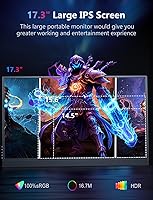
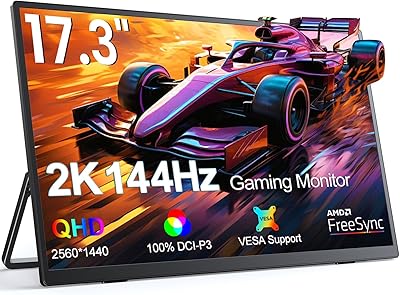
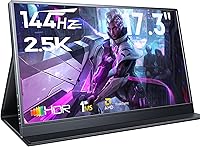
The MagicRaven 17.3″ 2.5K 144Hz Portable Gaming Monitor positions itself as a mid-range option for gamers and remote workers who find the typical 15-inch travel display just a bit too cramped. At 17.3 inches, it genuinely stands out in a category where most competitors stop at 15.6 — you get noticeably more screen real estate without stepping up to a full desktop monitor. Setup is straightforward: plug in a cable and it works, no driver installation required across PC, console, or phone. The box includes a smart cover and the necessary cables, which is a decent start. The specs read well on paper, though whether they hold up in daily use is worth examining closely.
Features & Benefits

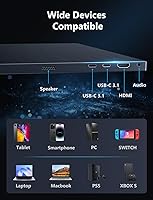
The jump from a standard 60Hz portable screen to a 144Hz IPS panel makes a real difference in fast-paced games — motion looks noticeably sharper and tearing is kept in check thanks to AMD FreeSync Premium. The QHD resolution adds genuine detail on top of that, making text crisp enough for productivity work too. Connectivity covers most scenarios: two USB-C 3.2 ports handle both power and video signal over a single cable on compatible devices, while the HDMI 2.0 port covers consoles and older laptops. At 300 nits with a matte coating, this travel monitor is fine for indoor use but struggles if you’re working near a bright window. Built-in speakers exist, though they’re best treated as a backup — not a listening experience. The flicker-free, blue-light-filtered panel does make extended sessions noticeably more comfortable.

Best For

This portable gaming display makes most sense for a fairly specific type of user. Remote workers and students who need a large secondary screen on the road will appreciate the 17.3-inch size — it’s meaningful screen space that smaller travel monitors simply can’t match. Traveling gamers get genuine high-refresh gaming on PS5, Switch, or Xbox without hauling a full-sized display. Laptop users who work across multiple devices will find the mix of USB-C and HDMI inputs genuinely useful day-to-day. Content creators working on location benefit from the wide color coverage, which keeps images looking accurate across deliverables. If your workflow constantly shifts between a phone, laptop, and console, this travel monitor adapts well without requiring constant cable swaps.

User Feedback

Buyer reactions to the MagicRaven 17.3-inch monitor break pretty cleanly along two lines. On the positive side, owners consistently praise image sharpness and how smooth 144Hz feels once you’ve used it — those are the qualities called out most in reviews. Where things get more mixed: the plastic build feels functional rather than premium, and the smart cover, while included, gets described as flimsy by more than a few buyers. Weight is another sticking point — at just over three pounds, it’s heavier than expected for something marketed as travel-ready. A handful of users also ran into USB-C compatibility hiccups with certain phones and laptops. Overall, most buyers feel the value holds up, but it rewards those who go in with realistic expectations about portability and build quality.

Pros

  • QHD resolution delivers noticeably sharp images for both detailed work tasks and gaming visuals.
  • The 144Hz refresh rate paired with AMD FreeSync Premium keeps fast-action gameplay smooth and tear-free.
  • At 17.3 inches, this portable gaming display offers significantly more screen space than most travel monitors.
  • Plug-and-play setup works across PC, laptop, console, and compatible phones without any driver hassle.
  • Dual USB-C ports and HDMI 2.0 together cover a wide range of devices without needing adapters.
  • Single-cable USB-C connection handles both power and video on supported laptops, keeping your setup tidy.
  • 100% sRGB color coverage makes this travel monitor a credible option for on-location creative work.
  • The matte anti-glare surface reduces reflections in typical indoor office and hotel room environments.
  • VESA mount support gives it a second life as a fixed wall or arm-mounted display at a home desk.
  • Flicker-free and blue-light-filtered panel reduces eye strain during long work or study sessions.

Cons

  • At just over three pounds, this travel monitor is heavier than many competitors in its size class.
  • The plastic chassis feels functional but lacks the premium rigidity buyers at this price tier might expect.
  • 300 nits brightness is not enough for comfortable use near bright windows or in outdoor settings.
  • The included smart cover has drawn consistent complaints about feeling flimsy and lacking sturdy support.
  • USB-C compatibility is not universal — devices without DisplayPort Alt Mode support will not get a video signal.
  • Built-in speakers are too underpowered for any real listening; external audio is almost always necessary.
  • The micro-USB port’s role confuses many buyers — it is limited to power input only, not video.
  • HDR support is listed but the brightness ceiling limits how much visible HDR impact you will actually see.

Ratings

The MagicRaven 17.3″ 2.5K 144Hz Portable Gaming Monitor scores below are generated by AI after analyzing thousands of verified global buyer reviews, with spam, bot-submitted, and incentivized feedback actively filtered out. This portable gaming display sits in a competitive mid-range segment, and the scores honestly reflect where it genuinely delivers and where real buyers have run into frustration. Both the strengths and the trade-offs are represented transparently so you can make a confident, informed decision.
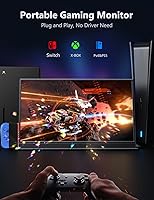
Image Sharpness
91%
The QHD resolution is the most consistently praised aspect of this portable gaming display across buyer reviews. Users working on spreadsheets, editing photos, or simply browsing report that text and fine detail look noticeably crisper than on 1080p travel monitors they switched from. For a portable panel, the clarity genuinely impresses.
A small number of buyers running older integrated graphics struggled to push the native resolution at full refresh rate simultaneously, which forced them to compromise on one or the other. This is a source limitation rather than a panel flaw, but it still affects the experience for a subset of users.
Refresh Rate Performance
88%
Buyers who game on the go consistently highlight how much smoother fast-action titles feel compared to their previous 60Hz travel monitors. Combined with AMD FreeSync Premium, tearing is largely absent during gameplay, which makes a real difference in shooters and racing titles where motion clarity matters most.
The 144Hz ceiling is only accessible over compatible connections, and some users discovered their specific laptop or console HDMI output was capped lower than expected. A handful of buyers also reported needing to manually enable the higher refresh rate in display settings, which caught them off guard initially.
Color Accuracy
84%
Content creators using this travel monitor on location praised how reliably colors translated between the display and their final deliverables. The wide sRGB coverage means photos and graphics look consistent rather than oversaturated or dull, which is a meaningful advantage over cheaper portable monitors that cut corners on color calibration.
While sRGB coverage is strong, the monitor does not cover DCI-P3, so users working in video production or print workflows that require wider gamuts will find it falls short of professional-grade portable displays. HDR content also looks less impactful than expected given the brightness ceiling.
Brightness & Glare Handling
61%
39%
The matte anti-glare coating does a decent job of diffusing reflections in standard indoor environments like hotel rooms, offices, and dim cafes. Users who set up at a typical desk away from direct light sources generally reported a comfortable viewing experience without needing to adjust the monitor’s position.
At 300 nits, this is one of the more commonly cited frustrations from buyers who work in brightly lit spaces. Sitting near a window during the day makes the image noticeably washed out, and outdoor use is essentially impractical. For buyers whose work environment involves variable or high ambient light, this is a genuine daily limitation.
Connectivity & Compatibility
73%
27%
Having both dual USB-C and HDMI in a single portable panel gives this display real flexibility across device types. Users switching between a MacBook, a gaming laptop, and a console reported being able to do so without carrying extra adapters, which is exactly what a multi-device travel setup needs.
USB-C compatibility is not universal, and this has been a recurring pain point. Buyers whose phones or older laptops lack DisplayPort Alt Mode found the USB-C ports useless for video, falling back entirely on HDMI. The micro-USB power port also caused confusion, with several users initially attempting to use it for video input and getting no signal.
Portability
67%
33%
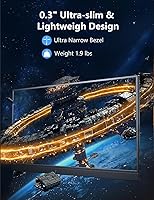
At 0.39 inches thick, the MagicRaven 17.3-inch monitor slides into most laptop bags without awkward bulk, and the included smart cover keeps the screen protected during transit. For users traveling with a car or checked luggage, the size-to-screen-space trade-off feels worthwhile.
The 3.16-pound weight is a recurring complaint among buyers who expected something lighter given the portable positioning. Backpack commuters and frequent flyers in particular noted that combined with a laptop and power brick, the total bag weight becomes uncomfortable over longer distances.
Build Quality
59%
41%
The slim chassis keeps the overall profile clean and the monitor feels reasonably solid when placed flat on a desk. Users who primarily use it as a stationary second screen at home reported no structural concerns over regular daily use.
The plastic construction draws consistent criticism from buyers who expected more rigidity at this price point. Flexing along the panel edges when handling the monitor is noted by multiple reviewers, and the overall material feel does not inspire confidence for buyers who move it frequently or handle it roughly.
Smart Cover & Stand
54%
46%
The included smart cover means buyers do not need to purchase a separate stand to get up and running, which is a practical inclusion for travel setups. It props the monitor at a usable angle for desk work without requiring any accessories.
Feedback on the smart cover is consistently mixed-to-negative. Words like flimsy and wobbly come up repeatedly, and users on uneven surfaces reported the monitor tipping more than once. For any serious long-term desk setup, most buyers end up moving to a VESA arm rather than relying on the included cover.
Setup & Ease of Use
89%
The plug-and-play experience is one of the smoothest aspects of this portable gaming display. Buyers connecting it to Windows laptops, MacBooks, and gaming consoles reported that the monitor was detected and working within seconds, with no driver downloads or software configuration required.
A small but vocal group of buyers experienced initial setup confusion around which USB-C port to use for video versus power, and the micro-USB port labeling led to some wasted troubleshooting time. The first-time experience could benefit from clearer physical labeling on the device itself.
Gaming Experience
82%
18%
For traveling gamers connecting a Switch, PS5, or gaming laptop, this travel monitor delivers a noticeably better experience than budget alternatives. The combination of high refresh rate and AMD FreeSync makes supported titles look clean and responsive in a way that 60Hz portable monitors simply cannot match.
Console gamers need to manually configure output settings to unlock the full refresh rate, which is not always intuitive. There is also no published input lag figure from the manufacturer, which leaves competitive players guessing rather than comparing against tested alternatives.
Eye Comfort
81%
19%
Users logging long work sessions, particularly remote workers and students, appreciated the flicker-free backlight and blue light filter combination. Several buyers specifically mentioned reduced end-of-day eye fatigue compared to their previous displays, which is a meaningful quality-of-life improvement for daily heavy users.
The blue light filter noticeably shifts the white balance toward warmer tones at higher intensity settings, which some users found distracting for color-sensitive work. It works best as a background setting rather than something cranked up, and buyers expecting strong eye care without any visual trade-off may be mildly disappointed.
Audio
38%
62%
Having any built-in audio output on a portable monitor is genuinely convenient for quick video calls or background notifications without needing to reach for headphones. For bare-minimum situational use, the speakers at least function as intended.
Buyers who expected anything resembling quality audio from the built-in speakers were universally let down. Volume is limited, bass is absent, and the sound quality in any listening scenario beyond a muffled notification is poor. Almost every long-term user mentions pairing this display with external audio as a practical necessity.
Value for Money
74%
26%
Most buyers concluded that the combination of 17.3-inch QHD resolution and 144Hz refresh rate at this price tier represents a reasonable deal compared to competitors offering smaller screens or lower refresh rates for the same outlay. The included cables and cover add modest but real value to the package.
Buyers who prioritized build quality, brightness, or audio as part of their decision found the value proposition harder to justify after use. If your use case requires strong outdoor brightness or premium materials, spending more on a competing display likely makes more practical sense than stretching this one beyond its comfortable limits.

Suitable for:

The MagicRaven 17.3″ 2.5K 144Hz Portable Gaming Monitor is a strong fit for anyone who finds the typical travel monitor just too small to work or game on comfortably. Remote workers and students who move between home, coffee shops, and co-working spaces will appreciate having a genuinely large second screen that sets up in seconds without installing a single driver. Traveling gamers connecting a PS5, Xbox, or Switch will notice a real difference versus a basic 60Hz display — the high refresh rate and FreeSync support make fast-paced games look noticeably cleaner. Laptop users who split time between a desk and the road get solid connectivity with both USB-C and HDMI covered, meaning most devices plug straight in. Content creators who care about color accuracy on location will also find the wide sRGB coverage useful for reviewing photos or video without second-guessing what they’re seeing.

Not suitable for:

The MagicRaven 17.3-inch monitor is not the right pick for buyers expecting a truly ultralight, toss-it-in-any-bag travel companion. At over three pounds, it sits at the heavier end of the portable monitor category, and that weight adds up quickly if you’re already carrying a laptop and accessories. Users who work primarily outdoors or next to bright windows may find the 300-nit brightness ceiling limiting — it handles dimmer indoor environments well but washes out in direct sunlight or very bright rooms. Anyone hoping to use it as a primary audio source should look elsewhere; the built-in speakers are serviceable for the occasional notification or video call, but not for music or immersive media. Buyers with older laptops, phones, or consoles that lack DisplayPort Alt Mode over USB-C should verify compatibility before purchasing, as some users have hit frustrating dead ends on that front. If premium build quality and a rigid chassis are non-negotiable for you, the plastic construction here may feel underwhelming compared to pricier alternatives.

Specifications

  • Screen Size: The display measures 17.3 inches diagonally, making it one of the larger options in the portable monitor category.
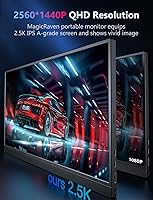
  • Resolution: The panel outputs at 2560x1440 pixels (QHD), delivering noticeably sharper detail than a standard 1080p portable display.
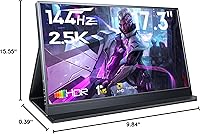
  • Refresh Rate: The screen runs at up to 144Hz, which produces smoother motion in fast-paced games compared to typical 60Hz travel monitors.
  • Panel Type: An A-grade IPS panel is used, providing consistent color accuracy and wide viewing angles of up to 178 degrees.
  • Brightness: Peak brightness is rated at 300 nits, suitable for indoor use but limiting in very bright or sunlit environments.
  • Contrast Ratio: The specified contrast ratio is 1000:1, which is standard for IPS panels at this tier.
  • Color Gamut: The display covers 100% of the sRGB color space, making it a credible choice for color-sensitive work on the go.
  • HDR Support: HDR is supported, though the 300-nit brightness ceiling limits the practical impact of HDR content versus a dedicated HDR display.
  • Surface Finish: The screen uses a matte anti-glare coating that reduces reflections in typical indoor lighting conditions.
  • Connectivity: The monitor includes two USB-C 3.2 ports and one HDMI 2.0 port, covering a broad range of laptops, consoles, and mobile devices.
  • Single-Cable Use: On devices that support DisplayPort Alt Mode over USB-C, a single cable can carry both video signal and power simultaneously.
  • VESA Mount: Standard 75x75mm VESA mounting holes on the rear allow the monitor to be attached to a compatible wall mount or monitor arm.
  • Built-in Audio: Two integrated speakers are included for basic audio output; they are adequate for notifications and calls but not for immersive listening.
  • Eye Care: The panel includes both a blue light filter and flicker-free backlighting to reduce eye fatigue during extended use sessions.
  • Sync Technology: AMD FreeSync Premium is supported over compatible connections, helping to eliminate screen tearing during gameplay.
  • Dimensions: The monitor body measures approximately 15.55 inches wide, 9.84 inches tall, and 0.39 inches deep when laid flat.
  • Weight: The unit weighs 3.16 pounds, which is on the heavier side for a portable monitor and worth factoring into travel plans.
  • Smart Cover: A protective smart cover is included in the box and doubles as a stand, though buyer feedback on its sturdiness is mixed.
  • Power Input: The monitor is powered via USB-C; the micro-USB port present on the unit is designated for power input only, not video signal.
  • Plug-and-Play: No driver installation is required; the monitor is recognized automatically when connected to a compatible PC, console, or phone.

Related Reviews

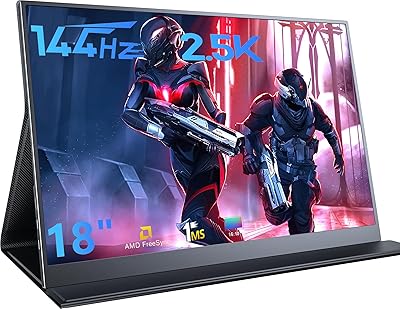
MagicRaven 18″ 2.5K 144Hz Portable Gaming Monitor
74%
91%
Display Clarity
83%
Refresh Rate Performance
88%
Color Accuracy
51%
Portability & Weight
74%
Connectivity & Compatibility
More
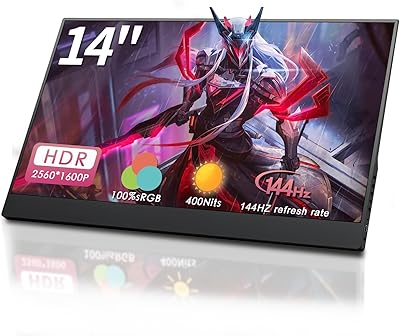
StarXnDa 14-inch 2.5K 144Hz Portable Gaming Monitor
77%
88%
Display Sharpness
91%
Refresh Rate Performance
83%
Color Accuracy
62%
Brightness & HDR
79%
Portability
More
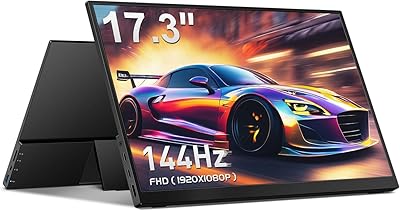
CAPERAVE CF17H 17.3″ Portable Gaming Monitor
73%
88%
Portability
79%
Display Quality
63%
Refresh Rate Performance
86%
Connectivity
77%
Build Quality
More
UPERFECT 2K 144Hz 17.3-inch Portable Monitor
74%
91%
Display Clarity
83%
Color Accuracy
88%
Refresh Rate & Gaming
62%
Portability & Weight
74%
USB-C Connectivity
More
AHXJKA S160 16″ 2.5K Portable Gaming Monitor
69%
88%
Display Clarity
74%
Refresh Rate Performance
82%
Color Accuracy
79%
Portability
63%
Build Quality
More
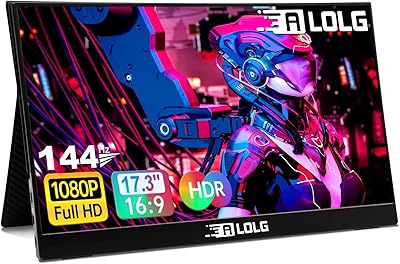
ALOGL 17.3-inch Portable Monitor FHD 1080P 144Hz
84%
89%
Display Quality
92%
Performance (Gaming)
95%
Portability
88%
Compatibility
85%
Build Quality
More
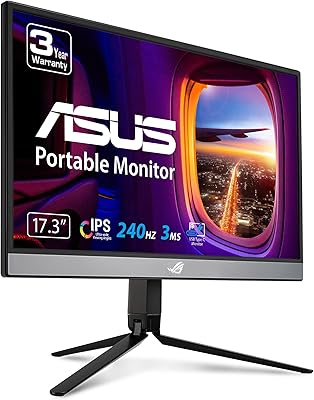
ASUS ROG Strix XG17AHP 17.3″ Portable Monitor
77%
93%
Display Smoothness
91%
Portability
89%
Included Accessories
58%
Battery Life
82%
Connectivity
More
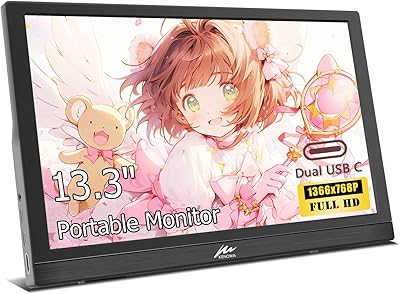
Kenowa HD-133 13.3-inch Portable Monitor
68%
91%
Setup & Ease of Use
47%
Display Resolution
83%
Portability & Form Factor
76%
Connectivity & Compatibility
68%
Brightness & Visibility
More
Verbatim 17.3″ Portable Touchscreen Monitor
70%
78%
Display Quality
71%
Touchscreen Performance
86%
Connectivity & Setup
59%
Portability
83%
Build Quality
More
Yodoit PTM17 17.3″ Portable Monitor
75%
91%
Screen Size & Usability
76%
Image & Color Quality
62%
Brightness & Glare
54%
HDR Performance
83%
Connectivity & Compatibility
More

FAQ

It depends on your MacBook model. If your MacBook supports DisplayPort Alt Mode over USB-C (which most modern Apple laptops do), a single USB-C cable will handle both video and power at the same time. If you are unsure, check your laptop’s USB-C port specifications before assuming single-cable use will work.

Yes, both consoles connect via the HDMI 2.0 port. Keep in mind that consoles often output at 60Hz by default, so you may need to manually enable 120Hz or higher in your console’s display settings to take advantage of the high refresh rate. The MagicRaven 17.3″ 2.5K 144Hz Portable Gaming Monitor supports the signal, but your console has to send it.
That port is strictly for power input in situations where you need to supply power separately from the video source. It does not carry any video signal. This trips up a lot of buyers, so to be clear: do not expect to connect a device for display output through that port.

HDMI 2.0 supports high refresh rates at QHD resolution, so 144Hz should be available over HDMI on compatible source devices. That said, some devices cap their HDMI output at 60Hz regardless of the cable, so check your source device’s HDMI output spec if getting the full refresh rate matters to you.

Honestly, it struggles. The 300-nit output is perfectly fine for a typical indoor desk setup away from direct light, but if you sit next to a bright window or try to use it outdoors, the image will wash out noticeably. If most of your work happens in brightly lit spaces, that is worth factoring into your decision.

It works, but do not go in with high expectations. It holds the monitor upright well enough for desk use, but buyer feedback consistently describes it as feeling lightweight and a bit wobbly. If you plan to use this monitor at a fixed desk long-term, a small VESA-compatible monitor arm would be a much more stable solution.

It depends on whether your phone supports DisplayPort Alt Mode over USB-C. Many flagship Android phones do, but mid-range and budget models often do not. If your phone only supports USB-C charging or basic data transfer without DisplayPort, you will not get a video signal over that connection.

Yes. The VESA mount holes on the back let you attach a compatible arm or stand that supports rotation, and once mounted vertically the monitor’s on-screen menu lets you adjust the display orientation to match. The built-in smart cover does not support portrait orientation on its own, though.

They are audible but not impressive. For a quick video call or watching a YouTube video in a quiet room, they do the job. For music, gaming audio, or anything where sound quality matters, you will want to pair this travel monitor with external speakers or headphones. Treat the built-in audio as a convenience feature rather than a genuine selling point.

The manufacturer does not publish a specific input lag figure, which is common with monitors at this tier. At 144Hz the panel’s response is generally fast enough for casual to mid-level competitive gaming, but if you are a high-level competitive player who depends on sub-5ms input lag, you should look for independently tested figures before committing.