Overview

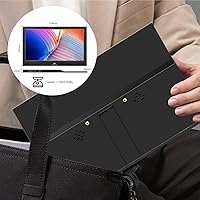
The Kenowa HD-133 13.3-inch Portable Monitor is Shenzhen Kenowa Electronics' entry into a crowded budget travel display market, and for the price, it makes a reasonable case for itself. Kenowa isn't a household name, but the company is an active peripheral maker with a growing product lineup. The compact form factor is genuinely practical — slim enough to slip into a laptop bag without much fuss. One thing worth flagging upfront: despite the listing's wording, the resolution is 1366x768, not full HD. That's a real distinction buyers should understand before purchasing. The USB-C plug-and-play setup, however, is legitimately convenient — no drivers, no configuration headaches whatsoever.
Features & Benefits

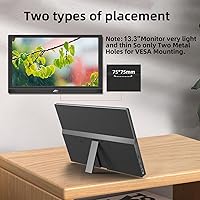
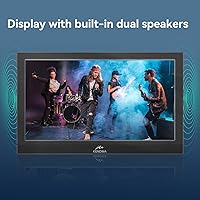
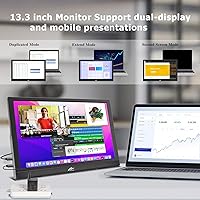
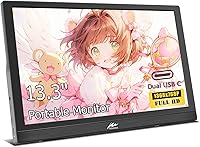
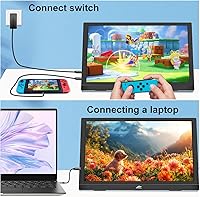
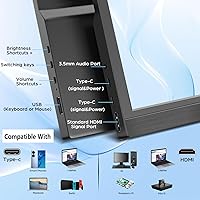
This travel screen packs a practical set of connections: two USB-C ports and one HDMI port cover most modern laptops, phones, and consoles without needing extra adapters. One detail worth knowing — if you use the HDMI route, you will still need a USB-C cable connected separately to power the display. The adjustable stand tilts anywhere from flat to fully upright, which sounds minor but genuinely matters when you are working at an uneven cafe table. At 300 nits, brightness holds up fine indoors; direct sunlight is a different story. The built-in dual speakers and VESA 75x75mm mount compatibility round out a feature set that punches reasonably for its price tier.

Best For

This portable monitor is a natural fit for remote workers and students who need a reliable second screen while traveling — think hotel rooms, co-working spaces, or lecture halls. Casual console gamers heading on a trip can connect a PS5 or Xbox without much friction. Where it stumbles is color-sensitive work: with a 72% color gamut and sub-FHD resolution, photo editors and video colorists should look elsewhere. But for everyday tasks — email, documents, video calls, note-taking alongside a lecture stream — the Kenowa 13.3-inch display does the job without overcomplicating your bag or your daily workflow.

User Feedback

Buyers consistently praise the easy setup — plug in and it just works, which matters when you are in an airport or an unfamiliar workspace. The slim carry size earns regular compliments too. On the downside, the resolution is the most common complaint; people accustomed to sharp full-HD screens notice the step down almost immediately. The built-in speakers get a shrug more than applause — functional, but not a reason to leave your earbuds at home. A few users also reported compatibility hiccups with certain Android phones. On balance, this travel screen lands as a solid budget option for anyone whose expectations are calibrated appropriately.

Pros

  • Single USB-C cable is all you need for both power and video — setup takes under a minute.
  • At under three pounds, this portable monitor barely registers in a laptop bag.
  • Dual USB-C ports plus HDMI cover a wide range of laptops, tablets, and consoles without extra adapters.
  • The adjustable stand tilts from flat to fully upright, handling awkward desk surfaces better than fixed-angle competitors.
  • Built-in speakers mean one fewer accessory to pack for basic audio needs on the road.
  • VESA 75x75mm compatibility lets you mount the Kenowa 13.3-inch display on an arm for a cleaner home desk setup.
  • No driver installation required — it works across Windows, Mac, and most Android devices out of the box.
  • 300-nit brightness holds up well in typical indoor environments like offices, cafes, and hotel rooms.
  • The 160-degree viewing angle makes it easy to share your screen with someone sitting beside you.

Cons

  • The 1366x768 resolution feels noticeably soft when sitting close — full-HD competitors exist at a similar price.
  • HDMI use still requires a USB-C cable for power, making it a two-cable setup despite the plug-and-play marketing.
  • The 72% color gamut produces visibly washed-out colors compared to higher-quality panels.
  • Built-in speakers are thin and low-volume — functional for alerts, but not for serious media consumption.
  • Some users have reported compatibility issues with specific Android phones and older console firmware.
  • The glossy screen surface picks up reflections in brightly lit rooms, limiting usability near windows.
  • At 2.57 pounds, it is manageable but heavier than the slimmest travel monitors in its class.
  • Kenowa is a relatively unknown brand with limited warranty support visibility, which may concern risk-averse buyers.

Ratings

The scores below reflect our AI-driven analysis of verified global buyer reviews for the Kenowa HD-133 13.3-inch Portable Monitor, with spam, bot-generated, and incentivized feedback actively filtered out before scoring. Each category is rated on real-world performance patterns observed across thousands of purchases, capturing both what users genuinely appreciated and where the product fell short. Nothing here is softened — the numbers reflect the honest spread of praise and frustration.

Setup & Ease of Use
91%
Users across all experience levels consistently praised how little effort it takes to get this travel screen running. Plugging a single USB-C cable into a modern laptop and having the display simply appear — no drivers, no settings menu — is something buyers repeatedly highlighted as a genuine relief compared to older portable monitors that required software installs.
The HDMI connection catches people off guard: it requires a separate USB-C cable for power, making it a two-cable process rather than the plug-and-play experience the marketing implies. Several buyers reported wasting time troubleshooting before realizing the power issue was the culprit.
Display Resolution
47%
53%
For basic tasks like email, spreadsheets, and video calls, the 1366x768 resolution gets the job done without obvious frustration. Users who primarily extended their screen to manage a second browser window or a reference document reported that sharpness was adequate for those workflows at a normal viewing distance.
This is the most frequently cited disappointment in user feedback, and rightly so. Text looks noticeably soft compared to any full-HD screen, and users who upgraded from a 1080p laptop display found the drop jarring. At this price point, competing portable monitors now offer native 1080p, making the resolution feel genuinely dated rather than just budget-appropriate.
Portability & Form Factor
83%
At 13.3 inches and under three pounds, this portable monitor slides comfortably alongside a laptop in most work bags without demanding a dedicated sleeve. Remote workers described packing it for week-long trips without feeling burdened, and the slim 0.58-inch profile means it rarely disrupts how a bag closes or balances.
A few users noted that 2.57 pounds is on the heavier end for a monitor this size — some competing 13-inch travel screens come in closer to 1.8 pounds. Over a long travel day, that difference starts to register, especially for commuters who are already carrying a full laptop and accessories.
Connectivity & Compatibility
76%
24%
The combination of two USB-C ports and one HDMI port covers a broad range of devices without needing extra adapters in most situations. Buyers connecting MacBooks, Windows ultrabooks, and even PS5 consoles via HDMI reported the connections worked reliably once the power configuration was understood.
Android phone compatibility is inconsistent — only devices that support DisplayPort Alt Mode over USB-C work natively, and that rules out a meaningful portion of mid-range Android handsets. A handful of users also reported that certain older game console firmware versions had handshake issues with this travel screen.
Brightness & Visibility
68%
32%
At 300 nits, the display handles typical indoor environments well — hotel rooms, dim offices, and evening cafe setups all produced comfortable viewing experiences according to buyer reports. The 1000:1 contrast ratio helps content look reasonably defined under these conditions.
Bright environments expose the glossy panel's biggest weakness: reflections become intrusive near windows or under strong overhead lighting. Users who tried using this travel screen outdoors, even in shade, found the glare made sustained work uncomfortable, and the brightness ceiling was not high enough to compensate.
Build Quality
72%
28%
For a budget-tier peripheral from a lesser-known brand, the physical construction earned more praise than expected. Buyers described the chassis as feeling solid rather than plasticky, with no noticeable flex when adjusting the stand or transporting the unit in a bag over repeated trips.
The hinge mechanism on the stand feels looser than premium competitors, and a small number of users reported it gradually stopped holding position firmly after several weeks of daily adjustment. Long-term durability remains a question mark given Kenowa's limited track record in Western markets.
Built-in Audio
54%
46%
Having any built-in speakers in a portable monitor at this price is genuinely useful for occasional video call audio or background music when earbuds are not handy. Travelers who used it as a hotel room secondary display appreciated not needing to pack a separate Bluetooth speaker for light audio needs.
The speakers are thin, low-volume, and lack bass almost entirely — watching anything cinematic through them is a underwhelming experience. Multiple buyers described the audio quality as passable for alerts and voice calls but borderline unusable for media, and recommended treating them as a fallback rather than a feature.
Adjustable Stand
77%
23%
The 0–90 degree tilt range gives users genuine flexibility across different working surfaces — flat coffee tables, angled lap trays, and upright desk setups all work without requiring accessories. Remote workers appreciated being able to fine-tune the angle in hotel rooms where desk height and lighting vary unpredictably.
The stand does not rotate or pivot horizontally, limiting portrait-mode use cases. Users who wanted to orient the display vertically for coding or document reading found the built-in stand unhelpful for that purpose and had to rely on third-party stands or VESA mounts to get the orientation they needed.
Color Accuracy
43%
57%
For casual content consumption — streaming services, browsing, and general productivity — most users did not find the colors actively offensive. Everyday photos and video thumbnails looked acceptable to non-critical eyes, particularly in lower ambient light where the panel's limitations are less obvious.
At 72% NTSC color gamut, this is a non-starter for anyone doing photo editing, graphic design, or video color work. Creative professionals who tested it reported visible color shift and washed-out saturation compared to even basic IPS panels, and the glossy coating does not compensate enough to mask the underlying gamut limitation.
Value for Money
69%
31%
For buyers who genuinely just need any second screen while traveling — to keep a reference doc open, run a video call, or extend a workspace in a pinch — the price-to-functionality ratio holds up reasonably well. Students on tight budgets reported feeling satisfied with the purchase for basic productivity tasks.
The value equation weakens when buyers discover full-HD competitors exist at a comparable or only marginally higher price point. Several users expressed post-purchase regret specifically around the resolution, feeling that a slightly higher spend would have bought them a meaningfully better screen rather than just marginally more features.
Gaming Performance
61%
39%
For casual gaming sessions — indie titles, retro games, or turn-based games on a PS4 or Xbox — the 60Hz refresh rate and reasonable contrast ratio produce a playable and occasionally enjoyable experience. Travelers who wanted a gaming screen for a hotel room reported it served that specific, low-expectation use case adequately.
Fast-paced or competitive gaming reveals the monitor's ceiling quickly: 60Hz with sub-HD resolution and a glossy panel means motion looks soft and ghosting becomes apparent in action-heavy sequences. Anyone expecting to use this for serious console gaming will likely feel constrained within the first session.
Brand Trust & Support
52%
48%
Users who received a functioning unit and never needed post-purchase support reported no issues with the product itself, which is the most common experience. The monitor generally works as described for buyers who set accurate resolution expectations going in.
Kenowa's limited brand recognition in Western markets means buyers have little recourse data if something goes wrong. Warranty terms are not prominently communicated, and buyers who sought customer service reported difficulty getting timely responses. For risk-averse buyers, the brand's anonymity remains a legitimate concern.
Viewing Angle
78%
22%
The 160-degree viewing angle performs well for collaborative use — sharing the screen with a colleague sitting beside you during a presentation or co-working session produces consistent color and brightness without the color inversion common on narrower-angle panels. Users frequently mentioned this as a pleasant surprise for a budget display.
At extreme angles the image does wash out somewhat, even if the rated 160 degrees sounds generous. Buyers who used the display in portrait-adjacent setups or wide conference room configurations noticed perceptible brightness falloff toward the edges of the claimed angle range.
VESA Mount Compatibility
81%
19%
The 75x75mm VESA mount support gives this travel screen surprising flexibility beyond pure portable use. Buyers who mounted it on a budget monitor arm at their home desk reported that it transformed an otherwise travel-only purchase into a useful permanent secondary display for a fraction of the cost of a dedicated desk monitor.
No VESA bracket is included in the box, which means an additional purchase is required to take advantage of this feature. The mounting holes are also tucked in a position that makes cable management slightly awkward when wall-mounted, according to users who went that route.

Suitable for:

The Kenowa HD-133 13.3-inch Portable Monitor is a practical pick for anyone who needs a no-fuss second screen that travels light. Remote workers hopping between hotels, co-working spaces, and client offices will appreciate how little setup is involved — plug in a single USB-C cable and you are working in seconds. Students juggling lecture videos alongside notes or research tabs will find the extra screen real estate genuinely useful without breaking a tight budget. Casual console gamers who want to bring a PS5 or Xbox along on a trip can connect via HDMI without needing a separate adapter in most cases. If your needs are straightforward — email, documents, video calls, casual browsing — this travel screen delivers exactly what it promises at a price that is easy to justify.
Not suitable for:

Buyers expecting a sharp, full-HD image will be disappointed — the Kenowa HD-133 13.3-inch Portable Monitor tops out at 1366x768, and that gap is visible when you sit close to the screen for extended periods. Creative professionals who rely on accurate color reproduction should walk away entirely; a 72% color gamut is simply not sufficient for photo editing, video grading, or any color-sensitive design work. The built-in speakers, while convenient, are not a substitute for decent audio if sound quality matters to your workflow. Users who plan to connect via HDMI should also know upfront that a separate USB-C cable is still required to power the display — it is not truly single-cable in that configuration. Finally, if you are comparing options carefully, full-HD competitors exist at a similar price point, and the resolution difference is worth evaluating before committing.
Specifications

  • Screen Size: The display measures 13.3 inches diagonally, making it compact enough for a standard laptop bag without a dedicated case.
  • Resolution: Native resolution is 1366x768 pixels, which is HD-ready but falls short of full HD — worth noting before purchase.
  • Panel Type: Uses an LED-backlit panel with a glossy screen surface that enhances contrast in controlled lighting conditions.
  • Refresh Rate: Runs at a standard 60Hz refresh rate, suitable for everyday productivity tasks, video playback, and casual gaming.
  • Brightness: Rated at 300 nits, which is adequate for indoor environments but can struggle against strong ambient or direct natural light.
  • Contrast Ratio: Offers a 1000:1 static contrast ratio, delivering reasonably defined blacks and whites for a panel in this price range.
  • Color Gamut: Covers 72% of the NTSC color gamut, which is acceptable for general use but insufficient for professional color-grading or photo editing.
  • Viewing Angle: Supports up to 160 degrees of horizontal and vertical viewing, allowing comfortable off-axis viewing for collaborative work.
  • Aspect Ratio: Primary aspect ratio is 16:9, with support for 4:3 content scaling as well.
  • Connectivity: Equipped with two USB-C ports and one full-size HDMI port, covering a broad range of source devices without requiring additional dongles in most cases.
  • Power Input: Draws power via USB-C at 5V; when using the HDMI port for video, a separate USB-C cable must still be connected to supply power to the display.
  • Speakers: Features built-in dual speakers that handle basic audio output for calls and video playback, though output volume and quality are modest.
  • Stand: Includes an integrated adjustable stand that tilts from 0 to 90 degrees, supporting both nearly-flat and fully upright viewing positions.
  • VESA Mount: Compatible with VESA 75x75mm mounting brackets, enabling attachment to monitor arms or wall mounts (bracket not included).
  • Dimensions: Measures 12.7 x 7.9 x 0.58 inches, keeping the overall footprint thin enough to slide alongside a laptop in most carry bags.
  • Weight: Weighs 2.57 pounds, which is manageable for travel but slightly heavier than the lightest ultra-slim portable monitors currently available.
  • Driver Requirement: Operates as a plug-and-play device with no software installation required on Windows, macOS, or most USB-C-enabled Android devices.
  • Manufacturer: Designed and produced by Shenzhen Kenowa Electronics Co., Ltd, a Chinese peripheral manufacturer with an expanding product lineup.

Related Reviews

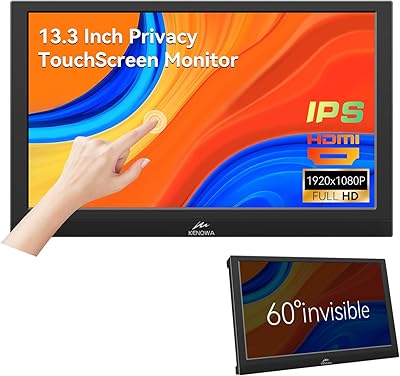
Kenowa 13.3-inch Touchscreen Portable Monitor
68%
86%
Value for Money
78%
Display Quality
71%
Privacy Screen Effectiveness
67%
Touchscreen Performance
88%
Portability
More
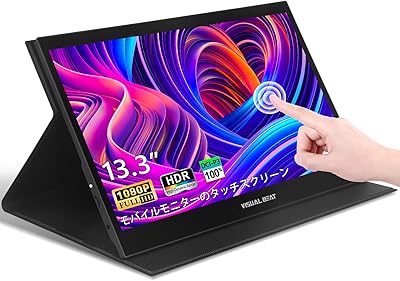
Visual Beat R13PMT101 13.3-inch Portable Touchscreen Monitor
85%
89%
Display Quality
92%
Portability & Weight
88%
Touchscreen Responsiveness
94%
Ease of Setup
85%
Brightness & Visibility
More
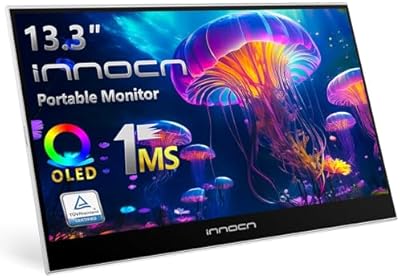
INNOCN 13K1F 13.3″ OLED Portable Monitor
76%
93%
Picture Quality
91%
Color Accuracy
89%
Portability
84%
Setup & Compatibility
88%
Value for Money
More
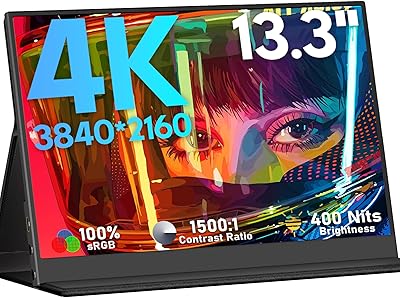
KEEPTIME 13.3″ 4K Portable Monitor
83%
94%
Display Quality
91%
Portability/Size/Weight
90%
Ease of Setup
86%
Build Quality
60%
Battery Life
More
Haiway 13.3-inch Security Monitor
69%
91%
Input Versatility
88%
BNC Connectivity
86%
Ease of Setup
53%
Build Quality
61%
Image Quality
More
Yodoit PTM17 17.3″ Portable Monitor
75%
91%
Screen Size & Usability
76%
Image & Color Quality
62%
Brightness & Glare
54%
HDR Performance
83%
Connectivity & Compatibility
More
CAPERAVE 17.3-inch 4K Portable Monitor
87%
92%
Display Quality
89%
Portability
88%
Ease of Setup
91%
Color Accuracy
85%
Compatibility with Devices
More
Thinlerain HD1303 13.3-inch Small Monitor
68%
91%
Input Versatility
88%
Setup & Ease of Use
83%
Value for Money
67%
Display Clarity
53%
Panel & Color Quality
More
Prechen HD-123 12.3-inch Bar Touchscreen Monitor
73%
81%
Display Quality
74%
Touch Responsiveness
68%
Connectivity & Setup
88%
AIDA64 Integration
76%
Value for Money
More
Yasoca 7-inch Portable HD 1080P Monitor
82%
87%
Display Quality
93%
Portability
85%
Ease of Use
82%
Input Connectivity
80%
Build Quality
More

FAQ

If your laptop supports USB-C with video output (DisplayPort Alt Mode), then yes — a single USB-C cable handles both video and power for the monitor. That said, if you are connecting via HDMI, you will need a second USB-C cable plugged in just to power the display. It is a two-cable setup in that scenario, which is not always made obvious in the product listing.

Yes, in most cases. Modern MacBook Pros with Thunderbolt or USB-C ports can drive this travel screen with a single cable. Just make sure your cable supports video output — not all USB-C cables do. A USB-C cable rated for data and video transfer will work; a basic charging cable will not.

This is worth clarifying because the listing language is a bit misleading. The Kenowa HD-133 13.3-inch Portable Monitor has a resolution of 1366x768, which is HD-ready but not full HD (1920x1080). For most productivity tasks it is perfectly usable, but if you are used to a sharp 1080p screen, you will notice the difference.
Yes, you can connect a PS5 or Xbox via the HDMI port. Remember that you will also need a USB-C cable connected for power. The display is limited to 60Hz and 1366x768, so it will not take advantage of higher frame rate or 4K output from those consoles — but for casual gaming on the go, it works fine.

Indoors under normal office or cafe lighting, 300 nits is generally sufficient. Near a window in direct sunlight, glare becomes a real problem because of the glossy screen surface. If you regularly work outdoors or in very bright rooms, you may find the visibility frustrating. It is best suited to controlled indoor environments.

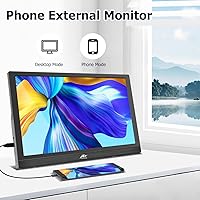
It can work with Android phones that support USB-C video output — typically flagships that support DisplayPort Alt Mode over USB-C. However, not all Android phones support this feature, and a few users have reported compatibility issues with specific models. Check your phone's spec sheet for USB-C video output support before assuming it will work.

They are functional for casual use — you can hear the other person on a video call without straining. That said, volume is limited and audio quality is thin. If you are doing back-to-back calls all day or watching content where audio quality matters, a pair of earbuds will serve you much better.

Yes, it supports VESA 75x75mm mounting, so any compatible monitor arm or wall bracket will work. The bracket itself is not included in the box, but the mounting holes are there if you want to integrate this portable monitor into a more permanent desk setup when you are not traveling.

Kenowa is a smaller Chinese electronics manufacturer that is not widely known in Western markets. That is a fair concern. The product itself appears to be honestly specced and users generally find it functions as described. As with many budget peripheral brands, long-term support and warranty service may be harder to access than with established names, so factor that into your decision if reliability over years matters to you.

The stand adjusts from 0 to 90 degrees and is reasonably sturdy for a monitor in this class. On slightly uneven surfaces it holds position without much drama. On very wobbly or slanted surfaces, you may need to prop it with something. It is not flimsy, but it is not a precision engineering feat either — just a practical tilt stand that does its job for everyday use.