AHXJKA S160 16″ 2.5K Portable Gaming Monitor
AHXJKA S160 16″ 2.5K Portable Gaming Monitor — image 1
AHXJKA S160 16″ 2.5K Portable Gaming Monitor — image 2
AHXJKA S160 16″ 2.5K Portable Gaming Monitor — image 3
AHXJKA S160 16″ 2.5K Portable Gaming Monitor — image 4
AHXJKA S160 16″ 2.5K Portable Gaming Monitor — image 5
AHXJKA S160 16″ 2.5K Portable Gaming Monitor — image 6
69%
31%

Overview

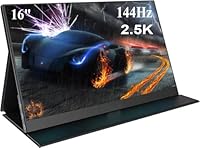
The AHXJKA S160 16″ 2.5K Portable Gaming Monitor enters a crowded market with specs that genuinely turn heads for the price. AHXJKA isn't a household name, and that's worth acknowledging upfront — you won't find a robust support network or decades of brand reputation here. What you do get is a 2.5K IPS panel running at 144Hz, which is a rare combination at this price tier. The chassis measures just 0.4 inches thick, and marketing materials claim around 1.5 lbs — though the spec sheet lists 3.74 lbs, so temper your expectations on that front. Strong numbers on paper, but real-world performance always tells a different story.

Features & Benefits

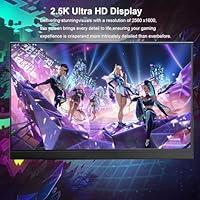
The 2560x1600 IPS display covers 100% sRGB, meaning colors look accurate and punchy whether you're gaming or casually editing photos. That 16:10 aspect ratio is a nice touch — it gives you more vertical real estate than standard widescreen panels, which proves genuinely useful when browsing or working in documents. The 144Hz refresh rate and 1ms response time sound impressive, though portable monitors don't always deliver on those figures under real conditions. HDR is listed as supported, but don't expect dramatic contrast — it's likely software-driven rather than true peak-brightness HDR. Mini HDMI and USB-C connectivity cover most devices, and built-in speakers are included, though treat those as a backup option rather than a selling point.

Best For

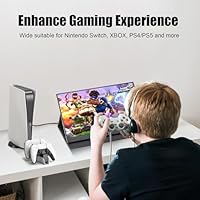
This portable gaming monitor makes the most sense for laptop users who need a quick second screen without hauling extra gear. If you're a student working from a café, a remote worker bouncing between locations, or someone wanting to hook up a PS5 or Nintendo Switch without a full TV setup, this travel-friendly screen fits that role well. Budget-conscious buyers chasing 2.5K resolution at an accessible price will find it hard to match these specs elsewhere without spending considerably more. That said, it's not the right call for color-critical design work — without hardware calibration, you can't fully trust panel accuracy for professional output.

User Feedback

Buyers consistently highlight image sharpness and how straightforward the USB-C setup is — plug in and it works, which matters when you're on the road. The slim form factor gets steady praise too. On the flip side, the stand is a recurring frustration; several users find it wobbly or awkward on uneven surfaces, and a few mention the included cables feeling cheap. Weight is another sticking point — some buyers found this monitor heavier than the marketing suggests, which aligns closer to the spec sheet figure. Long-term reliability data is thin given the product's recent launch, so durability over time remains a genuine open question.

Pros

  • Sharp 2.5K IPS panel makes text and visuals noticeably crisper than standard 1080p portable screens.
  • The 16:10 aspect ratio gives useful extra vertical space for productivity tasks and document work.
  • USB-C connectivity makes plugging into modern laptops and phones genuinely effortless.
  • 144Hz refresh rate delivers smooth motion for casual and competitive gaming on the go.
  • 100% sRGB coverage means colors are vibrant and reasonably accurate for everyday use.
  • Slim 0.4-inch chassis slides easily into a bag without taking up meaningful space.
  • Compatible with a wide range of devices including PS5, Switch, tablets, and phones.
  • Mini HDMI port adds flexibility for connecting older laptops and consoles without adapters.
  • At this price point, the resolution and refresh rate combination is hard to match from rivals.
  • Built-in speakers cover the basics when headphones are not an option.

Cons

  • The stand is frequently criticized for being wobbly and unreliable on uneven or soft surfaces.
  • Marketing claims a weight of around 1.5 lbs, but the spec sheet lists 3.74 lbs — a significant gap buyers deserve to know about.
  • Included cables feel flimsy and cheap to many users, suggesting you may need to buy replacements.
  • HDR support appears to be software-driven rather than true hardware HDR, so contrast gains are minimal.
  • AHXJKA has no established support infrastructure, making post-purchase service an unknown quantity.
  • The product launched recently, meaning long-term durability data simply does not exist yet.
  • Some buyers report brightness inconsistencies, which can be distracting in varied lighting conditions.
  • Real-world 144Hz performance on a portable panel may not fully match the advertised specification.

Ratings

The AHXJKA S160 16″ 2.5K Portable Gaming Monitor has been scored by our AI system after processing verified buyer reviews from global markets, with spam, bot-generated, and incentivized feedback actively filtered out before analysis. Scores reflect the full picture — what genuinely impresses users and where real frustrations consistently surface. Both the standout strengths and the recurring pain points are transparently baked into every category below.

Display Clarity
88%
Buyers repeatedly call out how sharp the 2.5K resolution looks in everyday use — reading code, browsing documents, or gaming all benefit noticeably compared to the 1080p portable monitors many users are upgrading from. The IPS panel renders text crisply and colors appear rich without obvious washing.
A handful of users report subtle inconsistencies in brightness uniformity across the panel, particularly noticeable on plain light-colored backgrounds. This is not universal, but it does suggest some variation between production units.
Refresh Rate Performance
74%
26%
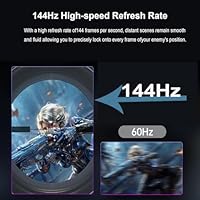
When set up correctly on a compatible laptop or console, the 144Hz output delivers genuinely smoother motion than the 60Hz screens most portable monitor buyers are used to. Gamers using it with a PS5 or a gaming laptop noted a real difference in fast-paced titles.
Reaching 144Hz requires manual configuration on most devices, and some buyers were caught off guard when their setup defaulted to 60Hz without adjustment. Real-world smoothness also depends heavily on the source device, so the advertised ceiling is not always achievable in practice.
Color Accuracy
82%
18%
The 100% sRGB coverage means colors land in a range that works well for everyday creative tasks, casual photo editing, and content consumption. Users working on presentations or light design work found the output visually reliable without needing any adjustments.
Without hardware calibration tools, trusting the panel for professional-grade color work is a risk. Color accuracy can drift between units, and AHXJKA does not provide factory calibration data or ICC profiles, which limits confidence for precision tasks.
Portability
79%
21%
The slim 0.4-inch chassis slides into bags without fuss, and the footprint is compact enough to set up on café tables or airplane tray trays without dominating the space. For students and remote workers, the physical form factor genuinely earns its portable label.
The marketed weight of around 1.5 lbs does not align with the 3.74 lbs listed in the spec sheet, and real-world handling leans toward the heavier figure. Buyers expecting an ultralight carry were disappointed once the monitor arrived.
Build Quality
63%
37%
The screen housing itself feels reasonably solid for the price tier, and the slim bezels give it a cleaner look than bulkier budget competitors. For occasional travel use, the construction holds up adequately.
The overall build gives away its budget positioning in the details — the included cables feel thin and uninspiring, and the plastics used in the housing do not inspire confidence under frequent handling. Several users questioned whether it would hold up to daily bag-and-unpack cycles over many months.
Stand Stability
48%
52%
The integrated stand does the basic job of propping the monitor upright on a flat, firm desk surface. For stationary setups with no movement, it holds position well enough to get through a work session.
Wobble is the word that comes up most in buyer complaints — the stand struggles on uneven surfaces and responds badly to any accidental nudge. Users working from sofas, beds, or textured desk mats found it frustratingly prone to tipping, and a significant number ended up sourcing a third-party stand.
HDR Quality
51%
49%
HDR-enabled content does show some improvement in color vibrancy compared to SDR mode, and casual viewers watching streaming content in dim rooms may find the overall picture pleasing enough.
True HDR impact is absent here — there is no meaningful peak brightness boost or local dimming at work, making HDR support feel more like a checkbox feature than a genuine visual upgrade. Users who purchased expecting cinematic HDR contrast were consistently let down.
Connectivity
84%
Having both USB-C and Mini HDMI covered in a single slim unit is genuinely practical — it removes the need for dongles when switching between a modern laptop and a console, and USB-C single-cable setup for power and video is appreciated for its simplicity.
Mini HDMI rather than full-size HDMI means most users will need to track down a specific cable or adapter for console connections, since Mini HDMI cables are less commonly stocked. This minor friction caught a few buyers off guard.
Ease of Setup
87%
Plug-and-play behavior over USB-C is one of the most praised aspects across buyer feedback — connecting to a MacBook or Windows laptop typically just works without installing drivers or navigating display menus. It is the kind of effortless setup that makes a real difference when you are working in a shared space.
Getting the full 144Hz output configured correctly requires going into display settings manually, which tripped up buyers who expected it to activate automatically. The setup experience is easy at 60Hz but less intuitive for users chasing the higher refresh rate.
Speaker Quality
39%
61%
The built-in speakers serve well enough for system alerts, quick video calls, or background audio when headphones are not available. Having them at all on a monitor this slim is a convenience many competing budget models skip.
Audio output is thin, quiet, and lacks any low-end presence — music and game audio through these speakers will disappoint anyone who cares about sound quality. Most users treat them as an absolute last resort rather than a usable daily audio option.
Value for Money
83%
Stacking a 2.5K resolution, 144Hz refresh rate, IPS panel, and USB-C connectivity into one portable package at this price is objectively competitive. Budget-conscious buyers consistently express surprise at how much display they are getting for the outlay.
The value calculation shifts when you factor in stand limitations, cable quality, and the absence of brand support infrastructure. If you need to replace cables or deal with a defective unit, the savings can feel less clear-cut than the spec sheet suggests.
Compatibility
81%
19%
The range of supported devices is broad — laptops, MacBooks, PS5, Nintendo Switch, Android phones, and tablets all connect without needing proprietary adapters in most cases. Buyers juggling multiple devices appreciated not needing a different monitor for each use case.
Older devices relying on full-size HDMI or DisplayPort require adapter workarounds not included in the box. USB-C compatibility also varies by device — some older USB-C ports lack video output capability, which has led to confusion among less technical buyers.
Brand Reliability
44%
56%
The product performs reasonably well in short-term use, and buyers who received units without defects report satisfaction with the core display experience. For buyers comfortable taking a calculated risk on a newer brand, the upside is real.
AHXJKA has no meaningful track record in the monitor space, and customer support experiences shared by buyers are sparse and inconsistent. With the product launching only in early 2025, there is simply no long-term data on durability, warranty follow-through, or parts availability.

Suitable for:

The AHXJKA S160 16″ 2.5K Portable Gaming Monitor is a solid pick for anyone who needs a capable second screen without committing to a bulky or expensive setup. Laptop users who work from multiple locations will appreciate the USB-C plug-and-play convenience — no driver installs, no fuss. Students and freelancers who split time between home, libraries, and co-working spaces get a genuinely sharp 2.5K display that makes reading, coding, and light creative work noticeably more comfortable than a typical 1080p portable screen. Console gamers looking for a compact display to pair with a PS5 or Nintendo Switch without needing a full television setup will find the 144Hz refresh rate and responsive IPS panel a worthwhile upgrade. If your priority is squeezing strong resolution and smooth visuals into a travel-friendly package at an accessible price, this monitor punches well above its weight class.

Not suitable for:

The AHXJKA S160 16″ 2.5K Portable Gaming Monitor is not the right tool for buyers who need professionally accurate color output straight out of the box. Graphic designers, photographers, or video editors who rely on display precision for client work should look elsewhere — without hardware calibration and a trusted brand behind the panel, color consistency cannot be fully guaranteed. The HDR support listed in the specs is unlikely to deliver the kind of contrast and peak brightness that serious content creators or cinephiles expect from true HDR displays. Buyers sensitive to build quality will also want to pause — the stand has drawn criticism for being unstable, and the included cables feel underwhelming to many users. Anyone prioritizing long-term brand support, warranty service, or documented reliability history may find the lack of an established track record from AHXJKA a genuine concern. Finally, the weight discrepancy between marketing claims and the actual spec sheet suggests buyers should verify before assuming this fits a ultralight travel kit.

Specifications

  • Brand: Manufactured and sold under the AHXJKA brand, model designation S160.
  • Screen Size: The display measures 16 inches diagonally across the active panel area.
  • Resolution: Native resolution is 2560x1600 pixels, marketed as 2.5K for enhanced clarity over standard 1080p.
  • Panel Type: Uses an IPS (In-Plane Switching) panel, which provides wider viewing angles and more consistent color reproduction than TN alternatives.
  • Aspect Ratio: The screen uses a 16:10 aspect ratio, offering more vertical screen space than conventional 16:9 displays.
  • Refresh Rate: Rated at 144Hz, allowing up to 144 frames per second for smoother motion during gaming and video playback.
  • Response Time: Advertised response time is 1ms, intended to reduce motion blur during fast-paced content.
  • Color Gamut: Covers 100% of the sRGB color space, suitable for general-purpose color accuracy in everyday and creative tasks.
  • HDR Support: HDR is listed as supported, though the type and peak brightness level are not specified, suggesting basic or software-driven HDR implementation.
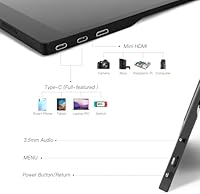
  • Connectivity: Equipped with one Mini HDMI port and one USB-C port to support a range of devices including laptops, consoles, and smartphones.
  • Built-in Audio: Includes built-in speakers for basic audio output without requiring external speakers or headphones.
  • Thickness: The chassis is approximately 0.4 inches (roughly 10mm) thin at its slimmest point.
  • Dimensions: Overall physical dimensions measure 0.4 x 8.7 x 12.6 inches including the panel housing.
  • Listed Weight: Marketing materials state approximately 1.5 lbs, while the product spec sheet lists 3.74 lbs — buyers should note this discrepancy before purchase.
  • Compatibility: Compatible with laptops, desktop PCs, PS5, Nintendo Switch, tablets, smartphones, and cameras via USB-C or Mini HDMI.
  • Date Available: This product first became available for purchase in January 2025.

Related Reviews
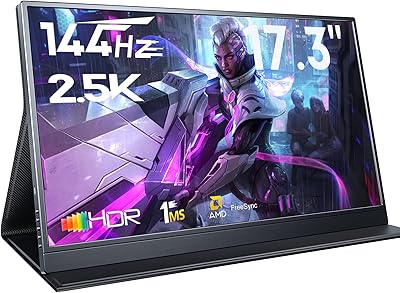
MagicRaven 18″ 2.5K 144Hz Portable Gaming Monitor
74%
91%
Display Clarity
83%
Refresh Rate Performance
88%
Color Accuracy
51%
Portability & Weight
74%
Connectivity & Compatibility
More
StarXnDa 14-inch 2.5K 144Hz Portable Gaming Monitor
77%
88%
Display Sharpness
91%
Refresh Rate Performance
83%
Color Accuracy
62%
Brightness & HDR
79%
Portability
More
MagicRaven 17.3″ 2.5K 144Hz Portable Gaming Monitor
72%
91%
Image Sharpness
88%
Refresh Rate Performance
84%
Color Accuracy
61%
Brightness & Glare Handling
73%
Connectivity & Compatibility
More
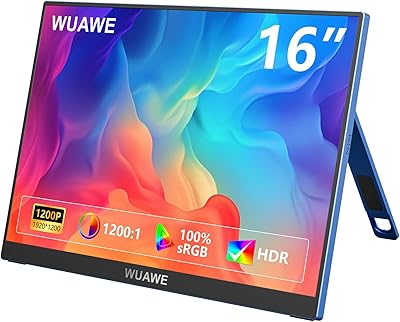
WUAWE WAB160 16-inch Portable Monitor
76%
91%
Portability
83%
Build Quality
78%
Display Clarity
61%
Brightness
86%
Connectivity
More
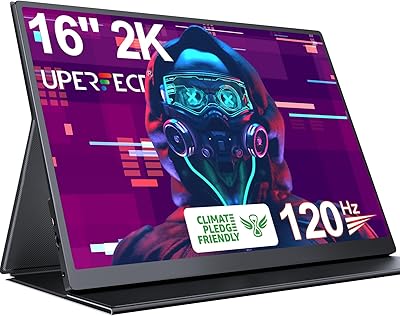
UPERFECT 1602K 16″ 2K Portable Gaming Monitor
79%
91%
Display Clarity
88%
Gaming Performance
93%
Portability & Form Factor
84%
Connectivity
67%
Stand & Cover
More
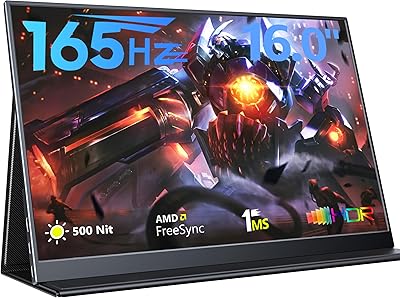
MagicRaven 16″ 165Hz Portable Gaming Monitor
75%
84%
Display Quality
88%
Refresh Rate Performance
91%
Portability & Form Factor
73%
Connectivity & Compatibility
66%
Brightness & Outdoor Visibility
More
UPERFECT 14″ 2.5K Mini LED Portable Monitor
81%
94%
Peak Brightness
91%
Contrast & Black Levels
93%
Outdoor Usability
88%
Build Quality
61%
Connectivity
More
FMC 15.6-inch 2.5K 144Hz Portable Monitor

72%
74%
Image Quality
71%
Refresh Rate Performance
78%
Build Quality
89%
Portability
83%
Setup & Connectivity
More
Topmonitor P15.6/2.5K 15.6-inch Portable Monitor
77%
91%
Image Sharpness
87%
Color Accuracy
93%
Portability
82%
Connectivity
88%
Value for Money
More
MAGICRAVEN M1603 16″ 4K Portable Monitor
75%
91%
Image Sharpness
88%
Portability
86%
Connectivity
89%
Setup Experience
63%
Brightness
More

FAQ

The panel is rated for 144Hz, but getting there depends on your source device. A laptop or PC needs to support that output over USB-C or HDMI, and some computers will default to a lower refresh rate unless you manually set it in display settings. It is worth checking after connecting rather than assuming it kicks in automatically.

Yes, the Nintendo Switch in docked mode connects via the Mini HDMI port without any issues. Just make sure you are using the dock, since the Switch in handheld mode does not output video. The screen size and resolution make it a genuinely enjoyable setup for portable console gaming.

In most cases, yes — modern MacBooks support video output over USB-C, so a single cable handles both display signal and power delivery simultaneously. That said, compatibility can vary depending on your specific MacBook model and the cable quality, so use a cable rated for video output rather than a basic charging cable.

Honestly, do not go in expecting the kind of deep blacks and eye-catching brightness you would get from a dedicated HDR display. At this price point, HDR support is most likely a software or edge-lit implementation rather than true hardware-level HDR with full local dimming. You will see some difference with HDR content, but it is subtle rather than dramatic.

This is probably the most common complaint from buyers. The stand works in controlled conditions on a flat, firm desk, but it has been described as wobbly and prone to tipping on softer or uneven surfaces. If you plan to use it heavily at a desk, investing in a separate portable monitor stand or VESA mount adapter would give you a much more stable experience.

This is worth clarifying because the marketing materials and the product spec sheet give different figures. The listing promotes a weight of around 1.5 lbs, but the actual spec sheet records 3.74 lbs. The real-world weight is almost certainly closer to the spec sheet number, so factor that in if you are planning to carry it in a bag daily.

Cables are included in the box, but user feedback suggests they feel cheap and may not inspire long-term confidence. Many buyers end up replacing them with better-quality USB-C or Mini HDMI cables they already own. It is not a dealbreaker, but worth knowing before you rely solely on what comes in the package.

Yes, and this is actually one of the better use cases for this monitor. Connect via Mini HDMI, and the PS5 will detect it as an external display. You will not get full 4K output since the panel tops out at 2.5K, but the image is sharp, and the 144Hz capability makes fast gameplay feel noticeably smooth compared to a basic 60Hz screen.

They are fine as a backup when you have no other option — background audio, system sounds, or a video call will come through adequately. For gaming or music listening, though, they fall short of what most people would find satisfying. A pair of headphones or even a small Bluetooth speaker will give you a noticeably better experience.

AHXJKA is not an established name in the monitor space, which means you are taking on a bit more uncertainty around after-sales support, warranty follow-through, and long-term parts availability. The product itself offers competitive specs for the price, but if brand reliability and customer service access matter a lot to you, that is a fair trade-off to weigh before committing.