Overview

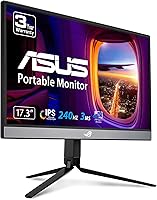
The ASUS ROG Strix XG17AHP 17.3″ Portable Monitor arrived at a time when portable gaming displays were still mostly an afterthought — thin panels with mediocre refresh rates and zero accessories. This one takes a different approach. It packages a sharp IPS panel, a genuinely fast 240Hz refresh rate, a built-in battery, and a full accessory kit into something you can actually carry to a friend's place or a hotel room without feeling underprepared. It launched in 2020, and while the market has grown more competitive since, the ROG XG17AHP still holds its ground as a well-rounded, premium option for serious gamers on the move.
Features & Benefits

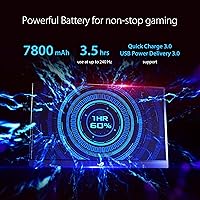
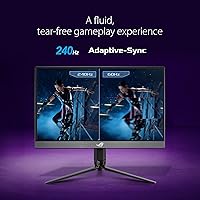
At 240Hz with a 3ms response time, this travel-friendly display handles fast-paced shooters and racing games with the kind of smoothness you would expect from a desktop panel — which is no small feat in a device under half an inch thick. Adaptive-Sync keeps tearing out of the picture across compatible devices, and the hybrid port setup (USB-C plus micro-HDMI) means you are covered whether you are plugging into a Nintendo Switch, a MacBook, or a mirrorless camera. The built-in battery gives you around three hours of wireless use at full refresh rate — enough for a long commute, though not a marathon session. At 2.34 pounds with a tripod included, setup anywhere takes under a minute.

Best For

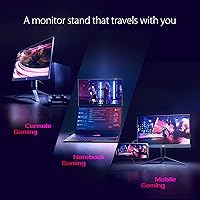
The ROG XG17AHP makes the most sense for console gamers who want a high-refresh display they can pack in a bag — think Switch or PS5 players who travel regularly and do not want to be stuck on a hotel TV. LAN party regulars and remote workers needing a reliable second screen will also find plenty to like here. That said, it is worth being clear about what this display is not: at 1080p, it is tuned for gaming performance, not color-critical creative work. If you need 4K or wide color gamut accuracy for photo or video editing, this is not the right tool. But for fast, responsive gaming away from your desk, it is hard to beat.

User Feedback

With a 4.1-star average across over 600 ratings, the consensus around this portable gaming monitor is broadly positive, but not without a few honest criticisms. Buyers consistently highlight the display quality and how smooth gameplay feels at 240Hz — for a portable panel, that apparently lands well. The included tripod and case get specific praise, which is not always the case with bundled accessories. The recurring concerns center on two things: battery life and port durability. Three hours at full refresh rate is not a lot, and several reviewers flagged that the micro-HDMI connection starts to feel less secure over time with repeated plugging and unplugging. A minority also wish the resolution pushed to 1440p at this price point.

Pros

  • 240Hz refresh rate delivers genuinely smooth gameplay that is rare to find in a portable display this size.
  • Adaptive-Sync support keeps screen tearing out of the picture across a wide range of compatible devices.
  • The built-in battery means you can game without hunting for a power outlet in hotels, airports, or a friend's place.
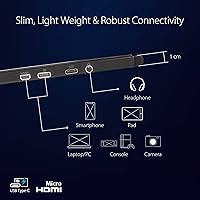
  • USB-C and micro-HDMI connectivity covers an impressively broad range of devices, from laptops to game consoles.
  • At 2.34 pounds and under half an inch thick, this travel-friendly display is easy to carry without feeling fragile.
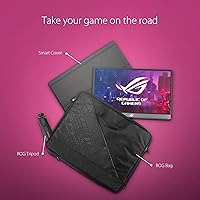
  • The included ROG tripod is a standout addition — it actually works well and saves you from propping the panel against a wall.
  • The smart case and carrying bag feel purpose-built, not like afterthought packaging stuffed in the box.
  • A 3-year warranty offers solid peace of mind for a portable device that takes more bumps than a desktop monitor.
  • IPS panel delivers wide viewing angles, so sharing the screen with others at a LAN party or co-op session works well.
  • Setup from bag to gaming in under a minute is a real-world advantage that frequent travelers will notice quickly.

Cons

  • Battery life caps out around three hours at 240Hz, which is limiting for long sessions away from power.
  • The micro-HDMI port has drawn repeated complaints about feeling less secure after heavy use — handle it with care.
  • At 1080p, the resolution starts to feel dated compared to newer portable monitors entering the market at similar prices.
  • No built-in speakers means you are always relying on headphones or an external audio solution.
  • The premium price is hard to justify if you only need a portable display occasionally rather than regularly.
  • Charging the built-in battery while gaming simultaneously can cause the display to run warm.
  • Micro-HDMI is a less common connector, so you may need an adapter depending on your device lineup.
  • The 2020 launch date means newer competitors now offer comparable specs with improvements in brightness and color coverage.

Ratings

Our AI rating engine analyzed verified global buyer reviews for the ASUS ROG Strix XG17AHP 17.3″ Portable Monitor, actively filtering out incentivized, bot-generated, and low-signal feedback to surface what real users consistently experienced. The scores below reflect both the strengths that earned this travel-friendly display its loyal following and the friction points that knowledgeable buyers should weigh before committing. Nothing has been softened — strong categories and weak ones are scored as the evidence supports.

Display Smoothness
93%
At 240Hz with a 3ms response time, motion clarity on this portable gaming monitor is something reviewers genuinely noticed in competitive shooters and racing games — not just a spec on paper. Users coming from 60Hz laptop screens frequently described the difference as immediately obvious, even during fast panning or rapid camera movements.
A small subset of users noted that hitting the full 240Hz requires a device capable of pushing that signal over USB-C or micro-HDMI, and not all connected hardware delivers it reliably. In those cases, the panel defaults to lower refresh rates, which can feel anticlimactic given the premium paid.
Portability
91%
At 2.34 pounds and under half an inch thick, the ROG XG17AHP travels in a way that most 17-inch displays simply do not. Reviewers regularly mentioned slipping it into a backpack alongside a laptop without any real sacrifice in bag space or shoulder strain during commutes and trips.
While the weight is impressive for its size, the 17.3-inch footprint does push the limits of smaller bags and backpacks. Users with compact travel setups occasionally found fitting the panel alongside other gear more awkward than expected, particularly when the carrying case added its own volume.
Included Accessories
89%
The ROG tripod and smart case are called out specifically in a striking number of reviews — not as expected inclusions, but as genuinely well-designed additions that changed how buyers used the display. The tripod holds the screen stably on desks, beds, and uneven LAN tables without wobbling or tipping.
A few users found the carrying bag slightly bulkier than ideal for sleek travel setups, and the tripod, while sturdy, takes up meaningful room in a backpack when packed alongside the monitor and its case. These are minor inconveniences but worth factoring into packing workflows.
Battery Life
58%
42%
Having any built-in battery in a portable gaming monitor at this screen size and refresh rate is not a given, and reviewers appreciated the freedom it offered for short sessions in hotels, airports, or gaming away from a desk without immediately needing a power cable.
Three hours at 240Hz is the honest ceiling, and several users found real-world figures fell slightly short of that under bright, high-load conditions. For extended travel days or long gaming sessions, this forces a reliance on USB-C power banks or wall outlets — which partially defeats the cord-free appeal.
Connectivity
82%
18%
The combination of USB-C and micro-HDMI gives this travel-friendly display unusual versatility, covering MacBooks, Windows laptops, Nintendo Switch, PS5 via adapter, smartphones, and cameras under one port set. Reviewers who frequently switch between devices appreciated not needing additional dongles for most setups.
Micro-HDMI is a less common connector format, and users who wanted to plug directly into a standard console HDMI output needed an adapter that does not come in the box. That extra step added minor friction for console-first users who expected a direct connection out of the packaging.
Port Durability
61%
39%
Under careful, consistent use with the same cable setup, the ports held up well for the majority of reviewers over months of regular deployment. Users who treated it as a fixed travel companion — plug in once per session — reported no issues after extended ownership periods.
The micro-HDMI port drew repeated durability concerns from users who swap cables frequently, with some describing it as feeling noticeably less secure after several months of daily plugging and unplugging. This is a design-level limitation of the micro-HDMI format rather than a manufacturing defect, but it is a real consideration for power users.
Image Quality
79%
21%
The IPS panel produces colors that look natural and consistent for gaming, with wide viewing angles that work well when sharing the screen during co-op play or showing content to someone beside you. Reviewers found contrast and color saturation solid for entertainment content and fast-paced games.
This is not a color-accurate display for creative work — reviewers who tested it for photo editing or video grading noted that it does not match calibrated professional panels. Brightness could also be limiting in very bright environments, and HDR support is absent, which some buyers expected at this price point.
Resolution
67%
33%
For the panel size, 1080p looks clean and playable, and most gaming reviewers reported being satisfied with image sharpness during fast-paced sessions where the high refresh rate mattered more than pixel density. Content from consoles and laptops rendered without obvious scaling issues.
A meaningful portion of buyers flagged 1080p as feeling behind the curve given the premium positioning, especially as competitor portable monitors began offering 1440p in the same size range. Fine text and UI elements look soft compared to higher-resolution displays, which is noticeable during non-gaming use like browsing or document work.
Build Quality
77%
23%
The chassis feels solid for a display this thin, and the overall construction gave most reviewers confidence that it could survive regular travel without needing excessive babying. The matte finish resists fingerprints reasonably well and does not show surface scratches easily under normal use.
A slim profile inevitably involves some flex in the panel body, and a handful of users noted slight screen flex when pressing on the display surface or adjusting the tripod angle under pressure. It is not a structural concern for typical use, but buyers expecting desktop-monitor rigidity may notice it.
Setup Experience
86%
Plug-in-and-play functionality over USB-C was consistently praised — most laptops and devices recognized the ROG XG17AHP instantly without driver installation or manual configuration. LAN party users especially appreciated going from packed bag to active display in well under two minutes.
Console users connecting via micro-HDMI occasionally ran into resolution and refresh rate negotiation quirks that required manual adjustment through the on-screen display. The OSD controls, while functional, have a learning curve that first-time users found slightly fiddly compared to a typical desktop monitor experience.
Value for Money
63%
37%
For buyers who will use this display constantly — frequent travelers, dedicated LAN attendees, or gamers with multiple setups — the premium price reflects a bundle of features (battery, tripod, case, 240Hz) that is difficult to replicate by buying a cheaper panel and accessories separately.
Occasional users or those who only need a secondary display for light work will struggle to justify the cost given how much the portable monitor market has matured since 2020. Newer competitors offer 1440p panels with comparable refresh rates at or below this price point, making the value case harder to make for new buyers today.
Adaptive-Sync Performance
84%
Reviewers who paired this portable gaming monitor with a compatible GPU noticed a tangible reduction in screen tearing during variable-framerate gameplay — exactly the use case where Adaptive-Sync earns its place. It worked reliably across both AMD and compatible NVIDIA setups without configuration headaches.
Adaptive-Sync effectiveness depends entirely on the source device, and console users do not benefit from it at all through the HDMI path. A few PC users also noted the sync range felt narrow compared to premium desktop monitors, meaning very low or very high framerates occasionally fell outside the sweet spot.
Thermal Management
71%
29%
Under typical gaming loads at moderate brightness, the display ran quietly and stayed at an acceptable temperature, which reviewers found reassuring for a thin device with a built-in battery. Most users reported no discomfort when the monitor sat on a lap or was handled during a session.
Running at maximum brightness while charging simultaneously pushed temperatures noticeably higher, particularly around the bottom edge of the chassis where heat vents. A subset of buyers found this combination uncomfortable during extended handheld-adjacent use, though it did not affect display performance or cause shutdowns.
Warranty and Support
81%
19%
A 3-year warranty is genuinely generous for a portable display, and ASUS ROG support has a reasonable reputation for honoring it on hardware defects. Buyers reported confidence knowing that a travel device — which takes more real-world abuse than a desk setup — was backed for an extended period.
Some users noted that warranty claims for the micro-HDMI port were subject to scrutiny about whether the damage was classified as user-caused wear rather than a manufacturing defect. International buyers also flagged variability in regional support quality, which made the warranty feel less consistent as a global safety net.

Suitable for:

The ASUS ROG Strix XG17AHP 17.3″ Portable Monitor is built for gamers who refuse to compromise their experience just because they are away from their desk. Console players traveling with a Switch or PS5 will get the most out of it — having a high-refresh, battery-powered display that sets up anywhere in under a minute is a genuine convenience that most portable monitors cannot match. LAN party regulars will appreciate that the included tripod and carrying case mean they are not scrounging for a stand or worrying about scratching the panel in transit. Laptop gamers who want a meaningful visual upgrade on the road, particularly those with USB-C outputs, will find the plug-and-play setup refreshingly straightforward. Remote workers who game after hours and need a reliable second screen that travels with them will also find this a practical, well-thought-out package.
Not suitable for:

The ASUS ROG Strix XG17AHP 17.3″ Portable Monitor is not the right pick for everyone, and being honest about that matters at this price point. If your priority is color accuracy for photo editing, video grading, or any creative work that depends on a wide, calibrated color gamut, this display was not built for that — it is tuned for gaming responsiveness, not professional color reproduction. Buyers expecting a future-proof resolution may also feel the 1080p panel falls short, especially as more devices push higher pixel densities. The battery life, while useful, genuinely limits cord-free sessions to around three hours at full refresh rate, which is not enough for long travel days without a power source nearby. Anyone who plans to frequently switch cables between devices should also be aware that the micro-HDMI port has drawn some durability concerns from repeat users.
Specifications

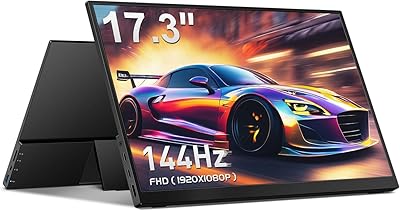
  • Screen Size: The display measures 17.3 inches diagonally, offering a comfortable viewing area for gaming without becoming too bulky to carry.
  • Panel Type: An IPS panel is used, providing wide viewing angles and consistent color reproduction across the screen.
  • Resolution: Native resolution is 1920x1080 (Full HD), delivering a sharp image well-suited to the panel size and gaming use case.
  • Refresh Rate: The display supports up to 240Hz, with 144Hz also officially supported for devices that cannot push the full rate.
  • Response Time: Gray-to-gray response time is rated at 3ms, keeping motion blur minimal during fast-paced gameplay.
  • Adaptive-Sync: Adaptive-Sync technology is built in, reducing screen tearing and stuttering without requiring a proprietary certification from your GPU.
  • Connectivity: The monitor includes one USB-C port and one micro-HDMI port, covering a wide range of laptops, consoles, phones, and cameras.
  • Battery: A built-in lithium polymer battery provides up to approximately 3 hours of cord-free use when running at 240Hz.
  • Weight: The panel weighs 2.34 pounds, making it genuinely portable for daily commutes, travel, or moving between rooms.
  • Thickness: At 0.39 inches thin, the monitor slips easily into a bag alongside a laptop without adding significant bulk.
  • Dimensions: The overall panel footprint measures 9.86 x 15.71 inches, sized to fit within standard laptop bags and backpacks.
  • Aspect Ratio: The display uses a standard 16:9 aspect ratio, compatible with the vast majority of gaming and video content.
  • In the Box: The package includes the monitor, a ROG tripod stand, a smart protective case, and a carrying bag for transport.
  • Voltage: The monitor operates at 28 volts and charges via the included accessories through its USB-C port.
  • Color: Available in black, with a ROG-branded aesthetic that keeps the design understated compared to more aggressively styled gaming gear.
  • Warranty: ASUS backs this monitor with a 3-year manufacturer warranty, which is notably generous for a portable display.
  • USB Ports: The unit includes 2 USB 3.0 ports, allowing pass-through connectivity to peripheral devices depending on setup.
  • Surface Type: The screen has a flat, non-curved surface, which is standard for portable IPS displays in this category.

Related Reviews
Kenowa HD-133 13.3-inch Portable Monitor
68%
91%
Setup & Ease of Use
47%
Display Resolution
83%
Portability & Form Factor
76%
Connectivity & Compatibility
68%
Brightness & Visibility
More
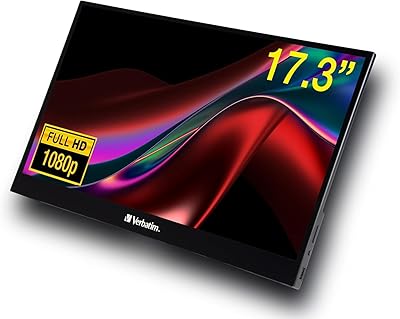
Verbatim 17.3″ Portable Touchscreen Monitor
70%
78%
Display Quality
71%
Touchscreen Performance
86%
Connectivity & Setup
59%
Portability
83%
Build Quality
More
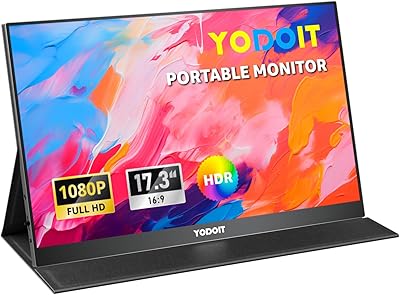
Yodoit PTM17 17.3″ Portable Monitor
75%
91%
Screen Size & Usability
76%
Image & Color Quality
62%
Brightness & Glare
54%
HDR Performance
83%
Connectivity & Compatibility
More
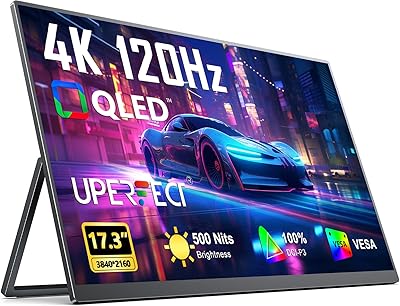
UPERFECT 17.3-inch 4K Portable Monitor
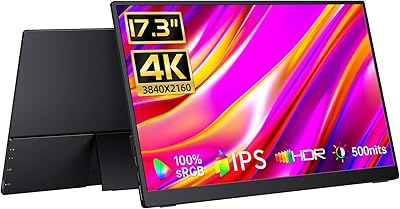
86%
94%
Display Quality
88%
Portability
90%
Gaming Performance
93%
Color Accuracy
85%
Ease of Setup
More
ASUS ROG Strix XG27AQMR 27” Gaming Monitor
87%
94%
Gaming Performance
91%
Visual Quality
88%
Build Quality
96%
Refresh Rate & Response Time
87%
Color Accuracy
More
CAPERAVE 17.3-inch 4K Portable Monitor
87%
92%
Display Quality
89%
Portability
88%
Ease of Setup
91%
Color Accuracy
85%
Compatibility with Devices
More
CAPERAVE CF17H 17.3″ Portable Gaming Monitor
73%
88%
Portability
79%
Display Quality
63%
Refresh Rate Performance
86%
Connectivity
77%
Build Quality
More
ASUS ROG Strix XG249CM 24-inch Gaming Monitor
78%
93%
Motion Clarity
91%
Refresh Rate Performance
78%
Panel Color Quality
47%
HDR Experience
89%
Response Time & Input Lag
More
ASUS ROG Strix XG49VQ 49-inch Ultrawide Gaming Monitor

76%
93%
Gaming Immersion
89%
Refresh Rate & Smoothness
91%
Display Immersion & Curve
78%
Color Accuracy & Gamut
58%
Resolution & Pixel Density
More
ASUS ROG Strix XG259QNS 24.5-inch Gaming Monitor
80%
93%
Motion Clarity
91%
Input Responsiveness
78%
Refresh Rate Value
67%
Image Quality
88%
Build Quality
More

FAQ

Yes, the Nintendo Switch connects via USB-C when docked or through a micro-HDMI adapter in handheld mode. It is one of the most popular use cases for this display, and the combination works well for gaming on the road.

ASUS rates it at around 3 hours at 240Hz, and that figure holds up reasonably well under normal conditions. If you drop the refresh rate to 144Hz or lower the brightness, you may squeeze a bit more out of it. That said, plan for a power source nearby if you are gaming for more than a few hours.

Yes, most MacBooks with a USB-C or Thunderbolt port will recognize the ROG XG17AHP without any drivers or configuration. Video signal and power delivery both run through the single cable, which keeps the setup clean.

Surprisingly useful. The ROG tripod is adjustable and stable enough for desk use or placing the screen on uneven surfaces like a hotel bed or a LAN table. It is one of the more consistently praised parts of the package in user reviews.

Yes, you can charge via USB-C while the display is in use, though the monitor may run slightly warm during simultaneous charging and high-refresh gaming. It is not a problem for most users, but worth keeping in mind in warmer environments.

It will work, but with a caveat — the micro-HDMI port is the connection point for consoles, and those consoles use full-size HDMI, so you will need a micro-HDMI to HDMI cable or adapter. Also, console HDMI output is generally capped at 60Hz for most games, so you will not be hitting 240Hz through that path.

Not really. The panel is tuned for gaming performance, and while colors look good for entertainment, it is not color-calibrated or wide-gamut in the way that creative professionals typically require. If accurate color work is a priority, you would be better served by a display designed specifically for that purpose.

It functions well under normal use, but a number of users have noted it feels less robust than a standard HDMI connector, particularly after repeated plugging and unplugging. If you plan to swap cables frequently, being deliberate and careful with that port is a good habit to build from day one.

No, this portable gaming monitor does not include built-in speakers. Audio comes through your connected device, so you will need headphones or an external speaker to go with it.

For most gaming content viewed at normal distances, 1080p on a 17.3-inch panel looks fine — not razor-sharp like a high-DPI laptop display, but clean and watchable. Where it starts to feel limiting is if you are coming from a 1440p or 4K setup and use the monitor for general computing tasks like browsing or reading text.

Where to Buy