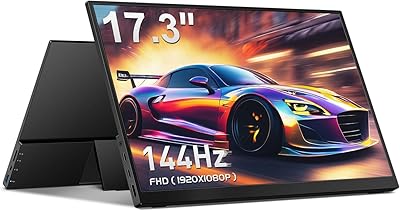
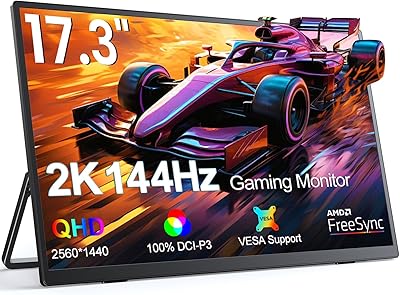
Overview

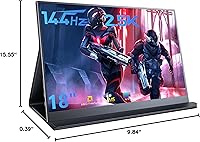
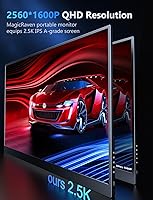
The MagicRaven 18″ 2.5K 144Hz Portable Gaming Monitor enters a crowded field with a genuinely uncommon proposition: an 18-inch, 16:10 display that pushes past the full HD ceiling most portable screens are stuck at. While brands like ASUS ZenScreen and Lepow dominate portable monitor conversations, this 18-inch portable monitor carves out space with a noticeably larger canvas and a 2560x1600 resolution that makes text sharper and game worlds richer. MagicRaven is not a household name, and that is worth stating plainly. But the specs are legitimately competitive, and the target user is clear: someone who travels often and refuses to accept a blurry, cramped secondary screen. It is not a desktop replacement — just a capable, ambitious alternative to what is out there.
Features & Benefits

At 144Hz with FreeSync Premium, the MagicRaven gaming display keeps up with fast-paced titles without tearing or ghosting — though reaching that smoothness at full 2.5K resolution demands a capable GPU and the right USB-C cable. Worth keeping in mind before buying. The IPS panel delivers 100% sRGB coverage and genuinely solid color accuracy, making it useful for light creative work alongside gaming. Brightness lands at 300 nits, which is fine indoors but can struggle in direct light. Two USB-C 3.2 ports handle both video and power; use those, not the Micro-USB port, for any real workload. Mini-HDMI 2.0 covers consoles and older hardware neatly. The built-in speakers work in a technical sense — treat them as a backup, not a reason to buy.

Best For

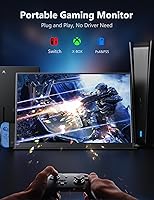
This travel gaming screen is a strong fit for a specific type of buyer. If you regularly set up in hotel rooms and want to game on a PS5, Xbox, or Switch with a real high-refresh display, this covers that well. Remote workers who depend on dual-monitor workflows at home — developers, writers, analysts with multiple windows open — will appreciate having that same layout flexibility on the road. Light photo editing and design review are also reasonable use cases given the accurate color output. Where it fits less cleanly is with ultralight travelers: at 5.63 pounds, this 18-inch portable monitor is considerably heavier than most alternatives in its class, which is a real trade-off to weigh before committing.

User Feedback

Buyers who pick up the MagicRaven gaming display tend to lead with the same two observations: the screen looks fantastic, and the monitor is heavier than expected. Screen clarity and size — particularly the advantage over 15.6-inch monitors most people are upgrading from — come up consistently as highlights, along with easy plug-and-play setup. The downsides are just as consistent: at 5.63 pounds, this is not a light-travel item, and the cover stand can wobble on uneven surfaces. Some users have also run into USB-C compatibility issues where the host device does not properly output video over that connection — a host-side problem, but frustrating regardless. Overall sentiment is positive on image quality, more divided on whether the size and weight trade-off makes sense for the price.

Pros

  • The 2560x1600 resolution makes text and fine details noticeably crisper than standard Full HD portable displays.
  • At 18 inches with a 16:10 ratio, this travel gaming screen offers significantly more screen space than typical 15.6-inch rivals.
  • 144Hz with AMD FreeSync Premium keeps fast-paced gaming smooth and free of tearing when paired with a capable host device.
  • Plug-and-play setup via USB-C or Mini-HDMI means no driver installation and minimal friction getting started.
  • 100% sRGB coverage makes it a practical option for light photo review and color-sensitive work on the road.
  • Dual USB-C 3.2 ports give flexibility for different host devices, and the included cables cover most connection scenarios.
  • VESA 75x75mm compatibility lets users mount it semi-permanently at a desk if needed, adding long-term versatility.
  • The matte anti-glare surface reduces reflections in variable lighting conditions, which matters during travel.
  • Blue light filtering and flicker-free operation make extended work or gaming sessions easier on the eyes.
  • The included smart cover doubles as a stand, reducing the need to pack additional accessories.

Cons

  • At 5.63 pounds, the MagicRaven gaming display is far heavier than most portable monitors, making it a real burden for light travelers.
  • The cover stand can wobble on uneven or soft surfaces, which is a common complaint from users working outside the home.
  • Hitting 144Hz at full 2.5K resolution requires a powerful GPU and the right cable — not every setup will deliver that out of the box.
  • Some USB-C host devices do not support full-bandwidth video output, leading to compatibility frustrations without an HDMI fallback.
  • At 300 nits, brightness is adequate indoors but struggles in sunlit environments or near bright windows.
  • The built-in speakers are functional at best — barely adequate for system sounds and not suitable for media consumption.
  • MagicRaven is a lesser-known brand, so long-term support, warranty follow-through, and replacement parts carry more uncertainty than established rivals.
  • The Mini-HDMI port, rather than a full-size HDMI, requires a specific cable that is easy to lose and harder to replace on short notice.
  • There is no built-in battery, so the monitor always depends on an external power source, limiting true off-grid use.
  • The price point sits at the higher end for a portable monitor, leaving little margin for buyers who end up disappointed by weight or compatibility issues.

Ratings

The scores below reflect AI-driven analysis of verified buyer reviews for the MagicRaven 18″ 2.5K 144Hz Portable Gaming Monitor, collected globally and filtered to remove incentivized, bot-generated, and spam submissions. Each category is scored based on what real users consistently praised or criticized across thousands of purchase experiences, with no attempt to soften legitimate pain points.

Display Clarity
91%
Users coming from Full HD portable monitors consistently describe the jump to 2560x1600 as immediately and obviously better — sharper text during long remote work sessions, finer detail in games, and a noticeably cleaner image overall. The IPS A-grade panel earns repeated praise for color consistency from edge to edge.
A small number of buyers report that the screen's full resolution potential is harder to unlock when connected to budget laptops with weaker GPUs, sometimes forcing them to run at a lower resolution to maintain smooth performance. This is a host-device limitation, but it does affect perceived display quality for a subset of users.
Refresh Rate Performance
83%
Gamers using this travel gaming screen with capable laptops or via Mini-HDMI from a console describe noticeably smoother motion compared to 60Hz portable alternatives. AMD FreeSync Premium does its job when the hardware pipeline supports it, and fast-paced titles feel genuinely responsive rather than sluggish.
Reaching 144Hz at native 2.5K resolution depends entirely on whether the host device and cable can support the required bandwidth — and a meaningful portion of buyers discover this limitation only after purchase. Those using older or mid-range laptops often end up capping the refresh rate to maintain stability, which undercuts one of the monitor's headline features.
Color Accuracy
88%
The 100% sRGB coverage earns consistent praise from photographers and designers who need reliable color output while traveling, with reviewers noting that images look true-to-life without obvious shifts or oversaturation. For remote creative work where a calibrated studio monitor is not an option, the MagicRaven gaming display holds up impressively well.
There is no factory calibration report included, and some users note slight color temperature variance at the panel edges under close inspection. For casual gaming and productivity this is a non-issue, but perfectionists doing professional color grading will still want a purpose-built display.
Portability & Weight
51%
49%
The slim 0.39-inch profile means the monitor slides into a sleeve or backpack without adding bulk in terms of thickness, and the included smart cover provides a degree of screen protection during transport that saves users from needing a separate case.
At 5.63 pounds, this 18-inch portable monitor is a serious outlier in a category where most competitors weigh under two pounds. Business travelers and commuters repeatedly flag the weight as a daily friction point — it is noticeable in a shoulder bag after an hour and becomes a genuine deterrent for anyone who values ultralight travel over screen size.
Connectivity & Compatibility
74%
26%
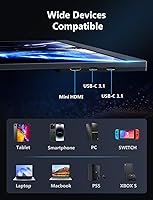
Having two USB-C 3.2 ports alongside a Mini-HDMI 2.0 input gives users real flexibility — one port for a laptop, another for a power bank, and HDMI for consoles, all without needing a hub. Most modern laptops and the Nintendo Switch dock connect without any extra configuration.
A recurring frustration involves USB-C hosts that do not support DisplayPort Alt Mode or full-bandwidth video output, leaving some buyers stuck without a working video connection until they switch to the HDMI route. The Mini-HDMI connector, rather than a full-size HDMI, also catches buyers off guard when they do not have the right cable on hand.
Build Quality
76%
24%
The monitor body feels solid for its class, with a uniform plastic chassis that does not creak or flex noticeably when handled. Users report that the unit survives regular travel without developing cosmetic damage quickly, and the matte finish resists fingerprints better than glossy alternatives.
At this price point, a few buyers expected a more premium material finish and note that the construction does not feel as refined as competing displays from ASUS or more established brands. The overall build is functional and durable enough, but it does not project a high-end feel on first touch.
Stand & Cover Stability
62%
38%
On a flat, hard desk surface the included smart cover prop works acceptably at standard viewing angles, and buyers appreciate not having to purchase a separate stand for basic desktop use. The cover also doubles as meaningful screen protection during transit.
On anything other than a perfectly flat surface — a soft hotel bedspread, an airplane tray table, or a textured desk mat — the stand wobbles noticeably and does not inspire confidence. Buyers who work in varied environments frequently end up buying a third-party VESA arm to compensate, which adds cost and defeats some of the portability appeal.
Brightness & Outdoor Use
67%
33%
At 300 nits, the display is comfortable for extended use in typical indoor settings — offices, hotel rooms, and dimmed conference spaces — and the matte anti-glare coating helps manage reflections better than a glossy panel would in mixed lighting.
Outdoors or near a sunlit window, 300 nits is simply not enough to maintain a clear picture, and users in bright climates or open-plan offices with large windows report having to reposition frequently. Compared to some rivals that push 400–450 nits, this is a real limitation for anyone who does not control their lighting environment.
Eye Comfort
84%
Buyers who use this display for four to six hour work sessions consistently mention that eye fatigue is less of an issue than with previous monitors they owned, crediting the flicker-free backlight and low blue light mode for making late-night sessions more comfortable.
The blue light filter, when activated, introduces a warm color cast that some users find too aggressive for color-sensitive tasks. Those who work across both creative and productivity tasks end up toggling the setting frequently, which adds a minor but recurring annoyance to daily use.
Audio Quality
43%
57%
Having speakers built in at all is genuinely useful in a pinch — for a quick video call in a hotel room, a system notification, or background audio when headphones are not available, the speakers at least produce audible output without requiring an extra device.
Volume is limited, bass is essentially absent, and the audio quality noticeably distorts at higher levels. Users who went in expecting usable media speakers were consistently disappointed, and several reviews specifically warn future buyers not to factor the speakers into their purchasing decision.
Setup & Ease of Use
89%
The plug-and-play experience on Windows and macOS is one of the most praised practical aspects of this 18-inch portable monitor — connect a cable and the display is detected immediately, no drivers, no software, no setup menu required. Remote workers particularly appreciate this for switching between devices quickly.
The on-screen display menu for adjusting brightness, color, and refresh rate settings is functional but not intuitive, and a handful of users report spending more time than expected navigating it to dial in their preferred settings. The menu layout feels like it was designed as an afterthought rather than a polished feature.
Gaming Experience
81%
19%
For console gaming on the road — particularly PS5 and Switch users who want a real high-refresh screen in a hotel room — this travel gaming screen delivers a meaningfully better experience than a typical hotel TV. Fast games like racing titles and shooters benefit visibly from the combination of 144Hz and FreeSync.
PC gamers pushing demanding titles at native 2.5K and 144Hz simultaneously may hit GPU or cable bandwidth limitations that require compromises. The experience is strong for mid-range gaming setups but stops short of what a purpose-built desktop gaming monitor offers in terms of response time and adaptive sync range.
Value for Money
69%
31%
Buyers who prioritize screen size and resolution over portability weight feel the price is justified — the combination of an 18-inch 2.5K panel with 144Hz at this price point is genuinely difficult to find from established brands, and users upgrading from FHD portable monitors feel the image quality difference immediately.
For buyers who later discover the weight makes it impractical to carry daily, or who encounter USB-C compatibility issues with their existing devices, the value equation shifts considerably. The premium price is hard to justify if the product ends up staying home because it is too heavy to travel with comfortably.

Suitable for:

The MagicRaven 18″ 2.5K 144Hz Portable Gaming Monitor is built for buyers who travel regularly and refuse to settle for a cramped, low-resolution secondary screen while away from their desk. Console gamers who want to plug in a PS5, Xbox, or Nintendo Switch in a hotel room and actually enjoy the experience — rather than squinting at a tiny TV — will find the large 16:10 panel and 144Hz refresh rate a compelling combination. Remote workers and developers who depend on having two monitors open at once will appreciate being able to replicate that workflow from any location without shipping equipment ahead. Content creators who need reasonably accurate color output on the road, whether for reviewing footage or checking edits, also get solid value from the 100% sRGB coverage. And for anyone still using a Full HD portable monitor who wants a visible upgrade in sharpness and screen real estate, this 18-inch display makes that step up concrete and immediately noticeable.

Not suitable for:

The MagicRaven 18″ 2.5K 144Hz Portable Gaming Monitor is a harder sell for anyone who prioritizes ultralight travel above all else. At 5.63 pounds, it is dramatically heavier than most portable monitors in this category — many of which weigh under two pounds — and that gap becomes very real when you are packing a bag for a flight or commute. Buyers with older laptops or phones whose USB-C ports do not support full-bandwidth video output may run into connection headaches that require extra adapters or cable changes. Those hoping for a complete desktop replacement will find the 300-nit brightness limiting in bright environments, and the cover stand is not rigid enough to feel fully trustworthy on an uneven café table or airplane tray. If you need a monitor for a permanent home office setup, there are better-suited desktop displays available at comparable prices without the portability trade-offs built in.
Specifications

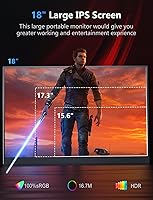
  • Screen Size: The display measures 18 inches diagonally, making it one of the larger portable monitors currently available in this category.
  • Resolution: Native resolution is 2560x1600 pixels (2.5K QXGA Wide), delivering noticeably sharper detail than standard Full HD portable displays.
  • Aspect Ratio: The 16:10 aspect ratio provides more vertical screen space than the more common 16:9 format, which is useful for documents and coding.
  • Refresh Rate: The panel runs at up to 144Hz, supporting AMD FreeSync Premium for smooth, tear-free output during fast-paced gaming.
  • Panel Type: An IPS A-grade panel is used, offering wide 178-degree viewing angles and consistent color reproduction across the screen.
  • Color Gamut: The display covers 100% of the sRGB color space, making it suitable for color-sensitive work such as photo review and light editing.
  • Brightness: Peak brightness is rated at 300 nits, which performs well in controlled indoor lighting but may wash out in direct sunlight or very bright rooms.
  • Contrast Ratio: The static contrast ratio is 1000:1, a standard figure for IPS panels that provides reasonable depth for gaming and media viewing.
  • HDR Support: The monitor supports HDR, allowing compatible content and devices to display a wider range of light and shadow detail.
  • Connectivity: Port options include two USB-C 3.2 ports for video and power delivery, plus one Mini-HDMI 2.0 port for consoles and legacy devices.
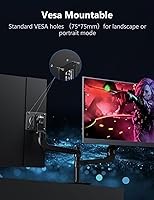
  • VESA Mount: Standard 75x75mm VESA mounting holes on the rear allow the monitor to be attached to a compatible arm or wall mount for semi-permanent desk use.
  • Built-in Audio: Integrated speakers are included for basic audio output, intended as a convenience fallback rather than a primary listening solution.
  • Stand & Cover: A smart cover is included in the box that functions as a foldable stand, supporting both landscape and portrait orientations.
  • Surface Finish: The screen uses a matte anti-glare coating that reduces reflections and minimizes distracting glare during use in variable lighting environments.
  • Eye Care: The display includes built-in blue light filtering and flicker-free technology to reduce eye strain during extended use.
  • Dimensions: The monitor measures 15.35 x 9.84 x 0.39 inches, keeping the overall footprint manageable despite the larger-than-average screen size.
  • Weight: The unit weighs 5.63 pounds, which is significantly heavier than most portable monitors in this category and should be factored into travel planning.
  • Brand & Model: Manufactured by MagicRaven under model number MRPM-18002, first made available in August 2023.

Related Reviews

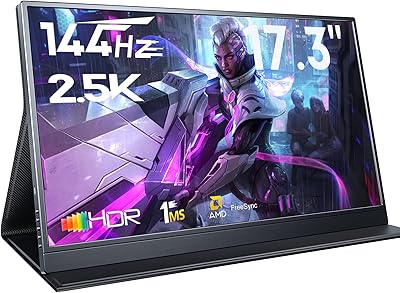
MagicRaven 17.3″ 2.5K 144Hz Portable Gaming Monitor
72%
91%
Image Sharpness
88%
Refresh Rate Performance
84%
Color Accuracy
61%
Brightness & Glare Handling
73%
Connectivity & Compatibility
More
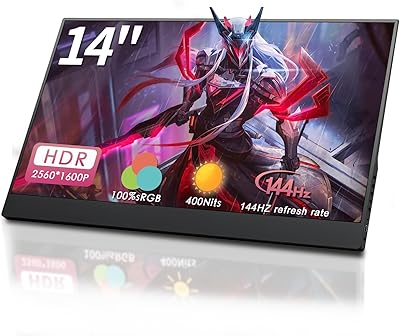
StarXnDa 14-inch 2.5K 144Hz Portable Gaming Monitor
77%
88%
Display Sharpness
91%
Refresh Rate Performance
83%
Color Accuracy
62%
Brightness & HDR
79%
Portability
More
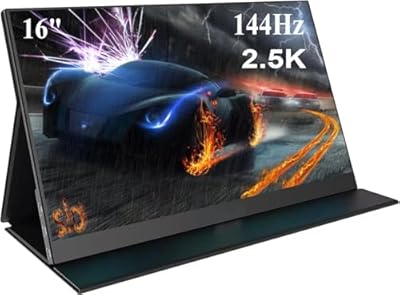
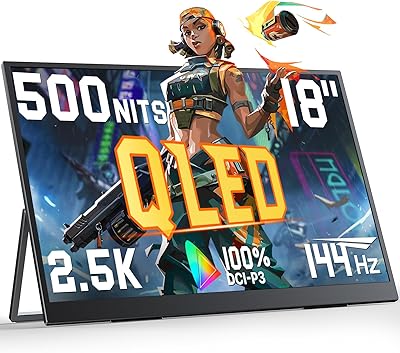
AHXJKA S160 16″ 2.5K Portable Gaming Monitor
69%
88%
Display Clarity
74%
Refresh Rate Performance
82%
Color Accuracy
79%
Portability
63%
Build Quality
More
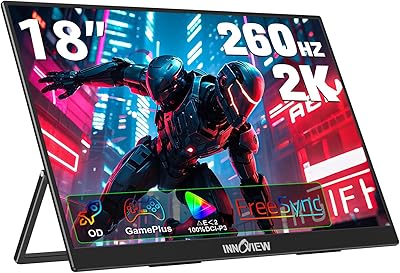
UPERFECT M180J03 18″ 2K Portable Monitor
77%
91%
Display Color Accuracy
88%
Brightness & Glare Resistance
86%
Refresh Rate & Gaming Performance
83%
Portability & Form Factor
74%
Built-in Stand
More
MagicRaven 16″ 165Hz Portable Gaming Monitor
75%
84%
Display Quality
88%
Refresh Rate Performance
91%
Portability & Form Factor
73%
Connectivity & Compatibility
66%
Brightness & Outdoor Visibility
More
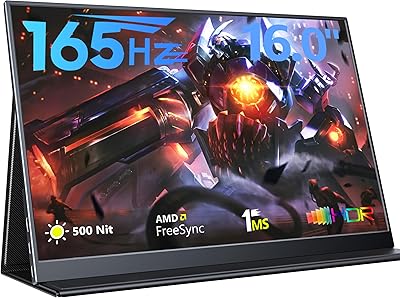
InnoView 18-Inch 260Hz Portable Gaming Monitor
79%
88%
Display Clarity
83%
Refresh Rate Performance
91%
Color Accuracy
61%
Brightness & HDR
79%
Build Quality
More
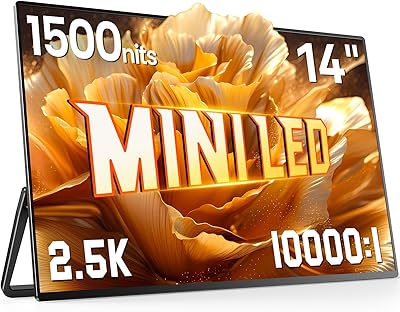
UPERFECT 14″ 2.5K Mini LED Portable Monitor
81%
94%
Peak Brightness
91%
Contrast & Black Levels
93%
Outdoor Usability
88%
Build Quality
61%
Connectivity
More
CAPERAVE CF17H 17.3″ Portable Gaming Monitor
73%
88%
Portability
79%
Display Quality
63%
Refresh Rate Performance
86%
Connectivity
77%
Build Quality
More
UPERFECT 2K 144Hz 17.3-inch Portable Monitor
74%
91%
Display Clarity
83%
Color Accuracy
88%
Refresh Rate & Gaming
62%
Portability & Weight
74%
USB-C Connectivity
More
FMC 15.6-inch 2.5K 144Hz Portable Monitor
72%
74%
Image Quality
71%
Refresh Rate Performance
78%
Build Quality
89%
Portability
83%
Setup & Connectivity
More

FAQ

Yes, but you will need to use the Mini-HDMI 2.0 port for console connections since PS5 and Xbox output via full-size HDMI — so pick up a standard HDMI to Mini-HDMI cable. For power, you will need a separate USB-C cable plugged into a wall adapter or power bank, as the console cannot power the display on its own.

It can, but only if your laptop or device supports USB-C with full DisplayPort Alt Mode and enough power delivery over the same connection. Many modern laptops like recent MacBooks or ThinkPads handle this fine with a single cable. Older machines or budget laptops may require separate cables for video and power, so it is worth checking your device specs before assuming single-cable operation.

Technically yes, but your host device and cable both need to keep up. A USB-C 3.2 Gen 2 cable and a GPU capable of driving 2560x1600 at 144Hz are required — if either falls short, you may need to drop the resolution or refresh rate. Many users find the sweet spot is running at full resolution with a slightly lower refresh rate depending on their hardware.

On a flat, solid surface it holds reasonably well at common viewing angles. The concern comes with softer or uneven surfaces — a couch cushion, a textured tablecloth, or a narrow airplane tray — where it can rock or tip more easily. If you plan to use this at a fixed desk, a VESA arm would give you much better stability and positioning flexibility.

That depends heavily on how you define portable. At 5.63 pounds, this 18-inch portable monitor weighs several times more than lighter competitors in the 15.6-inch range, which typically come in under two pounds. It fits in a backpack alongside a laptop, but you will feel the added weight on longer commutes or trips. Think of it as portable in the sense that it travels — not ultralight by any stretch.

Yes, the VESA mounting holes support both landscape and portrait orientations when paired with a compatible arm. The included cover stand does not officially support portrait mode, so for vertical use you would need a third-party stand or VESA mount.

The 100% sRGB coverage and IPS panel make the MagicRaven gaming display a reasonable choice for reviewing photos and doing light color-sensitive work on the road. It is not a professional colorimeter-calibrated display, so serious color grading work still belongs on a purpose-built monitor, but for checking edits or reviewing images while traveling, the output is accurate enough to be genuinely useful.

Yes, via the Switch dock using the Mini-HDMI port, which is the most reliable connection method. Some users have also had success connecting the Switch directly through USB-C when the dock is not available, but compatibility can vary depending on the cable and Switch firmware version. Using the HDMI route through the dock is the safer, more consistent approach.

For system sounds and occasional background audio, they get the job done. For anything you actually want to listen to — a video call, music, a movie — they fall short in both volume and quality. Use them as a backup when you have no other option, and keep a pair of headphones or a Bluetooth speaker in your bag for real audio needs.

Yes, it is fully plug-and-play on Windows, macOS, and most Android devices that support video output. No software installation is required — connect via USB-C or Mini-HDMI and the display is recognized automatically. If you run into issues on an older system, a firmware check on your host device is usually the first troubleshooting step, not the monitor itself.