Overview

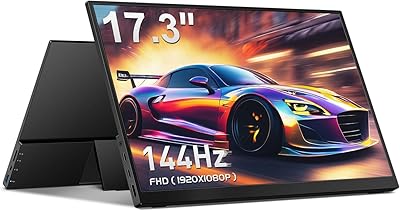
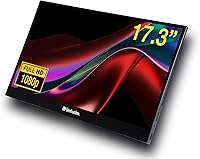
The Verbatim 17.3″ Portable Touchscreen Monitor carves out a specific niche: it's a large-format secondary screen built for people who refuse to compromise on screen real estate when they're away from their desks. At 17.3 inches, it's noticeably bigger than the 15-inch portable monitors that dominate this category, which makes a real difference for split-screen work or gaming. The aluminum housing feels solid, and the included neoprene sleeve signals that Verbatim designed this with travel in mind. One thing to clarify before buying: the touch functionality works on Windows and Android, but iOS and iPadOS users get no touch support at all.
Features & Benefits

The IPS panel delivers genuinely good color reproduction and wide viewing angles — the kind that makes working alongside a colleague on the same screen feel natural rather than awkward. At 1080p on a 17.3-inch display, sharpness is acceptable rather than impressive, but it holds up fine for productivity and casual gaming. The glossy surface is a real trade-off: colors pop indoors, but near a window or in a bright café, glare becomes a genuine nuisance. Connectivity is flexible — a single USB-C cable handles both video and power on supported laptops, while HDMI expands compatibility. The built-in kickstand offers useful tilt adjustment, though it can feel less than rock-solid on uneven surfaces.

Best For

This 17.3-inch travel monitor makes the most sense for people who genuinely need the extra screen size and have made peace with the weight. Remote workers running dual-display setups in hotel rooms or co-working spaces will appreciate the size advantage over the more common 13- or 15-inch alternatives. Gamers pairing it with a laptop or portable console get a proper-sized display without hunting for a TV. Presenters and consultants will find the 10-point touch handy for live annotations or client walkthroughs. Students and creatives chasing a dual-screen workflow on the go will fit in well here too. Anyone who works primarily in bright outdoor spaces, though, should think twice about the glossy panel.

User Feedback

Across roughly 209 ratings, this portable touchscreen display holds a 4.0-star average — respectable, but the reviews reveal a product that earns praise in some areas and frustrates in others. Buyers consistently highlight the plug-and-play USB-C setup and the premium feel of the metal body. Where frustration surfaces: the weight draws repeated comparisons to lighter competitors, and the glossy screen's glare problem comes up often in brighter environments. A handful of buyers flag kickstand wobble during touch interaction, and some mention touch calibration needing adjustment right out of the box. The value consensus is divided — at this price point, expectations run high, and the competition has been closing the gap.

Pros

  • The 17.3-inch screen size is rare in the portable monitor category and makes a genuine difference for multitasking.
  • IPS panel delivers accurate colors and wide viewing angles that hold up well for both work and media.
  • Single USB-C cable setup on compatible laptops keeps the desk clean and eliminates adapter hunting.
  • 10-point multi-touch on Windows and Android works reliably for annotation, navigation, and collaborative demos.
  • Aluminum housing feels premium and durable — noticeably sturdier than plastic-bodied competitors.
  • HDMI input broadens compatibility for older laptops, gaming consoles, and devices without USB-C video output.
  • Built-in 3.5mm audio jack is a small but practical touch for video calls and gaming sessions.
  • Included neoprene sleeve provides day-one protection without requiring a separate purchase.
  • Adjustable kickstand offers flexible tilt options to reduce neck strain across different work surfaces.
  • Two-year limited warranty offers reassurance at a price point where buyers expect reliable longevity.

Cons

  • Glossy screen surface causes noticeable glare in bright rooms or near windows, disrupting focus.
  • At 3.59 lbs, this 17.3-inch travel monitor is heavier than most portable alternatives and adds real bag weight.
  • Touch functionality is completely absent on iOS, iPadOS, and MacOS — a significant limitation for Apple-centric users.
  • Lightning adapter for older iPhones is not included, adding friction and extra cost for some users.
  • Kickstand can feel unstable during active touch use, especially on uneven surfaces like airplane tray tables.
  • Touch calibration occasionally requires manual adjustment out of the box, which frustrates less technical users.
  • 1080p resolution on a 17.3-inch panel results in a pixel density that looks soft compared to higher-res competitors.
  • No USB-C power pass-through on all host devices means some setups still require a separate power source.
  • Value perception suffers when compared to capable competing monitors available at lower price points.
  • No built-in speakers means audio always depends on an external device or connected headphones.

Ratings

The scores below reflect an AI-driven analysis of verified global buyer reviews for the Verbatim 17.3″ Portable Touchscreen Monitor, with spam, bot-generated, and incentivized submissions actively filtered out to protect integrity. Each category is scored independently based on aggregated sentiment, surfacing both the genuine strengths that drive repeat recommendations and the recurring frustrations that hold the overall rating back from excellence.

Display Quality
78%
22%
The IPS panel earns consistent praise for its color accuracy and wide viewing angles — users working on presentations or watching content side-by-side find the image stays readable without shifting hues when viewed from an angle. Indoors under controlled lighting, most buyers describe the picture as crisp and vibrant for a portable display.
The glossy surface is a recurring source of frustration, particularly for users near windows or in bright office environments where reflections make extended work uncomfortable. Several buyers note that the 1080p resolution starts to feel slightly soft at 17.3 inches compared to sharper high-DPI alternatives at similar price points.
Touchscreen Performance
71%
29%
On Windows and Android, the 10-point multi-touch input is generally responsive and accurate enough for annotation, navigation, and interactive demos — users presenting to clients or annotating documents in the field find it adds real practical value over non-touch alternatives.
Touch calibration inconsistencies appear often in early ownership reports, with some users needing to recalibrate through Windows display settings before the touch points align reliably. The complete absence of touch support on MacOS, iOS, and iPadOS is a significant limitation that catches a notable portion of buyers off guard post-purchase.
Connectivity & Setup
86%
The single USB-C cable setup is one of the most praised aspects of this portable touchscreen display — users on modern Windows laptops report a true plug-and-play experience with no driver installation, which makes deploying the monitor in a hotel room or co-working space genuinely fast. HDMI support widens compatibility to older laptops and gaming consoles without additional adapters.
A Lightning adapter for older Apple devices is not included, which frustrates buyers who discover this only after unboxing. Some users also find that USB-C power delivery behavior varies depending on the host laptop, occasionally requiring a separate power source to run the display at full brightness.
Portability
59%
41%
The slim 0.31-inch profile means it slides into a bag alongside a laptop without adding bulk horizontally, and the included neoprene sleeve provides reasonable protection during daily transport without requiring a separate purchase.
At 3.59 lbs, this 17.3-inch travel monitor is noticeably heavier than the compact portable monitors most buyers have previously owned, and the weight is a top complaint among daily commuters and frequent flyers. Users accustomed to sub-2 lb alternatives frequently describe the added load as a meaningful trade-off that affects their willingness to carry it routinely.
Build Quality
83%
The aluminum chassis draws frequent positive comparisons to more expensive monitors — buyers describe it as feeling premium and solid in hand, which builds confidence that it can survive the everyday knocks of travel. The slim profile combined with metal construction is a combination most users at this price tier do not expect.
A handful of users report that the rear panel shows minor flex under direct pressure during touch interactions, which can feel inconsistent with the otherwise premium build impression. Hinge and edge finishing quality appears to vary slightly between units based on user reports.
Kickstand & Stability
62%
38%
The adjustable kickstand provides enough tilt range to find a comfortable viewing angle across most desk setups, and users working at fixed desks find it holds position reliably through a standard workday without drifting.
On uneven or soft surfaces — airline tray tables, lap desks, or fabric-covered conference tables — the kickstand shows its limits, with noticeable wobble during active touch use reported by multiple buyers. The hinge mechanism does not inspire long-term confidence, and a few users note it feels looser after weeks of daily adjustment.
OS Compatibility
67%
33%
Broad support across Windows 10, 11, Android, and MacOS means most buyers can use this as a functional second screen regardless of their primary device ecosystem, and Windows users in particular get the full feature set including touch.
MacOS users lose all touch functionality, reducing the monitor to a standard display at a price point where that feature is part of the core value proposition. iOS and iPadOS compatibility is similarly limited, and the lack of a Lightning adapter in the box adds an extra friction point for Apple-centric buyers.
Value for Money
57%
43%
Buyers who specifically need a 17.3-inch portable display with touch input find the size-and-feature combination difficult to replicate elsewhere at any price, which makes the cost easier to justify for that narrow use case.
The broader buyer sentiment on value is mixed to negative — many users note that capable competitors at meaningfully lower price points offer lighter weight and comparable display quality, making the premium harder to defend unless the larger screen size is a firm requirement. The missing Lightning adapter and lack of built-in speakers amplify the perception that corners were cut.
Audio
53%
47%
The presence of a 3.5mm headphone jack is a small but appreciated convenience — users on video calls or gaming sessions can route audio directly through the monitor to a headset, keeping the setup tidy without relying on their laptop's output.
The absence of built-in speakers is a genuine inconvenience for buyers who assumed a monitor at this price would include them, and it surfaces regularly as an unpleasant surprise in user feedback. For shared workspaces or quick setup scenarios, always needing an external speaker or headset adds friction.
Screen Size Advantage
88%
For users who specifically chose this over a smaller portable monitor, the 17.3-inch screen consistently exceeds expectations in daily use — the difference between 15 inches and 17.3 inches feels significant when running two applications side by side or gaming at a distance.
The larger panel size is also the root cause of the weight and bulk trade-offs that divide buyer satisfaction, meaning the same feature that attracts one buyer type is the source of disappointment for another.
Packaging & Accessories
61%
39%
The included neoprene sleeve is a thoughtful addition that most portable monitor competitors skip entirely, and buyers appreciate not needing to source a case separately immediately after purchase.
Beyond the sleeve, the accessory package feels thin for the price — no Lightning adapter, no USB-A to USB-C cable in some configurations, and no cleaning cloth are omissions buyers notice. At this tier, a more complete out-of-box experience is a reasonable expectation.
Gaming Performance
74%
26%
Users connecting gaming laptops or portable consoles via HDMI or USB-C report a satisfying gaming experience for casual to mid-intensity titles — the IPS panel handles motion well enough for platformers, RPGs, and strategy games without obvious ghosting.
Competitive or fast-paced gamers may find the panel's response time and 60Hz refresh rate limiting compared to gaming-specific portable monitors. The glossy surface also creates glare issues in living room setups where overhead lighting hits the screen at an angle.
Durability & Longevity
72%
28%
The two-year limited warranty provides meaningful coverage for a travel-oriented device, and the aluminum construction holds up well to the light mechanical stress of regular packing and unpacking based on owner reports spanning several months of use.
Long-term durability data is limited given the product's release date, and a subset of users express concern about the kickstand hinge and screen coating holding up to daily handling over a multi-year ownership period.

Suitable for:

The Verbatim 17.3″ Portable Touchscreen Monitor is a strong fit for remote workers and digital nomads who find smaller portable monitors too cramped for real productivity. If you regularly set up a dual-screen workspace in hotels, co-working spaces, or client offices, the extra screen real estate here is genuinely useful — not just a spec on paper. Gamers who travel with a laptop or portable console and want a proper-sized display without hunting for a compatible TV will also find this a practical solution. Presenters, consultants, and educators who rely on live touch interaction during demos or workshops get real value from the 10-point touch support on Windows and Android. Students and creatives chasing a dual-screen workflow on the go round out the ideal audience, provided they are comfortable managing a slightly heavier bag.

Not suitable for:

The Verbatim 17.3″ Portable Touchscreen Monitor is a poor match for buyers who prioritize ultralight portability above all else — at 3.59 lbs, it is meaningfully heavier than the slim 13- to 15-inch competitors that dominate the portable monitor market, and that difference adds up during daily travel. iPhone and iPad users expecting a touch-enabled second screen will be caught off guard: iOS and iPadOS receive no touch support whatsoever, reducing this to a standard display in that context. MacOS users face a similar limitation, as touch functionality drops out entirely when connected to a Mac. Anyone who frequently works outdoors or near bright windows should also reconsider, since the glossy panel reflects ambient light aggressively. Finally, buyers on a tighter budget who compare per-dollar value against competing 15-inch portable monitors may find the value proposition harder to justify.
Specifications

  • Screen Size: The display measures 17.3 inches diagonally, making it one of the larger portable monitors available in this category.
  • Resolution: Native resolution is 1920x1080 (Full HD 1080p), delivered across a 16:9 aspect ratio panel.
  • Panel Type: An In-Plane Switching (IPS) panel is used, providing consistent color reproduction and wide horizontal and vertical viewing angles.
  • Screen Surface: The panel has a glossy finish, which enhances color vibrancy indoors but can produce noticeable reflections in bright or sunlit environments.
  • Touch Input: Supports 10-point multi-touch, allowing multiple simultaneous touch inputs for gestures, annotation, and interactive applications.
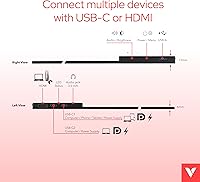
  • Connectivity: Input options include one USB-C port and one HDMI port, giving users flexibility across a wide range of host devices.
  • Power Delivery: The monitor can receive power and video signal through a single USB-C connection on compatible host devices, reducing cable clutter.
  • Audio Output: A 3.5mm headphone jack allows users to connect external headphones or a speaker directly to the monitor.
  • Housing Material: The chassis is constructed from aluminum, contributing to a solid, travel-resistant build while maintaining a slim profile.
  • Dimensions: Physical dimensions are 15.59 x 9.29 x 0.31 inches (L x W x H), keeping the footprint close to that of a large laptop.
  • Weight: The unit weighs 3.59 lbs, which is heavier than many competing portable monitors in the 13- to 15-inch class.
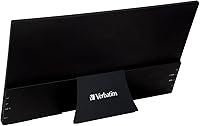
  • Kickstand: A built-in adjustable kickstand is integrated into the rear housing, offering multiple tilt angles for ergonomic positioning.
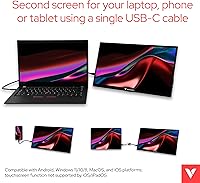
  • OS Compatibility: Compatible with Windows 10, 11, and 8, Android, MacOS, and iOS, though touch functionality is not supported on MacOS, iOS, or iPadOS.
  • Included Accessories: A neoprene protective sleeve is included in the box to protect the screen during transport; a Lightning adapter is not included.
  • Warranty: Verbatim covers this monitor with a 2-year limited warranty against manufacturing defects.
  • Manufacturer: This product is manufactured and supported by Verbatim Americas LLC.
  • Model Number: The official Verbatim model number for this display is 49593.
  • Voltage: The monitor operates at 20 volts, consistent with standard USB-C power delivery specifications for displays in this class.

Related Reviews
Kenowa HD-133 13.3-inch Portable Monitor
68%
91%
Setup & Ease of Use
47%
Display Resolution
83%
Portability & Form Factor
76%
Connectivity & Compatibility
68%
Brightness & Visibility
More
Verbatim 15.6″ Portable Touchscreen Monitor
68%
83%
Build Quality
78%
Display Quality
71%
Touch Performance
76%
Portability
86%
Connectivity
More
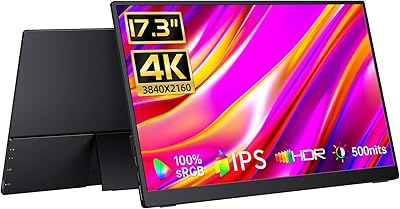
Yodoit PTM17 17.3″ Portable Monitor
75%
91%
Screen Size & Usability
76%
Image & Color Quality
62%
Brightness & Glare
54%
HDR Performance
83%
Connectivity & Compatibility
More
UPERFECT 17.3-inch 4K Portable Monitor
86%
94%
Display Quality
88%
Portability
90%
Gaming Performance
93%
Color Accuracy
85%
Ease of Setup
More
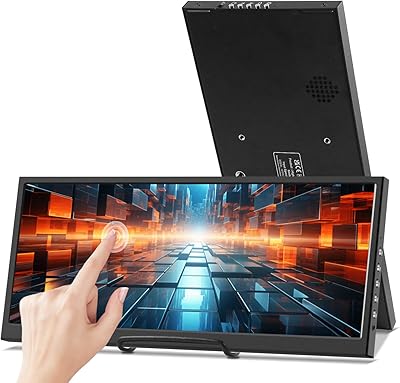
CAPERAVE 17.3-inch 4K Portable Monitor
87%
92%
Display Quality
89%
Portability
88%
Ease of Setup
91%
Color Accuracy
85%
Compatibility with Devices
More
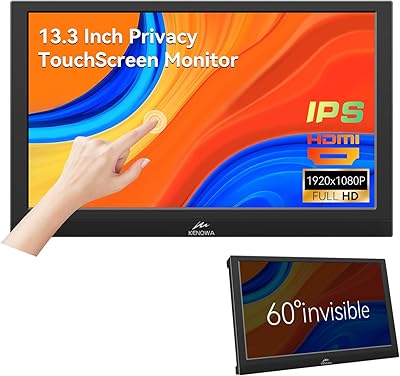
Prechen HD-123 12.3-inch Bar Touchscreen Monitor
73%
81%
Display Quality
74%
Touch Responsiveness
68%
Connectivity & Setup
88%
AIDA64 Integration
76%
Value for Money
More
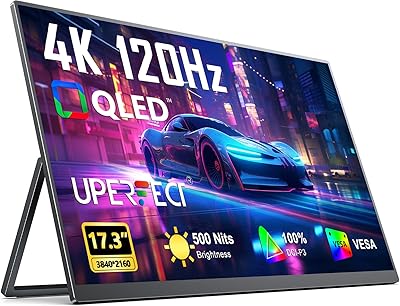
Kenowa 13.3-inch Touchscreen Portable Monitor
68%
86%
Value for Money
78%
Display Quality
71%
Privacy Screen Effectiveness
67%
Touchscreen Performance
88%
Portability
More
CAPERAVE CF17H 17.3″ Portable Gaming Monitor
73%
88%
Portability
79%
Display Quality
63%
Refresh Rate Performance
86%
Connectivity
77%
Build Quality
More
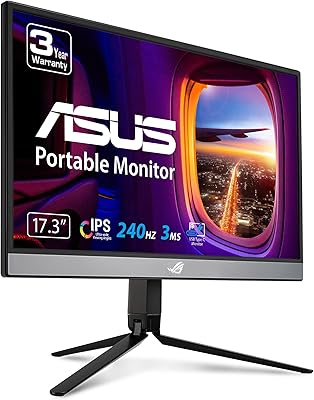
ASUS ROG Strix XG17AHP 17.3″ Portable Monitor
77%
93%
Display Smoothness
91%
Portability
89%
Included Accessories
58%
Battery Life
82%
Connectivity
More
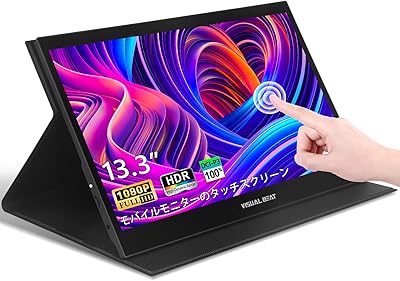
Visual Beat R13PMT101 13.3-inch Portable Touchscreen Monitor
85%
89%
Display Quality
92%
Portability & Weight
88%
Touchscreen Responsiveness
94%
Ease of Setup
85%
Brightness & Visibility
More

FAQ

It works as a display when connected to a MacBook, but the touch functionality does not function on MacOS — Apple's operating system does not support external touch input at the driver level. You will get a sharp, color-accurate second screen, just without any touch interaction.

You can use it as a secondary display with compatible iOS and iPadOS devices, but touch input is not supported on Apple mobile platforms. Also worth noting: a Lightning adapter is not included in the box, so older iPhone users will need to source that separately.

On laptops that support USB-C video and power delivery — most modern Windows laptops and MacBooks do — a single USB-C cable handles both video and power simultaneously. If your laptop only has HDMI out, you will need a separate USB cable or power supply to run the monitor.

On a flat, firm desk it holds steady through normal use. On softer or uneven surfaces like airplane tray tables or fabric-covered laps, some users report a bit of wobble, particularly when actively using the touchscreen. It is not a dealbreaker, but it is worth knowing if you plan to use it heavily in transit.

It can be. The glossy panel produces vivid colors in controlled lighting, but direct or bright ambient light creates reflections that are genuinely distracting. If your workspace has lots of natural light hitting the screen, you may find yourself repositioning it frequently.

Yes, this is one of the more practical use cases for this portable touchscreen display. Both the Steam Deck and Nintendo Switch (in docked mode) connect via HDMI or USB-C, and the 17.3-inch screen gives you a noticeably bigger picture than most portable gaming monitors. Touch input will not function with consoles, but that is expected.

At 17.3 inches, 1080p lands at around 127 pixels per inch — fine for productivity, video, and general use, but not razor-sharp like a high-DPI laptop display. If you are doing detailed photo editing or just prefer a crisper look, it is worth considering. For most users working on documents, spreadsheets, or streaming, it is more than adequate.

The aluminum body handles bumps and bag pressure better than plastic alternatives, and the included neoprene sleeve adds a layer of scratch protection. At 3.59 lbs it is not ultralight — adding it to a backpack already carrying a laptop is a real consideration. For occasional travel it is manageable; for daily commuting it depends entirely on your tolerance for bag weight.

No, there are no built-in speakers. Audio routes through your source device or through the 3.5mm headphone jack on the monitor itself. For desk setups or gaming, plugging in a headset or small speaker directly to the monitor keeps things tidy.

In most cases, Windows 10 and 11 recognize the touch input as a standard HID device and configure it without any additional driver installation. Touch calibration may occasionally need a manual adjustment through the Windows display settings, particularly if the touch points feel slightly offset after first connection — but this is a quick fix and not a recurring issue for most users.