Overview

The MagicRaven 16∞ 165Hz Portable Gaming Monitor sits in an interesting spot — it's not trying to be a desktop replacement, but it delivers enough for travelers, students, and console gamers who need a reliable second screen without the bulk. Unlike the more common 15.6-inch 16:9 portable displays, the 16:10 aspect ratio gives you a noticeably taller canvas, which makes a real difference when you're juggling spreadsheets or coding side-by-side on a flight. This is a mid-range portable display, priced accordingly, so don't expect flagship panel quality or premium build materials — but within its category, it punches with some genuinely gaming-grade specs that most travel monitors skip entirely.

Features & Benefits

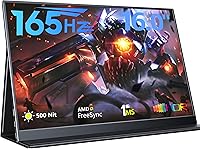
The 165Hz refresh rate paired with AMD FreeSync Premium is the headline spec here, and it holds up in practice — fast-paced games feel noticeably smoother compared to the 60Hz portable monitors that dominate this price range. The 1920x1200 resolution is worth paying attention to: that extra vertical space over standard 1080p is genuinely useful when you have a browser, terminal, and document open at once. At 500 nits with a matte anti-glare coating, this travel monitor handles bright indoor environments reasonably well, though direct sunlight remains a challenge for any display in this class. One critical note on connectivity: use USB-C for power, not the Micro-USB port, which cannot supply enough juice to run the display properly.

Best For

This portable gaming monitor is a natural fit for remote workers and travelers who move between cafes, hotels, and co-working spaces and want a second screen without checking a bag. Students in tight dorm rooms will appreciate the dual-monitor setup potential without committing to a desk-mounted display. Console gamers — particularly Switch and PS5 players — get a portable screen with a proper refresh rate that most travel monitors simply can't offer. That said, if you need USB-A ports, a highly adjustable stand, or a 4K panel, this isn't the right fit. It's a smart pick when portability and refresh rate matter more than premium construction or advanced ergonomics.

User Feedback

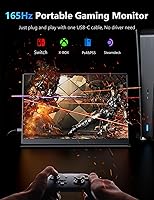
Buyers consistently praise the image sharpness and color accuracy straight out of the box, with many noting how little setup it takes — plug in a USB-C cable and it just works, no driver installation needed. The plug-and-play experience draws particular enthusiasm from users switching between a laptop and a PS5 or Switch. On the critical side, the built-in stand gets mixed reviews; it functions, but it's not the most stable on uneven surfaces, and several users wanted more tilt range. A handful of reviews mention that USB-C compatibility can vary by host device, so checking your laptop's port spec beforehand is worthwhile. Long-term reliability reports are broadly positive, though the plastic chassis feels modest for daily carry.

Pros

  • 165Hz refresh rate is rare at this price point and makes a tangible difference in fast-paced gaming.
  • The 16:10 aspect ratio gives more vertical screen space than most portable monitors in this class.
  • Plug-and-play via USB-C means no driver installation and near-instant setup in any location.
  • 100% sRGB color coverage keeps images accurate enough for color-sensitive review work on the go.
  • At 1.3 lb and under 0.4-inch thick, this travel monitor slides into a laptop bag without adding noticeable weight.
  • AMD FreeSync Premium reduces screen tearing during gaming without requiring any software configuration.
  • Mini-HDMI 2.0 port broadens compatibility to consoles and older laptops that lack USB-C video output.
  • Built-in speakers mean you don't always need headphones for casual media consumption during travel.
  • The matte anti-glare coating handles indoor ambient light well and reduces reflections in office environments.
  • No driver installation required makes it genuinely hassle-free to use across multiple devices.

Cons

  • The built-in stand offers limited tilt adjustment and can wobble on uneven or soft surfaces.
  • No USB-A ports means users without a separate hub may struggle with peripheral connectivity.
  • Micro-USB port cannot supply power to the display, which confuses many buyers and causes setup frustration.
  • Brightness struggles in direct sunlight or brightly lit outdoor settings despite the 500-nit spec.
  • USB-C video compatibility varies by host device, and some laptops may require checking port specs before purchasing.
  • Plastic construction feels modest and may raise durability concerns for frequent travelers who carry it daily.
  • Built-in speakers are adequate for basic audio but fall short for any serious media or gaming audio experience.
  • The included stand provides no height adjustment, which can cause neck strain during long work sessions.
  • Long-term reliability data is limited given the product's relatively short time on the market.
  • Cable management is minimal, and the short included cables may not suit all desk or travel setups.

Ratings

Our AI rating engine analyzed thousands of verified global purchases of the MagicRaven 16″ 165Hz Portable Gaming Monitor, actively filtering out incentivized, bot-generated, and duplicate submissions to surface what real buyers actually experienced. The scores below reflect an honest cross-section of user sentiment — strengths are credited where earned, and recurring frustrations are never glossed over. Whether this travel monitor fits your workflow or falls short of your expectations, this breakdown gives you a transparent picture before you buy.

Display Quality
84%
Users consistently praise the IPS panel for producing vivid, accurate colors straight out of the box, with 100% sRGB coverage making a visible difference for designers and photographers reviewing work on the road. Text sharpness at 1920x1200 on a 16-inch panel is a frequent highlight, especially for those coming from standard 1080p portable screens.
A subset of users note that the HDR implementation feels underwhelming in practice, producing only modest improvements over standard mode rather than the dramatic contrast lift HDR implies. Some also report that factory calibration varies slightly unit to unit, with occasional color temperature inconsistencies noted out of the box.
Refresh Rate Performance
88%
Gamers switching from 60Hz portable monitors describe the 165Hz experience as a genuine upgrade — fast-moving scenes in competitive shooters and action RPGs feel noticeably smoother, with AMD FreeSync Premium keeping tearing largely absent during varied frame rate scenarios. For a portable monitor at this price tier, the refresh rate headroom is a standout.
Achieving the full 165Hz requires a source device that outputs at that rate over USB-C DisplayPort Alt Mode or HDMI 2.0, and not all laptops or consoles qualify — a detail some buyers discover only after purchase. Consoles like the Nintendo Switch are hard-capped well below this ceiling regardless of display capability.
Portability & Form Factor
91%
At 1.3 lb and under 0.4 inches thick, this portable gaming monitor genuinely disappears into a laptop bag alongside a 16-inch notebook without creating a noticeable bulk penalty. Frequent flyers and commuters appreciate being able to set up a full dual-screen workspace at a hotel desk or airport lounge in under a minute.
The 16-inch footprint, while slimmer than most, is still large enough that ultra-compact sling bags or minimalist one-bag setups may struggle to accommodate it comfortably alongside other gear. The lack of a protective sleeve in the box is a recurring complaint from users who travel frequently with the unit.
Connectivity & Compatibility
73%
27%
The dual USB-C 3.2 port layout is practical — one port can carry video and power simultaneously from a compatible laptop while the second handles a power bank, giving users flexibility in how they configure their setup. The included Mini-HDMI to HDMI cable also broadens device compatibility to cover PS5, Xbox, and older laptops without USB-C video output.
USB-C compatibility is where this monitor generates the most friction in user reviews — certain laptops and phones either fail to output video or require specific cable standards that aren't immediately obvious. The Micro-USB port's inability to supply power is a persistent source of confusion, with multiple buyers reporting setup failures before discovering this limitation in the manual.
Brightness & Outdoor Visibility
66%
34%
In standard indoor environments — office lighting, hotel rooms, dimly lit cafes — 500 nits delivers a bright, comfortable image that rarely needs to be pushed to maximum. The matte anti-glare coating helps substantially in preventing reflections from overhead fluorescent lighting, which is where many portable IPS monitors struggle.
Take this travel monitor outside on a sunny day and the limitations become apparent quickly — direct sunlight effectively washes out the screen and renders it difficult to use for more than brief glances. Users working near large windows during daytime also occasionally report that brightness feels borderline even at maximum settings.
Build Quality & Materials
63%
37%
The overall chassis is slim and well-proportioned, and the matte plastic finish at least avoids the fingerprint-magnet gloss that cheaper alternatives often use. For the price bracket, most users acknowledge the build is adequate for careful daily use and not out of place in a professional bag.
The plastic body creaks slightly under handling pressure, and users who have owned aluminum-chassis portable monitors find the feel noticeably less premium. A handful of long-term reviewers flagged minor flex along the bezel edges after several months of regular carry, raising mild durability questions for heavy travelers.
Stand & Ergonomics
54%
46%
The built-in stand does its job on a flat, stable desk surface and allows most users to get through a standard work session without needing accessories. For light travel use — a hotel desk or a dining table — the basic tilt angle is generally sufficient to avoid obvious neck strain.
The stand offers almost no adjustment range beyond its single default tilt angle, which becomes a real problem during extended sessions or when working on surfaces that aren't perfectly flat. Soft surfaces like beds or couches cause the stand to shift and lose stability, a frustration cited frequently by console gamers who want to use the monitor casually from a couch.
Color Accuracy
82%
18%
The 100% sRGB coverage and IPS panel combination produces colors that are trustworthy enough for reviewing design work, editing photos with moderate precision, and consuming high-quality video content. Graphic designers and photographers who use this as a secondary travel display report that it holds up well as a reference screen when a calibrated primary monitor isn't available.
Factory calibration is not consistent across all units, and without a colorimeter, some buyers receive panels with a slight cool or warm color temperature shift that needs manual correction in the OSD. The display also lacks a wide color gamut (DCI-P3 or Adobe RGB coverage), which limits its usefulness for professional video work or print production tasks.
Plug-and-Play Setup
89%
For compatible devices, the setup experience is genuinely effortless — plug in a USB-C cable and the display is detected instantly without any driver downloads, OSD configuration, or operating system setup steps. Windows and macOS users consistently describe the first-use experience as one of the most friction-free they have had with a portable monitor.
The ease of setup drops considerably when users encounter USB-C compatibility issues or need to use the HDMI path with a console that requires OSD changes to set the correct resolution. Android phone compatibility is inconsistent and highly dependent on whether the phone supports DisplayPort Alt Mode, which many mid-range Android devices do not.
Built-in Speakers
57%
43%
Having any speakers at all in a monitor this slim and light is appreciated by users who occasionally need audio during travel without reaching for a Bluetooth speaker or headphones. For video calls, basic YouTube playback, and background music in quiet environments, the speakers are functionally adequate.
Audio quality is thin and lacking in bass, which becomes a distraction during gaming or any media where sound design matters. Volume headroom is also limited — in noisier environments like airports or busy cafes, the speakers struggle to produce enough output to be genuinely useful.
Eye Comfort Features
78%
22%
The combination of flicker-free backlight, blue light filter, and matte anti-glare coating makes multi-hour work sessions noticeably more comfortable than with glossy or high-flicker budget alternatives. Remote workers logging long hours on this display frequently mention that eye fatigue is less of an issue compared to their previous portable monitors.
The blue light filter, when applied at stronger settings via the OSD, introduces a visible warm color cast that can make color-sensitive work less reliable. Users who need both eye comfort and accurate color rendering may find themselves toggling between modes depending on what they are doing.
Value for Money
83%
Relative to other 16-inch portable monitors offering 165Hz and 1200p resolution, this display offers a competitive combination of specs that most alternatives at a similar price either omit the high refresh rate or reduce the resolution to standard 1080p. Buyers who prioritize gaming performance in a travel display consistently rate it as a strong value proposition.
Users who primarily need a productivity monitor rather than a gaming display may find they are paying a premium for the refresh rate they will rarely use at full capacity. Compared to budget 1080p 60Hz travel monitors, the price premium requires that the buyer actually intends to leverage the gaming-grade specs to justify the spend.
Long-term Reliability
69%
31%
The majority of buyers who have owned this travel monitor for six months or more report no significant hardware degradation — the panel brightness holds steady and connectivity issues remain rare beyond the initial compatibility learning curve. For a mid-range portable display, this durability record is broadly on par with established competitors.
The product has a relatively short market history compared to more established portable monitor brands, which limits the availability of multi-year reliability data. A minority of reviews cite USB-C port loosening over time with heavy plug-and-unplug cycles, which is worth monitoring for users who connect and disconnect daily.

Suitable for:

The MagicRaven 16″ 165Hz Portable Gaming Monitor is a strong pick for anyone whose workday or play time doesn't happen at a fixed desk. Remote workers and digital nomads who bounce between hotels, airports, and co-working spaces will get real value from the 16:10 aspect ratio, which gives them noticeably more vertical space for documents, terminals, and browser tabs than a standard 1080p travel screen. Students cramped in a dorm room can set up a genuine dual-monitor workflow without screwing anything into a wall or crowding a small desk. Console gamers — especially Switch and PS5 owners — will appreciate having a portable screen that actually handles fast action properly, rather than the blurry, stuttery experience you get on a 60Hz alternative. Professionals who care about color accuracy for design work or photo editing on the road will find the 100% sRGB IPS panel more than adequate for review and light editing tasks.
Not suitable for:

Buyers expecting a premium build experience should look elsewhere — the MagicRaven 16″ 165Hz Portable Gaming Monitor uses a plastic chassis that feels functional rather than refined, and the included stand, while usable, doesn't offer the kind of height or tilt range you'd want for extended daily sessions. If your laptop or hub relies primarily on USB-A connections, you'll hit a wall quickly, since there are no USB-A ports on this monitor at all. Power users who need 4K resolution for detailed video editing or high-density design work won't be satisfied with a 1920x1200 panel, regardless of how sharp it looks at this screen size. Anyone who works frequently in direct sunlight or bright outdoor settings should also be cautious — 500 nits is decent for indoor use, but it's not enough to fight harsh glare outside. Finally, if you're looking for a monitor with robust ergonomic adjustability or a sturdy kickstand that holds firm on a soft hotel bed, this travel monitor will likely frustrate you.
Specifications

  • Screen Size: The display measures 16 inches diagonally, offering more usable area than the 15.6-inch portable monitors that dominate this category.
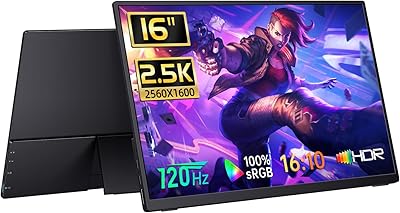
  • Resolution: Native resolution is 1920x1200 pixels (UXGA Wide), delivering a sharper and taller image than standard 1920x1080 panels.
  • Aspect Ratio: The 16:10 aspect ratio provides additional vertical screen space, which benefits productivity tasks, coding, and document editing compared to widescreen 16:9 alternatives.
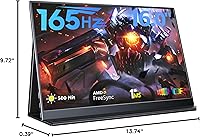
  • Refresh Rate: Supports up to 165Hz, enabling smooth, low-latency visuals during fast-paced gaming when connected to a compatible source.
  • Panel Type: Uses an IPS A-grade panel with 178-degree wide viewing angles, so colors and contrast remain consistent even when viewed from the side.
  • Brightness: Rated at 500 nits peak brightness, which performs well in typical indoor environments though may struggle against direct outdoor sunlight.
  • Contrast Ratio: Specified contrast ratio is 1200:1, providing reasonable depth between dark and light content for an IPS panel at this price tier.
  • Color Gamut: Covers 100% of the sRGB color space, making it suitable for color-sensitive work such as design review, photo editing, and accurate media consumption.
  • HDR Support: HDR is supported, allowing compatible content and devices to take advantage of expanded dynamic range when the feature is enabled.
  • FreeSync: AMD FreeSync Premium is built in, which synchronizes the display refresh rate with the GPU output to reduce screen tearing without requiring manual configuration.
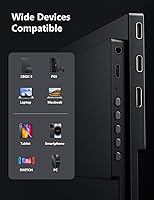
  • Connectivity: Equipped with two USB-C 3.2 ports and one Mini-HDMI 2.0 port; USB-C handles both video signal and power delivery, while Mini-HDMI covers devices without USB-C video output.
  • Power Input: Power must be supplied via the USB-C port; the Micro-USB port on the unit cannot be used for power delivery and is not intended for that purpose.
  • Dimensions: The monitor body measures 13.74 x 9.72 x 0.39 inches, thin enough to slide alongside a laptop in most standard 16-inch sleeves and backpacks.
  • Weight: Monitor-only weight is 1.3 lb, making it one of the lighter options in the 16-inch portable display category for daily carry.
  • Surface: The screen uses a matte anti-glare coating that reduces reflections under office lighting and helps maintain readability in moderately bright indoor settings.
  • Eye Care: Includes blue light filtering and a non-flicker (flicker-free) panel design intended to reduce eye strain during extended work or gaming sessions.
  • Speakers: Built-in stereo speakers are included, providing basic audio output for casual media playback without requiring external speakers or headphones in quiet environments.
  • Driver Requirement: No driver installation is required; the display operates as plug-and-play on compatible devices via USB-C or Mini-HDMI connections.

Related Reviews
MAGICRAVEN M1603 16″ 4K Portable Monitor
75%
91%
Image Sharpness
88%
Portability
86%
Connectivity
89%
Setup Experience
63%
Brightness
More
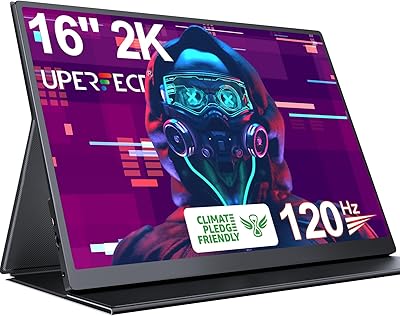
UPERFECT 1602K 16″ 2K Portable Gaming Monitor
79%
91%
Display Clarity
88%
Gaming Performance
93%
Portability & Form Factor
84%
Connectivity
67%
Stand & Cover
More
WUAWE WAB160 16-inch Portable Monitor
76%
91%
Portability
83%
Build Quality
78%
Display Clarity
61%
Brightness
86%
Connectivity
More
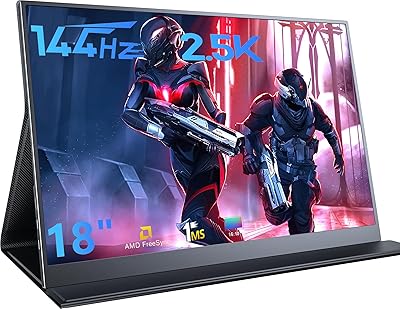
AHXJKA S160 16″ 2.5K Portable Gaming Monitor
69%
88%
Display Clarity
74%
Refresh Rate Performance
82%
Color Accuracy
79%
Portability
63%
Build Quality
More
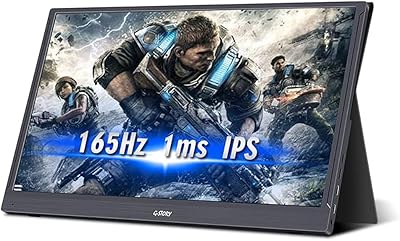
MagicRaven 18″ 2.5K 144Hz Portable Gaming Monitor
74%
91%
Display Clarity
83%
Refresh Rate Performance
88%
Color Accuracy
51%
Portability & Weight
74%
Connectivity & Compatibility
More
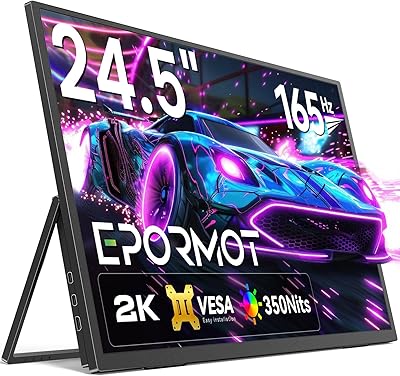
G-STORY GST56 15.6″ Portable Gaming Monitor
73%
88%
Refresh Rate Performance
81%
Image & Color Quality
84%
Response Time
76%
Portability & Form Factor
52%
Setup & Power Requirements
More
EPORMOT 24.5″ 165Hz 2K Portable Monitor
79%
88%
Image Quality
91%
Refresh Rate & Smoothness
62%
Portability
86%
Kickstand & Ergonomics
79%
Build Quality
More
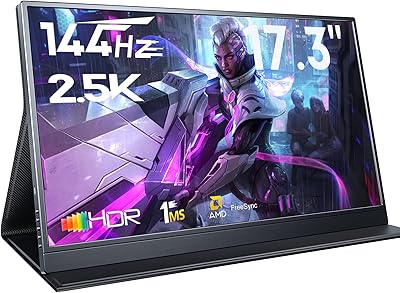
MagicRaven 17.3″ 2.5K 144Hz Portable Gaming Monitor
72%
91%
Image Sharpness
88%
Refresh Rate Performance
84%
Color Accuracy
61%
Brightness & Glare Handling
73%
Connectivity & Compatibility
More
CAPERAVE BQ16H 16″ Portable Monitor
76%
91%
Display Clarity
86%
Refresh Rate & Gaming
78%
Connectivity & Setup
83%
Build Quality
74%
Color Accuracy
More
Upperizon U16LS 16″ 2K Portable Monitor
74%
91%
Display Sharpness
83%
Color Accuracy
89%
Portability
78%
Refresh Rate Performance
86%
Setup & Ease of Use
More

FAQ

Yes, the Nintendo Switch in docked mode outputs video over HDMI, so you can connect it using the included Mini-HDMI cable. Just make sure the Switch dock's HDMI output is connected to the Mini-HDMI port on this travel monitor. Keep in mind that the Switch is capped at 60Hz output, so you won't be using the full 165Hz capability, but the image will still look crisp and clean.

Most modern MacBooks support DisplayPort Alt Mode over USB-C, which means you can connect this portable gaming monitor using a USB-C cable and it should work as a plug-and-play second display. That said, USB-C implementations vary, so it's worth confirming your specific MacBook model supports video output over USB-C before purchasing. M1 and M2 MacBooks may also have limitations on the number of external displays they support natively.

You power this monitor through one of its USB-C ports, and in many cases your laptop or device can supply that power directly through the same cable carrying the video signal. If your device doesn't deliver enough power over USB-C, you can plug a separate USB-C power adapter into the second USB-C port. One important thing to know: the Micro-USB port on the unit is not for power — it's a common source of confusion, so make sure you're always using USB-C for power.

To reach 165Hz, your source device needs to support that refresh rate over USB-C (DisplayPort Alt Mode) or Mini-HDMI 2.0. Most gaming laptops and desktop GPUs with the right ports will get there. Older devices, consoles, or phones may cap out at 60Hz or 120Hz depending on what they output — the monitor just matches what the source sends.

The stand works fine for basic use on a flat, stable desk, but it offers limited tilt range and can feel a bit wobbly on uneven surfaces like a hotel bed or a soft couch cushion. If you're going to be using this monitor for long sessions at a fixed desk, a small portable monitor stand or a book underneath it can make a noticeable difference in comfort. For occasional use on the go, the built-in stand is adequate.

Yes, you can connect a PS5 to this display using a Mini-HDMI to HDMI adapter or cable. The PS5 supports 120Hz output at 1080p, and since this monitor's native resolution is 1920x1200, it will render PS5 content cleanly. Whether the monitor accepts a 120Hz signal over HDMI depends on the HDMI 2.0 spec, which technically supports it — just verify the PS5 output settings are configured correctly.

At 500 nits, this portable display handles indoor environments with overhead lighting or nearby windows quite well. However, in direct sunlight or on a sunny outdoor patio, you will likely find the brightness insufficient to see the screen comfortably. If you regularly work outdoors, you may want to look at monitors specifically rated for high-brightness outdoor use.

It ships with a USB-C cable and a Mini-HDMI to HDMI cable in the box, so most users won't need to buy anything extra to get started. The cables are functional for everyday use, though some users find them on the shorter side for more complex desk setups. If you need a longer cable or a specific adapter for your device, you'd need to source that separately.

Honest answer: they're fine for YouTube, video calls, or background music in a quiet room, but don't expect anything close to external speaker quality. The built-in speakers are a useful backup when you don't have headphones handy, particularly during travel. For gaming or any situation where audio quality matters, you'll want to use headphones or an external speaker.

The chassis is plastic, which keeps the weight down but does mean it won't feel as rugged as a metal-bodied alternative. Most frequent travelers report no issues when it's carried in a dedicated sleeve or padded section of a backpack. Using a protective case is strongly recommended if you're checking luggage or carrying it in an unpadded bag — the screen, like any IPS panel, doesn't enjoy pressure or sharp impacts.