Overview

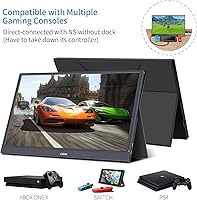
The G-STORY GST56 15.6″ Portable Gaming Monitor sits in an interesting spot — compact enough to toss in a backpack, yet large enough that you're not squinting at a tiny panel. At 15.6 inches, it hits a practical balance between screen real estate and portability that most travel monitors struggle to find. What makes it stand out at this price tier is the included PU leather protective case that folds into a usable stand — a thoughtful touch you don't always get. It works with laptops, PS4/PS5, Xbox, Nintendo Switch, and USB-C phones, which is genuinely broad compatibility. Just go in knowing this is built for casual to moderate gaming, not to replace a proper desktop setup.
Features & Benefits

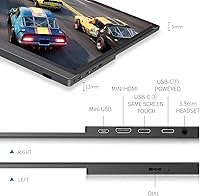
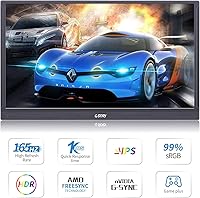
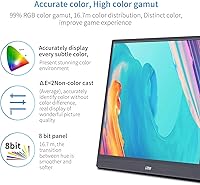
The headline numbers here are a 144Hz native refresh rate and 1ms response time — specs you'd normally associate with a stationary gaming monitor, not something that fits in a sleeve. Push it into overclock mode and it'll hit 165Hz, though that's worth treating as a bonus rather than a baseline. The IPS panel covers 99% sRGB with a 178-degree viewing angle, meaning colors stay accurate even if you're watching from the side. Input-wise, you get USB-C, Mini HDMI, and DisplayPort, so most devices connect without hunting for adapters. FreeSync works over HDMI; G-Sync requires USB-C — worth knowing before you plug in. Dual built-in speakers and portrait mode round things out for productivity use.

Best For

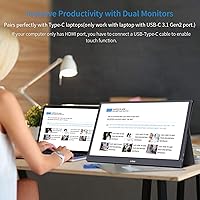
This portable gaming monitor makes the most sense for people who are constantly moving their setup. Console players traveling with a Switch or PS5 get a proper high-refresh screen without lugging a full monitor. Students cramped in a dorm room can finally run a dual-display setup without a major investment. Remote workers who shuttle between home and coffee shops will appreciate the lightweight build and the fold-out stand. That said, if you're doing professional photo editing or video color grading, the panel calibration here won't cut it — you'll need something with wider color volume and hardware calibration support. This is a practical screen for real-world use, not a studio tool.

User Feedback

With around 137 ratings and a 4.1-star average, the G-STORY GST56 has a modest but generally positive track record — though it's worth noting that's a fairly small sample, so long-term durability data is still thin. Buyers consistently praise the refresh rate performance relative to what they paid, and the included leather case gets called out repeatedly as a genuinely useful bonus. The sticking point for some is the power setup: the display needs a power source and a device connected at the same time — plug in just one and the screen goes black. A handful of users also flagged cable compatibility confusion and minor build quality concerns, so having the right cables on hand before setup is smart.

Pros

  • A 144Hz native refresh rate in a portable monitor at this price is genuinely rare and makes fast games feel noticeably smoother.
  • The 1ms response time keeps motion sharp during quick movements, reducing the blur that cheaper portable panels often suffer from.
  • Wide input support — USB-C, Mini HDMI, and DisplayPort — means it connects to almost anything without hunting for adapters.
  • The included PU leather case doubles as a functional stand, which is a practical bonus most competitors skip at this price.
  • FreeSync over HDMI and G-Sync over USB-C give users flexibility depending on their GPU brand.
  • The IPS panel delivers accurate color from wide angles, so sharing the screen with someone beside you is not an issue.
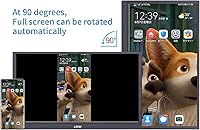
  • Portrait mode support makes this travel-friendly display surprisingly useful for coding, reading, or document work.
  • Broad device compatibility covers laptops, PS4/PS5, Xbox, Nintendo Switch, and USB-C smartphones in one package.
  • Built-in dual speakers mean basic audio is covered without needing to carry an external device.
  • At roughly 4.6 pounds with its case, this portable gaming monitor is manageable in a standard backpack for daily commuting.

Cons

  • The display requires both a power source and a device connection at the same time — plugging in just one leaves you with a black screen.
  • 165Hz is an overclock mode, not the native rate, so its stability may vary depending on the connected device and cable.
  • The 800:1 contrast ratio is mediocre, which means blacks look washed out in darker scenes compared to higher-end panels.
  • Brightness tops out at around 300 to 350 nits, making the G-STORY GST56 difficult to use in brightly lit rooms or outdoors.
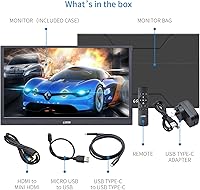
  • Mini HDMI is a less common connector, so buyers without the right cable on hand will need to source one separately.
  • At 4.58 pounds, it is on the heavier side for a portable monitor, which adds up during longer commutes.
  • The relatively small review pool — around 137 ratings — makes it hard to assess long-term reliability with confidence.
  • Build quality concerns have surfaced in a portion of user reviews, suggesting the chassis may feel less solid under regular travel stress.
  • Cable compatibility issues have been reported by some users, meaning not every USB-C cable will deliver reliable video and power simultaneously.
  • The speaker quality is functional at best — usable in a quiet room, but not a replacement for even basic external audio.

Ratings

Our AI scoring for the G-STORY GST56 15.6″ Portable Gaming Monitor was built by analyzing verified global buyer reviews, actively filtering out incentivized, bot-generated, and duplicate submissions to surface what real users actually experienced. Scores reflect both the genuine strengths that earned this display its loyal following and the recurring frustrations that kept it from ranking higher. The result is a transparent, balanced picture of where this travel-friendly monitor delivers and where it falls short.
Refresh Rate Performance
88%
For a portable monitor at this price point, hitting 144Hz natively is genuinely impressive and users notice it immediately when switching from a standard 60Hz laptop screen. Competitive gamers testing it with fast-paced shooters consistently reported smoother targeting and less visual lag during quick movements.
The 165Hz overclock mode, while functional on some setups, is not universally stable — a portion of users experienced flickering or had to revert to 144Hz depending on their GPU and cable combination. It is an optional ceiling, not a reliable daily setting for everyone.
Image & Color Quality
81%
19%
The IPS panel with 99% sRGB coverage produces noticeably richer, more accurate colors than the TN panels often found on competing portable monitors in this bracket. Users watching movies or playing visually rich open-world games remarked that skin tones and environmental gradients looked natural and well-saturated.
The 800:1 contrast ratio means dark scenes in games or films look noticeably flat, with blacks appearing more dark gray than true black. HDR mode adds minimal perceptible improvement given the brightness and contrast ceiling, leaving HDR content looking underwhelming compared to dedicated HDR-capable panels.
Response Time
84%
The 1ms response time keeps ghost trails and motion smear largely under control during fast gameplay, which buyers upgrading from cheaper portable monitors noticed right away. In side-by-side comparisons with 5ms or 8ms portable panels, the difference during high-speed action sequences is clear and consistent.
While the spec holds up well for mainstream gaming, some users with highly trained eyes reported occasional subtle trailing during extremely fast camera pans in competitive titles, suggesting real-world performance may sit slightly above the rated figure under certain conditions.
Portability & Form Factor
76%
24%
At 15.6 inches, the display hits a practical balance — large enough to work comfortably on a desk or hotel table, yet slim enough at 0.45 inches thick to slide into a laptop sleeve. Travelers carrying it on weekend trips or business stays found the size made it genuinely usable rather than a compromise.
The 4.58-pound total weight, case included, is on the heavier side for a portable display and starts to feel burdensome during long commutes or airport walks. Users who expected something closer to ultrabook-light were surprised by how much it added to their bag.
Setup & Power Requirements
52%
48%
Once users understand the dual-connection requirement, setup is relatively quick — plug in power and connect the video source and the display comes to life without any driver installation on most systems. The plug-and-play behavior across laptops, Switch docks, and consoles was praised by buyers who wanted zero configuration fuss.
The requirement to connect both a power adapter and the video device simultaneously is the single most complained-about aspect of this monitor, with many users assuming a single USB-C cable would handle everything. The screen showing a black screen with only one cable connected has led to a disproportionate number of confused support requests and negative first impressions.
Build Quality
63%
37%
The chassis feels reasonably solid for its price tier and the slim bezels give it a more premium appearance than the cost suggests. Several buyers commented that the overall construction held up without issues through several months of regular travel between home and office.
A recurring thread in negative reviews involves flex in the panel under light pressure and a plastic body that feels less confident than monitors even slightly higher in price. A small number of users reported structural concerns after extended daily travel use, which raises questions about multi-year durability.
Protective Case & Stand
86%
The included PU leather case is one of the most consistently praised aspects across user reviews — it provides solid scratch protection and folds into a stable, well-angled stand without any extra hardware. For users setting this up on a hotel desk or dorm table, it removes the need to pack or purchase a separate stand entirely.
The PU leather material shows scuff marks and surface wear relatively quickly under daily bag-in-bag contact, and the hinge mechanism on some units feels less secure after extended use. It handles the job well for light travel but may not hold up to the kind of wear a heavy road warrior puts through gear over a year or more.
Compatibility & Connectivity
79%
21%
Supporting USB-C, Mini HDMI, and DisplayPort in one portable unit gives this display unusually broad reach — it connects to modern laptops, PS4/PS5, Xbox, Nintendo Switch, and most USB-C smartphones without needing a hub or adapter in most cases. Users with multiple devices appreciated not being locked into a single input type.
Mini HDMI is an uncommon connector that many users do not have cables for readily, and G-STORY does not include a Mini HDMI cable in the box in all configurations. A subset of buyers also reported that not all USB-C cables delivered reliable 144Hz signal, requiring trial and error with different cables before achieving stable high-refresh output.
Sync Technology
74%
26%
Having both FreeSync over HDMI and G-Sync compatibility over USB-C in the same portable monitor covers AMD and Nvidia GPU users without forcing either camp to compromise. Users with FreeSync-compatible AMD GPUs connected via HDMI reported visibly smoother gameplay with reduced tearing during fast scene transitions.
G-Sync compatibility rather than full G-Sync certification means behavior can vary depending on the Nvidia driver version and laptop model, and some users found it less consistent than expected. FreeSync performance over HDMI also showed occasional minor inconsistencies at the upper refresh range during intensive gaming sessions.
Brightness
61%
39%
In a dimly lit room, hotel, or evening gaming setup, the 300 to 350 nit brightness range is comfortable and does not cause eye strain during extended sessions. Users primarily using this display indoors in controlled lighting conditions found it perfectly adequate for long work or gaming periods.
Move this monitor near a window during the day or into a brightly lit workspace and the image washes out noticeably, making it hard to work comfortably. This is one of the more tangible limitations for buyers hoping to use it as a flexible all-environment display rather than a dedicated indoor setup.
Audio Quality
47%
53%
Having any built-in speakers at all is appreciated in a portable monitor at this price, and they are functional enough for background audio during a work call or low-volume gaming when headphones are not an option. Buyers who needed zero-accessory travel setups found them a useful fallback.
The sound quality is genuinely poor by most accounts — thin, tinny, and with no meaningful bass response, making them unsuitable for anything beyond bare-minimum audio output. Nearly every user who commented on the speakers recommended treating them as an emergency option rather than a daily audio solution.
Value for Money
83%
The combination of a 144Hz IPS panel, broad input compatibility, and an included protective stand case at this price tier represents strong overall value relative to competing portable monitors with similar specs. Buyers who compared it directly to alternatives consistently felt they received more usable feature density per dollar.
The value case weakens slightly when factoring in the extra cables or power adapters many users had to purchase separately to make the setup work correctly. If the total cost of getting the monitor fully functional is included, the per-dollar value proposition narrows compared to the out-of-box price alone.
Gaming Experience
80%
20%
For casual to moderate gaming on consoles or a gaming laptop, this portable gaming monitor delivers a noticeably better experience than a typical 60Hz laptop screen or entry-level portable display. Switch players and PS5 users in particular reported a meaningful improvement in visual fluidity during action-heavy titles.
Serious competitive PC gamers expecting desktop-class gaming performance from a portable display will find the contrast ratio, brightness limits, and occasional sync inconsistencies noticeable. It performs well within its intended use case but begins to show its limitations when pushed toward high-end competitive or cinematic gaming expectations.
Ease of Use
68%
32%
On supported devices, the monitor is genuinely plug-and-play with no driver installation required, and portrait mode switching through the OSD menu is straightforward. Most users had the display up and running within a few minutes on their first attempt once they understood the power requirement.
The OSD navigation has been described as unintuitive by a portion of users, requiring multiple button presses to reach common settings like brightness or input switching. The dual-power-connection requirement continues to be a friction point that adds unnecessary confusion to what should be a simple first-use experience.

Suitable for:

The G-STORY GST56 15.6″ Portable Gaming Monitor is a strong match for anyone who needs a capable second screen without committing to a permanent desk setup. Console gamers who travel frequently — whether for college, work, or just visiting friends — can finally bring a proper high-refresh display along for PS5, Xbox, or Switch sessions without hauling a full-size monitor. Laptop users who split their time between home and remote locations will appreciate having a lightweight secondary display that sets up in seconds and folds into its own protective case. Budget-conscious competitive gamers who want smooth, responsive visuals on the go will find the 144Hz native panel genuinely useful for fast-paced titles. Students in small dorms or shared apartments also get a realistic path to a dual-monitor workflow without a significant financial commitment.
Not suitable for:

Anyone expecting a substitute for a well-calibrated desktop monitor will likely come away disappointed by the G-STORY GST56 15.6″ Portable Gaming Monitor. Creative professionals doing color-critical work — photo retouching, video color grading, graphic design — need a panel with proper hardware calibration and wider color volume than this display offers. The 800:1 contrast ratio and moderate brightness ceiling also mean it struggles in brightly lit environments, which limits outdoor or sunlit-room use. Buyers hoping to run the display from a single USB-C cable should know upfront that this monitor requires both a dedicated power source and a device connection simultaneously — running only one will result in a black screen, which has caught many users off guard. Those prioritizing long-term build durability may also want to wait for a larger review sample before committing, since the current feedback base is still relatively limited.

Specifications

  • Screen Size: The panel measures 15.6 inches diagonally, offering a usable viewing area without making the monitor too bulky to carry.
  • Resolution: Native resolution is 1920×1080 Full HD, delivering sharp detail suitable for gaming, video streaming, and general productivity.
  • Panel Type: An IPS panel is used, providing consistent color accuracy and wide viewing angles compared to TN alternatives at a similar price.
  • Refresh Rate: The native refresh rate is 144Hz, with an overclock mode available at 165Hz depending on the connected device and cable quality.
  • Response Time: Rated at 1ms response time, which minimizes motion blur and ghosting during fast-paced gaming sequences.
  • Color Gamut: Covers 99% of the sRGB color space, ensuring reasonably accurate and vivid color reproduction for casual content consumption and gaming.
  • Viewing Angle: Supports up to 178 degrees of horizontal and vertical viewing angle, meaning image quality holds up well even when viewed from the side.
  • Brightness: Peak brightness is rated between 300 and 350 cd/m², which is adequate for indoor use but may fall short in brightly lit environments.
  • Contrast Ratio: The static contrast ratio is 800:1, a typical figure for IPS panels that results in acceptable but not particularly deep black levels.
  • Connectivity: Input options include one USB-C port, one Mini HDMI port, and one DisplayPort, covering most modern laptops, consoles, and smartphones.
  • Sync Support: AMD FreeSync is supported over the HDMI connection, while Nvidia G-Sync compatibility is available through the USB-C port.
  • HDR Support: HDR mode is included, though performance is limited by the panel's brightness ceiling and contrast ratio.
  • Audio: Two built-in speakers are integrated into the chassis, providing basic stereo audio without requiring an external device.
  • Orientation: The display supports both landscape and portrait orientations, adding flexibility for productivity workflows like coding or document reading.
  • Dimensions: The unit measures 15.5 × 8.8 × 0.45 inches, keeping the profile slim enough to slide into most laptop bags and sleeves.
  • Weight: The monitor weighs 4.58 pounds including the protective case, which is manageable but toward the heavier end for portable displays.
  • Power Input: Operates at 5 volts via USB, and requires simultaneous connection of both a power source and a video input device to function correctly.
  • Included Accessories: Ships with a PU leather protective cover that folds into a functional stand, eliminating the need for a separate monitor stand accessory.
  • USB Ports: The monitor features a total of three USB ports, supporting both power delivery and video signal transmission depending on configuration.
  • Model Number: The official model number is GST56, manufactured by G-STORY and first made available in August 2020.

Related Reviews
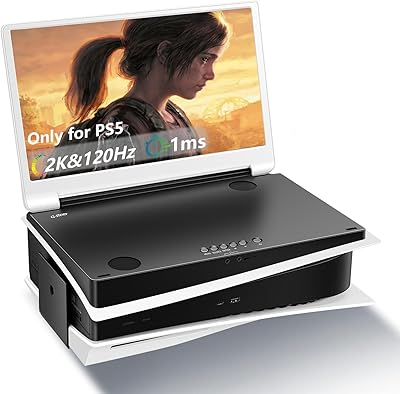
G-STORY 15.6-inch 2K 120Hz Portable Monitor
73%
84%
Display Quality
79%
Refresh Rate
81%
Portability & Design
67%
Build Quality
61%
PS5 Compatibility
More
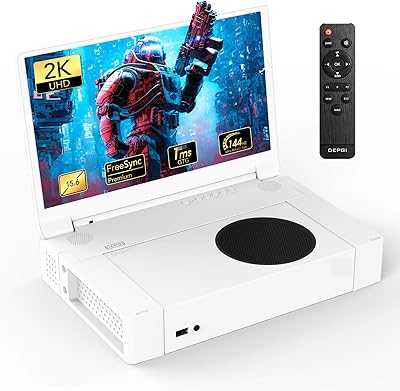
DEPGI 15.6″ Portable Gaming Monitor
81%
88%
Display Quality
91%
Gaming Performance (Refresh Rate & Response Time)
89%
Portability
84%
Value for Money
77%
Build Quality
More
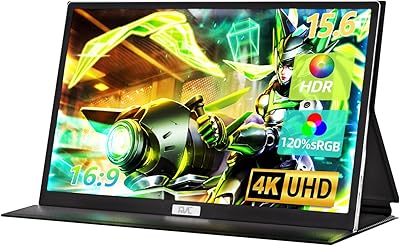
FMC 15.6-Inch 4K Portable Gaming Monitor
87%
93%
Display Quality
91%
Portability & Design
85%
Touchscreen Performance
88%
Build Quality
90%
Connectivity
More
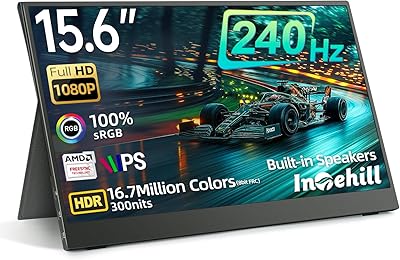
Intehill F15ND 15.6-inch 240Hz Portable Gaming Monitor

73%
88%
Build Quality
84%
Refresh Rate Performance
79%
Color Accuracy
57%
Brightness & Visibility
49%
HDR Quality
More
Topmonitor P15.6/2.5K 15.6-inch Portable Monitor
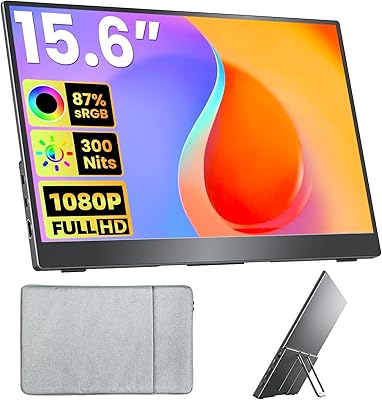
77%
91%
Image Sharpness
87%
Color Accuracy
93%
Portability
82%
Connectivity
88%
Value for Money
More
Upperizon U156LH 15.6″ Portable Monitor
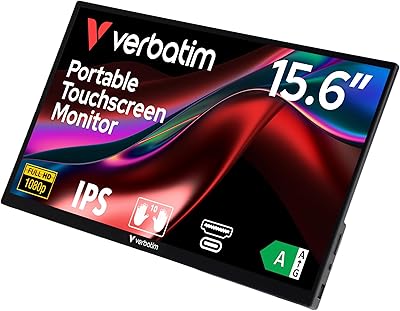
72%
82%
Build Quality
78%
Display Quality
89%
Portability
71%
Connectivity
86%
Value for Money
More
CAPERAVE CF15 15.6-inch Portable Monitor
70%
83%
Portability & Build
76%
Display Quality
51%
Brightness
91%
Setup & Ease of Use
82%
Value for Money
More
InnoView INVPM406 15.6-inch Portable Monitor
75%
91%
Ease of Setup
83%
Display Clarity
78%
Portability & Build
62%
USB-C Compatibility
88%
Value for Money
More
Anyuse PM1561P 15.6-inch Portable Monitor
74%
91%
Portability & Form Factor
84%
Image Clarity
72%
Setup & Compatibility
74%
Build Quality & Durability
61%
Brightness & Outdoor Usability
More
Acer PM161Q 15.6-inch Portable Monitor
70%
91%
Portability
78%
Display Clarity
52%
Glare & Screen Surface
88%
Connectivity
89%
Setup Experience
More

FAQ

Yes, the cable matters quite a bit here. To hit 144Hz, you need a high-quality USB-C cable that supports full video and data throughput, or a Mini HDMI cable rated for the bandwidth. Not every generic cable will work reliably, so it is worth using the cables included in the box first and upgrading if you run into issues.

This is the most common setup frustration with this display. The monitor requires two connections simultaneously — a dedicated power source and a video input from your device. If you only plug in one cable, it enters standby mode and shows a black screen. Make sure both are connected before powering on.

Yes, the Switch in docked mode connects via HDMI, and Mini HDMI input on this monitor handles that connection. You will also need to plug in a separate USB power source to keep the screen active. Many users find this works well for portable Switch gaming sessions.

The 165Hz mode is an overclock setting, not the panel's native rated speed. It works on many setups without issue, but stability depends on your device, cable quality, and GPU drivers. If you notice any visual artifacts or instability at 165Hz, dropping back to 144Hz is the safer and more reliable option for daily use.

It does, as long as your MacBook has a USB-C port with full DisplayPort Alt Mode support, which most modern MacBook Pro and MacBook Air models do. Connect via USB-C and make sure to also supply power through a second cable or a hub, since the monitor needs dedicated power alongside the video signal.

They are adequate for casual use in a quiet room — good enough for YouTube or background audio during gaming. Do not expect anything impressive though; the sound is thin and lacks bass. For anything more serious, a Bluetooth speaker or headphones will make a noticeable difference.

Yes, portrait orientation is supported. You will need to rotate the display setting in your operating system's display preferences to match the physical orientation. It works well for coding, reading long documents, or browsing, and the stand case can hold it at a comfortable angle in that position.

FreeSync works over the HDMI connection, and both the PS5 and Xbox Series consoles support VRR output. Whether FreeSync engages depends on how the console handles the signal, but connecting via Mini HDMI gives you the best chance of benefiting from tear-free gameplay on supported titles.

Most users report that the case holds up reasonably well for light daily use. It keeps the screen protected from scratches and functions as a stable stand. That said, PU leather can show wear over time with heavy travel use, so if you are throwing this in a bag daily, a separate sleeve for added protection would not hurt.

It is marginal in that situation. The brightness tops out at around 300 to 350 nits, which is fine in a controlled indoor setting but starts to struggle against direct ambient light or sunlight coming through a window. Positioning the screen away from direct light sources will help considerably.