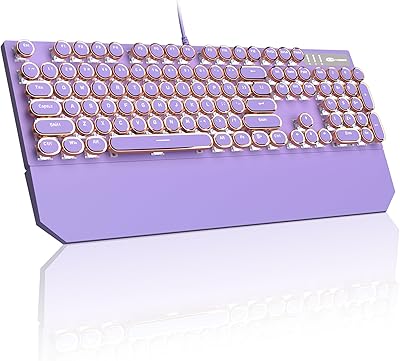
MageGee K1 Gaming Keyboard and Mouse Combo

Overview
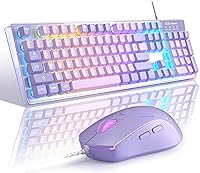
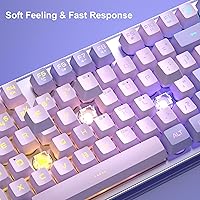
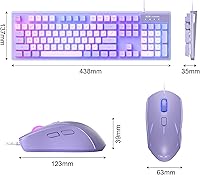
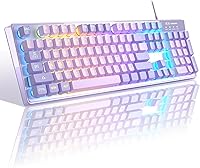
The MageGee K1 Gaming Keyboard and Mouse Combo is a no-frills, budget-friendly peripheral set that punches above its price for casual users and first-time PC builders alike. MageGee has carved out a niche making affordable gear, and this keyboard-mouse combo fits squarely in that tradition. You get a full-size 104-key layout — number pad included — which is genuinely appreciated by anyone who has wrestled with a compact board at work. The purple colorway and RGB lighting give it a distinctly gaming look without asking much of your wallet. Plug it in, and it works. No software, no drivers, no fuss.
Features & Benefits
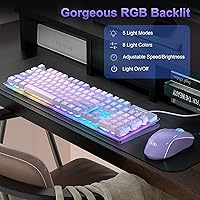
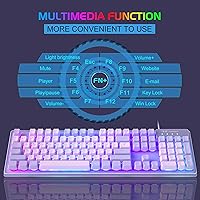
The RGB lighting system here is more capable than you might expect — eight colors and five modes are all toggled directly from the keyboard, no app required. The floating keycaps have a satisfying lift to them and can be pulled off for cleaning, which is a small but practical touch. On the mouse side, you can cycle through several sensitivity levels, from slow and precise to fast and reactive, making it adaptable for both spreadsheet work and casual gaming sessions. The cable includes an anti-interference ring near the connector, and the gold-plated USB plug suggests MageGee put at least some thought into connection reliability.
Best For
This budget gaming set makes the most sense for people who are just getting started — students building their first PC, kids getting their own desk setup, or home office workers who want something functional and a bit fun-looking without serious commitment. It also works well as a backup or secondary setup you keep plugged into a shared computer or a rarely-used workstation. If you game competitively or spend hours typing every day, you will probably outgrow it quickly. But for light to moderate use across a mix of work and casual gaming, this keyboard-mouse combo delivers real everyday value without painful trade-offs.
User Feedback
Buyers generally appreciate how easy the setup is — most mention it working immediately after plugging in, with the lighting being a standout highlight for the price. The purple aesthetic gets specific compliments from younger users. That said, the mouse is where opinions split: some find it accurate enough for everyday tasks, while others note the click feel is a bit shallow and tracking can feel inconsistent during quick movements. A few buyers mention key wobble on certain keycaps, which is common at this price tier. Long-term durability feedback is cautiously positive — most report it holding up well after several months, though heavy daily typists may notice wear sooner.
Pros
- Truly plug-and-play — works immediately on Windows, Mac, and Linux with zero setup friction.
- Full-size layout with number pad is a rare find at this price point.
- RGB lighting is bright, visually appealing, and controllable directly from the keyboard.
- Double-shot keycap legends resist fading far better than pad-printed alternatives in this tier.
- Multiple mouse sensitivity levels make it adaptable for both office tasks and casual gaming.
- Anti-slip base pads keep the keyboard firmly in place during normal use.
- The purple colorway stands out in a market dominated by generic black budget boards.
- Cable build quality — gold-plated connector and anti-interference ring — exceeds expectations for the price.
- Lightweight and easy to move around, making it a convenient secondary or travel setup.
Cons
- Mouse tracking becomes inconsistent at higher sensitivity levels, which undermines gaming reliability.
- Several keycaps have noticeable wobble out of the box, especially the spacebar and shift keys.
- The mouse shell feels thin and hollow, giving the combo an overall toy-like impression in hand.
- No adjustable tilt feet means you are locked into one typing angle regardless of preference.
- Cable length is tight for tower PC setups placed on the floor — barely reaches on some desks.
- The mouse left-click button can soften and lose responsiveness after a few months of heavy use.
- No wrist rest included, and the ergonomics become uncomfortable during extended typing sessions.
- Side buttons on the mouse sit close together and are easy to trigger accidentally during gameplay.
- Zero software support means no key remapping, no macros, and no custom lighting profiles whatsoever.
Ratings
The MageGee K1 Gaming Keyboard and Mouse Combo has been evaluated by our AI system after analyzing thousands of verified global buyer reviews, with spam, bot submissions, and incentivized feedback actively filtered out. Scores reflect the honest consensus of real users across casual gaming, home office, and student use cases. Both the genuine strengths and the recurring frustrations are transparently captured below.
Value for Money
Setup & Ease of Use
Keyboard Typing Feel
Mouse Performance
RGB Lighting Quality
Build Quality & Materials
Key Stability & Wobble
Desk Stability
Cable Quality & Length
Compatibility
Ergonomics & Comfort
Mouse Grip & Ergonomics
Longevity & Durability
Aesthetics & Design
Packaging & Unboxing
Suitable for:
The MageGee K1 Gaming Keyboard and Mouse Combo is a smart pick for anyone who needs a fully functional peripheral setup without stretching their budget. Students setting up their first desk, parents outfitting a shared family computer, and home office workers who dabble in casual gaming on evenings and weekends will all find it covers the basics reliably. The full-size layout with a number pad is a particular draw for anyone who does spreadsheet work or data entry — a feature that disappears on many compact budget boards. The zero-driver setup also makes it ideal for less tech-savvy buyers or anyone who simply wants to plug in and get to work without navigating software installs. It also holds up well as a dependable backup peripheral to keep in a drawer for when a primary setup goes down.
Not suitable for:
The MageGee K1 Gaming Keyboard and Mouse Combo is not the right tool for serious or competitive gamers. If you play fast-paced titles where mouse precision and consistent tracking matter, the mouse included here will likely frustrate you within a few sessions. Mechanical keyboard enthusiasts will find the membrane-style typing feel a clear step down — there is no crispness, no satisfying tactile bump, and no way to swap in better switches. Heavy daily typists, writers, or programmers who spend four or more hours at the keyboard will notice fatigue and key wobble that a better-built board would prevent. Power users who want custom key remapping, macro support, or polished RGB software control will also hit a hard wall, since there is no companion app of any kind.
Specifications
- Brand: Manufactured by MageGee, a brand specializing in affordable consumer peripherals.
- Key Count: Full-size 104-key layout including a dedicated number pad and standard function row.
- Switch Type: Membrane-style switches with a floating keycap design that allows individual keycap removal.
- Keycap Material: ABS plastic keycaps produced via double-shot injection molding to resist legend fading over time.
- RGB Lighting: Keyboard features 8 backlight colors across 5 lighting modes with adjustable brightness and speed, all controlled via onboard shortcuts.
- Mouse Sensor: Optical sensor supporting 6 selectable DPI levels: 600, 800, 1200, 1600, 2400, and 3200.
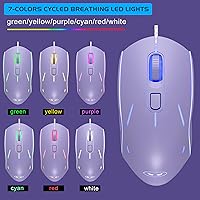
- Mouse Lighting: 7-color breathing LED backlight on the mouse with a side-button and scroll-wheel combination to lock a preferred color.
- Connectivity: Both keyboard and mouse connect via wired USB 2.0 with gold-plated connectors for stable data transmission.
- Cable Features: USB cable includes an anti-interference ferrite magnet ring near the connector to reduce signal noise.
- Cable Rating: Cable is rated as waterproof, providing basic protection against liquid spills during daily use.
- Keyboard Base: Non-slip rubber pads on the underside of the keyboard prevent movement during typing and gaming.
- Body Material: Both keyboard and mouse chassis are constructed from ABS engineering plastic treated for wear resistance.
- Color: Available in K1 Violet, a purple colorway applied to both the keyboard frame and mouse body.
- Compatibility: Plug-and-play compatible with Windows XP, Vista, 7, 8, 10, macOS, Linux, and most operating systems supporting standard USB HID devices.
- Software Required: No drivers or companion software are required; all lighting and DPI controls are managed via onboard hardware shortcuts.
- Mouse Buttons: Mouse includes left click, right click, scroll wheel click, DPI toggle button, and two programmable side buttons.
- Package Contents: Package includes one K1 keyboard, one optical mouse, and a basic user guide.
Related Reviews
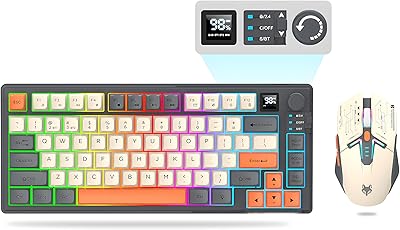
Attoe 75% Wireless Keyboard and Mouse Combo
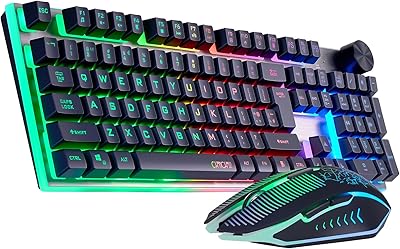
CHONCHOW G312 Wireless Gaming Keyboard Mouse Combo
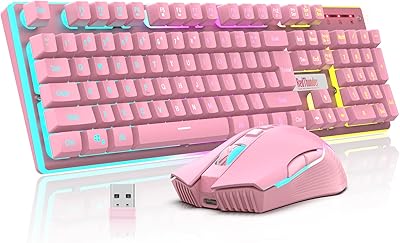
RedThunder K10 Wireless Keyboard and Mouse Combo
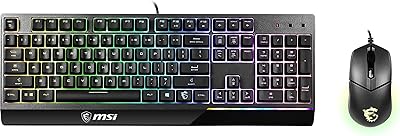
MSI Vigor GK30 Combo Gaming Keyboard and Mouse
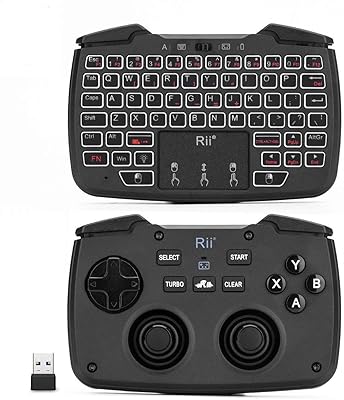
Rii RK707 3-in-1 Wireless Game Controller Keyboard
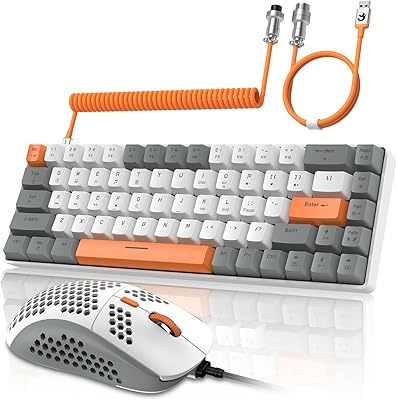
ZIYOU LANG RK-T8PR0 65% Mechanical Gaming Keyboard and Mouse Combo

CHESONA Multi-Device Wireless Keyboard and Mouse Combo

Vssoplor Wireless Keyboard and Mouse Combo

QUASIO Wireless Keyboard and Mouse Combo