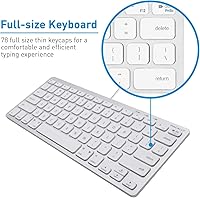
Overview

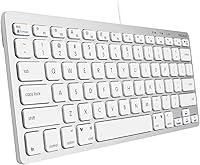
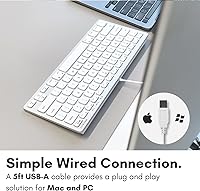
The Macally SLIMKEYCA Compact Wired Keyboard has been quietly holding its ground in the crowded budget keyboard market since its release in early 2019, and for good reason. Built around a 78-key tenkeyless layout, it trims the numpad without stripping away anything most people actually use day to day. The silver aluminum finish looks right at home alongside a MacBook or iMac setup, and the plug-and-play USB-A connection means you are typing within seconds of unboxing it. No software installs, no pairing headaches. For a compact wired option that covers both Mac and Windows without demanding a premium price, it has earned its consistent place near the top of Amazon keyboard rankings.

Features & Benefits

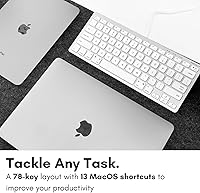
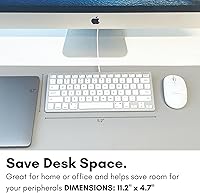
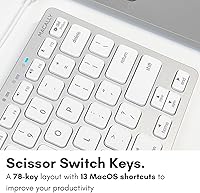
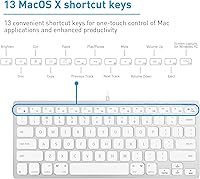
The scissor-switch mechanism is really where this compact Mac keyboard earns its keep. The keys have a low, satisfying travel distance that will feel immediately familiar to anyone who has typed on a recent Apple keyboard — without the Apple price tag attached. Thirteen dedicated Mac shortcut keys handle everyday actions like cut, copy, paste, and media controls, while Windows users get their own set of multimedia hotkeys baked in. The 4.7-foot cable is practical for most desk configurations, and at just under 12 inches wide, the board leaves noticeably more room on a crowded desk. A subtle single-color backlight rounds things out visually without turning your workspace into a light show.

Best For

This wired USB keyboard hits a particular sweet spot for Mac users who want something close to the Apple typing experience without the accompanying cost. Students sharing a dorm desk will appreciate the compact footprint, and remote workers running both a Mac and a Windows machine on the same desk will find the dual OS support genuinely useful rather than just a marketing claim. It also travels well — the lightweight build and standard USB connection mean you can drop it in a bag and be productive in any workspace. If your setup values clean aesthetics and clutter-free surfaces over heavy-duty programmable features, this board fits the brief.

User Feedback

Close to 5,000 ratings at 4.3 out of 5 stars says something meaningful — buyers generally come away satisfied. The most consistent praise focuses on the key feel and how accurately the Mac layout maps to expected shortcuts, which matters a lot if you are coming from an Apple keyboard. That said, the feedback is not universally glowing. Several reviewers point out that the 4.7-foot cable can be frustrating if your desktop tower sits on the floor, and heavy daily typists have noted that the keycaps show wear over time. Windows users also mention a brief adjustment period with the Mac-oriented labeling. Light-to-moderate users tend to have a better long-term experience overall.

Pros

  • Scissor-switch keys replicate the low-profile Apple typing feel at a fraction of the cost.
  • Dual Mac and Windows support is genuinely functional out of the box, requiring zero configuration.
  • Tenkeyless layout frees up real desk space without cutting keys most users actually need.
  • 13 dedicated Mac shortcut keys for cut, copy, paste, and media controls work accurately and reliably.
  • Bus-powered USB-A connection removes the hassle of batteries, charging, or wireless pairing entirely.
  • Silver aluminum finish looks cohesive and polished alongside MacBook and iMac setups.
  • Weighing just over 11 ounces, this wired USB keyboard is easy to toss in a bag for travel.
  • Nearly 5,000 ratings averaging 4.3 out of 5 reflects broad, consistent buyer satisfaction.
  • Single-color backlighting adds a clean visual touch without overwhelming a minimal desk aesthetic.

Cons

  • Keycap legends show visible wear under heavy, sustained daily use over time.
  • The 4.7-foot cable falls short for desktop tower setups positioned on or near the floor.
  • Mac-oriented key labeling creates a noticeable adjustment period for Windows-primary users.
  • No wireless option means you are permanently tethered to a USB port.
  • Missing numeric keypad is a firm dealbreaker for anyone handling regular data-entry work.
  • No programmable keys or macro support rules this out for power users and workflow customization.
  • Long-term durability is a genuine concern for anyone using the Macally slim board as a high-volume daily driver.
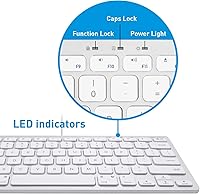
  • Backlight brightness cannot be adjusted, which may be limiting in varied lighting environments.

Ratings

The scores below are generated by AI after analyzing thousands of verified global user reviews for the Macally SLIMKEYCA Compact Wired Keyboard, with spam, bot-generated, and incentivized feedback actively filtered out before any category was scored. Each rating reflects real-world buyer satisfaction weighted against the product's intended use case, so the numbers account for who this compact wired keyboard is actually built for. Strengths and pain points are represented with equal transparency, giving you an honest picture of where it genuinely delivers and where it asks for compromise.

Typing Experience
83%
The scissor-switch keys draw consistent praise from buyers familiar with Apple keyboards, with many noting that the travel distance and key stability feel immediately comfortable during long writing or coding sessions. For everyday office and student use, the low-profile action hits a reliable balance between responsiveness and quiet operation.
Compared to premium scissor-switch boards, the tactile feedback registers as slightly softer than some typists prefer, and a handful of users note that key feel becomes less crisp after many months of sustained heavy use as the mechanism wears in gradually.
Build Quality
68%
32%
The silver aluminum finish gives the board a solid first impression, and for light-to-moderate daily typing the frame holds steady without noticeable flex or rattle. Most casual users report no structural concerns over typical ownership periods of several months to a year.
Users who type heavily for many hours a day tend to surface earlier-than-expected signs of wear on both keycap surfaces and the overall chassis feel. The build quality sits closer to budget-tier reality than the aluminum exterior initially implies.
Value for Money
89%
Buyers who want a Mac-compatible scissor-switch keyboard without the Apple price tag consistently describe this as a smart, practical buy. Plug-and-play convenience, genuine dual OS support, and a clean silver aesthetic together deliver a package that comfortably outperforms its price positioning for everyday users.
The value calculation shifts for heavier typists who encounter keycap wear sooner than expected, shortening the effective lifespan of the board as a primary work tool. For full-time professionals, the per-year cost-of-ownership math becomes less favorable than the upfront price suggests.
Mac Compatibility
92%
This is where the board earns its reputation most clearly. The 13 dedicated Mac shortcut keys map accurately to expected macOS functions right out of the box, and buyers switching from an Apple keyboard report virtually no adjustment period at all. The familiarity is a genuine day-one advantage.
A small number of users on less common macOS configurations or significantly older OS versions report occasional shortcut inconsistencies that require manual remapping. The keyboard was designed around macOS features available at its 2019 release, so very recent system-level additions may not be addressed.
Keycap Durability
57%
43%
For light typists — students taking notes, occasional home-office users, or people at the keyboard a few hours a day — the keycaps hold up adequately through a typical ownership period without obvious degradation. In light-use scenarios, most buyers report no cosmetic issues within the first year.
Legend wear on high-frequency keys is the most consistently negative theme in long-term buyer reviews, with heavy typists reporting visible fading within months of sustained daily use. For anyone relying on this as a primary professional keyboard across full workdays, keycap longevity is a meaningful concern.
Windows Compatibility
72%
28%
The built-in Windows multimedia hotkeys function correctly without any driver installation, which most Windows users find genuinely convenient. For shared office workstations running Windows, the core typing and media control functions all work immediately upon connection.
The Mac-oriented key labeling creates real friction for Windows-primary users, particularly around modifier keys, with several reviewers describing a multi-day adjustment period before muscle memory catches up. Some users report never fully reconciling the layout mismatch during longer typing sessions.
Ease of Setup
96%
Plug the USB-A cable into any available port and the keyboard is recognized instantly on both macOS and Windows — that is genuinely the entire setup process. Buyers consistently highlight how refreshing it is to bypass Bluetooth pairing sequences, driver downloads, and software utilities, especially in managed office environments.
The only setup friction arises on newer devices without USB-A ports, which require a separate adapter that is not included in the box. This hardware constraint catches some buyers off guard and adds an unanticipated extra purchase before the keyboard is usable on modern laptops.
Keyboard Layout
78%
22%
The tenkeyless format is well-executed for its target audience — most Mac users working across documents, creative apps, or general productivity find the 78-key arrangement covers every key they regularly reach for, without the physical stretch a full-size layout demands.
Omitting the numeric keypad is the right call for the compact design brief, but it is a firm dealbreaker for data entry workers, accountants, and power users who rely on numpad shortcuts daily. There is simply no workaround built into the board for this group of buyers.
Cable Length
61%
39%
For laptop users and those with desktop towers or iMacs placed at desk height, the 4.7-foot cable is sufficient and keeps the workspace reasonably tidy. It provides enough slack for comfortable keyboard positioning without producing messy excess cable across the desk surface.
Users with desktop towers sitting on the floor — a very common home-office and workstation setup — frequently report that 4.7 feet simply does not reach comfortably, requiring a separately purchased USB extension cable. This is among the most commonly cited practical frustrations across buyer reviews.
Aesthetic Design
87%
The silver aluminum finish integrates visually with Apple hardware in a way that feels deliberate rather than coincidental, and buyers who have placed this wired USB keyboard alongside a MacBook or iMac consistently note how cohesive the desk setup looks. It reads as more premium than the price reflects.
The finish comes in a single silver aluminum variant only, so buyers with non-Apple setups, darker desk themes, or specific aesthetic preferences have no customization path. The fixed single-color backlight, while clean, cannot be adjusted to suit different moods or ambient lighting conditions.
Shortcut Key Accuracy
82%
18%
The Mac shortcut keys — particularly cut, copy, paste, and media controls — register reliably and map intuitively for buyers arriving from Apple keyboards. Several reviewers specifically cite the shortcut accuracy as a deciding factor that pushed them toward this board over generic alternatives.
Windows users frequently note that shortcut labels do not translate clearly to Windows equivalents, requiring trial and error to identify which keys correspond to familiar Windows functions. No printed shortcut reference is included in the box, which would meaningfully ease the onboarding process for cross-platform users.
Backlighting
66%
34%
The fixed single-color backlight is subtle enough to add a polished look in a dim workspace without being distracting, and buyers using this compact Mac keyboard for late-night sessions appreciate having any illumination at all at this price tier.
The absence of any brightness adjustment is a notable limitation — users cannot reduce the backlight for dark environments or boost it under strong ambient lighting. There is no RGB customization, no off toggle without disconnecting the keyboard, and no software control of any kind.
Portability
85%
At 11.3 ounces and roughly the width of a standard sheet of paper, the Macally slim board slips into a laptop bag without adding meaningful bulk. Business travelers and students who move between home, office, and shared workspaces consistently call this one of the easiest peripherals to carry daily.
The permanently attached cable adds minor awkwardness during packing since it cannot be detached for cleaner storage. It needs to be coiled and managed alongside the board every time, which is a small but recurring inconvenience for users who pack and unpack frequently.
Noise Level
79%
21%
Scissor-switch keys are inherently quieter than mechanical alternatives, and this board delivers a muted typing sound that open-office and shared-space users find acceptably discreet. Buyers regularly comment that it does not disrupt colleagues or household members during video calls or focused work blocks.
The board is not purpose-built as a silent keyboard, and users in very quiet environments note that the key return sound is still perceptible at close range. It is quieter than average but falls short of the category occupied by keyboards with purpose-engineered dampened switch mechanisms.
Long-term Reliability
63%
37%
For light-to-moderate users typing a few hours per day in home-office or student contexts, the board holds up through a reasonable ownership window without mechanical failures. Most buyers in this usage band report no significant functional issues within the first year of regular use.
Long-term feedback paints a consistent pattern: reliability drops notably for intensive daily users, with keycap wear, occasional key registration inconsistencies, and general construction fatigue surfacing after sustained heavy use. This wired USB keyboard is better positioned as a one-to-two year rotation item than a permanent workstation fixture.

Suitable for:

The Macally SLIMKEYCA Compact Wired Keyboard is a strong match for Mac users who want that familiar low-profile scissor-switch typing feel without paying Apple's premium for an official peripheral. Students cramped for desk space in a dorm or apartment will find the tenkeyless footprint genuinely practical — it reclaims surface area without stripping away keys they actually use. Remote workers running both a Mac and a Windows machine side by side will appreciate that the dual OS functionality is built into the hardware itself, with dedicated shortcut sets for each platform rather than forcing awkward workarounds. Anyone who travels for work and needs a lightweight, no-fuss keyboard to pack alongside a laptop will also find the plug-and-play USB-A setup refreshingly simple. If a clean, silver aluminum aesthetic that complements Apple hardware is a priority, this compact Mac keyboard delivers that look without demanding a premium price.

Not suitable for:

The Macally SLIMKEYCA Compact Wired Keyboard is not the right call for heavy typists who depend on long-term keycap durability — real-world buyer feedback consistently points to visible legend wear under sustained daily use, making it a risky choice as a primary work keyboard for years at a stretch. The 4.7-foot cable, workable for most desk-level setups, becomes a real constraint if your desktop tower lives on the floor. Windows-first users may find the Mac-oriented key labeling less of a minor quirk and more of a daily frustration, especially during the adjustment period. Anyone expecting programmable macros, mechanical switches, wireless freedom, or a full numeric keypad will hit a hard wall with this board — none of those features are on offer. It is built around practical simplicity, so buyers coming in with enthusiast-level expectations will likely come away disappointed.

Specifications

  • Key Count: The keyboard features 78 keys in a tenkeyless layout that omits the numeric keypad to reduce overall footprint.
  • Switch Type: Keys use a scissor-switch mechanism that provides low-profile, stable actuation closely resembling Apple's own keyboard design.
  • Connectivity: Connection is made via a wired USB-A cable that draws bus power directly from the host device, requiring no external adapter.
  • Cable Length: The permanently attached cable measures 4.7 feet, designed for desk-level placement of laptops, iMacs, and desktop towers.
  • Dimensions: The keyboard body measures 11.81″ long, 6.5″ wide, and 1.18″ tall, offering a noticeably smaller desk footprint than full-size boards.
  • Weight: At 11.3 ounces, the unit is lightweight enough to pack alongside a laptop for travel or mobile work setups.
  • Color and Finish: The body is finished in silver aluminum, designed to visually complement MacBook, iMac, and Mac mini hardware aesthetics.
  • Backlighting: A fixed single-color backlight is built in, with no brightness adjustment or RGB color customization available.
  • OS Compatibility: The keyboard operates natively on both macOS and Windows without requiring any drivers, software, or system configuration.
  • Mac Shortcut Keys: Thirteen dedicated Mac shortcut keys are included, covering functions such as cut, copy, paste, and iTunes media controls.
  • Windows Hotkeys: Windows multimedia hotkeys are built into the layout and activate immediately upon connection to a Windows machine.
  • Plug and Play: No driver installation or software download is required; the keyboard is recognized by the host device as soon as it is connected.
  • Power Source: The keyboard is entirely bus-powered via USB, meaning it draws all necessary power from the connected device with no batteries or charging required.
  • Compatible Devices: Verified compatible with MacBook, iMac, Mac mini, Mac Pro, Windows PCs, Chromebooks, and USB-A-equipped devices from Dell, HP, Lenovo, Asus, Acer, and others.
  • Layout Style: The tenkeyless layout retains all standard alphanumeric, function, and navigation keys while removing the numeric keypad entirely.
  • First Available: The product was first listed for sale in February 2019 and has maintained a top-100 ranking in the Amazon Computer Keyboards category.

Related Reviews
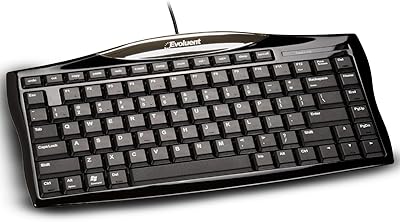
Evoluent EKB Compact Wired Keyboard
71%
84%
Ergonomic Design
67%
Typing Feel
73%
Build Quality
61%
Hotkey Usability
91%
Connectivity & Setup
More
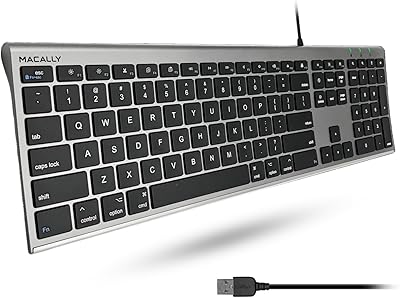
Macally ACEKEYSG
Macally ACEKEYSG
77%
78%
Typing Comfort
72%
Build Quality
91%
Mac Compatibility
83%
Windows Compatibility
88%
Numeric Keypad
More
Perixx PERIBOARD-536 Ergonomic Compact Wired Keyboard
67%
67%
Ergonomic Comfort
58%
Typing Experience
78%
Noise Level
63%
Wrist Rest Quality
54%
Build Quality
More
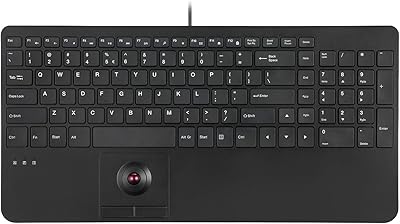
Perixx PERIBOARD-538 Wired Trackball Keyboard
74%
93%
Space Efficiency
78%
Typing Experience
62%
Trackball Usability
81%
Build Quality
83%
Keycap Durability
More
X9 Performance X9ERGOKEY Ergonomic Split Keyboard
77%
83%
Ergonomic Comfort
67%
Wrist Rest Quality
61%
Key Feel & Typing Experience
58%
Build Quality & Durability
88%
Layout & Key Coverage
More
Macally BLSLIMKEYPROSG Backlit Wired Mac Keyboard
80%
93%
Mac Layout Accuracy
78%
Backlight Usability
83%
Typing Comfort
74%
Noise Level
69%
Build Quality
More
Microsoft Designer Compact Bluetooth Keyboard
78%
78%
Build Quality
72%
Typing Experience
69%
Bluetooth Connectivity
93%
Battery Life
81%
Multi-Device Pairing
More
Azio Retro Compact Mechanical Keyboard
73%
91%
Build Quality
94%
Aesthetic Design
83%
Typing Experience
58%
Noise Level
71%
Wireless Performance
More
KNOWSQT Wired Computer Keyboard
85%
89%
Design & Aesthetics
83%
Typing Experience
94%
Ease of Setup
88%
Build Quality
70%
Key Press Feel
More
Acebaff CK140U Wired Keyboard for Mac
85%
91%
Typing Experience
88%
Ergonomics
84%
Build Quality
95%
Ease of Setup
90%
Compatibility
More

FAQ

It works on both platforms out of the box. The key labels follow Mac conventions, so Windows users will notice some labeling differences and may need a short adjustment period. That said, dedicated Windows multimedia hotkeys are built into the layout and function immediately without any setup, making it a genuinely dual-purpose board rather than just a Mac keyboard with Windows tolerance bolted on.

No installation is needed at all. Plug it into any USB-A port and the operating system recognizes it instantly on both macOS and Windows. This makes it particularly practical for shared workspaces, travel setups, or anyone who prefers to keep their system clean of extra software.

For most desk-level configurations — a laptop on a desk, an iMac, or a desktop tower sitting at desk height — 4.7 feet is comfortable. The situation where it feels short is if your tower sits on the floor a foot or two below your desk surface. In that case, you may find yourself wishing for an extra foot of cable, and a USB extension cord is a straightforward fix.

Quite close for this price range. The scissor-switch keys have a similar travel distance and stability to what Apple uses, and most people coming from an Apple keyboard adapt immediately without any real learning curve. It is not a perfect replica — the tactile feedback and build quality are a notch below Apple's — but for everyday typing it holds up well.

No, and that is intentional. This is a tenkeyless design, meaning the numpad has been removed specifically to keep the keyboard compact. If your work regularly involves data entry, accounting software, or spreadsheet-heavy tasks that depend on a numpad, you will want to consider a full-size keyboard instead.

Yes. Since it is a plug-and-play USB-A keyboard, Chrome OS recognizes it without any setup. The Mac-specific shortcut keys will not function as labeled under Chrome OS, but all standard alphanumeric, navigation, and function keys work normally. It is a clean, low-effort connection on Chromebooks.

Unfortunately no — the Macally SLIMKEYCA Compact Wired Keyboard has a fixed single-color backlight with no brightness control and no RGB options. It adds a polished look in dim environments, but if backlight customization is something you care about, this board does not offer it.

For light-to-moderate use, most buyers report solid longevity without visible issues. Where it gets mixed is among heavy typists who are on the keyboard for many hours every day — a noticeable portion of those users mention that keycap legends begin to fade over extended daily use. If you type heavily all day as your primary work keyboard, it is worth keeping that durability ceiling in mind.

It depends on your tablet and what adapters you have available. The keyboard uses a standard USB-A connection, so any device with a USB-A port or a compatible USB-A adapter will work. Modern iPads running iPadOS 13 or later support wired USB keyboards natively, but you would need a USB-C to USB-A adapter since iPads no longer ship with USB-A ports. The keyboard itself functions correctly once connected.

It actually fits that use case well. The compact footprint and weight just above 11 ounces make it easy to slip into a laptop bag without much bulk. The wired connection is also a genuine advantage when moving between locations — there are no Bluetooth pairing steps, no battery level to worry about, and no dongles to forget. Plug in and start working.