Overview

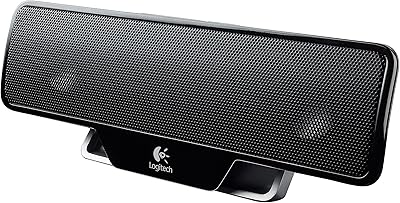
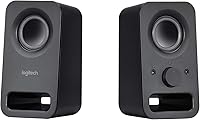
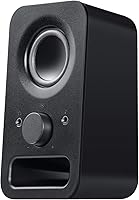
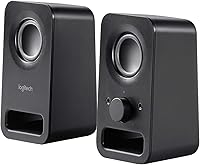
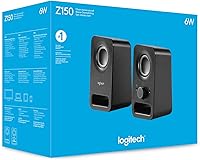
Finding a dependable pair of speakers like the Logitech Z150 is a relief when you just need clear sound without the clutter of a massive subwoofer. These compact desktop speakers feature a minimalist aesthetic that looks professional on any workstation, combining matte plastic with a sturdy metal build. Setting them up is as simple as it gets thanks to the plug-and-play wired connection, which uses a standard 3.5mm jack to get you up and running in seconds. Because of their small footprint, they fit easily into tight corners or underneath monitors on even the most cluttered desks. They are a no-nonsense, straightforward 2.0 stereo set for anyone who prioritizes desk space and reliability over complex audio configurations or bulky equipment.

Features & Benefits

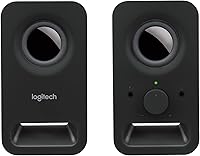
This 2.0 stereo set provides 6 watts of peak power through dual drivers, ensuring your computer audio remains crisp and audible during daily tasks. One of the most practical additions is the integrated volume knob on the front panel, which also serves as the power switch for tactile, immediate control. You will also find a front-facing headphone jack, allowing you to switch to private listening instantly without fumbling around the back of your computer tower. Additionally, the secondary auxiliary input makes it easy to connect a phone or tablet at the same time. Despite their light weight, the tabletop design remains stable and steady on your desk surface, even when you decide to push the volume higher for a video or a song.

Best For

This budget audio solution is a perfect fit for anyone currently frustrated by the thin, tinny sound of integrated laptop speakers. If your primary needs involve joining Zoom calls, watching YouTube tutorials, or enjoying some background music while you work, these speakers provide plenty of clarity. They are especially useful in small office setups where every inch of desk real estate matters. Students will also find them incredibly valuable for dorm room desks, as they offer a significant audio upgrade without requiring a lot of space or a high price tag. For those who want reliable performance without the hassle of charging batteries or managing Bluetooth pairing drops, this wired setup is the most practical choice available.

User Feedback

Most owners appreciate this 2.0 stereo set for its consistent reliability and the fact that it requires zero software or drivers to function. Real-world users frequently highlight the convenience of having the headphone and aux ports right on the front, noting how much easier it makes their daily workflow. While the sound is praised for being clear and balanced in the mids and highs, buyers are honest about the limited bass response, which is expected from such small drivers. It is not an audiophile setup, but for the price, it is widely considered a high-value purchase. People like that they can just plug it in and forget about it, trusting that it will work every time they turn their computer on.

Pros

  • The ultra-compact footprint fits perfectly on crowded desks or narrow shelving units.
  • Integrated front-panel controls allow for quick, tactile adjustments to volume and power.
  • Dual 3.5mm inputs let you connect a secondary device like a tablet without unplugging your PC.
  • The Logitech Z150 provides excellent vocal clarity, making it a solid choice for podcasts and video meetings.
  • A built-in headphone jack on the front prevents you from having to reach behind your computer.
  • Sturdy metal grilles protect the internal drivers from accidental damage in busy workspaces.
  • Simple plug-and-play operation means no software updates or driver installations are ever required.
  • Solid build quality ensures the speakers remain stable on the table even during playback.

Cons

  • A noticeable lack of deep bass makes music and movies feel thin and underpowered.
  • The attached cables are relatively short, which can limit your placement options on larger workstations.
  • Non-detachable wiring means the entire set must be replaced if a single cable fails.
  • There is no Bluetooth connectivity, forcing a physical connection for every device used.
  • Sound quality can begin to distort or crackle when pushed to the maximum volume limit.
  • The Logitech Z150 does not include any EQ settings or hardware bass/treble adjustments.
  • The power LED on the front can be distractingly bright in a dark bedroom at night.
  • Analog connections are susceptible to electrical hiss or humming if your computer's port isn't perfectly shielded.

Ratings

Our AI analyzed thousands of verified global reviews for the Logitech Z150, filtering out incentivized or low-quality feedback to provide a transparent look at its real-world performance. These scores reflect a balanced synthesis of genuine buyer experiences, highlighting where these compact desktop speakers excel and where they fall short of expectations.

Audio Clarity
83%
Users consistently praise the crispness of the mid and high frequencies, which makes vocal tracks and podcasts sound incredibly sharp. For spoken word content like Zoom calls or YouTube tutorials, these dual 2-inch drivers provide a significant boost in intelligibility compared to standard monitor speakers.
While the clarity is impressive for the size, the sound can start to feel a bit thin or brittle when you push the volume toward its maximum limit. Audiophiles will notice a lack of depth in complex musical arrangements where nuances tend to get flattened out.
Bass Response
42%
58%
The lack of a dedicated subwoofer means there is no muddy or booming low-end to disturb your neighbors or housemates in quiet environments. This lean profile works well for late-night work sessions where you want balanced background audio without the vibration of heavy percussion.
Low-end enthusiasts will be disappointed as there is almost no sub-bass presence, making action movies and hip-hop tracks feel underpowered. Without a passive radiator or larger housing, the physical limitations of this 2.0 stereo set prevent any real punch or thump in the lower registers.
Value for Money
92%
This budget audio solution is frequently cited as one of the best investments for a simple home office because of its low entry price. Most buyers feel they are getting a reliable, branded product that outperforms almost everything else in its specific price bracket.
Some users argue that spending just a small amount more could net a system with Bluetooth or a larger driver. If you are looking for a long-term primary media setup, the strictly basic feature set might feel like a compromise later on.
Build Quality
78%
22%
The combination of matte plastic and a metal grille gives the unit a sturdy, professional feel that resists fingerprints and looks great on a desk. It feels dense enough to stay put, unlike many cheaper alternatives that feel like hollow, lightweight toys.
The non-detachable cables are a point of concern for some, as a single fray or break in the wire could render the entire set useless. A few owners noted that the plastic housing can occasionally creak if handled frequently or moved between locations.
Control Ergonomics
89%
The front-facing volume knob has a smooth, weighted travel that makes it easy to make precise adjustments without looking. Having the power switch integrated into the same dial is a smart, space-saving design choice that users find very intuitive during daily use.
A small number of users found the knob a bit slick to grip if their hands were particularly dry or if they tried to turn it quickly. There is also no visual indicator for the volume level, so you have to rely entirely on your ears.
Port Accessibility
94%
The inclusion of both a headphone jack and an auxiliary input right on the front panel is a massive convenience for desktop users. It allows for a seamless transition to private listening without needing to reach behind a computer tower or unplug the main speakers.
Using the front aux port can lead to a bit of cable clutter draped across your desk, which some minimalist users find annoying. Additionally, the headphone jack output level is tied to the main volume knob, which requires careful adjustment to avoid blasting your ears.
Setup Simplicity
97%
The plug-and-play nature of this setup is foolproof, requiring no drivers, software installations, or complex pairing sequences to get started. It is an ideal choice for non-technical users or office environments where IT restrictions prevent software bloat.
Being a strictly wired system means you are tethered by the length of the included cables, which limits placement options on very large desks. There is no wireless flexibility, so you cannot easily stream music from your phone without a physical 3.5mm connection.
Desk Footprint
91%
The slim, vertical orientation ensures these speakers occupy very little real estate, making them perfect for cramped dorm desks or small workstations. Their narrow profile allows them to tuck neatly beside a monitor or laptop stand without blocking other peripherals.
While small, they are still tall enough that they might not fit under certain low-profile monitor risers or shelving units. The fixed wiring also means you have to manage two separate cables trailing from the back, which can look messy on open desks.
Aesthetic Design
84%
The clean, black finish and understated branding allow these speakers to blend into almost any professional or home environment. They look more expensive than they actually are, providing a subtle look that doesn"t scream "budget hardware" to visitors.
The design is safe and functional, which some might find boring or uninspired compared to more modern, rounded, or colorful speaker options. It definitely favors utility over making a bold visual statement in a gaming or creative setup.
Reliability
88%
Long-term users report that these speakers can handle years of daily use without any degradation in sound quality or knob functionality. The lack of complex internal electronics or wireless components means there is very little that can actually go wrong over time.
Like many analog systems, some units may develop a slight hiss or static hum if the 3.5mm connection isn"t perfectly clean or if there is electrical interference. This can be annoying during quiet passages of music or when the computer is idle but the speakers are on.

Suitable for:

The Logitech Z150 is a practical choice for home office workers and students who need a reliable, low-cost upgrade over the tinny sound of standard laptop speakers. If your daily routine involves hopping on Zoom calls, watching YouTube tutorials, or listening to ambient background music, these speakers provide the necessary vocal clarity without taking up valuable desk real estate. They are particularly well-suited for minimalist setups where a bulky subwoofer would be a hindrance rather than a help. The inclusion of a front-facing headphone jack also makes them ideal for anyone who needs to switch quickly between open audio and private listening throughout the day.

Not suitable for:

Action movie fans and gamers looking for an immersive, floor-shaking experience should steer clear of the Logitech Z150, as it lacks the low-end punch required for heavy bass. Because this is a strictly analog, wired setup, it is not a good fit for users who want to stream music wirelessly from their phones or keep their desk entirely cable-free. Audiophiles seeking high-fidelity sound or a wide soundstage for critical music listening will likely find the dual 2-inch drivers too restrictive. Furthermore, if you work in a very large room and need to fill the entire space with sound, these low-wattage drivers will struggle to perform without distorting at higher volumes.

Specifications

  • Peak Power: These speakers deliver a maximum of 6 Watts of peak power for desktop audio.
  • RMS Power: The system provides 3 Watts of continuous RMS power across two channels.
  • Driver Size: Each speaker housing contains one 2-inch high-clarity dynamic driver.
  • Audio Channels: This setup is configured as a standard 2.0 stereo system without a subwoofer.
  • Input Connections: Connectivity includes one 3.5mm main audio input and one 3.5mm auxiliary line.
  • Output Port: A dedicated 3.5mm headphone jack is located on the front panel for private listening.
  • Power Source: The unit is powered via a standard corded electric AC wall adapter.
  • Dimensions: Each unit measures approximately 5.95 x 3.33 x 3.33 inches in size.
  • Product Weight: The total weight of the speaker set is approximately 1.28 pounds.
  • On-Speaker Controls: A front-mounted analog knob controls both power and volume levels.
  • Mounting Type: The design is intended for stable tabletop or desktop placement.
  • Exterior Materials: The housing is constructed from durable matte plastic with metal protective grilles.

Related Reviews

Logitech POP Mouse
Logitech POP Mouse
82%
93%
Silent Click Performance
89%
SmartWheel Scrolling
87%
Multi-Device Connectivity
91%
Battery Life
71%
Ergonomics & Hand Fit
More
Logitech Pebble M350
88%
88%
Build Quality
85%
Ergonomics & Comfort
94%
Battery Life
90%
Connectivity Reliability
87%
Tracking Precision
More
Logitech ERGO K860
Logitech ERGO K860
81%
93%
Ergonomic Comfort
89%
Wrist Rest Quality
84%
Typing Feel & Accuracy
67%
Adjustment Period
81%
Build Quality & Materials
More
Logitech X-530
Logitech X-530
75%
82%
Sound Quality
80%
Bass Performance
86%
Dialogue / Center Channel
84%
Surround Imaging
75%
Build Quality
More
Logitech Wireless Touchpad
84%
80%
Performance
85%
Ease of Use
88%
Wireless Connectivity
83%
Build Quality
82%
Ergonomics
More
Logitech C925e
Logitech C925e
82%
83%
Video Quality
74%
Low-Light Performance
86%
Autofocus Accuracy
71%
Microphone Quality
93%
Privacy Shade
More
Logitech Zone Wired
Logitech Zone Wired
79%
88%
Microphone Clarity
91%
Call Performance
74%
Comfort & Wearability
83%
Build Quality
67%
Sound Quality for Music
More
Logitech B525 HD Webcam
85%
88%
Video Quality
90%
Portability
92%
Ease of Setup
85%
360-Degree Swivel
83%
Low-Light Performance
More
Logitech POP ICON Combo
83%
92%
Multi-Device Switching
91%
Noise Level
94%
Battery Life
79%
Keyboard Typing Feel
67%
Mouse Ergonomics
More
Logitech BRIO Stream Webcam
87%
94%
Video Quality
91%
Low Light Performance
72%
Field of View
95%
Ease of Setup
85%
Audio Quality
More

FAQ

Yes, that is one of the best parts about these compact desktop speakers. There is a headphone jack right on the front of the right speaker, so you can just plug in and the sound will automatically switch over from the speakers to your headset.

The cable connecting the two units is permanently attached and long enough to sit on either side of a standard 27-inch monitor. However, if you have a massive ultra-wide setup or very far-apart shelves, you might find the reach a little tight.

It works perfectly with both! Since it uses a standard 3.5mm auxiliary cable, it is compatible with anything that has a headphone jack, including Macs, PCs, tablets, and even older MP3 players.

This 2.0 stereo set actually uses a traditional wall plug. This is generally a good thing because it doesn't drain your laptop battery or take up a valuable USB port, and it usually provides more consistent power than USB-only options.

You sure can. There is a second "Aux-in" port on the front, so you can keep them plugged into your computer and just plug your phone in whenever you want to play a quick song without swapping cables.

They are great for hearing dialogue and basic sound effects clearly, but don't expect them to rumble during explosions. Since there is no subwoofer, the bass is pretty light, so they are better for casual gaming than competitive or immersive cinematic play.

In most setups, this budget audio solution is quite quiet. However, if your computer's audio port isn't well-shielded, you might hear a tiny bit of hiss if you crank the volume knob all the way up while the PC is silent.

No, the metal grilles are fixed in place to protect the drivers. To keep them clean, your best bet is to just use a bit of compressed air or a soft brush to get any dust out of the mesh.

Not at all. It is a strictly analog system, so there are no drivers to download or firmware updates to worry about. Just plug them into the green audio port on your PC and you are good to go.

They are about 6 inches tall, so they likely won't fit underneath a monitor, but they are very slim. Their narrow width means they can easily tuck into the space between your monitor and your keyboard or mousepad.