Overview

The Logitech Trackman Marble Wired Trackball Mouse has occupied a quiet but dedicated corner of the peripheral market since its debut in 2006 — and the fact that it is still selling strong says a lot about its staying power. Most ergonomic mice are built exclusively for right-handed users; this trackball mouse breaks that mold with a fully ambidextrous body that fits either hand without compromise. It tends to attract people dealing with wrist fatigue, those cramped for desk space, and precision-focused users who prefer rolling a ball to dragging a device across a surface. That said, if you are coming from a traditional mouse, expect a real adjustment period.

Features & Benefits

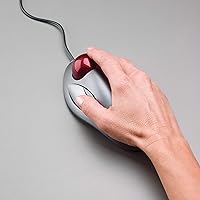
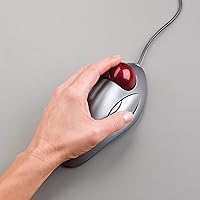
The ambidextrous sculpted body is the first thing left-handed users tend to notice — finally, an ergonomic option that does not treat them as an afterthought. The Marble Trackball's four programmable buttons include large, easy-to-reach Back and Forward controls that let you navigate documents and browser tabs without lifting your arm. Plug it into any USB port and it works immediately, no driver installation required, and since it draws power directly from the connection, batteries are never part of the equation. The optical sensor reads movement through the ball smoothly and consistently, and because the device sits still, no mouse pad needed. Button remapping via Logitech's software opens up additional workflow customization for power users.

Best For

This Logitech tracker is a particularly strong fit for anyone managing wrist strain or early symptoms of repetitive stress injuries — not as a medical cure, but because keeping your arm still while rolling the ball can feel noticeably less taxing over a long workday. Designers, CAD users, and data-entry professionals tend to value its precision over the sweeping movements a conventional mouse demands. If your desk is small, the stationary footprint alone can tip the decision. Left-handed users especially benefit here, since ambidextrous ergonomic options are genuinely rare in this category. Home office multitaskers who jump between browser tabs and documents all day will also find the dedicated navigation buttons earn their place quickly.

User Feedback

With over 12,000 ratings and a 4.6-star average built across nearly two decades, the Marble Trackball has earned its reputation through consistency rather than novelty. Users consistently highlight long-term durability and comfort during extended sessions as standout qualities, and many report an easier adjustment than they expected going in. The critique most worth flagging upfront: there is no horizontal scroll wheel, which can be genuinely frustrating if wide spreadsheets or timeline-heavy applications are part of your daily workflow. Buyers with smaller hands occasionally note that the button positions feel slightly awkward. On maintenance, the ball benefits from occasional cleaning to maintain smooth tracking — a five-minute task every few weeks, not a design shortcoming.

Pros

  • Ambidextrous design makes this one of the very few ergonomic options genuinely usable by left-handed people.
  • The stationary footprint lets you use it comfortably on the smallest or most cluttered desk setups.
  • USB-powered and plug-and-play — no batteries, no drivers, and no setup friction on Windows or Mac.
  • Four programmable buttons with large Back and Forward controls reduce repetitive arm movement during browsing and multitasking.
  • Over 12,000 buyer ratings averaging 4.6 stars reflect sustained satisfaction built across nearly two decades on the market.
  • Many users report years of daily use with zero mechanical failures, pointing to above-average build quality and longevity.
  • Optical tracking through the ball is smooth and consistent without needing a mouse pad of any kind.
  • Button remapping via Logitech software lets you tailor controls to specific applications or personal workflow needs.
  • The learning curve tends to be shorter than buyers fear — most feel comfortable within one to two weeks.
  • Keeping your arm still while rolling the ball can meaningfully reduce wrist and shoulder fatigue during long sessions.

Cons

  • No horizontal scroll wheel makes wide spreadsheets and timeline-heavy applications noticeably harder to navigate day to day.
  • There is a real adjustment period — budget at least one to two weeks before cursor control feels truly natural.
  • Users with smaller hands often find the button layout requires uncomfortable stretching that undermines the ergonomic intent.
  • The trackball needs occasional cleaning to prevent sluggish cursor movement — routine upkeep, but easy to overlook.
  • The fixed cable limits flexibility for people who regularly switch between multiple computers or work across different locations.
  • Vertical scrolling has no dedicated wheel either, requiring a button remap workaround to handle basic page navigation.
  • The design has not been meaningfully refreshed since 2006, so it lacks modern conveniences like wireless support or USB-C.
  • Not suited for high-speed tasks such as gaming or rapid large-canvas work where quick, sweeping movements are essential.
  • Software customization through Logitech's SetPoint or Options app works, but some users find the interface dated and unintuitive.

Ratings

The scores below were generated by AI after analyzing thousands of verified buyer reviews worldwide for the Logitech Trackman Marble Wired Trackball Mouse, with spam, bot submissions, and incentivized feedback actively filtered out. Both the standout strengths and the real-world limitations of this trackball mouse are transparently reflected in every category score. This device has built a loyal following across nearly two decades, and the data tells a story of genuine durability alongside a handful of honest trade-offs that informed buyers deserve to know.

Ergonomic Comfort
83%
Users who switched from conventional mice frequently report a meaningful reduction in wrist and shoulder fatigue within the first few weeks, particularly during long work sessions. The stationary hand position means the arm rests naturally in one place, which a large portion of reviewers describe as a genuine relief after years of repetitive mouse movement.
Users with smaller hands sometimes report discomfort around the thumb button area, which can require an awkward lateral stretch during extended sessions. The adjustment period also means the ergonomic benefits take time to appear — some users feel unfamiliar finger tension in the first week before their posture normalizes.
Build Quality
91%
The housing feels solid and well-assembled, and reviewers consistently note that it holds up under daily professional use without any wobble, creaking, or surface degradation over time. The cable quality is above average for a wired peripheral, with no widespread reports of fraying at stress points after normal long-term use.
A small number of users report that the ball socket accumulates grime faster than expected in dusty environments, which affects tracking smoothness if not addressed with regular cleaning. There is no modular or removable cable design, so if the cord is damaged, the entire unit needs to be replaced.
Tracking Precision
78%
22%
Once the adjustment period passes, most users find the optical tracking through the marble ball smooth and predictable for precision tasks like graphic design, spreadsheet navigation, and data entry. The absence of surface interference means cursor behavior stays consistent regardless of exactly where the device sits on the desk.
During the first week or two, fine cursor control can feel noticeably inconsistent compared to a conventional mouse, especially for tasks requiring pixel-level accuracy. Users switching from high-DPI mice tend to find the precision ceiling lower than expected when attempting rapid or wide cursor movements across large displays.
Ambidextrous Design
88%
The symmetrical body is one of the very few ergonomic designs that left-handed users can genuinely rely on, with no compromises in button placement or sculpted form on either side. Reviewers from both dominant hands consistently describe the shape as comfortable, and many cite it as the primary reason they chose this device over competitors.
While symmetrical in shape, some users feel the overall body width is better suited to larger adult hands regardless of dominant side. A few left-handed reviewers also note that software default button assignments need remapping before the layout feels fully intuitive for left-hand daily use.
Button Layout
67%
33%
The large Back and Forward buttons are positioned to be reached without wrist rotation, which makes multi-tab browsing and document navigation noticeably more fluid for most users. Reviewers who multitask heavily across applications praise these controls as one of the most practical day-to-day features of the device.
Buyers with smaller hands frequently flag that the button placement feels stretched and slightly out of reach during continuous use. The four-button total also feels limiting for power users who rely on extended shortcut libraries or complex macro workflows that exceed what the physical layout can comfortably support.
Software & Customization
72%
28%
Logitech's SetPoint and Options software allows all four buttons to be remapped to application-specific functions, which adds real utility for users with repetitive workflows like window switching or triggering browser shortcuts. The software is free to download and works reliably across supported operating systems without significant setup friction.
The configuration interface feels dated compared to competitors, and some users report that software updates occasionally reset custom button assignments without warning. Customization depth is also limited — complex macro sequences or automatic per-app profile switching are not supported at the level some advanced users expect.
Setup & Connectivity
89%
Plug it into any available USB port and it works instantly — no driver installation, pairing sequence, or firmware update required on first use. This plug-and-play simplicity is consistently praised by users who configure it across multiple operating systems or in office environments where IT restrictions limit software installs.
The fixed cable length may fall short for some desktop configurations where the USB port sits far from the work surface. There is no wireless option for users who prefer a cleaner desk setup, and PS/2 connectivity, while available, requires a separate adapter on most modern systems.
Desk Space Efficiency
84%
Because the device stays completely stationary, it works in spaces where a conventional mouse simply cannot function — a cluttered corner desk, a narrow workstation tray, or a shared counter setup. Reviewers frequently cite this as the single most practical reason they switched from a traditional mouse.
The physical footprint, while stationary, is not especially compact — at 9 x 3 x 8 inches the unit itself occupies a meaningful portion of desk surface. Users expecting a small, minimalist peripheral may be surprised by how much real estate the device takes up even when not in motion.
Durability & Longevity
92%
A substantial portion of long-term reviewers report using the same unit daily for five or more years without any signs of mechanical failure, button degradation, or tracking deterioration. The absence of wireless components eliminates one of the most common failure points in modern peripherals, contributing directly to the device's remarkable lifespan.
The trackball surface can develop minor cosmetic wear after years of intensive use, and sourcing a replacement ball from standard retail channels is not always straightforward. Some users also note that button spring tension softens slightly over many years of heavy daily use, though this rarely rises to a functional failure.
Scroll Functionality
41%
59%
Vertical scrolling can be partially addressed through button remapping in Logitech's software, giving users a workaround for basic page navigation without reaching for the keyboard. For users who browse primarily vertical content, a remapped scroll button covers the most common use cases once the setup is configured.
There is no physical scroll wheel at all — no vertical wheel and no horizontal scroll capability — which is the single most cited frustration across user reviews. Anyone who regularly navigates wide spreadsheets, panoramic design tools, or horizontal timelines will encounter this limitation acutely and on a daily basis.
Learning Curve
69%
31%
Most users report a shorter adaptation period than they anticipated, with basic cursor control feeling manageable within a few days and full confidence returning within one to two weeks. Reviewers who committed to the transition consistently describe the effort as worthwhile once the finger-rolling motion becomes second nature.
The first few days of use can noticeably disrupt productivity, particularly for tasks requiring fine cursor accuracy or rapid navigation across large monitors. Users switching after decades of conventional mouse use tend to experience a more pronounced adjustment than those coming from other trackball or alternative pointer device formats.
Value for Money
76%
24%
Given the build quality and the years of reliable daily use that most owners report, the cost-per-year works out favorably compared to budget mice that need annual replacement. For left-handed users in particular, the scarcity of comparable ambidextrous alternatives makes this one of the more justifiable purchases in the ergonomic peripheral space.
The upfront price is noticeably higher than most standard wired mice, which can feel difficult to justify given that the design has not been updated since 2006 and lacks modern features like wireless connectivity or an integrated scroll wheel. Budget-conscious buyers may find it hard to commit without prior trackball experience.
Maintenance
74%
26%
Cleaning the trackball is a simple five-minute process — remove the ball, wipe it down, clear the socket cavity — and most users find doing it every few weeks keeps tracking smooth and responsive. No tools or technical knowledge are required, making upkeep accessible to all user types.
Tracking performance degrades noticeably when the ball and socket accumulate dust or skin oils, which means maintenance cannot be skipped indefinitely without affecting daily usability. Users in dusty environments or those who eat at their desk may find themselves cleaning more frequently than they would prefer.

Suitable for:

The Logitech Trackman Marble Wired Trackball Mouse is an excellent choice for anyone who has started feeling the cumulative strain of long, mouse-heavy workdays and wants to reduce the repetitive arm movement that builds up over hours at a desk. People managing early signs of wrist discomfort or carpal tunnel symptoms often find that switching to a stationary trackball takes meaningful pressure off those joints — not a medical remedy, but a setup change that many users say makes a noticeable difference by the end of the day. Left-handed professionals in particular stand to gain a lot here, since the ambidextrous body is one of the very few in the ergonomic peripheral space that genuinely accommodates either hand without compromise. Anyone working in a tight environment — a compact home office, a shared workstation, or a persistently cluttered desk — will also appreciate that this device never needs to be swept across a surface. CAD drafters, data entry workers, and graphic designers who prioritize steady, precise cursor control over fast sweeping movements tend to settle into it quickly and stick with it for years.
Not suitable for:

If your workflow involves fast, wide cursor sweeps — competitive gaming, rapid navigation across large design canvases, or any task where reaction speed matters more than precision — the Logitech Trackman Marble Wired Trackball Mouse will likely feel limiting compared to a high-DPI conventional mouse. The adjustment period is genuine: most people need at least a week or two to build the finger dexterity required to match their previous precision, which means buyers who need to stay fully productive from day one may find the transition disruptive. Anyone who regularly works with wide spreadsheets, horizontal timelines, or panoramic editing software will notice the absence of a horizontal scroll wheel almost immediately, and there is no clean native workaround beyond button remapping. Users with smaller hands often find that the button positions do not sit naturally under their fingers, which can undercut the ergonomic benefits the device is meant to deliver. And if you frequently move between multiple computers or need a portable input device for travel, the fixed cable and desktop-oriented form factor make this a poor fit for that use case.

Specifications

  • Connectivity: Connects via wired USB or PS/2, offering broad compatibility with both modern and legacy desktop systems without requiring any wireless setup.
  • Tracking: Uses optical sensor technology to read movement through a physical trackball, delivering consistent cursor control without requiring a mouse pad.
  • Buttons: Features 4 programmable buttons, including two large thumb-accessible Back and Forward controls positioned symmetrically on either side of the body.
  • Handedness: The sculpted body is fully ambidextrous, engineered to fit comfortably and ergonomically in either the left or right hand.
  • Dimensions: Measures 9 x 3 x 8 inches, occupying a fixed footprint on the desk rather than requiring open surface area for movement.
  • Weight: Weighs 3.14 ounces, keeping the unit lightweight for a stationary desktop peripheral while remaining stable during extended use.
  • Power Source: Draws power directly from the USB port connection, meaning no batteries are ever required and the device is always ready to use.
  • OS Support: Compatible with Windows Vista, 7, 8, and 10, as well as Mac OS X 10.4 or later, covering a broad range of desktop operating systems.
  • Color: Comes in a Dark Gray body with Red accent detailing on the trackball and surrounding button highlights.
  • Sensor Type: Optical sensor translates the physical rotation of the marble ball into smooth, precise on-screen cursor movement.
  • Model Number: Official Logitech model number is 910-000806, useful for warranty registration, software pairing, and sourcing replacement parts.
  • Software: Compatible with Logitech SetPoint and Logitech Options software, which enable custom button mapping and workflow-specific personalization.
  • Mouse Pad: No mouse pad is required at any point, as the optical sensor reads the trackball directly rather than the surface beneath the device.
  • Manufacturer: Manufactured by Logitech, a company with a multi-decade track record and over one billion mice produced across its product lines.
  • First Released: Originally made available in December 2006, making it one of the longest-running trackball designs still in active commercial production.

Related Reviews

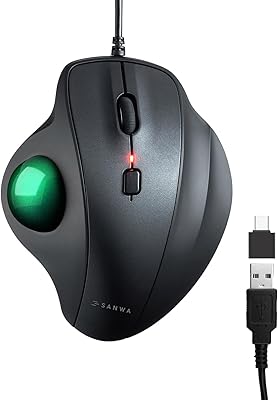
SANWA GMATB128GR Ergonomic Trackball Mouse
75%
78%
Ergonomic Comfort
61%
Trackball Size & Precision
88%
Silent Click Performance
63%
Build Quality
54%
Scroll Wheel Feel
More
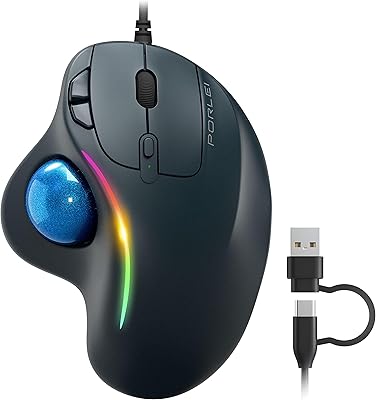
PORLEI TM551 Wired Trackball Mouse
76%
88%
Ergonomic Comfort
71%
Tracking Precision
63%
DPI Versatility
67%
Build Quality
94%
Ease of Setup
More
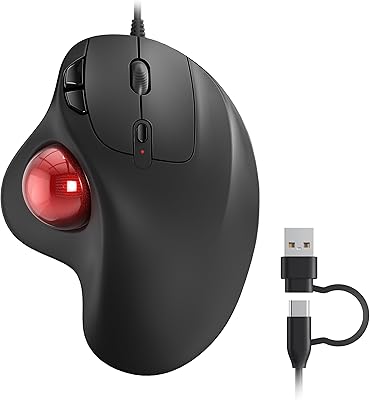
Nulea M509 Trackball Mouse
77%
83%
Ergonomic Comfort
67%
Trackball Precision
74%
Build Quality
94%
Ease of Setup
88%
Cable & Connectivity
More
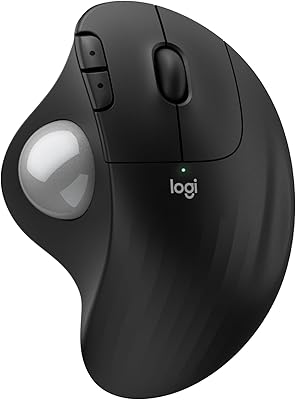
Logitech Ergo M575S
Logitech Ergo M575S
79%
93%
Ergonomic Comfort
78%
Trackball Precision
61%
Learning Curve
88%
Click Noise Level
91%
Battery Life
More
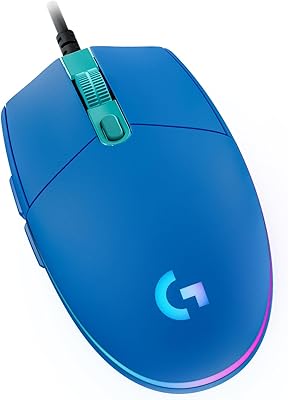
Logitech G203 Prodigy Wired Gaming Mouse
85%
92%
Value for Money
89%
Performance
87%
Build Quality
83%
Ergonomics
91%
RGB Lighting Customization
More
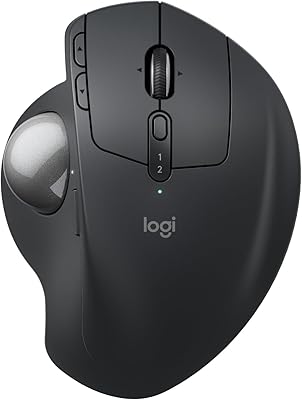
Logitech MX Ergo S
Logitech MX Ergo S
81%
91%
Ergonomic Comfort
88%
Trackball Precision
93%
Battery Life
86%
Click Noise Reduction
79%
Software & Customization
More
Logitech POP Mouse
Logitech POP Mouse
82%
93%
Silent Click Performance
89%
SmartWheel Scrolling
87%
Multi-Device Connectivity
91%
Battery Life
71%
Ergonomics & Hand Fit
More
Logitech Trackman Wheel Optical Trackball Mouse
74%
91%
Ergonomic Comfort
83%
Tracking Precision
88%
Build Quality
47%
Learning Curve
93%
Desk Space Efficiency
More
seenda Wireless Trackball Mouse
78%
88%
Ergonomic Comfort
74%
Trackball Precision
86%
Multi-Device Connectivity
83%
Battery Life
71%
Build Quality
More
Kensington Orbit Trackball Mouse
77%
83%
Ergonomic Comfort
76%
Tracking Accuracy
61%
Scroll Ring Usability
88%
Build Quality & Durability
57%
Button Layout & Customization
More

FAQ

It works on Mac without any driver installation — just plug the USB cable in and you are ready to go. If you want to remap the buttons to custom actions, you can download Logitech Options software separately, but that step is entirely optional for everyday use.

Most people need somewhere between one and two weeks before it starts feeling natural. The first few days can feel awkward, especially for fine cursor movements, but the majority of users report the transition is shorter than they expected. Try to stick with it through the first full week before forming a strong opinion.

It is genuinely ambidextrous — the sculpted shape and button layout are symmetrically mirrored so both hands are equally supported. Left-handed users tend to appreciate this device specifically because ergonomic peripherals that truly accommodate the left hand are surprisingly rare in this category. This is one of its strongest real-world differentiators.

There is no scroll wheel, and this is the most common complaint among buyers, so it is worth knowing upfront. You can remap one of the four buttons to activate a scrolling mode through Logitech's software, but that is not quite the same as a dedicated wheel. If you rely heavily on scrolling through long documents or wide spreadsheets, this trade-off will be noticeable.

Cleaning is straightforward: lift the ball out of its socket, wipe it down with a soft dry cloth, and clear any dust or debris from the socket cavity with a cotton swab. Most users find that doing this every few weeks keeps the tracking smooth and responsive. It takes about five minutes and makes a real difference if the cursor starts feeling sluggish.

The Logitech Trackman Marble Wired Trackball Mouse is not well-suited for competitive gaming, since it lacks the fast, wide cursor sweeps most action and shooter titles require. Casual genres like turn-based strategy or point-and-click games can work reasonably well, but for anything fast-paced it will feel limiting compared to a conventional high-DPI mouse.

No installation is needed for basic use — plug it into a USB port and it works immediately on both Windows and Mac. Logitech's SetPoint or Options software is available if you want to remap buttons or customize behavior, but the device functions perfectly well straight out of the box without it.

Many users report that switching to a stationary trackball reduces the wrist and arm fatigue they experienced with a conventional mouse, because the hand stays fixed while finger movement controls the cursor. That said, this is based on user experience rather than clinical evidence, and results will vary depending on the source and severity of your discomfort. If you have a diagnosed condition, it is worth consulting a healthcare professional before making the switch.

Durability is one of the most consistently praised qualities in long-term user reviews, with a notable number of buyers reporting five or more years of daily use without any mechanical issues. The wired connection also removes a common failure point, since there are no battery contacts or wireless components to degrade over time. It is genuinely one of the stronger arguments for choosing this device.

Yes, all four buttons are fully programmable through Logitech's software. You can assign them to actions like switching applications, triggering keyboard shortcuts, opening browser windows, or entering full-screen mode, among other options. The default layout works fine for general browsing and navigation, but the remapping capability adds real flexibility for users with specific workflow needs.

Where to Buy