Logitech MX Anywhere 2S Bluetooth Edition




Overview
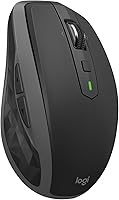
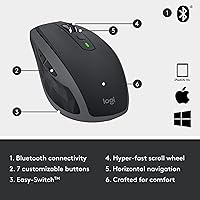
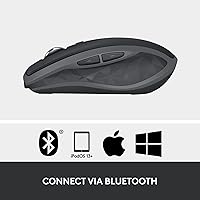
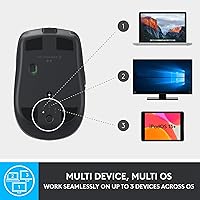
The Logitech MX Anywhere 2S Bluetooth Edition is a compact, rechargeable mouse built for professionals who move between multiple machines without wanting a dongle taking up a port. This is the Bluetooth-only version — worth stressing, because it's frequently confused with the standard RF model that ships with a USB receiver. Using Logitech's Easy-Switch button, the MX Anywhere 2S pairs with up to three devices, all managed through the Options+ software. A quick three-minute charge buys a full day of use, and a complete charge lasts up to 70 days. Lightweight and unobtrusive in Graphite, it's built for people who work everywhere.
Features & Benefits
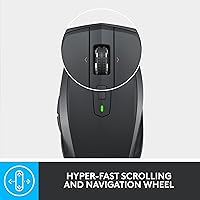
The Darkfield High Precision sensor is where this compact travel mouse earns its keep. It tracks accurately on virtually any surface — polished wood, fabric, even glass — at up to 4,000 DPI, which is a genuine relief for anyone with a minimalist or unconventional desk. The scroll wheel runs in two modes: spin freely to blast through long pages, or click it into notched mode for careful, line-by-line navigation. Battery life is genuinely strong, routinely lasting weeks between charges. Logitech Flow lets you control up to three computers and copy files between them — though it does require installing Options+ software before any of that works.
Best For
This Bluetooth mouse is a natural fit for remote workers and road warriors who jump between a work laptop and a personal desktop throughout the day. Cross-platform support for Windows and macOS means multi-device workflows don't require compromises. It also solves a real problem for anyone working on a glass desk, where cheaper sensors simply quit. Ultrabook owners benefit from the dongle-free connection — no occupied USB-A port, no tiny receiver to misplace in a bag. One honest caveat: the contoured shape is designed for right-handed use only, and it's a compact mouse — not a full ergonomic solution for long-haul comfort.
User Feedback
Among verified buyers, glass-surface tracking draws the most consistent praise — it's a capability that genuinely sets this mouse apart from cheaper alternatives. Multi-device switching speed is a recurring highlight for people managing two or three machines daily. On the critical side, the micro-USB port is a common complaint; at this price point, buyers reasonably expect USB-C, and a handful feel the omission is hard to overlook. Left-handed users should know upfront that the ergonomic shaping simply doesn't work for them. Battery life holds up well in practice, with most reviewers confirming several weeks of real use. Flow earns strong marks, though some find the initial software setup more involved than expected.
Pros
- Darkfield sensor tracks accurately on glass and polished surfaces where most mice simply fail.
- Three-device Bluetooth pairing with a dedicated Easy-Switch button makes multi-machine workflows genuinely fast.
- Battery lasts weeks on a full charge, with a fast-charge option that buys a full day in minutes.
- No USB dongle required, keeping slim laptop ports free for other accessories.
- Logitech Flow enables real file and clipboard transfers between connected computers — a rare capability at this tier.
- Dual-mode scroll wheel handles both rapid document skimming and precise line-by-line navigation.
- Compact and light enough to fit in any bag without adding noticeable bulk during travel.
- Compatible with both Windows and macOS, with software-based customization for each platform.
- The MX Anywhere 2S holds up well in real-world use, with battery longevity matching manufacturer claims closely.
Cons
- Micro-USB charging port feels out of place in 2024 when competitors at this price point have moved to USB-C.
- Logitech Flow requires installing Options+ on every connected machine — it does not work without software setup.
- Right-handed ergonomic shaping gives left-handed users no viable option in this model line.
- Not suited for extended daily sessions requiring wrist support; the compact size has real comfort limits.
- Bluetooth reconnection after device sleep can occasionally require a second press, disrupting fast task-switching.
- Side buttons sit shallow and can be triggered accidentally by users with larger or broader hands.
- No travel pouch or protective case included, leaving the mouse exposed to scratches in a packed bag.
- Users on older Bluetooth 4.0 hardware may experience occasional cursor stutter or brief disconnections.
- Corporate device users who cannot install third-party software lose access to Flow and DPI customization entirely.
Ratings
The scores below for the Logitech MX Anywhere 2S Bluetooth Edition were generated by AI after analyzing thousands of verified buyer reviews across global markets, with spam, bot submissions, and incentivized feedback actively filtered out. Each category reflects both the genuine strengths users celebrate and the real frustrations that surface repeatedly in honest reviews. Nothing is smoothed over — the compact travel mouse earns strong marks where it delivers and takes honest hits where it falls short.
Surface Tracking Accuracy
Multi-Device Switching
Battery Life
Charging Port (Micro-USB)
Logitech Flow (Cross-Computer Control)
Build Quality & Materials
Ergonomics & Comfort
Scroll Wheel Performance
Portability & Travel Friendliness
Software (Logitech Options+)
Bluetooth Connectivity Stability
Value for Money
Click Feel & Button Response
Suitable for:
The Logitech MX Anywhere 2S Bluetooth Edition is built for a specific kind of buyer, and for that buyer it delivers convincingly. Remote workers and frequent travelers who split their day between a work laptop and a home desktop will get the most out of its three-device pairing and Fast-charge capability — the ability to top up in minutes before leaving the house is genuinely useful. Anyone working on a glass desk or an unconventional surface will appreciate the Darkfield sensor, which handles tracking conditions that stump most mice in this price range. Mac and Windows power users who want to copy files between machines without a KVM switch or cloud workarounds should explore Logitech Flow, which handles that workflow cleanly once Options+ is installed on each computer. Ultrabook and MacBook owners who have run out of USB-A ports will also find the Bluetooth-only design a practical fit rather than a compromise.
Not suitable for:
The Logitech MX Anywhere 2S Bluetooth Edition has real limitations that make it the wrong choice for a meaningful slice of buyers. Left-handed users should look elsewhere immediately — the contoured shape is designed exclusively for right-handed grip and there is no ambidextrous variant in this line. Anyone expecting a true ergonomic mouse for long daily sessions will be disappointed; this is a compact travel mouse with a comfortable shape, not a wrist-support solution for eight-hour workdays. The micro-USB charging port is a genuine sticking point for buyers who have fully transitioned to USB-C across their accessories, and it is worth factoring that friction into the decision. Users on older hardware with Bluetooth 4.0 or unstable Bluetooth stacks may experience connectivity inconsistencies that undermine the otherwise strong tracking performance. Finally, buyers on managed corporate devices who cannot install third-party software will lose access to Flow and custom DPI settings entirely, which strips out two of the most compelling reasons to choose this mouse over cheaper alternatives.
Specifications
- Connectivity: Bluetooth only — this model does not include a USB receiver or dongle of any kind.
- Bluetooth Version: Compatible with Bluetooth Low Energy, requiring a host device with Bluetooth support to connect.
- Device Pairing: Pairs with up to three devices simultaneously, switchable via the dedicated Easy-Switch button on the underside.
- Sensor: Darkfield High Precision optical sensor tracks accurately on virtually any surface, including glass.
- Max DPI: Sensor adjustable up to 4,000 DPI, configurable in steps through Logitech Options+ software.
- Scroll Wheel: Dual-mode scroll wheel toggles between free-spin hyper-fast scrolling and click-to-click precise navigation.
- Battery Type: Built-in rechargeable lithium polymer battery; no replaceable AA or AAA cells required.
- Battery Life: Up to 70 days on a full charge under typical usage conditions.
- Fast Charge: Approximately 3 minutes of charging via micro-USB delivers enough power for a full day of use.
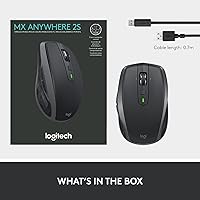
- Charging Port: Micro-USB port used for charging; a micro-USB to USB-A cable is included in the box.
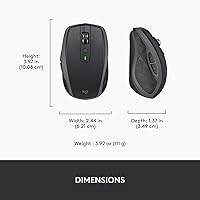
- Weight: Mouse weighs approximately 6.7 ounces including the built-in battery.
- Package Dimensions: Retail packaging measures 8.11 x 5.55 x 1.89 inches.
- Form Factor: Compact right-handed contoured shape designed for medium-sized hands and portable daily use.
- Color: Available in Graphite; matte finish resists fingerprints during regular handling.
- OS Compatibility: Fully supported on Windows and macOS; Logitech Flow and advanced features require Options+ software on each connected machine.
- Cross-Computer Control: Logitech Flow enables cursor movement, clipboard sharing, and file transfer across up to three connected computers after software setup.
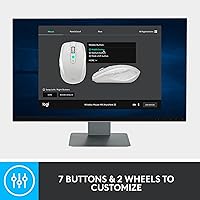
- Software: Logitech Options+ is required for DPI customization, button remapping, Flow configuration, and per-app settings.
- In The Box: Includes the mouse and one micro-USB to USB-A charging cable; no USB receiver or travel case is included.
Related Reviews
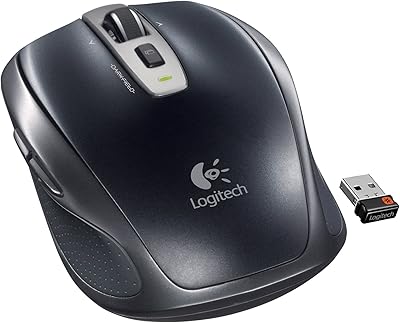
Logitech Wireless Anywhere Mouse MX
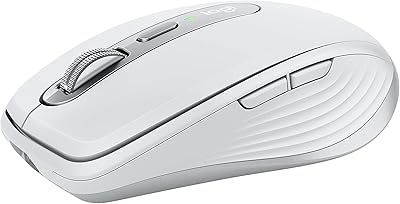
Logitech MX Anywhere 3 for Mac Mouse
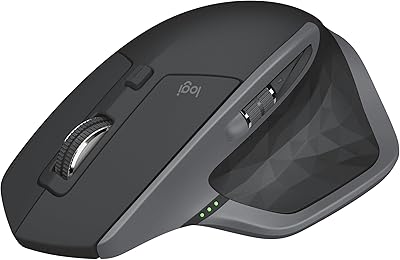
Logitech MX Master 2S Wireless Mouse
Logitech MX Creative Console Customizable Keypad
Logitech M535 Bluetooth Mouse
Logitech Slim Bluetooth Combo
Logitech M557 Bluetooth Mouse
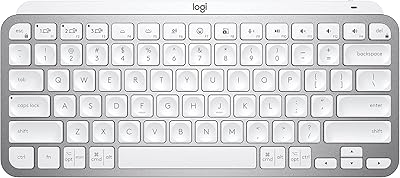
Logitech MX Keys Mini Wireless Keyboard

Logitech MX Mechanical